Free 3D
 3D Print Models
 3D Scans
 Animation & MoCap
 Textures
 Materials
 Skin Reference
 2D Game Assets
 Sound Effects
 Brushes & Tools
 Reference Photos
 Stock Images
 HDR Images
 3ds Max
 Maya
Maya Blender
 Unreal Engine
 Unity
Unity ZBrush
 Cinema 4D
 LightWave
 Marmoset
 SketchUp
 FBX
FBX DAE
DAE DXF
DXF GLB
GLB


! REPORT

Smart Texture Collector & Relinker
3D Render by intenzoSmart Texture Collector & Relinker
Say Goodbye to Texture Chaos!
Are you creating characters, clothing, or props? Are you tired of manually hunting down textures from scattered folders across your hard drive just to package a product? Or maybe you just want to organize your project files?
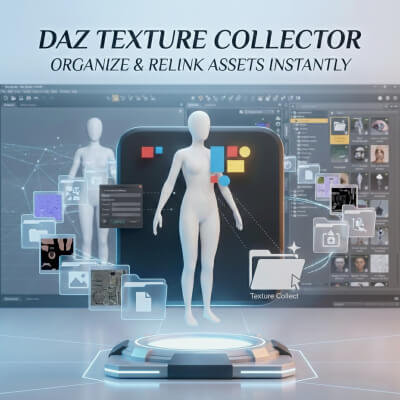
Smart Texture Collector & Relinker is a powerful utility for Daz Studio that automates the most tedious part of 3D content creation: collecting, renaming, and relinking textures.
With just one click, your textures are neatly sorted into folders, and—most importantly—the file paths in your scene are automatically updated. Your product is ready for sale or archiving immediately!
Key Features:
Automated Folder Structure: The script automatically detects your content library and creates a canonical directory structure: Runtime/Textures/[Author Name]/[Project Name]. No more lost files!
Instant Relinking: This isn't just a file copier. The script updates the file paths directly inside your open scene. You don't need to manually re-assign maps—your character immediately starts using the copied files from the new location. You can save your .DUF preset right away!
Smart Renaming (Prefixes): Avoid filename conflicts! Automatically add a unique prefix (e.g., CharName_) to all files. If you had Face.jpg, it becomes CyberGirl_Face.jpg.
Recursive Scan: Simply select a character, and the script will process not only the base figure but also all attached elements (clothing, hair, accessories).
Duplicate Protection: Smart algorithms prevent copying the same file twice, saving disk space and keeping your folder clean.
Workflow:
Select an object (or character) in the scene.
Run the script.
Enter your Author Name and Project Name.
(Optional) Enter a File Prefix.
Click OK.
Result: All textures are copied to the target folder, renamed, and the materials in your scene are now linked to these new files.
Technical Details:
Compatibility: Daz Studio 4.10+
Script Type: Daz Script (.dsa/.dse)
Supported Maps: Diffuse, Bump, Normal, Specular, Roughness, Opacity, and any other map connected via Image Property.
Who is this for?
For Vendors: Save hours on preparing assets for sale. Eliminate "File not found" errors for your customers.
For Freelancers: Quickly package scenes and assets for transfer to clients.
For Organizers: Clean up messy scenes where textures are scattered across "Downloads" or "Desktop" folders.
Get your library in order with a single click!
Installation Instructions:
Unzip the archive into your My Library folder. The script will appear in your Content Library under Scripts / [Your Folder]. You can also create a custom toolbar button for quick access (instructions included).
Say Goodbye to Texture Chaos!
Are you creating characters, clothing, or props? Are you tired of manually hunting down textures from scattered folders across your hard drive just to package a product? Or maybe you just want to organize your project files?
Smart Texture Collector & Relinker is a powerful utility for Daz Studio that automates the most tedious part of 3D content creation: collecting, renaming, and relinking textures.
With just one click, your textures are neatly sorted into folders, and—most importantly—the file paths in your scene are automatically updated. Your product is ready for sale or archiving immediately!
Key Features:
Automated Folder Structure: The script automatically detects your content library and creates a canonical directory structure: Runtime/Textures/[Author Name]/[Project Name]. No more lost files!
Instant Relinking: This isn't just a file copier. The script updates the file paths directly inside your open scene. You don't need to manually re-assign maps—your character immediately starts using the copied files from the new location. You can save your .DUF preset right away!
Smart Renaming (Prefixes): Avoid filename conflicts! Automatically add a unique prefix (e.g., CharName_) to all files. If you had Face.jpg, it becomes CyberGirl_Face.jpg.
Recursive Scan: Simply select a character, and the script will process not only the base figure but also all attached elements (clothing, hair, accessories).
Duplicate Protection: Smart algorithms prevent copying the same file twice, saving disk space and keeping your folder clean.
Workflow:
Select an object (or character) in the scene.
Run the script.
Enter your Author Name and Project Name.
(Optional) Enter a File Prefix.
Click OK.
Result: All textures are copied to the target folder, renamed, and the materials in your scene are now linked to these new files.
Technical Details:
Compatibility: Daz Studio 4.10+
Script Type: Daz Script (.dsa/.dse)
Supported Maps: Diffuse, Bump, Normal, Specular, Roughness, Opacity, and any other map connected via Image Property.
Who is this for?
For Vendors: Save hours on preparing assets for sale. Eliminate "File not found" errors for your customers.
For Freelancers: Quickly package scenes and assets for transfer to clients.
For Organizers: Clean up messy scenes where textures are scattered across "Downloads" or "Desktop" folders.
Get your library in order with a single click!
Installation Instructions:
Unzip the archive into your My Library folder. The script will appear in your Content Library under Scripts / [Your Folder]. You can also create a custom toolbar button for quick access (instructions included).

Hi, this looks like a very useful tool - thank you for sharing it.
I just want to clearly understand one technical detail before purchasing.
When you say the script "relinks materials", does it mean:
It only relinks texture file paths for the materials that are already assigned in the current scene (for example, moving textures into a new Runtime folder and updating Image Properties),
or
It can also retarget or reassign materials between characters, for example applying materials originally made for Character A onto Character B and saving them as a new material preset for Character B?
Additionally, does the script:
Automatically save a new .DUF material preset, or
Does it simply prepare the scene so the user can manually save the preset afterward using DAZ's Save Material Preset dialog?
I'm a content creator and want to make sure I understand the exact scope of automation before using it in my workflow.
Thanks in advance for the clarification.
I just want to clearly understand one technical detail before purchasing.
When you say the script "relinks materials", does it mean:
It only relinks texture file paths for the materials that are already assigned in the current scene (for example, moving textures into a new Runtime folder and updating Image Properties),
or
It can also retarget or reassign materials between characters, for example applying materials originally made for Character A onto Character B and saving them as a new material preset for Character B?
Additionally, does the script:
Automatically save a new .DUF material preset, or
Does it simply prepare the scene so the user can manually save the preset afterward using DAZ's Save Material Preset dialog?
I'm a content creator and want to make sure I understand the exact scope of automation before using it in my workflow.
Thanks in advance for the clarification.
REPLY
! REPORT
intenzo
Karma: 7,604
Thu, Dec 18, 2025This script only works with textures. It copies all textures from the selected character and saves them into a folder of your choice. After that, it updates the material settings by overwriting the texture file paths. Please note that the script does not automatically save a .DUF preset; it prepares the materials in the scene so you can save them manually if needed.
Smart Texture Collector & Relinker
[+] Give Award


Thu, Dec 18, 2025 176
176
 3
3
1766
3
Add to Collection

6 Likes
Share This Render


Software Used
 Daz Studio
Marketplace Items Used