Free 3D
 3D Print Models
 3D Scans
 Animation & MoCap
 Textures
 Materials
 Skin Reference
 2D Game Assets
 Sound Effects
 Brushes & Tools
 Reference Photos
 Stock Images
 HDR Images
 3ds Max
 Maya
Maya Blender
 Unreal Engine
 Unity
Unity ZBrush
 Cinema 4D
 LightWave
 Marmoset
 SketchUp
 FBX
FBX DAE
DAE DXF
DXF GLB
GLB

! REPORT

So What?
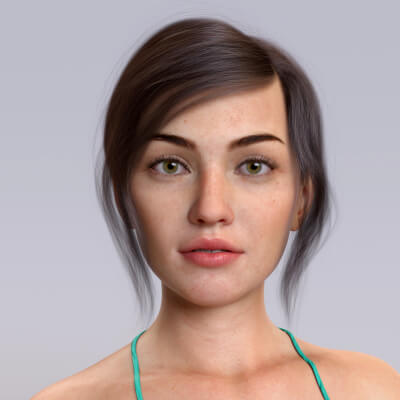
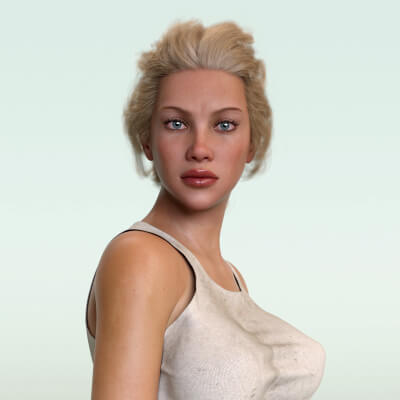
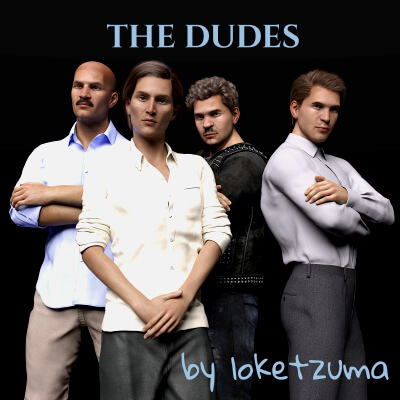
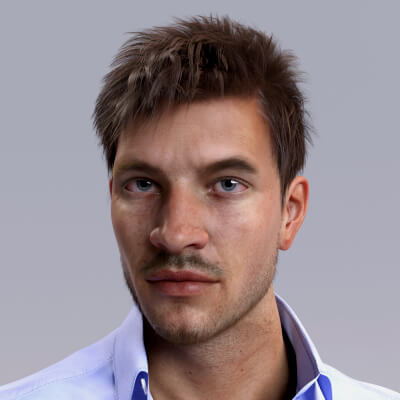
3D Render by loketzumaOriginal character with Freja HD details. Hair/outfit by Linday.


Did you make the custom normal map for the scars?
REPLY
! REPORT
loketzuma
Karma: 2,757
Fri, Nov 21, 2025No, they come from the HD details of DO Freja 8. I did the base morph and skin.
Prestige Ape
Karma: 1,789
Fri, Nov 21, 2025Cool, I was going to see if there were any tricks that could be shared. I'm working on my first model where I need custom normals and its been a...thing...to say the least.
loketzuma
Karma: 2,757
Sat, Nov 22, 2025Ah OK... If the scar isn’t too deep or extreme,
you can bake it into a normal map and reuse it on the base mesh in DAZ.
To do it, I would use Blender with an addon from diffeormorphic (Daz importer).
I still have a copy of Blender 4.0.2 with this 1.7.3.1938 addon installed.
In Daz, I would start from my bare model in the default pose (no eyelashes, hair or anything), export
it as 2 obj files:
1. as base, 2. as HD (subd3 or more).
For the export don't collapse the UV tiles.
Now in Blender...
Import the HD, shade smooth, sculpt the scar with the Blender sculpt tools.
Import the base, shade smooth.
Save as a blend file (important).
In the right panel (N-panel), you will see Daz Setup:
you can go to submenu advanced setup, then hdmesh, where you will see multires.
You can click on it after selecting the low poly model and shift-selecting the high poly one.
Then select the low poly one and click Bake Maps (you will be proposed displacement or normals,
2k or 4k etc). And your maps are computed (in my case they are automatically saved
in Documents/textures/normals/...).
You can go back to daz and put the created normal map at the right place in the surfaces tab.
You might need to edit it in gimp first if you are only interested in the scar.
Hope this helps...
you can bake it into a normal map and reuse it on the base mesh in DAZ.
To do it, I would use Blender with an addon from diffeormorphic (Daz importer).
I still have a copy of Blender 4.0.2 with this 1.7.3.1938 addon installed.
In Daz, I would start from my bare model in the default pose (no eyelashes, hair or anything), export
it as 2 obj files:
1. as base, 2. as HD (subd3 or more).
For the export don't collapse the UV tiles.
Now in Blender...
Import the HD, shade smooth, sculpt the scar with the Blender sculpt tools.
Import the base, shade smooth.
Save as a blend file (important).
In the right panel (N-panel), you will see Daz Setup:
you can go to submenu advanced setup, then hdmesh, where you will see multires.
You can click on it after selecting the low poly model and shift-selecting the high poly one.
Then select the low poly one and click Bake Maps (you will be proposed displacement or normals,
2k or 4k etc). And your maps are computed (in my case they are automatically saved
in Documents/textures/normals/...).
You can go back to daz and put the created normal map at the right place in the surfaces tab.
You might need to edit it in gimp first if you are only interested in the scar.
Hope this helps...
So What?
[+] Give Award


Thu, Nov 20, 2025 203
203
 7
7
20313
7
Add to Collection

13 Likes
Share This Render


Software Used
 Daz Studio
 GIMP
GIMPArtist Stats
Member Since:
Karma:
Followers:
Likes Received:
Karma:
Followers:
Likes Received:
Mar, 2024
2,757
65
1,292
2,757
65
1,292
Gallery Images:
Wallpaper Images:
Forum Topics:
Marketplace Items:
Wallpaper Images:
Forum Topics:
Marketplace Items:
95
1
2
20
1
2
20

90

14

2

1