


 Free 3D
 3D Print Models
 3D Scans
 Animation & MoCap
 Textures
 Materials
 Skin Reference
 2D Game Assets
 Sound Effects
 Brushes & Tools
 Reference Photos
 Stock Images
 HDR Images
 3ds Max
 Maya
Maya Blender
 Unreal Engine
 Unity
Unity ZBrush
 Cinema 4D
 LightWave
 Marmoset
 SketchUp
 FBX
FBX DAE
DAE DXF
DXF GLB
GLB


User Artwork (1)
! REPORT
NOTE: DIGITAL DOWNLOAD, NOT A PHYSICAL ITEM

Add to Collection

4 Likes
Share This Daz Content


Top Rated Vendor


I create manga using DAZ Studio.
Vendor's Pages


License
Extended Use License
This item comes with our Extended Use Licensing. This means that you may use the model for both non-commercial and commercial purposes, in a variety of mediums and applications.
For full license terms, see our 3D Content Licensing Agreement
Item Details
| Vendor: | 3d-doghouse |
| Published: | Oct 17, 2026 |
| Download Size: | 89.7 MB |
| Software: | Daz Studio |
| Compatible Figure: | Dog 8 |
| dForce: | – |
Included Formats

Statistics
| Favorites: | 1 |
| Likes: | 4 |
| Views: | 82 |
Item Ratings

Not Rated Yet
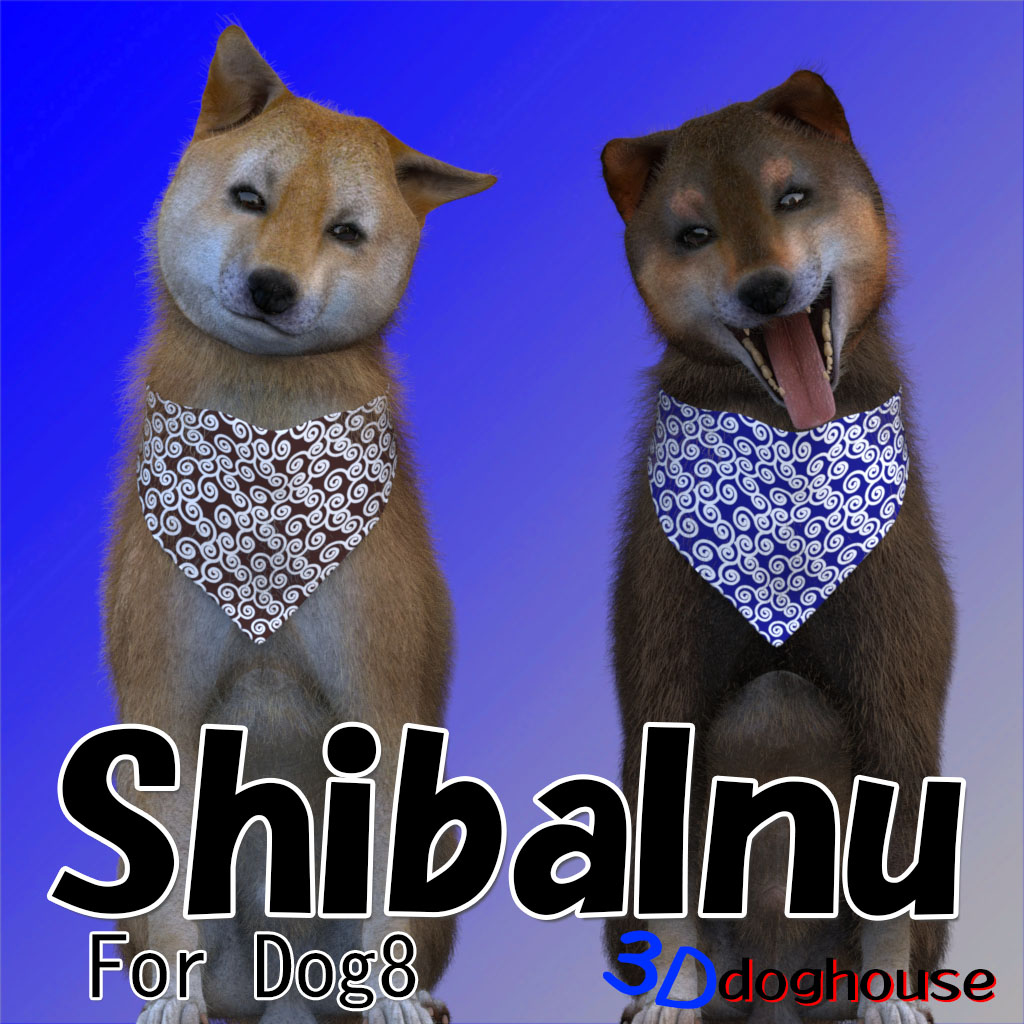
3dg ShibaInu for Dog 8
3dg ShibaInu For Dog 8
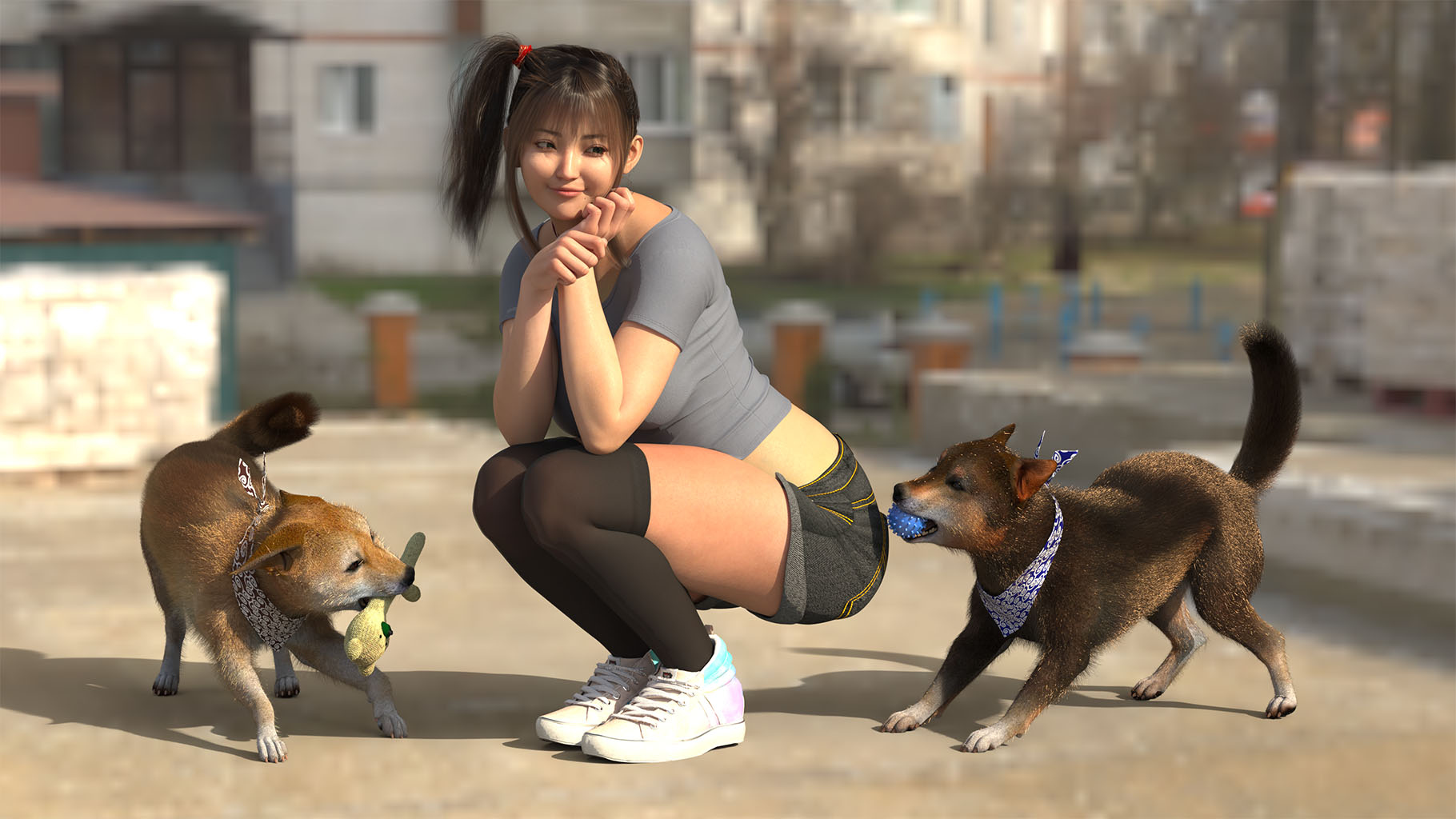
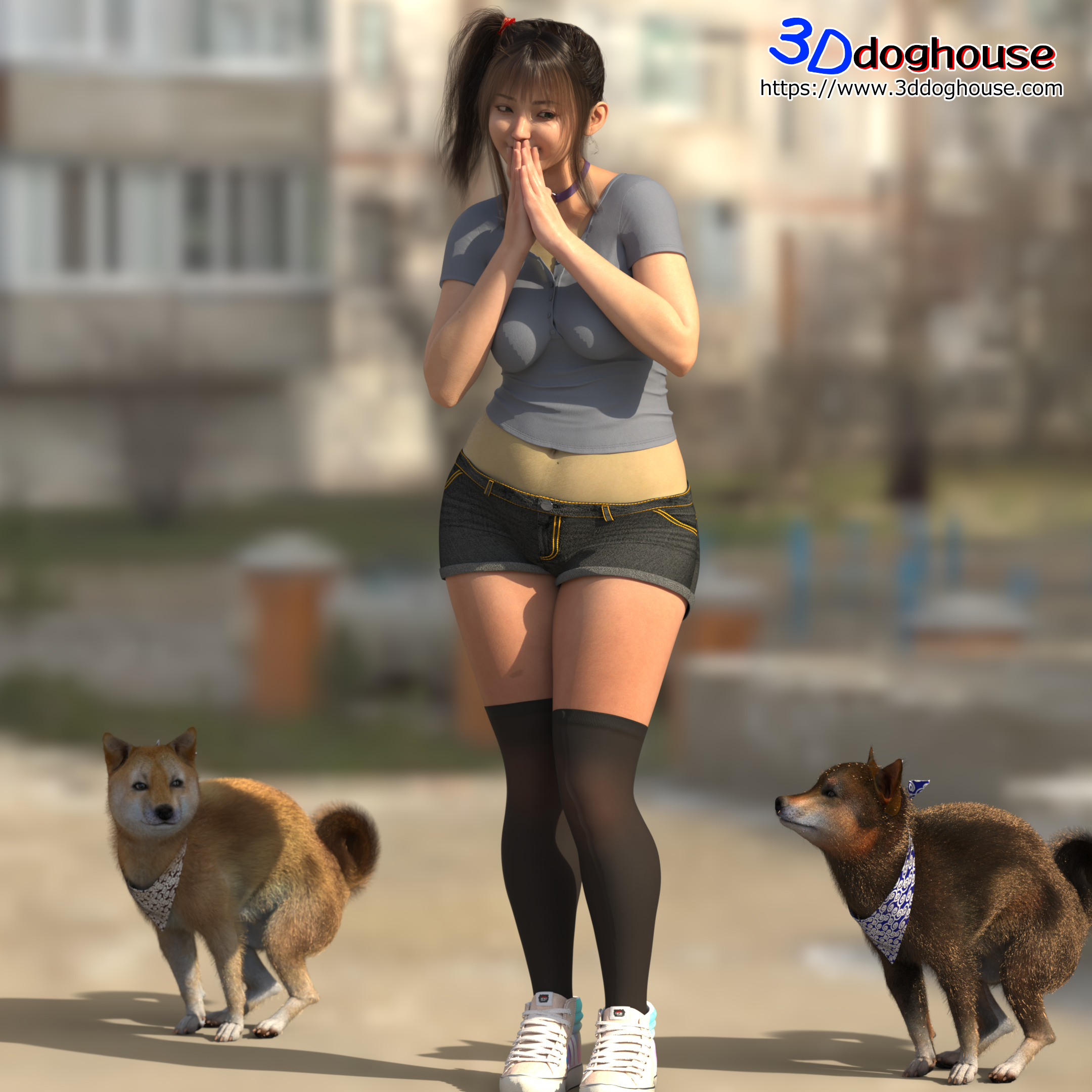
Add this Shiba Inu to your collection of pets. This product requires "Daz Dog 8."
* The fur on this product uses "Strand-Based Hair."
Includes:
Actor
3dg ShibaInu
3dg KuroShiba
3dg ShibaInu NoFur
3dg KuroShiba NoFur
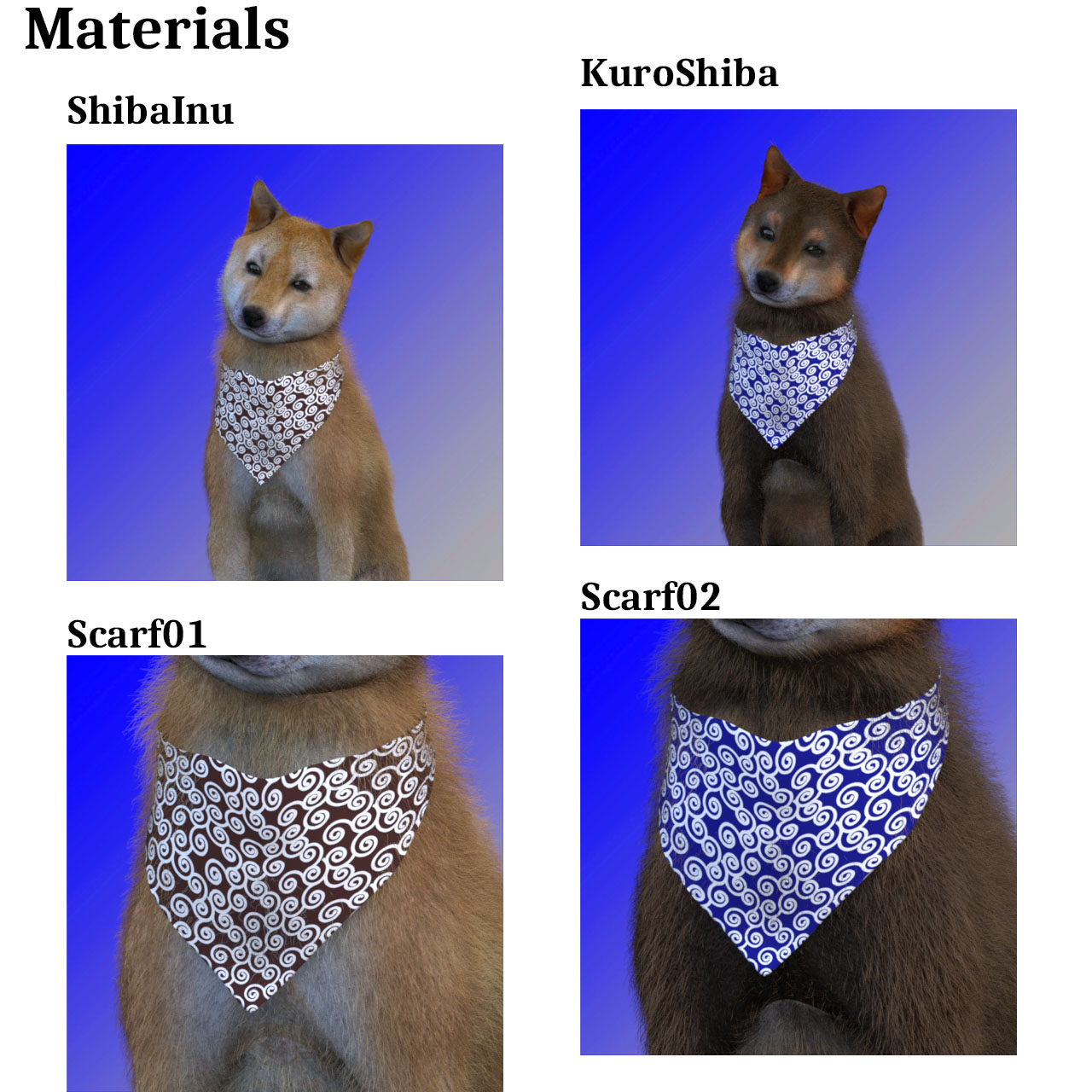
Materials
Kuroshiba Fur
KuroShiba
Scarf01
Scarf02
ShibaInu Fur
ShibaInu
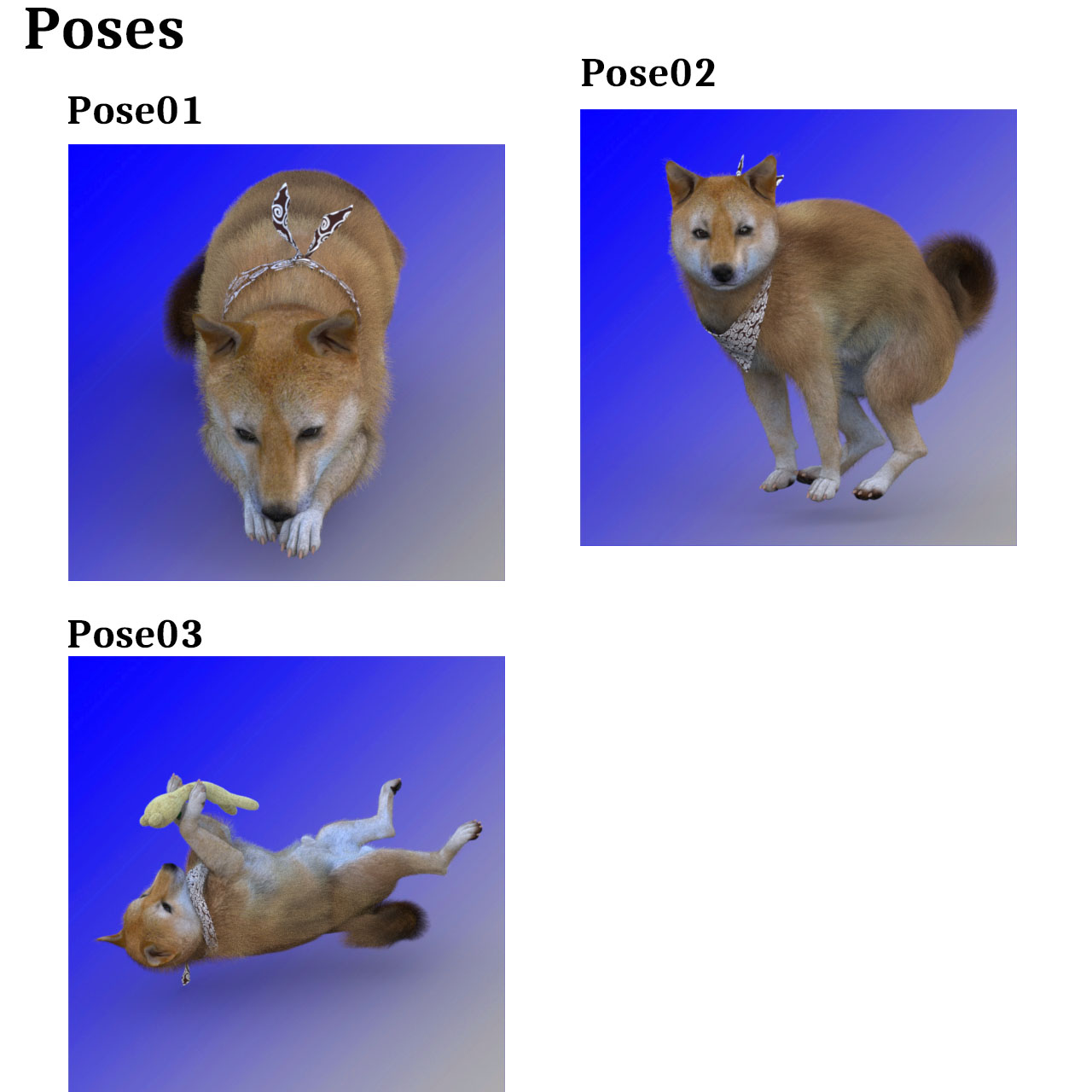
Poses
Pose01
Pose02
Pose03
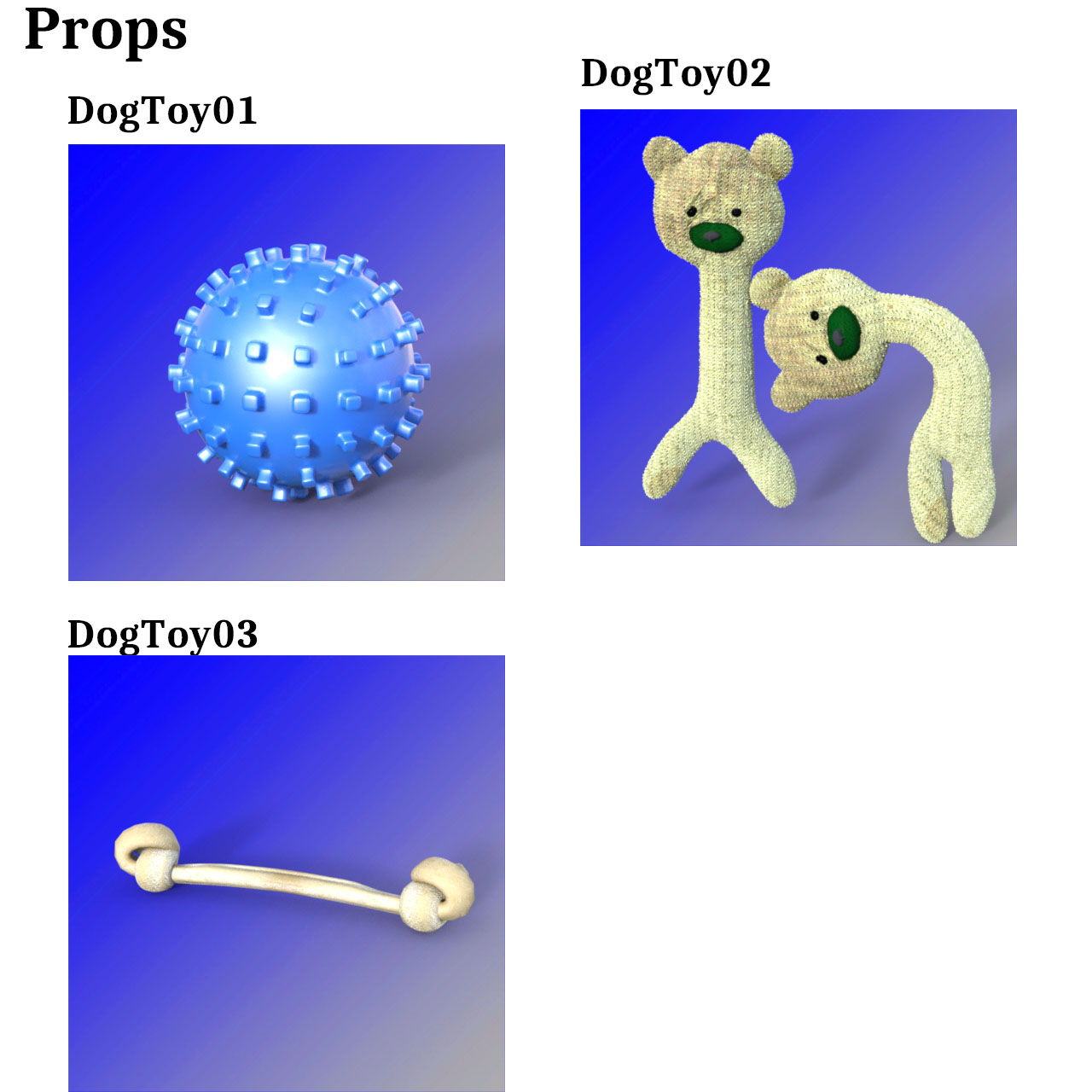
Props
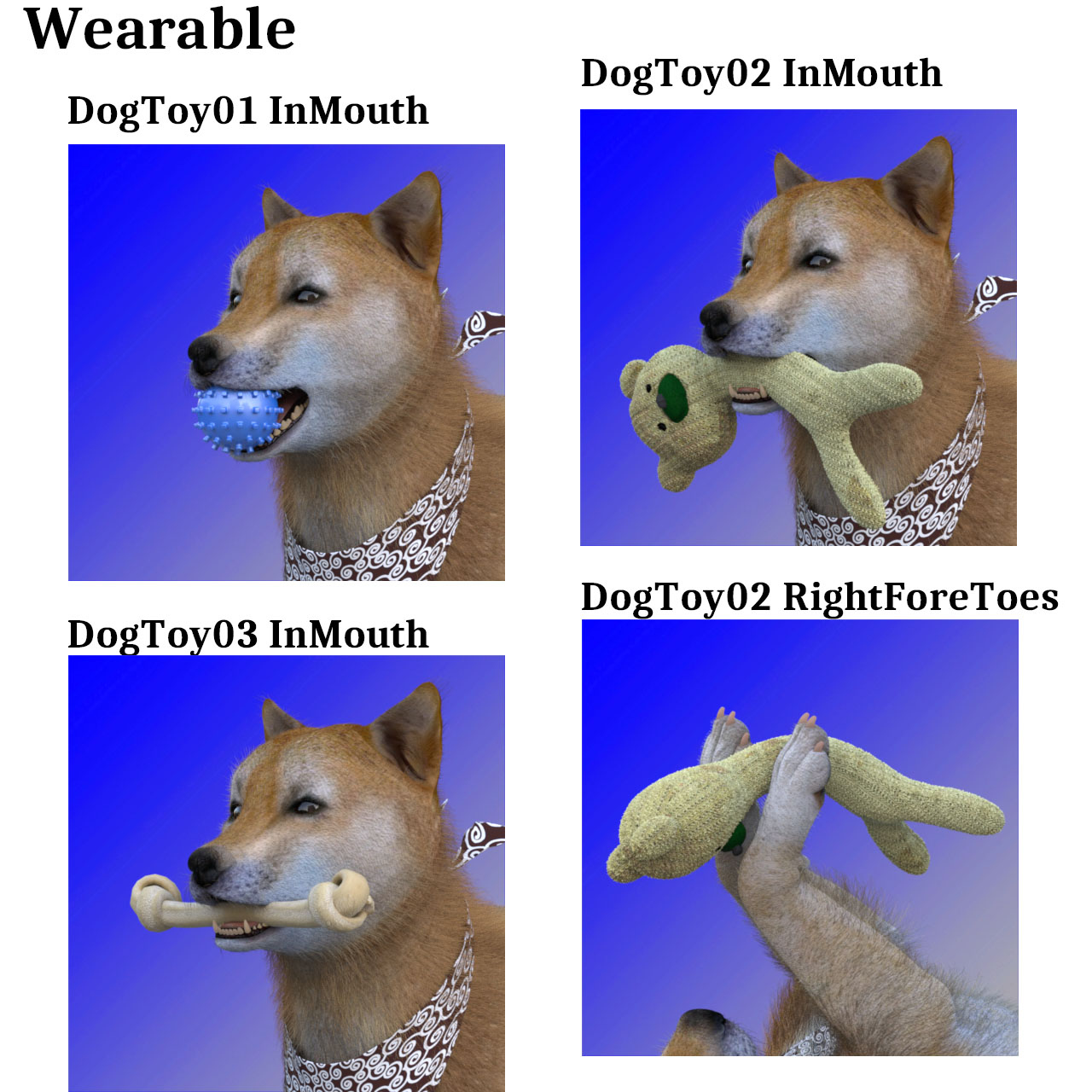
3dg DogToy01
3dg DogToy02
3dg DogToy03
Wearable
3dg Scarf
DogToy01 InMouth
DogToy02 InMouth
DogToy03 InMouth
DogToy02 RightForeToes
Kuroshiba Fur
ShibaInu Fur
Shapes
3dg ShibaInu
*****************************************
Installation + Usage
*****************************************
Unzip the folder and copy the directories and files under My Library to the designated My Library.
From Content Manager‥My Library\Animals\Daz Dog 8\Breeds\3ddoghouse\3dg ShibaInu
Double-click the object below.
*****************************************
Product requirements and compatibility
*****************************************
Required program: Daz Studio 4.12+
Add-ons required for use: Daz Dog 8
*****************************************
Troubleshooting
*****************************************
Hair(Fur) Displacement or Floating Issue:
If the Strand-Based Hair (SBH) appears displaced, floats away from the character's head, or moves at double speed when transforming the figure, this is a known issue related to DAZ Studio's parenting calculation for strand hair.
Please follow these quick steps to resolve the issue:
1. **Unparent the Hair:**
In the `Scene` pane, locate the Hair object. Drag and drop it outside of the character figure to the top level of the scene hierarchy to **Unparent** it.
2. **Apply Fit To:**
Right-click the Hair object (or go to the `Parameters` pane) and select **Fit to…**. Then, select the main root of your character figure (e.g., Genesis 8 / Genesis 9) and click Accept.
3. **Reset Coordinates:**
Ensure that the `X/Y/Z Translate` and `Rotate` values for the Hair object itself in the `Parameters` pane are set to `0`.
*Note: Strand-Based Hair calculates its position directly from the figure's mesh vertices. Parenting it to the "Head" bone can cause a double-translation bug. Keeping it unparented while using "Fit To" will ensure perfect alignment
*****************************************
Content and file path
*****************************************
‥\My Library\Animals\Daz Dog 8\Breeds\3ddoghouse\3dg ShibaInu\3dg KuroShiba NoFur.duf
‥\My Library\Animals\Daz Dog 8\Breeds\3ddoghouse\3dg ShibaInu\3dg KuroShiba.duf
‥\My Library\Animals\Daz Dog 8\Breeds\3ddoghouse\3dg ShibaInu\3dg ShibaInu NoFur.duf
‥\My Library\Animals\Daz Dog 8\Breeds\3ddoghouse\3dg ShibaInu\3dg ShibaInu.duf
‥\My Library\Animals\Daz Dog 8\Breeds\3ddoghouse\3dg ShibaInu\Materials\Kuroshiba Fur.duf
‥\My Library\Animals\Daz Dog 8\Breeds\3ddoghouse\3dg ShibaInu\Materials\KuroShiba.duf
‥\My Library\Animals\Daz Dog 8\Breeds\3ddoghouse\3dg ShibaInu\Materials\Scarf01.duf
‥\My Library\Animals\Daz Dog 8\Breeds\3ddoghouse\3dg ShibaInu\Materials\Scarf02.duf
‥\My Library\Animals\Daz Dog 8\Breeds\3ddoghouse\3dg ShibaInu\Materials\ShibaInu Fur.duf
‥\My Library\Animals\Daz Dog 8\Breeds\3ddoghouse\3dg ShibaInu\Materials\ShibaInu.duf
‥\My Library\Animals\Daz Dog 8\Breeds\3ddoghouse\3dg ShibaInu\poses\Pose01.duf
‥\My Library\Animals\Daz Dog 8\Breeds\3ddoghouse\3dg ShibaInu\poses\Pose02.duf
‥\My Library\Animals\Daz Dog 8\Breeds\3ddoghouse\3dg ShibaInu\poses\Pose03.duf
‥\My Library\Animals\Daz Dog 8\Breeds\3ddoghouse\3dg ShibaInu\Props\3dg DogToy01.duf
‥\My Library\Animals\Daz Dog 8\Breeds\3ddoghouse\3dg ShibaInu\Props\3dg DogToy02.duf
‥\My Library\Animals\Daz Dog 8\Breeds\3ddoghouse\3dg ShibaInu\Props\3dg DogToy03.duf
‥\My Library\Animals\Daz Dog 8\Breeds\3ddoghouse\3dg ShibaInu\Shaps\3dg ShibaInu.duf
‥\My Library\Animals\Daz Dog 8\Breeds\3ddoghouse\3dg ShibaInu\Wearable\3dg Scarf.duf
‥\My Library\Animals\Daz Dog 8\Breeds\3ddoghouse\3dg ShibaInu\Wearable\DogToy01 InMouth.duf
‥\My Library\Animals\Daz Dog 8\Breeds\3ddoghouse\3dg ShibaInu\Wearable\DogToy02 InMouth.duf
‥\My Library\Animals\Daz Dog 8\Breeds\3ddoghouse\3dg ShibaInu\Wearable\DogToy02 RightForeToes.duf
‥\My Library\Animals\Daz Dog 8\Breeds\3ddoghouse\3dg ShibaInu\Wearable\DogToy03 InMouth.duf
‥\My Library\Animals\Daz Dog 8\Breeds\3ddoghouse\3dg ShibaInu\Wearable\Kuroshiba Fur.duf
‥\My Library\Animals\Daz Dog 8\Breeds\3ddoghouse\3dg ShibaInu\Wearable\ShibaInu Fur.duf
Add this Shiba Inu to your collection of pets. This product requires "Daz Dog 8."
* The fur on this product uses "Strand-Based Hair."
Includes:
Actor
3dg ShibaInu
3dg KuroShiba
3dg ShibaInu NoFur
3dg KuroShiba NoFur
Materials
Kuroshiba Fur
KuroShiba
Scarf01
Scarf02
ShibaInu Fur
ShibaInu
Poses
Pose01
Pose02
Pose03
Props
3dg DogToy01
3dg DogToy02
3dg DogToy03
Wearable
3dg Scarf
DogToy01 InMouth
DogToy02 InMouth
DogToy03 InMouth
DogToy02 RightForeToes
Kuroshiba Fur
ShibaInu Fur
Shapes
3dg ShibaInu
*****************************************
Installation + Usage
*****************************************
Unzip the folder and copy the directories and files under My Library to the designated My Library.
From Content Manager‥My Library\Animals\Daz Dog 8\Breeds\3ddoghouse\3dg ShibaInu
Double-click the object below.
*****************************************
Product requirements and compatibility
*****************************************
Required program: Daz Studio 4.12+
Add-ons required for use: Daz Dog 8
*****************************************
Troubleshooting
*****************************************
Hair(Fur) Displacement or Floating Issue:
If the Strand-Based Hair (SBH) appears displaced, floats away from the character's head, or moves at double speed when transforming the figure, this is a known issue related to DAZ Studio's parenting calculation for strand hair.
Please follow these quick steps to resolve the issue:
1. **Unparent the Hair:**
In the `Scene` pane, locate the Hair object. Drag and drop it outside of the character figure to the top level of the scene hierarchy to **Unparent** it.
2. **Apply Fit To:**
Right-click the Hair object (or go to the `Parameters` pane) and select **Fit to…**. Then, select the main root of your character figure (e.g., Genesis 8 / Genesis 9) and click Accept.
3. **Reset Coordinates:**
Ensure that the `X/Y/Z Translate` and `Rotate` values for the Hair object itself in the `Parameters` pane are set to `0`.
*Note: Strand-Based Hair calculates its position directly from the figure's mesh vertices. Parenting it to the "Head" bone can cause a double-translation bug. Keeping it unparented while using "Fit To" will ensure perfect alignment
*****************************************
Content and file path
*****************************************
‥\My Library\Animals\Daz Dog 8\Breeds\3ddoghouse\3dg ShibaInu\3dg KuroShiba NoFur.duf
‥\My Library\Animals\Daz Dog 8\Breeds\3ddoghouse\3dg ShibaInu\3dg KuroShiba.duf
‥\My Library\Animals\Daz Dog 8\Breeds\3ddoghouse\3dg ShibaInu\3dg ShibaInu NoFur.duf
‥\My Library\Animals\Daz Dog 8\Breeds\3ddoghouse\3dg ShibaInu\3dg ShibaInu.duf
‥\My Library\Animals\Daz Dog 8\Breeds\3ddoghouse\3dg ShibaInu\Materials\Kuroshiba Fur.duf
‥\My Library\Animals\Daz Dog 8\Breeds\3ddoghouse\3dg ShibaInu\Materials\KuroShiba.duf
‥\My Library\Animals\Daz Dog 8\Breeds\3ddoghouse\3dg ShibaInu\Materials\Scarf01.duf
‥\My Library\Animals\Daz Dog 8\Breeds\3ddoghouse\3dg ShibaInu\Materials\Scarf02.duf
‥\My Library\Animals\Daz Dog 8\Breeds\3ddoghouse\3dg ShibaInu\Materials\ShibaInu Fur.duf
‥\My Library\Animals\Daz Dog 8\Breeds\3ddoghouse\3dg ShibaInu\Materials\ShibaInu.duf
‥\My Library\Animals\Daz Dog 8\Breeds\3ddoghouse\3dg ShibaInu\poses\Pose01.duf
‥\My Library\Animals\Daz Dog 8\Breeds\3ddoghouse\3dg ShibaInu\poses\Pose02.duf
‥\My Library\Animals\Daz Dog 8\Breeds\3ddoghouse\3dg ShibaInu\poses\Pose03.duf
‥\My Library\Animals\Daz Dog 8\Breeds\3ddoghouse\3dg ShibaInu\Props\3dg DogToy01.duf
‥\My Library\Animals\Daz Dog 8\Breeds\3ddoghouse\3dg ShibaInu\Props\3dg DogToy02.duf
‥\My Library\Animals\Daz Dog 8\Breeds\3ddoghouse\3dg ShibaInu\Props\3dg DogToy03.duf
‥\My Library\Animals\Daz Dog 8\Breeds\3ddoghouse\3dg ShibaInu\Shaps\3dg ShibaInu.duf
‥\My Library\Animals\Daz Dog 8\Breeds\3ddoghouse\3dg ShibaInu\Wearable\3dg Scarf.duf
‥\My Library\Animals\Daz Dog 8\Breeds\3ddoghouse\3dg ShibaInu\Wearable\DogToy01 InMouth.duf
‥\My Library\Animals\Daz Dog 8\Breeds\3ddoghouse\3dg ShibaInu\Wearable\DogToy02 InMouth.duf
‥\My Library\Animals\Daz Dog 8\Breeds\3ddoghouse\3dg ShibaInu\Wearable\DogToy02 RightForeToes.duf
‥\My Library\Animals\Daz Dog 8\Breeds\3ddoghouse\3dg ShibaInu\Wearable\DogToy03 InMouth.duf
‥\My Library\Animals\Daz Dog 8\Breeds\3ddoghouse\3dg ShibaInu\Wearable\Kuroshiba Fur.duf
‥\My Library\Animals\Daz Dog 8\Breeds\3ddoghouse\3dg ShibaInu\Wearable\ShibaInu Fur.duf
Categories
