


 Free 3D
 3D Print Models
 3D Scans
 Animation & MoCap
 Textures
 Materials
 Skin Reference
 2D Game Assets
 Sound Effects
 Brushes & Tools
 Reference Photos
 Stock Images
 HDR Images
 3ds Max
 Maya
 Blender
 Unreal Engine
 Unity
 ZBrush
 Cinema 4D
 LightWave
 Marmoset
 SketchUp
 FBX
 DAE
 DXF
 GLB
Batch OBJ Export - One OBJ per Item for DAZ 4+6

Not Rated Yet


! REPORT
NOTE: DIGITAL DOWNLOAD, NOT A PHYSICAL ITEM

Add to Collection

0 Likes
Share This Daz Content


Offered By


License
Extended Use License
This item comes with our Extended Use Licensing. This means that you may use the model for both non-commercial and commercial purposes, in a variety of mediums and applications.
For full license terms, see our 3D Content Licensing Agreement
Item Details
| Vendor: | AffectionX |
| Published: | Nov 22, 2026 |
| Download Size: | 9 KB |
| Software: | Daz Studio |
| dForce: | – |
Included Formats

Statistics
| Favorites: | 0 |
| Likes: | 0 |
| Views: | 13 |
Item Ratings
Not Rated Yet
Batch OBJ Export - One OBJ per Item for DAZ 4+6
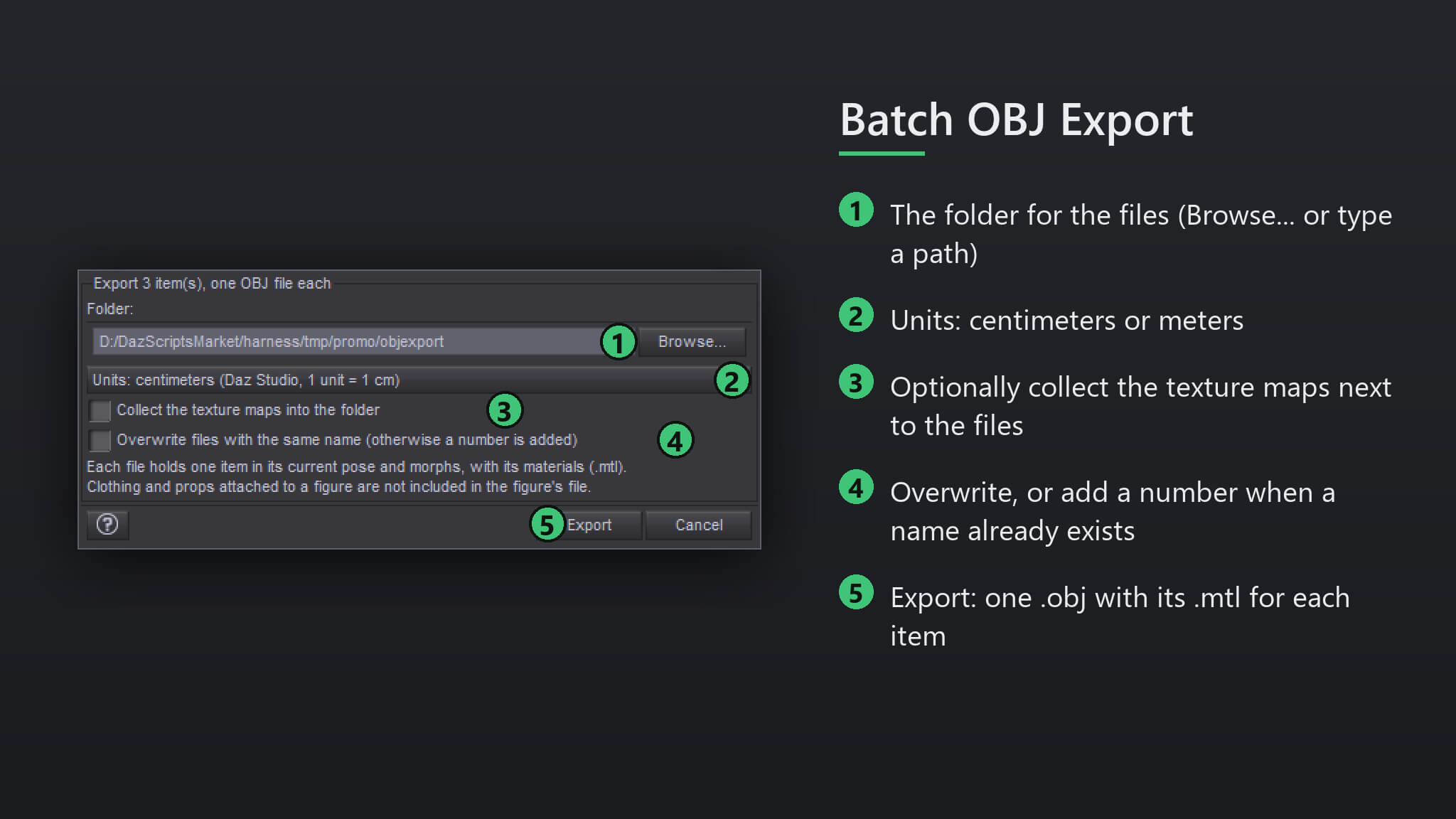
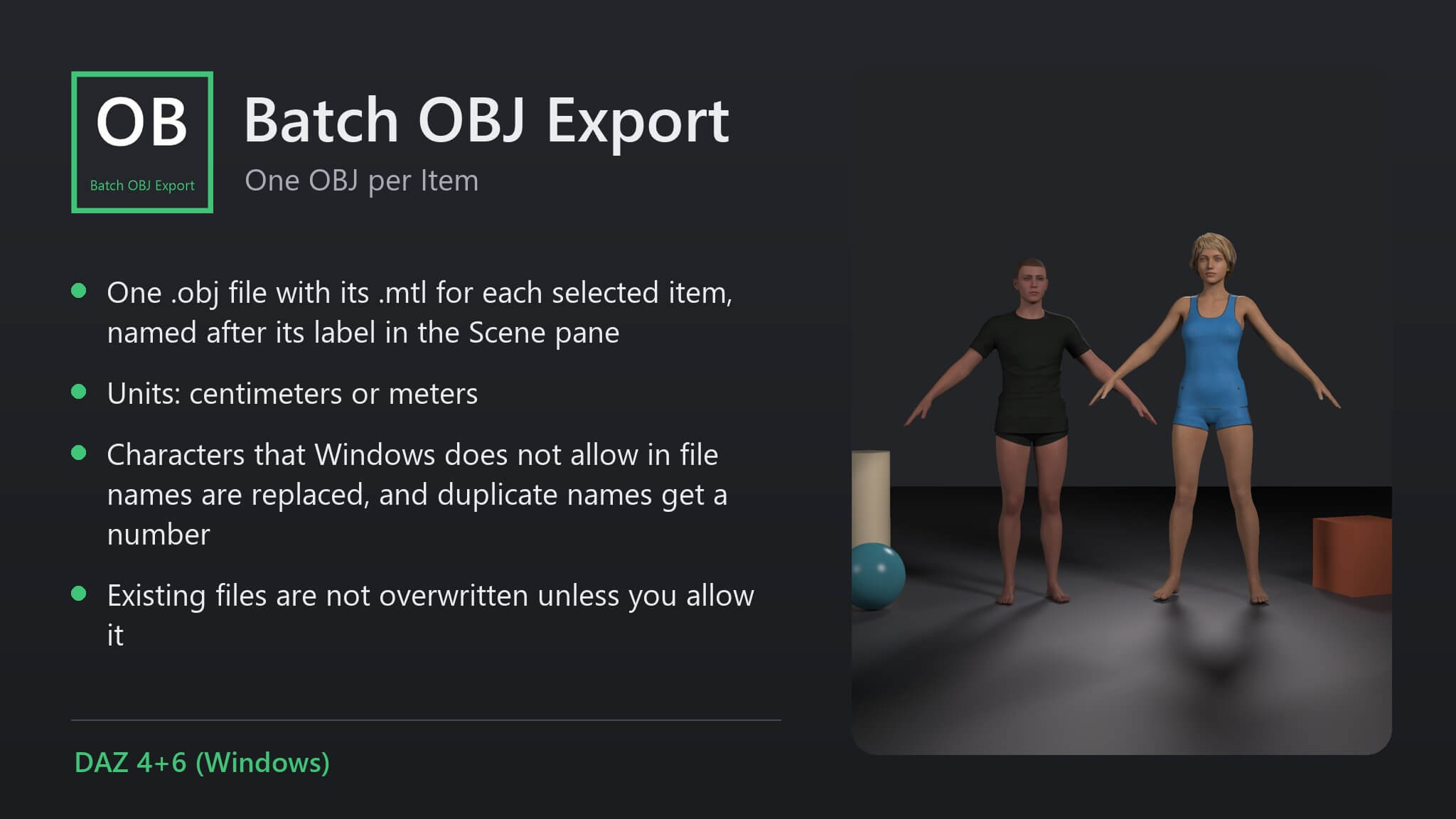
Batch OBJ Export saves every selected figure or prop to its own OBJ file in one folder, named after the item. Handy when you take a set of models into another 3D program, a sculpting tool or a game engine and do not want to export, rename and repeat for each one.
Features
• One .obj file with its .mtl for each selected item, named after its label in the Scene pane.
• Units: centimeters or meters.
• Characters that Windows does not allow in file names are replaced, and duplicate names get a number.
• Existing files are not overwritten unless you allow it.
• Optionally collects the texture maps next to the files.
How to use
1. Select the figures and props.
2. Run the script, choose the folder and the units, and optionally tick texture collection.
3. Press "Export".
Compatibility
• DAZ 4+6 (Windows).
• Tested: a Genesis 9 figure and two props were exported as three separate OBJ and MTL files in meters.
Included
• One script (.dsa) and a ReadMe. Installs to Content Library > Scripts > AffectionX.
Update 1.2: the .mtl file lists only the item's own materials, and 'Collect the texture maps' copies only the maps it uses (before, the materials and maps of the whole scene came along).
Categories
