


 Free 3D
 3D Print Models
 3D Scans
 Animation & MoCap
 Textures
 Materials
 Skin Reference
 2D Game Assets
 Sound Effects
 Brushes & Tools
 Reference Photos
 Stock Images
 HDR Images
 3ds Max
 Maya
 Blender
 Unreal Engine
 Unity
 ZBrush
 Cinema 4D
 LightWave
 Marmoset
 SketchUp
 FBX
 DAE
 DXF
 GLB
Breath Cycle - Breathing Animation for DAZ Studio 4

Not Rated Yet


! REPORT
NOTE: DIGITAL DOWNLOAD, NOT A PHYSICAL ITEM

Add to Collection

0 Likes
Share This Daz Content


Offered By


License
Extended Use License
This item comes with our Extended Use Licensing. This means that you may use the model for both non-commercial and commercial purposes, in a variety of mediums and applications.
For full license terms, see our 3D Content Licensing Agreement
Item Details
| Vendor: | AffectionX |
| Published: | Nov 22, 2026 |
| Download Size: | 8.1 KB |
| Software: | Daz Studio |
| dForce: | – |
Included Formats

Statistics
| Favorites: | 0 |
| Likes: | 0 |
| Views: | 3 |
Item Ratings
Not Rated Yet
Breath Cycle - Breathing Animation for DAZ Studio 4
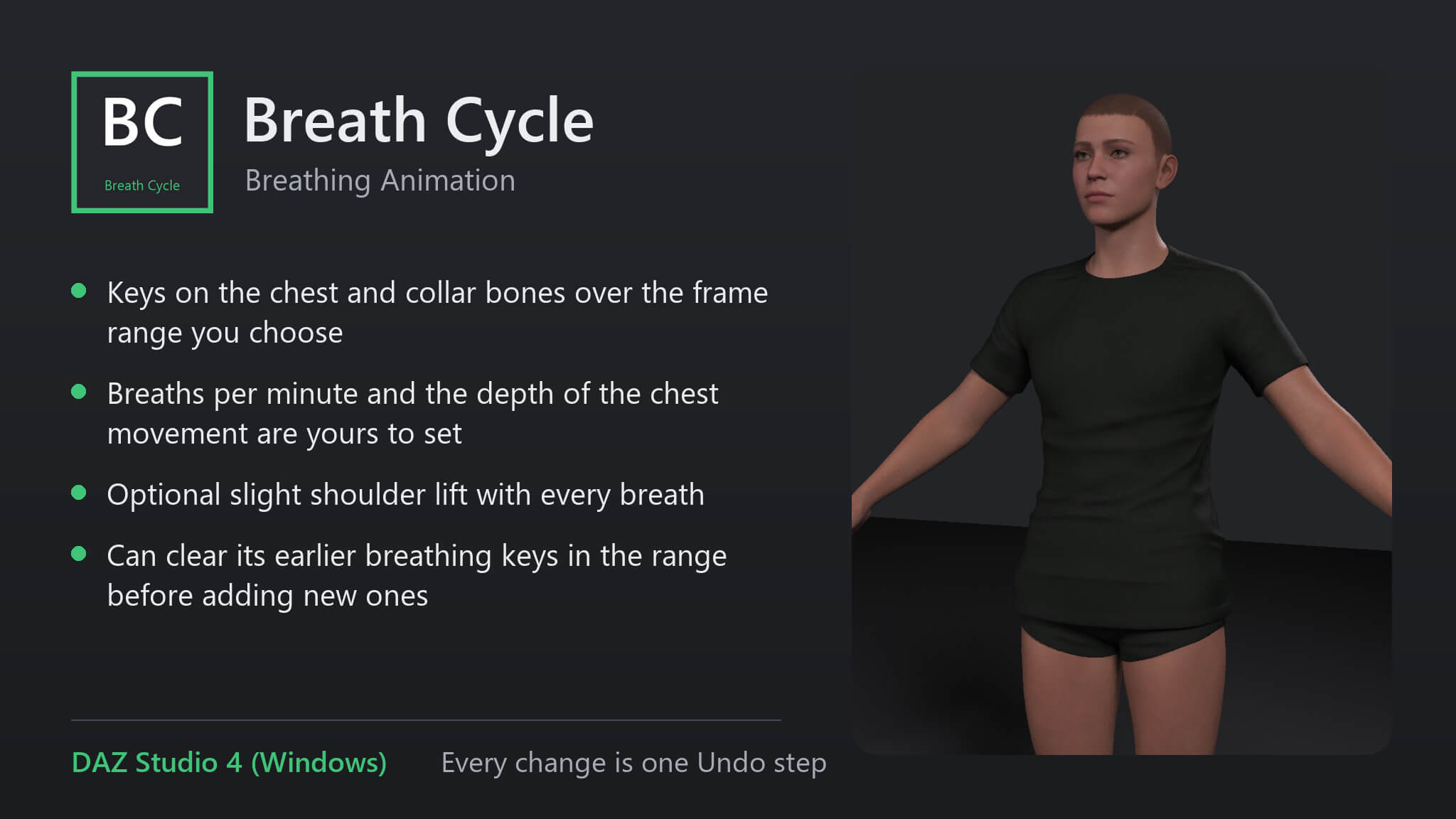
A character standing still in an animation looks frozen. Breath Cycle adds calm breathing to the timeline of the selected figure: the chest rises and settles and the shoulders lift a little, at the pace you set, without keyframing it by hand.
Features
• Keys on the chest and collar bones over the frame range you choose
• Breaths per minute and the depth of the chest movement are yours to set
• Optional slight shoulder lift with every breath
• Can clear its earlier breathing keys in the range before adding new ones
How to use
1. Select the figure.
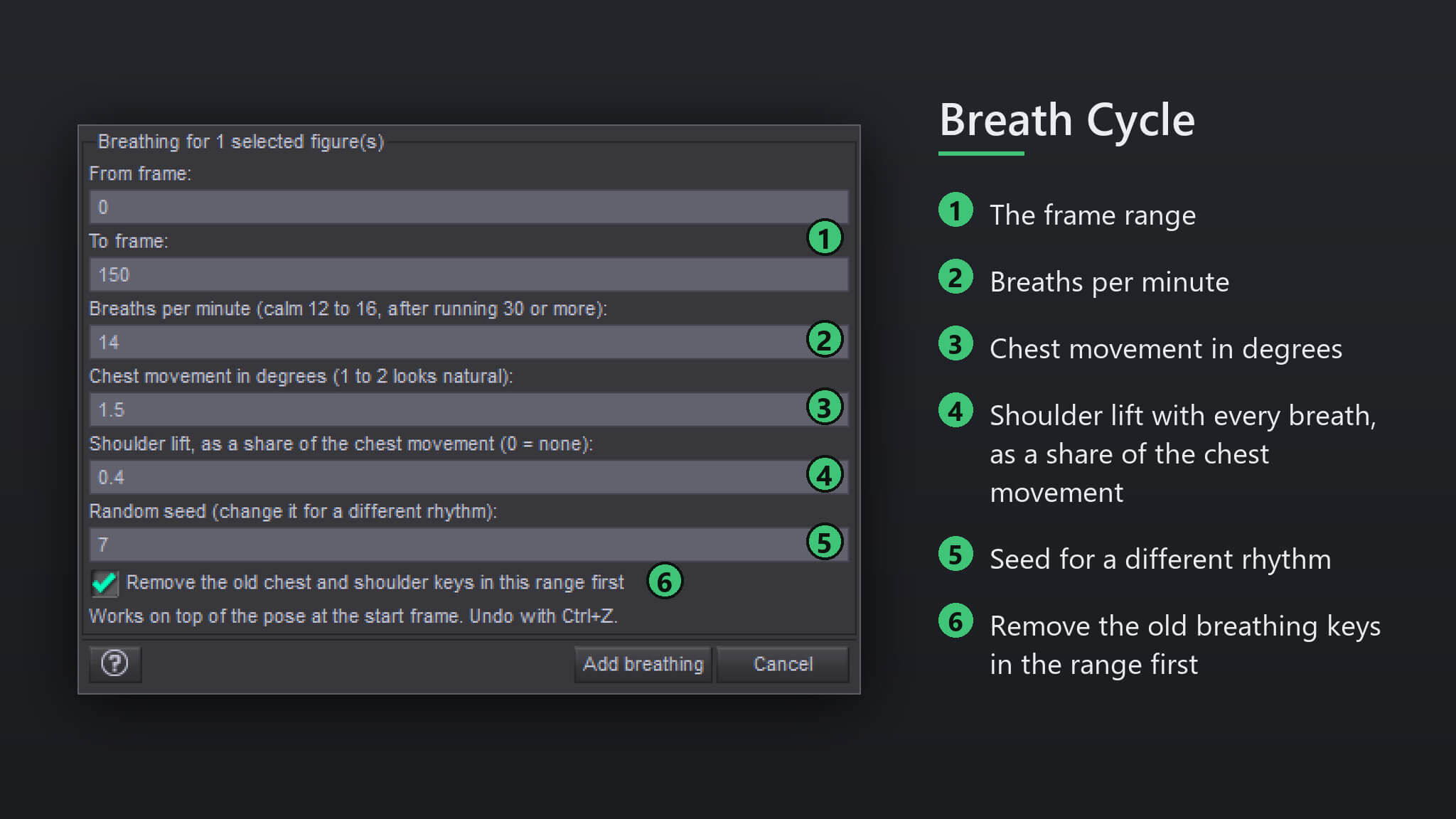
2. Run the script, set the frame range, breaths per minute and the chest movement.
3. Press 'Add breathing' and play the timeline.
Compatibility
• DAZ Studio 4 (Windows).
• Tested with Genesis 9 figures
• Every change is one Undo step
Included
• One script (.dsa) and a ReadMe. Installs to Content Library > Scripts > AffectionX.
Features
• Keys on the chest and collar bones over the frame range you choose
• Breaths per minute and the depth of the chest movement are yours to set
• Optional slight shoulder lift with every breath
• Can clear its earlier breathing keys in the range before adding new ones
How to use
1. Select the figure.
2. Run the script, set the frame range, breaths per minute and the chest movement.
3. Press 'Add breathing' and play the timeline.
Compatibility
• DAZ Studio 4 (Windows).
• Tested with Genesis 9 figures
• Every change is one Undo step
Included
• One script (.dsa) and a ReadMe. Installs to Content Library > Scripts > AffectionX.
Categories
