


 Free 3D
 3D Print Models
 3D Scans
 Animation & MoCap
 Textures
 Materials
 Skin Reference
 2D Game Assets
 Sound Effects
 Brushes & Tools
 Reference Photos
 Stock Images
 HDR Images
 3ds Max
 Maya
 Blender
 Unreal Engine
 Unity
 ZBrush
 Cinema 4D
 LightWave
 Marmoset
 SketchUp
 FBX
 DAE
 DXF
 GLB
Out of Frame Finder - Skip Unseen Items for DAZ 4+6

Not Rated Yet


! REPORT
NOTE: DIGITAL DOWNLOAD, NOT A PHYSICAL ITEM

Add to Collection

0 Likes
Share This Daz Content


Offered By


License
Extended Use License
This item comes with our Extended Use Licensing. This means that you may use the model for both non-commercial and commercial purposes, in a variety of mediums and applications.
For full license terms, see our 3D Content Licensing Agreement
Item Details
| Vendor: | AffectionX |
| Published: | Nov 22, 2026 |
| Download Size: | 8.7 KB |
| Software: | Daz Studio |
| dForce: | – |
Included Formats

Statistics
| Favorites: | 0 |
| Likes: | 0 |
| Views: | 21 |
Item Ratings
Not Rated Yet
Out of Frame Finder - Skip Unseen Items for DAZ 4+6
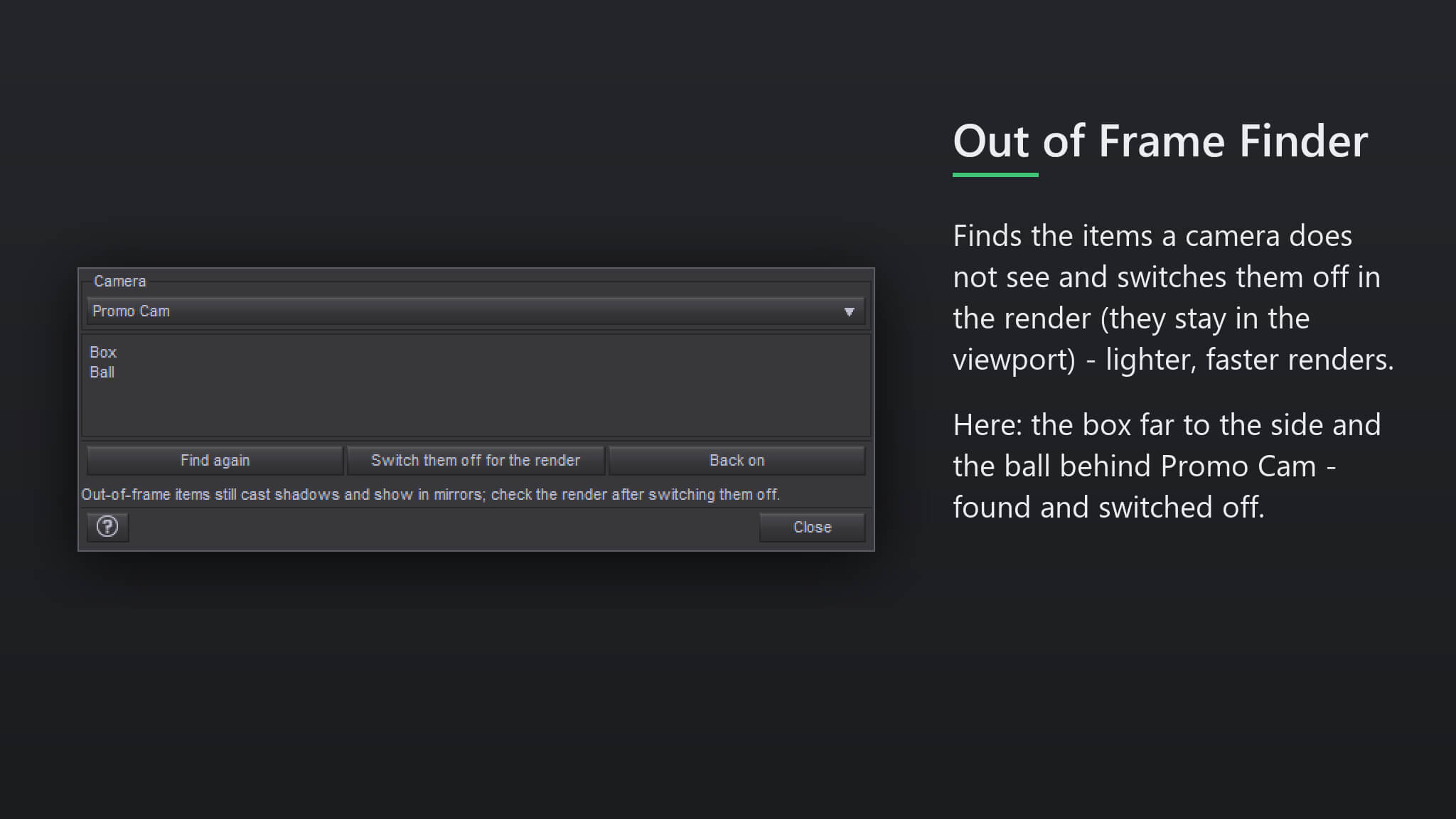
Big scenes are full of things the camera never sees, and they still cost memory and render time. Out of Frame Finder lists the items that are completely outside a camera's view and can switch them off for the render.
Features
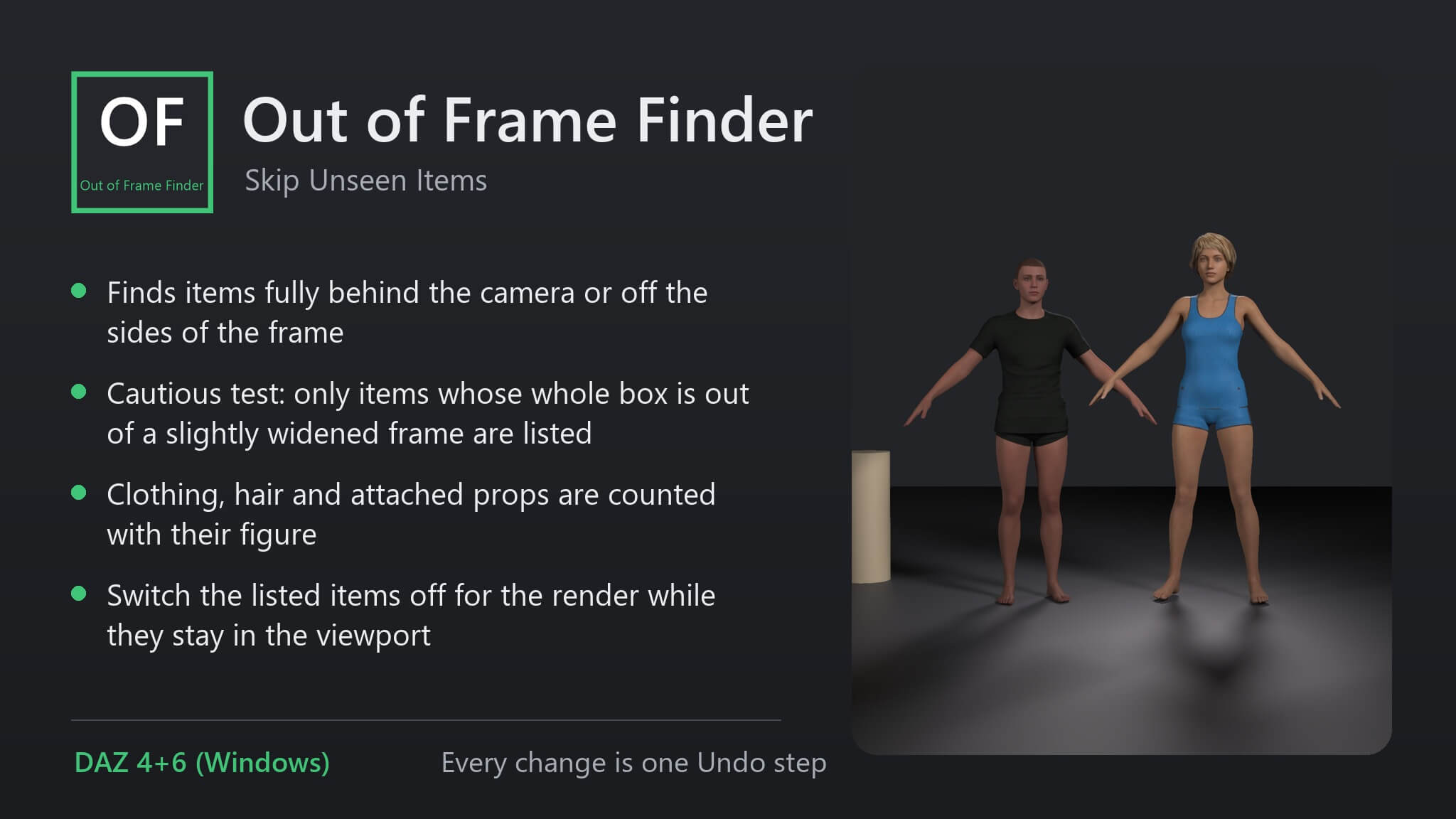
• Finds items fully behind the camera or off the sides of the frame
• Cautious test: only items whose whole box is out of a slightly widened frame are listed
• Clothing, hair and attached props are counted with their figure
• Switch the listed items off for the render while they stay in the viewport
• 'Back on' switches them on again
How to use
1. Frame the shot with a scene camera and run the script.
2. Read the list of items out of frame.
3. Press 'Switch them off for the render', and 'Back on' when you are done.
Compatibility
• DAZ 4+6 (Windows).
• Every change is one Undo step.
• Items switched off no longer cast shadows or show in reflections.
Included
• One script (.dsa) and a ReadMe; installs to Content Library > Scripts > AffectionX.
Update 1.1: 'Back on' also works after saving and reopening the scene (before, nothing was switched back on).
Update 1.2: no extra message window appears after Close any more, and the message after 'Switch them off for the render' is no longer cut off at the edge of the window (the switched-off items are listed in the window instead).
Categories
