


 Free 3D
 3D Print Models
 3D Scans
 Animation & MoCap
 Textures
 Materials
 Skin Reference
 2D Game Assets
 Sound Effects
 Brushes & Tools
 Reference Photos
 Stock Images
 HDR Images
 3ds Max
 Maya
 Blender
 Unreal Engine
 Unity
 ZBrush
 Cinema 4D
 LightWave
 Marmoset
 SketchUp
 FBX
 DAE
 DXF
 GLB

AC Micro Skin Detailor for Genesis 9

5.0 Stars |2 Ratings


This Item Was Made Using
! REPORT
NOTE: DIGITAL DOWNLOAD, NOT A PHYSICAL ITEM

Add to Collection

9 Likes
Share This Daz Content


Top Rated Vendor


Hello! I’m a top-selling, certified developer on Reallusion and a visual novel/interactive game creator. I use DAZ Studio to render the visuals for my games, and have produced over 10,000 images using the software. I'm here to showcase the characters I've crafted with care and passion. Thank you for your support!
Vendor's Pages


License
Extended Use License
This item comes with our Extended Use Licensing. This means that you may use the model for both non-commercial and commercial purposes, in a variety of mediums and applications.
For full license terms, see our 3D Content Licensing Agreement
Item Details
| Vendor: | After Choices |
| Published: | Sep 20, 2026 |
| Download Size: | 24.3 MB |
| Software: | Daz Studio |
| Compatible Figure: | Genesis 9 |
| dForce: | – |
Included Formats

Statistics
| Favorites: | 8 |
| Likes: | 9 |
| Views: | 1,338 |
Item Ratings
2 Ratings5 Stars|Sep 23, 2026
I'm using it along Skin Lab to build fantastic and real looking skins from scratch. But that's not necessary, you can can enrich an already applied skin with further micro details. Best thing is, one can use own masks and details which gives more or less unlimited possibilities. I've used some old skin alphas and created wonderful skin textures with it.
5 Stars|Sep 20, 2026
Fantastic. I can hardly wait for more!
AC Micro Skin Detailor for Genesis 9
How many promising characters have you abandoned because the skin just wasn't unique enough?
Good morphs can create a face. Great skin can make it a character. AC Micro Skin Detailor gives you the tools to build that missing layer of individuality.
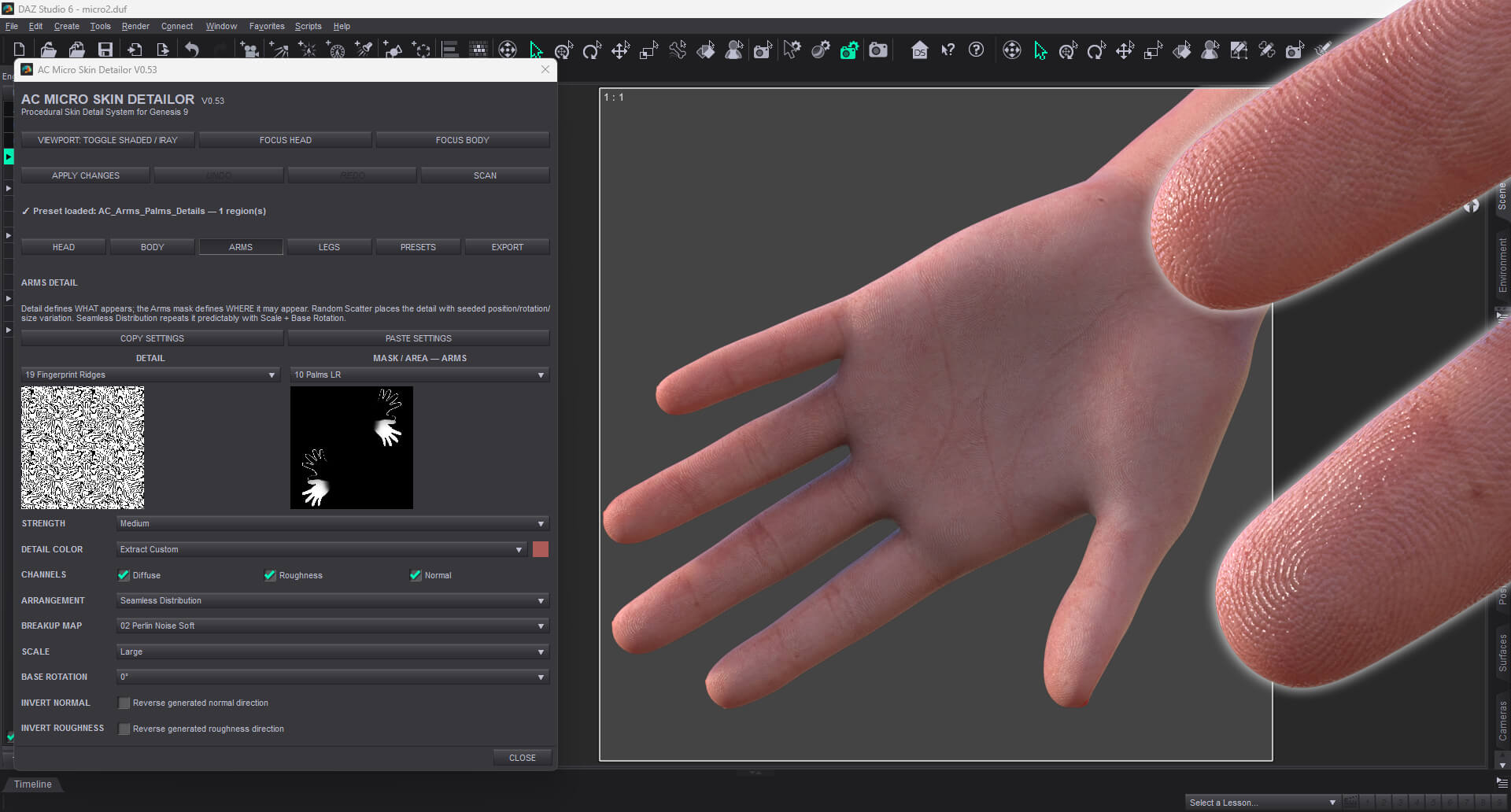
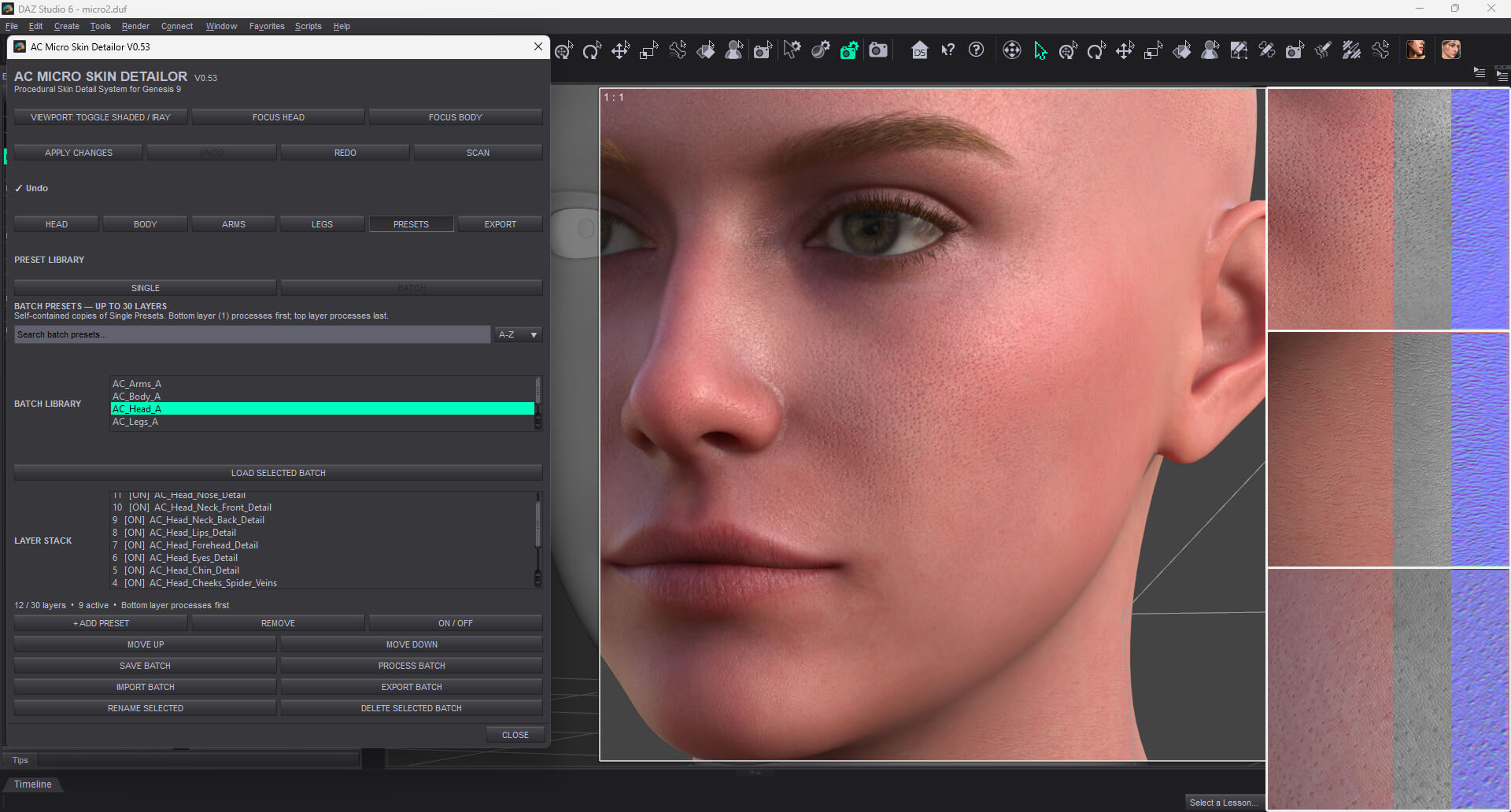
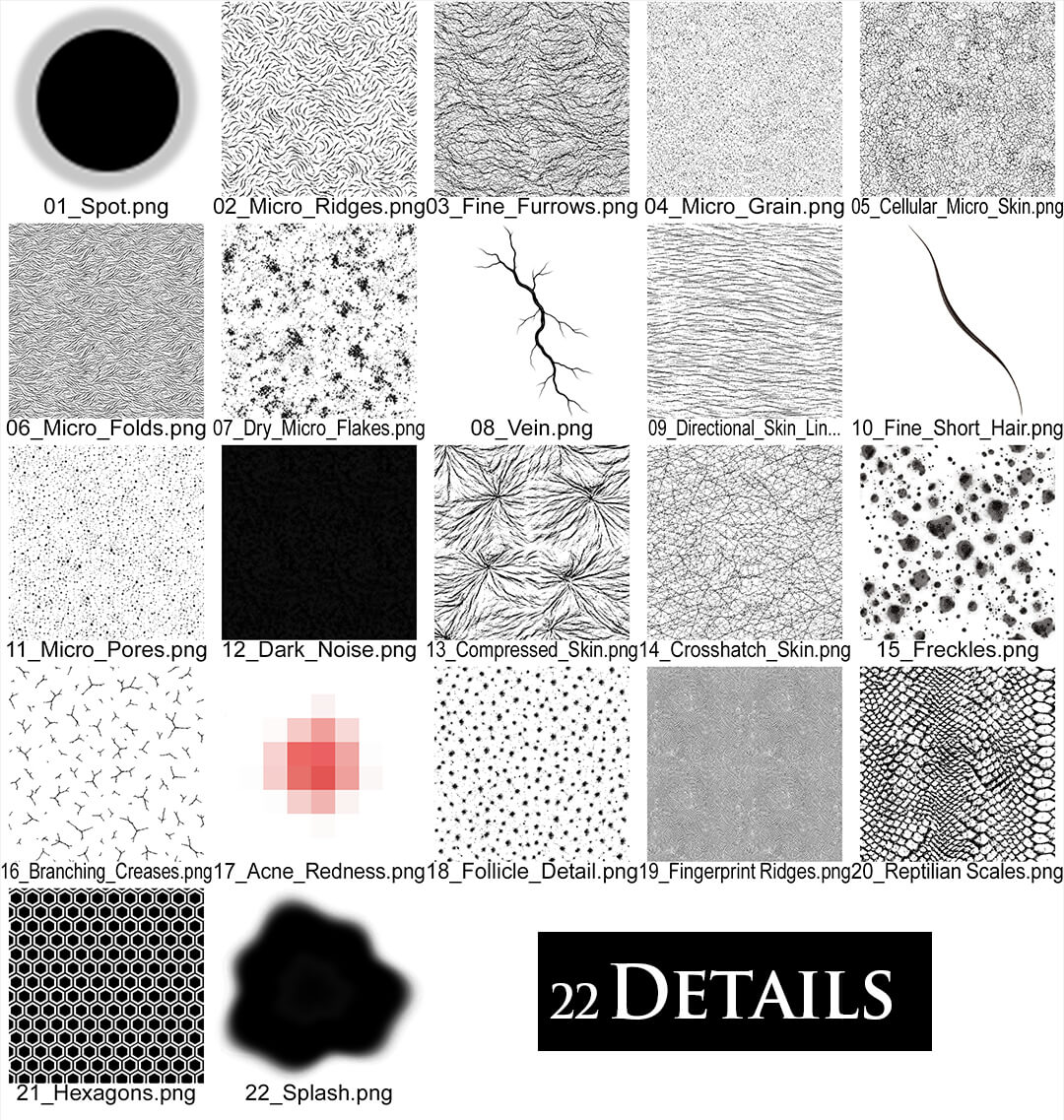
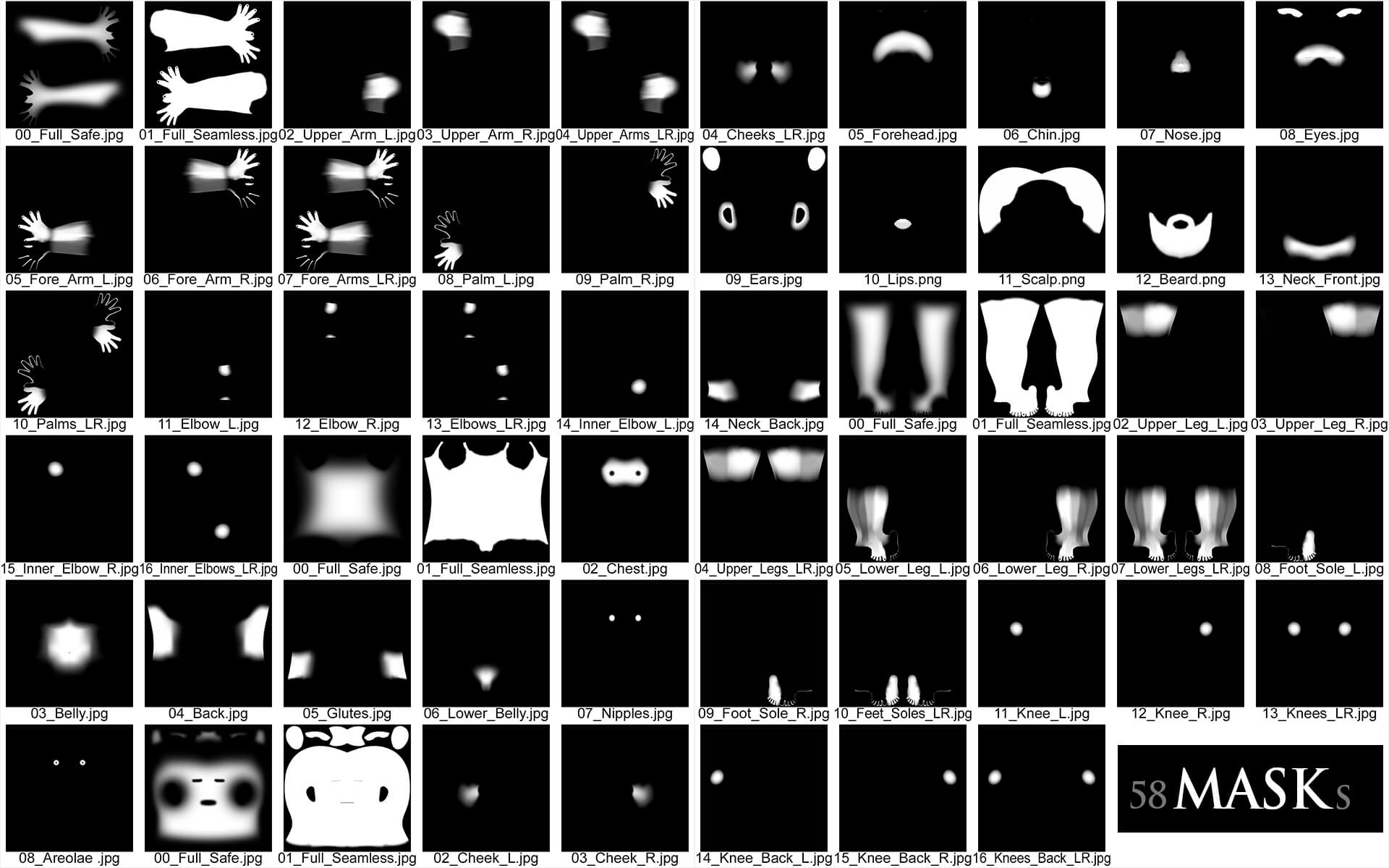
Layer and distribute pores, freckles, moles, veins, folds, surface variation and other details directly onto your character's existing Genesis 9 skin.
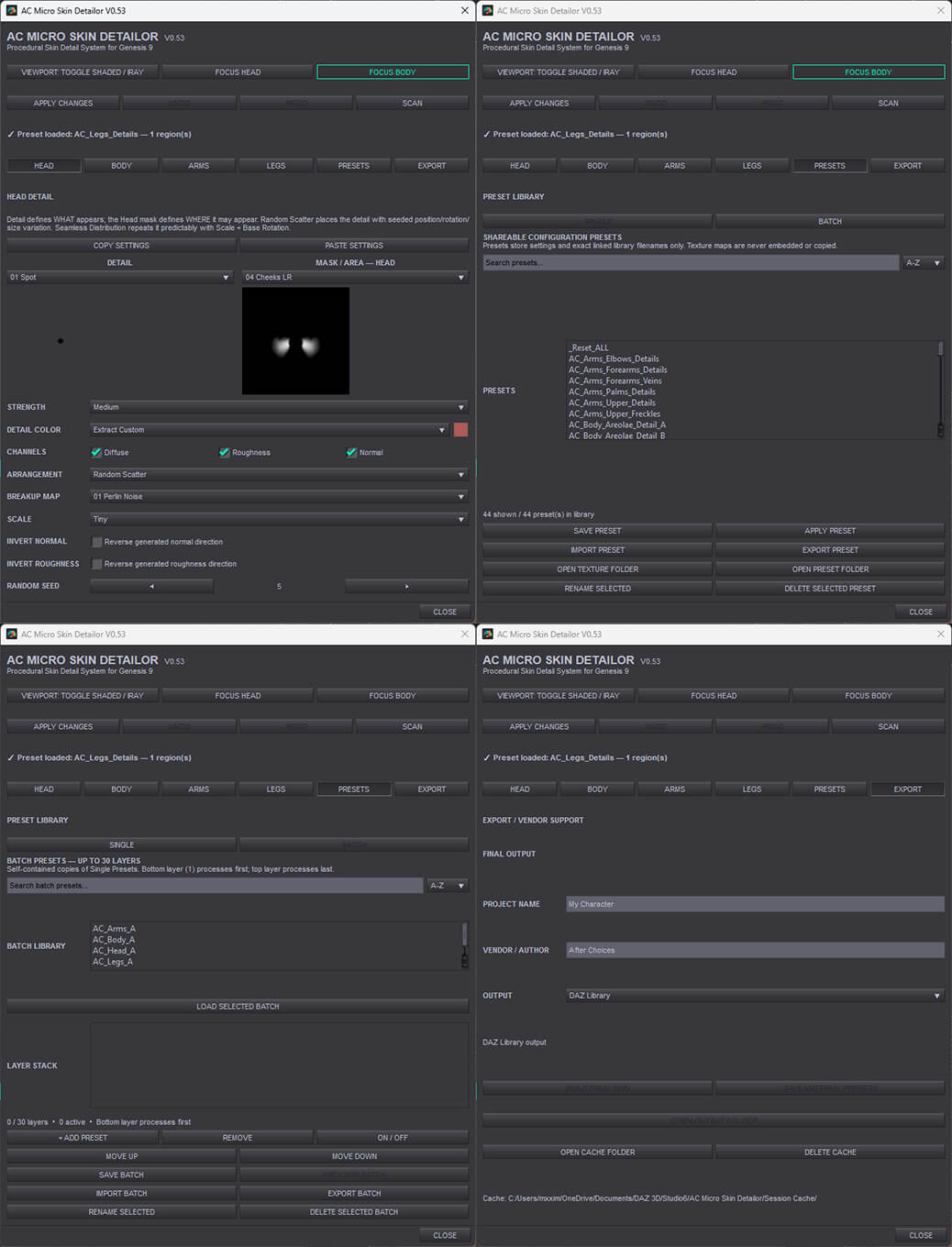
Choose a Detail, control exactly where it appears with regional Masks, then customize its strength, scale, color and distribution. Use Random Scatter for organic variation, Seamless Distribution for controlled repeating detail, or Triplanar Distribution to project detail continuously across the character without worrying about mismatched detail scale or poorly blended transitions between Genesis 9 UDIM regions.
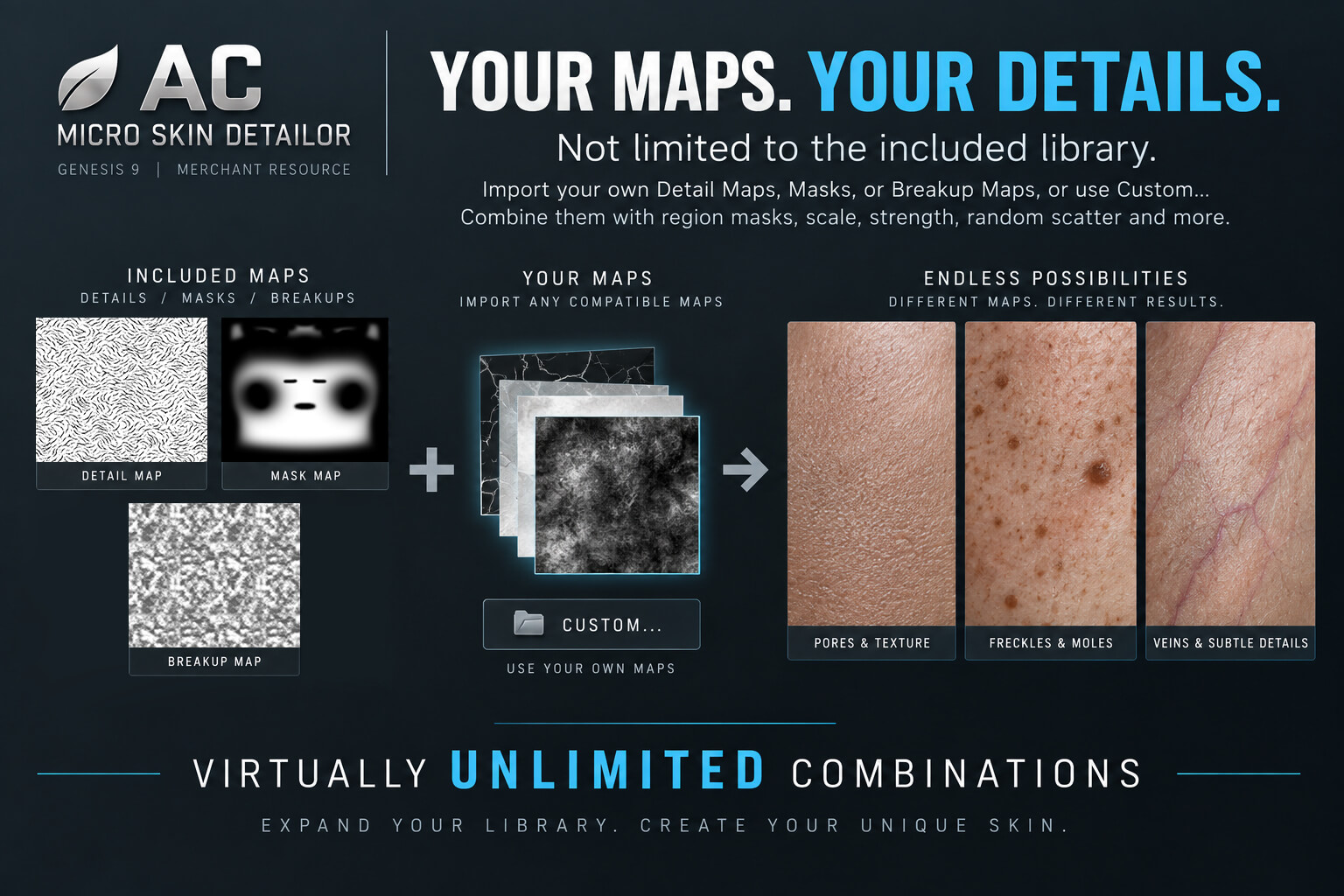
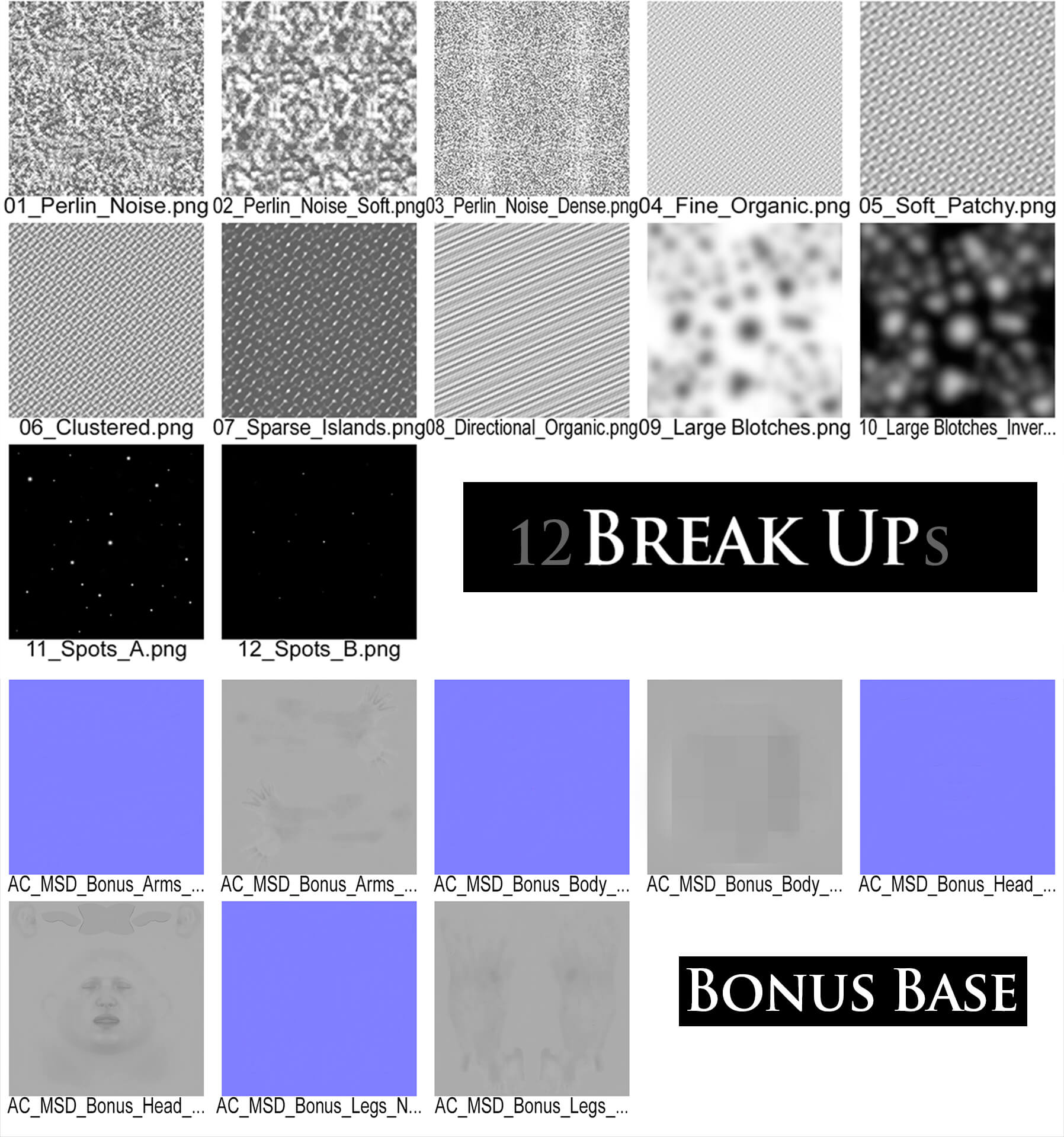
The included library gives you plenty to start with, but you're not limited to it. Add your own Detail Maps, Masks and Breakup Maps to permanently expand your library and create virtually unlimited combinations.
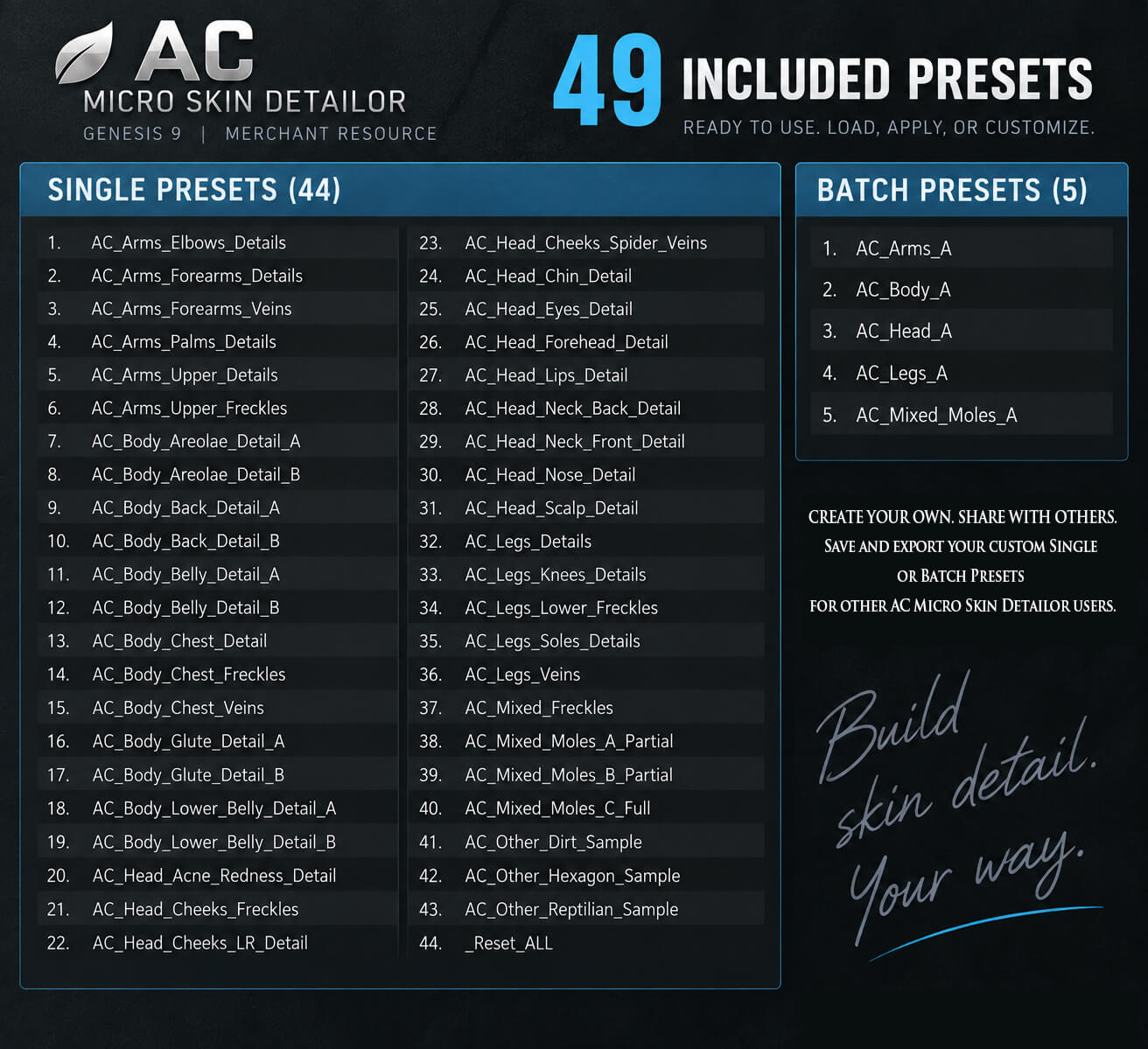
Save individual setups as Single Presets, or combine up to 30 operations into a Batch Preset for automated layered processing. Presets can be imported, exported and shared with other AC Micro Skin Detailor users.
When you're happy with the result, Build Final Skin creates the final 4K texture set and lets you save portable DAZ Material Presets. The included Bonus Base Maps can also serve as a merchant-resource starting point for commercial character creation.
Includes: 23 Detail Maps • 12 Breakup Maps • 62 Regional Masks • 51 Single Presets • 5 Batch Presets
A detailed User Manual is included, covering installation, custom maps, Single & Batch Presets, sharing, workflow, final skin building, merchant-resource use and troubleshooting.
Recommended Pair
Pair AC Micro Skin Detailor with AC Skin Lab for Genesis 9 for a more complete skin creation workflow—use Skin Lab for broader skin customization and Micro Skin Detailor for building distinctive surface detail.
ac-skin-lab-for-genesis-9
Requirements
DAZ Studio 6 for Windows x64
Genesis 9 with standard Head, Body, Arms and Legs material surfaces.
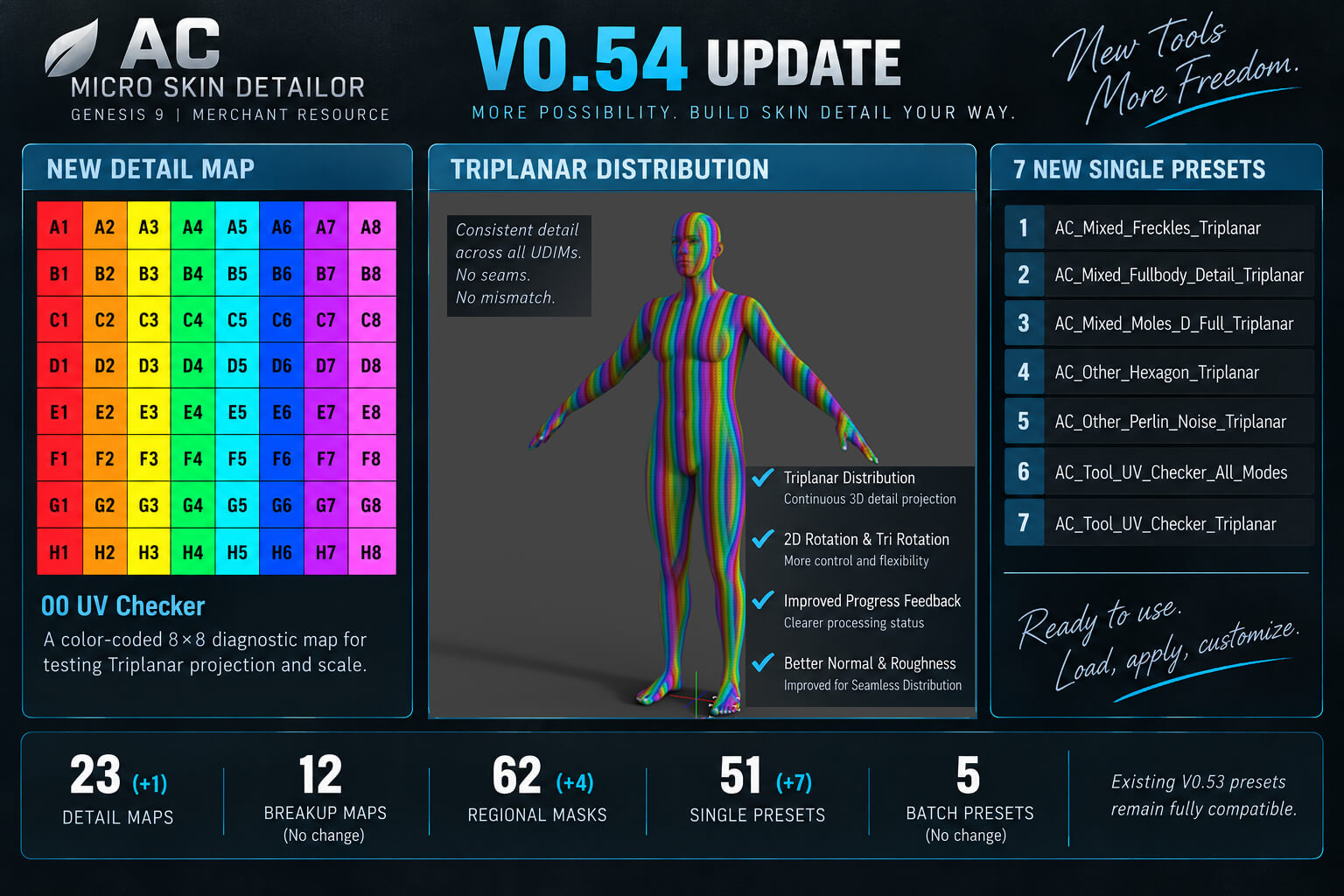
V0.54 Update
Added Triplanar Distribution for continuous 3D detail projection across Genesis 9 UDIM regions.
Added 2D Rotation and Tri Rotation controls for Triplanar.
Added 7 new presets, a UV Checker tool map and dedicated Full Triplanar masks.
Improved texture-processing progress feedback.
Improved Normal and Roughness generation for Seamless Distribution.
Existing V0.53 Single and Batch Presets remain fully compatible.
See the updated User Manual for detailed information about the new features.
Good morphs can create a face. Great skin can make it a character. AC Micro Skin Detailor gives you the tools to build that missing layer of individuality.
Layer and distribute pores, freckles, moles, veins, folds, surface variation and other details directly onto your character's existing Genesis 9 skin.
Choose a Detail, control exactly where it appears with regional Masks, then customize its strength, scale, color and distribution. Use Random Scatter for organic variation, Seamless Distribution for controlled repeating detail, or Triplanar Distribution to project detail continuously across the character without worrying about mismatched detail scale or poorly blended transitions between Genesis 9 UDIM regions.
The included library gives you plenty to start with, but you're not limited to it. Add your own Detail Maps, Masks and Breakup Maps to permanently expand your library and create virtually unlimited combinations.
Save individual setups as Single Presets, or combine up to 30 operations into a Batch Preset for automated layered processing. Presets can be imported, exported and shared with other AC Micro Skin Detailor users.
When you're happy with the result, Build Final Skin creates the final 4K texture set and lets you save portable DAZ Material Presets. The included Bonus Base Maps can also serve as a merchant-resource starting point for commercial character creation.
Includes: 23 Detail Maps • 12 Breakup Maps • 62 Regional Masks • 51 Single Presets • 5 Batch Presets
A detailed User Manual is included, covering installation, custom maps, Single & Batch Presets, sharing, workflow, final skin building, merchant-resource use and troubleshooting.
Recommended Pair
Pair AC Micro Skin Detailor with AC Skin Lab for Genesis 9 for a more complete skin creation workflow—use Skin Lab for broader skin customization and Micro Skin Detailor for building distinctive surface detail.
ac-skin-lab-for-genesis-9
Requirements
DAZ Studio 6 for Windows x64
Genesis 9 with standard Head, Body, Arms and Legs material surfaces.
V0.54 Update
Added Triplanar Distribution for continuous 3D detail projection across Genesis 9 UDIM regions.
Added 2D Rotation and Tri Rotation controls for Triplanar.
Added 7 new presets, a UV Checker tool map and dedicated Full Triplanar masks.
Improved texture-processing progress feedback.
Improved Normal and Roughness generation for Seamless Distribution.
Existing V0.53 Single and Batch Presets remain fully compatible.
See the updated User Manual for detailed information about the new features.
