


 Free 3D
 3D Print Models
 3D Scans
 Animation & MoCap
 Textures
 Materials
 Skin Reference
 2D Game Assets
 Sound Effects
 Brushes & Tools
 Reference Photos
 Stock Images
 HDR Images
 3ds Max
 Maya
 Blender
 Unreal Engine
 Unity
 ZBrush
 Cinema 4D
 LightWave
 Marmoset
 SketchUp
 FBX
 DAE
 DXF
 GLB


This Item Was Made Using
! REPORT
NOTE: DIGITAL DOWNLOAD, NOT A PHYSICAL ITEM

Add to Collection

4 Likes
Share This Daz Content


Offered By


License
Extended Use License
This item comes with our Extended Use Licensing. This means that you may use the model for both non-commercial and commercial purposes, in a variety of mediums and applications.
For full license terms, see our 3D Content Licensing Agreement
Item Details
| Vendor: | alphaw7 |
| Published: | Nov 22, 2026 |
| Download Size: | 1.9 MB |
| Software: | Daz Studio |
| dForce: | – |
Included Formats

Statistics
| Favorites: | 1 |
| Likes: | 4 |
| Views: | 162 |
Item Ratings

Not Rated Yet
MD2DAZ Morph Tailor
MD2DAZ MORPH TAILOR
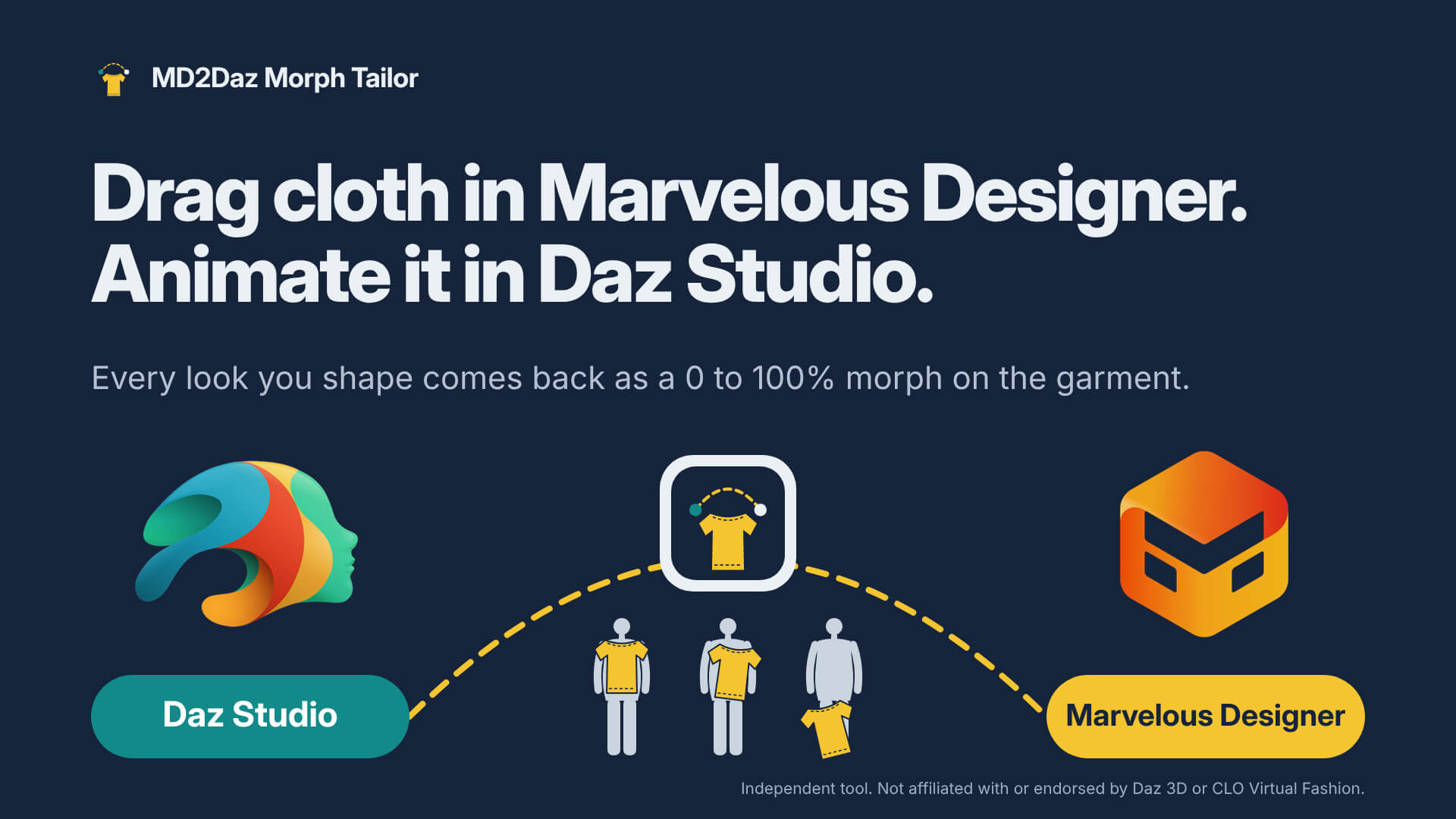
Marvelous Designer cloth shapes as Daz Studio morphs
==============================================================================
Version: 1.0
For: Daz Studio 4.24 (Windows)
Works with Marvelous Designer 2025 (file based, no plugin needed)
------------------------------------------------------------------------------
WHAT IT IS
------------------------------------------------------------------------------
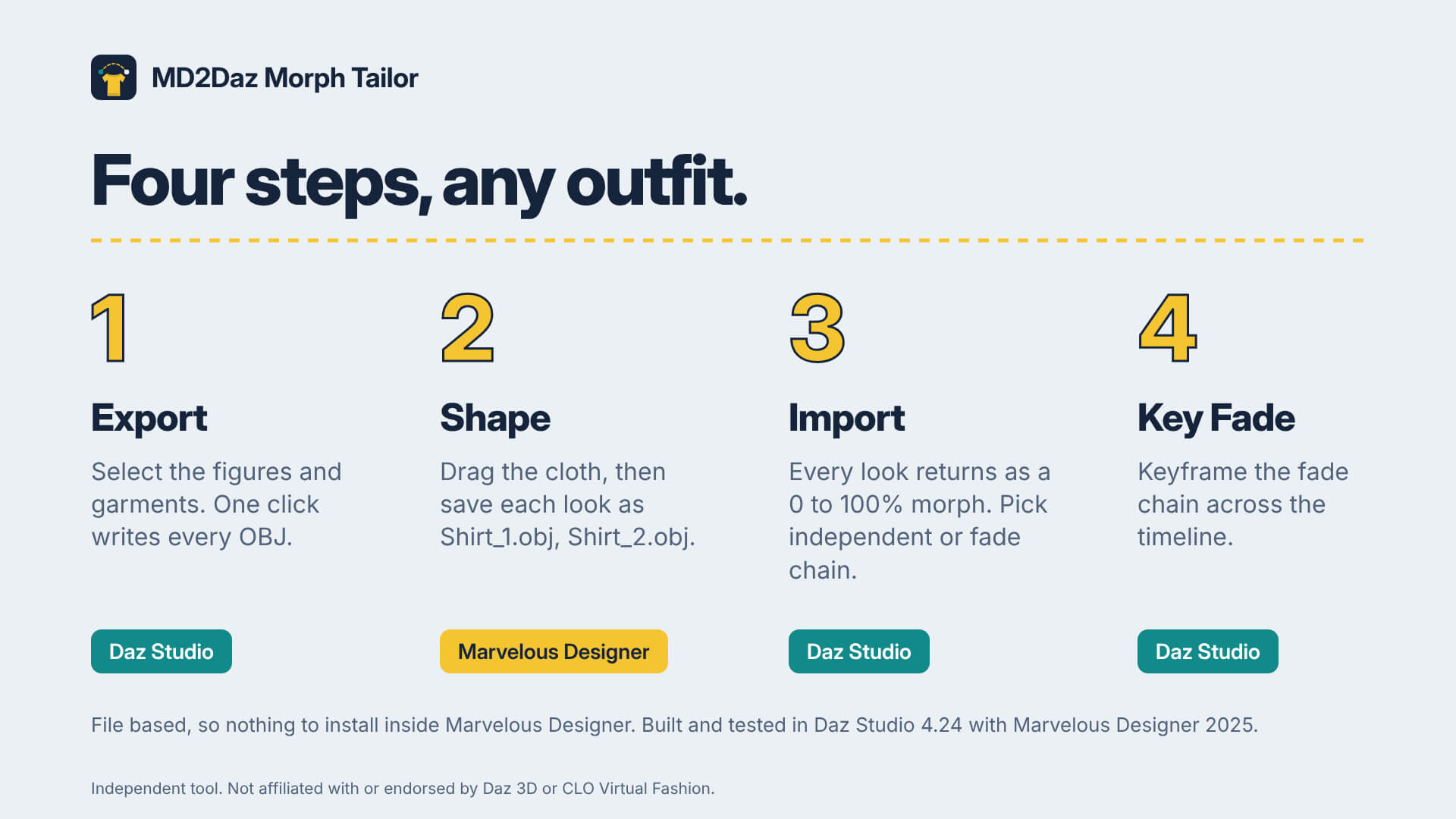
MD2Daz Morph Tailor is a set of four Daz Studio scripts that carry clothing
between Daz Studio and Marvelous Designer and bring the result back as
morphs on the garment.
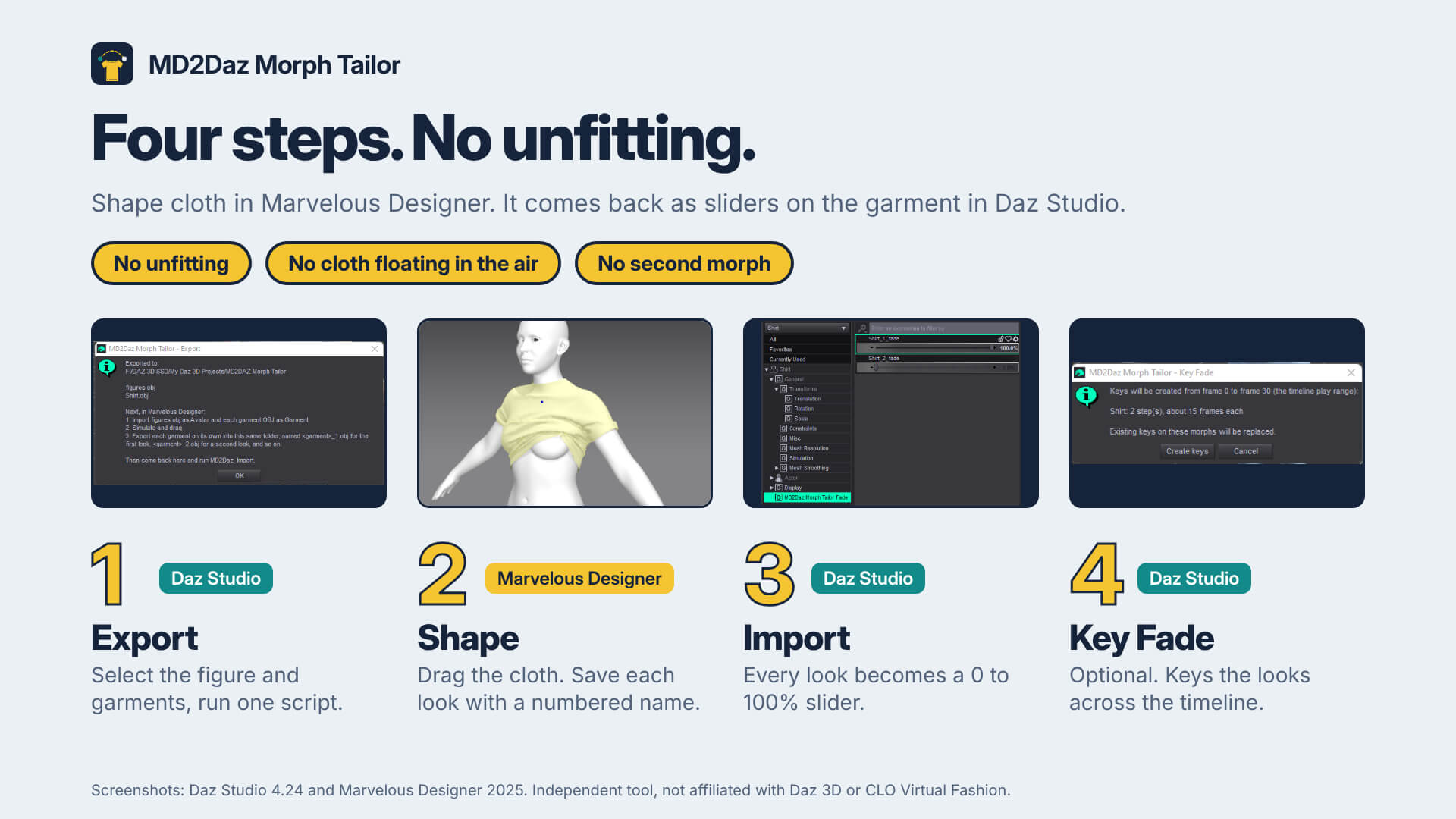
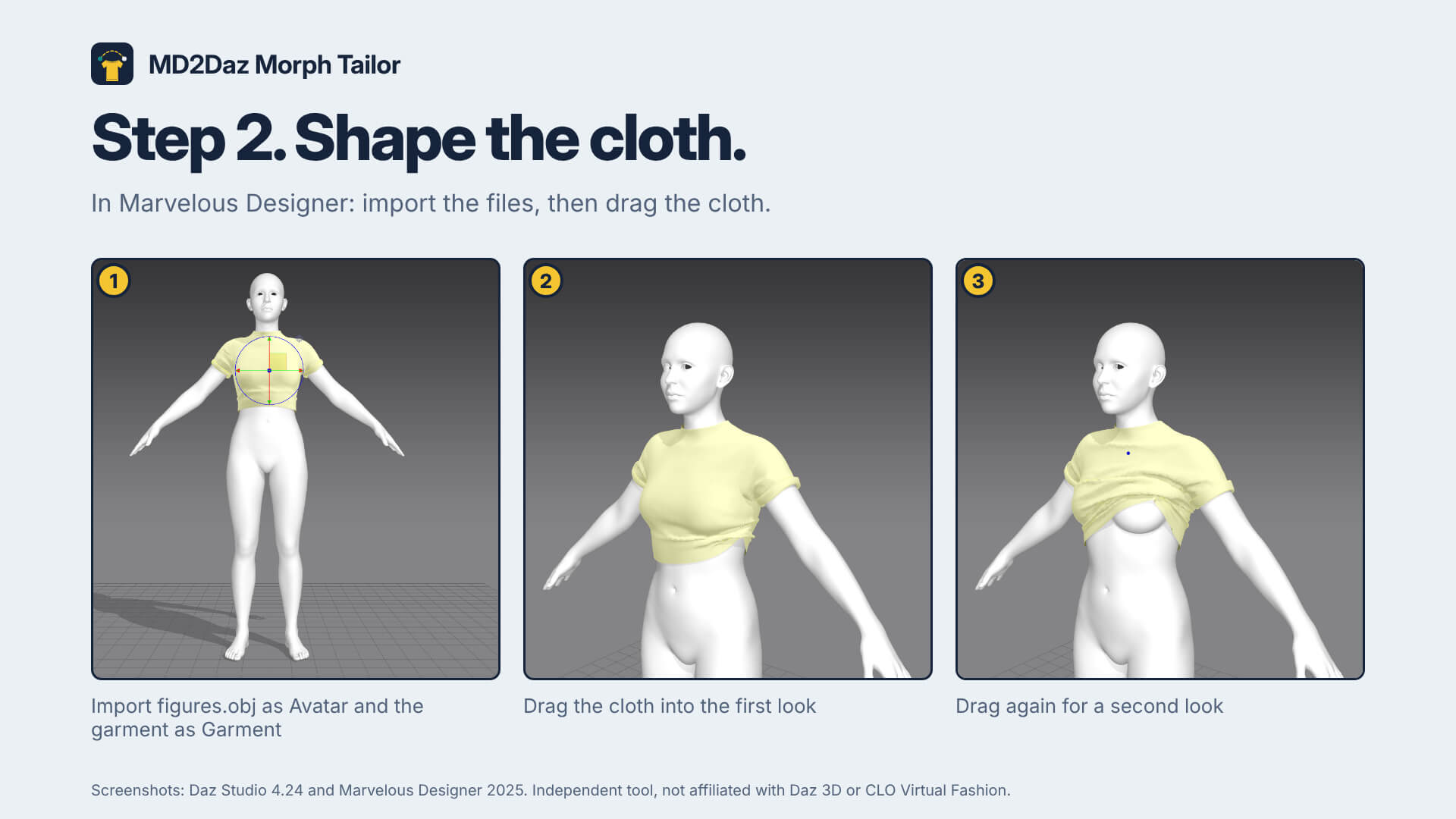
You drag, fold and shape cloth in Marvelous Designer, and every look you save
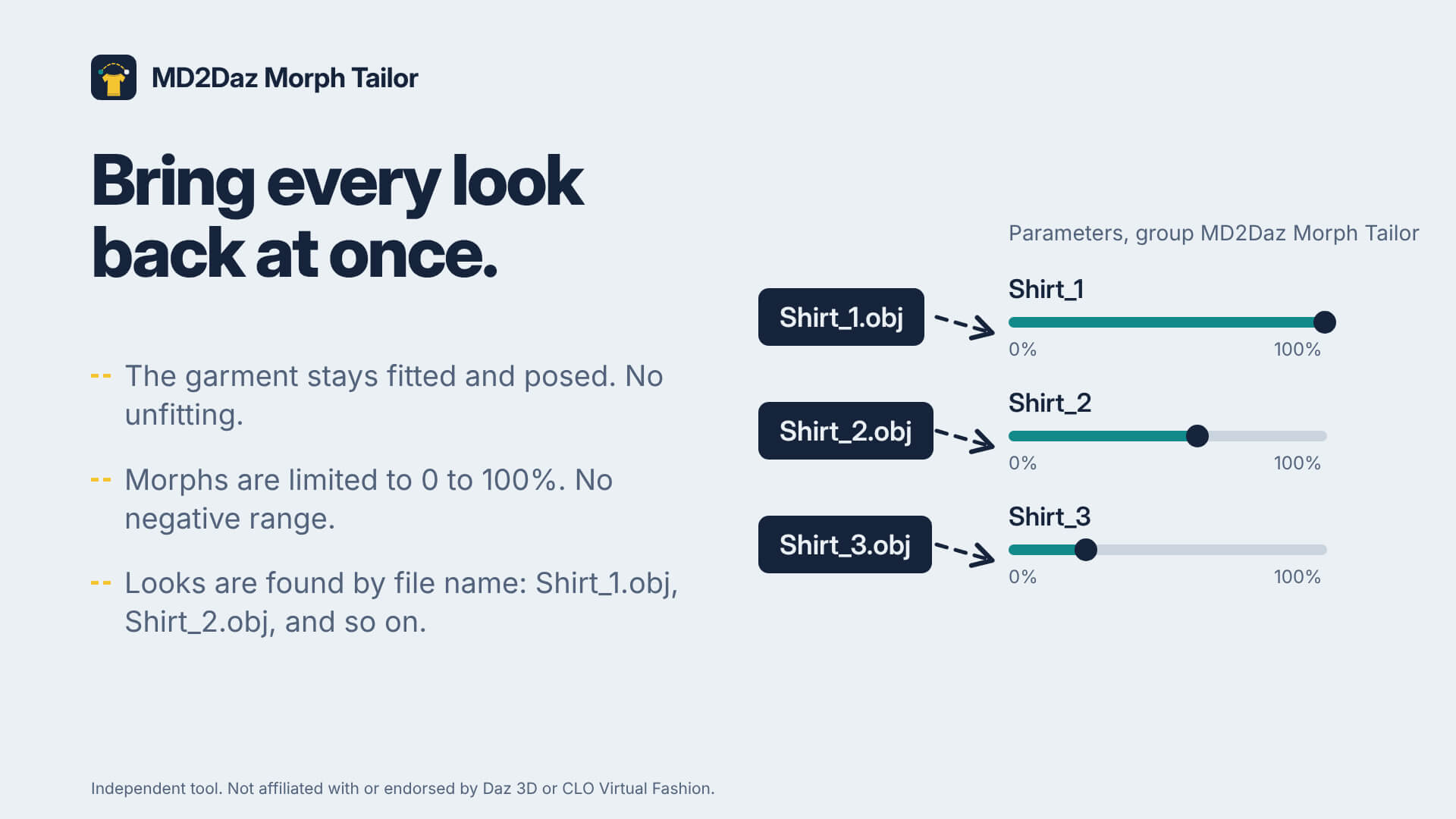
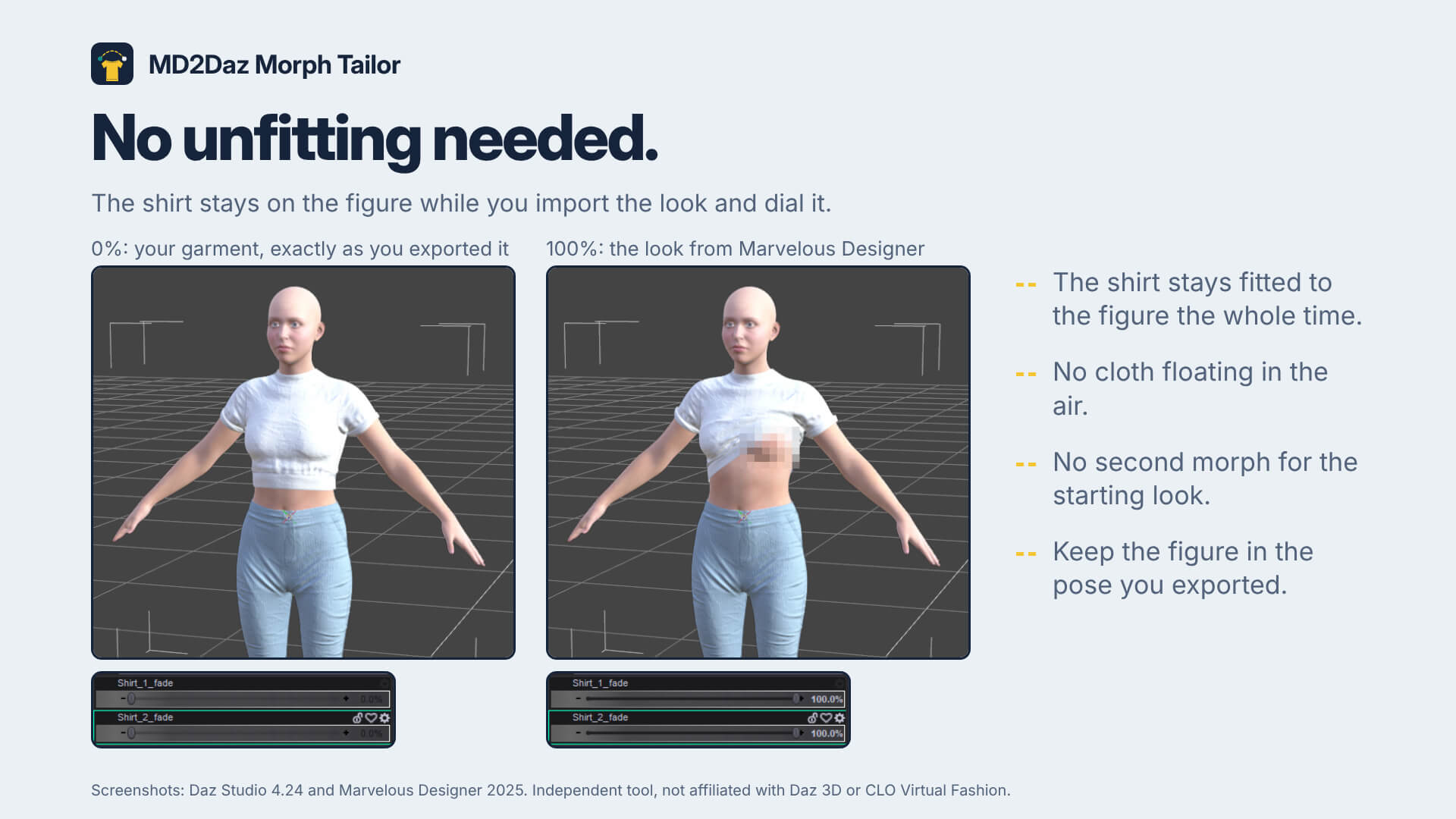
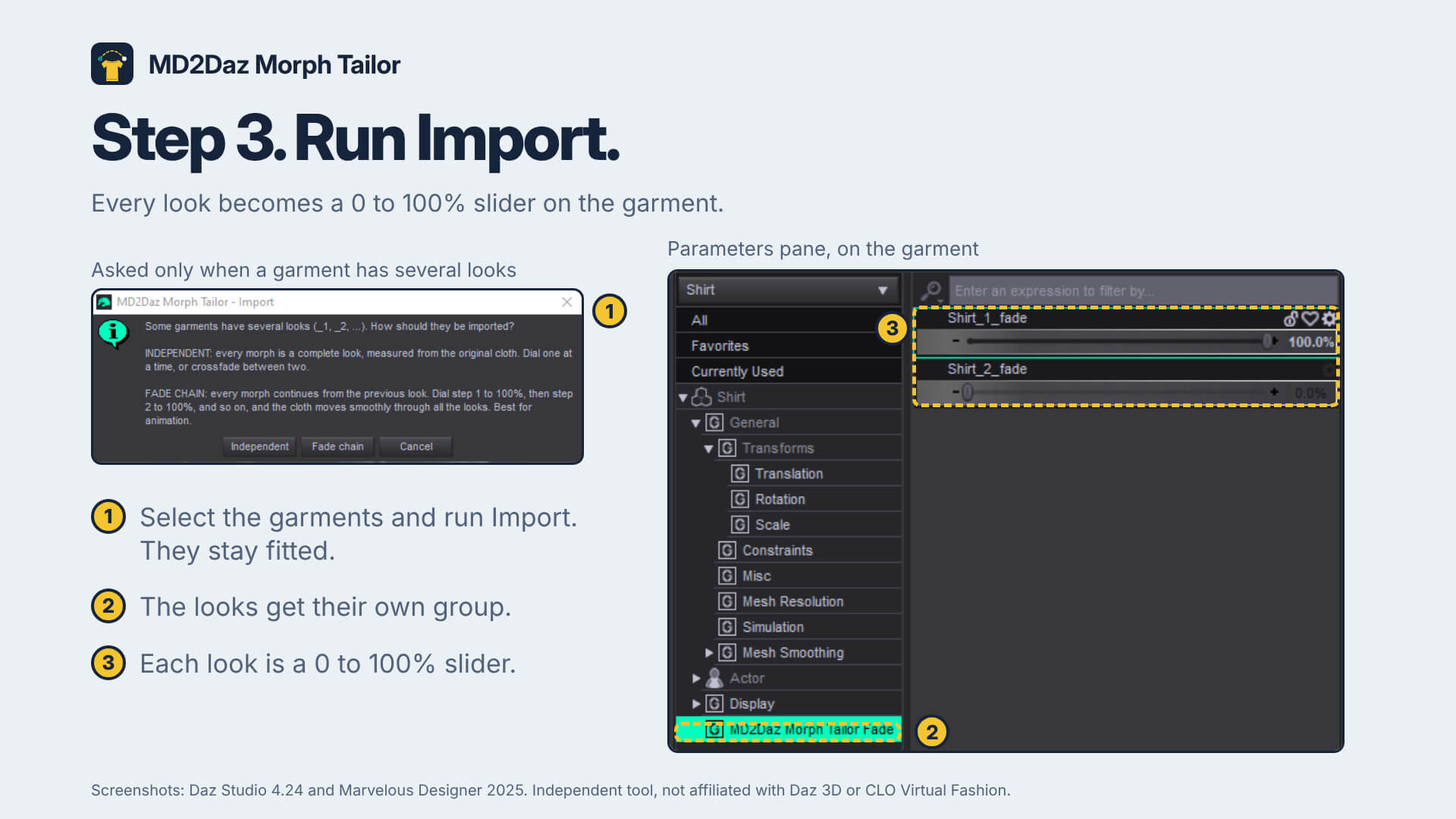
comes back to Daz Studio as a 0 to 100% morph slider on the garment itself.
The garment stays fitted to the figure and posed. There is no unfitting, and
the cloth no longer jumps from the air onto the figure when you dial the
morph.
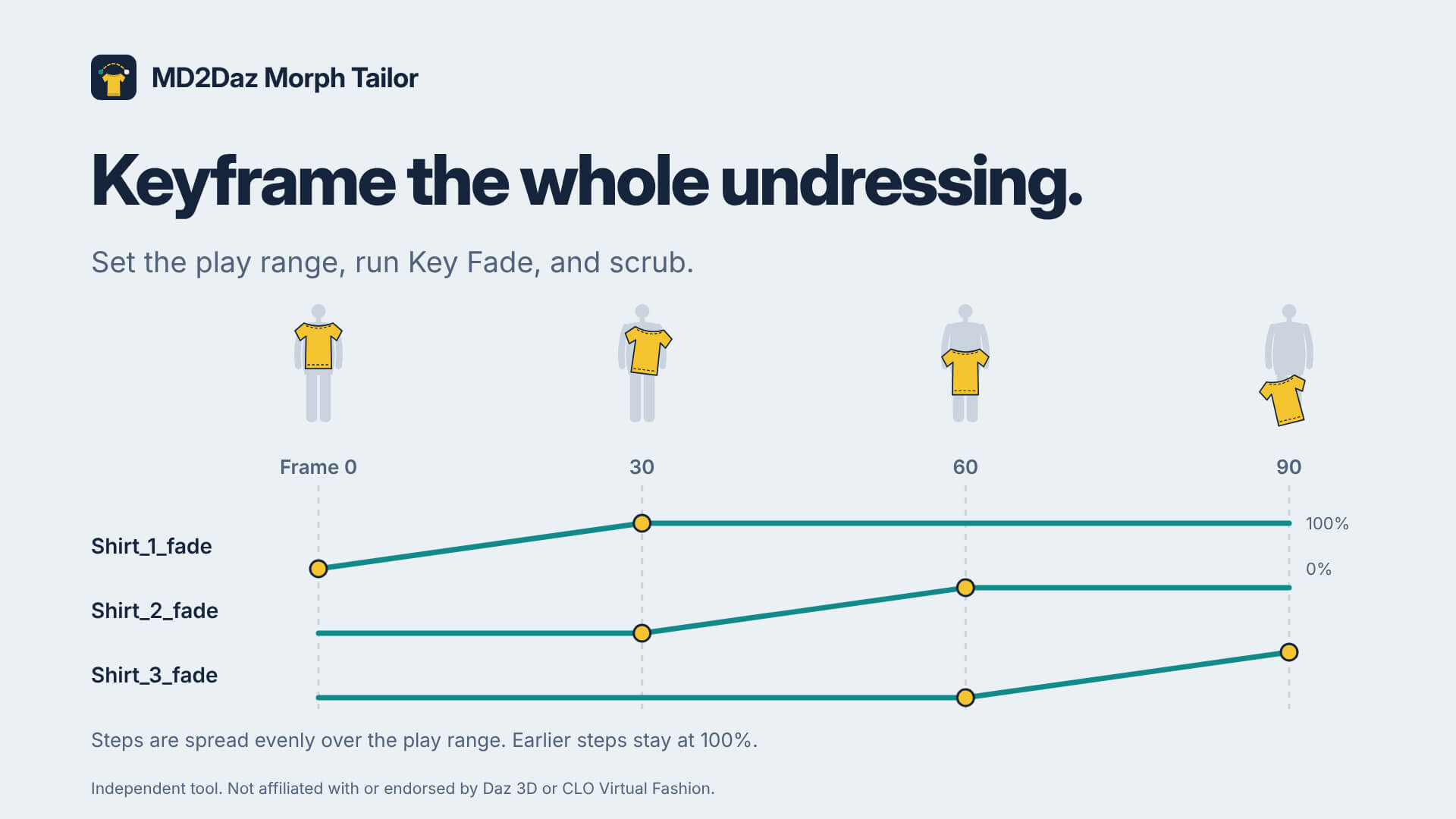
Because every look is a normal morph, you can dial it by hand, mix it, or
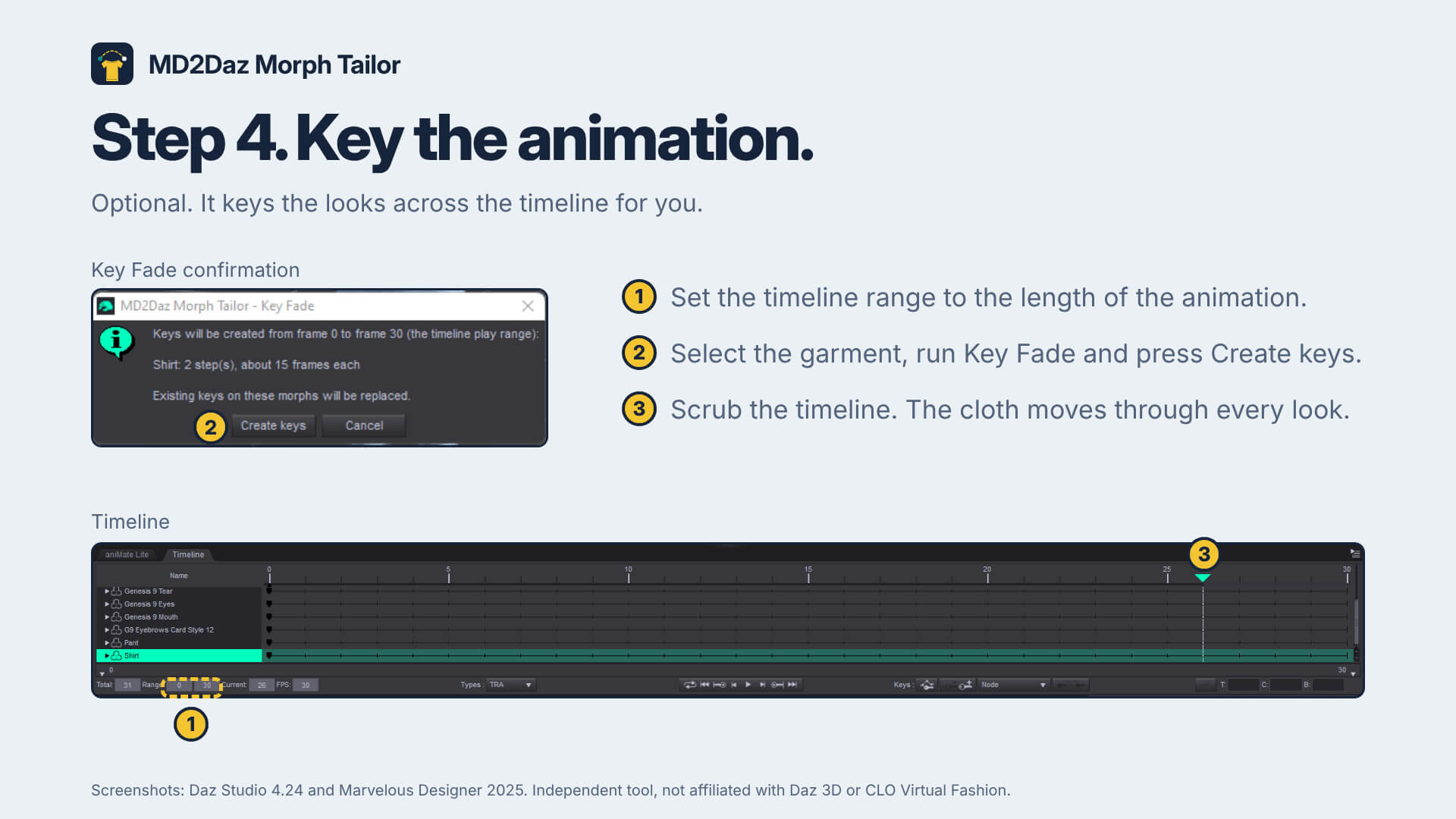
animate it. A built-in helper keys a whole sequence of looks across the
timeline, for example an undressing animation.
MD2Daz Morph Tailor does not automate Marvelous Designer itself. It exchanges
OBJ files with it, so it needs nothing installed inside Marvelous Designer.
------------------------------------------------------------------------------
FEATURES
------------------------------------------------------------------------------
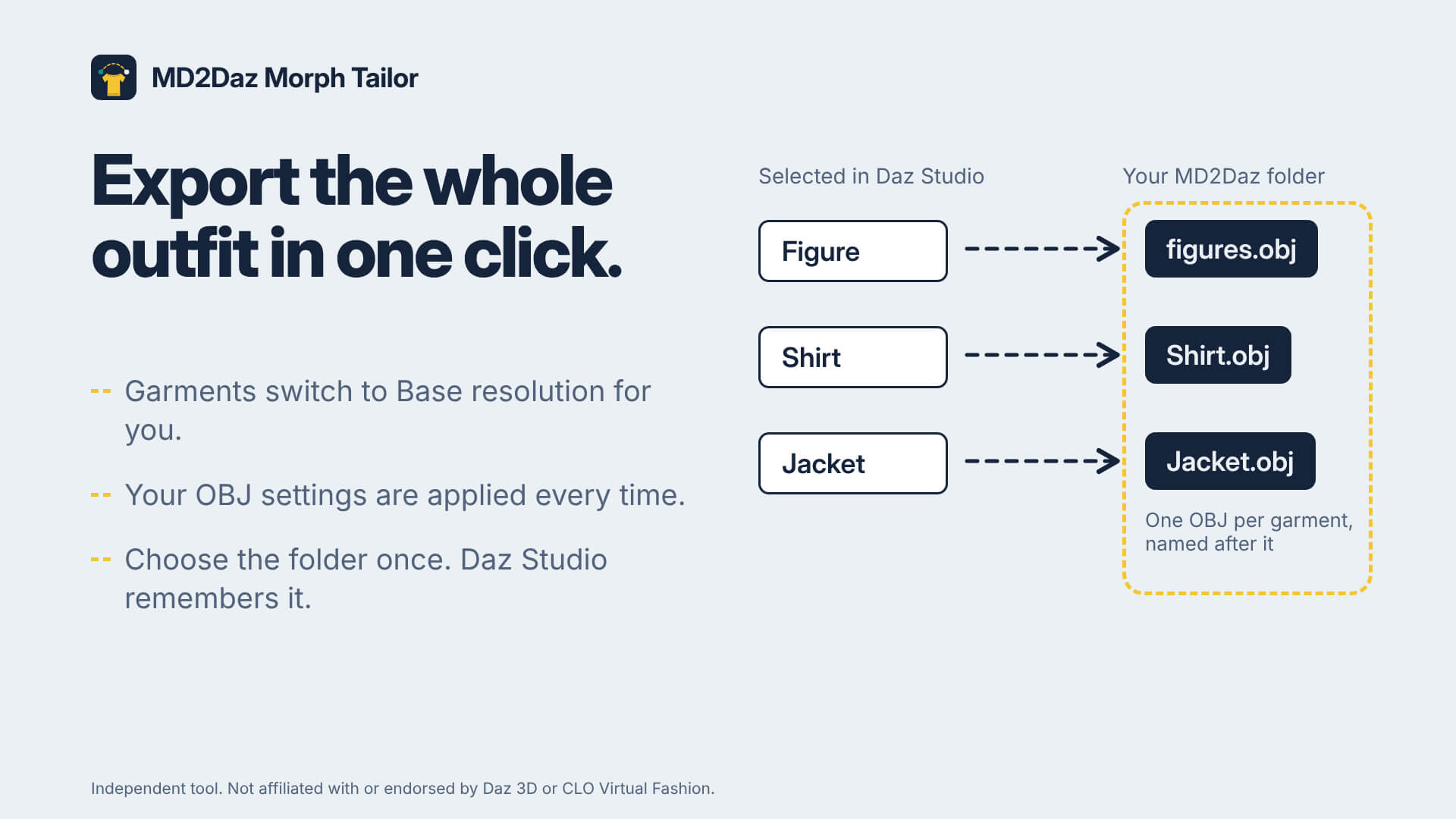
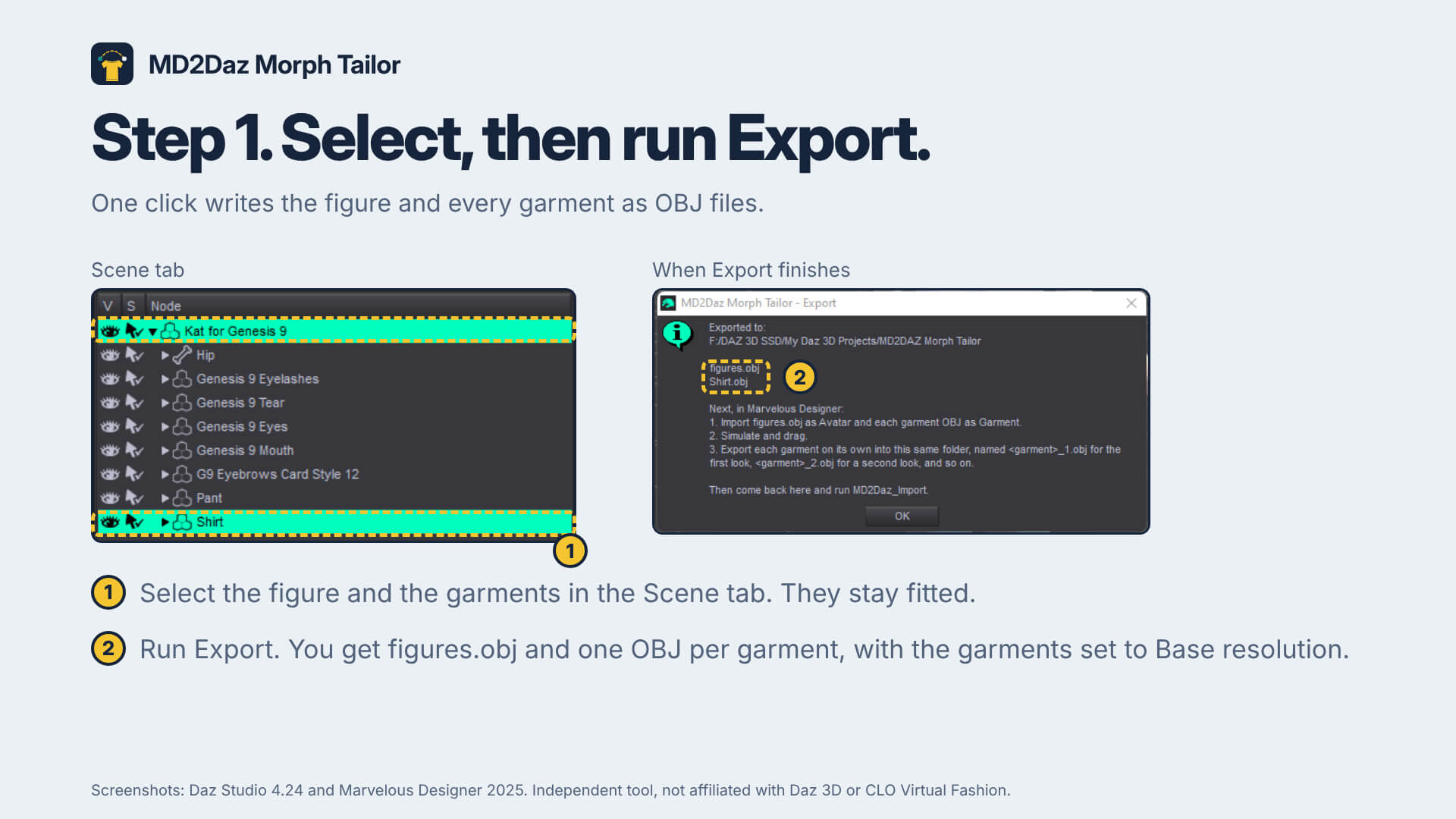
* One-click export of the whole outfit: the figure(s) in one OBJ, plus one OBJ
per garment, named after the garment.
* Garments are set to Base resolution for you.
* The OBJ export settings are applied the same way every time.
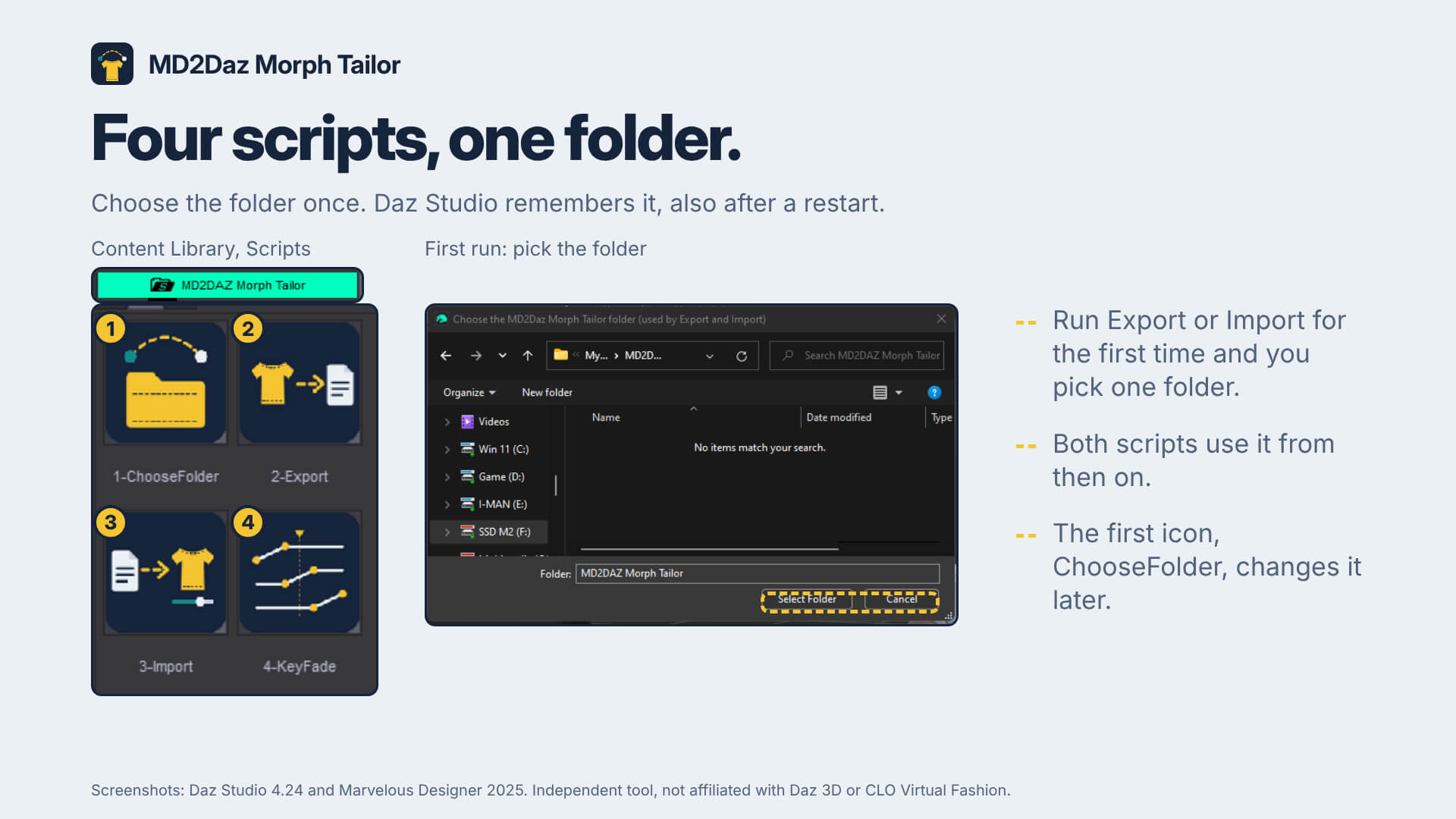
* Choose your working folder once. Daz Studio remembers it, also after you
close and reopen it.
* One-click import of every look for every selected garment at once.
* Morphs are limited to 0 to 100%. There is no negative range.
* Reverse Deformations are used, so the garment stays fitted and posed while
you import.
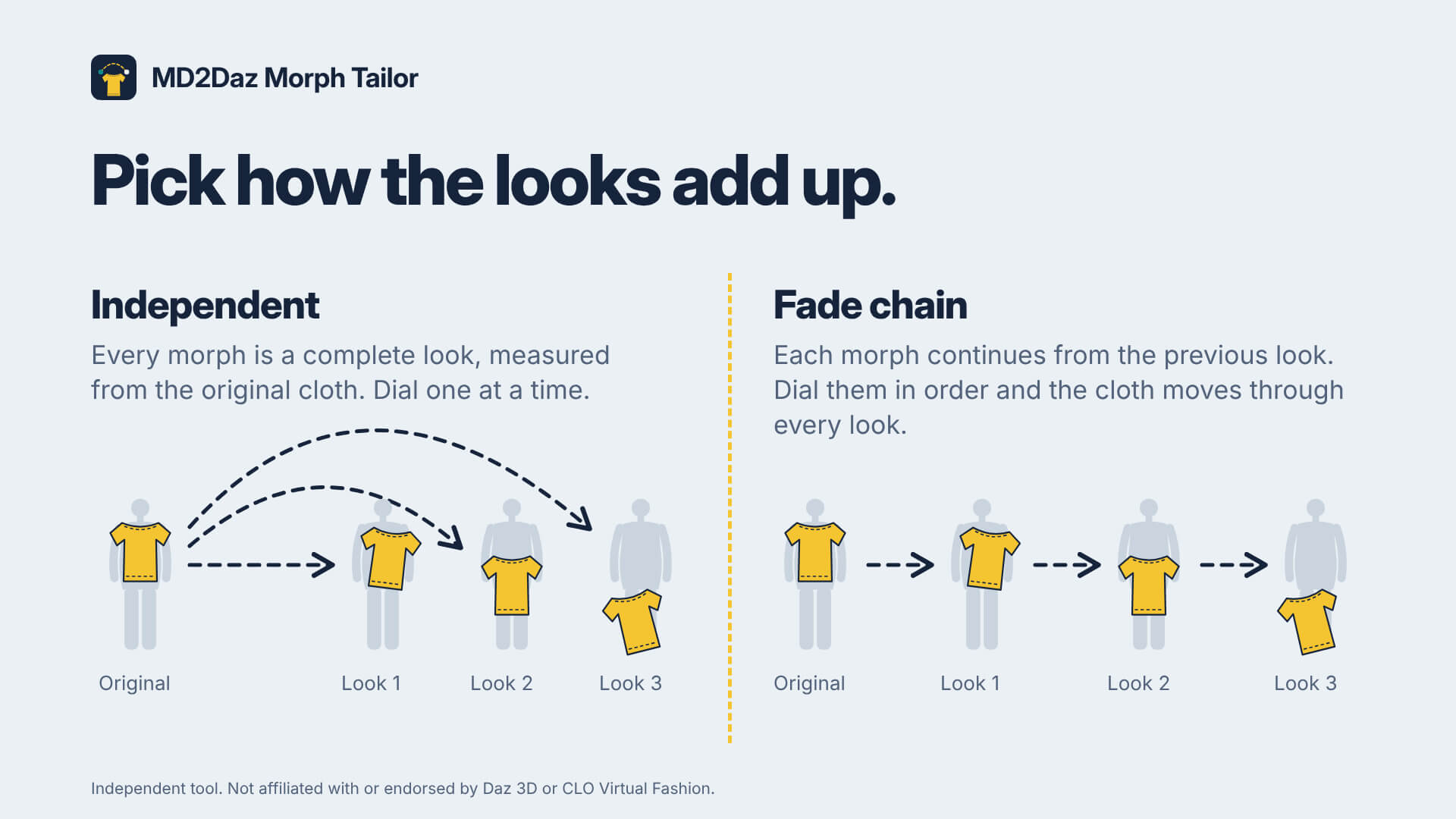
* Two ways to import several looks:
- Independent: each morph is a complete look, measured from the original
cloth.
- Fade chain: each morph continues from the previous look, so the cloth
moves smoothly through all the looks as you dial them in order.
* Key Fade: keyframes a fade chain across the timeline play range.
* Works with several figures and several garments in one scene.
------------------------------------------------------------------------------
REQUIREMENTS
------------------------------------------------------------------------------
* Daz Studio 4.24 (built and tested with 4.24.0.4)
* Marvelous Designer 2025
* Garments that are fitted to a figure in Daz Studio
Note on Marvelous Designer versions: the scripts were tested with
Marvelous Designer 2025. In the author's tests, newer Marvelous Designer
versions gave a "geometry does not match" error when the exported garment was
imported as a morph. MD2Daz Morph Tailor relies on Marvelous Designer
returning the garment with exactly the same vertices in exactly the same
order, so check this with one garment before you rely on it with another
version.
------------------------------------------------------------------------------
INSTALLATION
------------------------------------------------------------------------------
Copy the four .dsa files into a folder inside your Daz Studio Scripts
folder, for example:
My Daz 3D Library\Scripts\MD2Daz Morph Tailor\
------------------------------------------------------------------------------
TIPS
------------------------------------------------------------------------------
* Keep the figure in the same pose for export and import. The morphs are
made for that pose.
* Do the exports for a whole outfit in one go: select the figure(s) and every
garment, and run Export once.
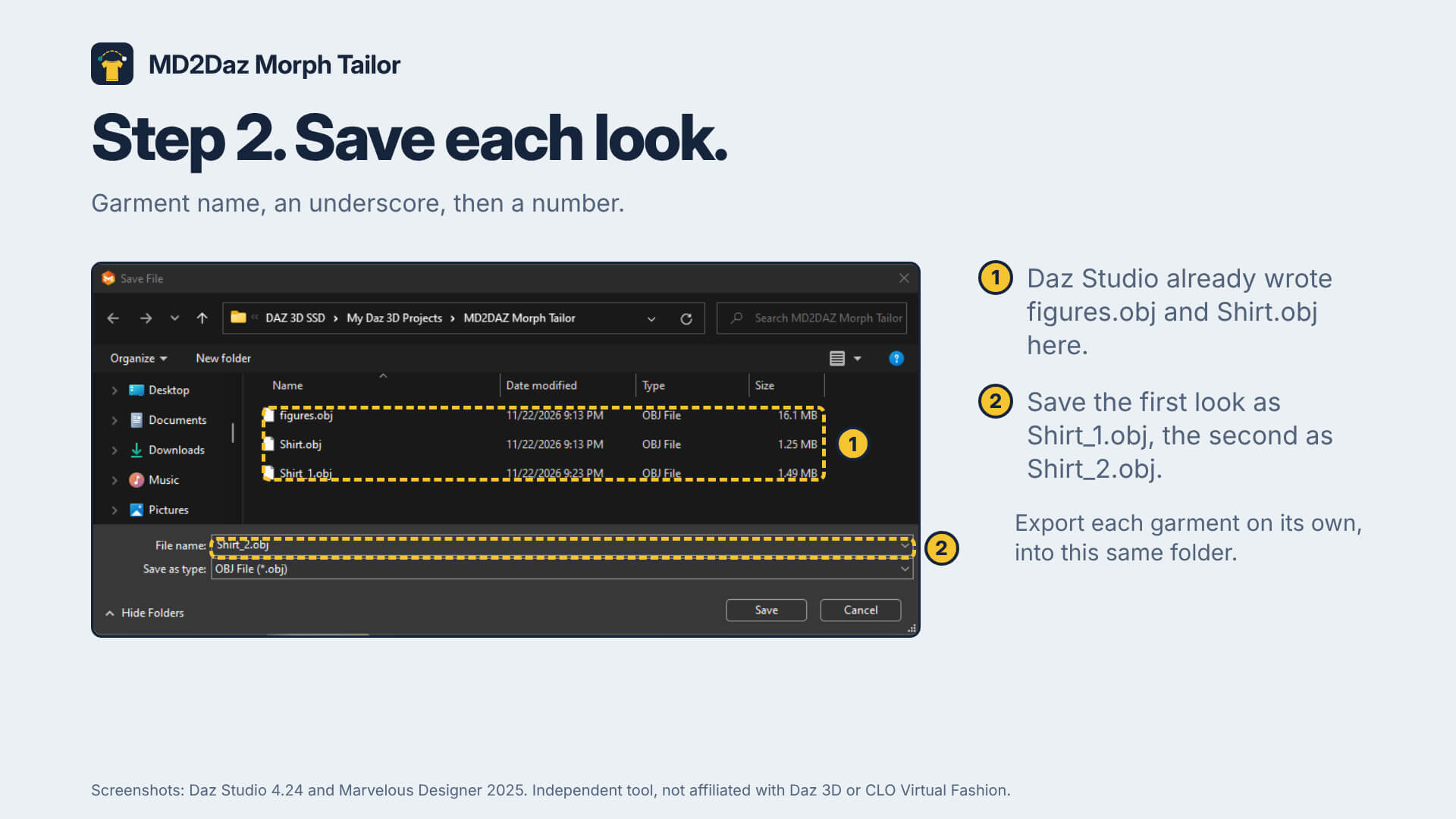
* Number the looks in the order they should happen, with no need to be
consecutive: _1, _2, _5 is read in that order.
* If the garment comes back too big or too small, open MD2Daz_Import in
a text editor and change nScale near the top (1 matches the settings
above).
* The morphs live on the garment in your scene. To keep them for later
scenes, save them with Daz Studio's usual asset saving, as with any morph
created in Daz Studio.
* Spaces in a garment's name become underscores in file names. Name the
files from Marvelous Designer with the underscore version.
------------------------------------------------------------------------------
TROUBLESHOOTING
------------------------------------------------------------------------------
"Select the figure(s) and ALL the fitted garments first."
Export found no fitted garment in your selection. Fit the garment to the
figure and select both.
"No files named _1.obj … found"
The Import script found no file with that name in your folder. Check the
name, the number, and that the file is in the folder you chose (run
MD2Daz_ChooseFolder to see or change it).
"Two garments are called …"
Rename one garment in the Scene tab.
"The vertex counts differ …" (shown by Fade chain)
The OBJ from Marvelous Designer does not have the same vertices as the
garment. Check the export settings (Single Object, Unweld, Thin, Unified
UV Coordinates, nothing merged), that the garment was set to Base
resolution when it was exported, and that you exported only that garment.
"The morph load mode is not compatible with this garment"
Morph Loader could not use this garment type with the script. Tell the
author which garment it is.
"Geometry does not match" from Morph Loader
The returned OBJ does not match the garment in Daz Studio. The most common
causes are a different Marvelous Designer version, a garment exported
together with others, or a different resolution level.
Warning that "Resolution Level" was not found on a garment
The script could not switch that garment to Base. Set Resolution Level to
Base yourself and run Export again.
The cloth looks wrong at 100%
Make sure the garment is fitted, at Base resolution, and the figure is in
the same pose as when you exported. If it still looks wrong, import it
again and check the morph at 0% first: it should look exactly like the
Daz Studio export.
Key Fade creates no keys, or says no fade morphs were found
Run Import and choose Fade chain first, and select the garment before you
run Key Fade.
Scripts do not run, or run into an error
The Script IDE shows the messages from a script. Import prints progress
lines starting with [MD2Daz Morph Tailor]. Include what you see there when
you report a problem.
Categories
