


 Free 3D
 3D Print Models
 3D Scans
 Animation & MoCap
 Textures
 Materials
 Skin Reference
 2D Game Assets
 Sound Effects
 Brushes & Tools
 Reference Photos
 Stock Images
 HDR Images
 3ds Max
 Maya
 Blender
 Unreal Engine
 Unity
 ZBrush
 Cinema 4D
 LightWave
 Marmoset
 SketchUp
 FBX
 DAE
 DXF
 GLB

Deep Bend Correctives for Genesis 9

Not Rated Yet


This Item Was Made Using

! REPORT
NOTE: DIGITAL DOWNLOAD, NOT A PHYSICAL ITEM

Add to Collection

0 Likes
Share This Daz Content


Offered By


License
Extended Use License
This item comes with our Extended Use Licensing. This means that you may use the model for both non-commercial and commercial purposes, in a variety of mediums and applications.
For full license terms, see our 3D Content Licensing Agreement
Item Details
| Vendor: | audrey12 |
| Published: | Nov 20, 2026 |
| Download Size: | 1.3 MB |
| Software: | Daz Studio |
| Compatible Figure: | Genesis 9 |
| dForce: | – |
Included Formats

Statistics
| Favorites: | 1 |
| Likes: | 0 |
| Views: | 133 |
Item Ratings
Not Rated Yet
Deep Bend Correctives for Genesis 9
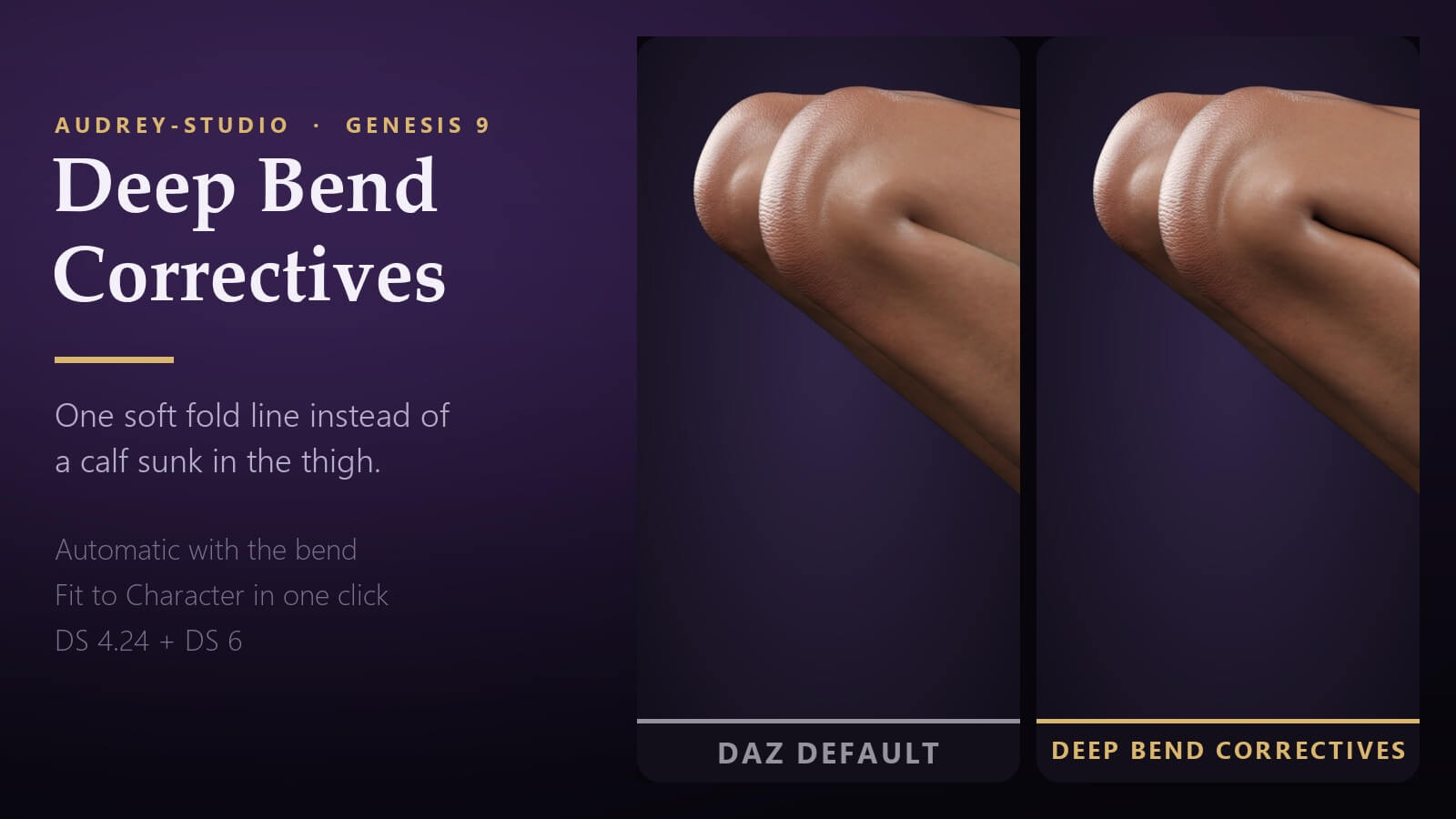
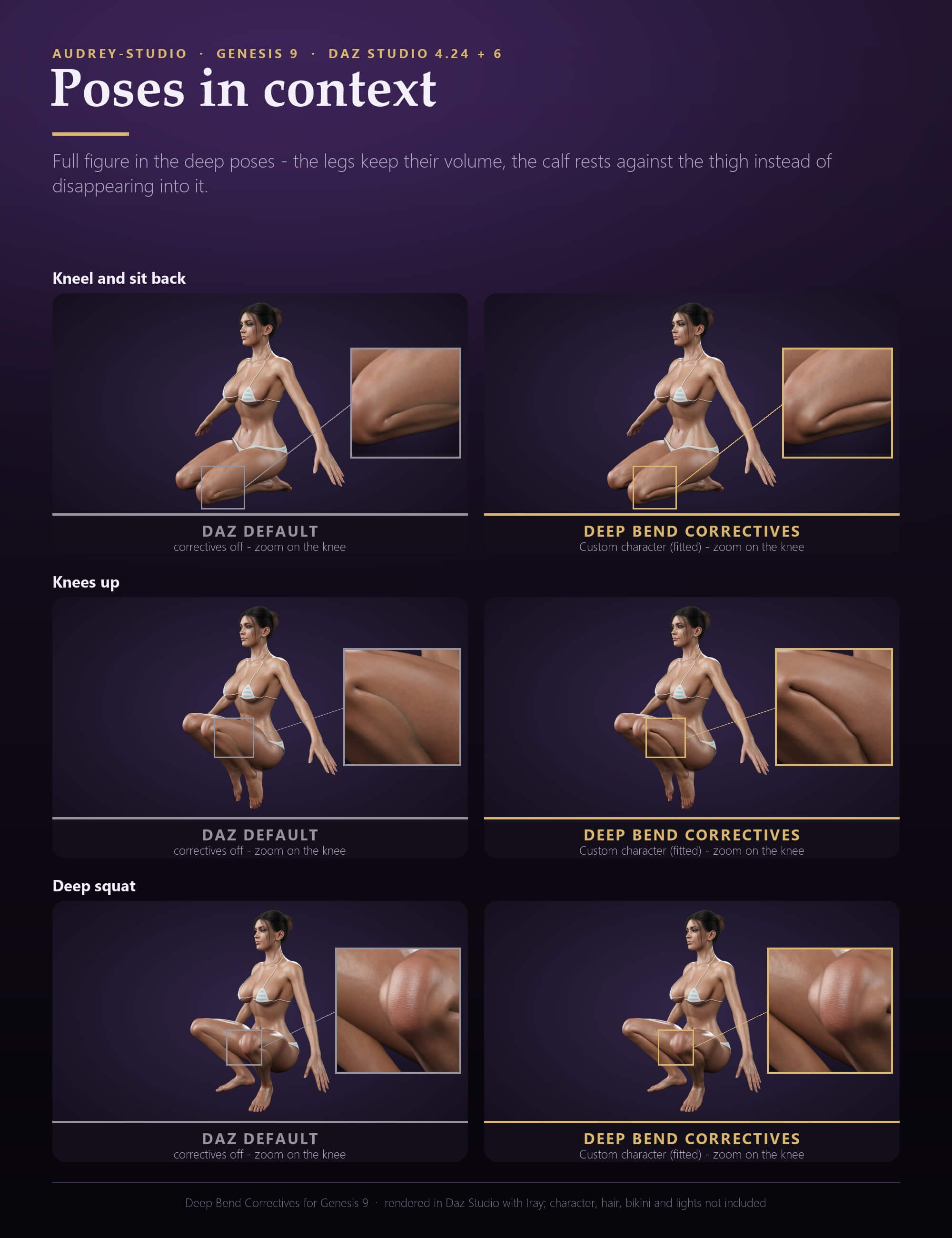
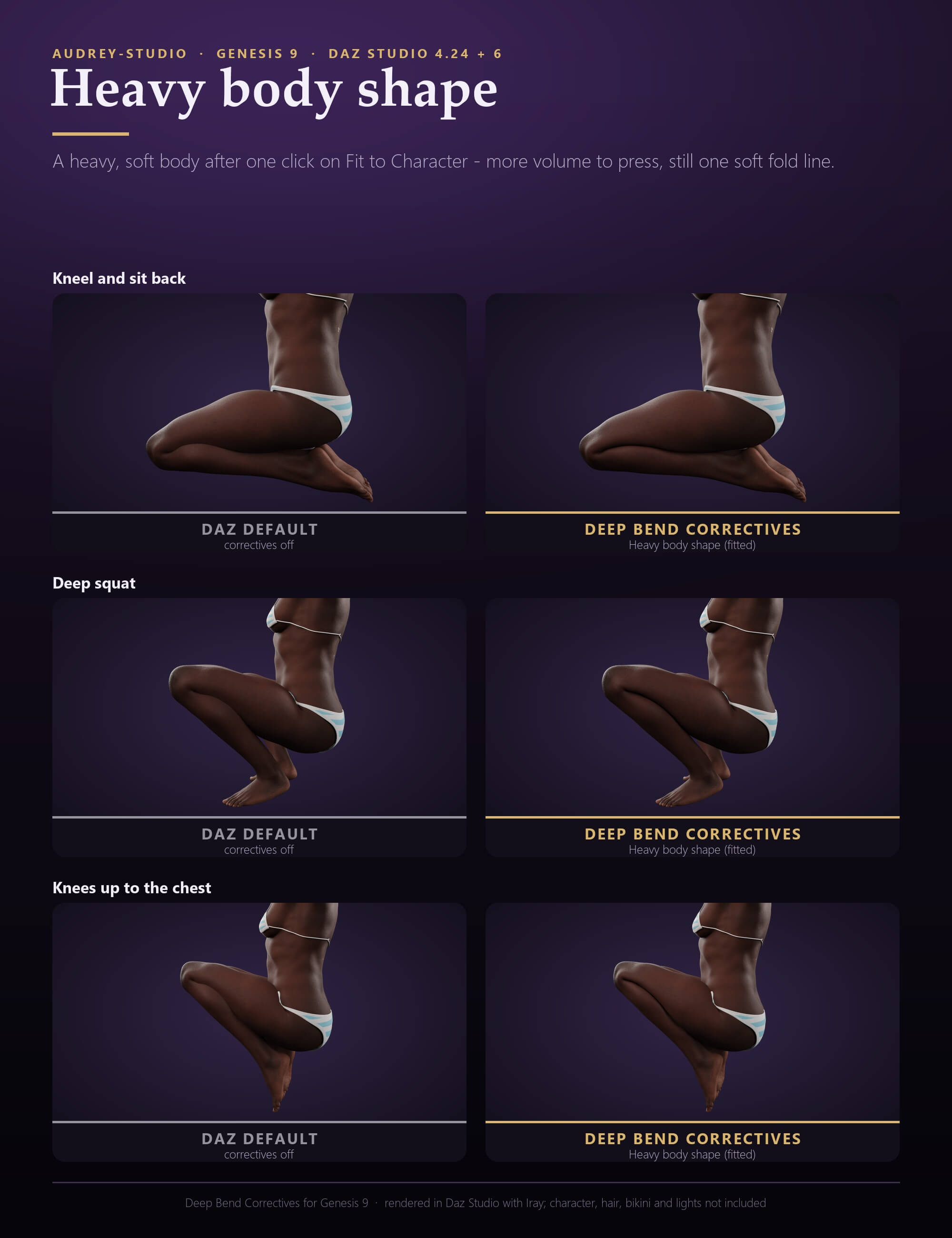
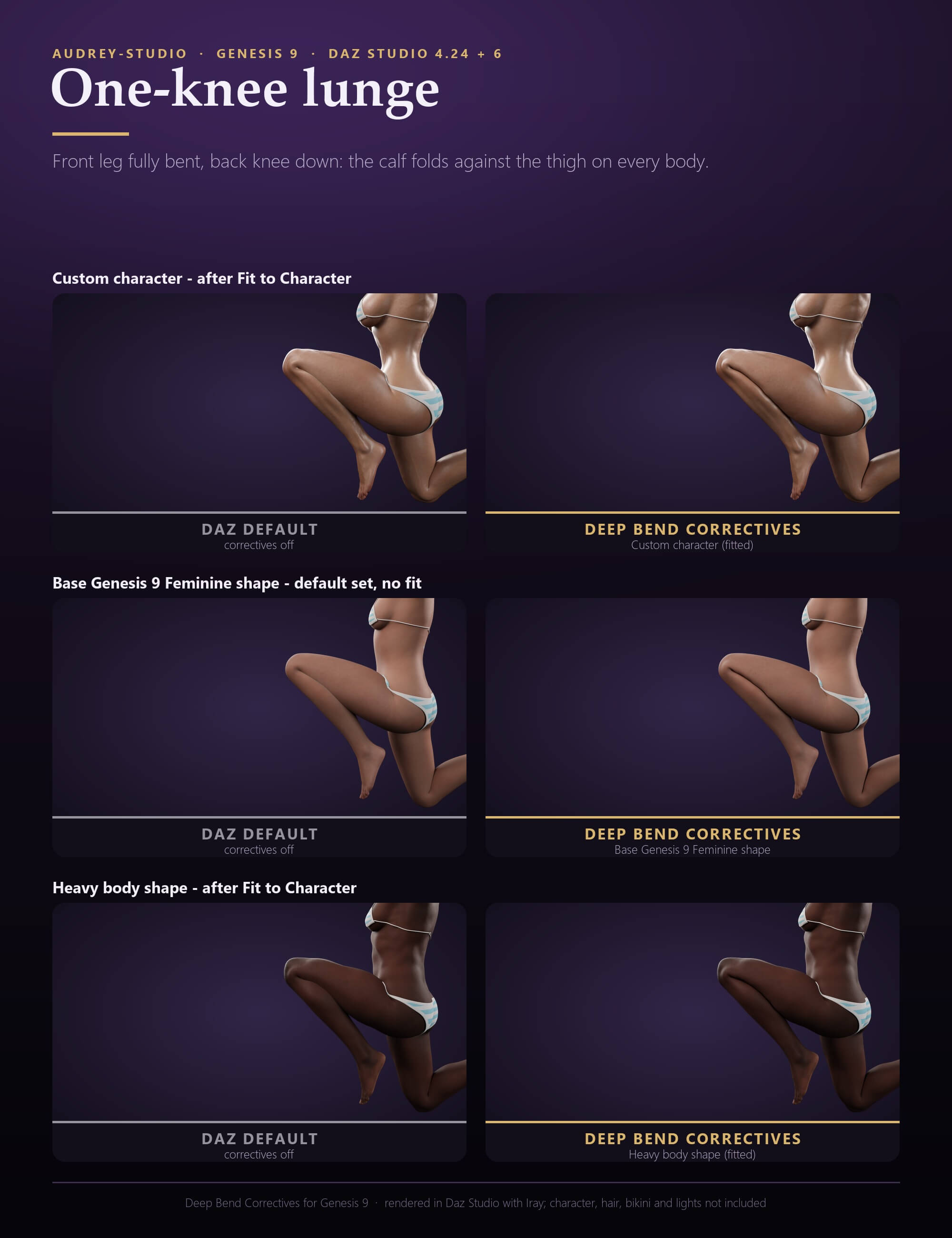
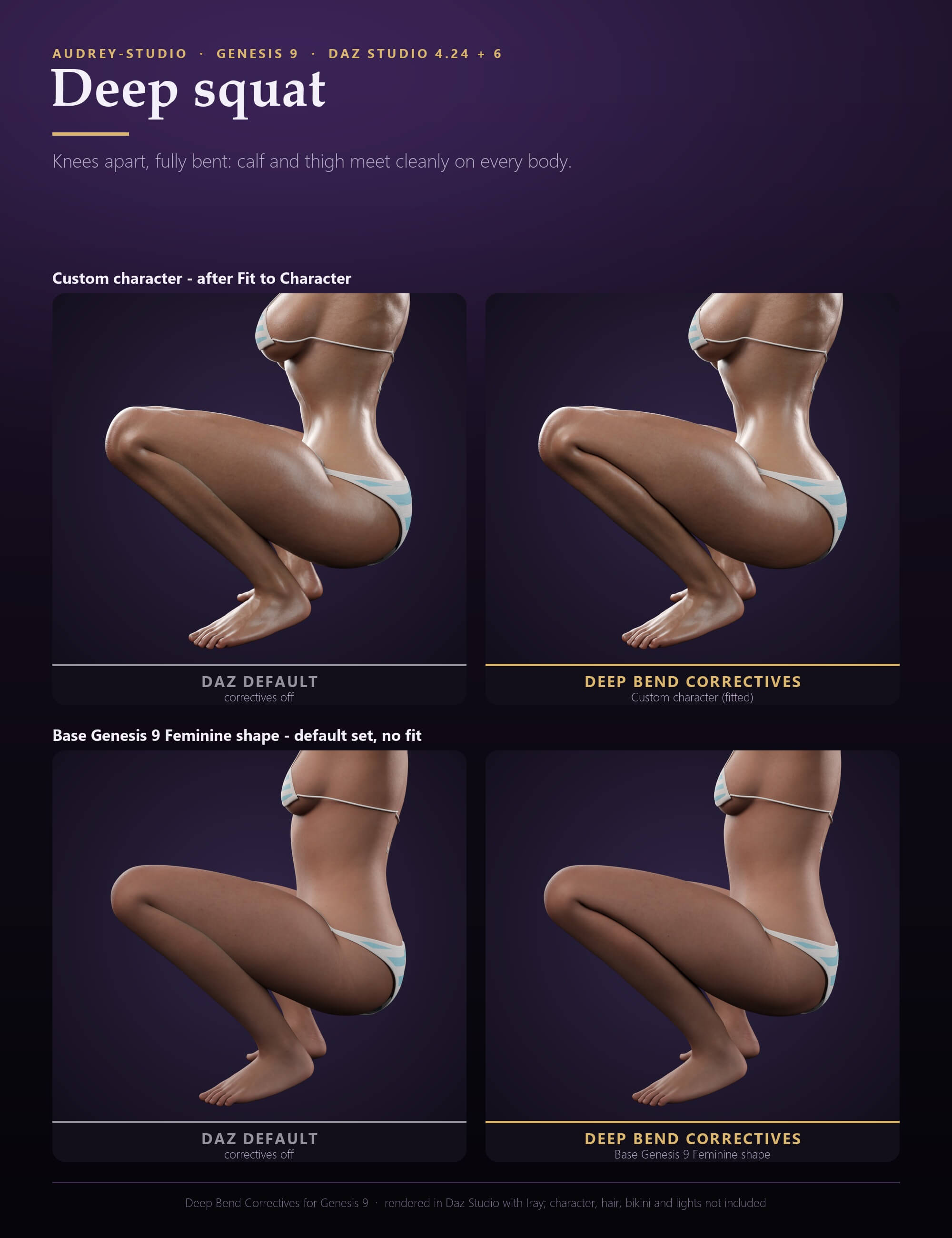
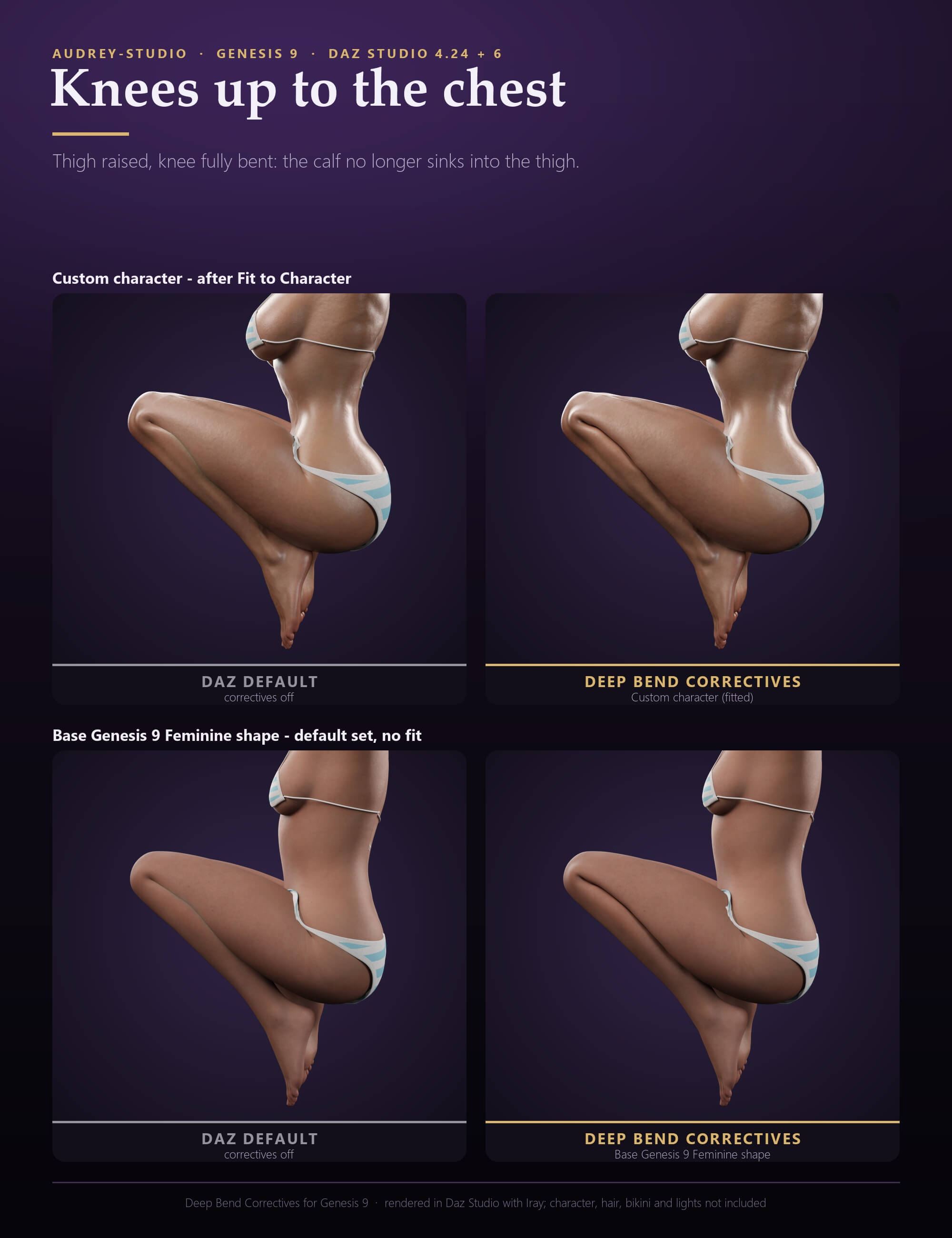
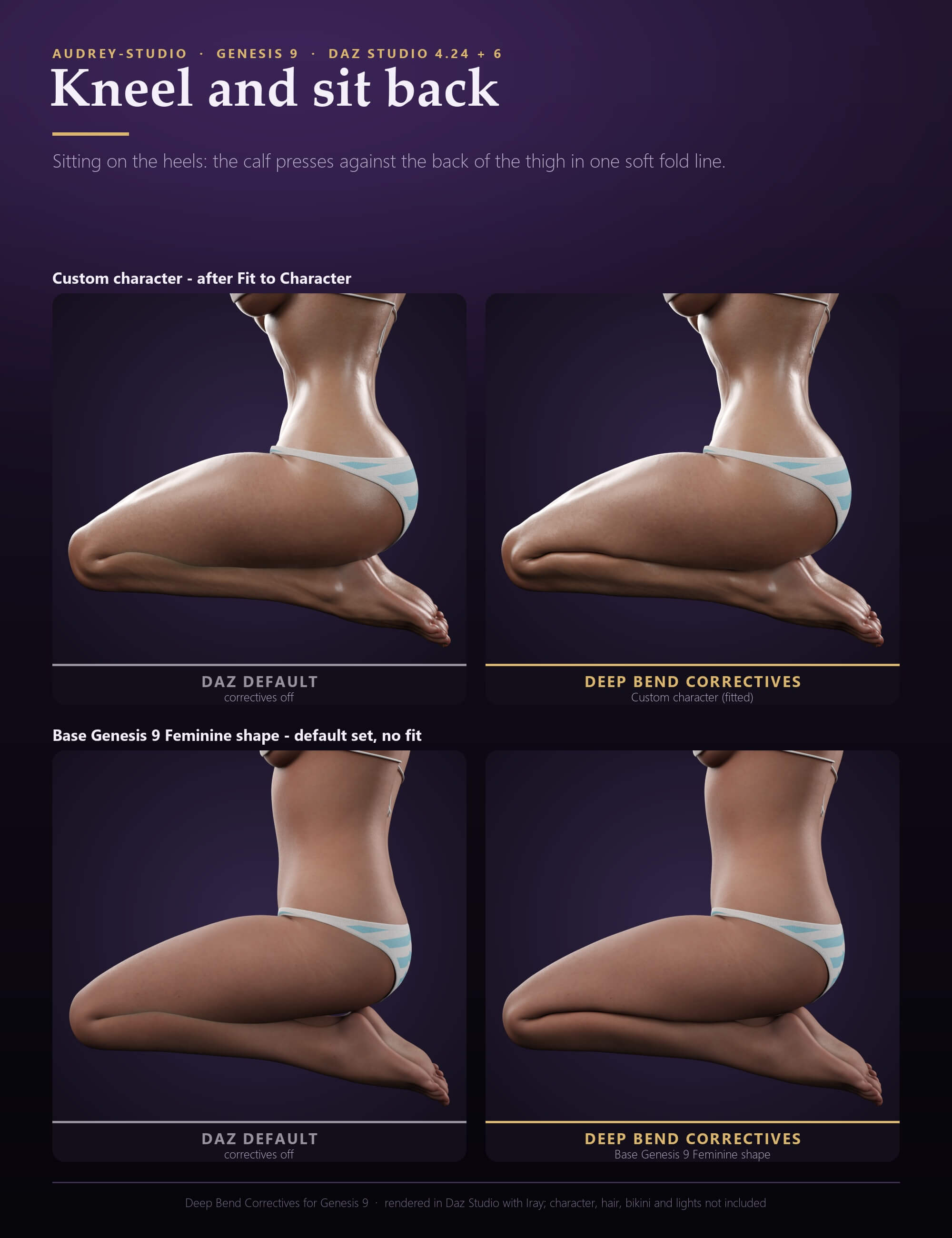
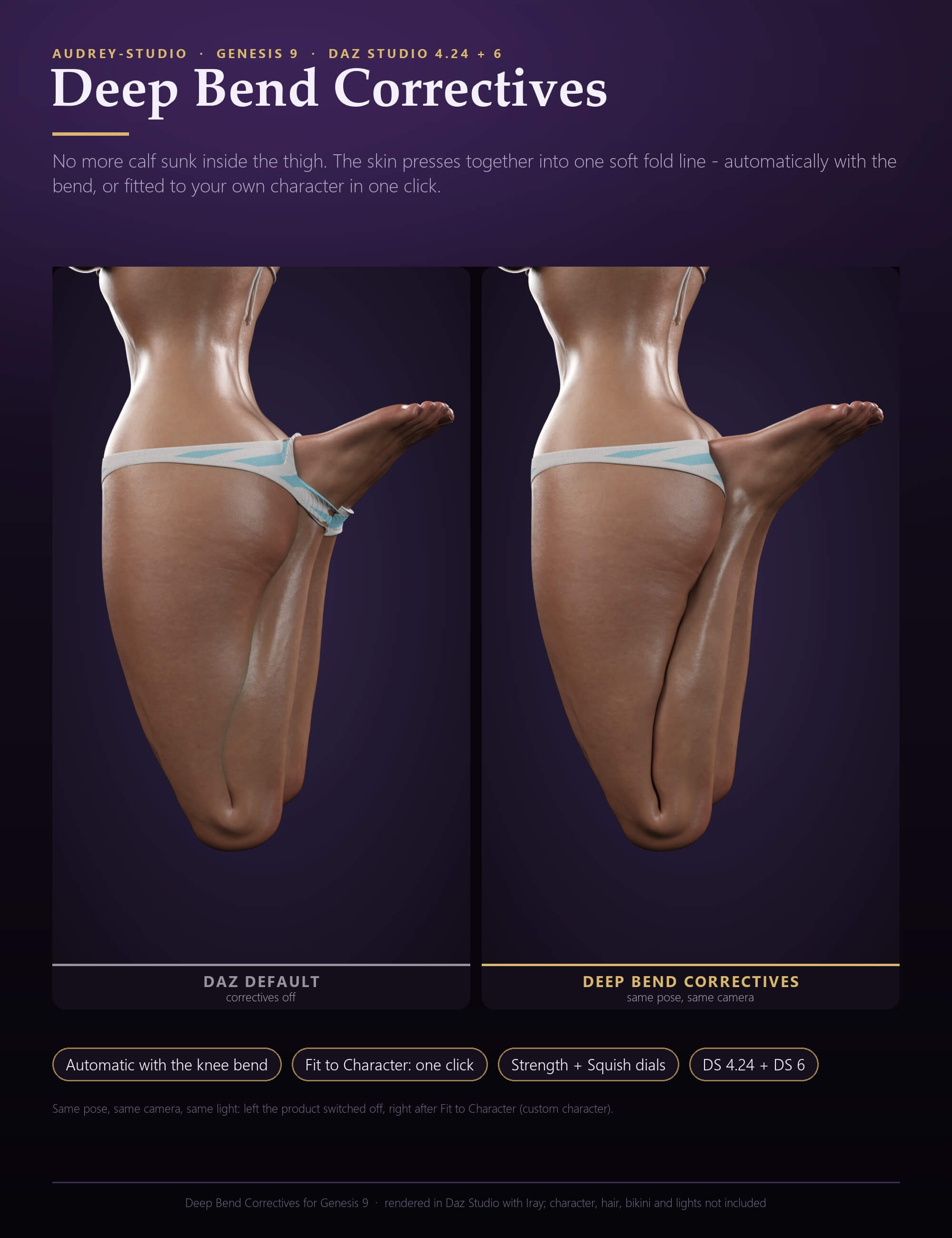
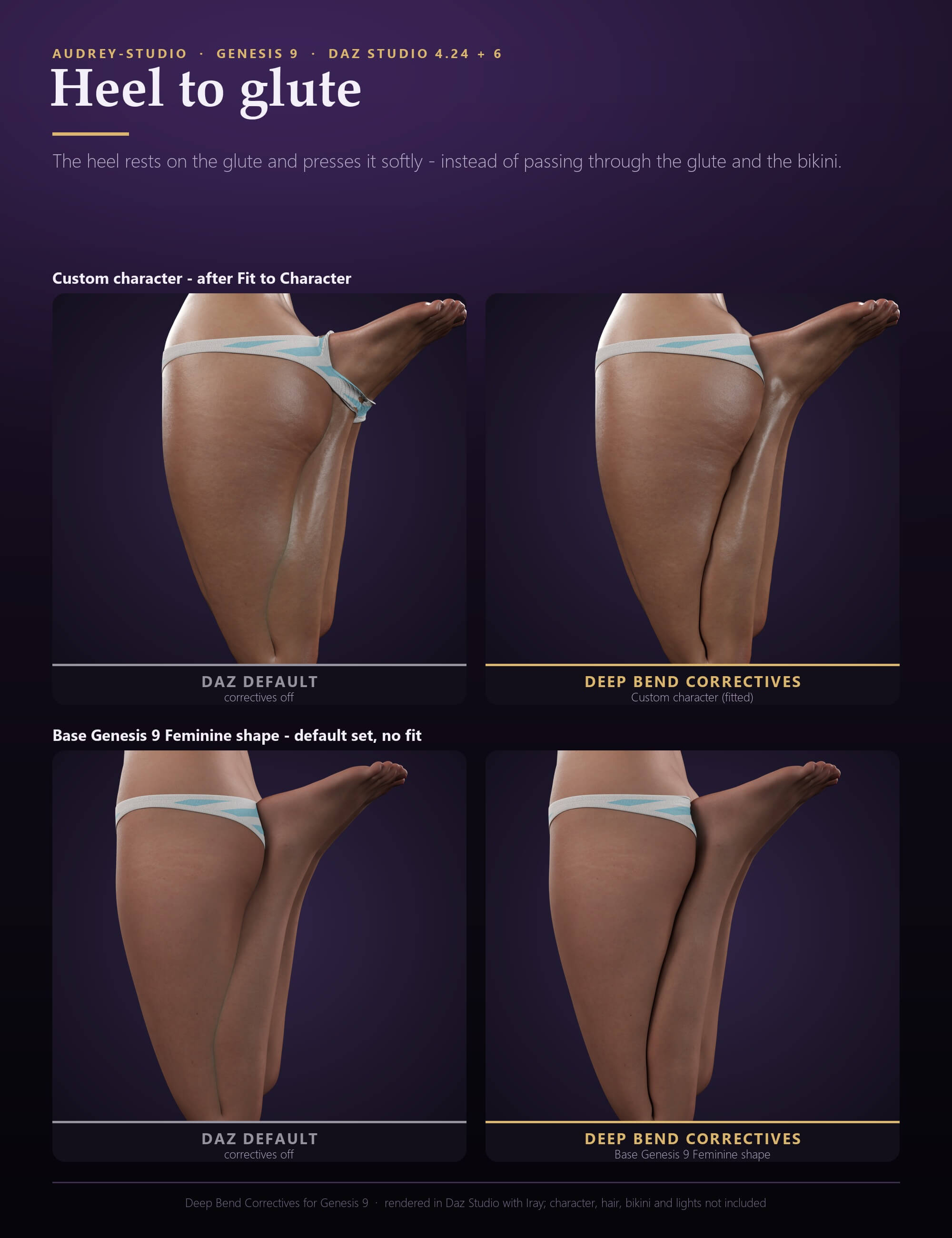
Kneeling, sitting on the heels, deep squats, knees pulled up to the chest, a heel pulled up to the glute: in all of these poses Genesis 9's calf sinks deep inside the back of the thigh and the heel disappears into the glute. Deep Bend Correctives makes the skin meet instead - one smooth, soft fold line where calf meets thigh.
WHAT YOU GET
- Pressed-skin contact: calf and thigh meet in one soft fold line instead of sinking into each other - no deep overlap, no open gap.
- Soft pressed flesh: a gentle bulge around the contact (Squish Amount dial: 0 = none, up to 3).
- Heel on glute: the heel rests on the glute and presses it softly instead of passing through it.
- The whole deep-bend range: knee bends from about 90 degrees to fully bent, with the thigh raised, level or pulled back - kneeling, sitting on the heels, squats, knees up to the chest, heel to glute. The correctives follow the leg joints, not the figure's position in the scene.
ONE CLICK FOR YOUR CHARACTER
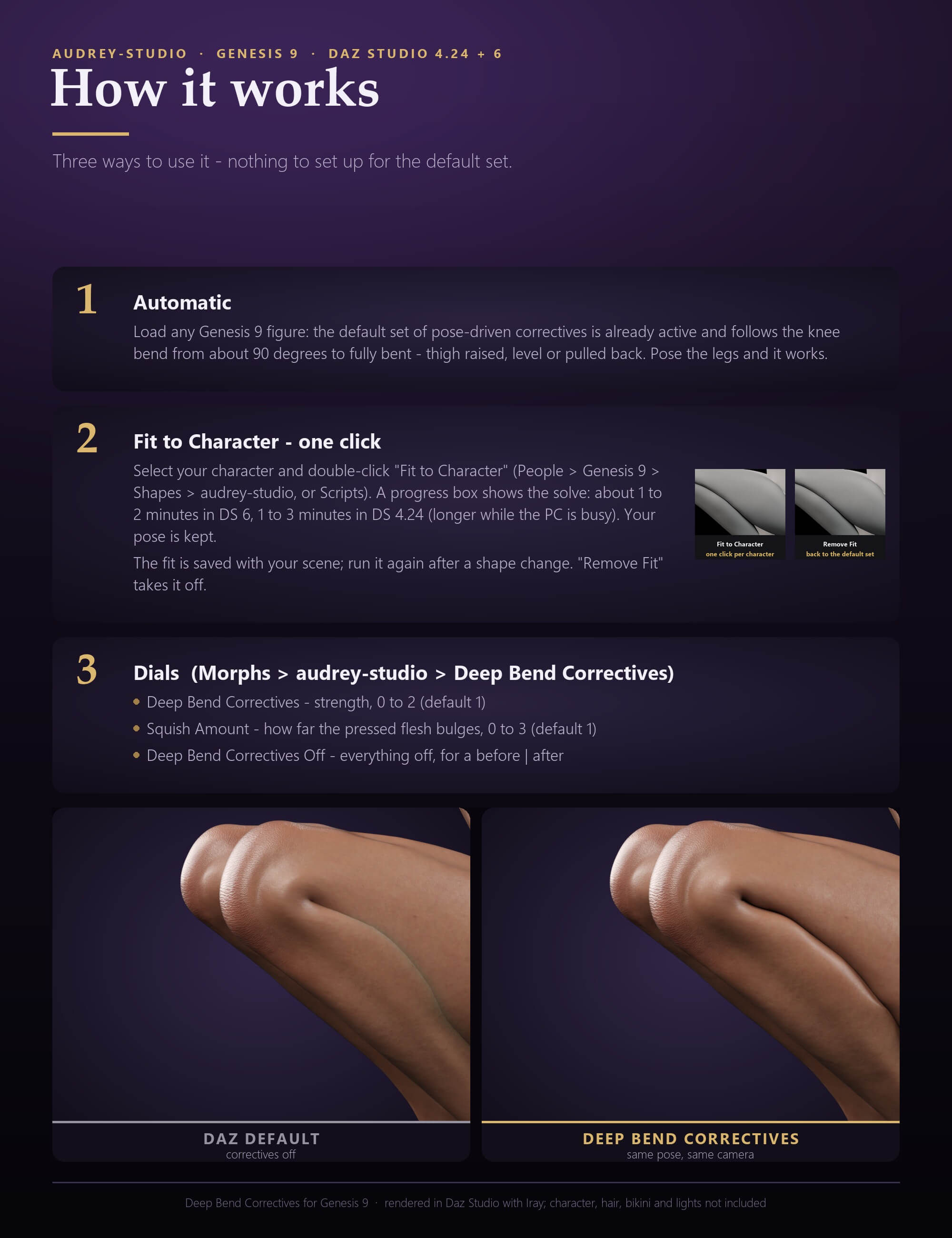
- A default set loads on every Genesis 9 automatically and fits base-like figures at once - nothing to set up.
- Fit to Character (script, double-click): re-solves the contact for YOUR character's own shape - curvy, heavy and custom bodies included - and adds per-character correctives that follow the same dials. About 1 to 2 minutes in DAZ Studio 6, 1 to 3 minutes in DAZ Studio 4.24 (longer while other programs keep the PC busy), with a progress box. Your pose is kept. Run it once per character (again after you change the body shape); the fit is saved with your scene. Remove Fit takes it off again.
DIALS
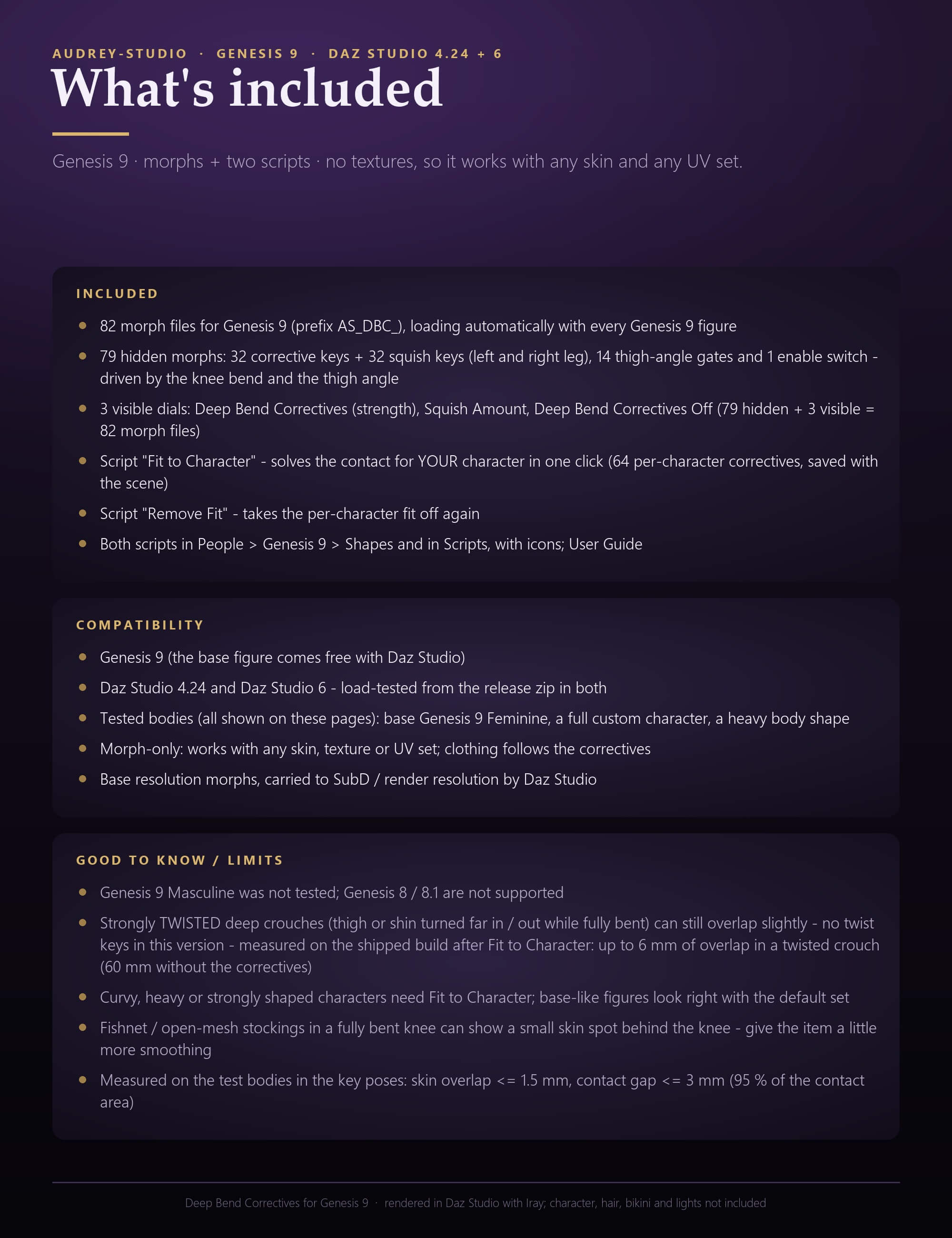
- Deep Bend Correctives (strength, default 1, up to 2), Squish Amount (0 - 3), Deep Bend Correctives Off (for before / after shots).
- All key morphs are hidden and follow the leg bones by themselves.
CLOTHING AND SKINS
- Clothing follows the correctives automatically (DAZ auto-follow), so tight legwear folds into the knee instead of cutting through it.
- Morphs only, no textures: works with any skin, any texture set and any UV set.
GOOD TO KNOW (LIMITS)
- Tested on Genesis 9 feminine shapes: the base figure, a full custom character and a heavy body shape (all three are shown in the images, in 5 deep poses). The masculine shape was not tested. Genesis 8 / 8.1 are not supported.
- The correctives follow knee bend and thigh raise / pull back. Twist keys are not part of this version: a strongly twisted deep crouch can still overlap - measured on the shipped build after Fit to Character: up to 6 mm of skin overlap on the base Genesis 9 Feminine shape in a twisted crouch (60 mm without the correctives).
- Very tight open-mesh hosiery (fishnet stockings) can show a small skin spot behind a fully bent knee - give such an item a little more of its own smoothing.
- The fit reads your figure as it is when you run it, including other pose-driven leg morphs you have active.
- Measured on our test bodies in the deep poses: skin overlap
WHAT YOU GET
- Pressed-skin contact: calf and thigh meet in one soft fold line instead of sinking into each other - no deep overlap, no open gap.
- Soft pressed flesh: a gentle bulge around the contact (Squish Amount dial: 0 = none, up to 3).
- Heel on glute: the heel rests on the glute and presses it softly instead of passing through it.
- The whole deep-bend range: knee bends from about 90 degrees to fully bent, with the thigh raised, level or pulled back - kneeling, sitting on the heels, squats, knees up to the chest, heel to glute. The correctives follow the leg joints, not the figure's position in the scene.
ONE CLICK FOR YOUR CHARACTER
- A default set loads on every Genesis 9 automatically and fits base-like figures at once - nothing to set up.
- Fit to Character (script, double-click): re-solves the contact for YOUR character's own shape - curvy, heavy and custom bodies included - and adds per-character correctives that follow the same dials. About 1 to 2 minutes in DAZ Studio 6, 1 to 3 minutes in DAZ Studio 4.24 (longer while other programs keep the PC busy), with a progress box. Your pose is kept. Run it once per character (again after you change the body shape); the fit is saved with your scene. Remove Fit takes it off again.
DIALS
- Deep Bend Correctives (strength, default 1, up to 2), Squish Amount (0 - 3), Deep Bend Correctives Off (for before / after shots).
- All key morphs are hidden and follow the leg bones by themselves.
CLOTHING AND SKINS
- Clothing follows the correctives automatically (DAZ auto-follow), so tight legwear folds into the knee instead of cutting through it.
- Morphs only, no textures: works with any skin, any texture set and any UV set.
GOOD TO KNOW (LIMITS)
- Tested on Genesis 9 feminine shapes: the base figure, a full custom character and a heavy body shape (all three are shown in the images, in 5 deep poses). The masculine shape was not tested. Genesis 8 / 8.1 are not supported.
- The correctives follow knee bend and thigh raise / pull back. Twist keys are not part of this version: a strongly twisted deep crouch can still overlap - measured on the shipped build after Fit to Character: up to 6 mm of skin overlap on the base Genesis 9 Feminine shape in a twisted crouch (60 mm without the correctives).
- Very tight open-mesh hosiery (fishnet stockings) can show a small skin spot behind a fully bent knee - give such an item a little more of its own smoothing.
- The fit reads your figure as it is when you run it, including other pose-driven leg morphs you have active.
- Measured on our test bodies in the deep poses: skin overlap
Categories
