


 Free 3D
 3D Print Models
 3D Scans
 Animation & MoCap
 Textures
 Materials
 Skin Reference
 2D Game Assets
 Sound Effects
 Brushes & Tools
 Reference Photos
 Stock Images
 HDR Images
 3ds Max
 Maya
 Blender
 Unreal Engine
 Unity
 ZBrush
 Cinema 4D
 LightWave
 Marmoset
 SketchUp
 FBX
 DAE
 DXF
 GLB
Cage Outfit for Genesis 8 Male and Genesis 8.1 Male

Not Rated Yet


! REPORT
NOTE: DIGITAL DOWNLOAD, NOT A PHYSICAL ITEM

Add to Collection

3 Likes
Share This Daz Content


Offered By


License
Personal Use Only License (IP Restricted)
This item comes with our Personal Use Only Licensing. This means you may not share this model or use it for any commercial purposes or in any way that involves an exchange of money, promotes a business entity, or otherwise results directly or indirectly in financial gain. In addition, because certain intellectual property depicted in this model may not be affiliated with or endorsed by the original rights holder, this model is subject to an Editorial Use Only Restriction which further limits the ways in which you may use this model.
For full license terms, see our 3D Content Licensing Agreement
Item Details
| Vendor: | Avituzz |
| Published: | Nov 23, 2026 |
| Download Size: | 97.7 MB |
| Software: | Daz Studio |
| Compatible Figures: | Genesis 8 Male Genesis 8.1 Male |
| dForce: | Yes |
Included Formats

Statistics
| Favorites: | 2 |
| Likes: | 3 |
| Views: | 89 |
Item Ratings
Not Rated Yet
Cage Outfit for Genesis 8 Male and Genesis 8.1 Male
Cage Outfit for Genesis 8 Male and Genesis 8.1 Male
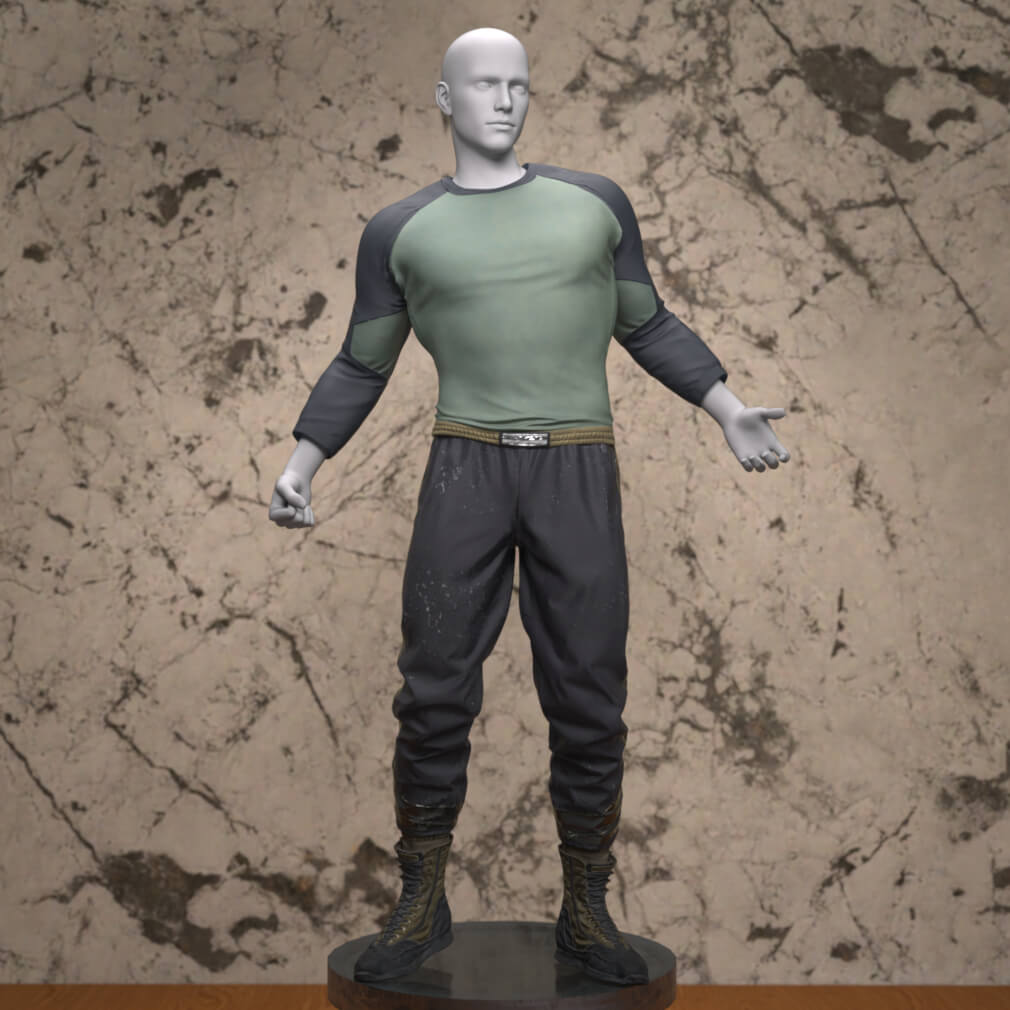
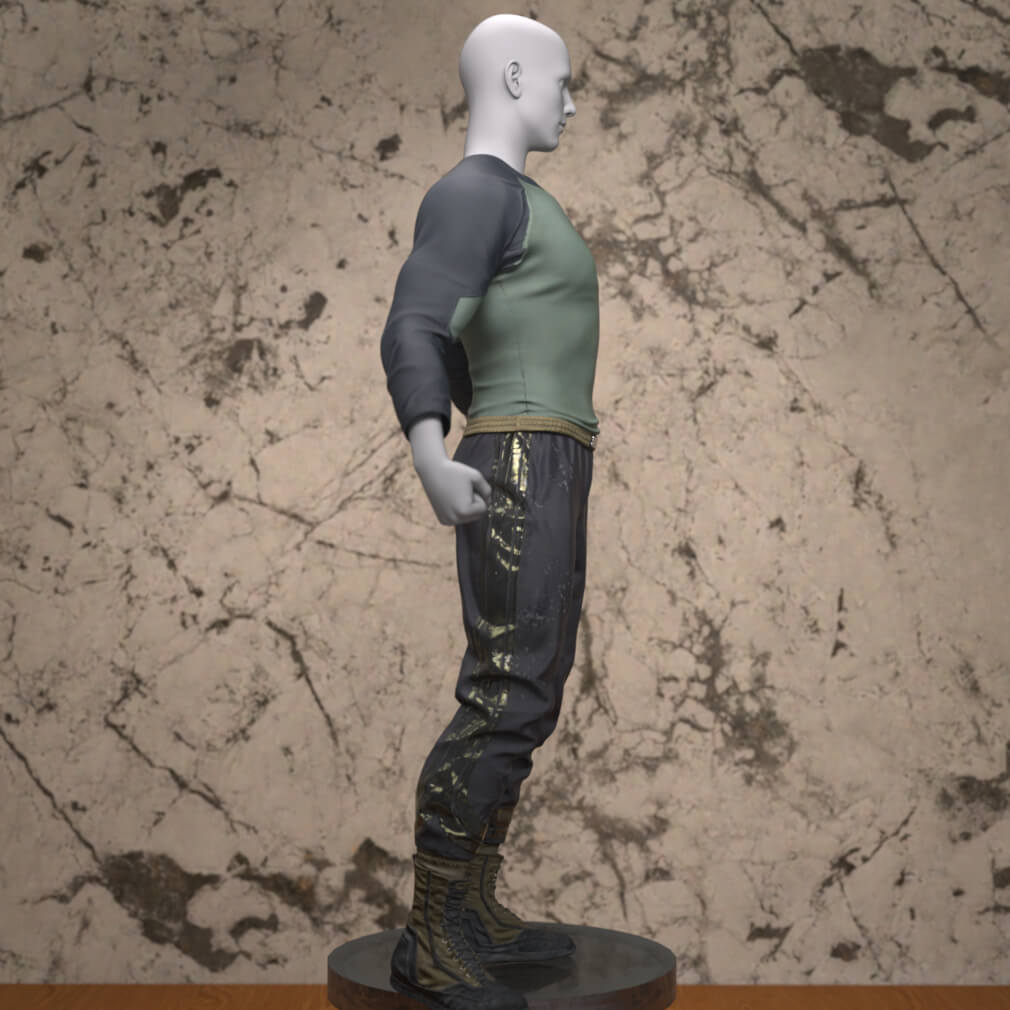
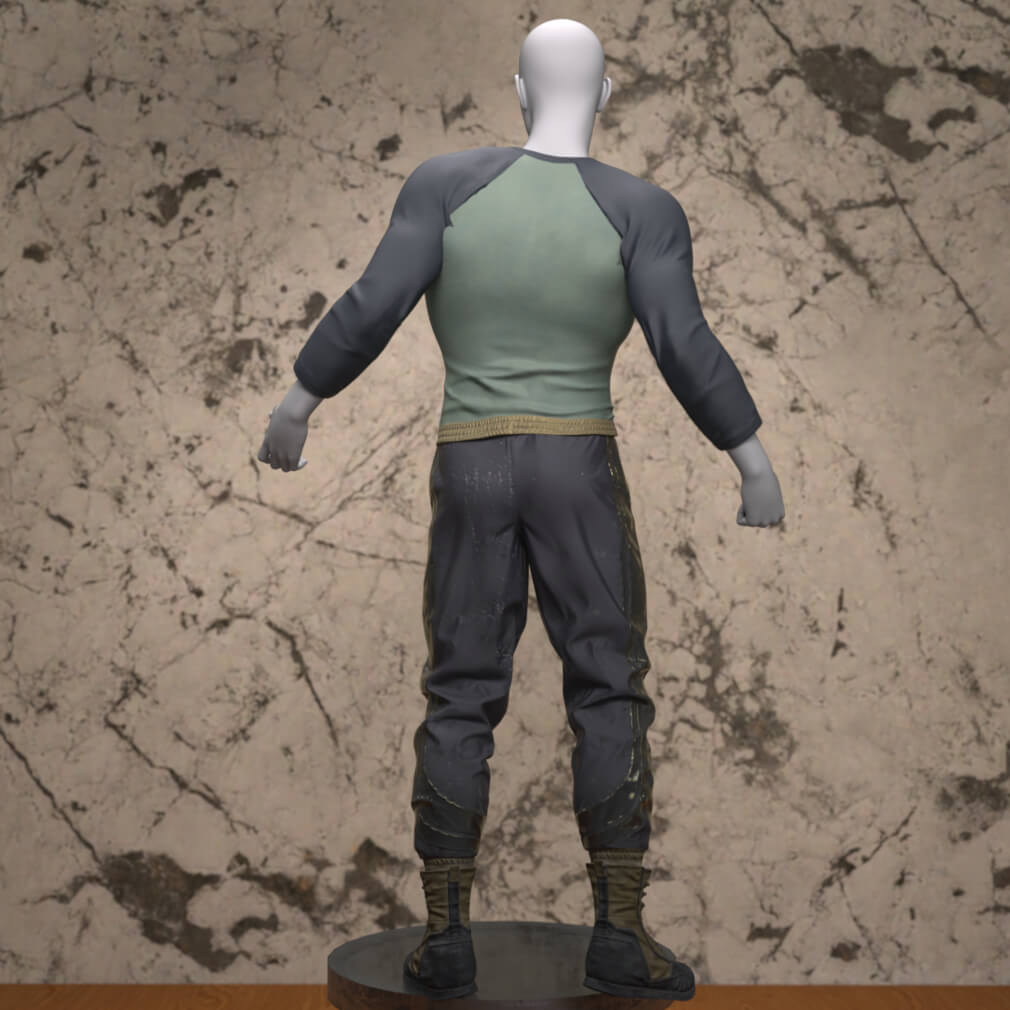
A complete outfit set designed for Genesis 8 Male and Genesis 8.1 Male, featuring dForce support in the shirt.
Included Items:
!!!Load All Outfit!!! (Loads the entire outfit with one click)
Cage Shirt (Three-quarter raglan sleeve shirt in olive green with dark charcoal sleeves and olive green forearm accents; includes dForce support)
Cage Pants (Dark charcoal pants with a textured olive/gold waistband, front buckle detail, and dark/olive lower leg accents)
Cage Boots (Lace-up tactical/combat-style boots in dark charcoal and olive green)
File Path in DAZ Studio:Clothing > Avituzz > Cage > Cage Outfit
How to Extract ZIP Files:
Locate the downloaded .zip archive on your computer.
Right-click the .zip file and select Extract All… (Windows) or double-click the archive (macOS).
Extract the contents directly into your main DAZ Studio Content Library folder (e.g., My Library or My DAZ 3D Library) so the folder structure merges properly.
Open DAZ Studio and find the outfit under People > Genesis 8 Male > Clothing > Avituzz > Cage > Cage Outfit.
