


 Free 3D
 3D Print Models
 3D Scans
 Animation & MoCap
 Textures
 Materials
 Skin Reference
 2D Game Assets
 Sound Effects
 Brushes & Tools
 Reference Photos
 Stock Images
 HDR Images
 3ds Max
 Maya
Maya Blender
 Unreal Engine
 Unity
Unity ZBrush
 Cinema 4D
 LightWave
 Marmoset
 SketchUp
 FBX
FBX DAE
DAE DXF
DXF GLB
GLBBig Bat Focus Tool

Not Rated Yet


! REPORT
NOTE: DIGITAL DOWNLOAD, NOT A PHYSICAL ITEM

Add to Collection

1 Like
Share This


Offered By


License
Extended Use License
This item comes with our Extended Use Licensing. This means that you may use the model for both non-commercial and commercial purposes, in a variety of mediums and applications.
For full license terms, see our 3D Content Licensing Agreement
Item Details
| Offered By: | Batman_sid |
| Published: | Oct 15, 2026 |
| Download Size: | 660.5 KB |
| Compatible With: | Daz Studio |
Included Formats

Statistics
| Favorites: | 0 |
| Likes: | 1 |
| Views: | 32 |
Item Ratings
Not Rated Yet
Big Bat Focus Tool
Big Bat Focus Tool: Camera and Depth of Field Control for Daz Studio
Getting depth of field right in Daz Studio usually means leaving your camera, switching to Perspective view and guessing where the focal plane sits. Then you switch cameras and it all looks different again.
Daz has every setting you need for great depth of field. It just doesn't give you a sensible place to control them from. Focus Tool does.
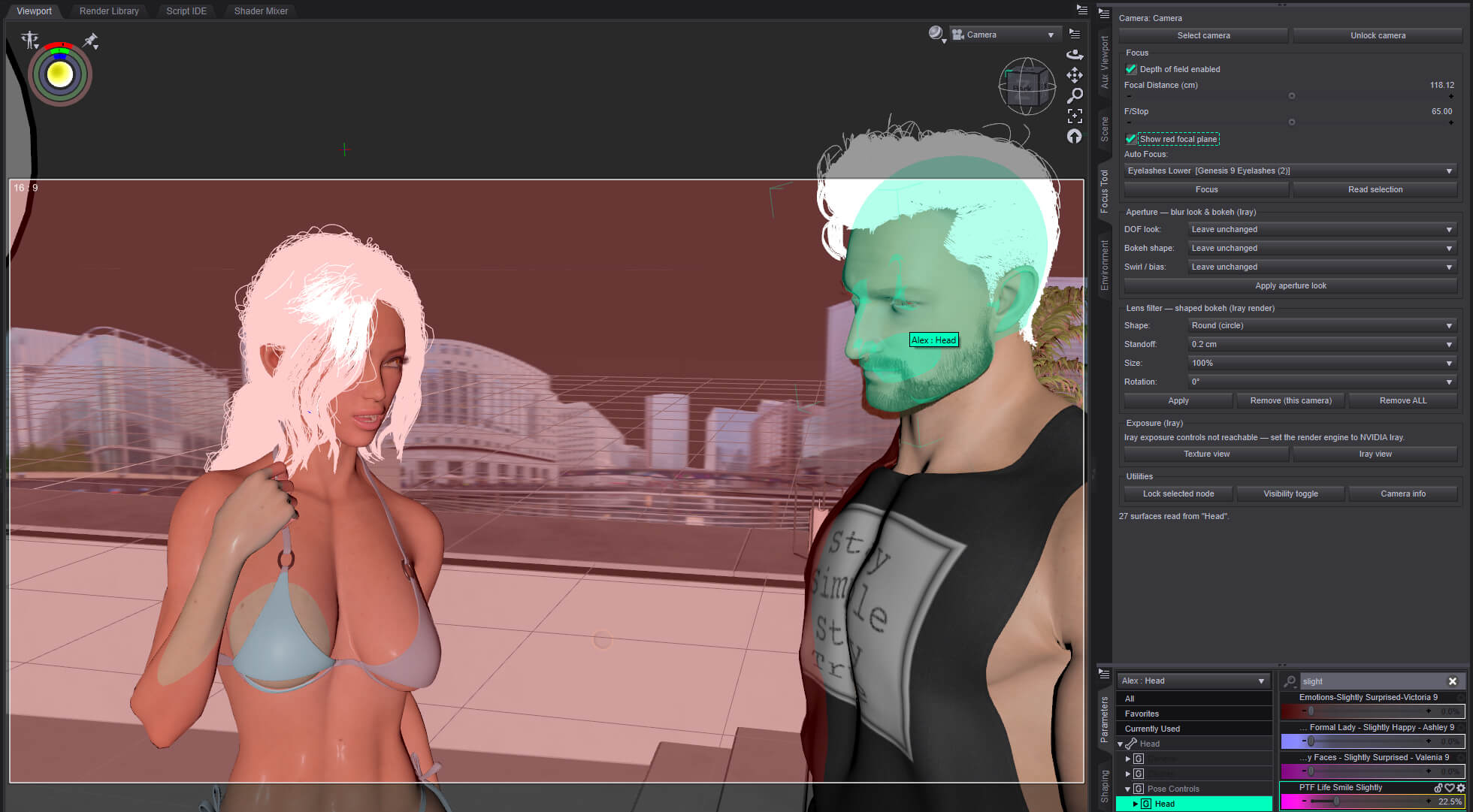
Focus Tool is a dockable pane that puts your camera, focus and exposure controls in one place, so you can set focus the way you would on a real camera.
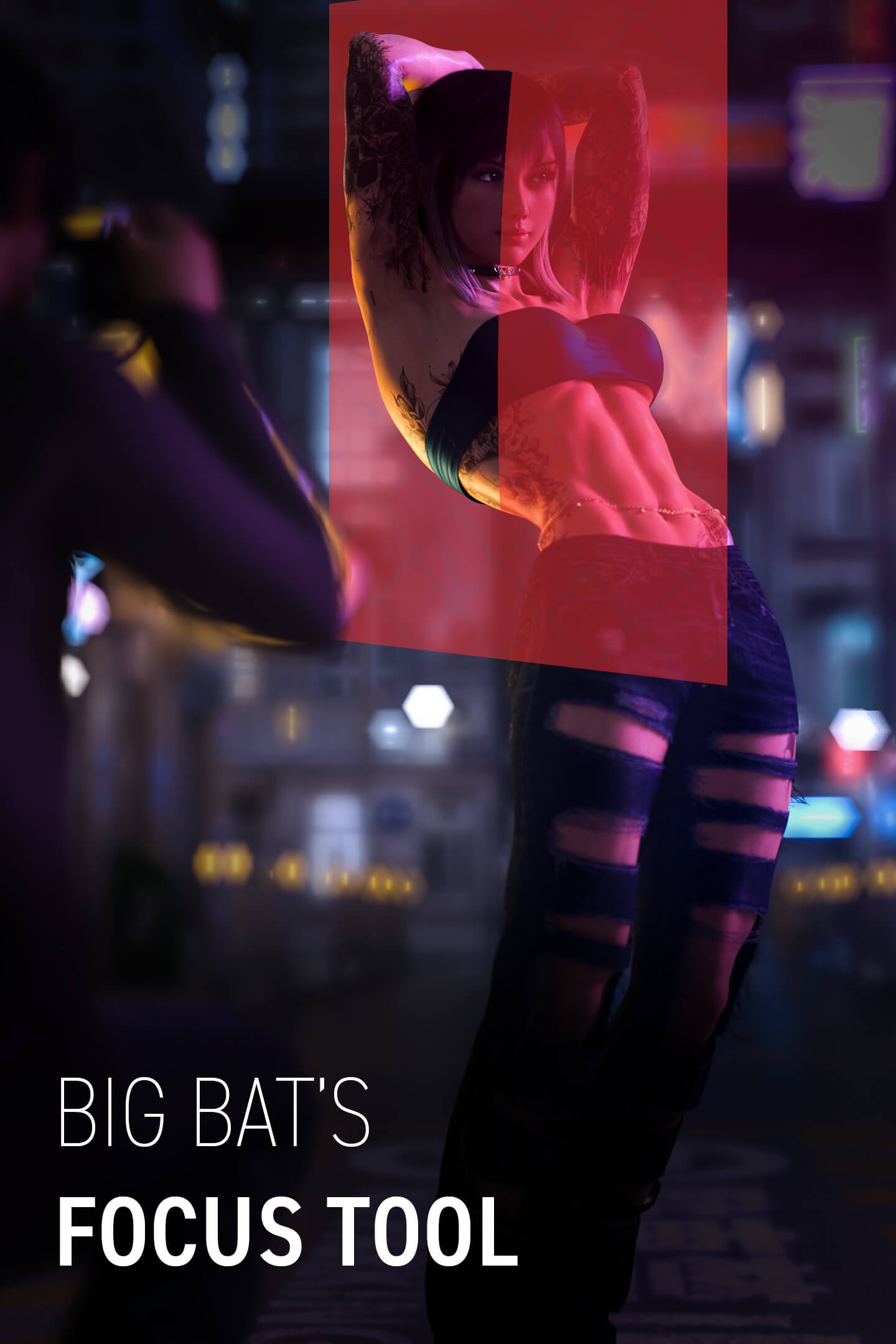
SEE EXACTLY WHAT'S IN FOCUS
Turn on the red focal-plane preview to see where your focus sits without leaving your camera view. Fine-tune the focal distance with micro adjustments until it lands exactly where you want it.
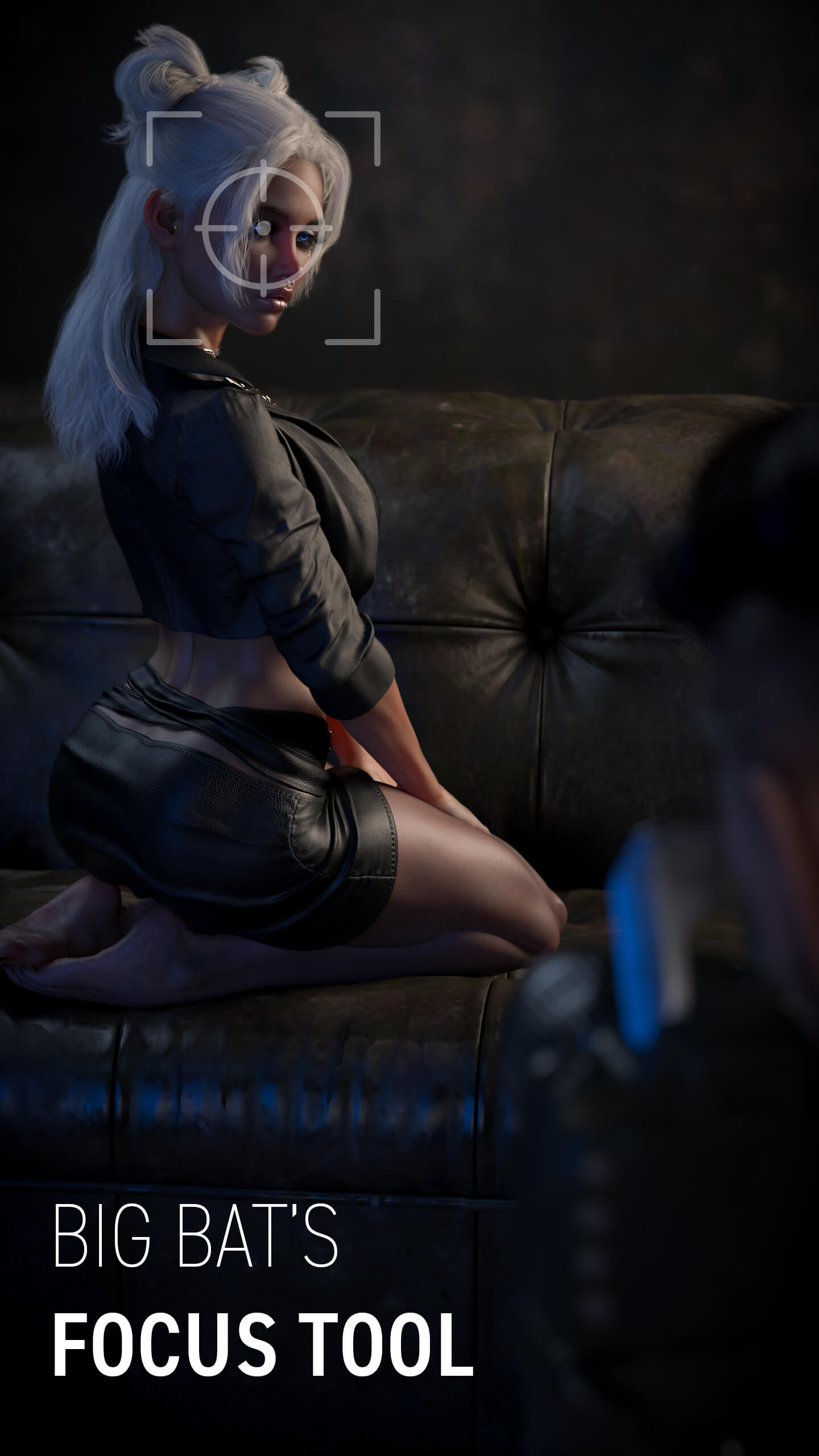
ONE-CLICK AUTO FOCUS ON THE EYES
Select your figure, choose Sclera and click Auto Focus. Focus Tool measures the distance from the camera to the surface of the eye and sets the focal distance for you. It even handles Genesis 9's geografted eyes. No guesswork, no test renders, and no finding out 20 minutes later that the eyelashes are sharp but the eyes aren't.
BLUR LOOKS THAT SURVIVE A LENS CHANGE
The blur you get in Daz depends on both F/Stop and focal length, so a lovely shallow look at 135mm looks completely different at 35mm. Focus Tool's one-click blur looks do the maths for you. Change the lens and the F/Stop adjusts to keep the same look.
FEATURES
- Auto Focus onto any chosen surface (Sclera by default)
- Genesis 9 geografted eye support
- Live Focal Distance and F/Stop controls
- Red focal-plane preview showing exactly what's sharp
- One-click Depth of Field toggle
- One-click blur looks that compensate for focal length
- Shaped bokeh lens filters, including star, heart and cat's-eye
- Live Iray exposure controls
- One-click switching between Texture Shaded and Iray views
- Camera locking that freezes transforms and stops the camera being selected by accident
- Lock any node
- Visibility toggle that carries through to a node's children
- Camera information at a glance, without digging through the Parameters pane
WHAT ARTISTS SAY
"After using the Focus Tool, this has made setting up cameras a breeze. It's so easy to use and the amount of features built in it really make it a game changer. The red focal plane and its micro adjustments to get the exact focal point is what sold me on this. I use it every day and can't see it ever leaving my workflow."
– Kentyrr, artist on Chasing Sunsets and Firebreak
REQUIREMENTS
- Windows 64-bit
- Daz Studio 4.5 or newer
- Includes Daz Studio 4 and Daz Studio 6 versions (the DS6 build is in beta, tested on 6.25)
Getting depth of field right in Daz Studio usually means leaving your camera, switching to Perspective view and guessing where the focal plane sits. Then you switch cameras and it all looks different again.
Daz has every setting you need for great depth of field. It just doesn't give you a sensible place to control them from. Focus Tool does.
Focus Tool is a dockable pane that puts your camera, focus and exposure controls in one place, so you can set focus the way you would on a real camera.
SEE EXACTLY WHAT'S IN FOCUS
Turn on the red focal-plane preview to see where your focus sits without leaving your camera view. Fine-tune the focal distance with micro adjustments until it lands exactly where you want it.
ONE-CLICK AUTO FOCUS ON THE EYES
Select your figure, choose Sclera and click Auto Focus. Focus Tool measures the distance from the camera to the surface of the eye and sets the focal distance for you. It even handles Genesis 9's geografted eyes. No guesswork, no test renders, and no finding out 20 minutes later that the eyelashes are sharp but the eyes aren't.
BLUR LOOKS THAT SURVIVE A LENS CHANGE
The blur you get in Daz depends on both F/Stop and focal length, so a lovely shallow look at 135mm looks completely different at 35mm. Focus Tool's one-click blur looks do the maths for you. Change the lens and the F/Stop adjusts to keep the same look.
FEATURES
- Auto Focus onto any chosen surface (Sclera by default)
- Genesis 9 geografted eye support
- Live Focal Distance and F/Stop controls
- Red focal-plane preview showing exactly what's sharp
- One-click Depth of Field toggle
- One-click blur looks that compensate for focal length
- Shaped bokeh lens filters, including star, heart and cat's-eye
- Live Iray exposure controls
- One-click switching between Texture Shaded and Iray views
- Camera locking that freezes transforms and stops the camera being selected by accident
- Lock any node
- Visibility toggle that carries through to a node's children
- Camera information at a glance, without digging through the Parameters pane
WHAT ARTISTS SAY
"After using the Focus Tool, this has made setting up cameras a breeze. It's so easy to use and the amount of features built in it really make it a game changer. The red focal plane and its micro adjustments to get the exact focal point is what sold me on this. I use it every day and can't see it ever leaving my workflow."
– Kentyrr, artist on Chasing Sunsets and Firebreak
REQUIREMENTS
- Windows 64-bit
- Daz Studio 4.5 or newer
- Includes Daz Studio 4 and Daz Studio 6 versions (the DS6 build is in beta, tested on 6.25)
