


 Free 3D
 3D Print Models
 3D Scans
 Animation & MoCap
 Textures
 Materials
 Skin Reference
 2D Game Assets
 Sound Effects
 Brushes & Tools
 Reference Photos
 Stock Images
 HDR Images
 3ds Max
 Maya
Maya Blender
 Unreal Engine
 Unity
Unity ZBrush
 Cinema 4D
 LightWave
 Marmoset
 SketchUp
 FBX
FBX DAE
DAE DXF
DXF GLB
GLBBig Bat Library Manager

Not Rated Yet



! REPORT
NOTE: DIGITAL DOWNLOAD, NOT A PHYSICAL ITEM

Add to Collection

2 Likes
Share This


Offered By


License
Extended Use License
This item comes with our Extended Use Licensing. This means that you may use the model for both non-commercial and commercial purposes, in a variety of mediums and applications.
For full license terms, see our 3D Content Licensing Agreement
Item Details
| Offered By: | Batman_sid |
| Published: | Oct 15, 2026 |
| Download Size: | 131.7 MB |
| Compatible With: | Daz Studio |
Included Formats

Statistics
| Favorites: | 0 |
| Likes: | 2 |
| Views: | 127 |
Item Ratings
Not Rated Yet
Big Bat Library Manager
If you use Daz Studio, you've probably spent more time than you'd like trying to find something you already own.
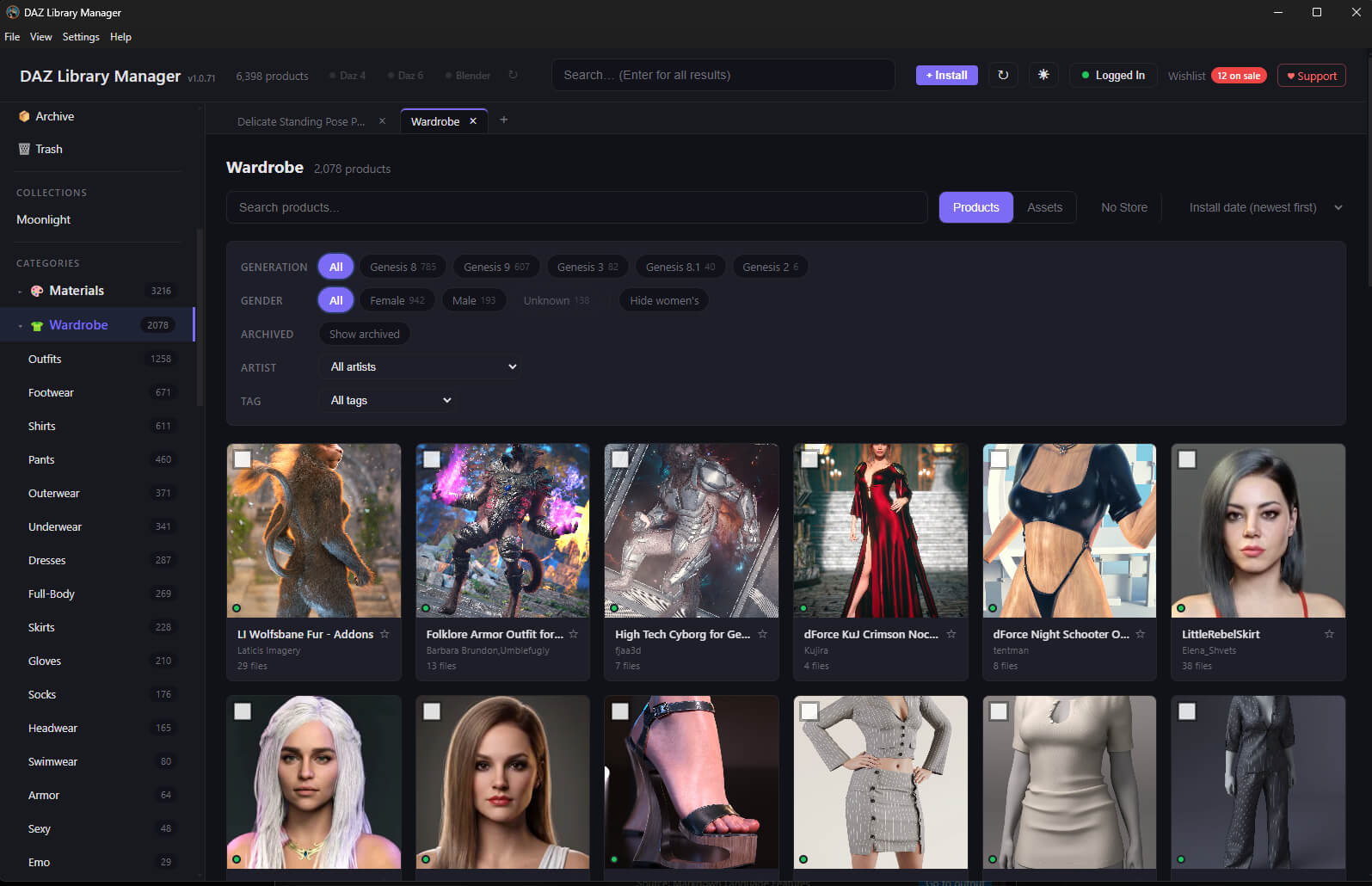
Big Bat Library Manager brings your Daz content libraries together in one searchable application. Browse your products, find individual assets, install new purchases and organise what you own, including content from stores that doesn't appear neatly in Smart Content.
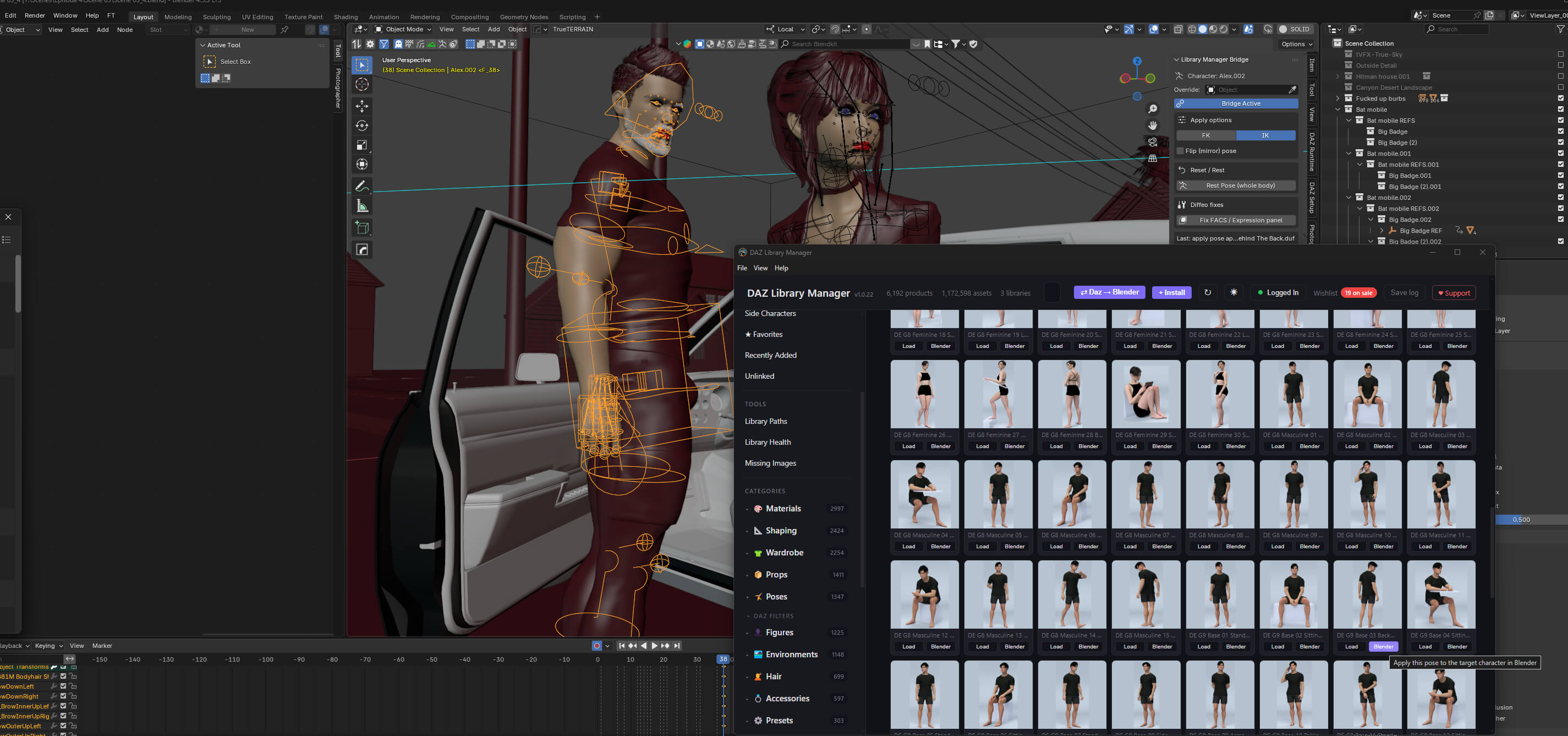
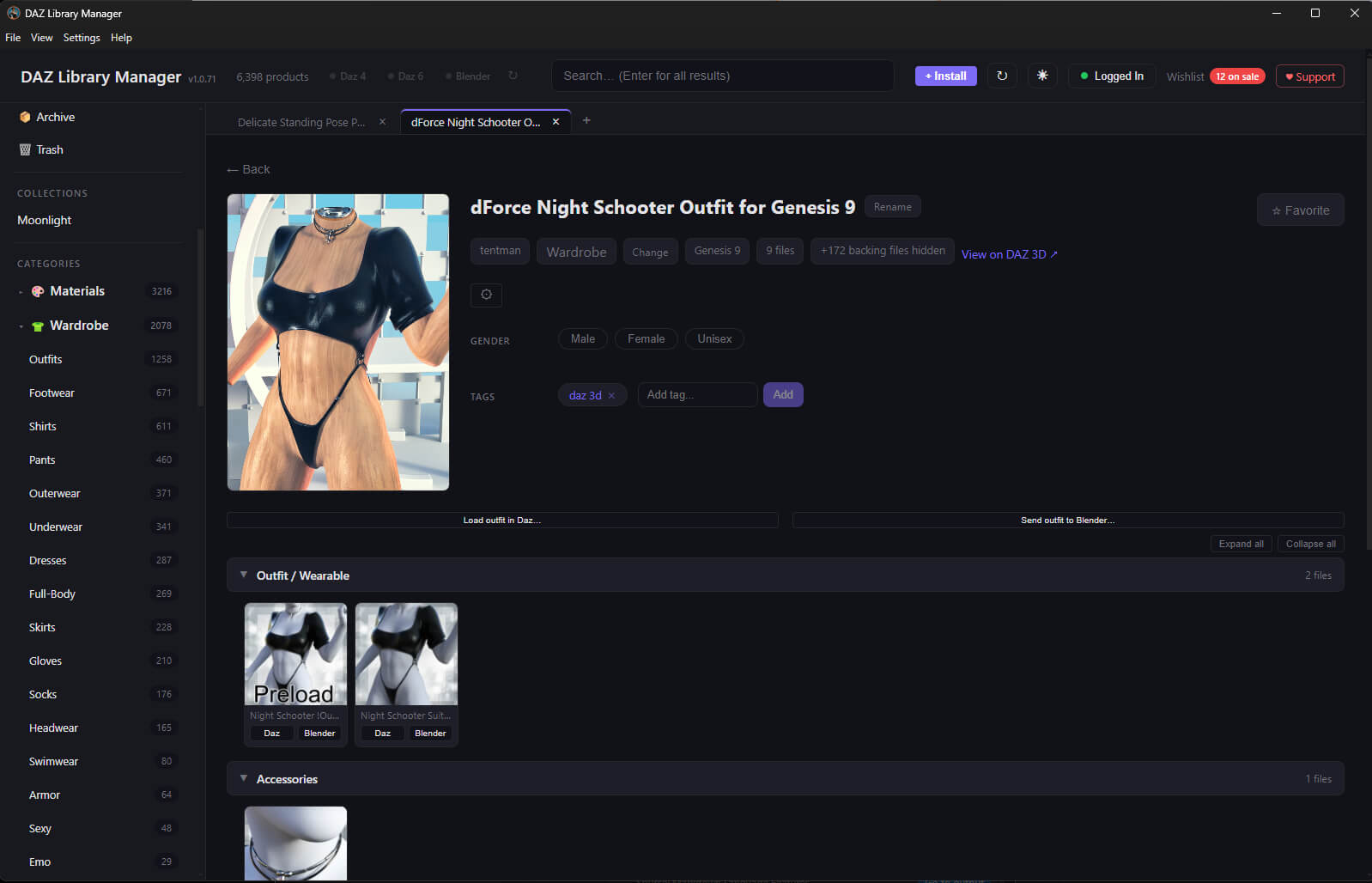
It also connects your library to Blender. Find a pose, prop or scene and send it across through Diffeomorphic, or fit clothing and complete outfits to your Genesis 8 and Genesis 9 characters with the included Wardrobe Tool.
Features
- Browse multiple libraries together, with separate areas for your personal scenes and characters.
- Search by product or file name, browse categories, and keep several views open in tabs.
- Install directly from ZIP, RAR and 7z archives.
- Manage DIM content, manual installs and purchases from all asset Daz asset stores.
- Use favourites, collections, tags, custom product names and your own cover images.
- Automatically match store links and cover art, and check missing artwork through Library Health.
- Archive content you aren't using and restore it later, or uninstall products with a recoverable Trash.
- Load assets into Daz Studio 4 or Daz Studio 6, with partial-pose options and controls for keeping facial expressions or a figure's position.
- Send poses, morphs, props and scenes to Blender.
- Fit clothing and outfits to Genesis 8 and Genesis 9 characters in Blender, and apply clothing material presets from the application.
- Restore Daz HD teeth in Blender using Daz Studio 4.
- Automatic application updates, with automatic installation and updates for the included Blender add-ons.
Requirements
Windows PC with your Daz Studio content libraries installed. Daz Studio 4 and Daz Studio 6 are supported.
Blender integration requires the latest compatible Diffeomorphic DAZ Importer and MHX Runtime System. These are separate free add-ons and are not included. Library Manager checks for them during setup.
Development focuses on the latest Blender LTS release. The bridge requires Blender 4.2 or newer; clothing fitting with the Wardrobe Tool requires Blender 5.2 or newer. The current LTS family at the time of preparing this listing is Blender 5.2.
The application installs Library Manager Bridge and Big Bat Wardrobe Tool automatically. Separate copies of those add-ons are supplied as a manual-install fallback.
Installation
Extract the main ZIP and run the installer. Launch Library Manager, add your Daz content folders and let it build the catalogue. For sending assets into Daz, install the Daz bridge from the application's Help menu and restart Daz Studio. For Blender, install Diffeomorphic and MHX, then follow the application's dependency checks. Restart Blender after add-on installation or updates.
The included setup guide covers the complete process.
Big Bat Library Manager brings your Daz content libraries together in one searchable application. Browse your products, find individual assets, install new purchases and organise what you own, including content from stores that doesn't appear neatly in Smart Content.
It also connects your library to Blender. Find a pose, prop or scene and send it across through Diffeomorphic, or fit clothing and complete outfits to your Genesis 8 and Genesis 9 characters with the included Wardrobe Tool.
Features
- Browse multiple libraries together, with separate areas for your personal scenes and characters.
- Search by product or file name, browse categories, and keep several views open in tabs.
- Install directly from ZIP, RAR and 7z archives.
- Manage DIM content, manual installs and purchases from all asset Daz asset stores.
- Use favourites, collections, tags, custom product names and your own cover images.
- Automatically match store links and cover art, and check missing artwork through Library Health.
- Archive content you aren't using and restore it later, or uninstall products with a recoverable Trash.
- Load assets into Daz Studio 4 or Daz Studio 6, with partial-pose options and controls for keeping facial expressions or a figure's position.
- Send poses, morphs, props and scenes to Blender.
- Fit clothing and outfits to Genesis 8 and Genesis 9 characters in Blender, and apply clothing material presets from the application.
- Restore Daz HD teeth in Blender using Daz Studio 4.
- Automatic application updates, with automatic installation and updates for the included Blender add-ons.
Requirements
Windows PC with your Daz Studio content libraries installed. Daz Studio 4 and Daz Studio 6 are supported.
Blender integration requires the latest compatible Diffeomorphic DAZ Importer and MHX Runtime System. These are separate free add-ons and are not included. Library Manager checks for them during setup.
Development focuses on the latest Blender LTS release. The bridge requires Blender 4.2 or newer; clothing fitting with the Wardrobe Tool requires Blender 5.2 or newer. The current LTS family at the time of preparing this listing is Blender 5.2.
The application installs Library Manager Bridge and Big Bat Wardrobe Tool automatically. Separate copies of those add-ons are supplied as a manual-install fallback.
Installation
Extract the main ZIP and run the installer. Launch Library Manager, add your Daz content folders and let it build the catalogue. For sending assets into Daz, install the Daz bridge from the application's Help menu and restart Daz Studio. For Blender, install Diffeomorphic and MHX, then follow the application's dependency checks. Restart Blender after add-on installation or updates.
The included setup guide covers the complete process.
