


 Free 3D
 3D Print Models
 3D Scans
 Animation & MoCap
 Textures
 Materials
 Skin Reference
 2D Game Assets
 Sound Effects
 Brushes & Tools
 Reference Photos
 Stock Images
 HDR Images
 3ds Max
 Maya
Maya Blender
 Unreal Engine
 Unity
Unity ZBrush
 Cinema 4D
 LightWave
 Marmoset
 SketchUp
 FBX
FBX DAE
DAE DXF
DXF GLB
GLBNommy Character Body and Head Morphs for G8f Updated

5.0 Stars |2 Ratings


Some images hidden by SafeSite :


User Artwork (4)


! REPORT
NOTE: DIGITAL DOWNLOAD, NOT A PHYSICAL ITEM

Add to Collection

7 Likes
Share This Daz Content


Top Rated Vendor


I've been rendering since 2014 and using Daz Studio and Iray since 2019.
Vendor's Pages


License
Extended Use License
This item comes with our Extended Use Licensing. This means that you may use the model for both non-commercial and commercial purposes, in a variety of mediums and applications.
For full license terms, see our 3D Content Licensing Agreement
Item Details
| Vendor: | bikdingle |
| Published: | Jun 10, 2025 |
| Download Size: | 6.8 MB |
| Software: | Daz Studio |
| Compatible Figures: | Genesis 8 Female Genesis 8.1 Female |
| dForce: | – |
Included Formats

Statistics
| Favorites: | 3 |
| Likes: | 7 |
| Views: | 442 |
Item Ratings
2 Ratings5 Stars|Jun 28, 2026
Neat Morph!
5 Stars|Jun 20, 2025
I'm addicted to your characters!
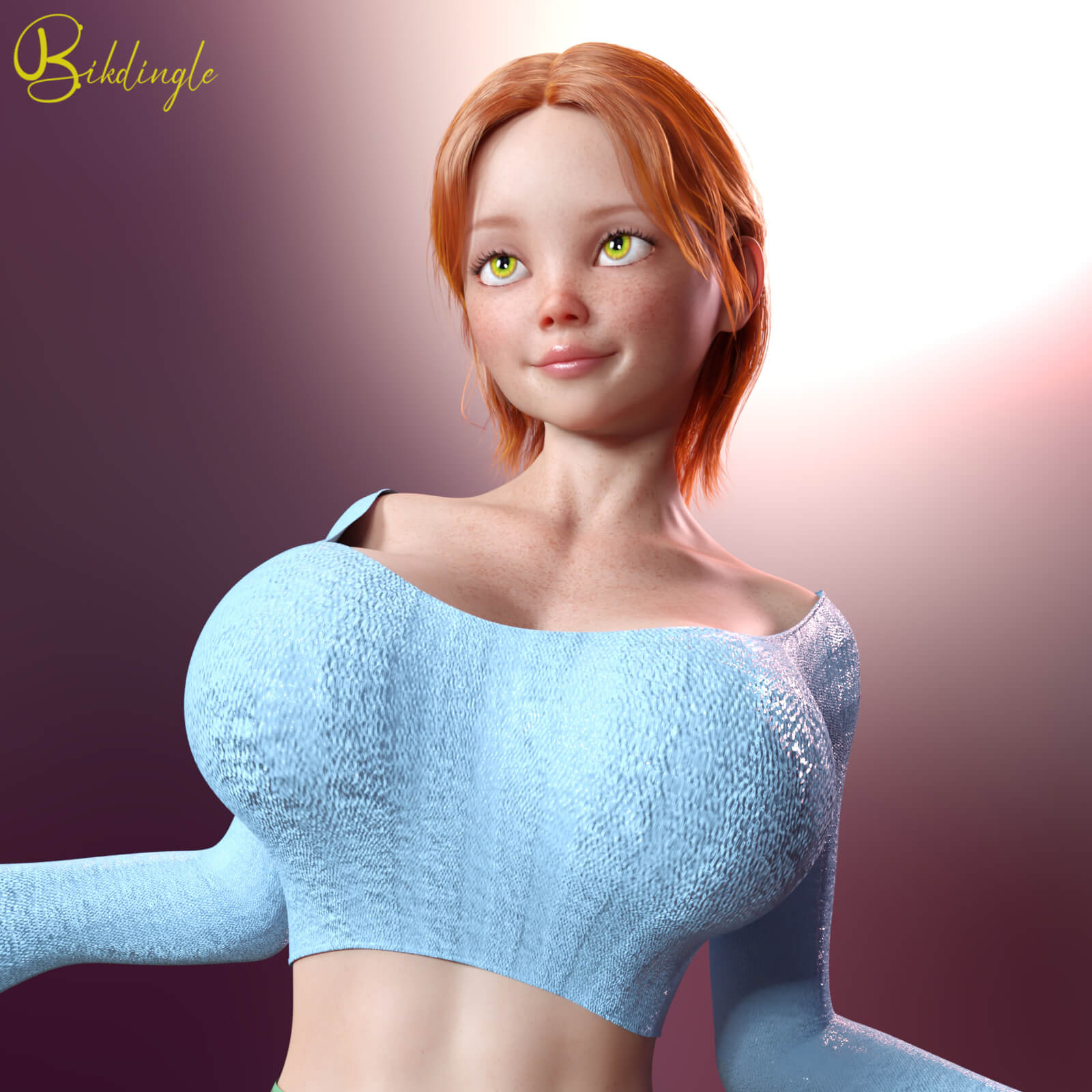
Nommy Character Body and Head Morphs for G8f Updated
Nommy Character Body and Head Morphs for G8f Updated
UPDATED the Character Making Guide to reflect the new promo images of the human Nommy.
Human Nommy changed to comply with changes in RenderHub policies
Nommy was made originally as a foil for Neeka in some of the comics I had planned.
Nommy is a set of body and head morphs, nothing else is included. I do include a pdf that outlines all the other products I use to make her (skin, hair etc.). You can of course use her however you wish once she’s yours. Her shape is a good starting point for your imagination.
Central to the Tiger-Elves are their tiger striped skin. The skin is from a G2F character named Tiger-Lily. At the time I found Tiger-Lily a piece of software was available to convert skins from one character to another. This was sold by Blacksmith3D, but it is no longer available and the artist seems to have fallen off the world and no one knows what happened to them. Since I don’t own the skins I can’t sell them to you. I have however found a way to use G2F skins on a G8F figure. You can use the G8F Anatomical Element with this method but so far I have not found a way to use other geografts with the G2F skin.
I include a PDF with the various products required to make Nommy as a tiger elf (including skin, G2F skin use on a G8F figure, eyes and hair) and a listing of the products used to make her human version.
Included with this product is a morph for Taika as a tiger-elf, Taika as a human and separate morphs for the tiger-elf ears, teeth and claws. With these you can turn any character you like into a tiger elf. There are notes in the Nommy PDF about how to get hair to work with the tiger-elf ears, a common problem with some morphs.
System Requirements:
PC/MAC, Daz Studio
Product requirements:
Daz Studio 4.10
Nvidia Iray
Genesis 8 female or Genesis 8.1 female
To install:
Unzip into your Daz3D directory, either the program folder or your "My Library" folder.
To Use:
This product contains only a head and body morph for my character Nommy.
It does not include materials, hair or clothing.
Using the morphs
You will find apply icons for a Full Nommy Apply to your G8F/G8.1F figure and separate apply icons for her head and body in
People >> Genesis 8 Female >> Characters >> bikdingle >> Nommy G8
There are also ‘remove’ icons for each option as well.
If you want to work the sliders and not apply Nommy at 100% you will find the sliders in the Parameters Tab under
Morphs >> Bikdingle >>> Nommy G8
The sliders for the tiger-elf morphs are
Morphs >> Bikdingle >>> Tiger Elf G8
UPDATED the Character Making Guide to reflect the new promo images of the human Nommy.
Human Nommy changed to comply with changes in RenderHub policies
Nommy was made originally as a foil for Neeka in some of the comics I had planned.
Nommy is a set of body and head morphs, nothing else is included. I do include a pdf that outlines all the other products I use to make her (skin, hair etc.). You can of course use her however you wish once she’s yours. Her shape is a good starting point for your imagination.
Central to the Tiger-Elves are their tiger striped skin. The skin is from a G2F character named Tiger-Lily. At the time I found Tiger-Lily a piece of software was available to convert skins from one character to another. This was sold by Blacksmith3D, but it is no longer available and the artist seems to have fallen off the world and no one knows what happened to them. Since I don’t own the skins I can’t sell them to you. I have however found a way to use G2F skins on a G8F figure. You can use the G8F Anatomical Element with this method but so far I have not found a way to use other geografts with the G2F skin.
I include a PDF with the various products required to make Nommy as a tiger elf (including skin, G2F skin use on a G8F figure, eyes and hair) and a listing of the products used to make her human version.
Included with this product is a morph for Taika as a tiger-elf, Taika as a human and separate morphs for the tiger-elf ears, teeth and claws. With these you can turn any character you like into a tiger elf. There are notes in the Nommy PDF about how to get hair to work with the tiger-elf ears, a common problem with some morphs.
System Requirements:
PC/MAC, Daz Studio
Product requirements:
Daz Studio 4.10
Nvidia Iray
Genesis 8 female or Genesis 8.1 female
To install:
Unzip into your Daz3D directory, either the program folder or your "My Library" folder.
To Use:
This product contains only a head and body morph for my character Nommy.
It does not include materials, hair or clothing.
Using the morphs
You will find apply icons for a Full Nommy Apply to your G8F/G8.1F figure and separate apply icons for her head and body in
People >> Genesis 8 Female >> Characters >> bikdingle >> Nommy G8
There are also ‘remove’ icons for each option as well.
If you want to work the sliders and not apply Nommy at 100% you will find the sliders in the Parameters Tab under
Morphs >> Bikdingle >>> Nommy G8
The sliders for the tiger-elf morphs are
Morphs >> Bikdingle >>> Tiger Elf G8
