


 Free 3D
 3D Print Models
 3D Scans
 Animation & MoCap
 Textures
 Materials
 Skin Reference
 2D Game Assets
 Sound Effects
 Brushes & Tools
 Reference Photos
 Stock Images
 HDR Images
 3ds Max
 Maya
Maya Blender
 Unreal Engine
 Unity
Unity ZBrush
 Cinema 4D
 LightWave
 Marmoset
 SketchUp
 FBX
FBX DAE
DAE DXF
DXF GLB
GLBPose Hold: A tool for Daz

Not Rated Yet


! REPORT
FREE
NOTE: DIGITAL DOWNLOAD, NOT A PHYSICAL ITEM

Add to Collection

2 Likes
Share This Daz Content


Offered By


License
Extended Use License
This item comes with our Extended Use Licensing. This means that you may use the model for both non-commercial and commercial purposes, in a variety of mediums and applications.
For full license terms, see our 3D Content Licensing Agreement
Item Details
| Vendor: | BloodyBooger |
| Published: | Oct 21, 2026 |
| Download Size: | 178.1 KB |
| Software: | Daz Studio |
| dForce: | – |
Included Formats

Statistics
| Favorites: | 1 |
| Likes: | 2 |
| Views: | 54 |
Item Ratings
Not Rated Yet
Pose Hold: A tool for Daz
Pose Hold – poses stop moving your figure when applied (free script).
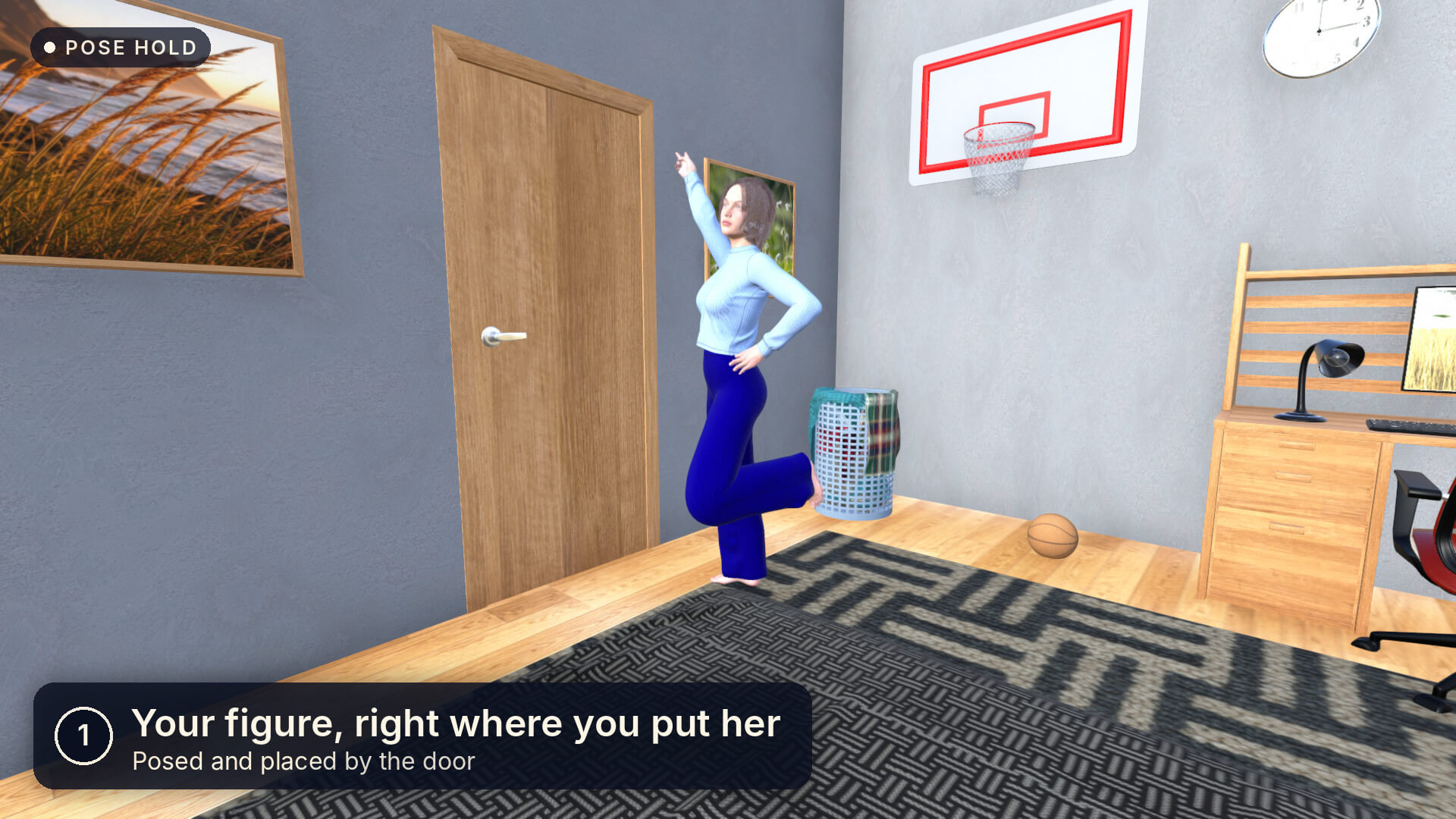
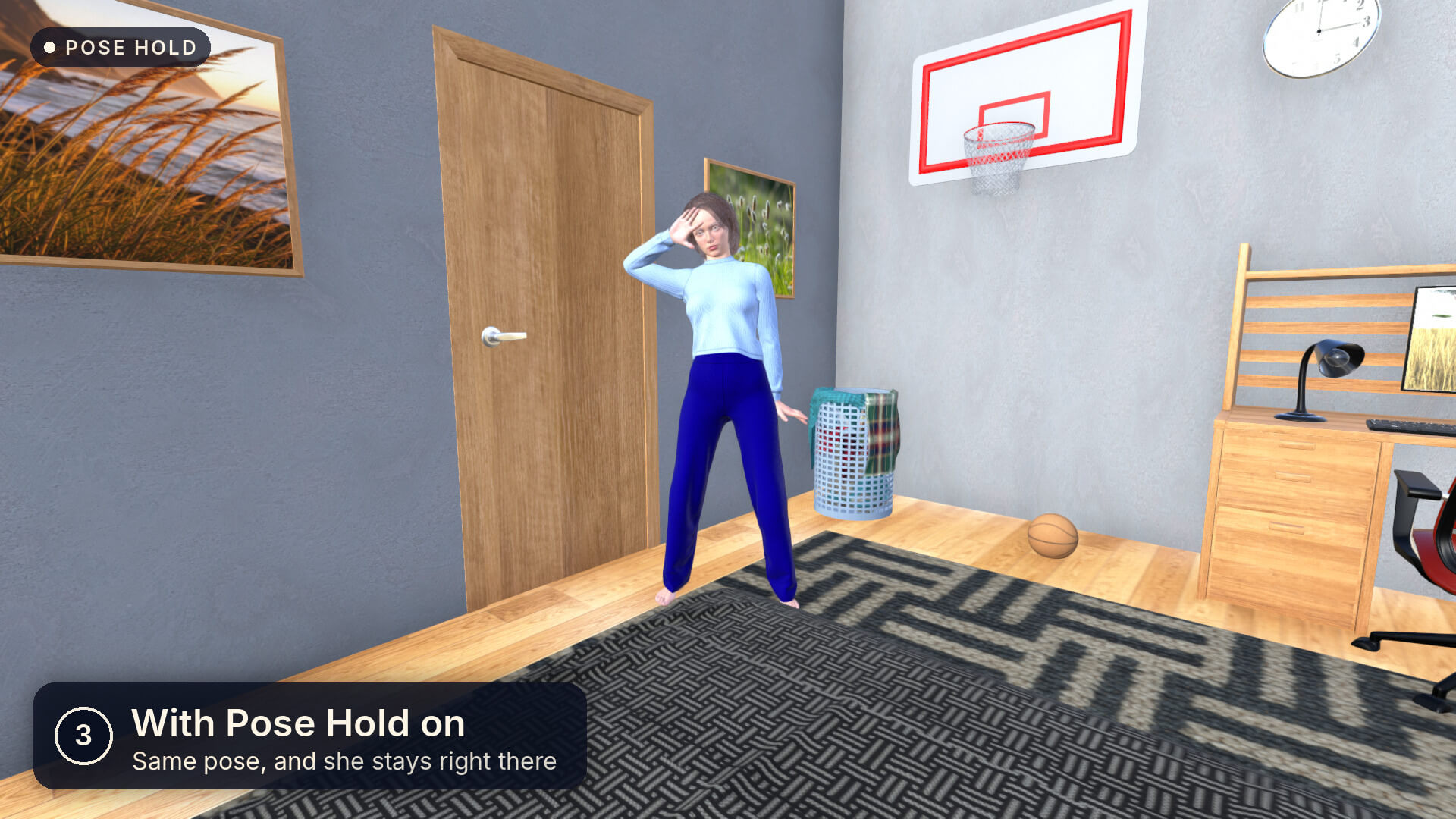
Apply any pose and your figure stays where you put it, facing the same way. One click, no window, nothing locked. Free.
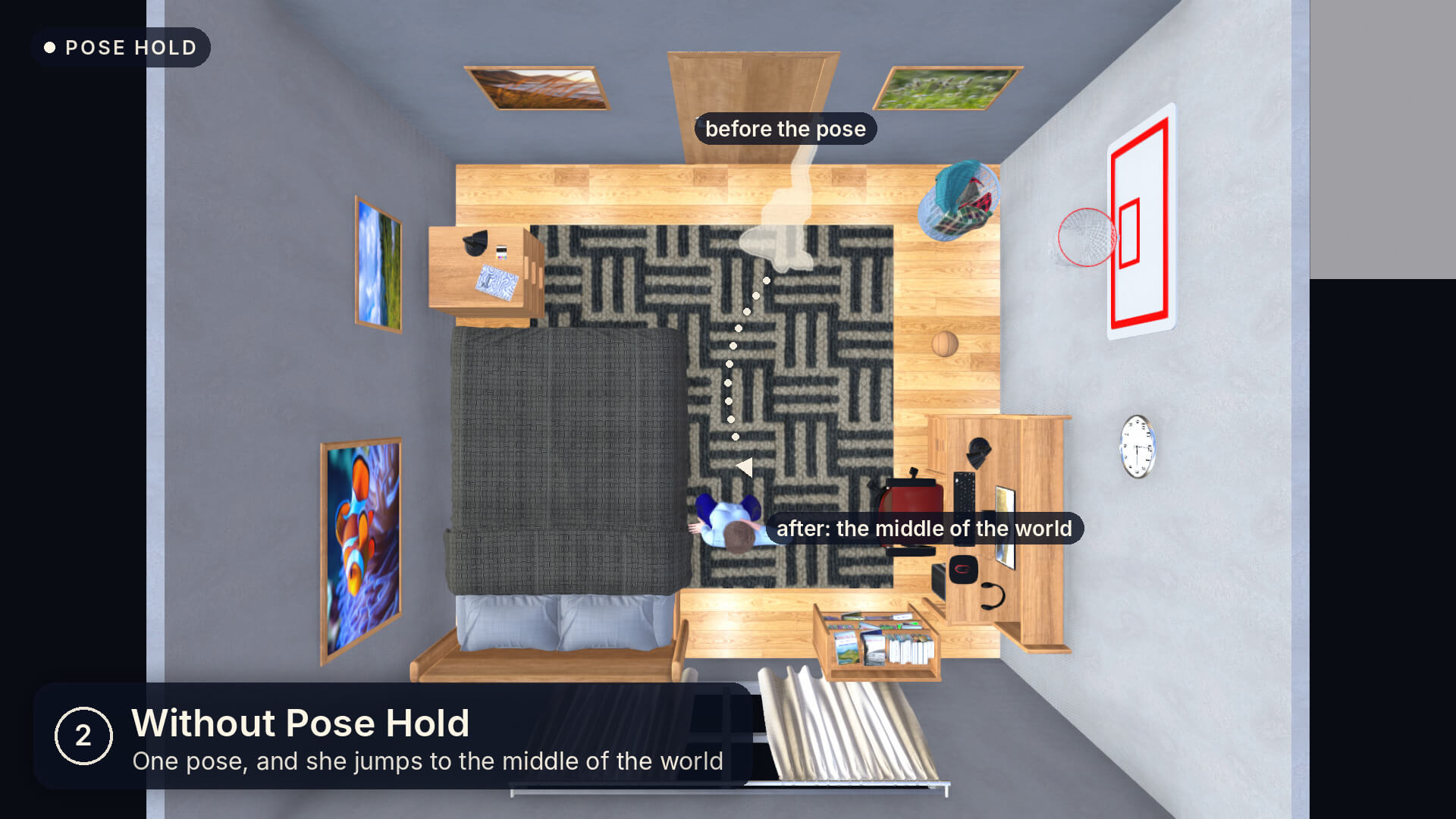
Pose Hold is a free Daz Script for the most common surprise in Daz: you double-click a pose and your figure jumps to the middle of the world (or sometimes to a place that you can't even find. This is something I have hated the most and I have seen tools out there that can help with this but they are expensive so it took me a lot of time to figure out but here it is), because the pose carries the position it was made at. Turn Pose Hold on once and that stops. Every figure stays where it stood and keeps facing the same way, whatever pose or expression preset you apply.
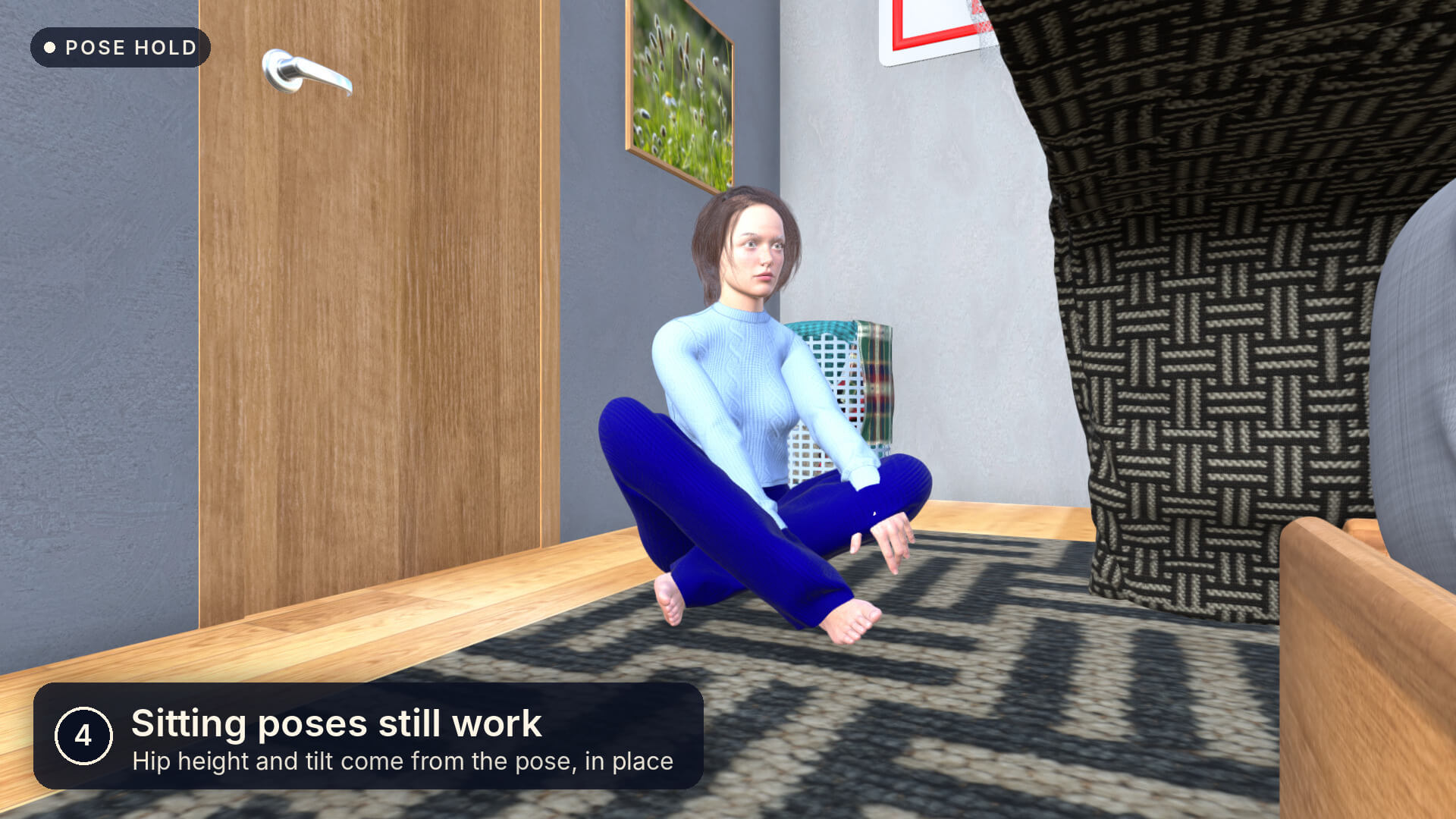
The pose itself still comes through. Pose Hold keeps the figure's place and facing and the hip's sideways and forward shift, and lets everything else pass: the hip's height and tilt and every rotation of the body. So sitting, kneeling and lying poses come out exactly as their maker made them, just where your figure is.
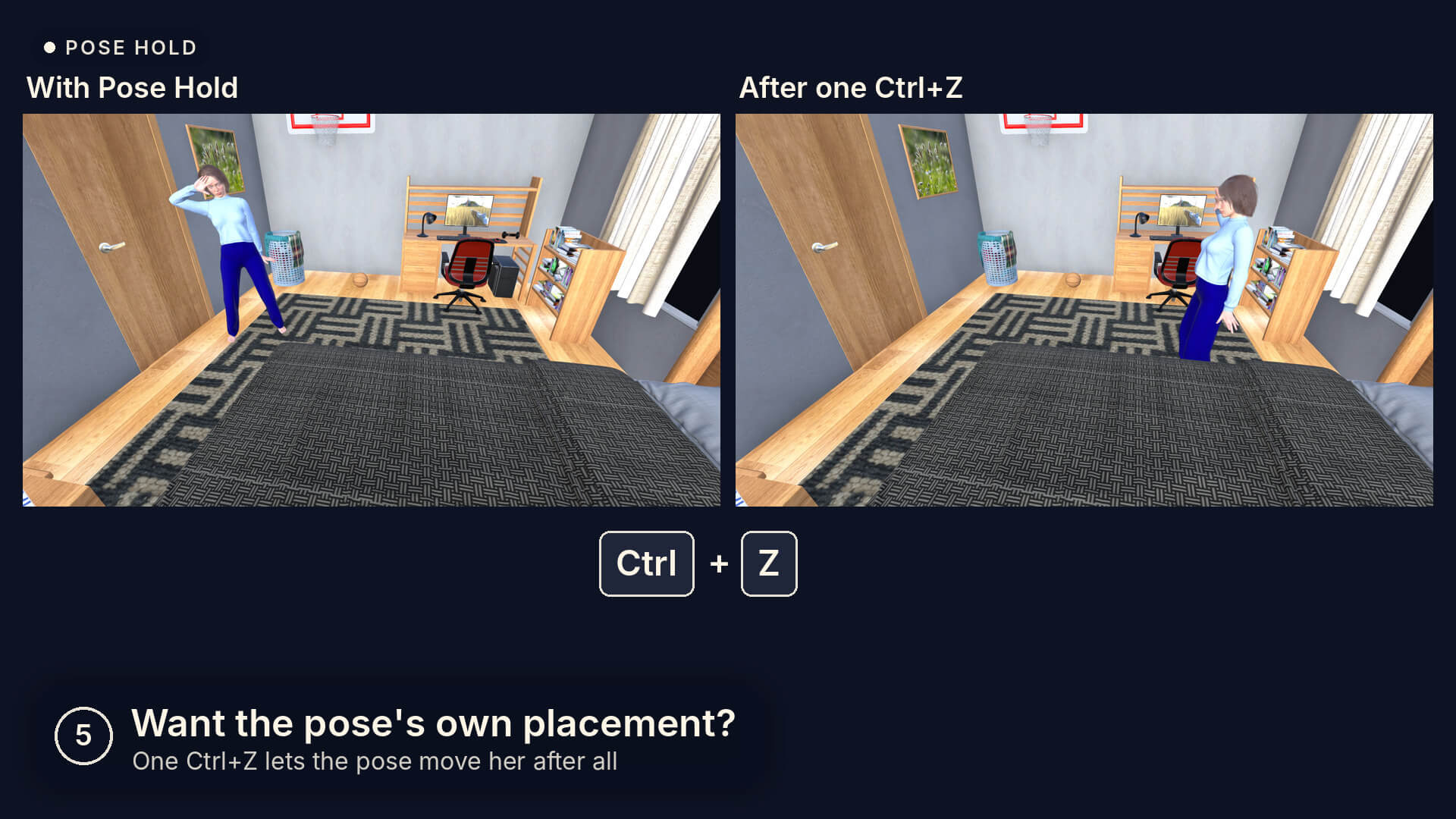
Nothing is locked. Drag the figure any time; the hold uses wherever it stood when the pose was applied. The hold is its own undo step, so one Ctrl+Z lets a pose move the figure after all. It works on every figure in the scene at once, leaves clothing, hair and props in hands alone, and also holds after Fluent converts a pose from another generation.
No window, nothing running in the background: one ON-OFF script for the Daz session, and a Menu buttons script that puts it in Daz's Scripts menu for a toolbar button or a hotkey. Pairs with Load Here, which puts new figures where you want them in the first place.
What you get
Two scripts (Pose Hold ON-OFF, Menu buttons) and a README. Copy the Pose Hold folder into the Scripts folder of any content library and double-click in the Content Library.
Compatibility
Daz Studio 4.24 and Daz Studio 6. Made and tested on Windows.
Tested with Genesis 9 and Genesis 8; it holds the figure and its hip, which every Genesis has.
Poses made for two or more figures together may need one Ctrl+Z each (see the README).
Free tool. Share it freely. It may not be sold, resold, bundled into a paid product or put behind a paywall.
PS. I have personally struggled with this, having massive scenes and applying a pose just to see my figure disappear and not being able to find it which is super frustating. I hope this helps, and please if you have any issues or encounter bugs please let me know!
Apply any pose and your figure stays where you put it, facing the same way. One click, no window, nothing locked. Free.
Pose Hold is a free Daz Script for the most common surprise in Daz: you double-click a pose and your figure jumps to the middle of the world (or sometimes to a place that you can't even find. This is something I have hated the most and I have seen tools out there that can help with this but they are expensive so it took me a lot of time to figure out but here it is), because the pose carries the position it was made at. Turn Pose Hold on once and that stops. Every figure stays where it stood and keeps facing the same way, whatever pose or expression preset you apply.
The pose itself still comes through. Pose Hold keeps the figure's place and facing and the hip's sideways and forward shift, and lets everything else pass: the hip's height and tilt and every rotation of the body. So sitting, kneeling and lying poses come out exactly as their maker made them, just where your figure is.
Nothing is locked. Drag the figure any time; the hold uses wherever it stood when the pose was applied. The hold is its own undo step, so one Ctrl+Z lets a pose move the figure after all. It works on every figure in the scene at once, leaves clothing, hair and props in hands alone, and also holds after Fluent converts a pose from another generation.
No window, nothing running in the background: one ON-OFF script for the Daz session, and a Menu buttons script that puts it in Daz's Scripts menu for a toolbar button or a hotkey. Pairs with Load Here, which puts new figures where you want them in the first place.
What you get
Two scripts (Pose Hold ON-OFF, Menu buttons) and a README. Copy the Pose Hold folder into the Scripts folder of any content library and double-click in the Content Library.
Compatibility
Daz Studio 4.24 and Daz Studio 6. Made and tested on Windows.
Tested with Genesis 9 and Genesis 8; it holds the figure and its hip, which every Genesis has.
Poses made for two or more figures together may need one Ctrl+Z each (see the README).
Free tool. Share it freely. It may not be sold, resold, bundled into a paid product or put behind a paywall.
PS. I have personally struggled with this, having massive scenes and applying a pose just to see my figure disappear and not being able to find it which is super frustating. I hope this helps, and please if you have any issues or encounter bugs please let me know!
Categories
