


 Free 3D
 3D Print Models
 3D Scans
 Animation & MoCap
 Textures
 Materials
 Skin Reference
 2D Game Assets
 Sound Effects
 Brushes & Tools
 Reference Photos
 Stock Images
 HDR Images
 3ds Max
 Maya
 Blender
 Unreal Engine
 Unity
 ZBrush
 Cinema 4D
 LightWave
 Marmoset
 SketchUp
 FBX
 DAE
 DXF
 GLB

DY Alembic Importer for Daz Studio 6

Not Rated Yet


This Item Was Made Using
! REPORT
NOTE: DIGITAL DOWNLOAD, NOT A PHYSICAL ITEM

Add to Collection

2 Likes
Included in Bundle
DY Alembic Importer for DAZ Studio 4 and 6
Share This Daz Content


Top Rated Vendor

I am a DAZ Studio Content Creator.

License
Extended Use License
This item comes with our Extended Use Licensing. This means that you may use the model for both non-commercial and commercial purposes, in a variety of mediums and applications.
For full license terms, see our 3D Content Licensing Agreement
Item Details
| Vendor: | DaYin |
| Published: | Oct 29, 2026 |
| Download Size: | 1.4 MB |
| Software: | Daz Studio |
| dForce: | – |
Included Formats

Statistics
| Favorites: | 2 |
| Likes: | 2 |
| Views: | 182 |
Item Ratings
Not Rated Yet
DY Alembic Importer for Daz Studio 6
DAZ Alembic Importer 1.0.0 — Installation
================================================
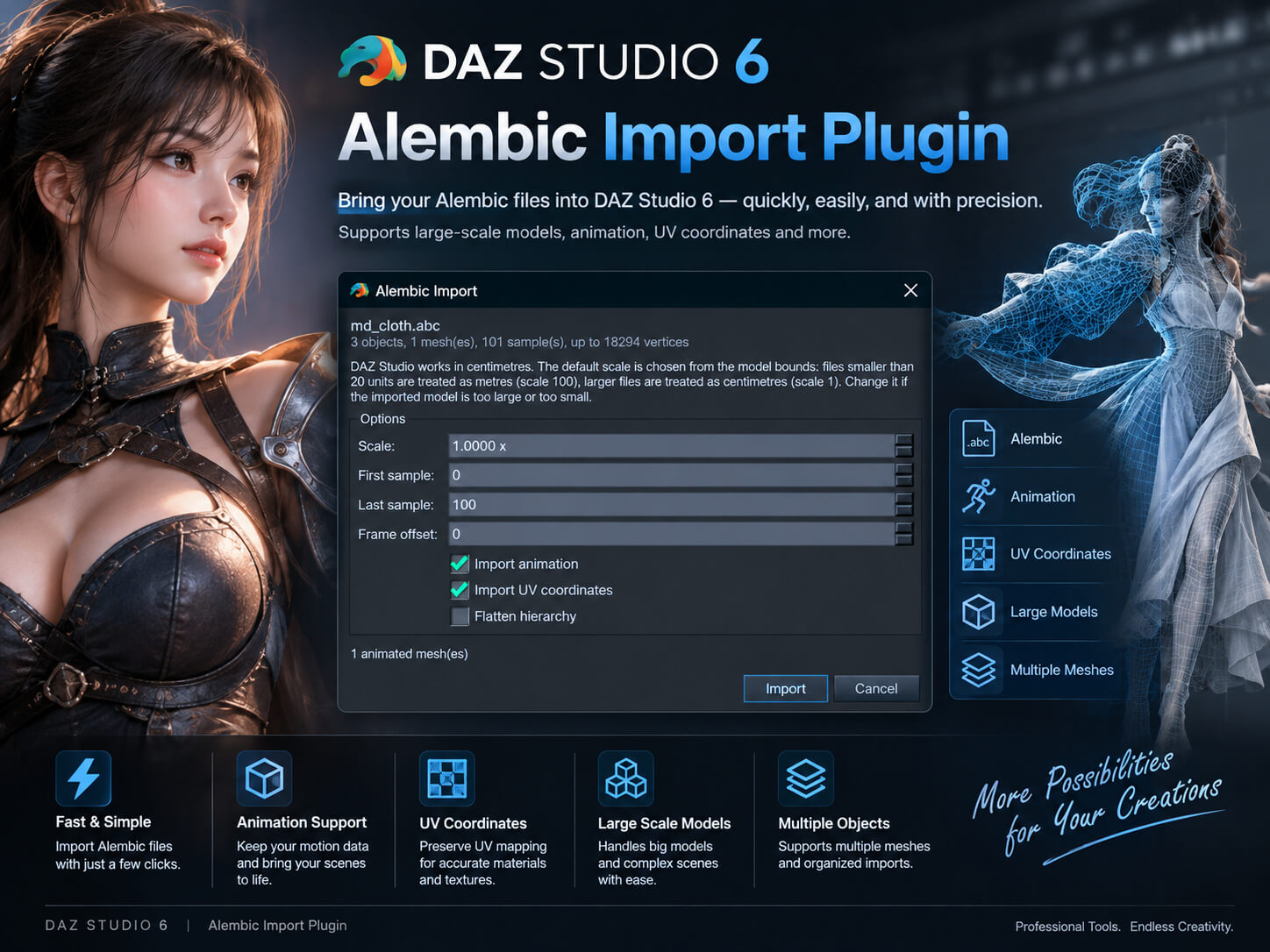
Native Alembic (.abc) import plugin for DAZ Studio 6.
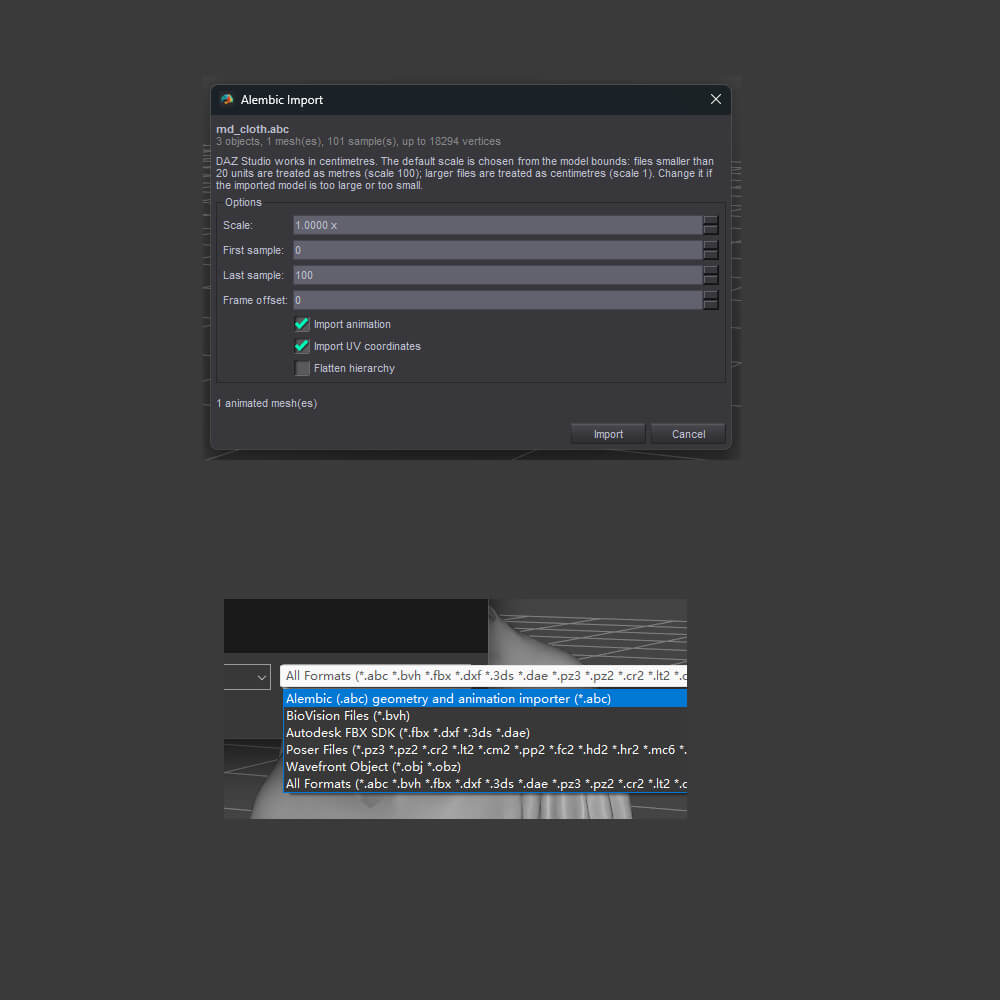
After installation, Alembic appears in File → Import.
Requirements
------------
Windows 10/11 x64
DAZ Studio 6.25 (built with the DAZ Studio 6.25+ SDK and Qt 6.10.3)
DAZ Studio 4.x is not supported
Installation
------------
1. Close DAZ Studio completely.
2. Copy:
plugins\dsp_dazalembic.dll
to the DAZ Studio 6 plugins folder, for example:
C:\Program Files\DAZ 3D\DAZStudio6\plugins\dsp_dazalembic.dll
3. Start DAZ Studio.
4. Open File → Import and select the file type
"Alembic Scene (*.abc)".
Import options
--------------
The import dialog contains:
Scale Automatic by default. A maximum bounding-box dimension
below 20 units is treated as metres (scale 100);
otherwise centimetres (scale 1). Can be overridden.
First sample First sample to import. Default 0.
Last sample Last sample to import. Default: maximum.
Frame offset Frame offset written to the DAZ timeline.
Import animation When off, only the static mesh and first transform
are imported.
Import UV Import UV coordinates.
Flatten hierarchy Attach all objects to the root and bake world
transforms into each node.
Both Ogawa and HDF5 .abc containers are supported.
Alembic FaceSets such as dzmat_Torso become DAZ material groups with
the dzmat_ prefix removed. Every material uses the Iray Uber (MDL)
shader with uniform defaults: Base Color 0.23, Glossy Roughness 0.45,
Glossy Reflectivity 0.5, Glossy Layered Weight 1, Share Glossy Inputs
On, Glossy Color 1,1,1.
Apply textures or a Genesis material preset in the Surfaces pane.
If every facet is covered by a face set, no empty "Alembic Default"
material is created.
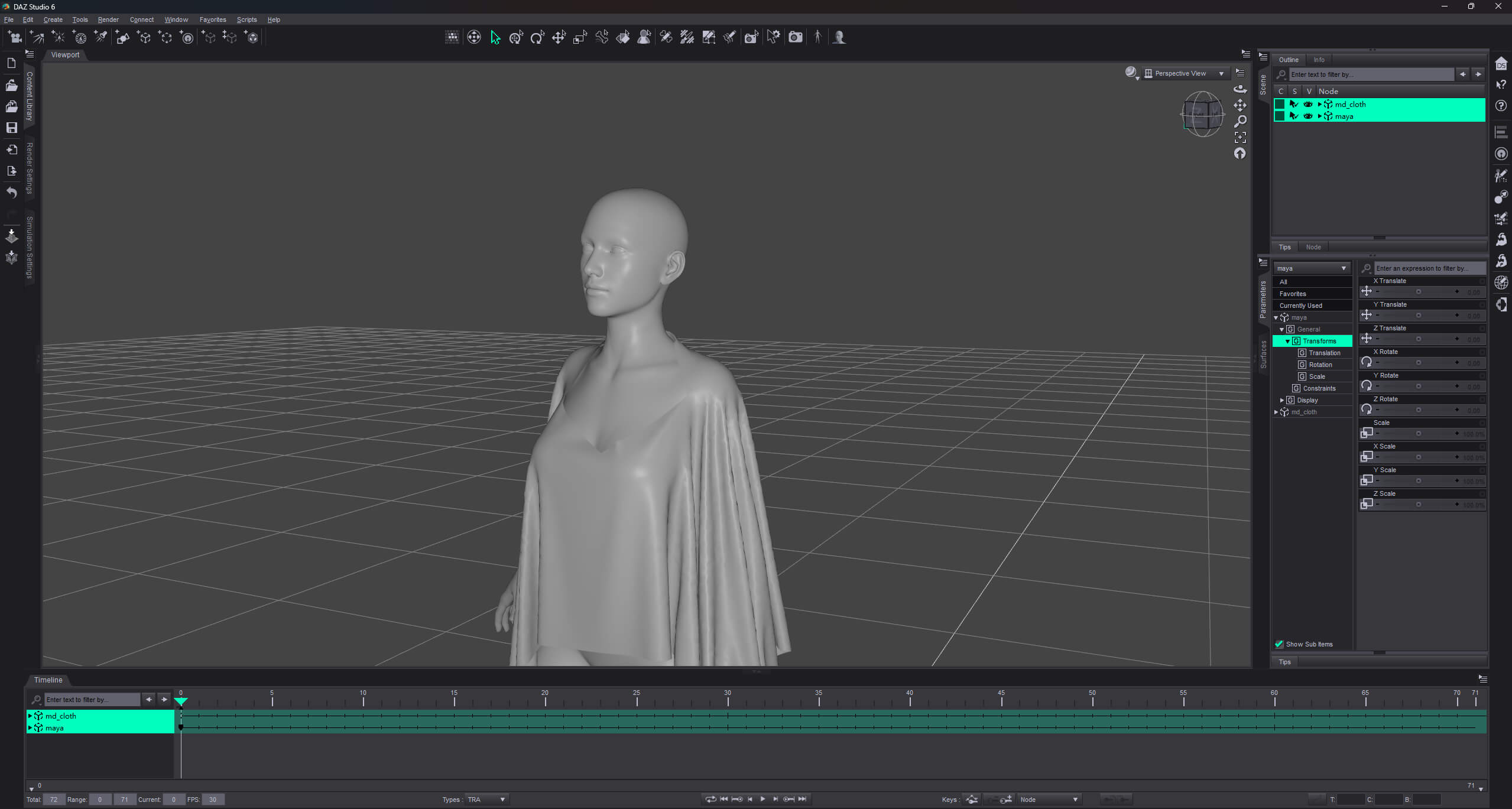
Vertex animation creates one morph per sample. For long animations,
limit the sample range; otherwise importing and saving become slower.
Known limitations
-----------------
- Point clouds, curves, instances, Alembic shaders/materials,
vertex colors, and multiple UV sets are not imported.
FaceSets are converted to DAZ material groups.
- Alembic normals are not read; DAZ full smoothing is used.
- If mesh topology changes within the imported range, that object
falls back to a static base mesh.
- Transform animation supports TRS only; sheared matrices are
approximated.
- One sample maps to one frame. Non-uniform sample rates are not
converted to seconds.
Uninstall
---------
Close DAZ Studio and delete:
\plugins\dsp_dazalembic.dll
Version
-------
1.0.0
Windows x64
Built with DAZ Studio 6.25+ SDK, Qt 6.10.3, Alembic 1.8.8
(Ogawa + HDF5), HDF5 1.12.2, Imath 3.1.9, and zlib 1.3.1.
================================================
Native Alembic (.abc) import plugin for DAZ Studio 6.
After installation, Alembic appears in File → Import.
Requirements
------------
Windows 10/11 x64
DAZ Studio 6.25 (built with the DAZ Studio 6.25+ SDK and Qt 6.10.3)
DAZ Studio 4.x is not supported
Installation
------------
1. Close DAZ Studio completely.
2. Copy:
plugins\dsp_dazalembic.dll
to the DAZ Studio 6 plugins folder, for example:
C:\Program Files\DAZ 3D\DAZStudio6\plugins\dsp_dazalembic.dll
3. Start DAZ Studio.
4. Open File → Import and select the file type
"Alembic Scene (*.abc)".
Import options
--------------
The import dialog contains:
Scale Automatic by default. A maximum bounding-box dimension
below 20 units is treated as metres (scale 100);
otherwise centimetres (scale 1). Can be overridden.
First sample First sample to import. Default 0.
Last sample Last sample to import. Default: maximum.
Frame offset Frame offset written to the DAZ timeline.
Import animation When off, only the static mesh and first transform
are imported.
Import UV Import UV coordinates.
Flatten hierarchy Attach all objects to the root and bake world
transforms into each node.
Both Ogawa and HDF5 .abc containers are supported.
Alembic FaceSets such as dzmat_Torso become DAZ material groups with
the dzmat_ prefix removed. Every material uses the Iray Uber (MDL)
shader with uniform defaults: Base Color 0.23, Glossy Roughness 0.45,
Glossy Reflectivity 0.5, Glossy Layered Weight 1, Share Glossy Inputs
On, Glossy Color 1,1,1.
Apply textures or a Genesis material preset in the Surfaces pane.
If every facet is covered by a face set, no empty "Alembic Default"
material is created.
Vertex animation creates one morph per sample. For long animations,
limit the sample range; otherwise importing and saving become slower.
Known limitations
-----------------
- Point clouds, curves, instances, Alembic shaders/materials,
vertex colors, and multiple UV sets are not imported.
FaceSets are converted to DAZ material groups.
- Alembic normals are not read; DAZ full smoothing is used.
- If mesh topology changes within the imported range, that object
falls back to a static base mesh.
- Transform animation supports TRS only; sheared matrices are
approximated.
- One sample maps to one frame. Non-uniform sample rates are not
converted to seconds.
Uninstall
---------
Close DAZ Studio and delete:
\plugins\dsp_dazalembic.dll
Version
-------
1.0.0
Windows x64
Built with DAZ Studio 6.25+ SDK, Qt 6.10.3, Alembic 1.8.8
(Ogawa + HDF5), HDF5 1.12.2, Imath 3.1.9, and zlib 1.3.1.
