


 Free 3D
 3D Print Models
 3D Scans
 Animation & MoCap
 Textures
 Materials
 Skin Reference
 2D Game Assets
 Sound Effects
 Brushes & Tools
 Reference Photos
 Stock Images
 HDR Images
 3ds Max
 Maya
Maya Blender
 Unreal Engine
 Unity
Unity ZBrush
 Cinema 4D
 LightWave
 Marmoset
 SketchUp
 FBX
FBX DAE
DAE DXF
DXF GLB
GLB
DY Multi-Language Plugin for DAZ Studio 6.25

Not Rated Yet








This Item Was Made Using
! REPORT
NOTE: DIGITAL DOWNLOAD, NOT A PHYSICAL ITEM

Add to Collection

1 Like
Included in Bundle
DY Multi-Language Plugin for DAZ Studio 4.24 and 6.25
Share This Daz Content


Top Rated Vendor

I am a DAZ Studio Content Creator.

License
Extended Use License
This item comes with our Extended Use Licensing. This means that you may use the model for both non-commercial and commercial purposes, in a variety of mediums and applications.
For full license terms, see our 3D Content Licensing Agreement
Item Details
| Vendor: | DaYin |
| Published: | Oct 27, 2026 |
| Download Size: | 236.2 KB |
| Software: | Daz Studio |
| dForce: | – |
Included Formats

Statistics
| Favorites: | 1 |
| Likes: | 1 |
| Views: | 74 |
Item Ratings
Not Rated Yet
DY Multi-Language Plugin for DAZ Studio 6.25
DS MultiLang 6
Complete runtime localization for DAZ Studio 6.25 — nine languages, one lightweight DLL.
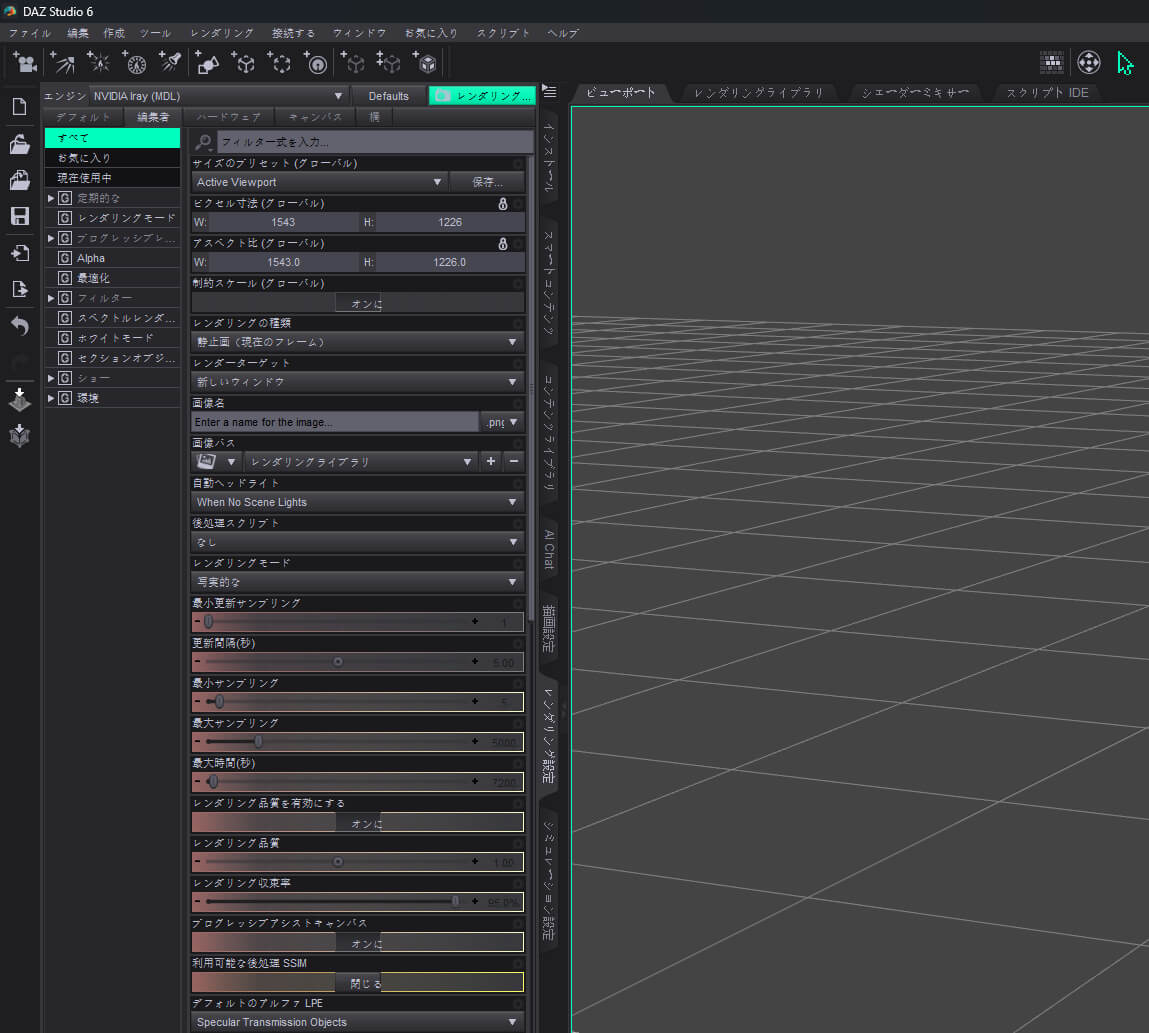
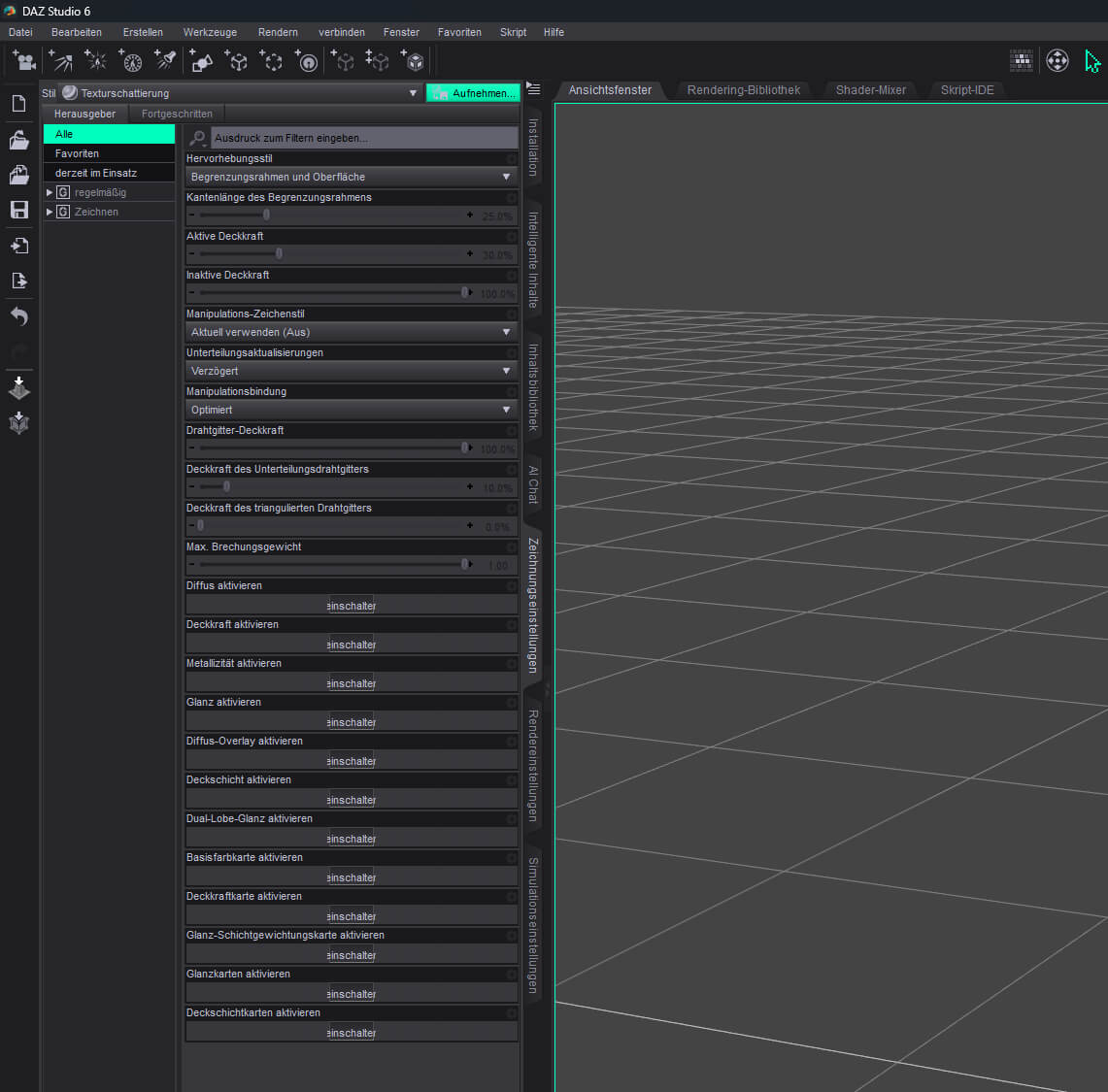
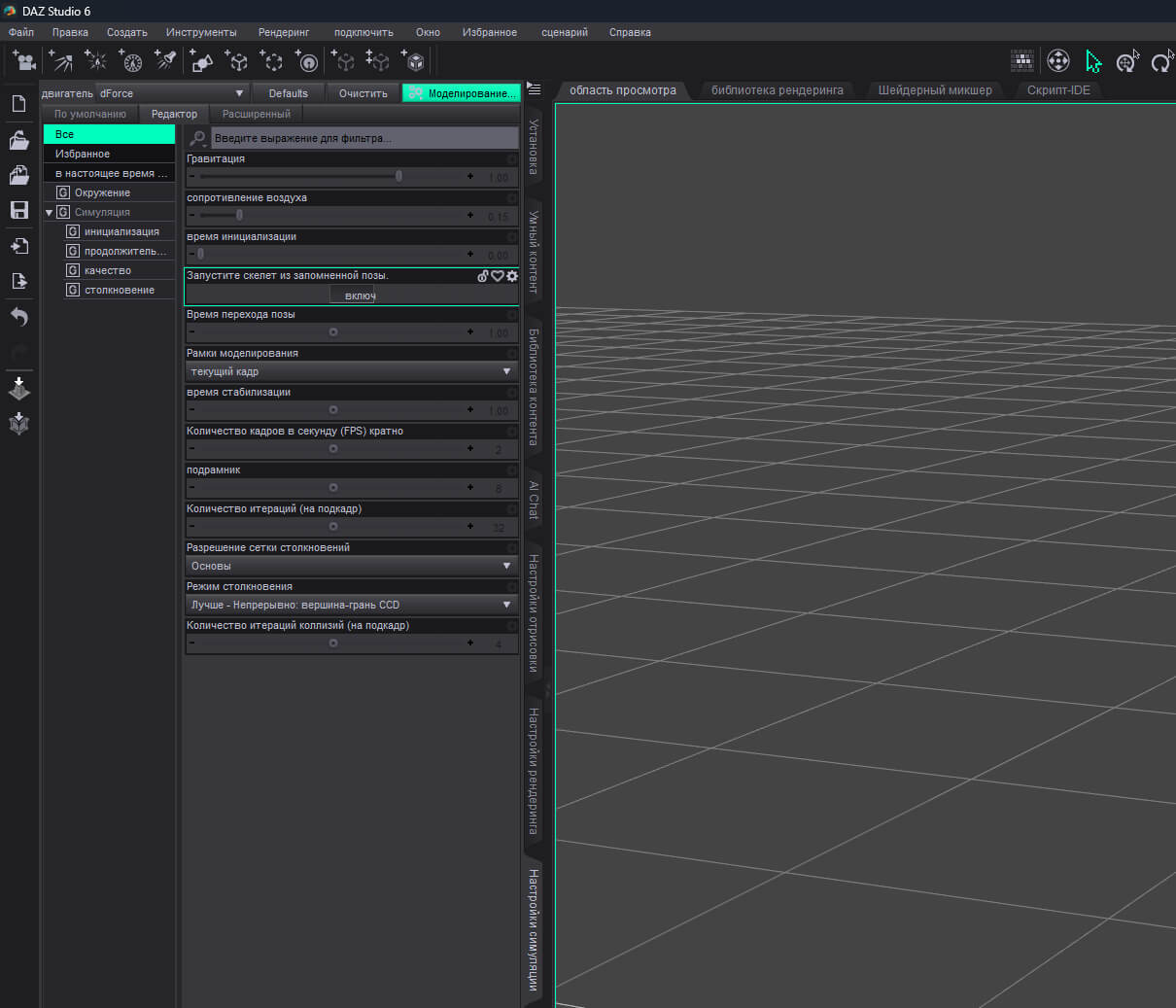
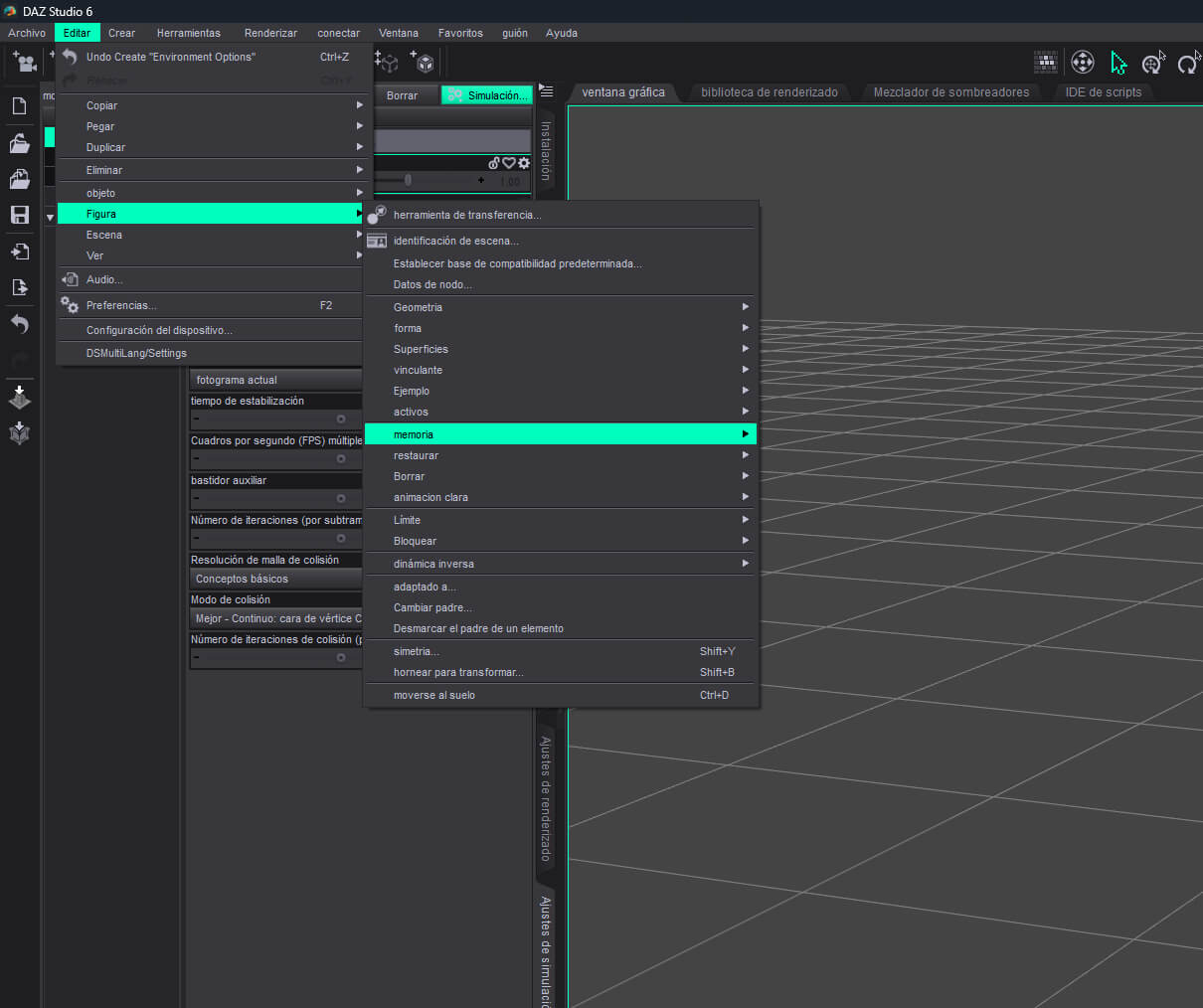
DS MultiLang 6 translates the DAZ Studio 6.25 interface at runtime, without patching the application or editing its resource files. Menus, dialogs, panel titles, tab labels, Render Settings properties and Content Library categories switch to your chosen language while you work, and switch back just as easily.
Built for artists who know DAZ Studio well but prefer to work in their native language, DS MultiLang 6 leaves the original English strings underneath, so scenes, scripts and content remain compatible with the standard DAZ workflow.
Languages
Simplified Chinese
Traditional Chinese
Japanese
Korean
German
Russian
Spanish
Portuguese
French
English is always available as the original interface and can be restored at any time.
What it translates
Menus and actions — menu bar, submenus, context menus and toolbar actions
Dialogs and panels — Preferences, Render Settings, Draw Settings, Simulation Settings, file dialogs and message boxes
Tabs, buttons and labels — standard Qt controls, group boxes, check boxes and placeholders
Render Settings properties — property names in Render Settings, Draw Settings and White Mode
Content Library categories — Figures, Materials, Poses, Lights, Templates and more
Panel titles — dock titles and pane headings where DAZ exposes them as standard text
The dictionary contains 13,455 entries across nine languages, embedded directly in the DLL. No internet connection, account or external service is required at runtime.
Highlights
One DLL, no installer — copy dsp_dsmultilang.dll into the DAZ Studio 6 plugins folder
Live language switching — from the plugin menu
Automatic language detection on first launch, with manual override
Scene-safe saving — English property labels are restored before the final .duf is written
Original strings preserved — every translated control can be restored to English
No telemetry, no background service — one native plugin with an embedded dictionary
Compatibility
DAZ Studio 6.25, Windows x64
Built against the Daz Studio 6.25 SDK and Qt 6.10.3
DAZ Studio 4.x uses a separate Qt4 build and package
Paint interception is version-specific; other DS6 builds may require a rebuild
Known limitations
Scene Info and some custom-painted panes remain in English
Content Library search still matches original English category names
Product names, file names and node names are data and are not translated
Arabic and Hindi are not included (missing Qt fonts)
Saving writes the scene twice — normal save plus English rewrite
DAZ Studio 6.25 layout crash
DS 6.25 can crash inside DzCore.dll at DzStyledTimeAsFramesPropertyWgt::~DzStyledTimeAsFramesPropertyWgt() when pane tabs are clicked very quickly, especially in a Maya-like layout. This reproduces with a no-op plugin and without the plugin, so it is a DAZ Studio issue rather than a translation issue.
Installation
Close DAZ Studio 6.
Copy plugins\dsp_dsmultilang.dll to
C:\Program Files\DAZ 3D\DAZStudio6\plugins\
Start DAZ Studio 6.
Choose a language from Edit>DSMultiLang/Settings.
Version
1.0 — 9 languages, 13,455 entries, Windows x64, DAZ Studio 6.25 / Qt 6.10.3.
DS MultiLang 6 is an independent third-party plugin and is not affiliated with Daz 3D.
Complete runtime localization for DAZ Studio 6.25 — nine languages, one lightweight DLL.
DS MultiLang 6 translates the DAZ Studio 6.25 interface at runtime, without patching the application or editing its resource files. Menus, dialogs, panel titles, tab labels, Render Settings properties and Content Library categories switch to your chosen language while you work, and switch back just as easily.
Built for artists who know DAZ Studio well but prefer to work in their native language, DS MultiLang 6 leaves the original English strings underneath, so scenes, scripts and content remain compatible with the standard DAZ workflow.
Languages
Simplified Chinese
Traditional Chinese
Japanese
Korean
German
Russian
Spanish
Portuguese
French
English is always available as the original interface and can be restored at any time.
What it translates
Menus and actions — menu bar, submenus, context menus and toolbar actions
Dialogs and panels — Preferences, Render Settings, Draw Settings, Simulation Settings, file dialogs and message boxes
Tabs, buttons and labels — standard Qt controls, group boxes, check boxes and placeholders
Render Settings properties — property names in Render Settings, Draw Settings and White Mode
Content Library categories — Figures, Materials, Poses, Lights, Templates and more
Panel titles — dock titles and pane headings where DAZ exposes them as standard text
The dictionary contains 13,455 entries across nine languages, embedded directly in the DLL. No internet connection, account or external service is required at runtime.
Highlights
One DLL, no installer — copy dsp_dsmultilang.dll into the DAZ Studio 6 plugins folder
Live language switching — from the plugin menu
Automatic language detection on first launch, with manual override
Scene-safe saving — English property labels are restored before the final .duf is written
Original strings preserved — every translated control can be restored to English
No telemetry, no background service — one native plugin with an embedded dictionary
Compatibility
DAZ Studio 6.25, Windows x64
Built against the Daz Studio 6.25 SDK and Qt 6.10.3
DAZ Studio 4.x uses a separate Qt4 build and package
Paint interception is version-specific; other DS6 builds may require a rebuild
Known limitations
Scene Info and some custom-painted panes remain in English
Content Library search still matches original English category names
Product names, file names and node names are data and are not translated
Arabic and Hindi are not included (missing Qt fonts)
Saving writes the scene twice — normal save plus English rewrite
DAZ Studio 6.25 layout crash
DS 6.25 can crash inside DzCore.dll at DzStyledTimeAsFramesPropertyWgt::~DzStyledTimeAsFramesPropertyWgt() when pane tabs are clicked very quickly, especially in a Maya-like layout. This reproduces with a no-op plugin and without the plugin, so it is a DAZ Studio issue rather than a translation issue.
Installation
Close DAZ Studio 6.
Copy plugins\dsp_dsmultilang.dll to
C:\Program Files\DAZ 3D\DAZStudio6\plugins\
Start DAZ Studio 6.
Choose a language from Edit>DSMultiLang/Settings.
Version
1.0 — 9 languages, 13,455 entries, Windows x64, DAZ Studio 6.25 / Qt 6.10.3.
DS MultiLang 6 is an independent third-party plugin and is not affiliated with Daz 3D.
Categories
