


 Free 3D
 3D Print Models
 3D Scans
 Animation & MoCap
 Textures
 Materials
 Skin Reference
 2D Game Assets
 Sound Effects
 Brushes & Tools
 Reference Photos
 Stock Images
 HDR Images
 3ds Max
 Maya
 Blender
 Unreal Engine
 Unity
 ZBrush
 Cinema 4D
 LightWave
 Marmoset
 SketchUp
 FBX
 DAE
 DXF
 GLB
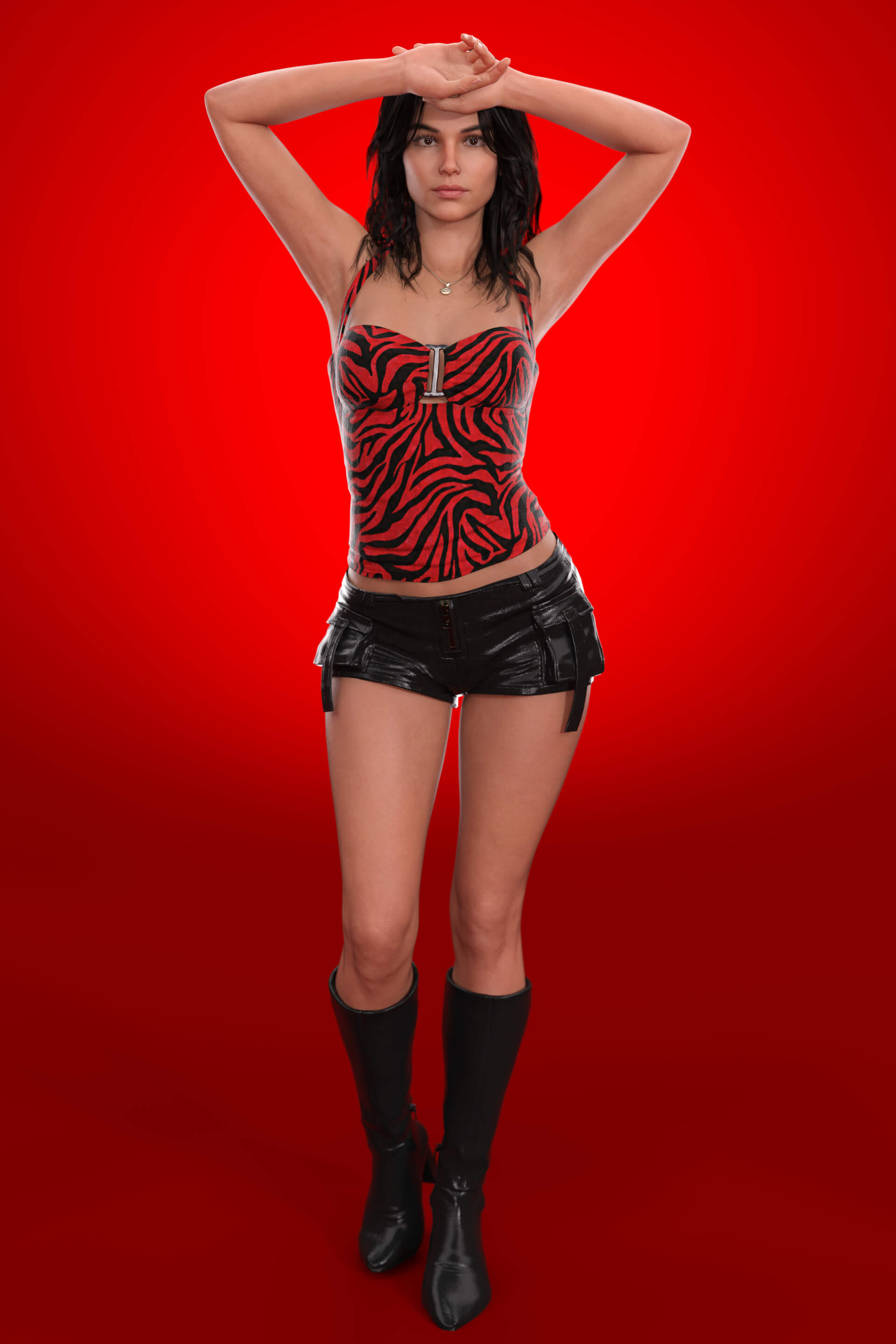
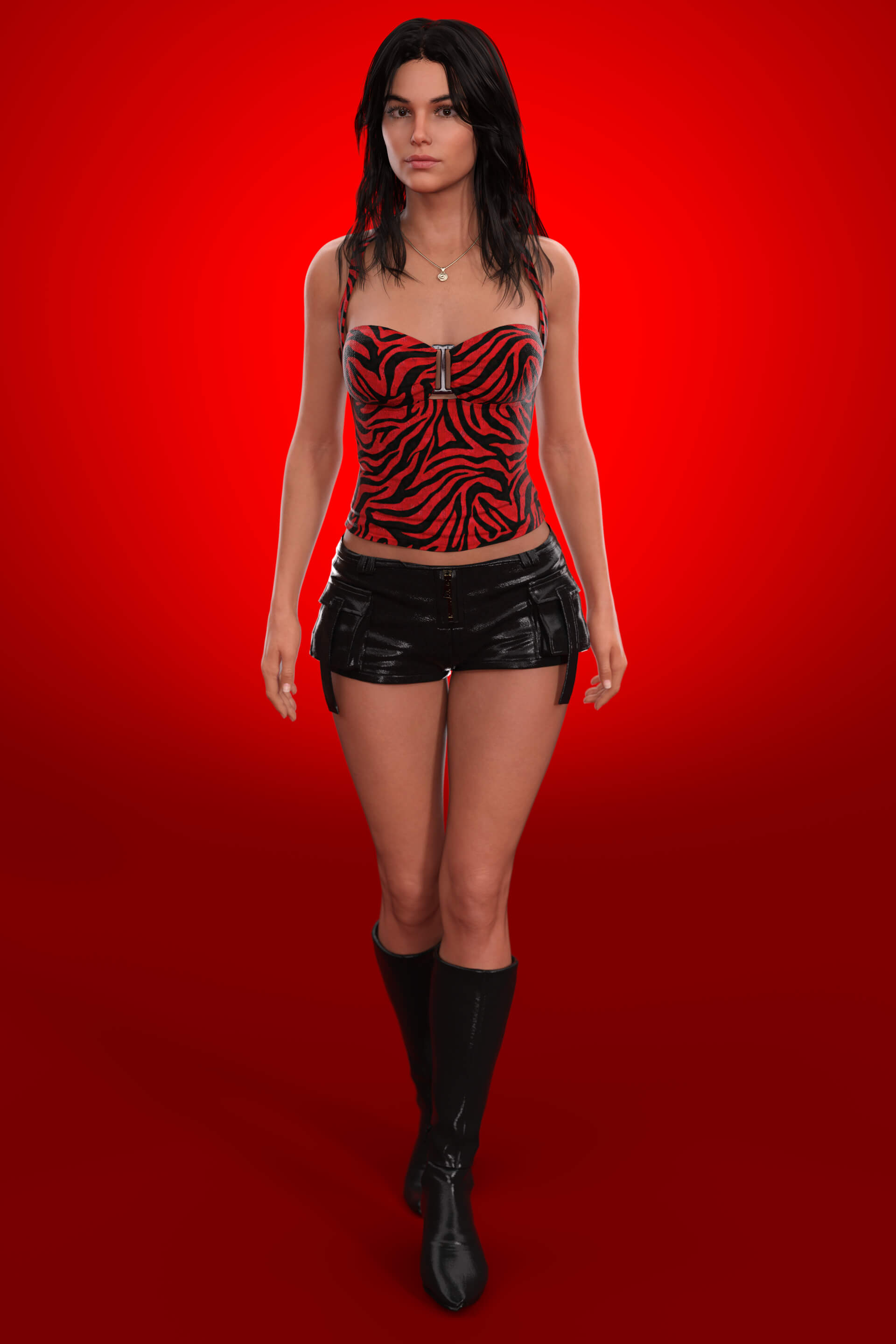
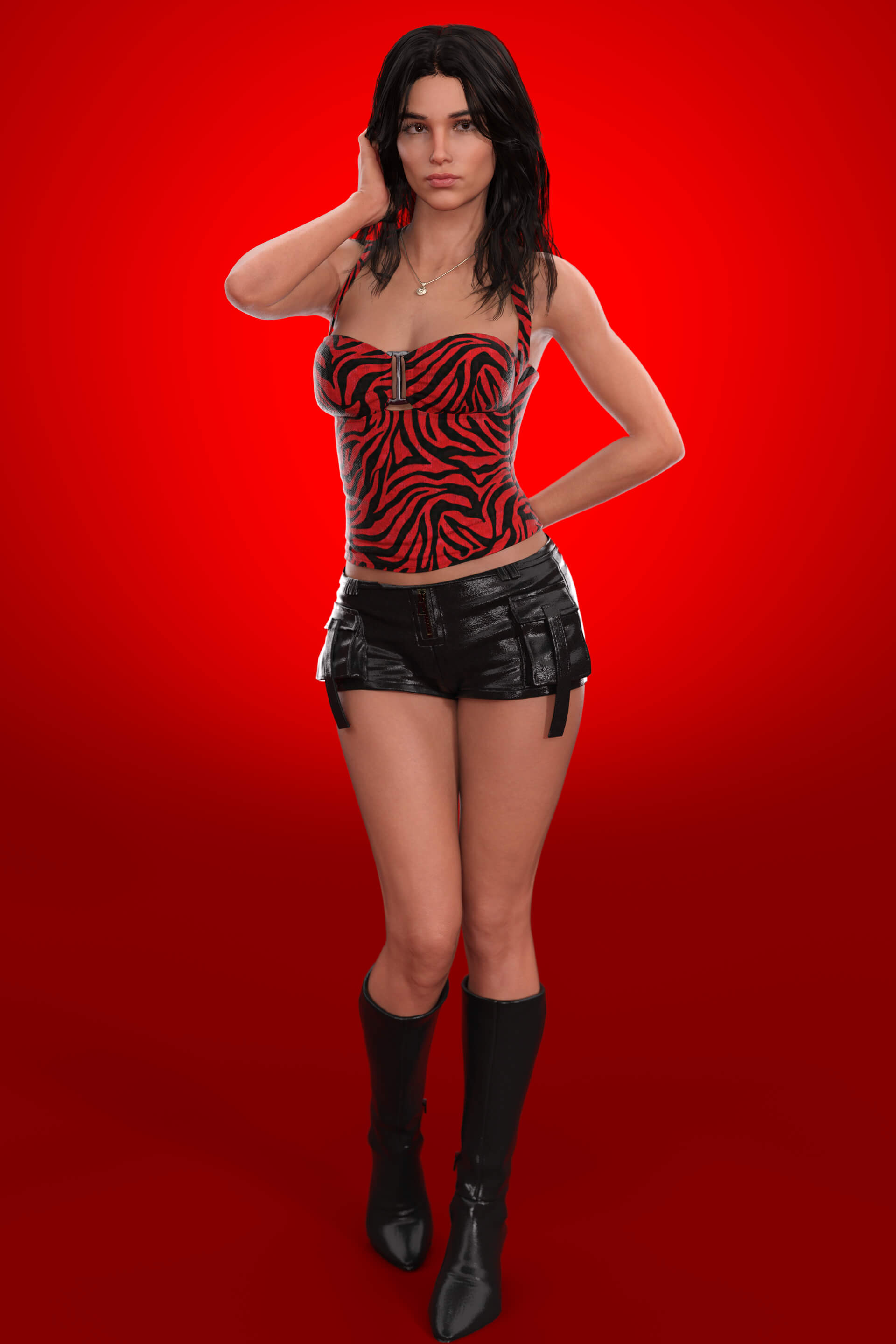
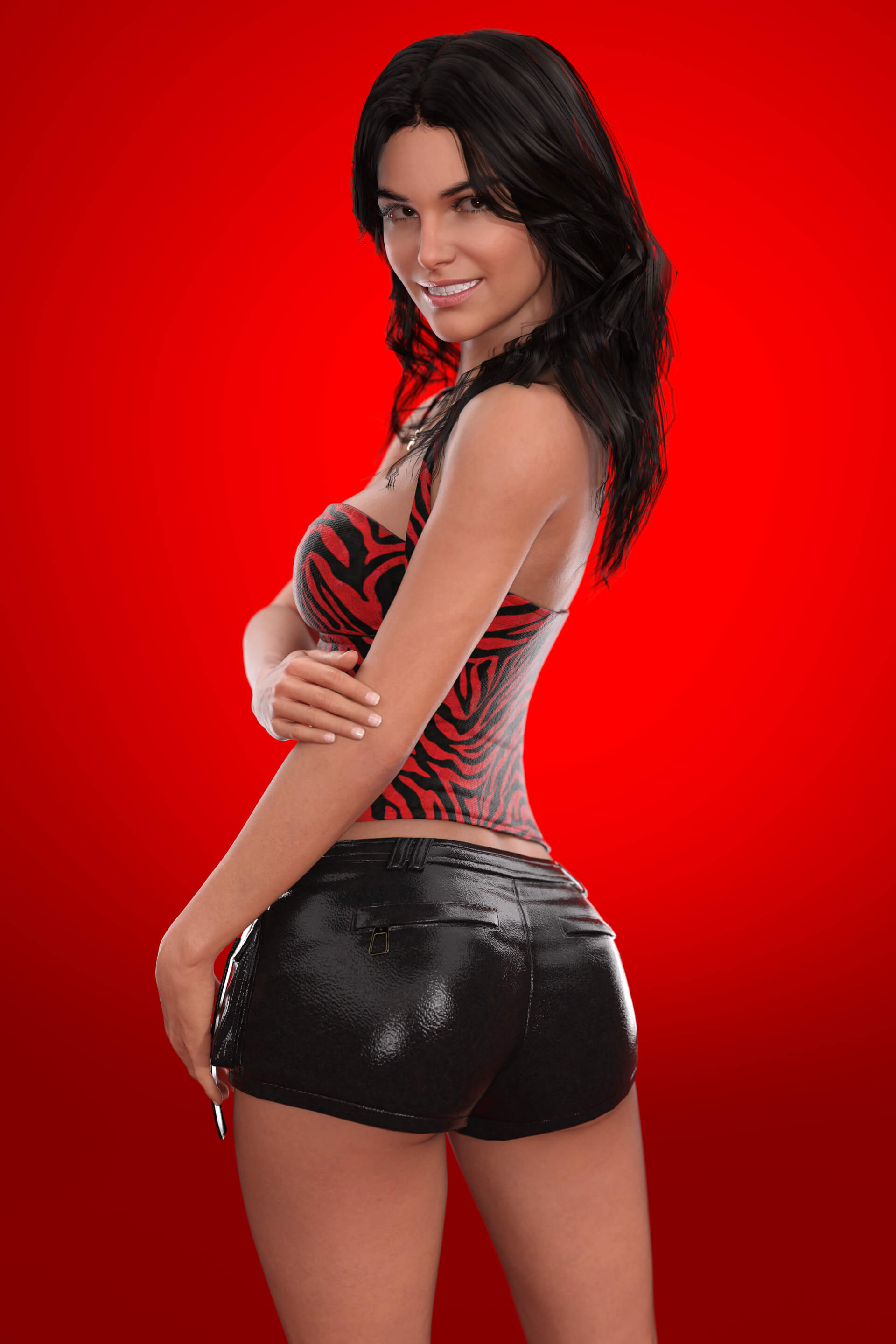
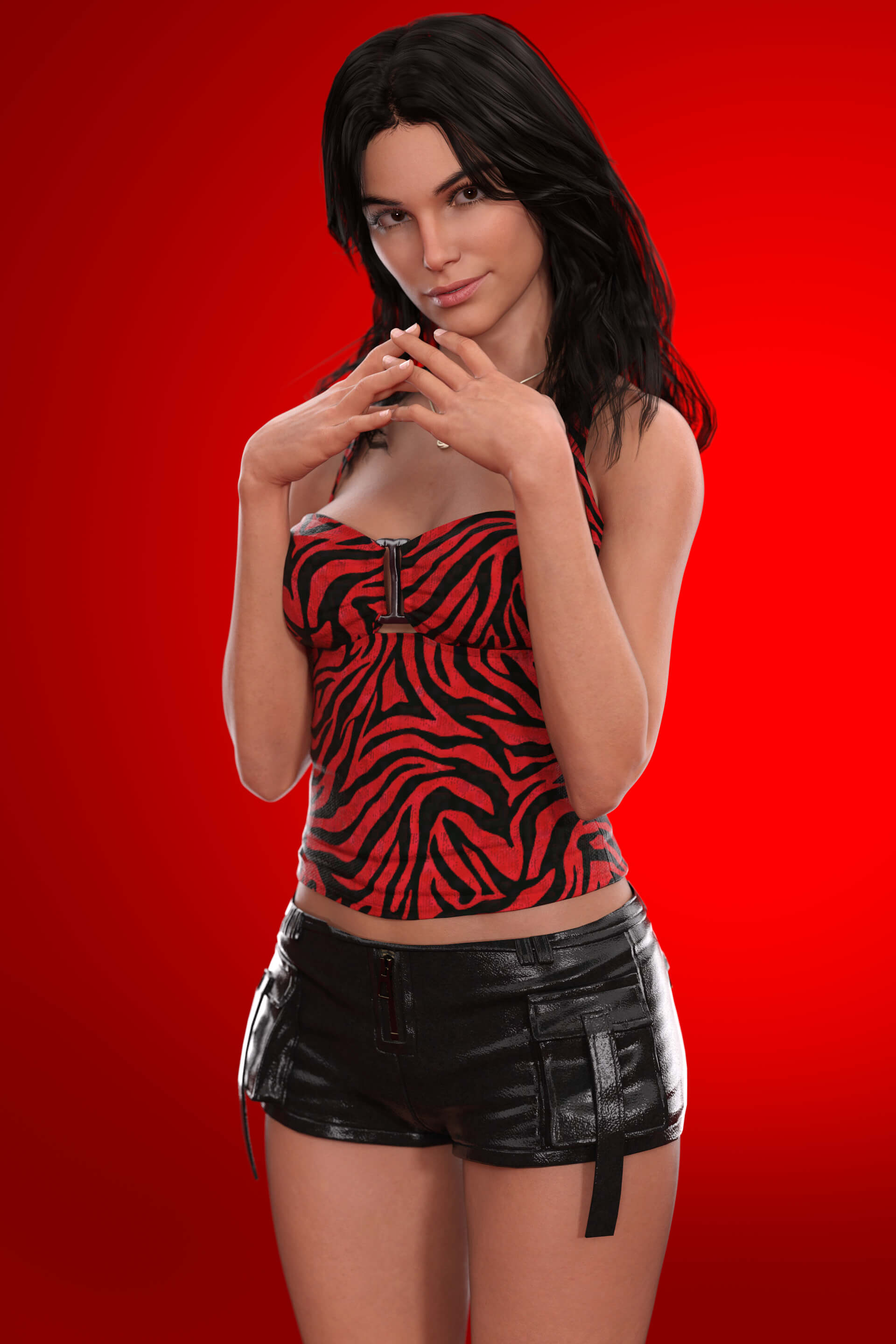
Nikki for Genesis 8 Female

Not Rated Yet


! REPORT
NOTE: DIGITAL DOWNLOAD, NOT A PHYSICAL ITEM

Add to Collection

13 Likes
Share This Daz Content


Top Rated Vendor


Artist creating characters.
Patreon.com/Dumitas
Remember to use Install Manager to install my files!
Patreon.com/Dumitas
Remember to use Install Manager to install my files!
Vendor's Pages


License
Extended Use License (IP Restricted)
This item comes with our Extended Use Licensing. This means that you may use the model in a variety of mediums and applications. But, because certain intellectual property depicted in this model may not be affiliated with or endorsed by the original rights holder, this model is subject to an Editorial Use Only Restriction which limits the ways in which you may use this model.
For full license terms, see our 3D Content Licensing Agreement
Item Details
| Vendor: | Dumitas |
| Published: | Nov 17, 2026 |
| Download Size: | 189.4 MB |
| Software: | Daz Studio |
| Compatible Figures: | Genesis 8 Female Genesis 8.1 Female |
| dForce: | Yes |
Included Formats

Statistics
| Favorites: | 1 |
| Likes: | 13 |
| Views: | 367 |
Item Ratings
Not Rated Yet
Nikki for Genesis 8 Female
THIS PRODUCT CONTAIN:
CHARACTER:
- Nikki for Genesis 8 and 8.1 as separate scene subsets
> Skin Applied
> Morphs Applied
> Equipped with Outfit
MORPHS:
- Nikki Body and Head Morphs Apply and Remove preset
> Morphs: DUM Nikki Head / DUM Nikki Body
MATERIALS:
- Apply Skin
HAIR:
- Nikki Hair
> Hair is a bit rough and changes the way she looks, try to experiment with other hairs to have a desire look
> Not Rigged
> dForce on Lower Half
- Nikki Eyebrows
OUTFIT:
- Nikki Top
- Nikki Necklace
- Nikki Shorts
- Nikki Boots
> They automatically apply 50% heeled pose.
Everything comes with high quality custom textures to enhance your renders.
Install directory:
People/Genesis 8 Female/Characters/Dumitas/Nikki
The file comes ready to install using Install Manager to make it easy to uninstall or change location, you can also install in manually using free tools such as 7-Zip. (Install Manager Guide : daz-how-to-use-install-manager-dim)
If you notice any errors or have any suggestions, feel free to send me a direct message. I'm always available to respond and will do my best to address any issues.
Thank you for your input!
CHARACTER:
- Nikki for Genesis 8 and 8.1 as separate scene subsets
> Skin Applied
> Morphs Applied
> Equipped with Outfit
MORPHS:
- Nikki Body and Head Morphs Apply and Remove preset
> Morphs: DUM Nikki Head / DUM Nikki Body
MATERIALS:
- Apply Skin
HAIR:
- Nikki Hair
> Hair is a bit rough and changes the way she looks, try to experiment with other hairs to have a desire look
> Not Rigged
> dForce on Lower Half
- Nikki Eyebrows
OUTFIT:
- Nikki Top
- Nikki Necklace
- Nikki Shorts
- Nikki Boots
> They automatically apply 50% heeled pose.
Everything comes with high quality custom textures to enhance your renders.
Install directory:
People/Genesis 8 Female/Characters/Dumitas/Nikki
The file comes ready to install using Install Manager to make it easy to uninstall or change location, you can also install in manually using free tools such as 7-Zip. (Install Manager Guide : daz-how-to-use-install-manager-dim)
If you notice any errors or have any suggestions, feel free to send me a direct message. I'm always available to respond and will do my best to address any issues.
Thank you for your input!
