


 Free 3D
 3D Print Models
 3D Scans
 Animation & MoCap
 Textures
 Materials
 Skin Reference
 2D Game Assets
 Sound Effects
 Brushes & Tools
 Reference Photos
 Stock Images
 HDR Images
 3ds Max
 Maya
 Blender
 Unreal Engine
 Unity
 ZBrush
 Cinema 4D
 LightWave
 Marmoset
 SketchUp
 FBX
 DAE
 DXF
 GLB
Real Studio — Product Lighting & Materials for ble

Not Rated Yet


! REPORT
NOTE: DIGITAL DOWNLOAD, NOT A PHYSICAL ITEM

Add to Collection

0 Likes
Share This


Offered By


Art director in Tuscany, working as francesac.design since 2018. I model the parts I always needed and never found: real hardware and windows at real size, in mm, from datasheets and ISO/DIN standards. Built by hand from code and measurements - no AI. Need a size that isn't here? Write to me.
www.francesac-design.it
www.francesac-design.it
Vendor's Pages


License
Extended Use License
This item comes with our Extended Use Licensing. This means that you may use the model for both non-commercial and commercial purposes, in a variety of mediums and applications.
For full license terms, see our 3D Content Licensing Agreement
Item Details
| Offered By: | francesac |
| Published: | Nov 18, 2026 |
| Download Size: | 18.2 MB |
| Compatible With: | Blender |
Included Formats
Statistics
| Favorites: | 0 |
| Likes: | 0 |
| Views: | 4 |
Item Ratings
Not Rated Yet
Real Studio — Product Lighting & Materials for ble
Product renders that look like a photo studio, without building one.
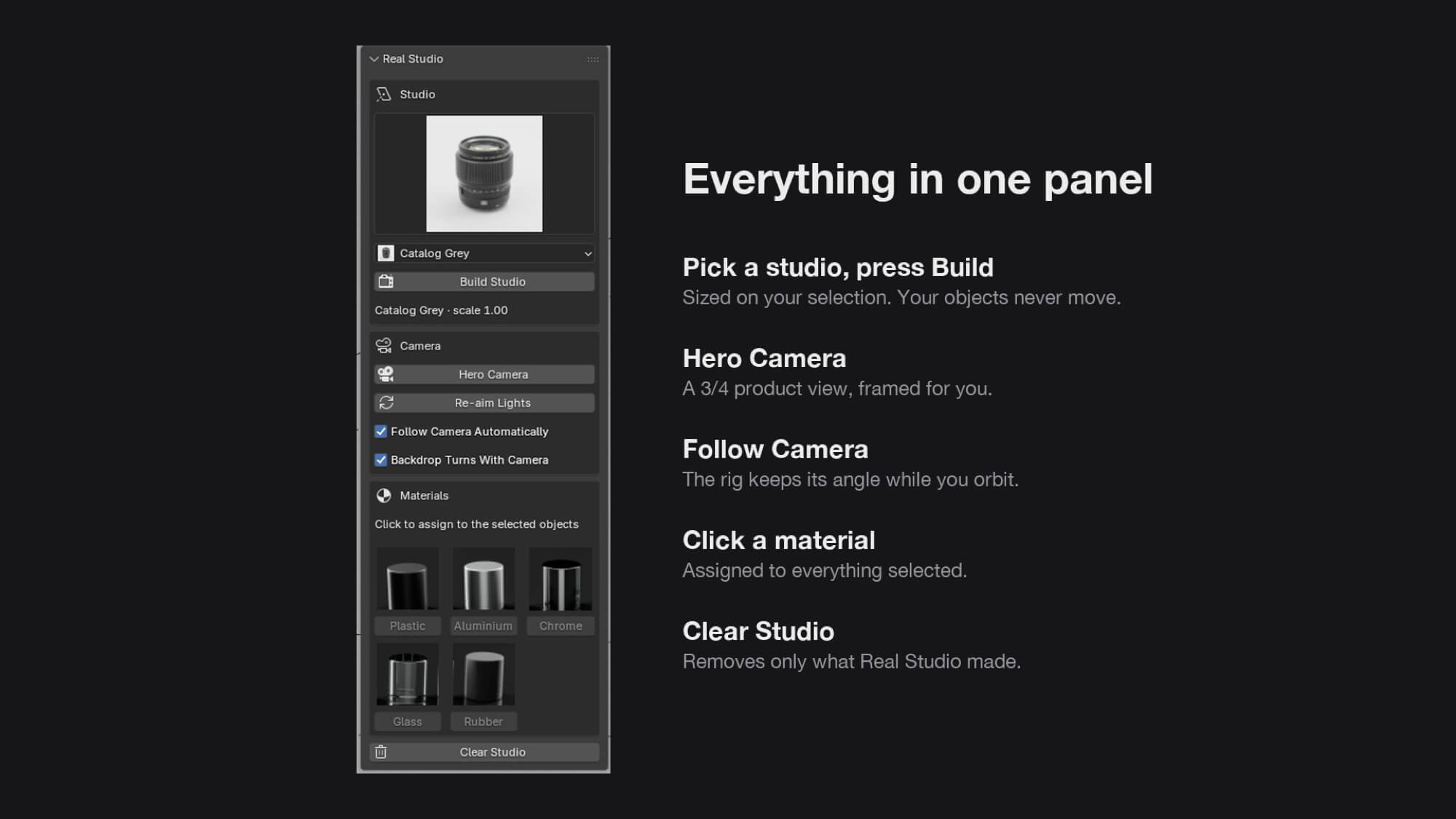
Select your product, pick a studio, press Build. Real Studio sizes the backdrop, lights and flags on your object,
sets up Cycles for clean product photography, and gives you a hero camera framed for you.
WHAT YOU GET
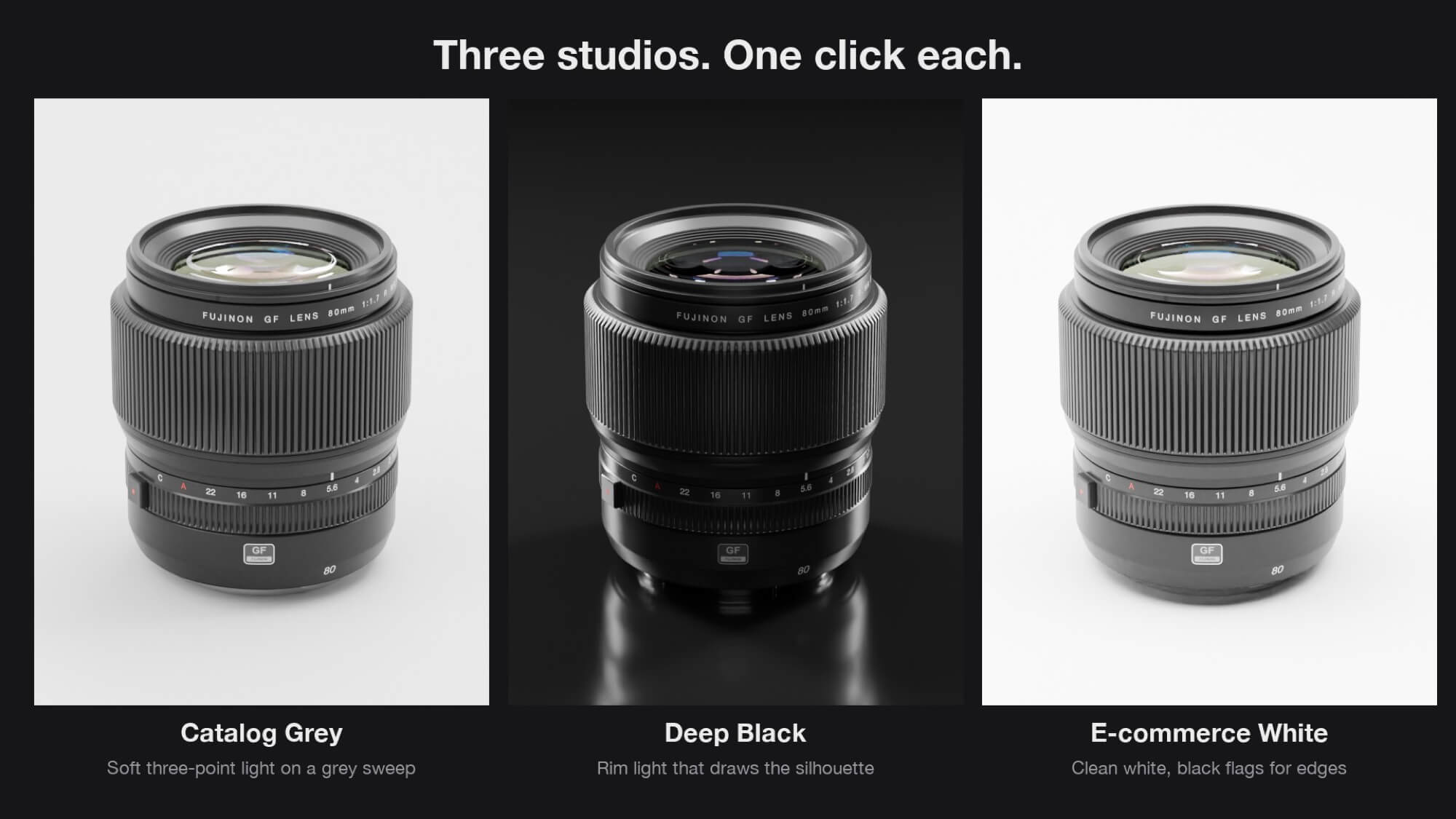
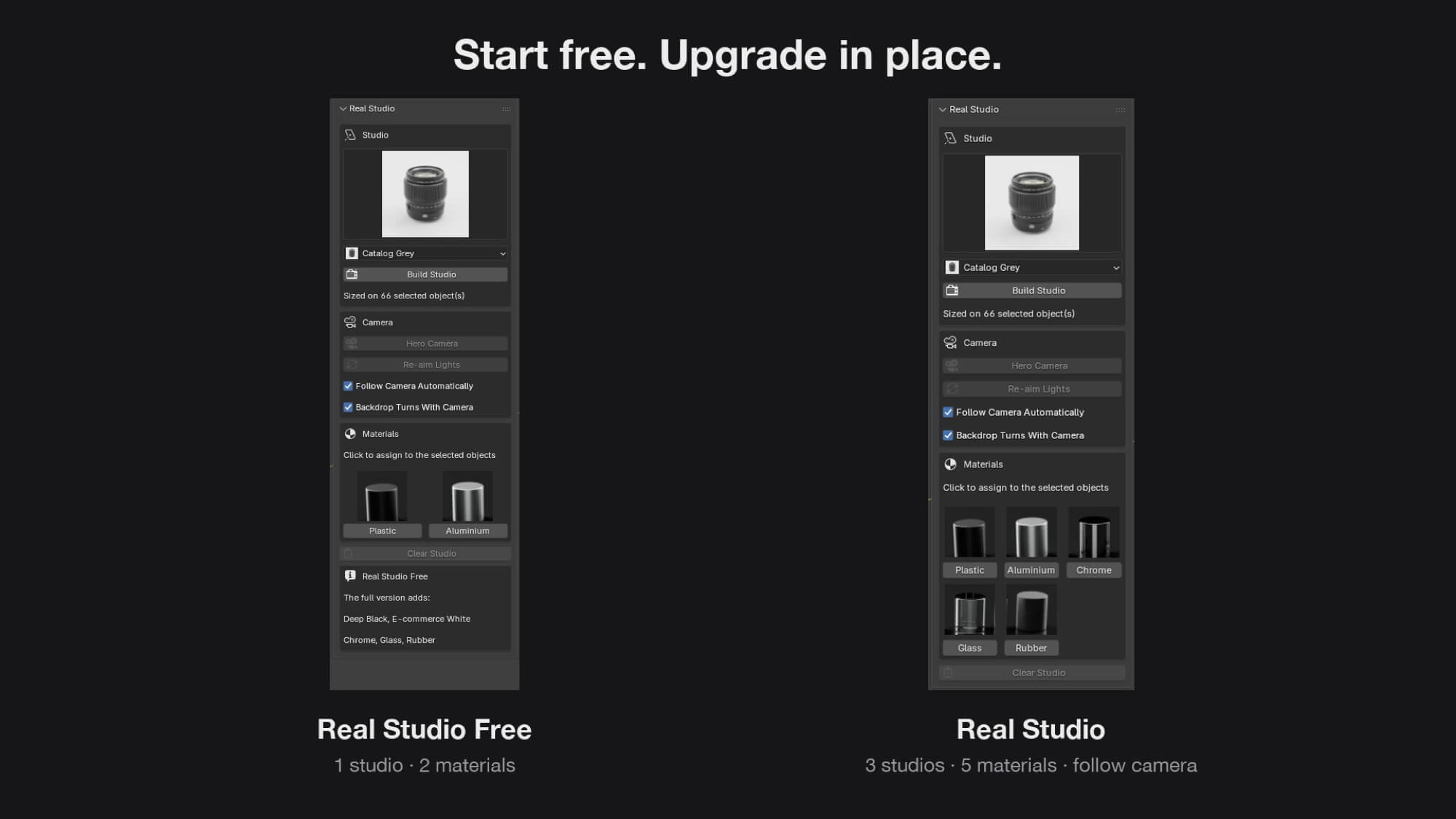
- 3 studio lighting setups, one click each
- Catalog Grey: soft three-point light on a grey sweep
- Deep Black: rim light that draws the silhouette on black
- E-commerce White: clean white with black flags that draw edges on chrome and glass
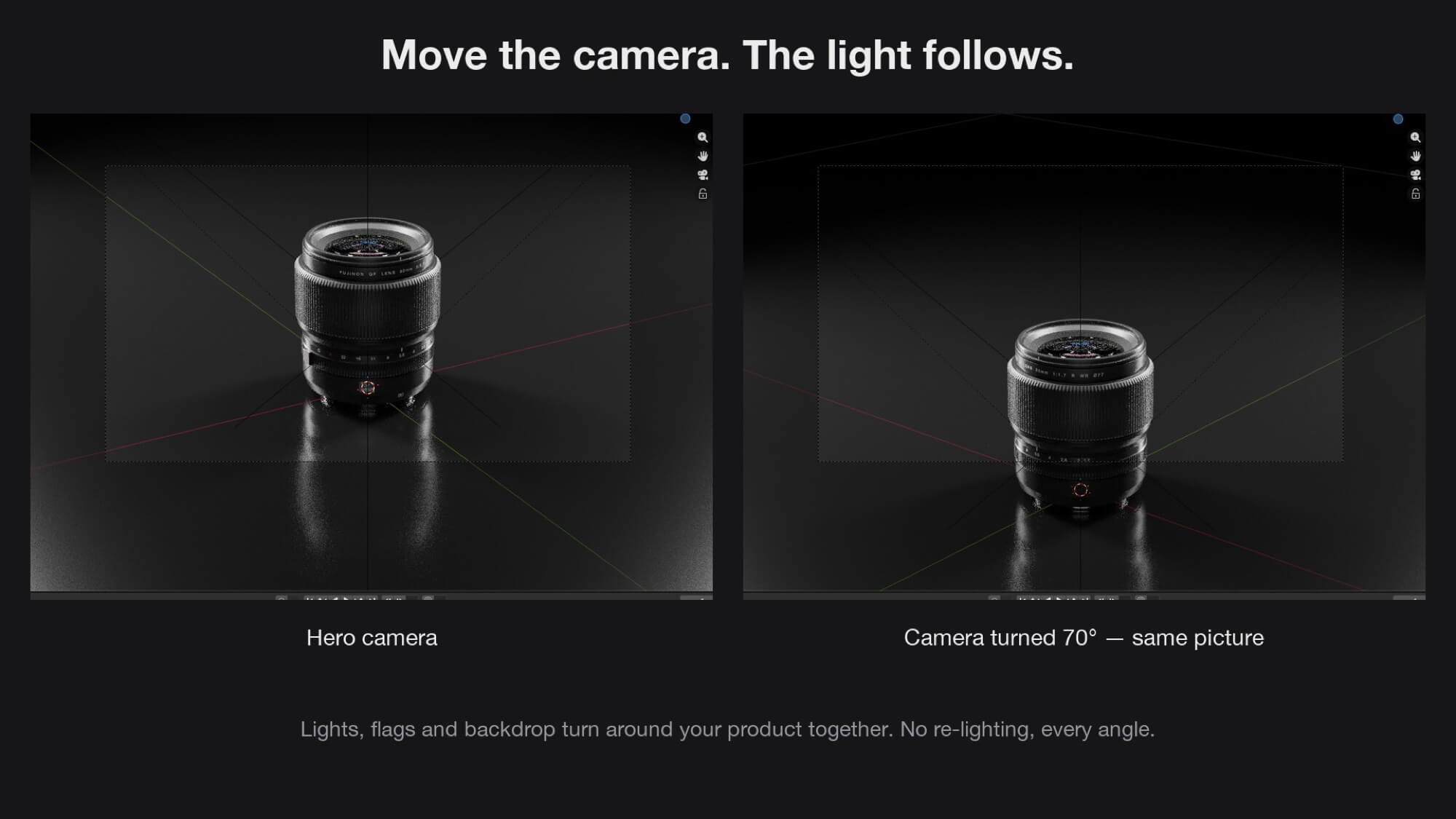
- Lights that follow the camera: orbit, change angle, the picture stays the same. No re-lighting.
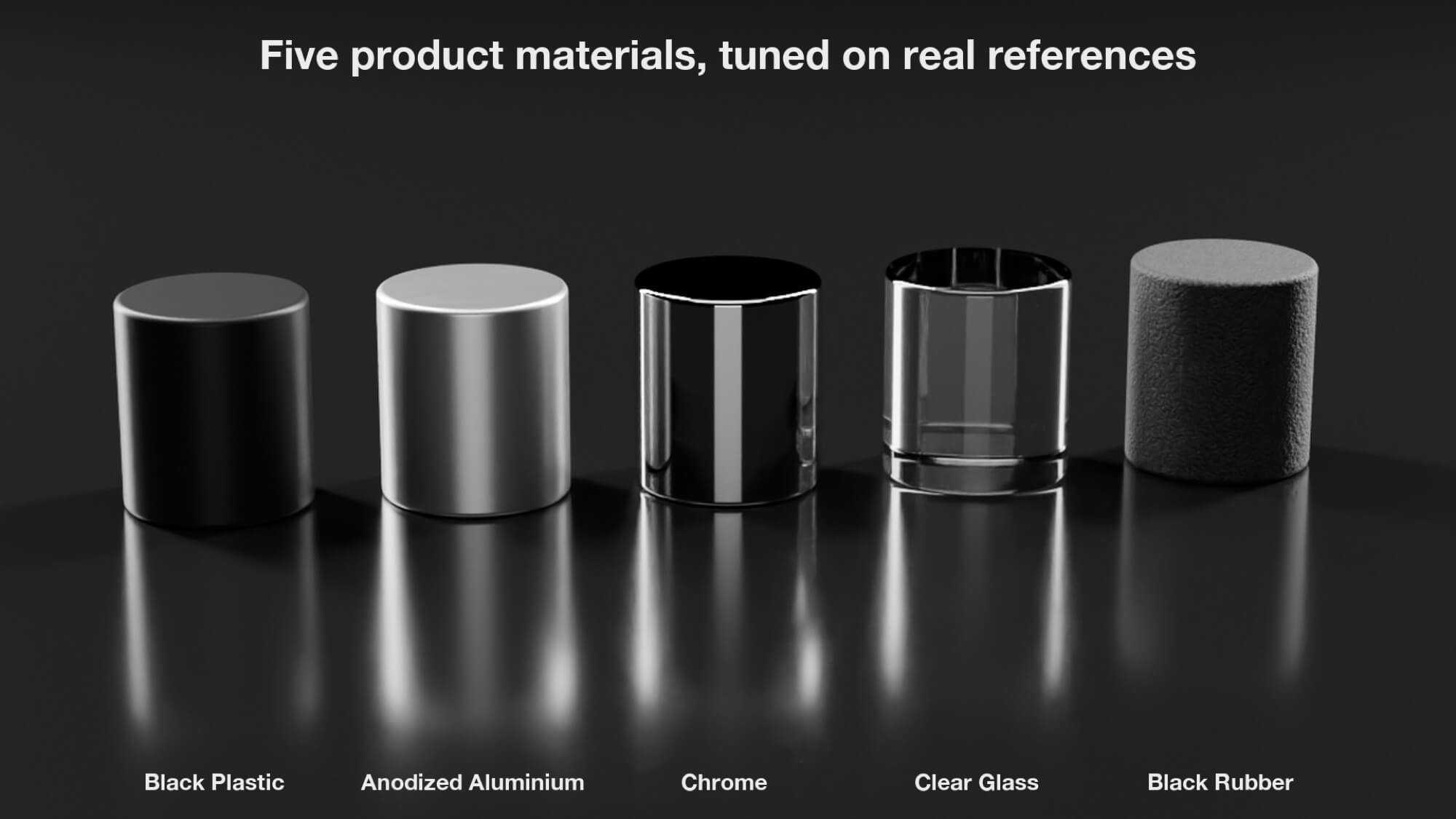
- 5 product materials, checked side by side with real photos: satin black plastic, satin anodized aluminium,
polished chrome, extra-clear glass, black rubber. Click to assign to everything selected.
- Hero Camera: a 3/4 product view at 100 mm, framed on your selection.
- Safe by design: your objects never move, Clear Studio removes only what Real Studio made,
your materials stay.
DETAILS
- Blender 4.5 LTS or newer — tested on 4.5 LTS, 5.0 and 5.1. Cycles.
- Installs as an extension: drag the .zip into Blender, or Edit › Preferences › Get Extensions › Install from Disk
- Panel: 3D Viewport › N sidebar › Real Studio
- Already using Real Studio Free? Install this over it: it replaces the free version, nothing to remove.
- Free updates: a new studio or material every month for the first months.
- Code GPL-3.0-or-later. All textures included, royalty-free under this product's licence.
Select your product, pick a studio, press Build. Real Studio sizes the backdrop, lights and flags on your object,
sets up Cycles for clean product photography, and gives you a hero camera framed for you.
WHAT YOU GET
- 3 studio lighting setups, one click each
- Catalog Grey: soft three-point light on a grey sweep
- Deep Black: rim light that draws the silhouette on black
- E-commerce White: clean white with black flags that draw edges on chrome and glass
- Lights that follow the camera: orbit, change angle, the picture stays the same. No re-lighting.
- 5 product materials, checked side by side with real photos: satin black plastic, satin anodized aluminium,
polished chrome, extra-clear glass, black rubber. Click to assign to everything selected.
- Hero Camera: a 3/4 product view at 100 mm, framed on your selection.
- Safe by design: your objects never move, Clear Studio removes only what Real Studio made,
your materials stay.
DETAILS
- Blender 4.5 LTS or newer — tested on 4.5 LTS, 5.0 and 5.1. Cycles.
- Installs as an extension: drag the .zip into Blender, or Edit › Preferences › Get Extensions › Install from Disk
- Panel: 3D Viewport › N sidebar › Real Studio
- Already using Real Studio Free? Install this over it: it replaces the free version, nothing to remove.
- Free updates: a new studio or material every month for the first months.
- Code GPL-3.0-or-later. All textures included, royalty-free under this product's licence.
Categories
