


 Free 3D
 3D Print Models
 3D Scans
 Animation & MoCap
 Textures
 Materials
 Skin Reference
 2D Game Assets
 Sound Effects
 Brushes & Tools
 Reference Photos
 Stock Images
 HDR Images
 3ds Max
 Maya
Maya Blender
 Unreal Engine
 Unity
Unity ZBrush
 Cinema 4D
 LightWave
 Marmoset
 SketchUp
 FBX
FBX DAE
DAE DXF
DXF GLB
GLB
Multiple Content Libraries for Daz3D

5.0 Stars |3 Ratings



This Item Was Made Using
! REPORT
NOTE: DIGITAL DOWNLOAD, NOT A PHYSICAL ITEM

Add to Collection

3 Likes
Share This Daz Content


Offered By

Hello Artists! I’m Heiwa from Heiwa Interactive Arts.
I create 3D assets and helpful scripts designed to make the creative process faster and easier for artists. My work is mainly focused on:
Blender,
DAZ Studio,
Unreal Engine
If you need custom assets, tools, or scripts that can speed up your workflow and help you create more efficiently, feel free to contact me.
Have fun creating!
I create 3D assets and helpful scripts designed to make the creative process faster and easier for artists. My work is mainly focused on:
Blender,
DAZ Studio,
Unreal Engine
If you need custom assets, tools, or scripts that can speed up your workflow and help you create more efficiently, feel free to contact me.
Have fun creating!
Vendor's Pages


License
Extended Use License
This item comes with our Extended Use Licensing. This means that you may use the model for both non-commercial and commercial purposes, in a variety of mediums and applications.
For full license terms, see our 3D Content Licensing Agreement
Item Details
| Vendor: | Heiwa Interactive Arts |
| Published: | Sep 08, 2026 |
| Download Size: | 269.9 KB |
| Software: | Daz Studio |
| Compatible Figure: | Original Daz Figure |
| dForce: | – |
Included Formats

Statistics
| Favorites: | 2 |
| Likes: | 3 |
| Views: | 705 |
Item Ratings
3 Ratings5 Stars|Oct 21, 2026
Works perfect.
5 Stars|Oct 18, 2026
This is GREAT! For example, I can leave OPEN a 2nd content tab on the shoes, allowing resetting the foot pose after any full-body change. Also, a 3rd tab on my large face expression collection.
5 Stars|Sep 10, 2026
This was a feature I had wanted ever since I started using DAZ. I thank Heiwa Interactive Arts for listening to my suggestion and creating such a plugin.
Multiple Content Libraries for Daz3D
Multiple Content Libraries V1.1 for Daz3D
Windows only (Windows 10/11), for DAZ Studio 4.5-4.x (64-bit and 32-bit) and
DAZ Studio 6.25 / 6.26.
PLEASE READ THIS FIRST - IF YOU ARE ON DAZ STUDIO 6
DAZ Studio 6 can already do part of this by itself: right-click a pane's tab,
duplicate it, then right-click the copy and detach it. Try that first. If it
does what you need, you do not need this plugin.
I did not know about that option while building this.
This plugin is therefore mainly for DAZ Studio 4.5-4.x, which has no such
option at all. The favourite tabs (see below) work in DAZ Studio 6 as well.
•AI was used for image creation and coding.
V1.1 CHANGES
• Favourite tabs - bookmarks for your folders. Every pane gets its own row
of tabs: click + to add the folder you are in, click a tab to jump back
there, right-click it to rename it, colour it, move it or delete it.
• Support for 32-bit DAZ Studio 4: a separate 32-bit build is now included.
• Support for DAZ Studio 6.26: one Daz 6 file now works in both DAZ Studio
6.25 and 6.26 (DAZ Studio 6.26 does not load the V1.0 file).
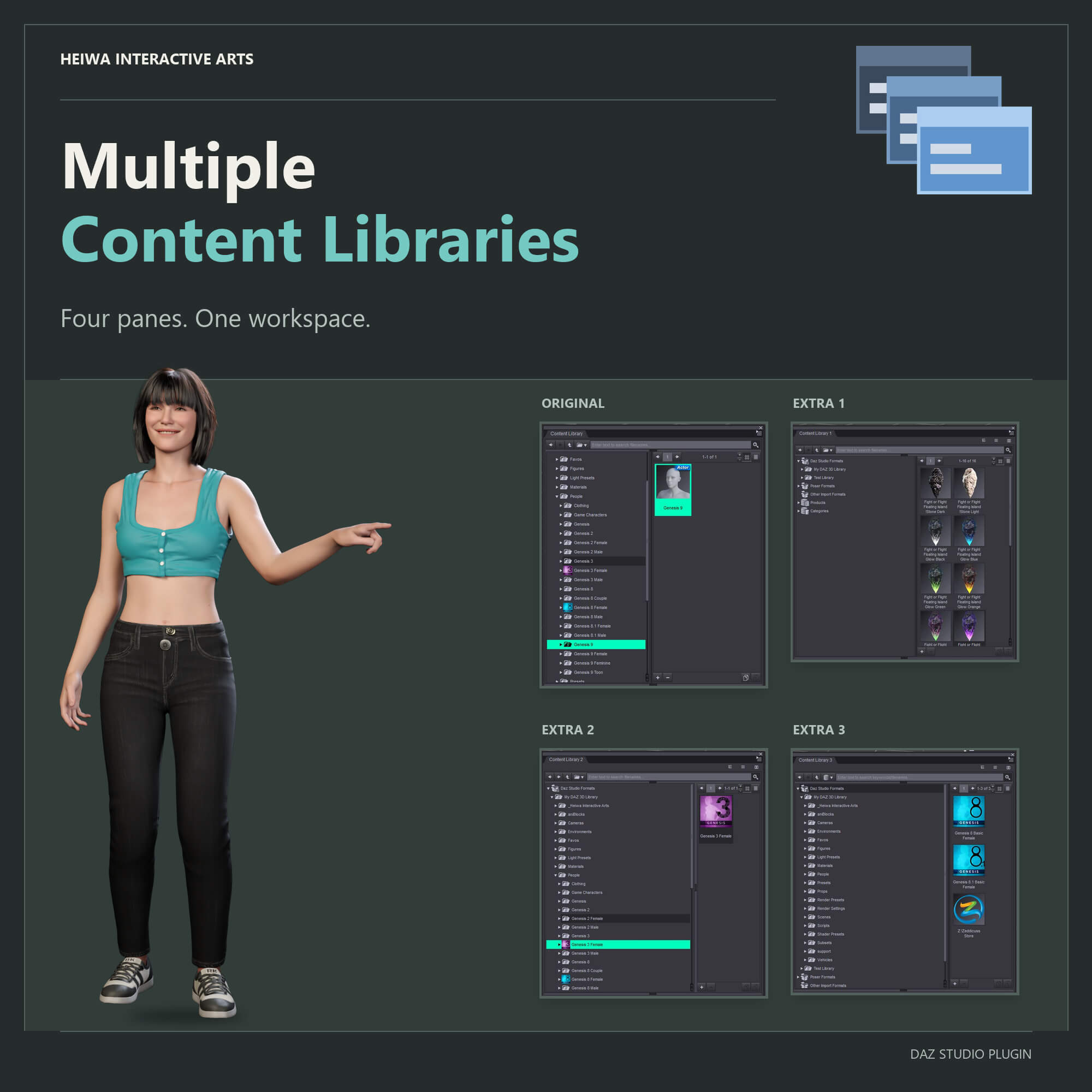
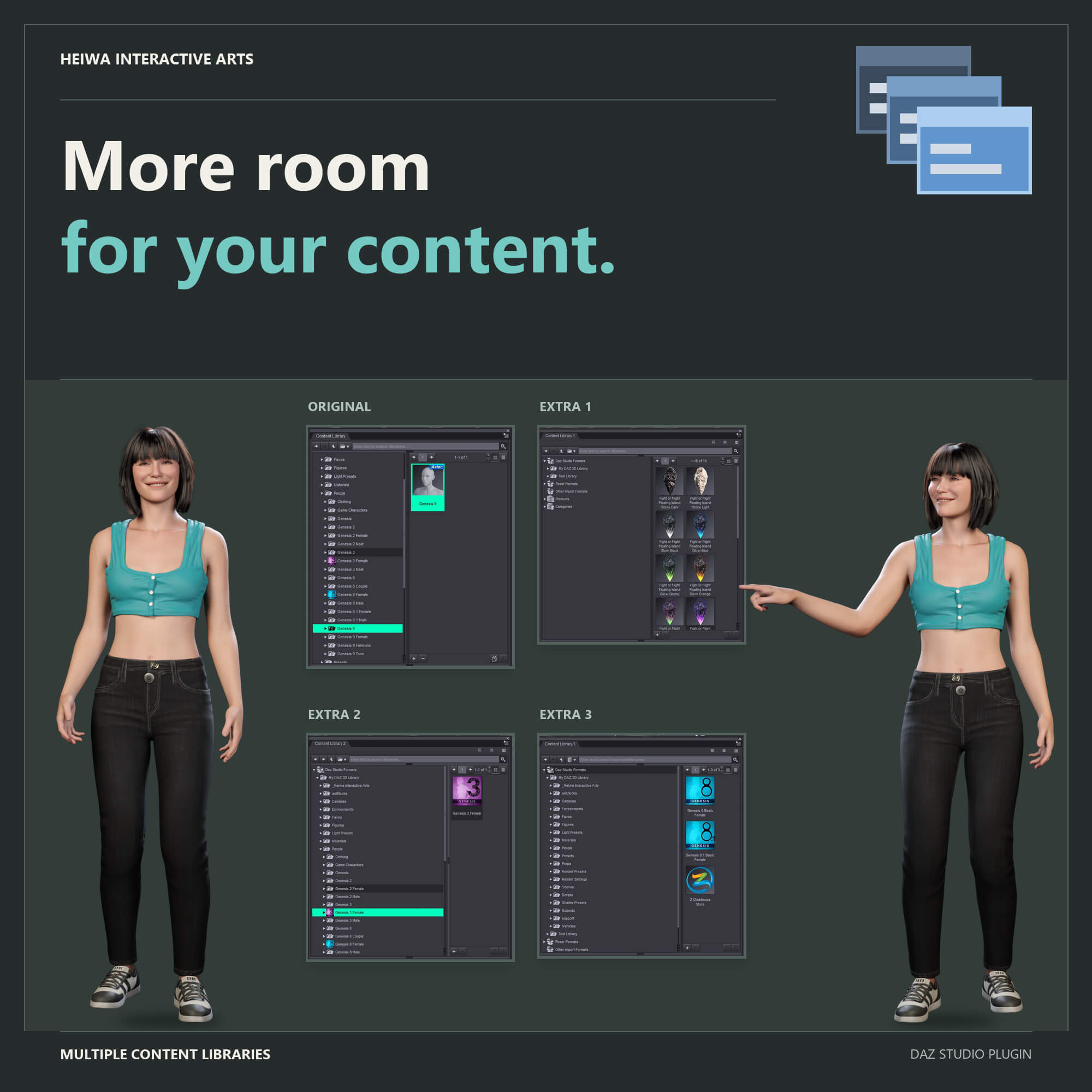
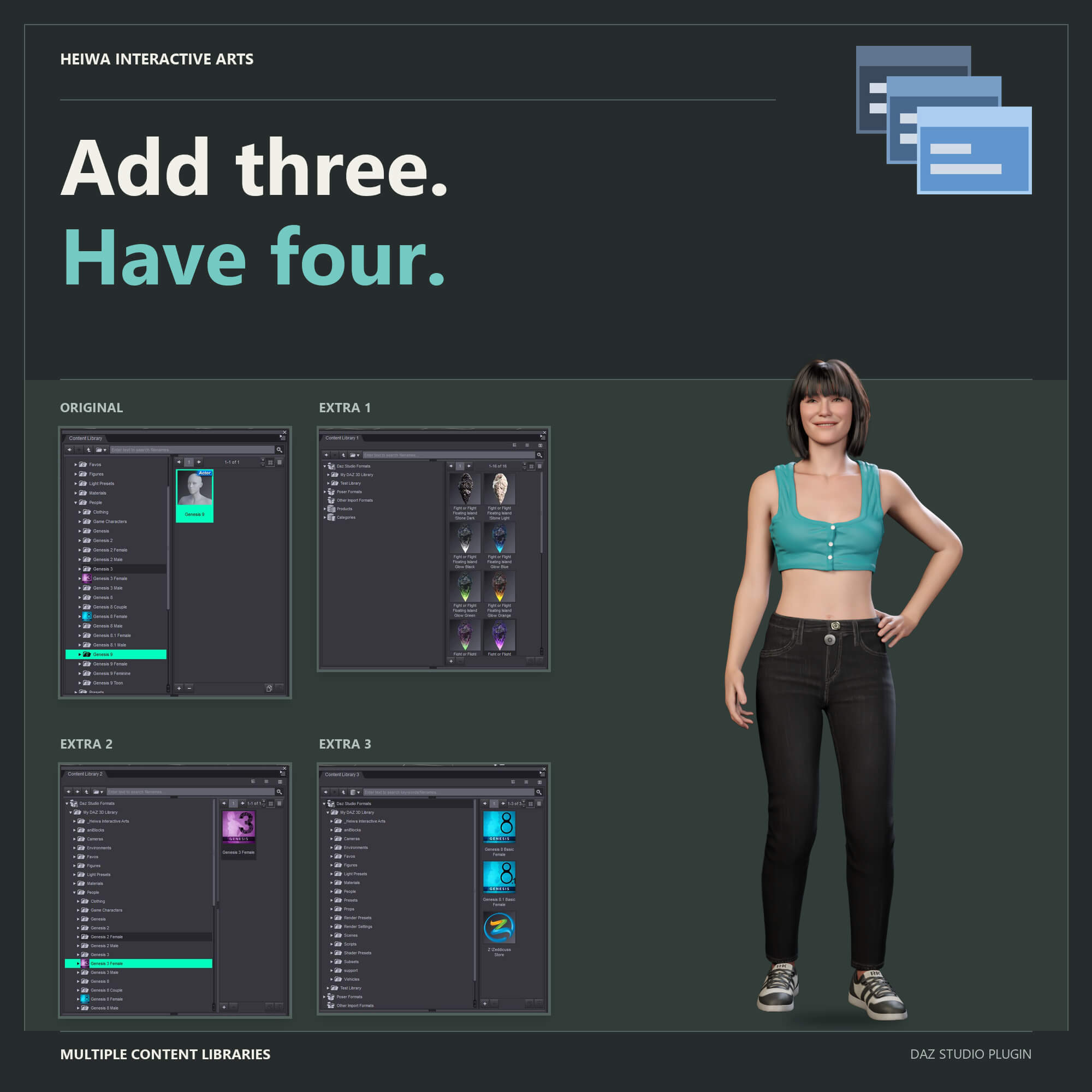
Multiple Content Libraries - Up To Three Extra Content Library Panes For DAZ Studio
Open up to three additional Content Library panes in DAZ Studio - real copies
of Daz's own pane, dockable anywhere, each one on its own folder, product or
category, each with its own favourite tabs. Stop clicking back and forth in a
single library.
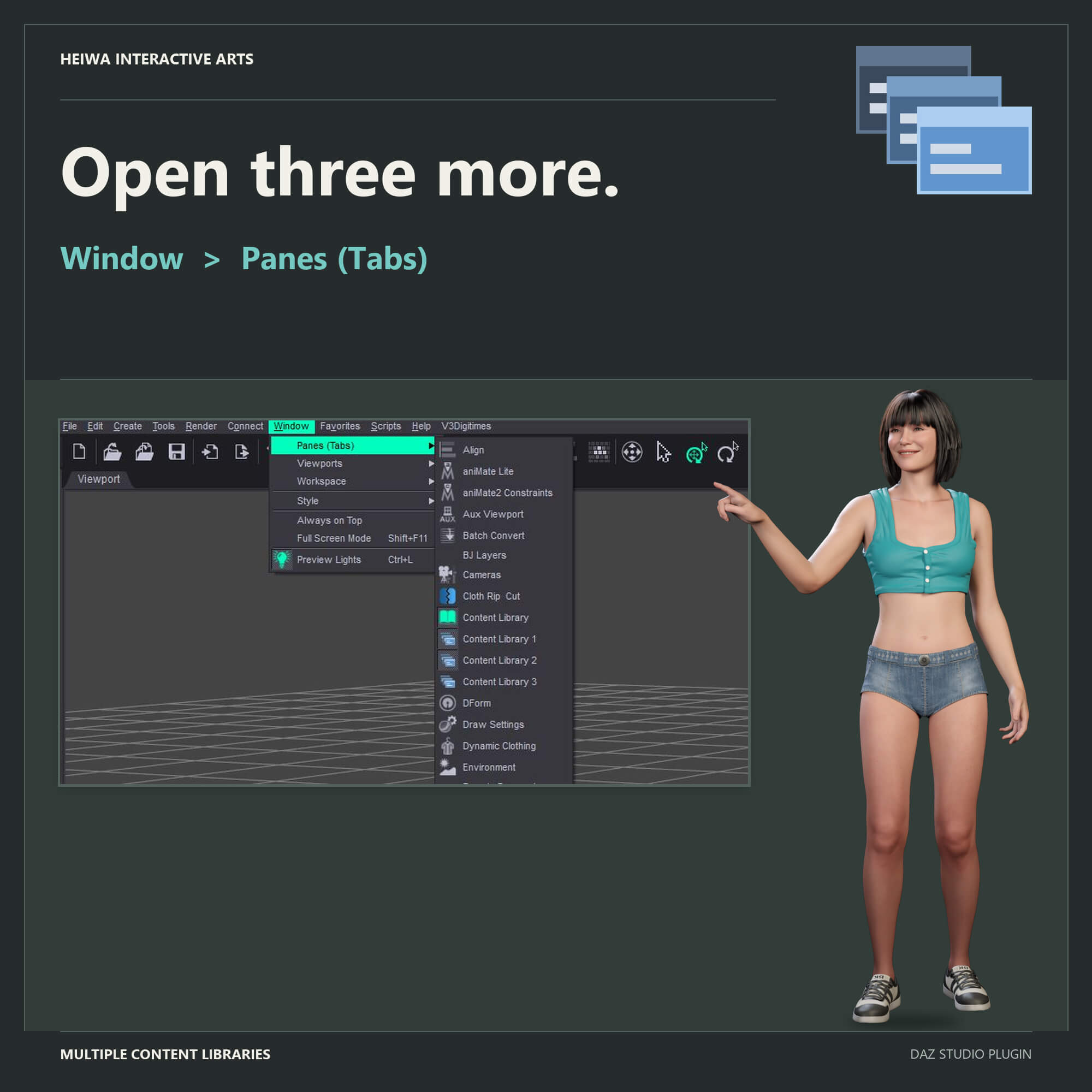
• Three permanent entries, Content Library 1, 2 and 3, in Window > Panes
(Tabs), opened like any other pane.
• Favourite tabs on every pane: named, coloured bookmarks that take you back
to a folder with one click.
• Tree / List / Side By Side buttons on each pane, so every library can have
a different layout.
• Each pane remembers its folder, view mode and panel sizes per Daz layout.
• Off-screen rescue for floating panes when the display setup changes.
ONE CONTENT LIBRARY WAS NEVER ENOUGH.
Characters here, clothing there, poses somewhere else, and the props for the
current scene in a fourth place - and DAZ Studio 4 gives you exactly one
Content Library pane to reach all of it. Every switch means clicking back up
the tree and losing your place. Multiple Content Libraries ends that: it adds
Content Library 1, 2 and 3 to Window > Panes (Tabs), and each of them is an
additional instance of Daz's own Content Library pane.
EVERY PANE ON ITS OWN
• Each pane keeps its own current folder, selection and search.
• Each pane has its own Tree / List / Side By Side buttons, so one library
can be a tree, the next a column list, the third side by side.
• Each pane remembers its folder, view mode and panel sizes per Daz layout
and brings them back after a restart - even panes that stayed in the
background all session.
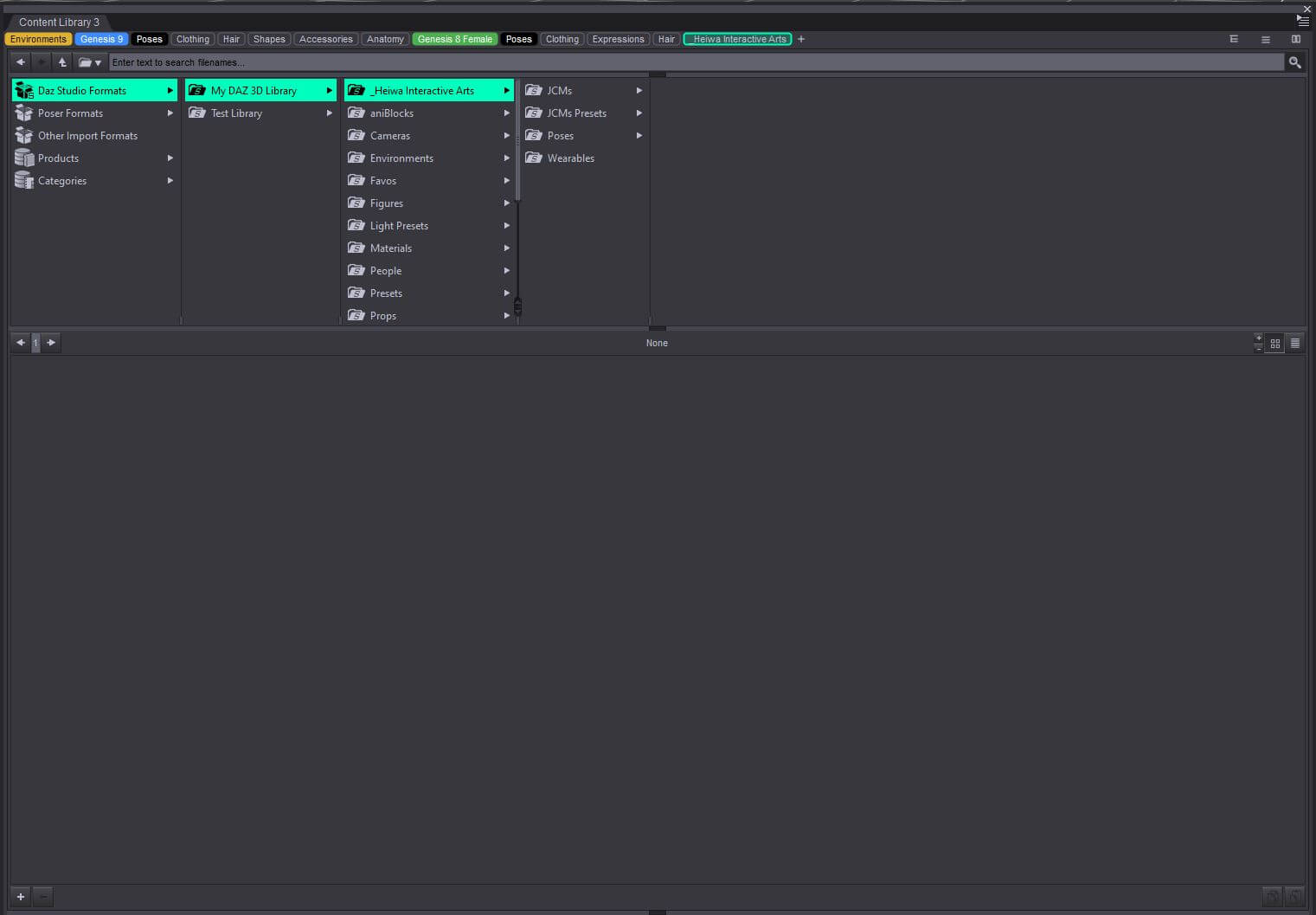
FAVOURITE TABS - BOOKMARKS FOR YOUR FOLDERS
• Click + and the folder you are in becomes a tab, named after the folder.
• Click a tab and the pane jumps straight back to that folder. The tab of
the folder you are in is outlined.
• Right-click a tab to rename it, give it one of ten colours or any colour
you like, point it at the folder you are in, move it or delete it.
• Works for folders, categories and products. Up to 30 tabs per pane, every
pane has its own, and they are still there after a restart.
• More tabs than the pane is wide? The rest wait behind a button.
DOCK IT ANYWHERE
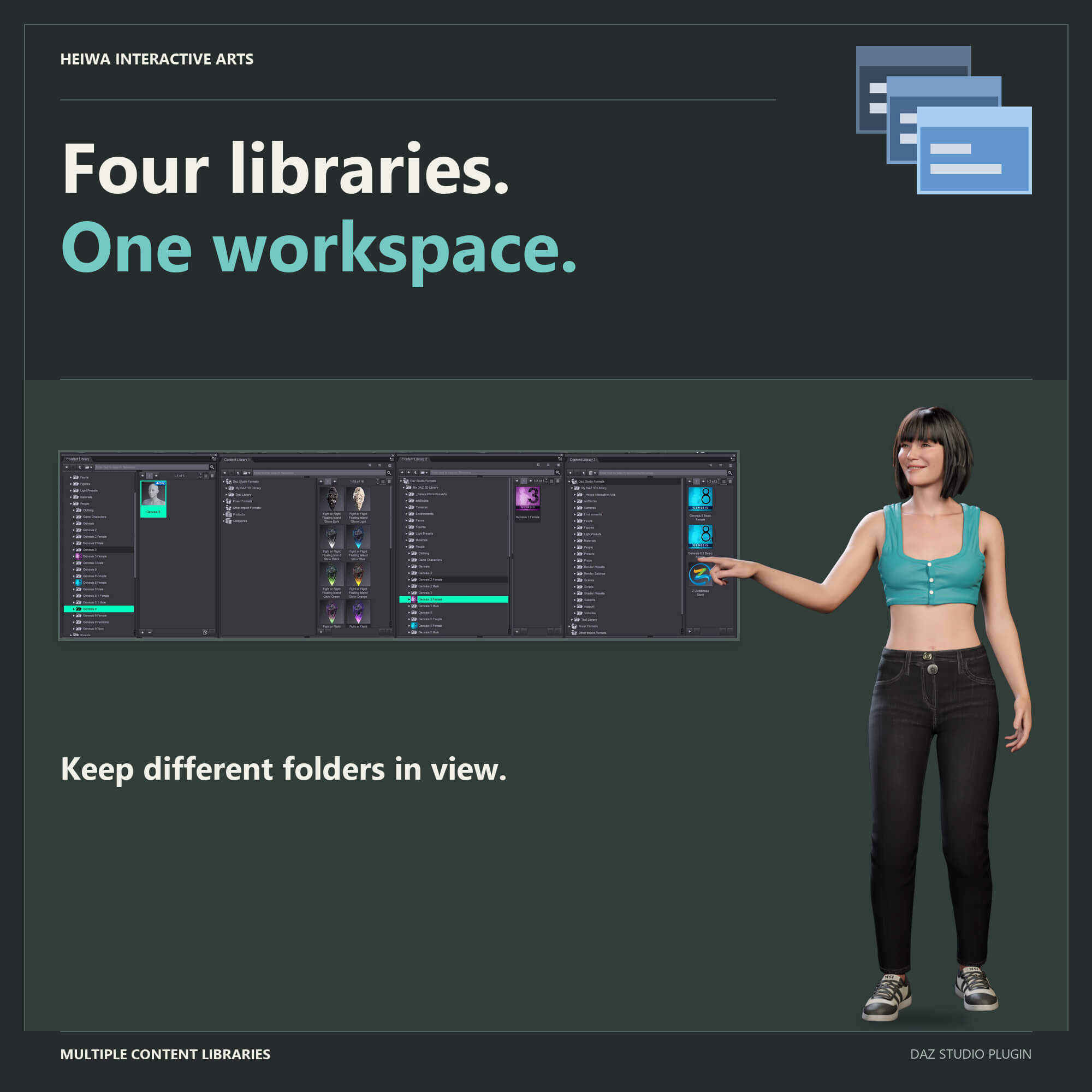
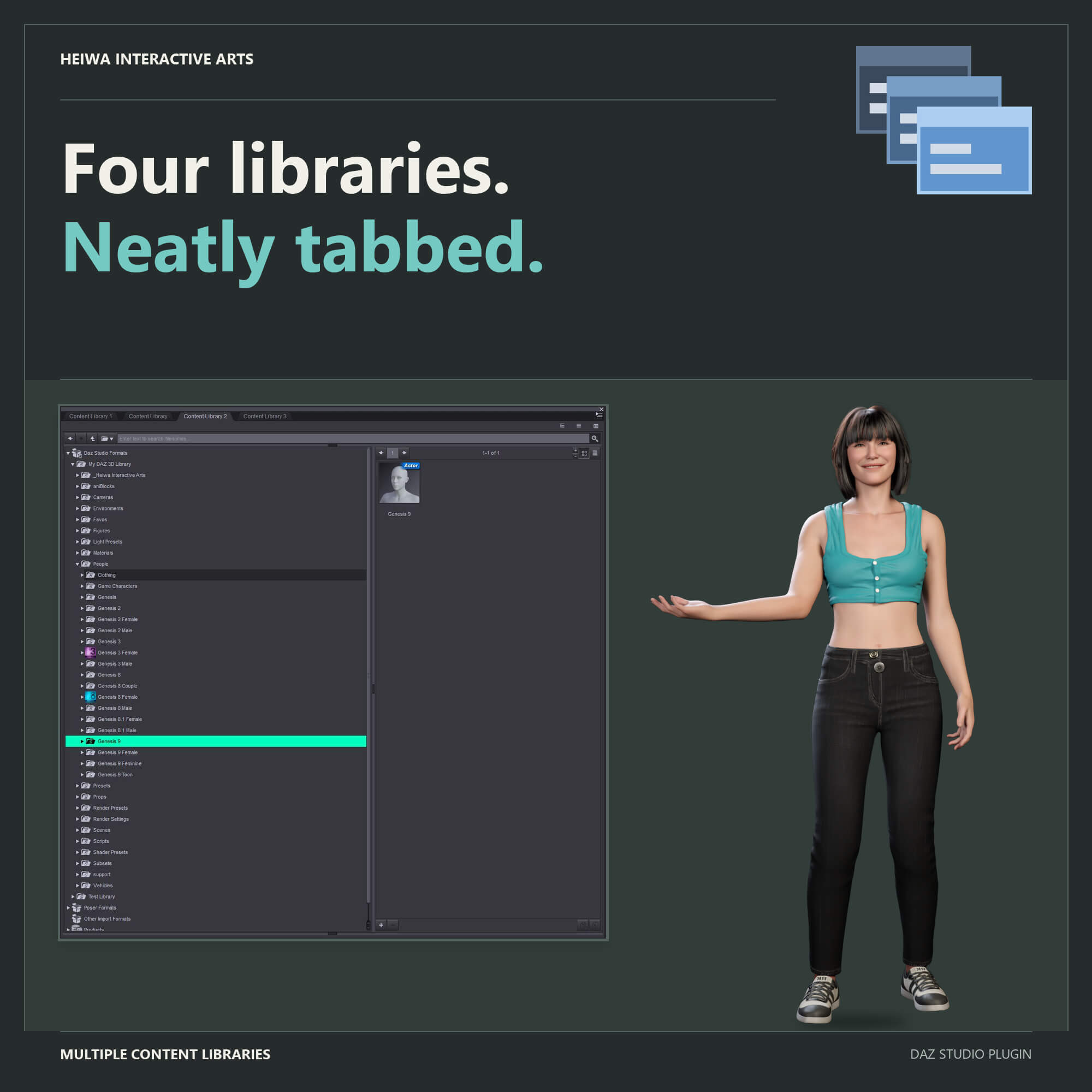
• Tab the new panes next to the original, dock them in any pane group, or
float them on a second monitor - Daz remembers the arrangement.
• Off-screen rescue: change resolution, unplug a monitor, undock a laptop -
a floating pane that would be stranded off screen is moved back to the
main display automatically.
WORKS EVERYWHERE
• DAZ Studio 4.5-4.x (64-bit and 32-bit) AND DAZ Studio 6.25 / 6.26: three
native plugin builds in one package - one for 64-bit Daz 4, one for 32-bit
Daz 4, and one Daz 6 file for both 6.25 and 6.26.
• Windows 10 / 11, 64-bit.
• Nothing in Daz Studio is modified. One DLL in the plugins folder, that's
the whole install.
• If Daz ever cannot provide another Content Library pane, that pane shows
a simpler built-in browser instead, with a Try Again button.
Four content libraries. Your favourite folders one click away. Never lose
your place again.
Made by Heiwa Interactive Arts.
Windows only (Windows 10/11), for DAZ Studio 4.5-4.x (64-bit and 32-bit) and
DAZ Studio 6.25 / 6.26.
PLEASE READ THIS FIRST - IF YOU ARE ON DAZ STUDIO 6
DAZ Studio 6 can already do part of this by itself: right-click a pane's tab,
duplicate it, then right-click the copy and detach it. Try that first. If it
does what you need, you do not need this plugin.
I did not know about that option while building this.
This plugin is therefore mainly for DAZ Studio 4.5-4.x, which has no such
option at all. The favourite tabs (see below) work in DAZ Studio 6 as well.
•AI was used for image creation and coding.
V1.1 CHANGES
• Favourite tabs - bookmarks for your folders. Every pane gets its own row
of tabs: click + to add the folder you are in, click a tab to jump back
there, right-click it to rename it, colour it, move it or delete it.
• Support for 32-bit DAZ Studio 4: a separate 32-bit build is now included.
• Support for DAZ Studio 6.26: one Daz 6 file now works in both DAZ Studio
6.25 and 6.26 (DAZ Studio 6.26 does not load the V1.0 file).
Multiple Content Libraries - Up To Three Extra Content Library Panes For DAZ Studio
Open up to three additional Content Library panes in DAZ Studio - real copies
of Daz's own pane, dockable anywhere, each one on its own folder, product or
category, each with its own favourite tabs. Stop clicking back and forth in a
single library.
• Three permanent entries, Content Library 1, 2 and 3, in Window > Panes
(Tabs), opened like any other pane.
• Favourite tabs on every pane: named, coloured bookmarks that take you back
to a folder with one click.
• Tree / List / Side By Side buttons on each pane, so every library can have
a different layout.
• Each pane remembers its folder, view mode and panel sizes per Daz layout.
• Off-screen rescue for floating panes when the display setup changes.
ONE CONTENT LIBRARY WAS NEVER ENOUGH.
Characters here, clothing there, poses somewhere else, and the props for the
current scene in a fourth place - and DAZ Studio 4 gives you exactly one
Content Library pane to reach all of it. Every switch means clicking back up
the tree and losing your place. Multiple Content Libraries ends that: it adds
Content Library 1, 2 and 3 to Window > Panes (Tabs), and each of them is an
additional instance of Daz's own Content Library pane.
EVERY PANE ON ITS OWN
• Each pane keeps its own current folder, selection and search.
• Each pane has its own Tree / List / Side By Side buttons, so one library
can be a tree, the next a column list, the third side by side.
• Each pane remembers its folder, view mode and panel sizes per Daz layout
and brings them back after a restart - even panes that stayed in the
background all session.
FAVOURITE TABS - BOOKMARKS FOR YOUR FOLDERS
• Click + and the folder you are in becomes a tab, named after the folder.
• Click a tab and the pane jumps straight back to that folder. The tab of
the folder you are in is outlined.
• Right-click a tab to rename it, give it one of ten colours or any colour
you like, point it at the folder you are in, move it or delete it.
• Works for folders, categories and products. Up to 30 tabs per pane, every
pane has its own, and they are still there after a restart.
• More tabs than the pane is wide? The rest wait behind a button.
DOCK IT ANYWHERE
• Tab the new panes next to the original, dock them in any pane group, or
float them on a second monitor - Daz remembers the arrangement.
• Off-screen rescue: change resolution, unplug a monitor, undock a laptop -
a floating pane that would be stranded off screen is moved back to the
main display automatically.
WORKS EVERYWHERE
• DAZ Studio 4.5-4.x (64-bit and 32-bit) AND DAZ Studio 6.25 / 6.26: three
native plugin builds in one package - one for 64-bit Daz 4, one for 32-bit
Daz 4, and one Daz 6 file for both 6.25 and 6.26.
• Windows 10 / 11, 64-bit.
• Nothing in Daz Studio is modified. One DLL in the plugins folder, that's
the whole install.
• If Daz ever cannot provide another Content Library pane, that pane shows
a simpler built-in browser instead, with a Try Again button.
Four content libraries. Your favourite folders one click away. Never lose
your place again.
Made by Heiwa Interactive Arts.
