


 Free 3D
 3D Print Models
 3D Scans
 Animation & MoCap
 Textures
 Materials
 Skin Reference
 2D Game Assets
 Sound Effects
 Brushes & Tools
 Reference Photos
 Stock Images
 HDR Images
 3ds Max
 Maya
 Blender
 Unreal Engine
 Unity
 ZBrush
 Cinema 4D
 LightWave
 Marmoset
 SketchUp
 FBX
 DAE
 DXF
 GLB
Scene Packer

Not Rated Yet


! REPORT
NOTE: DIGITAL DOWNLOAD, NOT A PHYSICAL ITEM

Add to Collection

0 Likes
Share This


Offered By


License
Extended Use License
This item comes with our Extended Use Licensing. This means that you may use the model for both non-commercial and commercial purposes, in a variety of mediums and applications.
For full license terms, see our 3D Content Licensing Agreement
Item Details
| Offered By: | JRStudio |
| Published: | Nov 10, 2026 |
| Download Size: | 11.9 MB |
| Compatible With: | Daz Studio |
Included Formats

Statistics
| Favorites: | 0 |
| Likes: | 0 |
| Views: | 20 |
Item Ratings
Not Rated Yet
Scene Packer
High-speed scene packing. Powerful resource tracking.
Bring your Daz Studio scene and its detected resources together in one organized content-library folder. Scene Packer by JStudio combines parallel analysis, reusable dependency caching and focused morph collection to make scene backup and transfer easier.
From a character with clothing and hair to an environment with external textures, Scene Packer follows the saved scene's file references and reports what was collected, what is missing and what needs attention.
BUILT FOR EFFICIENT COLLECTION
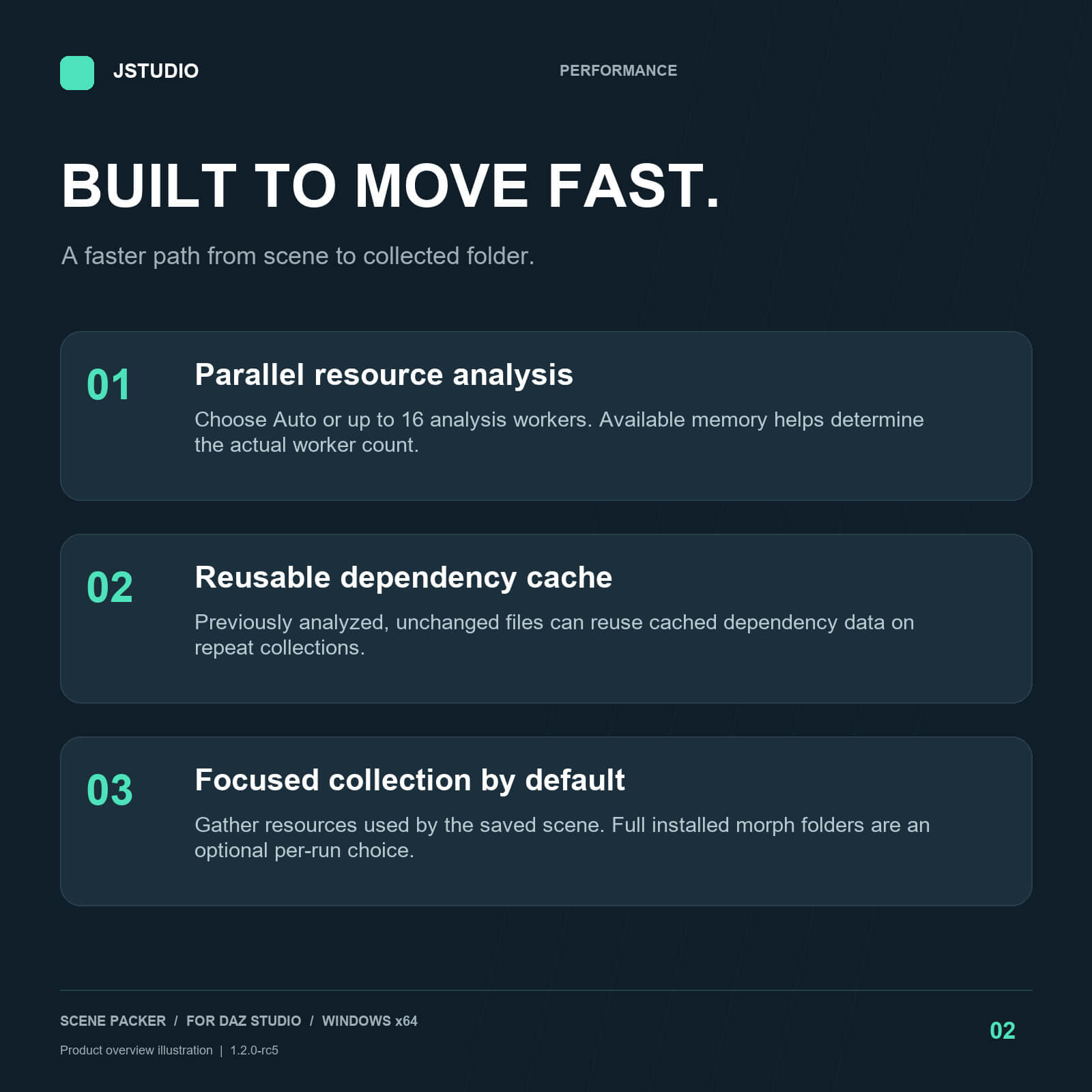
- Parallel resource analysis: Auto selects a worker count based on your processor and available memory, with a maximum of 16 analysis processes. Manual limits of 1, 2, 4, 8 or 16 are also available.
- Reusable dependency cache: previously analyzed, unchanged files can reuse cached dependency information on later collections.
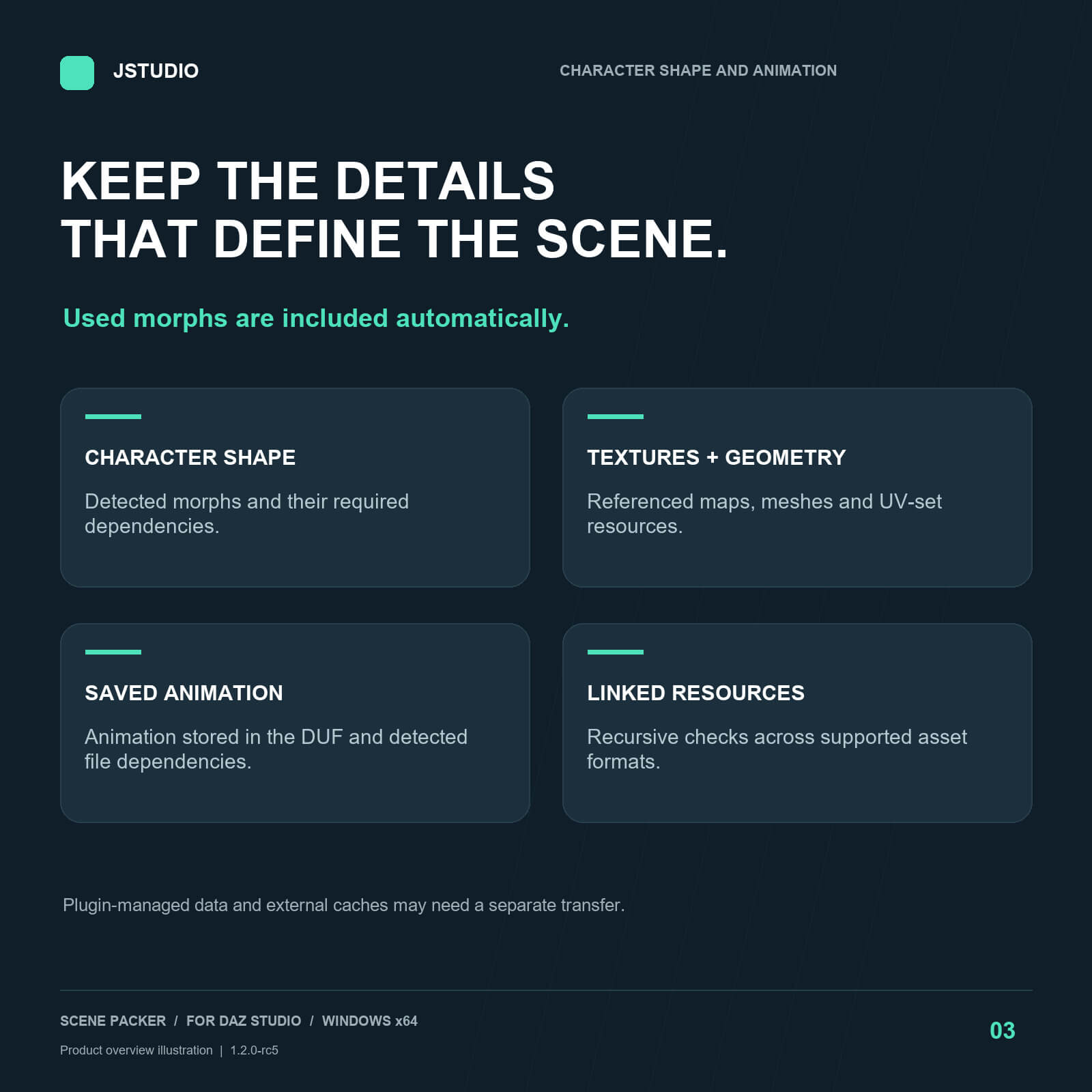
- Used morphs included automatically: normal collection focuses on the saved character, poses and animation, while retaining uncertain dependencies conservatively.
- Optional full morph collection: include unused installed morphs only when you deliberately need the additional files. This option starts OFF for every collection.
- File verification: source and copied-file checksums help detect transfer problems.
SCENES, ANIMATION AND RESOURCES
Collect the saved DUF scene together with detected textures, geometry, UV sets, morph files and other supported dependencies. Animation data stored in the DUF travels with the scene, and morph dependency analysis accounts for saved animation.
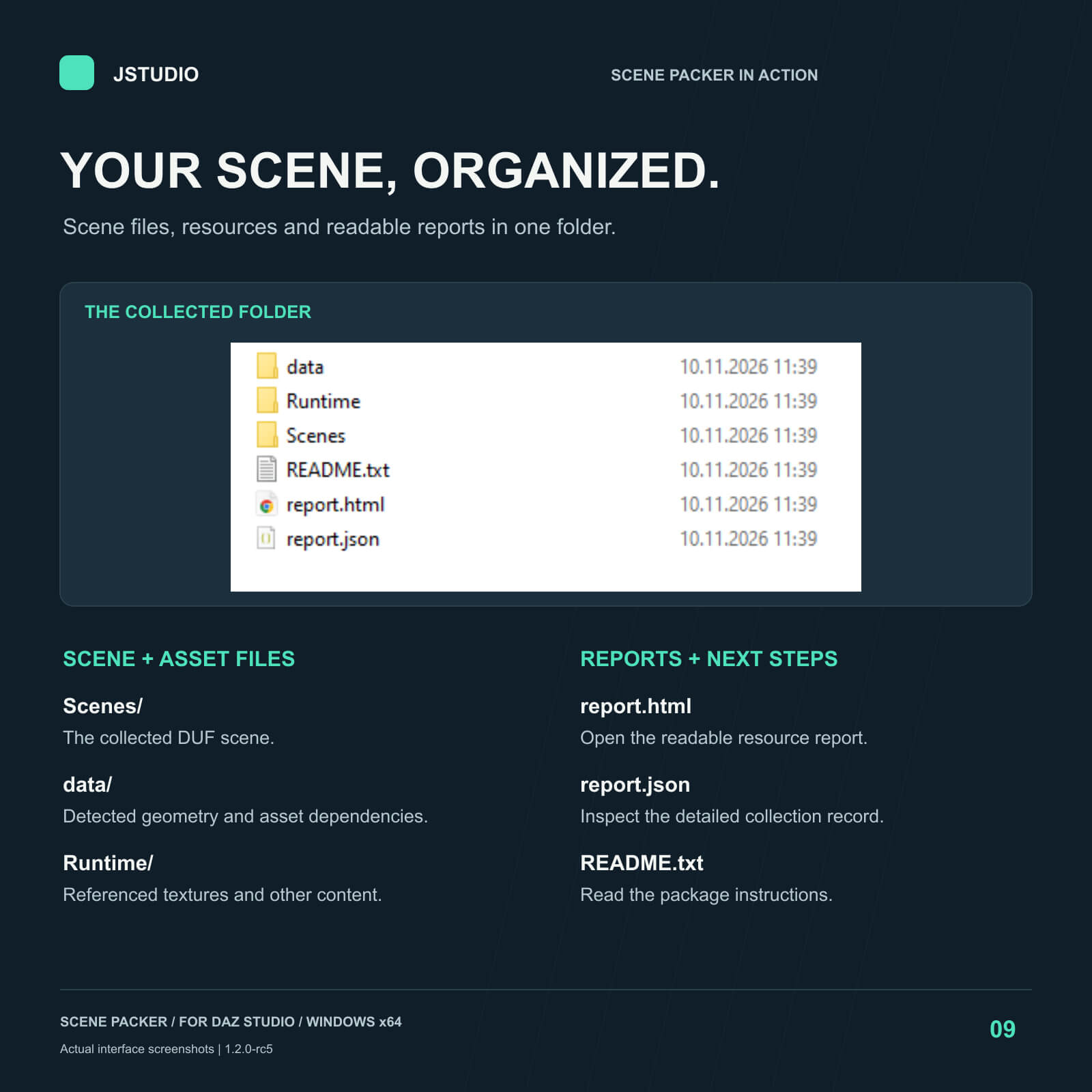
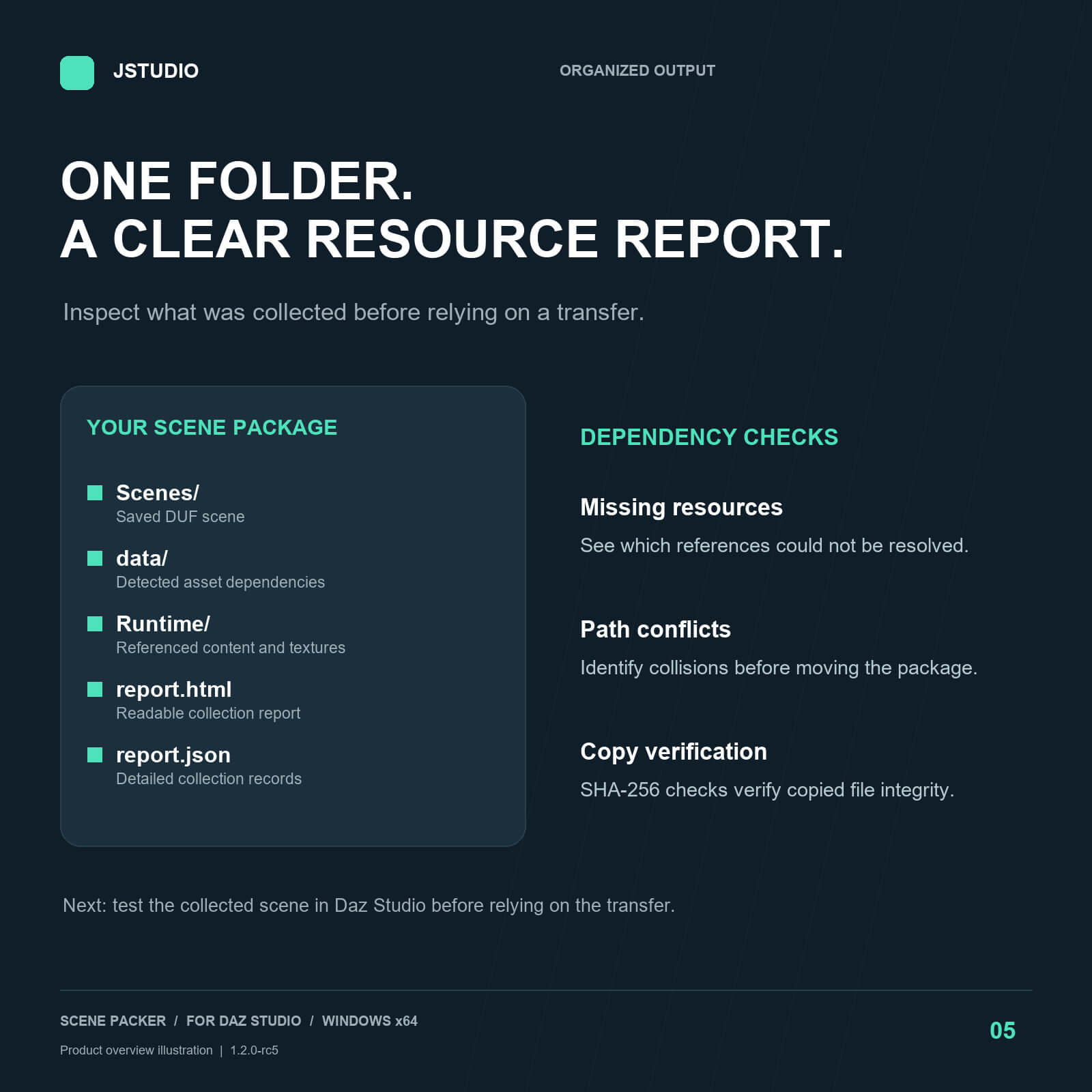
Each run creates a new timestamped folder, preserving the content-library structure used by Daz Studio. Output is a folder, with no scene ZIP created by the normal workflow.
ONE CONTINUOUS WORKFLOW
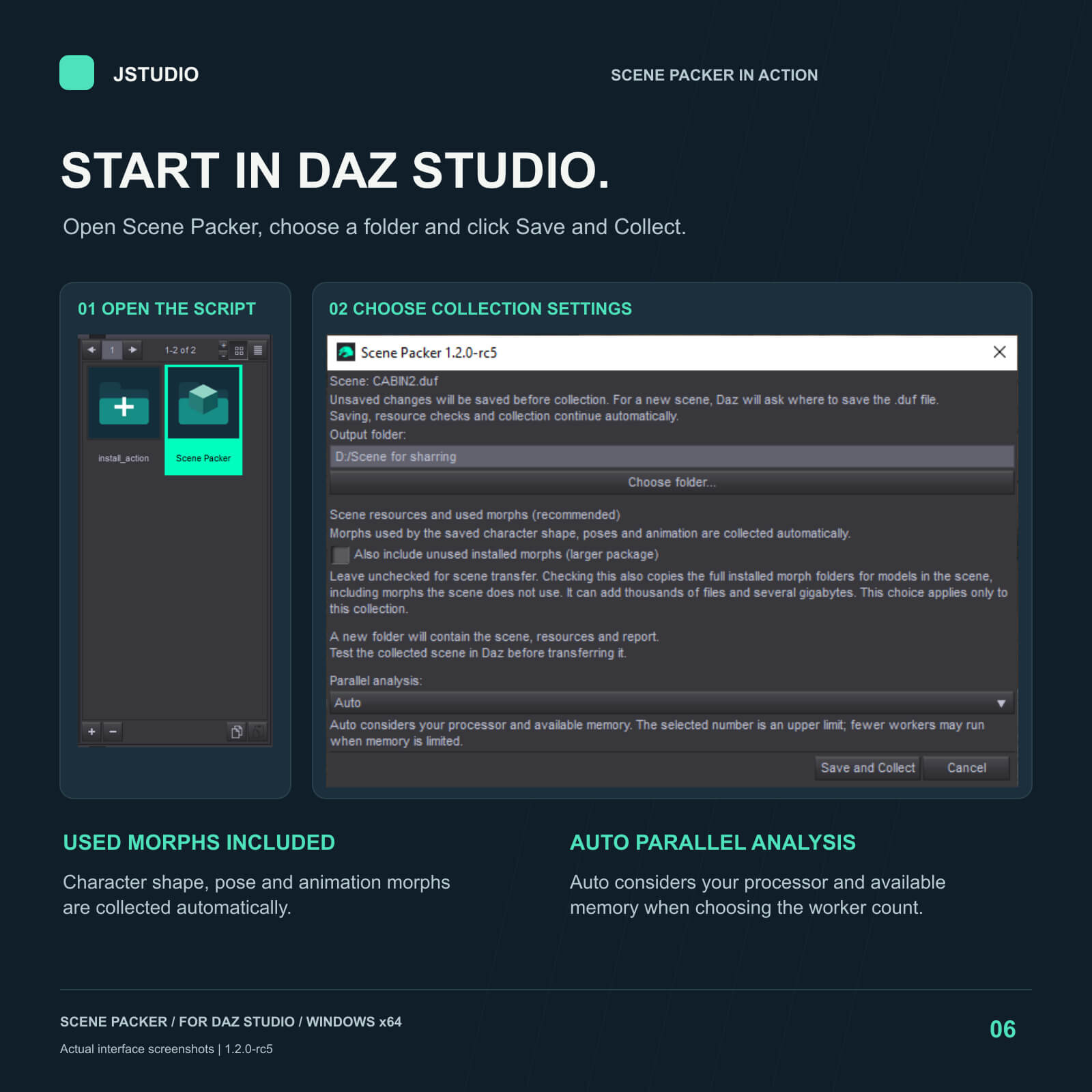
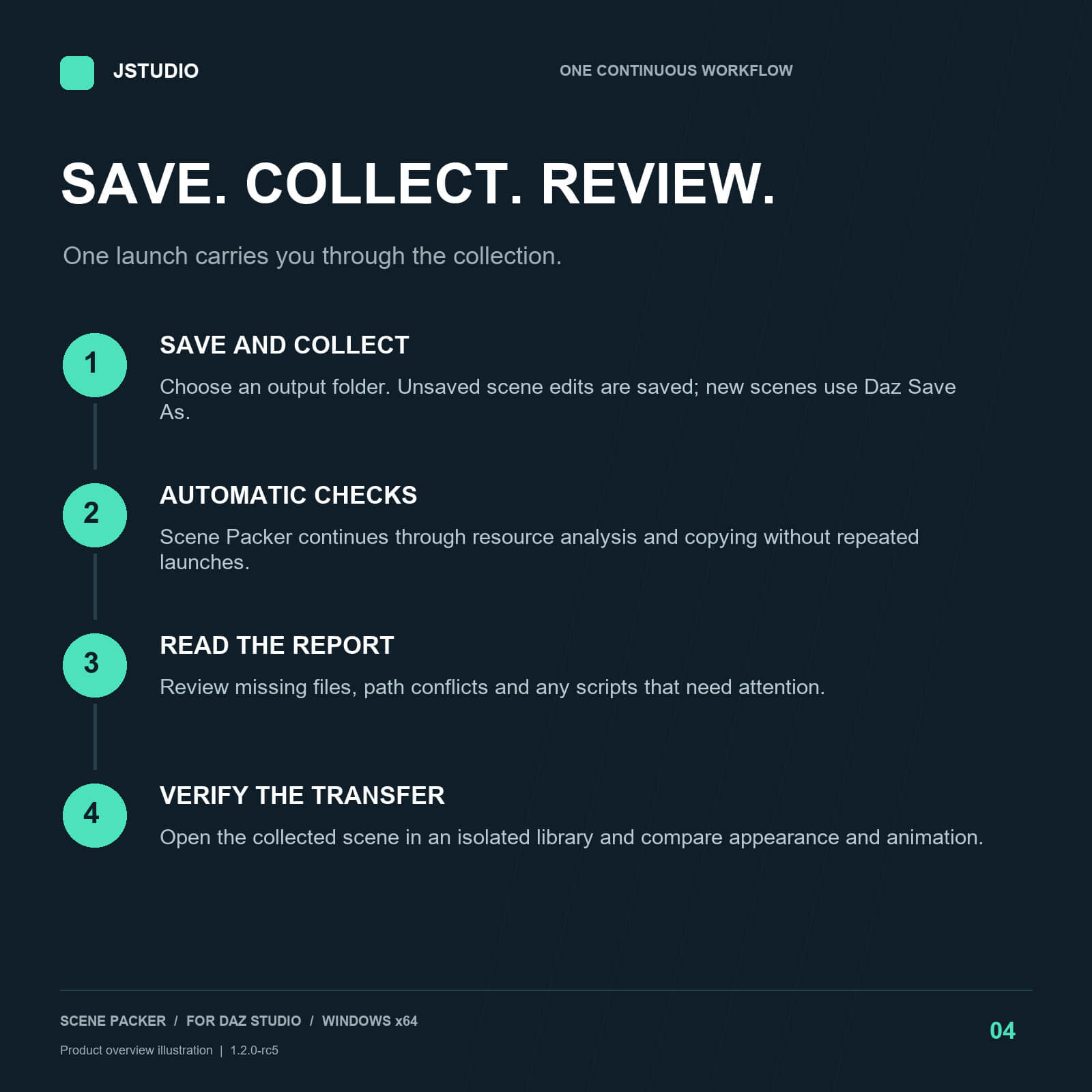
1. Open your scene and launch Scene Packer inside Daz Studio.
2. Choose an output folder and click Save and Collect.
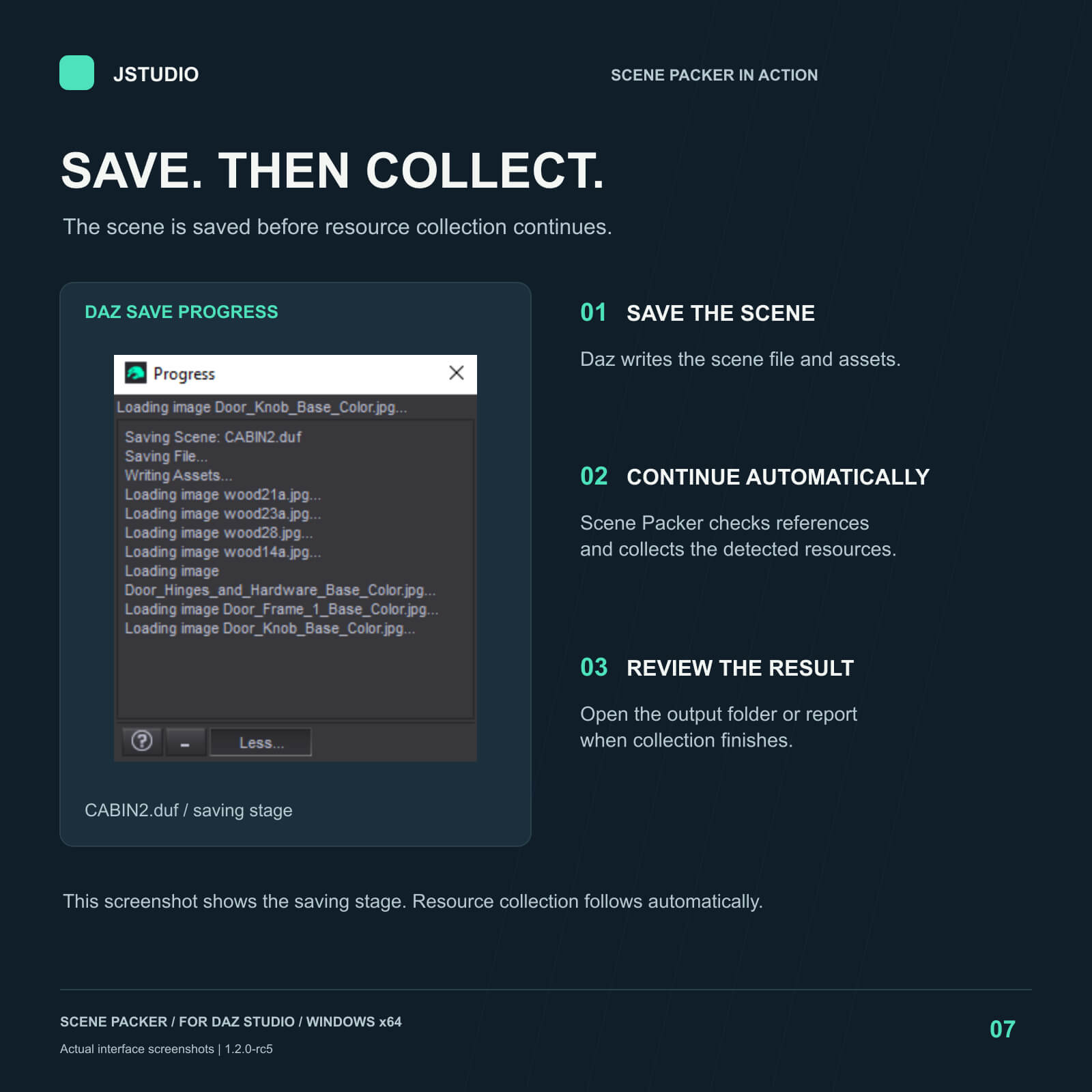
3. Daz saves unsaved changes to the current scene. For a new scene, choose a DUF filename in the normal Save As dialog.
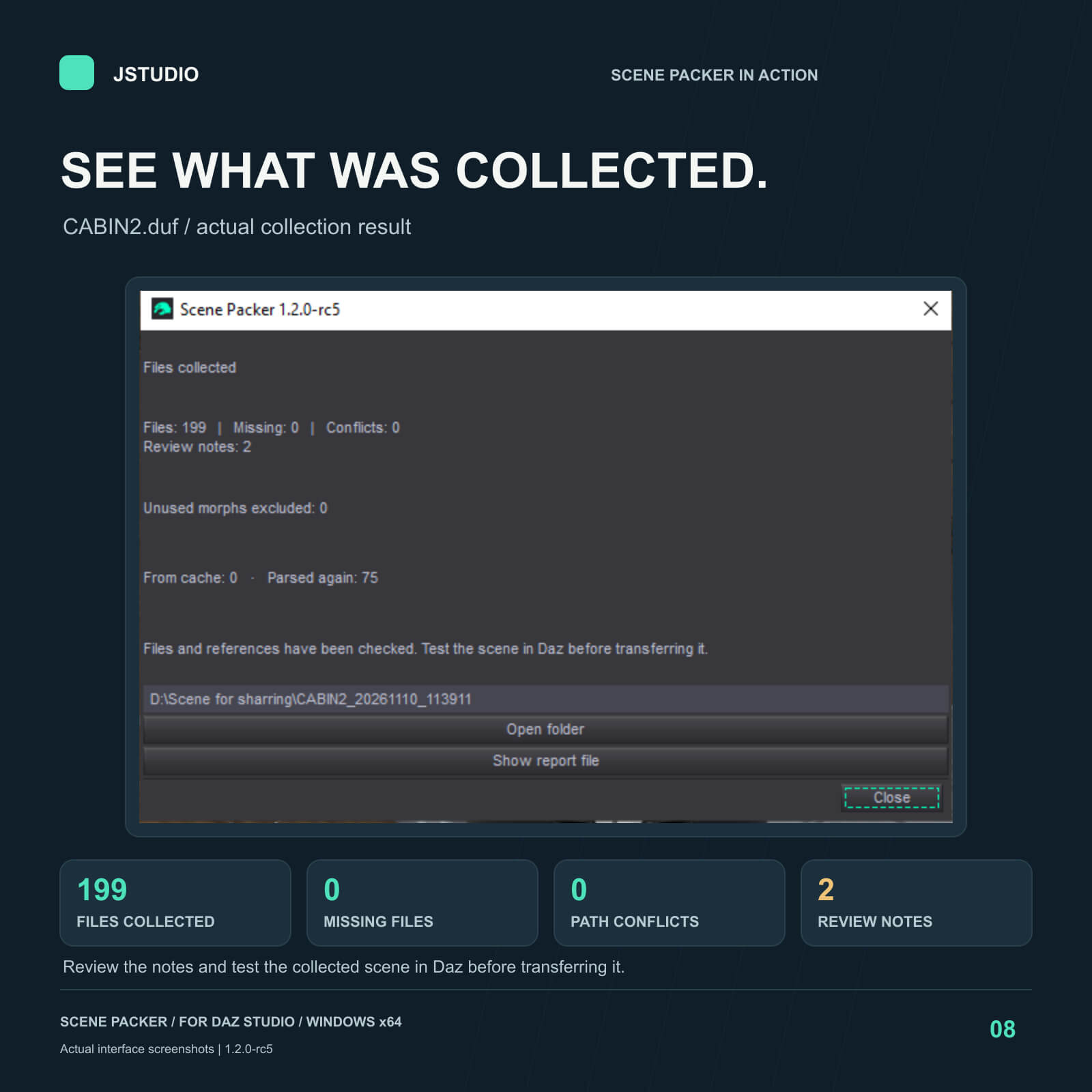
4. Resource checks and collection continue automatically. Read the result and open the report.
A clean saved scene is not saved again. Cancelling the save stops collection. Resource collection does not modify source textures, geometry or morph files.
CLEAR COLLECTION REPORTS
English HTML and JSON reports show collected files, missing references, path conflicts, review notes, the product version and the selected collection mode. The result distinguishes successful dependency collection from packages that need attention. A successful scan is not a substitute for reopening and testing the scene in Daz.
WHAT IS INCLUDED
- Scene Packer Daz Script utility (.DSA)
- Optional Scripts menu installer
- Included Windows x64 Python runtime; no separate Python installation needed
- English interface, reports and offline manual
- Russian quick-start document
- Product integrity checker
REQUIREMENTS AND RELEASE STATUS
Version: 1.2.0-rc5 - release candidate for pre-release review and beta testing.
Platform: Windows x64.
Tested qualification target: Windows 10 with Daz Studio 4.24.0.3.
Windows 11 and Daz Studio 6 are not verified compatibility targets for this candidate.
Provide sufficient free disk space for the saved-scene snapshot, collected files and reports. Processing is local; no online account is required to run the utility.
TRANSFER NOTES
Test the collected scene using a separate Daz setup without the original content libraries. Compare materials, character shapes and relevant animation frames before relying on the transfer. Missing source files cannot be reconstructed. Compiled scripts, third-party plugins and plugin-managed caches may require their original installation or additional verification. New poses or edits made after collection may require further resources.
Collection speed depends on scene complexity, storage, memory and the available cache. Parallel analysis is a performance feature, not a guarantee of a fixed completion time.
Only the Scene Packer utility is included. Scene content, characters, textures and Daz Studio itself are not included.
Bring your Daz Studio scene and its detected resources together in one organized content-library folder. Scene Packer by JStudio combines parallel analysis, reusable dependency caching and focused morph collection to make scene backup and transfer easier.
From a character with clothing and hair to an environment with external textures, Scene Packer follows the saved scene's file references and reports what was collected, what is missing and what needs attention.
BUILT FOR EFFICIENT COLLECTION
- Parallel resource analysis: Auto selects a worker count based on your processor and available memory, with a maximum of 16 analysis processes. Manual limits of 1, 2, 4, 8 or 16 are also available.
- Reusable dependency cache: previously analyzed, unchanged files can reuse cached dependency information on later collections.
- Used morphs included automatically: normal collection focuses on the saved character, poses and animation, while retaining uncertain dependencies conservatively.
- Optional full morph collection: include unused installed morphs only when you deliberately need the additional files. This option starts OFF for every collection.
- File verification: source and copied-file checksums help detect transfer problems.
SCENES, ANIMATION AND RESOURCES
Collect the saved DUF scene together with detected textures, geometry, UV sets, morph files and other supported dependencies. Animation data stored in the DUF travels with the scene, and morph dependency analysis accounts for saved animation.
Each run creates a new timestamped folder, preserving the content-library structure used by Daz Studio. Output is a folder, with no scene ZIP created by the normal workflow.
ONE CONTINUOUS WORKFLOW
1. Open your scene and launch Scene Packer inside Daz Studio.
2. Choose an output folder and click Save and Collect.
3. Daz saves unsaved changes to the current scene. For a new scene, choose a DUF filename in the normal Save As dialog.
4. Resource checks and collection continue automatically. Read the result and open the report.
A clean saved scene is not saved again. Cancelling the save stops collection. Resource collection does not modify source textures, geometry or morph files.
CLEAR COLLECTION REPORTS
English HTML and JSON reports show collected files, missing references, path conflicts, review notes, the product version and the selected collection mode. The result distinguishes successful dependency collection from packages that need attention. A successful scan is not a substitute for reopening and testing the scene in Daz.
WHAT IS INCLUDED
- Scene Packer Daz Script utility (.DSA)
- Optional Scripts menu installer
- Included Windows x64 Python runtime; no separate Python installation needed
- English interface, reports and offline manual
- Russian quick-start document
- Product integrity checker
REQUIREMENTS AND RELEASE STATUS
Version: 1.2.0-rc5 - release candidate for pre-release review and beta testing.
Platform: Windows x64.
Tested qualification target: Windows 10 with Daz Studio 4.24.0.3.
Windows 11 and Daz Studio 6 are not verified compatibility targets for this candidate.
Provide sufficient free disk space for the saved-scene snapshot, collected files and reports. Processing is local; no online account is required to run the utility.
TRANSFER NOTES
Test the collected scene using a separate Daz setup without the original content libraries. Compare materials, character shapes and relevant animation frames before relying on the transfer. Missing source files cannot be reconstructed. Compiled scripts, third-party plugins and plugin-managed caches may require their original installation or additional verification. New poses or edits made after collection may require further resources.
Collection speed depends on scene complexity, storage, memory and the available cache. Parallel analysis is a performance feature, not a guarantee of a fixed completion time.
Only the Scene Packer utility is included. Scene content, characters, textures and Daz Studio itself are not included.
