


 Free 3D
 3D Print Models
 3D Scans
 Animation & MoCap
 Textures
 Materials
 Skin Reference
 2D Game Assets
 Sound Effects
 Brushes & Tools
 Reference Photos
 Stock Images
 HDR Images
 3ds Max
 Maya
Maya Blender
 Unreal Engine
 Unity
Unity ZBrush
 Cinema 4D
 LightWave
 Marmoset
 SketchUp
 FBX
FBX DAE
DAE DXF
DXF GLB
GLBMidnight Whisper for Genesis 8

Not Rated Yet


User Artwork (1)
! REPORT
NOTE: DIGITAL DOWNLOAD, NOT A PHYSICAL ITEM

Add to Collection

2 Likes
Share This Daz Content


Offered By


Hello!
I am Stacy. Have been creating 3d content since 2006. I love creating clothing and textures. I share my life with 4 crazy cats. Please check out my content I am slowing building it up here.
I am Stacy. Have been creating 3d content since 2006. I love creating clothing and textures. I share my life with 4 crazy cats. Please check out my content I am slowing building it up here.
Vendor's Pages


License
Extended Use License
This item comes with our Extended Use Licensing. This means that you may use the model for both non-commercial and commercial purposes, in a variety of mediums and applications.
For full license terms, see our 3D Content Licensing Agreement
Item Details
| Vendor: | Kaleya3d |
| Published: | Oct 24, 2026 |
| Download Size: | 81 MB |
| Software: | Daz Studio |
| Compatible Figures: | Genesis 8 Female Genesis 8.1 Female |
| dForce: | Yes |
Included Formats

Statistics
| Favorites: | 1 |
| Likes: | 2 |
| Views: | 53 |
Item Ratings
Not Rated Yet
Midnight Whisper for Genesis 8
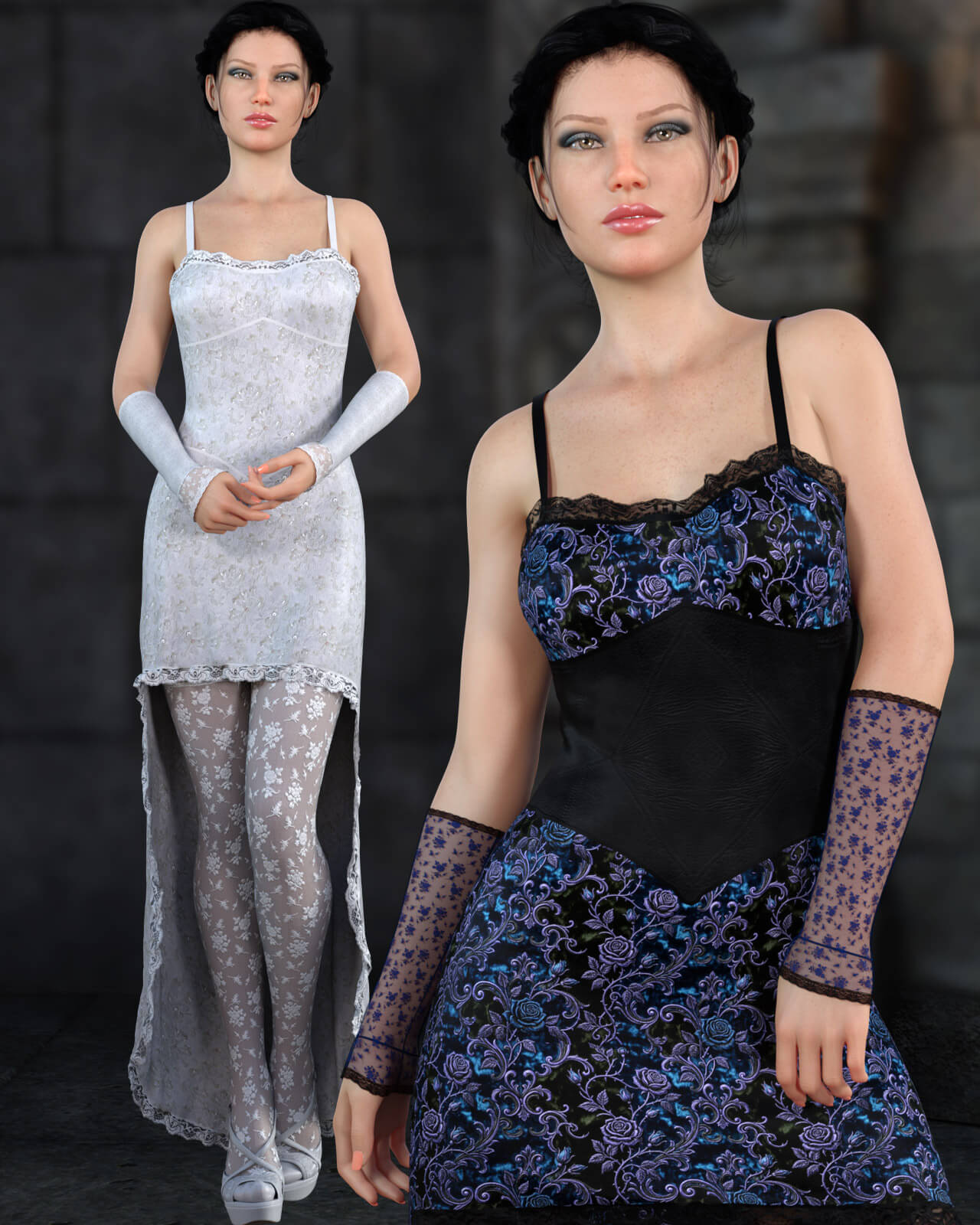
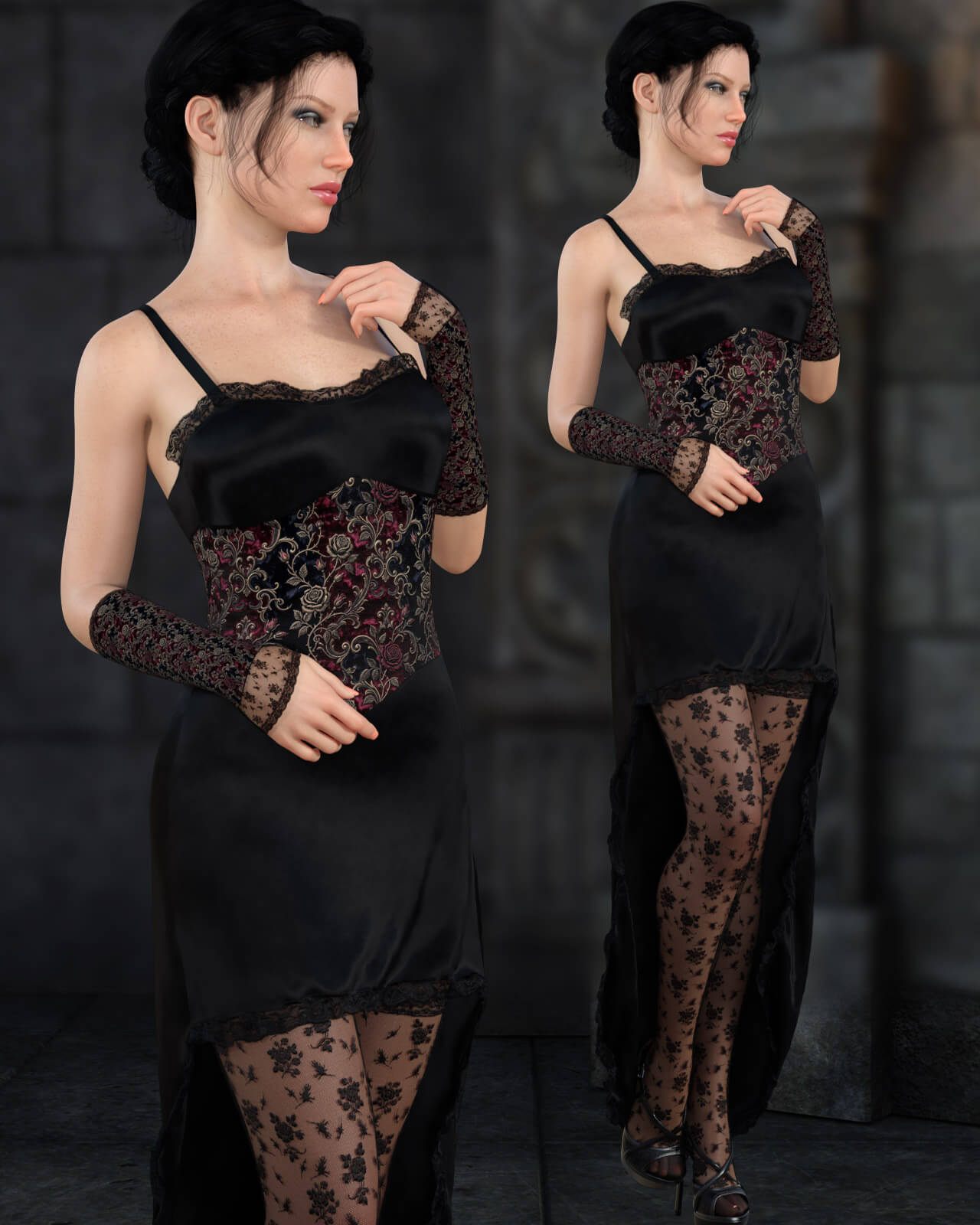
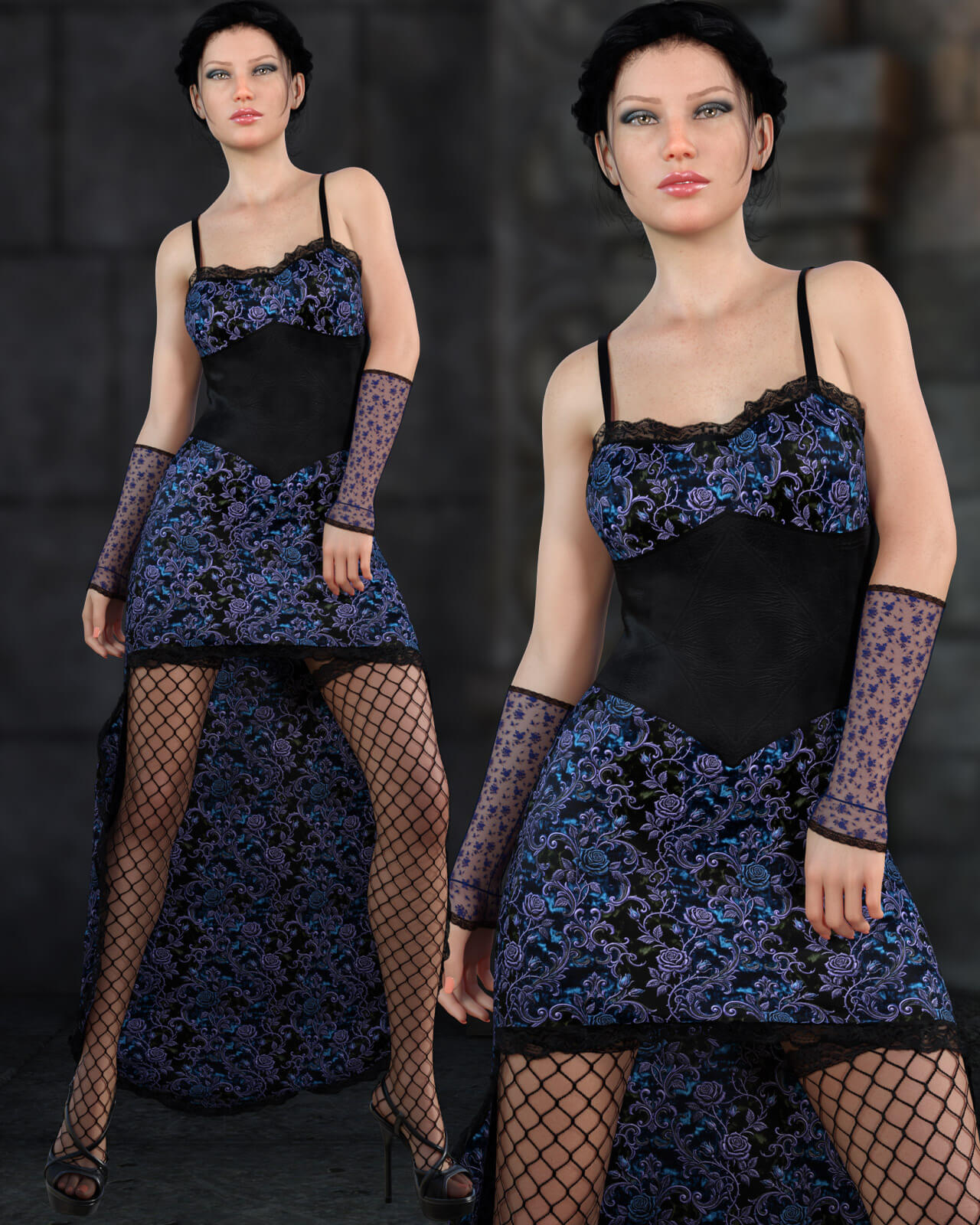
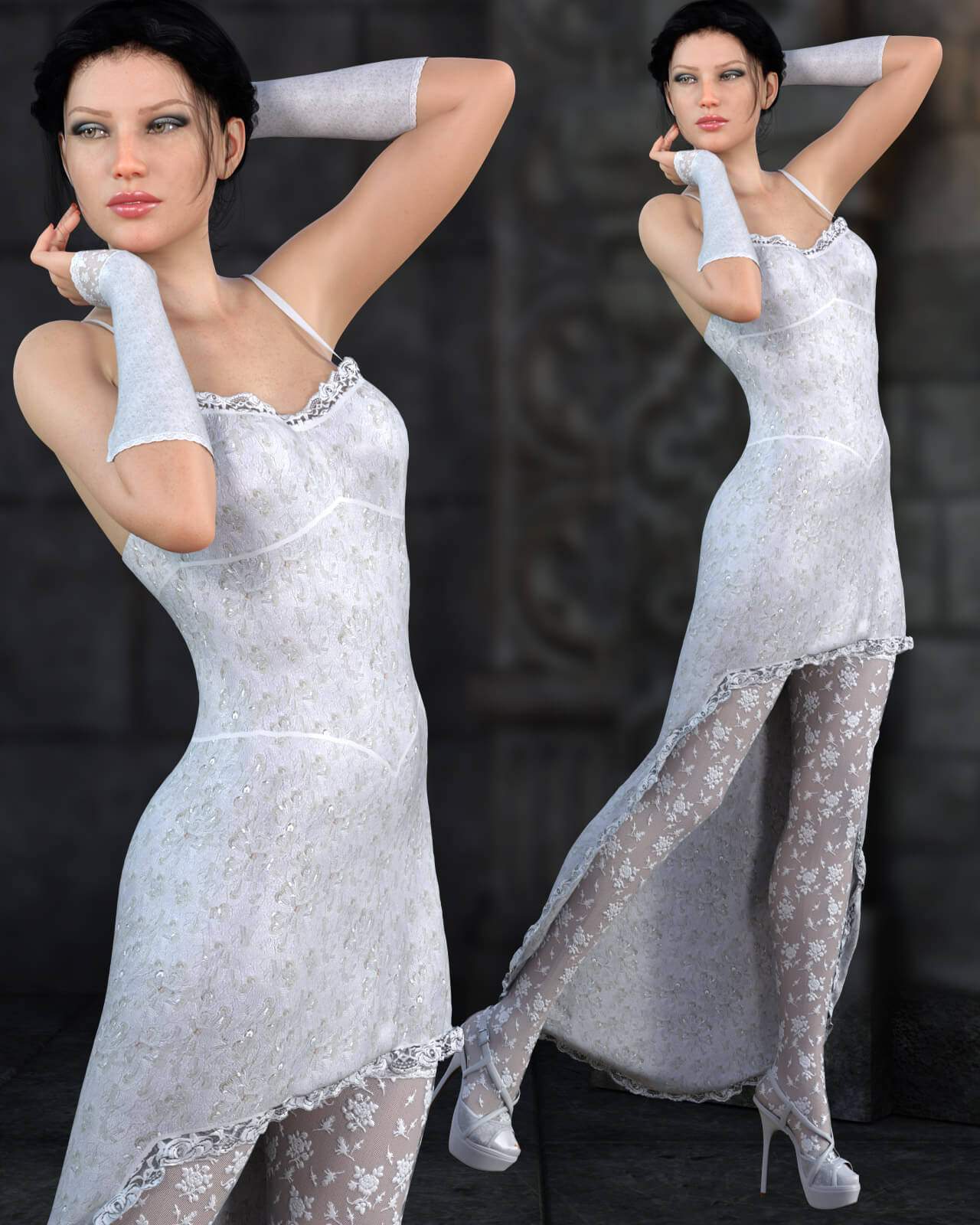
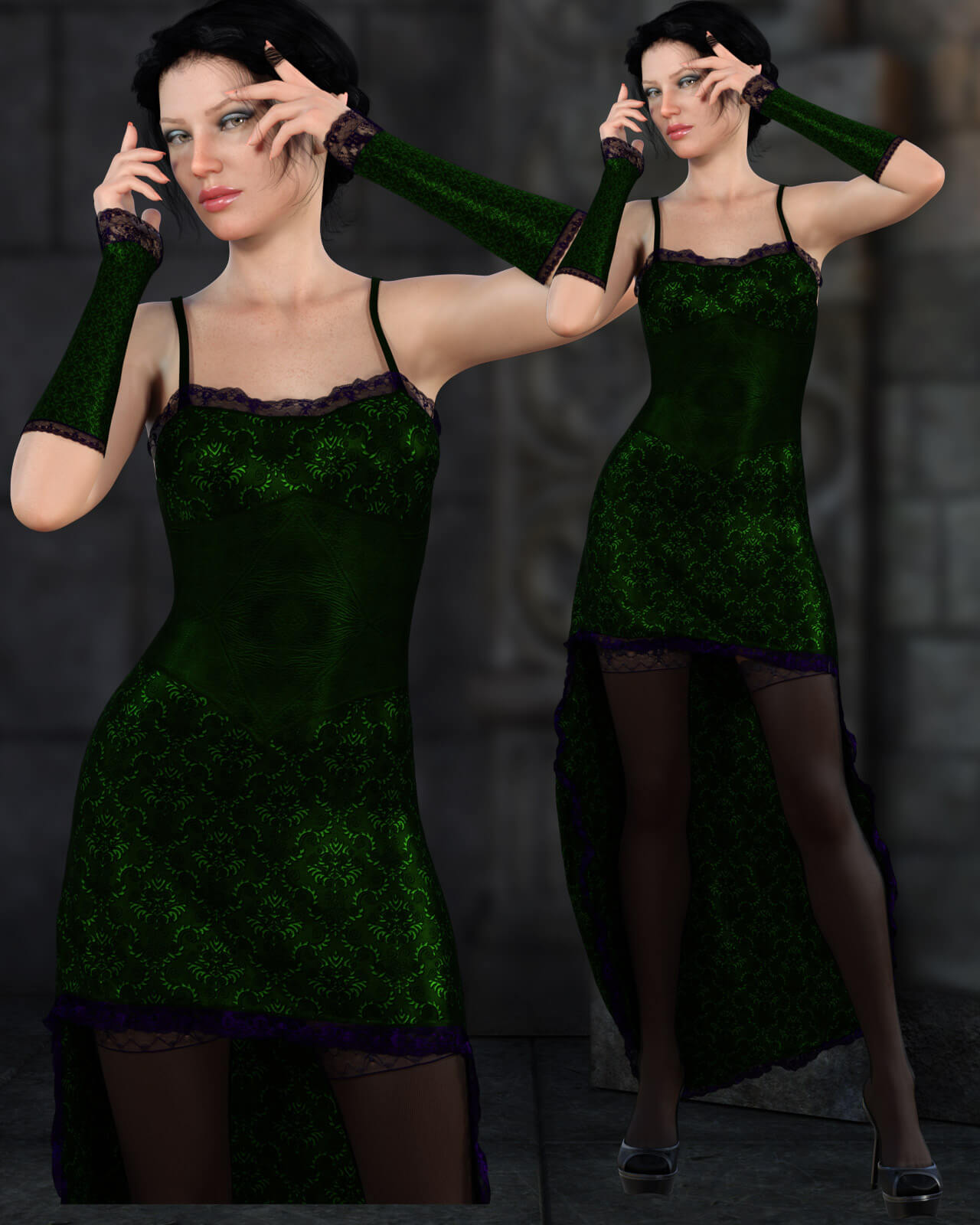
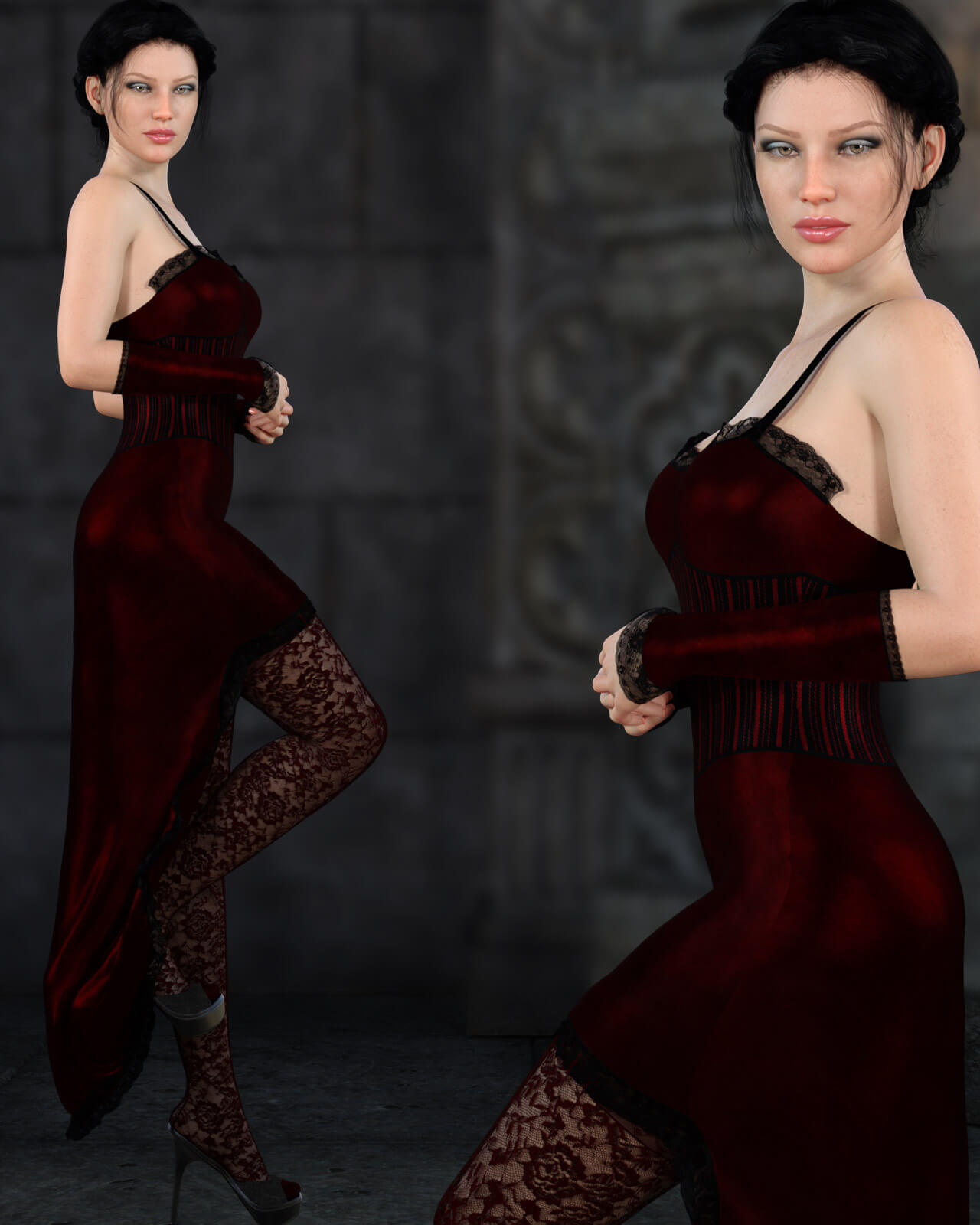
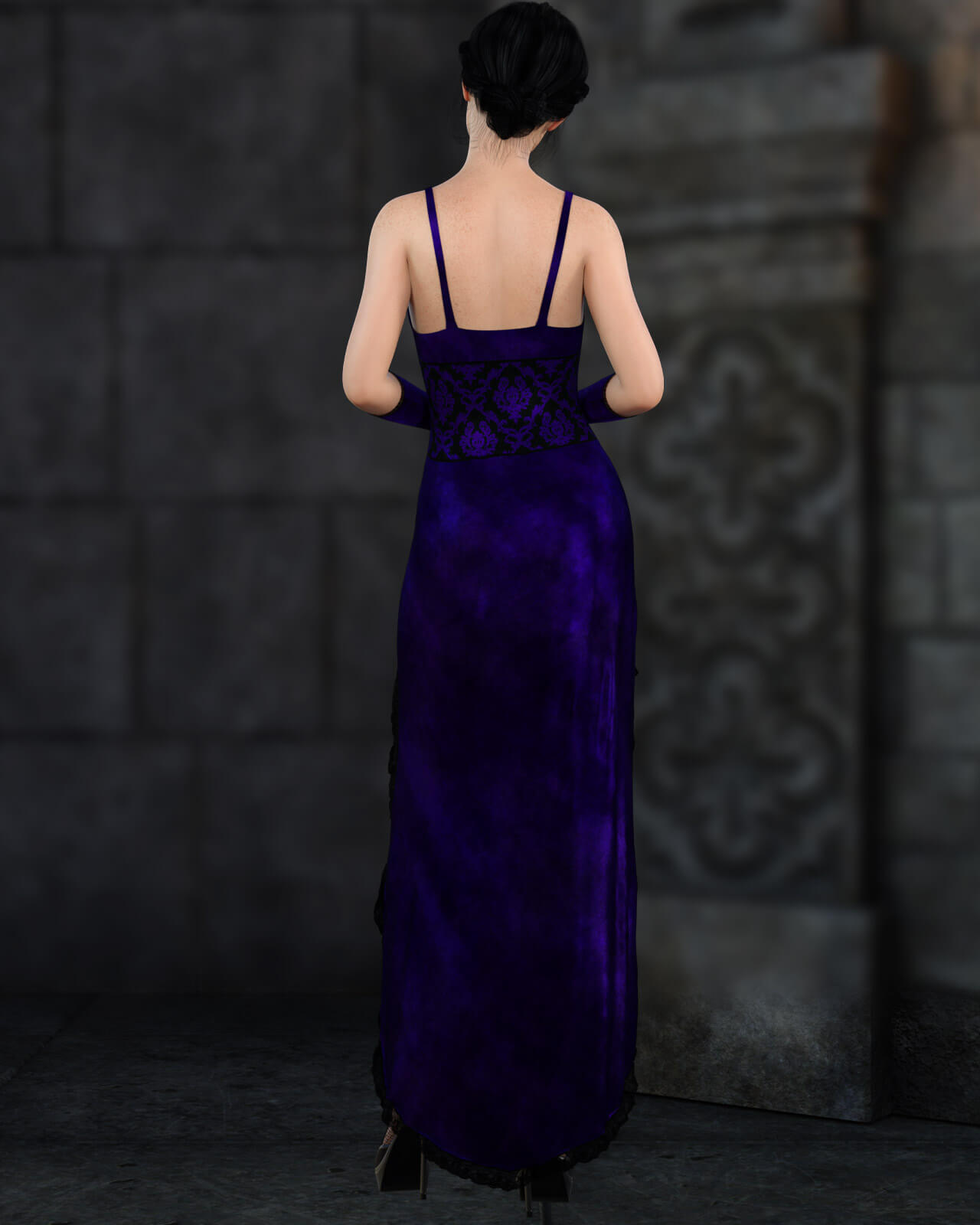
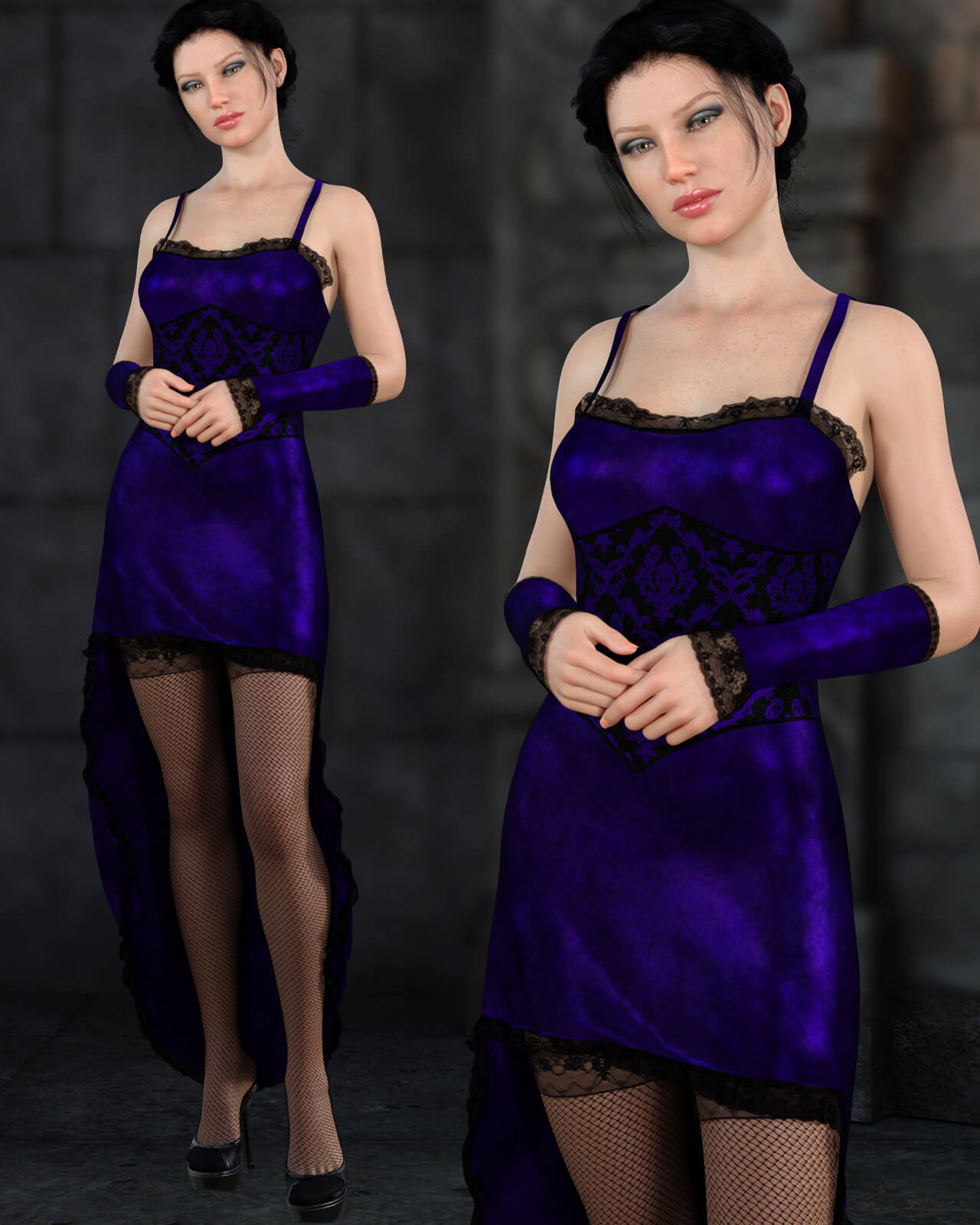
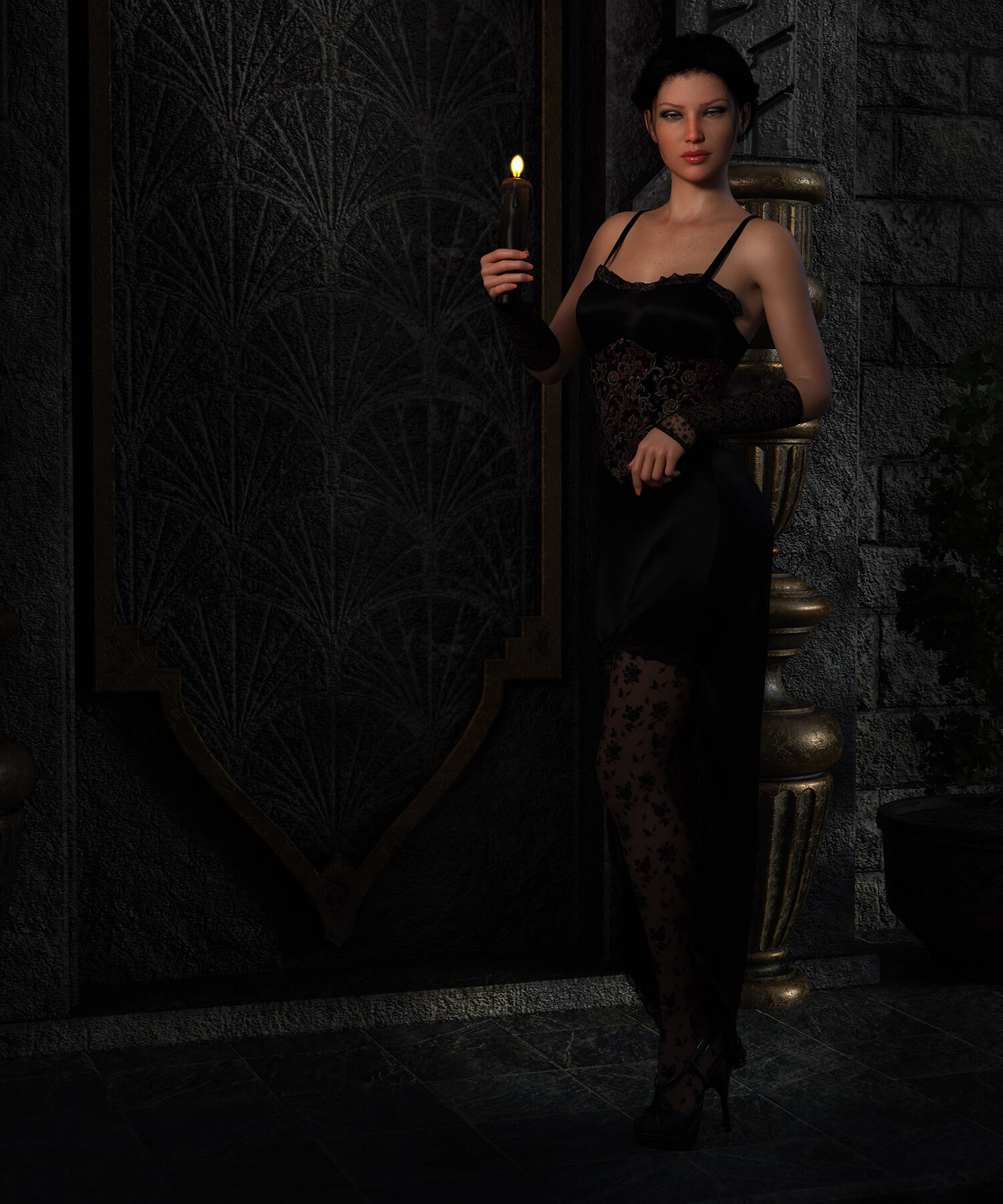
Bring Elegance and sophistication to your renders with Midnight Whisper. A romantic, gothic gown set perfect for you moody renders.
A fitted, sleeveless evening dress featuring delicate shoulder straps, a cinched waistline panel, and an elegant high-low hemline that flows beautifully behind your figure.
Fingerless forearm-length sleeves/gloves designed to complement the dress's neckline and midsection accents.
Stockings designed to pair seamlessly beneath the Skirt.
Midnight Whisper include:
1 Dress for Genesis 8/8.1
1 Left Glove for Genesis 8/8.1
1 Right Glove for Genesis 8/8.1
1 Stockings for Genesis 8/8.1
Detailed Textures
Bump and Normal Maps
Materials:
6 Material presets for the Dress
6 Material presets for the Gloves
6 Material presets for the Stockings
Simulation Settings
2 Simulation Presets for the Dress.
A Variety of Adjustment morphs are included to add to ease of use. Dynamic morphs are also included.
----------------------------------------------------------------
dForce is required.
Simulations should be done using the following method:
1. Load the clothing item.
2. At frame 1 apply any style adjustments.
3. Move your timeline slider to frame 15 and apply any body shapes.
4. Move your timeline slider to frame 20 and apply your pose. Simulate using at least 60 frames for best results. More frames will allow your clothes more time to settle.
5. Animated simulation should be used with larger or more busty characters for best results. Current frame animation is best for thin and small characters.
Please note that when using material presets from addons by other vendors they may alter the simulation settings. For this reason it is recommended that you apply the default simulation settings preset after applying any materials from addon packages.
Please note that any mesh explosions are almost always caused by body parts of your figure intersecting. If you experience explosions check your pose and make sure that it does not intersect at any point int the timeline.
----------------------------------------------------------------
Most body Morphs will work using autofollow technology. Some adjustment may be necessary in extreme poses or with extreme body shapes. Adjustment morphs are included to help with these situations as well as with posing. Autofollow morph results vary.
A fitted, sleeveless evening dress featuring delicate shoulder straps, a cinched waistline panel, and an elegant high-low hemline that flows beautifully behind your figure.
Fingerless forearm-length sleeves/gloves designed to complement the dress's neckline and midsection accents.
Stockings designed to pair seamlessly beneath the Skirt.
Midnight Whisper include:
1 Dress for Genesis 8/8.1
1 Left Glove for Genesis 8/8.1
1 Right Glove for Genesis 8/8.1
1 Stockings for Genesis 8/8.1
Detailed Textures
Bump and Normal Maps
Materials:
6 Material presets for the Dress
6 Material presets for the Gloves
6 Material presets for the Stockings
Simulation Settings
2 Simulation Presets for the Dress.
A Variety of Adjustment morphs are included to add to ease of use. Dynamic morphs are also included.
----------------------------------------------------------------
dForce is required.
Simulations should be done using the following method:
1. Load the clothing item.
2. At frame 1 apply any style adjustments.
3. Move your timeline slider to frame 15 and apply any body shapes.
4. Move your timeline slider to frame 20 and apply your pose. Simulate using at least 60 frames for best results. More frames will allow your clothes more time to settle.
5. Animated simulation should be used with larger or more busty characters for best results. Current frame animation is best for thin and small characters.
Please note that when using material presets from addons by other vendors they may alter the simulation settings. For this reason it is recommended that you apply the default simulation settings preset after applying any materials from addon packages.
Please note that any mesh explosions are almost always caused by body parts of your figure intersecting. If you experience explosions check your pose and make sure that it does not intersect at any point int the timeline.
----------------------------------------------------------------
Most body Morphs will work using autofollow technology. Some adjustment may be necessary in extreme poses or with extreme body shapes. Adjustment morphs are included to help with these situations as well as with posing. Autofollow morph results vary.
