


 Free 3D
 3D Print Models
 3D Scans
 Animation & MoCap
 Textures
 Materials
 Skin Reference
 2D Game Assets
 Sound Effects
 Brushes & Tools
 Reference Photos
 Stock Images
 HDR Images
 3ds Max
 Maya
 Blender
 Unreal Engine
 Unity
 ZBrush
 Cinema 4D
 LightWave
 Marmoset
 SketchUp
 FBX
 DAE
 DXF
 GLB
Grabby: Soft Body Contact and Fast Posing for Daz Studio

Not Rated Yet


! REPORT
NOTE: DIGITAL DOWNLOAD, NOT A PHYSICAL ITEM

Add to Collection

5 Likes
Share This Daz Content


Offered By


License
Extended Use License
This item comes with our Extended Use Licensing. This means that you may use the model for both non-commercial and commercial purposes, in a variety of mediums and applications.
For full license terms, see our 3D Content Licensing Agreement
Item Details
| Vendor: | lucosmico |
| Published: | Nov 15, 2026 |
| Download Size: | 43.5 MB |
| Software: | Daz Studio |
| Compatible Figures: | Genesis 9 Genesis 8 Female Genesis 8 Male Genesis 8.1 Female |
| dForce: | – |
Included Formats

Statistics
| Favorites: | 0 |
| Likes: | 5 |
| Views: | 254 |
Item Ratings
Not Rated Yet
Grabby: Soft Body Contact and Fast Posing for Daz Studio
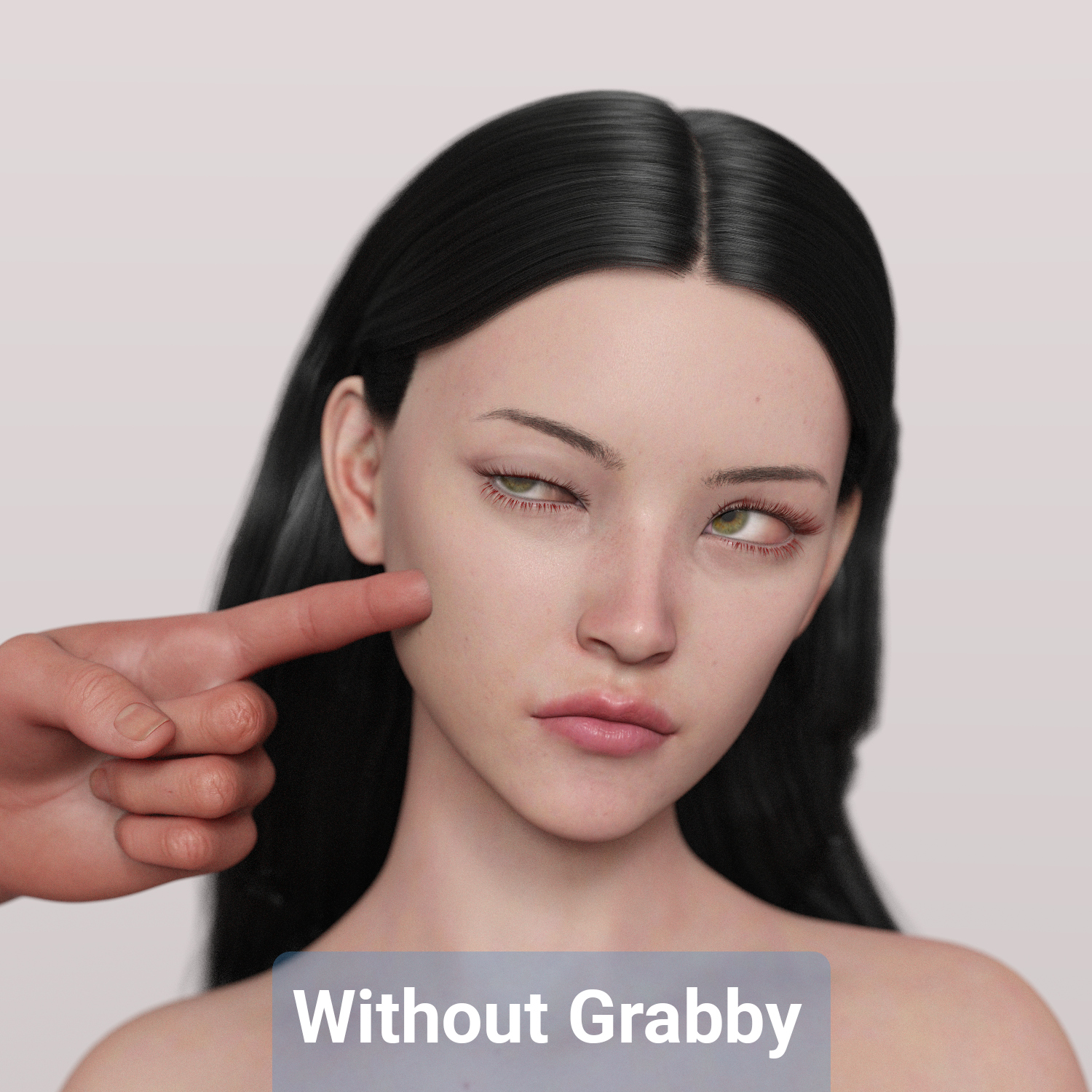
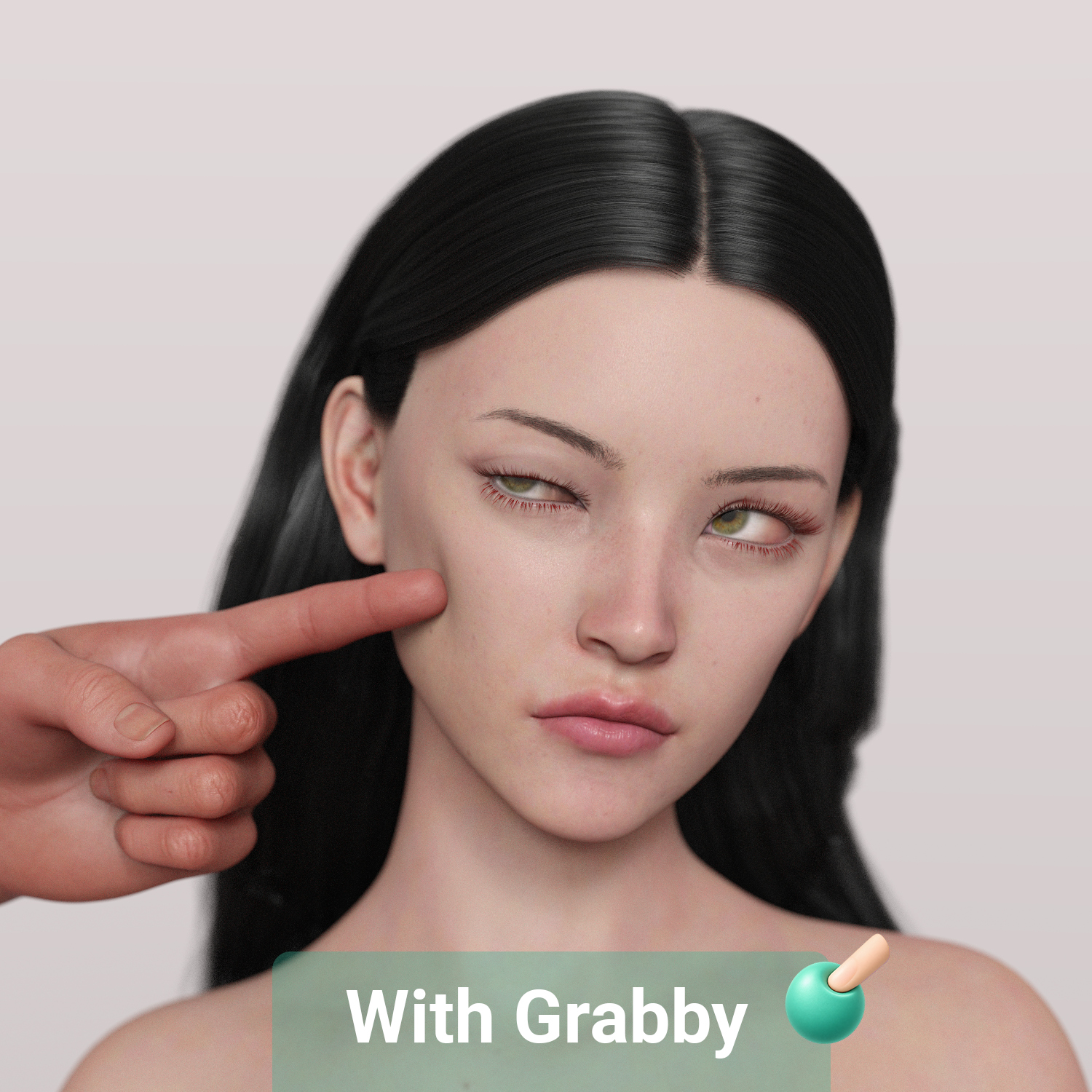
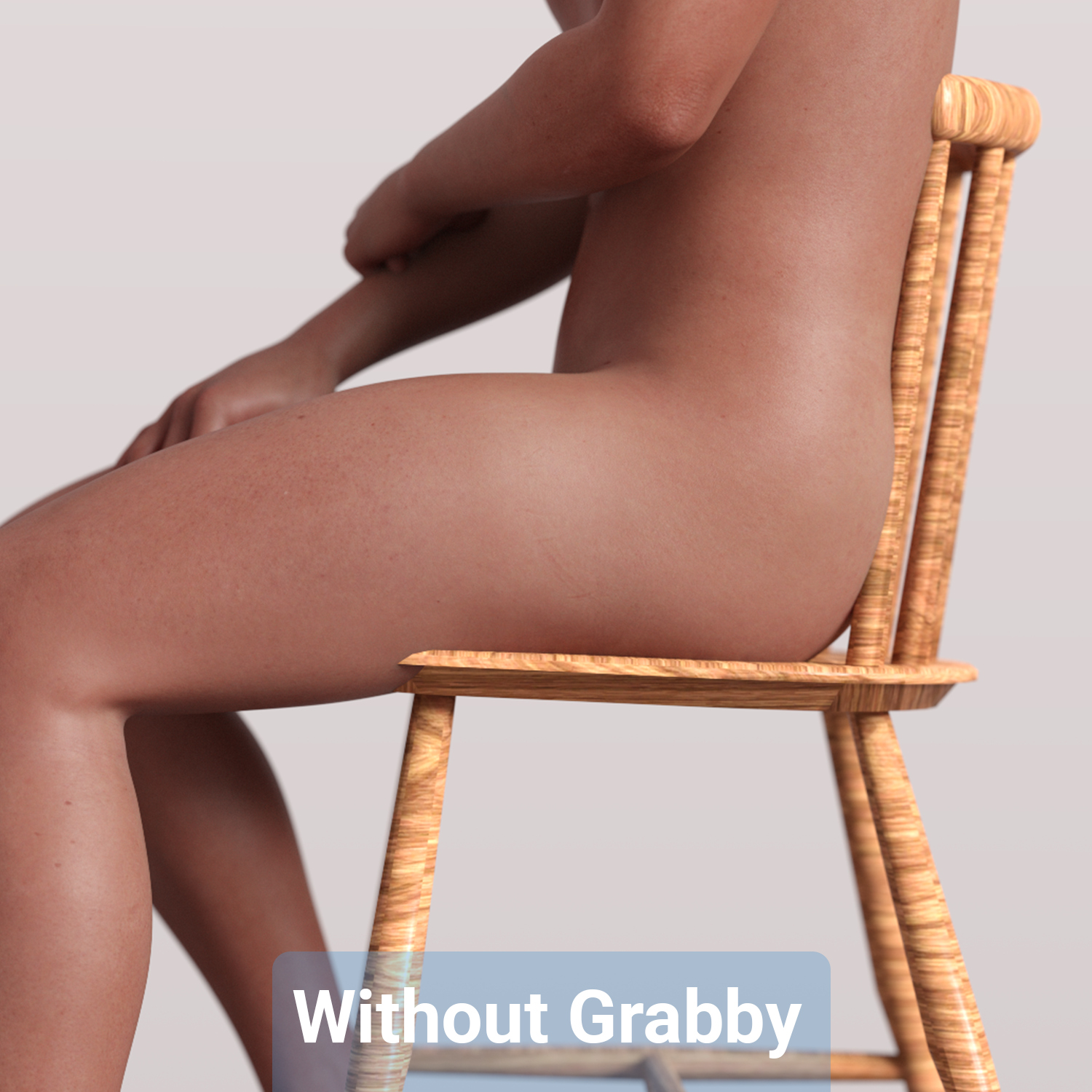
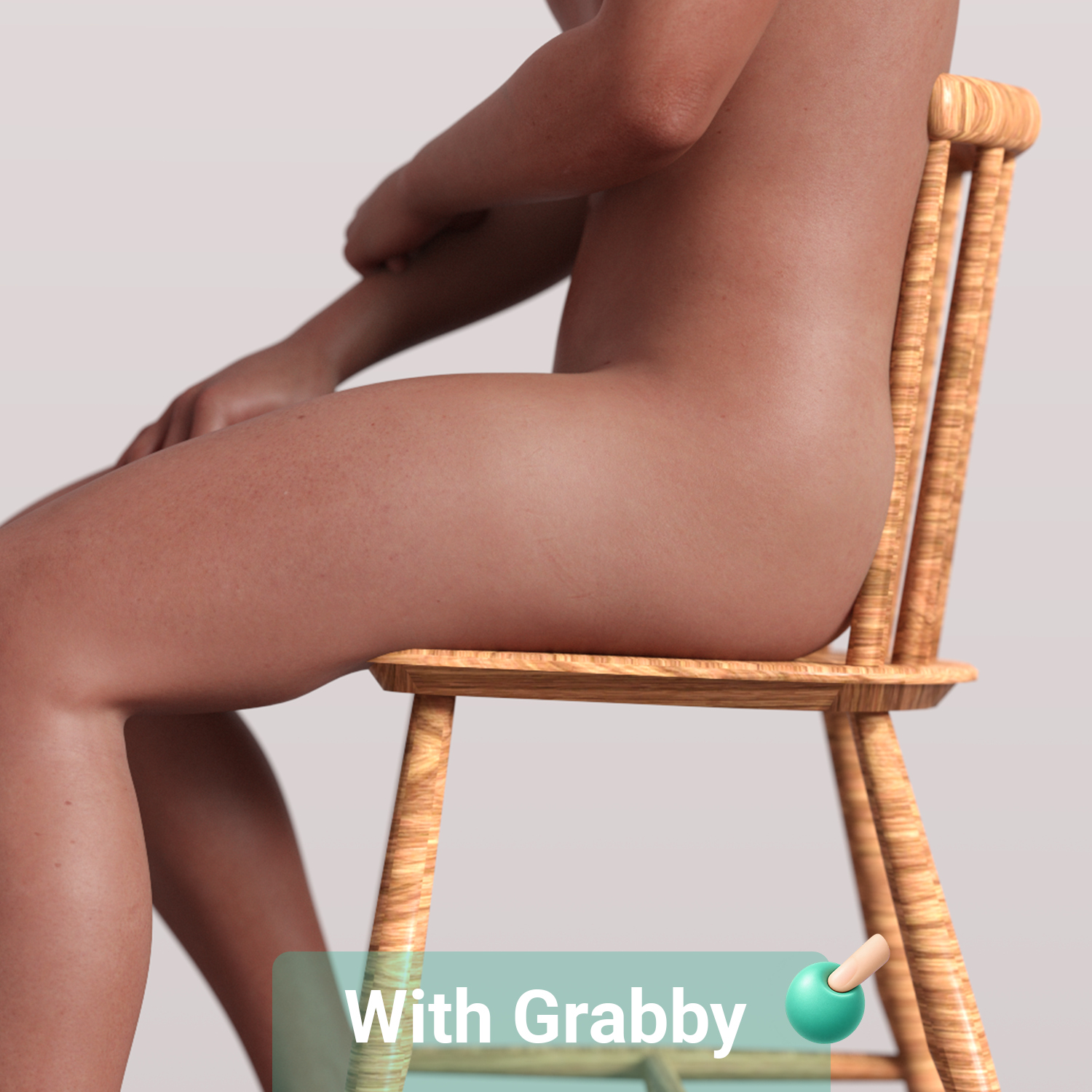
Grabby gives your DAZ Studio characters real contact. Hands, fingers, bodies and props press into skin and the flesh gives way softly instead of clipping through. It also gives you a fast, focused posing window, so getting two characters to touch takes minutes, not hours of dial-spinning.
───────────────────────────────────────────────────────────────
How it works:
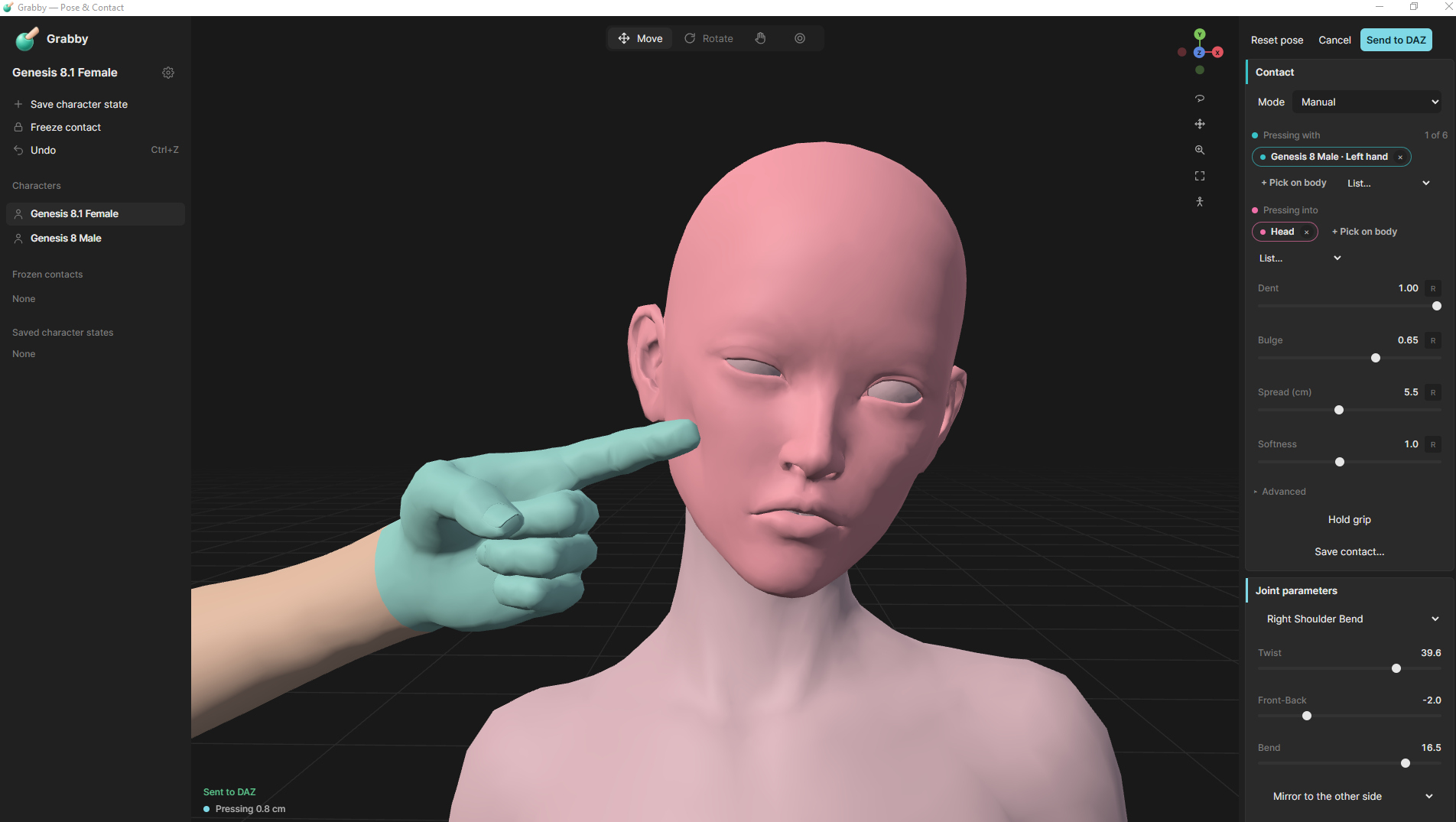
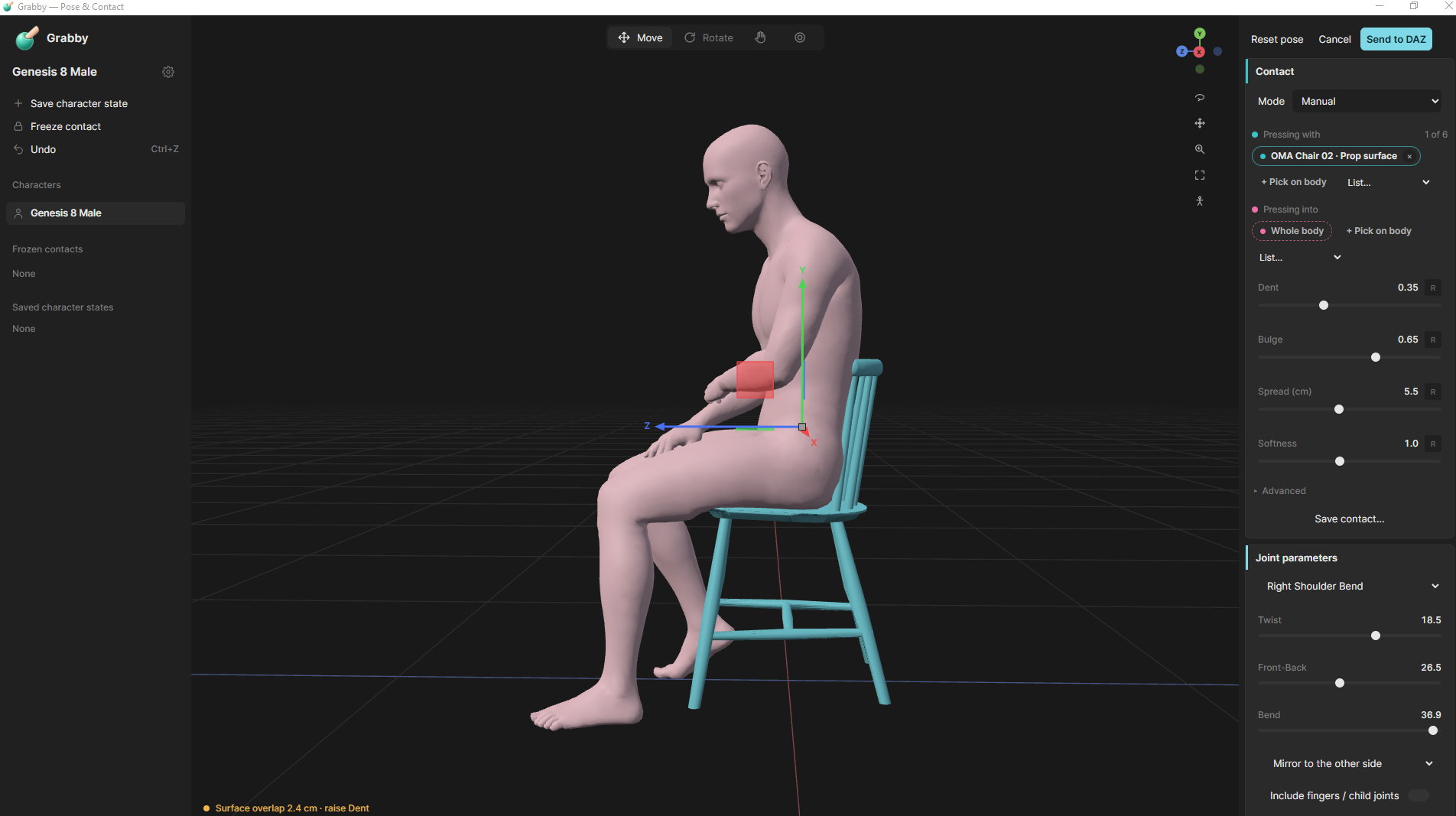
Select your character or characters in DAZ and click Send to Grabby. Grabby opens in its own window with a fast viewport where you pose, move and press bodies together. When it looks right, send it back. DAZ gets the pose for one or both characters plus a soft contact morph shaped to the exact spot where they touch.
───────────────────────────────────────────────────────────────
Features:
Soft body contact: skin dents and squeezes where bodies meet, shaped to the real contact area.
Pressing with / Pressing into: choose what presses (hand, fingers, body regions) and what gets pressed.
Softness control per contact, from firm to very soft.
Works with geografts as well as the base figure.
Fast posing: move limbs and bodies directly in a light, responsive viewport.
One click back to DAZ: the pose and contact land as a single Undo step.
Animation friendly: on animated scenes the pose is keyed to the current frame.
Non-destructive: every contact is its own morph, and you can turn it down to 0 at any time.
Clean up Grabby morphs: removes unused contact morphs to keep your scenes light.
The installer adds Grabby to your DAZ Content Library under Scripts > Grabby, with a quick menu on the toolbar.
───────────────────────────────────────────────────────────────
Compatibility
Windows 10/11, 64-bit.
Tested on DAZ Studio 4.22, 4.24 and DAZ Studio 6.
Genesis 8, 8.1 and Genesis 9 figures.
───────────────────────────────────────────────────────────────
Included:
Grabby installer (.msi) with Content Library setup.
User guide (PDF).
Video tutorial.
───────────────────────────────────────────────────────────────
For support, contact me at the email address in the included files, or send me a message here on RenderHub.
───────────────────────────────────────────────────────────────
How it works:
Select your character or characters in DAZ and click Send to Grabby. Grabby opens in its own window with a fast viewport where you pose, move and press bodies together. When it looks right, send it back. DAZ gets the pose for one or both characters plus a soft contact morph shaped to the exact spot where they touch.
───────────────────────────────────────────────────────────────
Features:
Soft body contact: skin dents and squeezes where bodies meet, shaped to the real contact area.
Pressing with / Pressing into: choose what presses (hand, fingers, body regions) and what gets pressed.
Softness control per contact, from firm to very soft.
Works with geografts as well as the base figure.
Fast posing: move limbs and bodies directly in a light, responsive viewport.
One click back to DAZ: the pose and contact land as a single Undo step.
Animation friendly: on animated scenes the pose is keyed to the current frame.
Non-destructive: every contact is its own morph, and you can turn it down to 0 at any time.
Clean up Grabby morphs: removes unused contact morphs to keep your scenes light.
The installer adds Grabby to your DAZ Content Library under Scripts > Grabby, with a quick menu on the toolbar.
───────────────────────────────────────────────────────────────
Compatibility
Windows 10/11, 64-bit.
Tested on DAZ Studio 4.22, 4.24 and DAZ Studio 6.
Genesis 8, 8.1 and Genesis 9 figures.
───────────────────────────────────────────────────────────────
Included:
Grabby installer (.msi) with Content Library setup.
User guide (PDF).
Video tutorial.
───────────────────────────────────────────────────────────────
For support, contact me at the email address in the included files, or send me a message here on RenderHub.
