


 Free 3D
 3D Print Models
 3D Scans
 Animation & MoCap
 Textures
 Materials
 Skin Reference
 2D Game Assets
 Sound Effects
 Brushes & Tools
 Reference Photos
 Stock Images
 HDR Images
 3ds Max
 Maya
Maya Blender
 Unreal Engine
 Unity
Unity ZBrush
 Cinema 4D
 LightWave
 Marmoset
 SketchUp
 FBX
FBX DAE
DAE DXF
DXF GLB
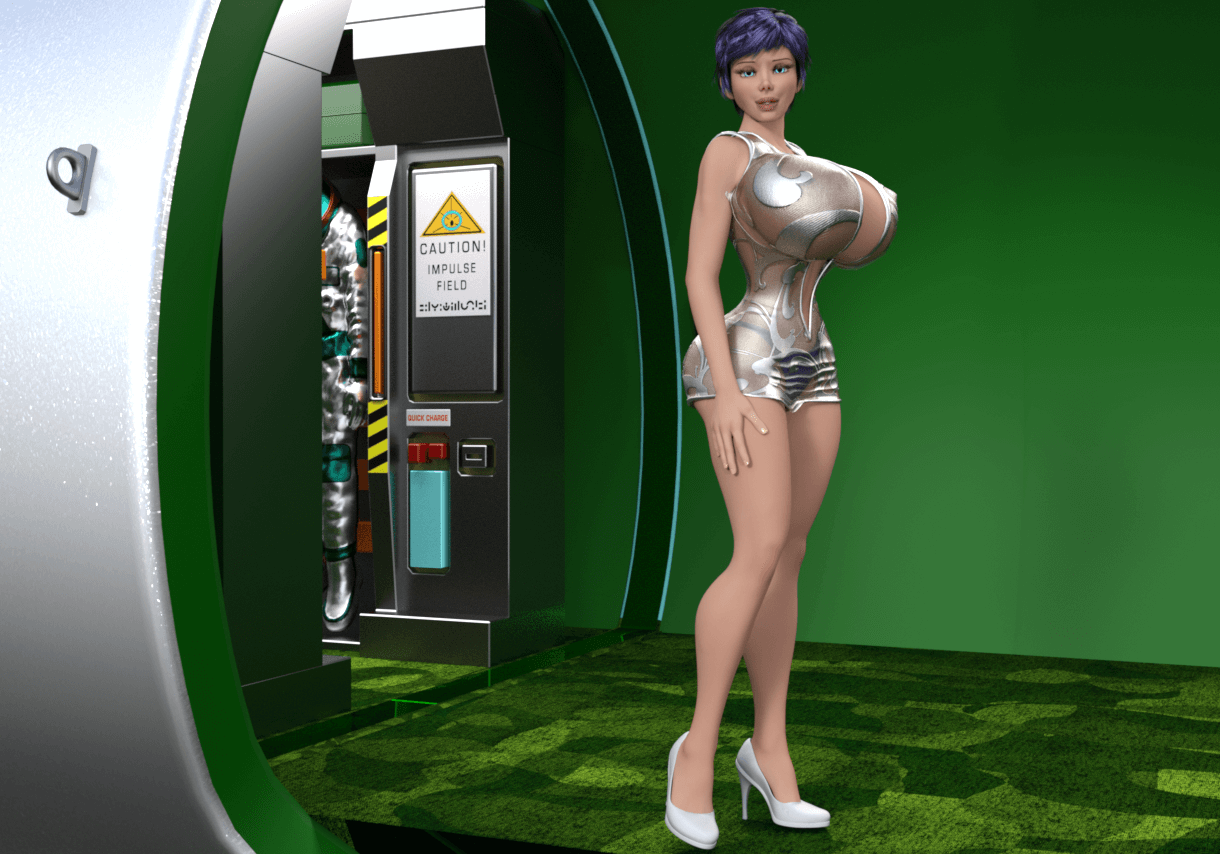
GLBShip, Outer Space, Qyixor, V1 3D Model

Not Rated Yet


User Artwork (10)




! REPORT
FREE
NOTE: DIGITAL DOWNLOAD, NOT A PHYSICAL ITEM

Add to Collection

2 Likes
Share This 3D Model


Top Rated Vendor


I distract myself from my otherwise miserable life by making hard surface models in Blender for use in Daz Studio. It is what it is. Download my models and tinker with them for kicks.
Vendor's Pages


License
Extended Use License
This item comes with our Extended Use Licensing. This means that you may use the model for both non-commercial and commercial purposes, in a variety of mediums and applications.
For full license terms, see our 3D Content Licensing Agreement
3D Model Details

Statistics
| Favorites: | 1 |
| Likes: | 2 |
| Views: | 30 |
Item Ratings
Not Rated Yet
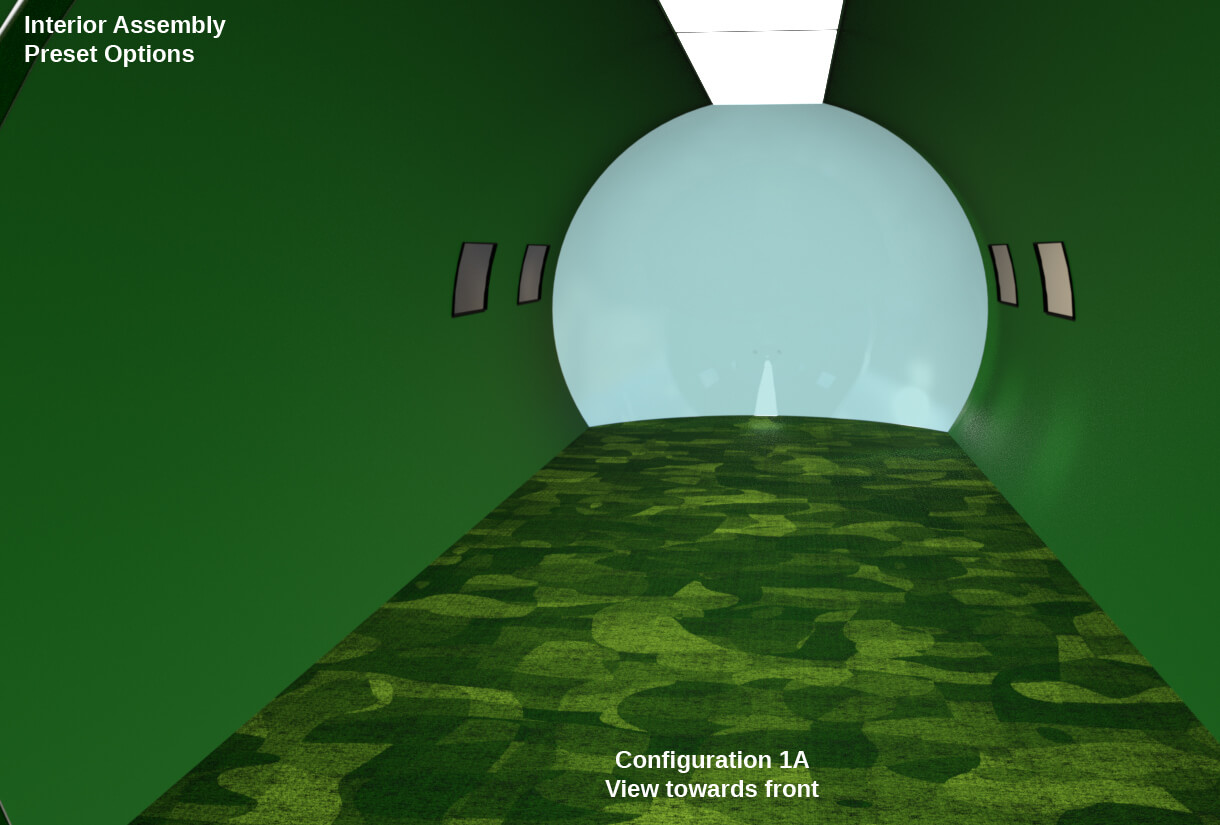
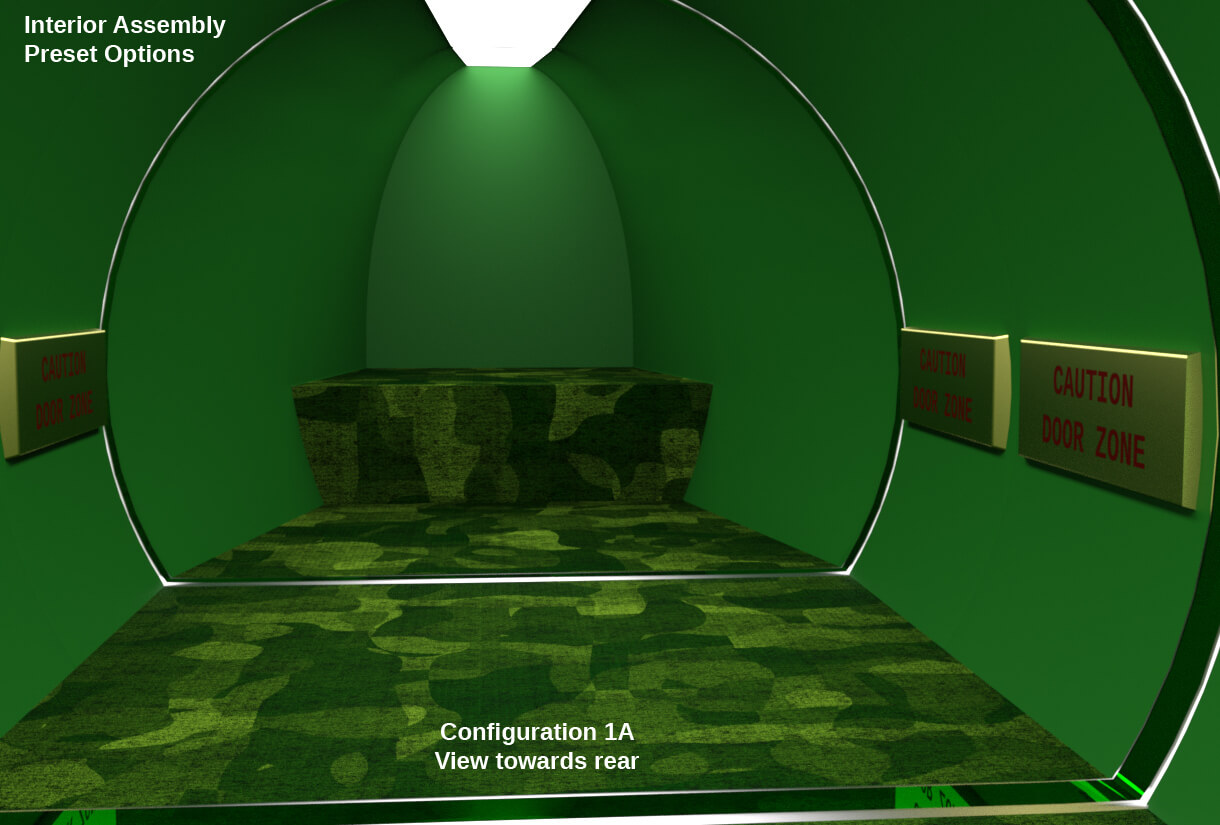
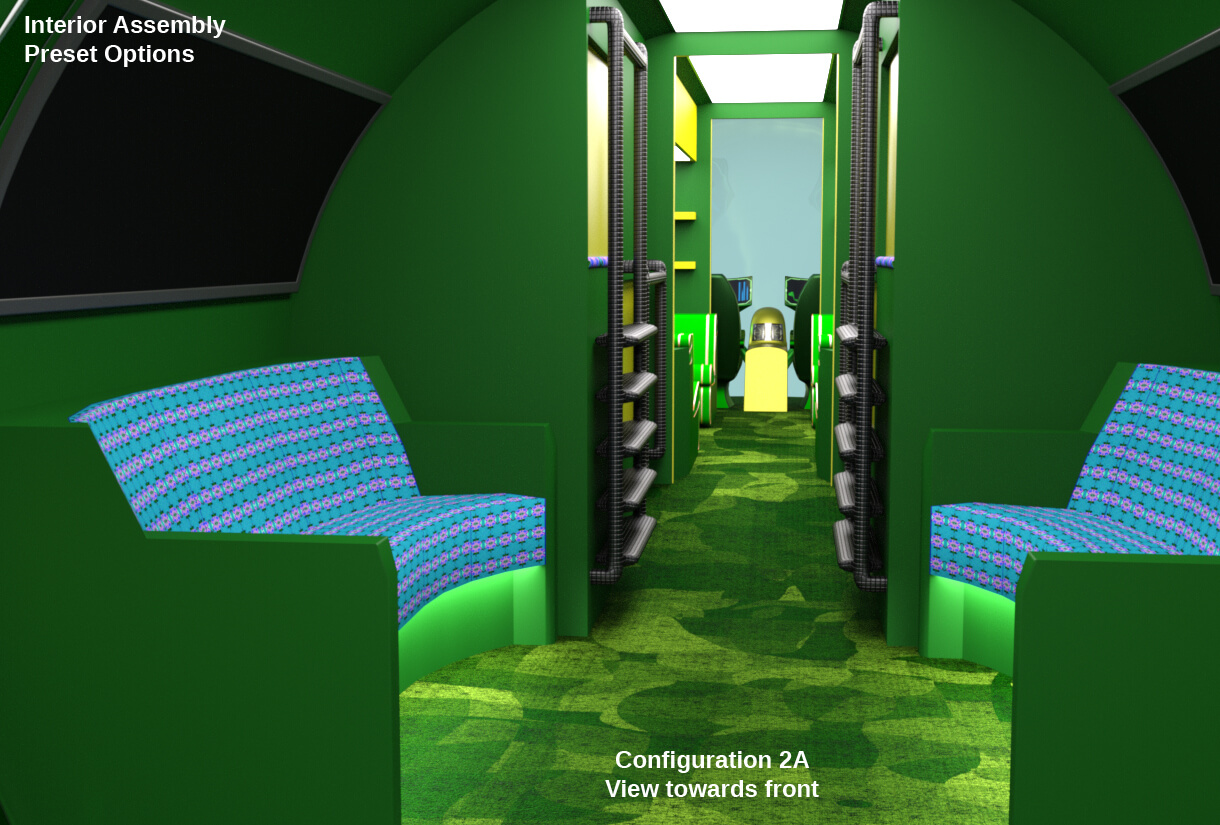
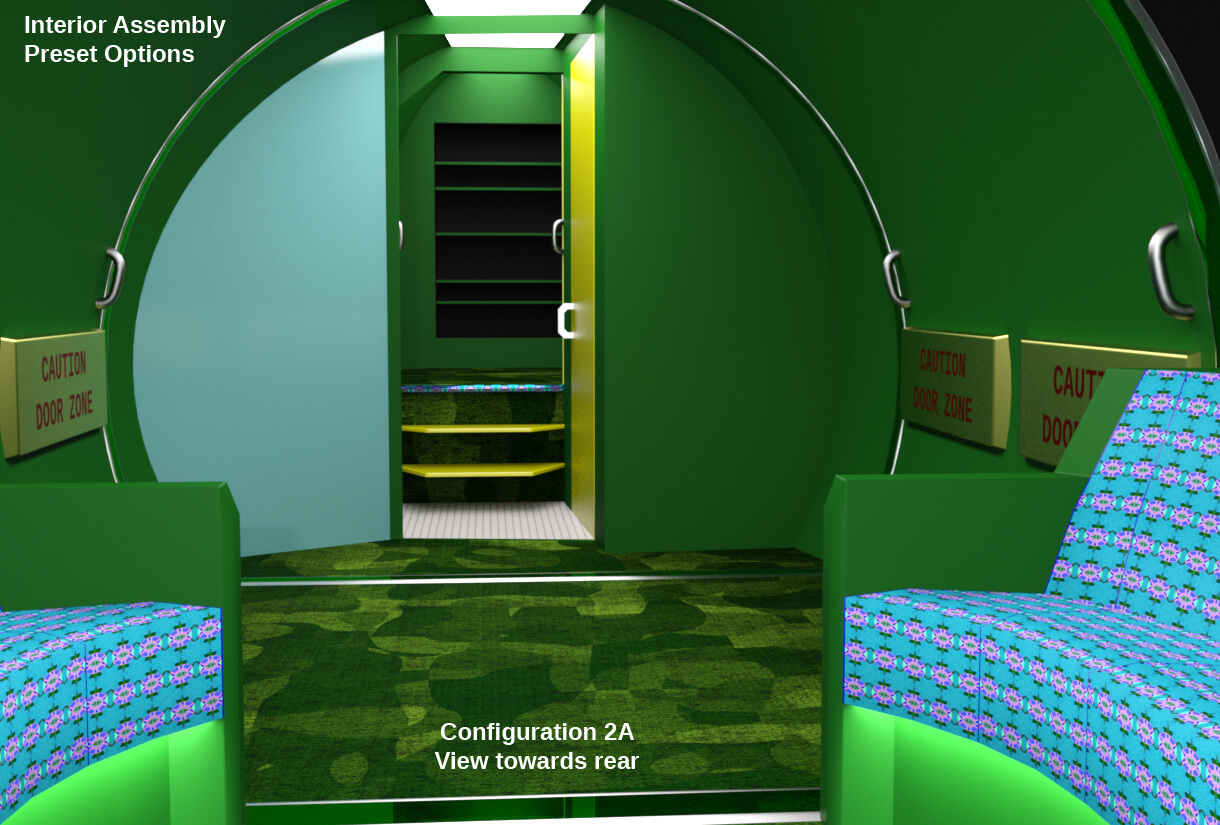
Ship, Outer Space, Qyixor, V1 3D Model
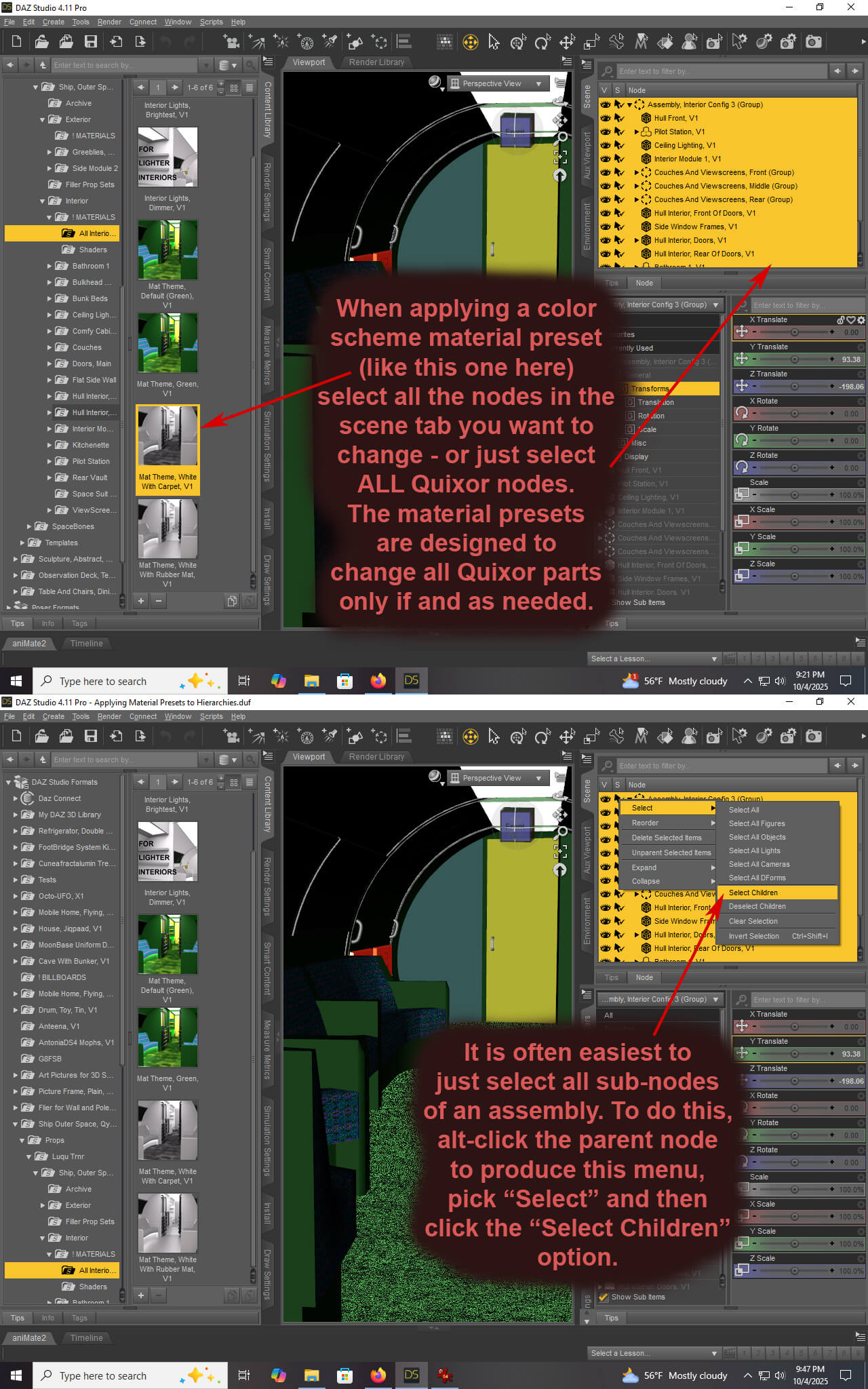
ATTENTION: The single most important thing you need to know when using this model in Daz is:
SELECT CHILDREN WHEN APPLYING A MATERIAL PRESET TO ASSEMBLIES AND SOME OTHER ITEMS.
I show you how to do that in an instructional picture.
Look in the Instructional Pictures folder, and within the promo pictures right here.
Don't say I never told you.
A free 3D model by Luke Turner
(AKA Luqu, Luqu Trnr, Lukon100, Volcanoface, Doubt45, Illuwuz).
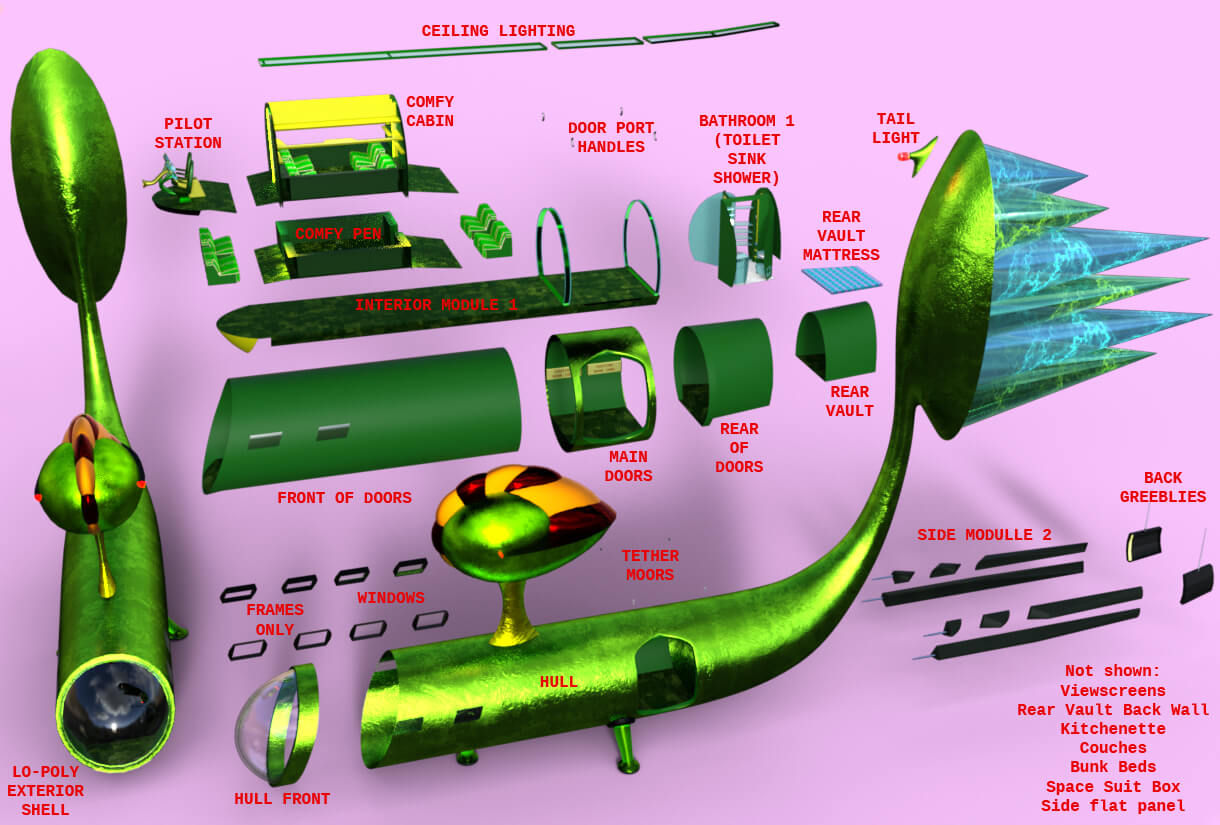
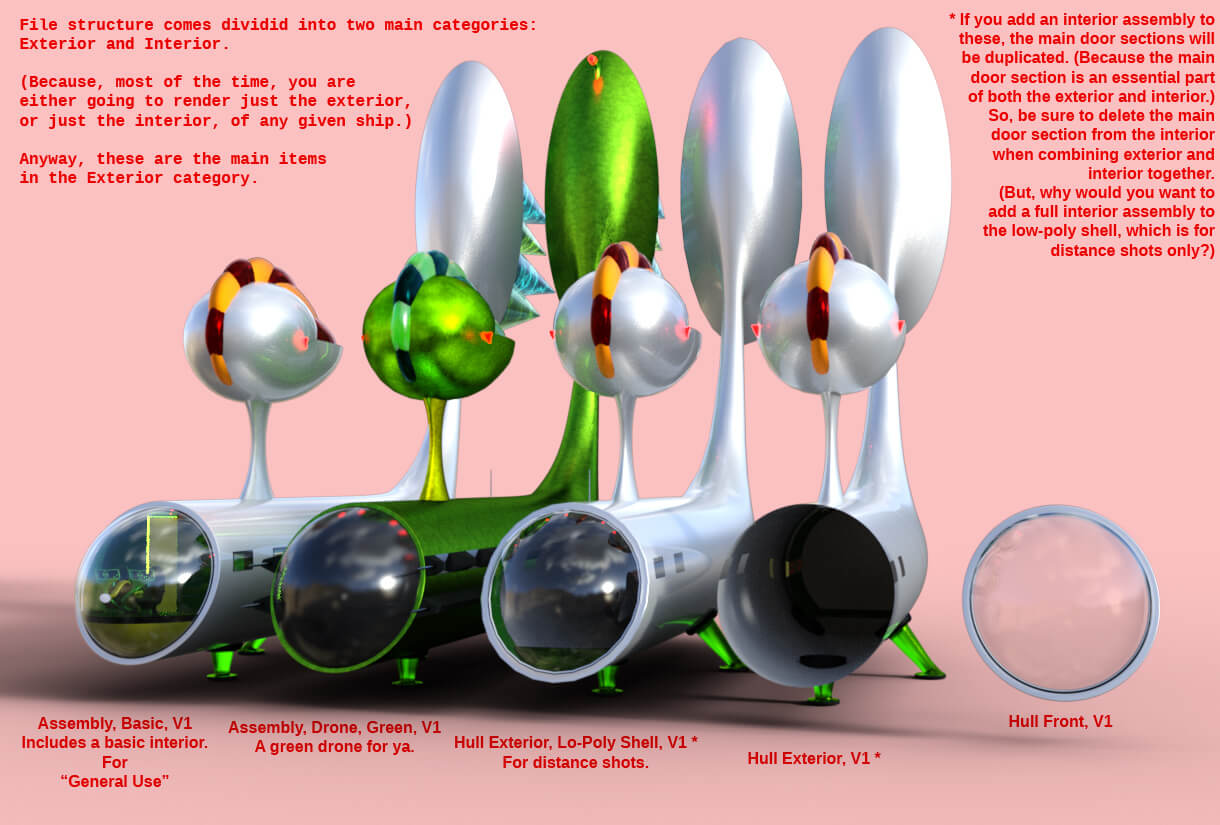
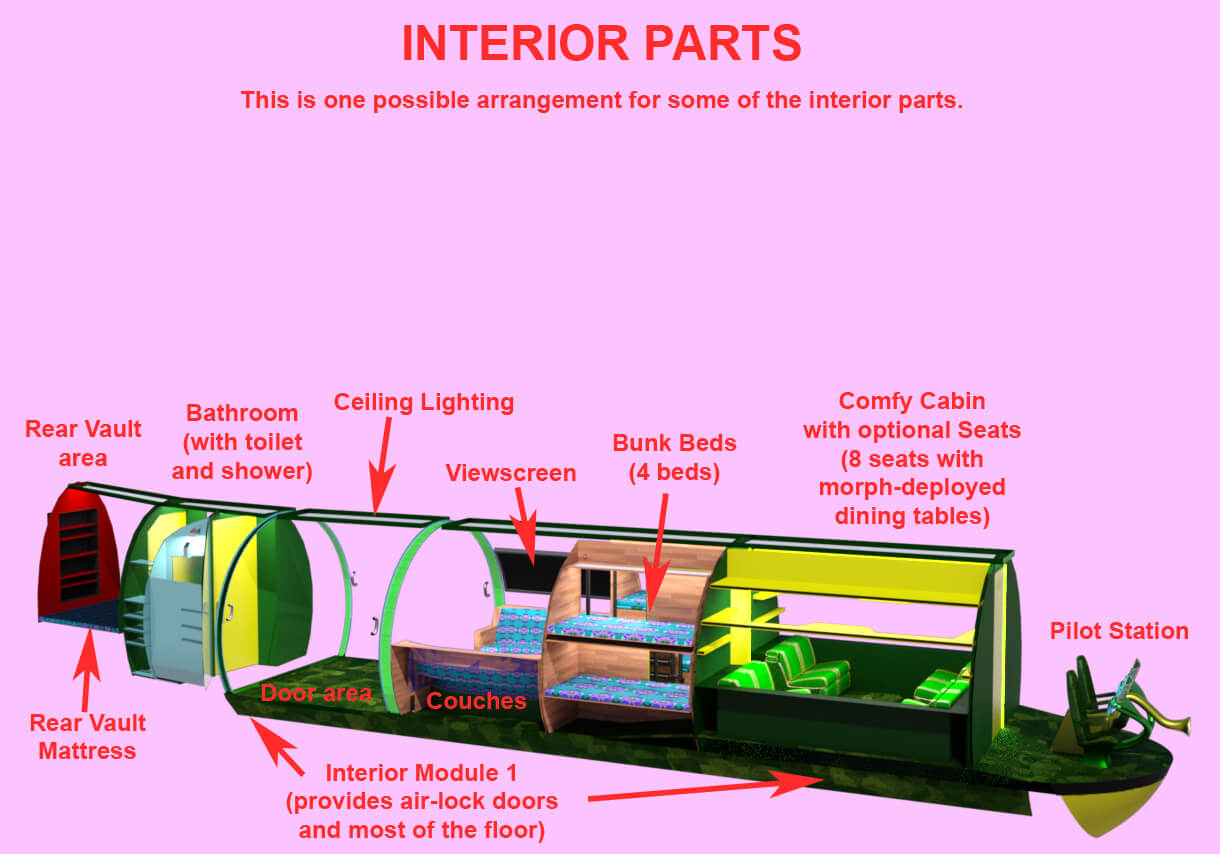
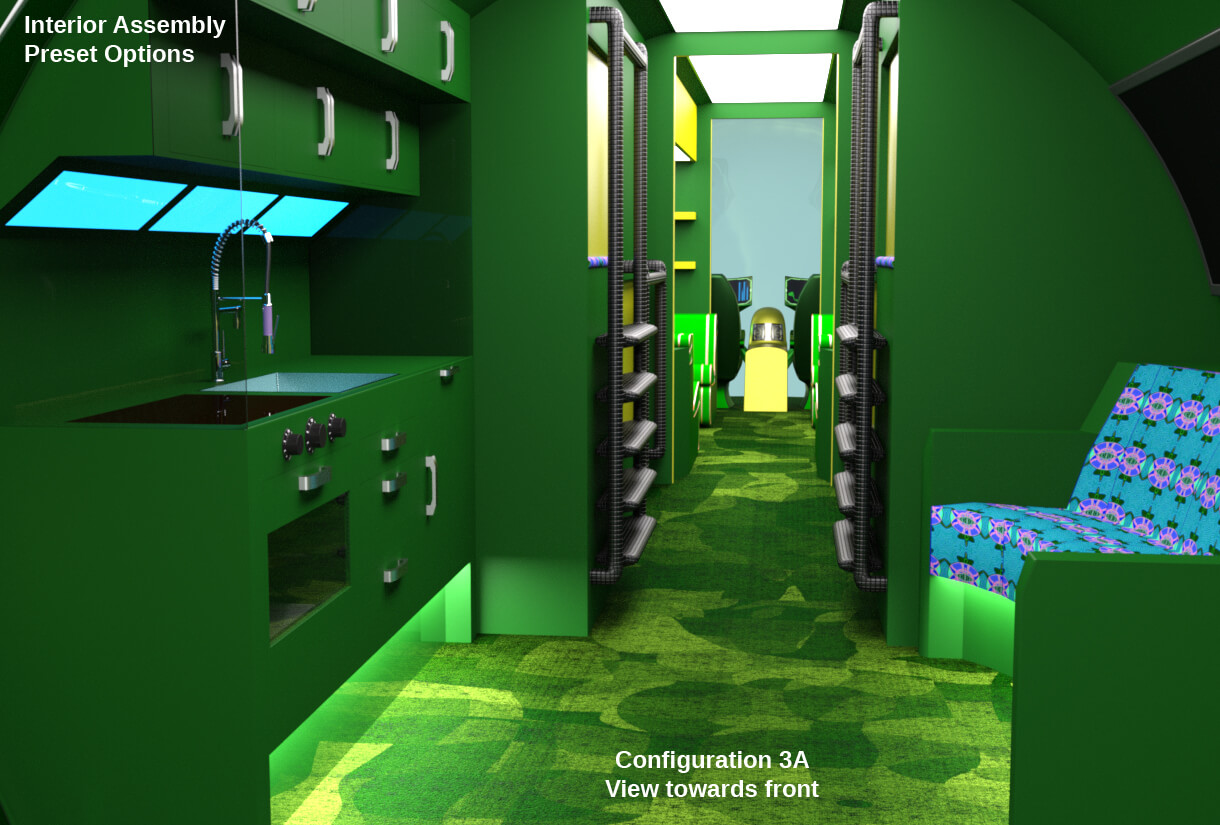
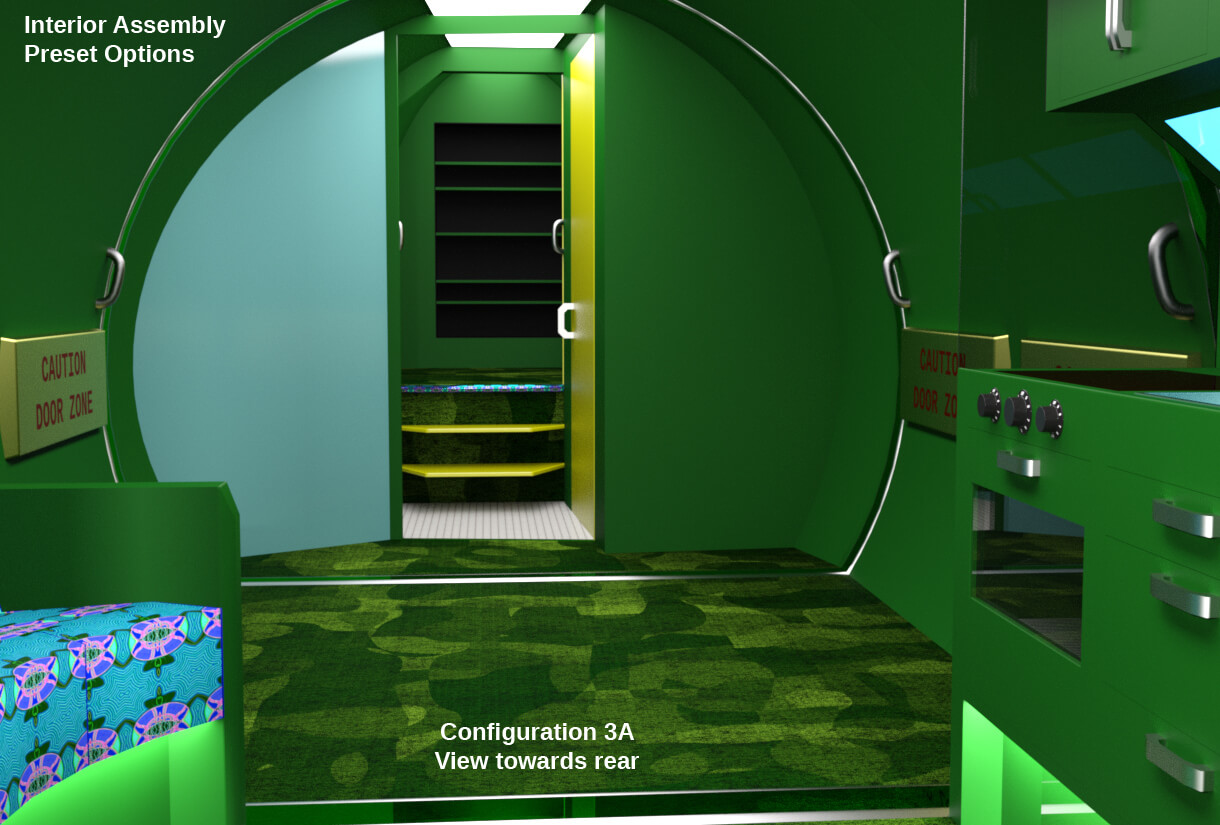
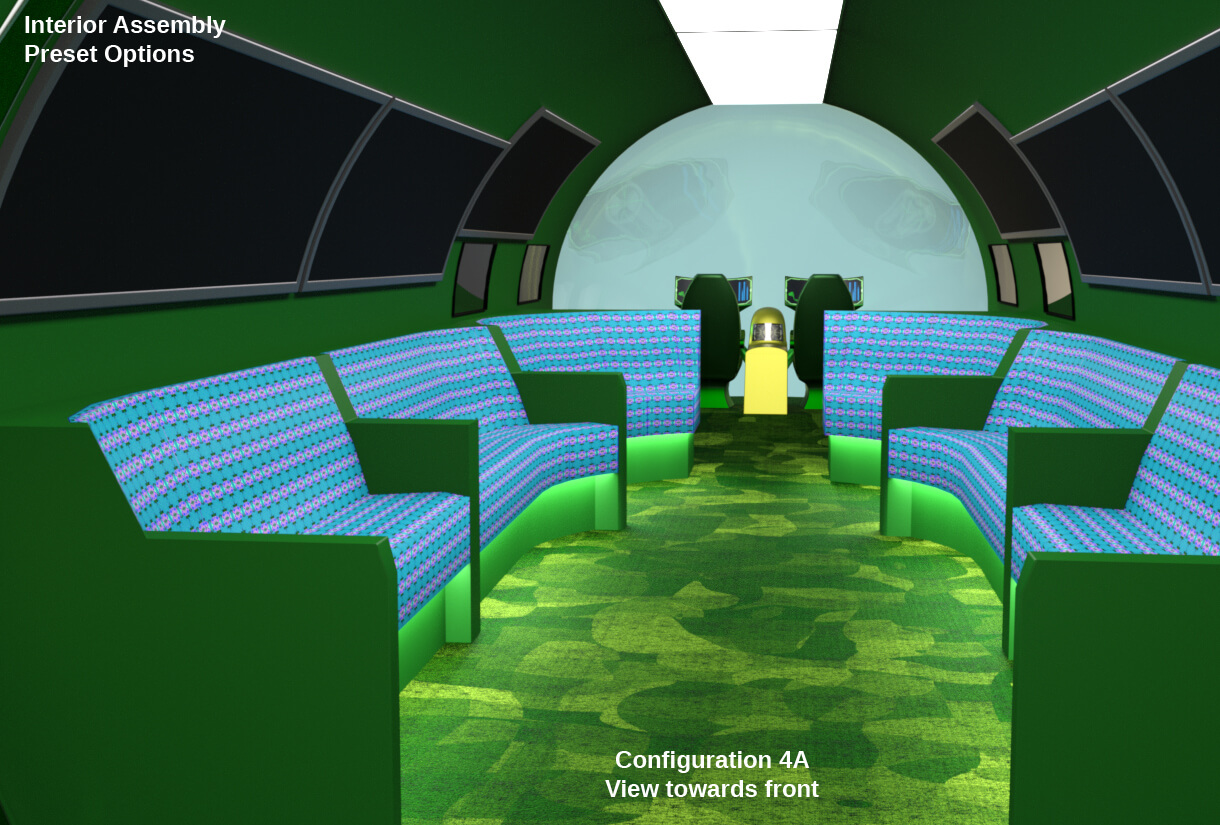
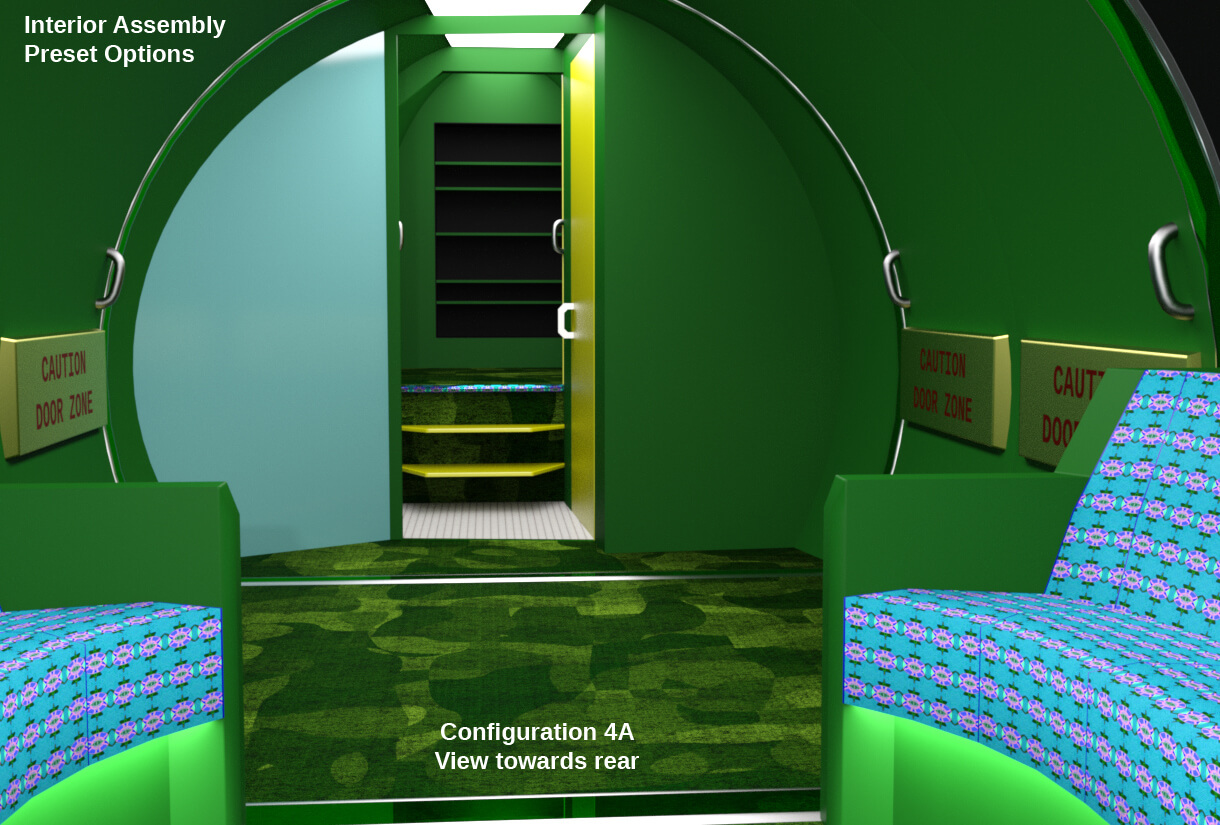
The "Assembly, Basic, V1.duf" weighs in at 75,641 Verts and 74,196 Poly.
"QUICKLY NOW, I JUST INSTALLED IT BUT CAN'T FIND IT. WHERE IS IT?"
In the content manager it is here:
DAZ Studio Formats
>My DAZ3D Library
>>Props
>>>Luqu Trnr
>>>>Ship, Outer Space, Qyixor, V1
>>>>>Assembly, Basic, V1
Note: If I revise this model and re-issue it, I will increment the affected assets from "V1" to "V2" and so on.
This V1 release is meant to be a "beta" release. Help me improve future releases by sending me critiques and requests for features.
BACKGROUND
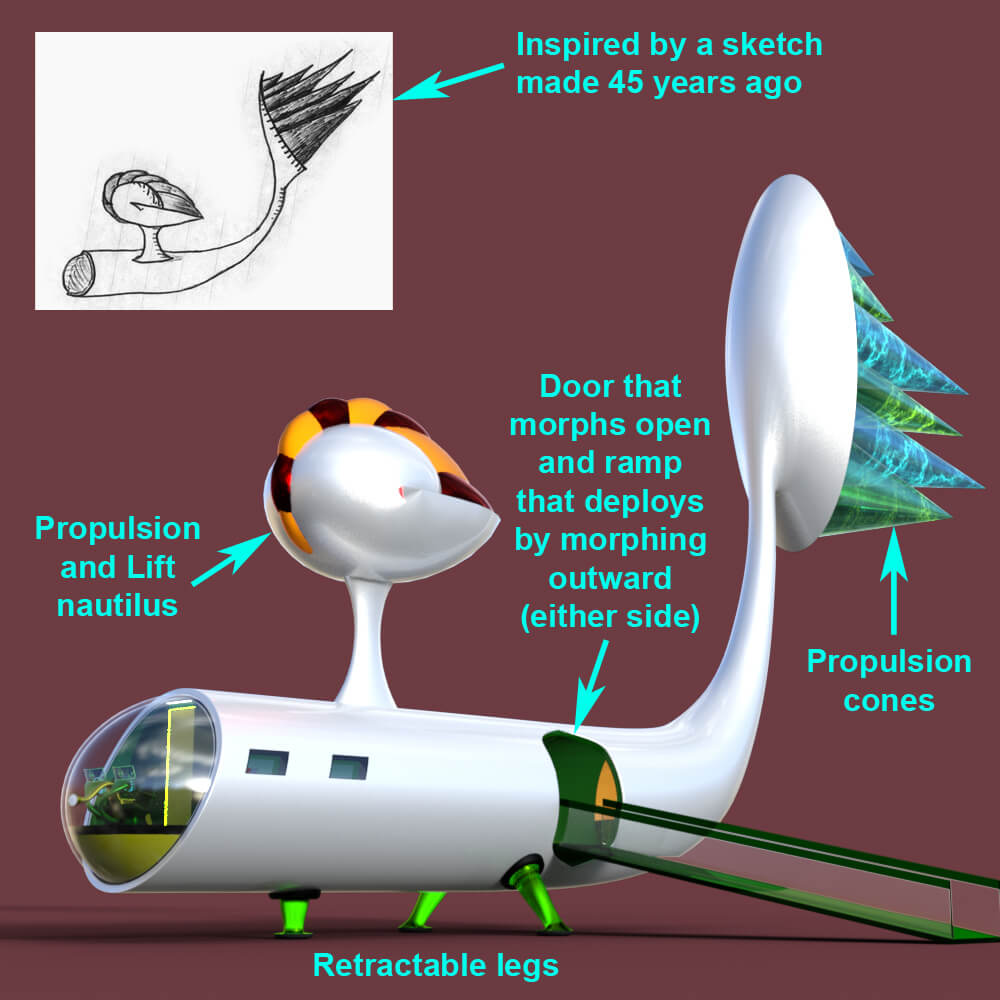
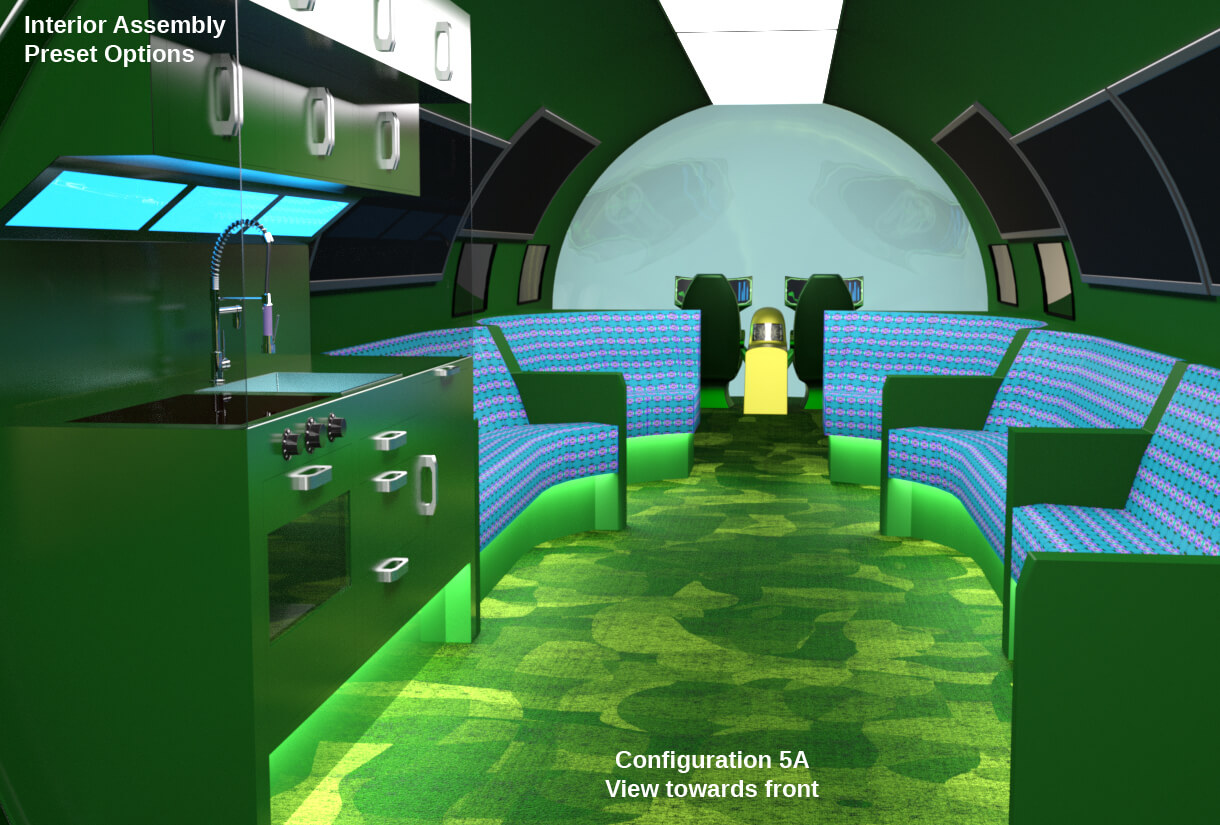
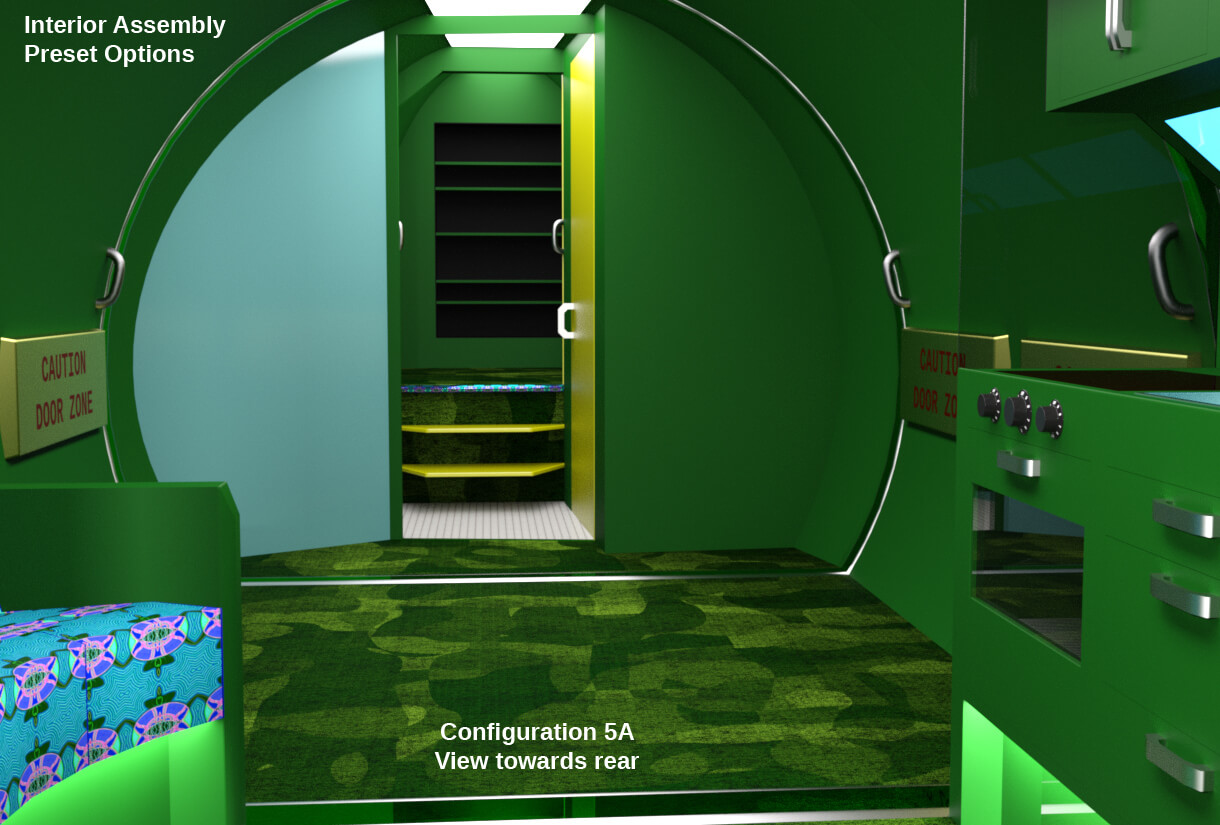
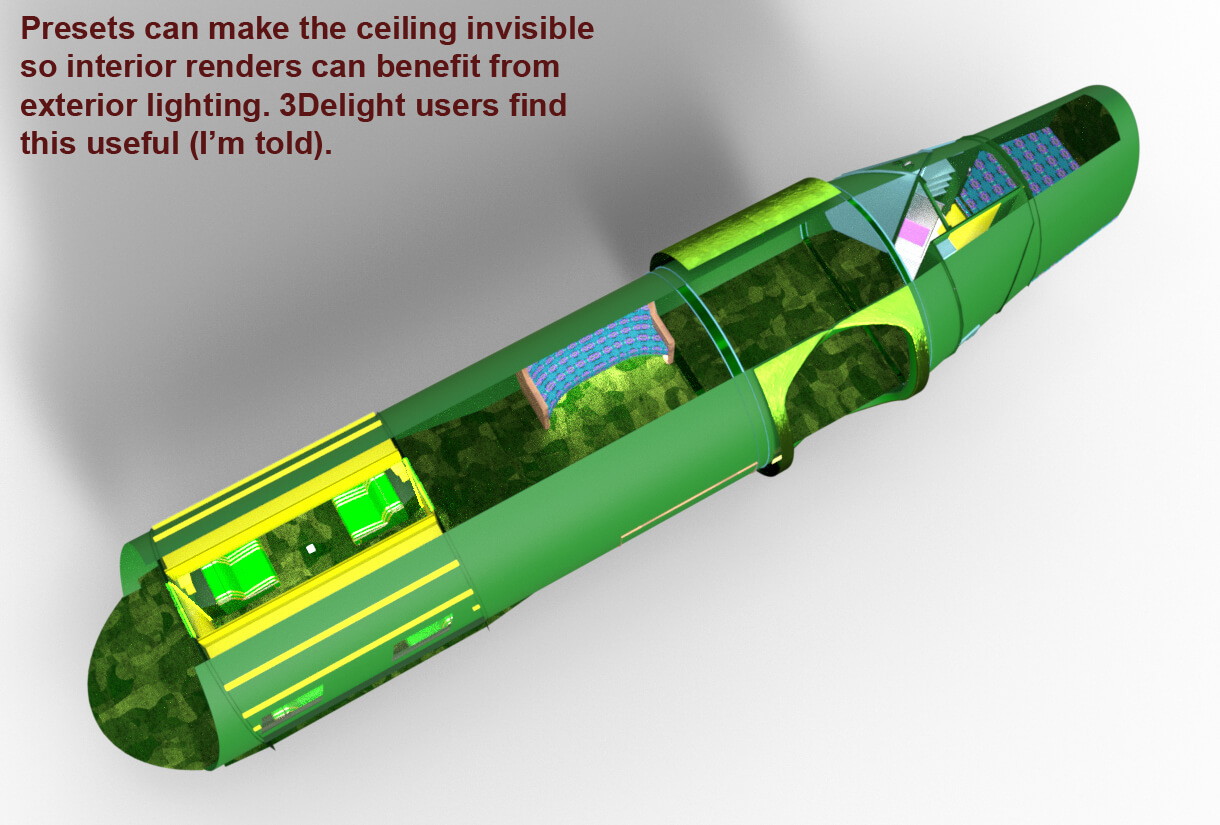
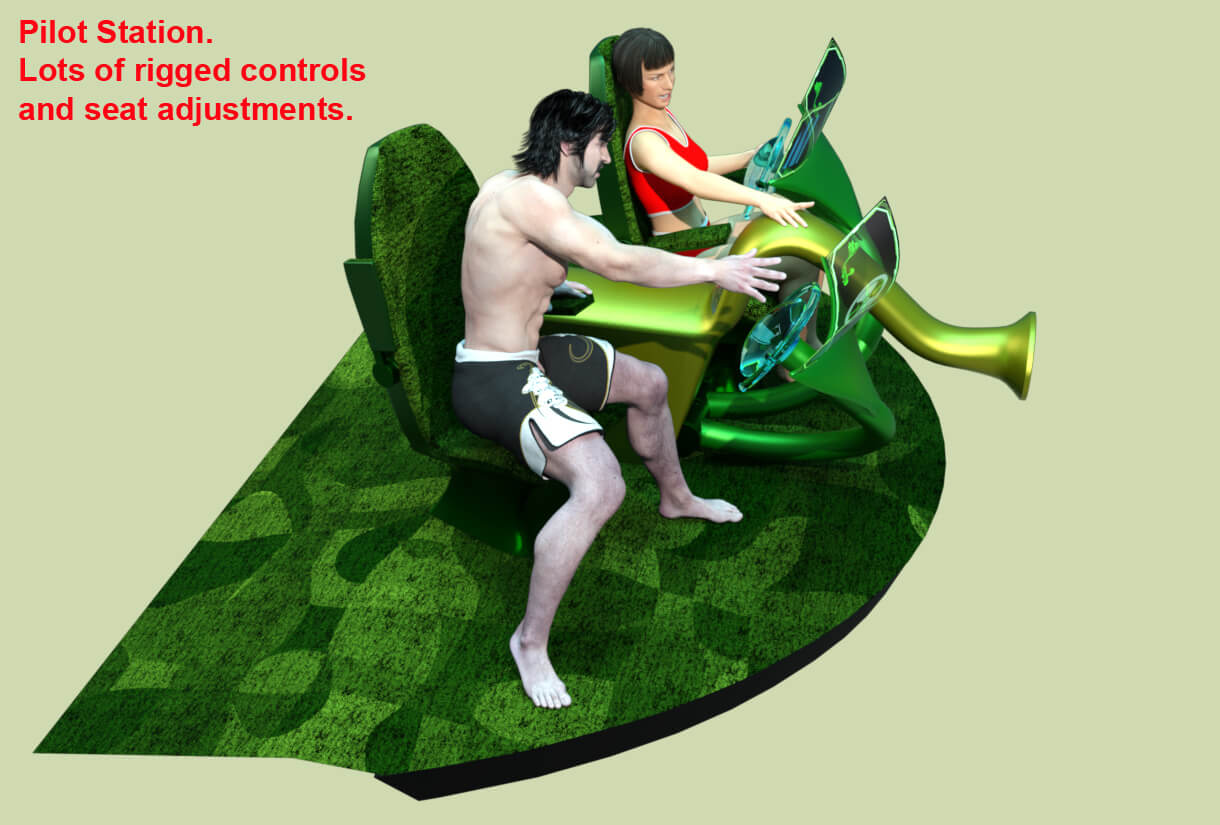
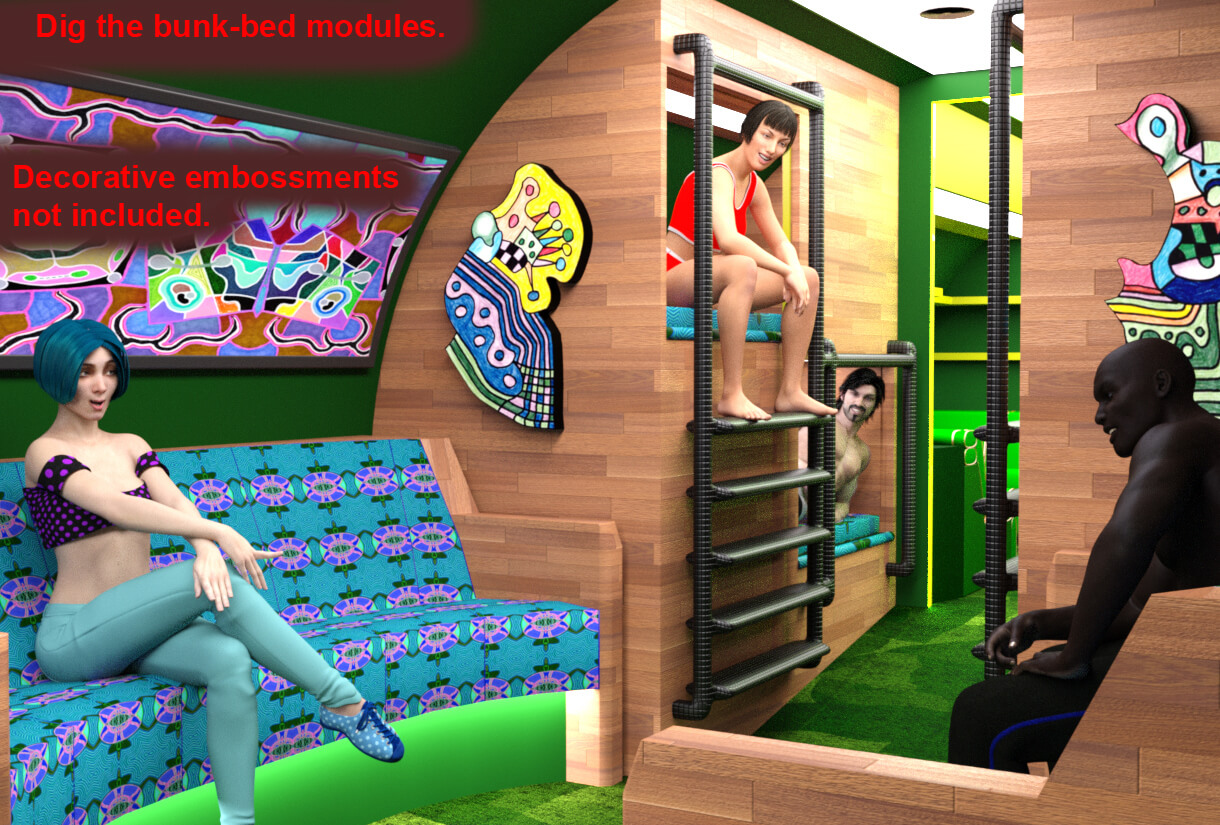
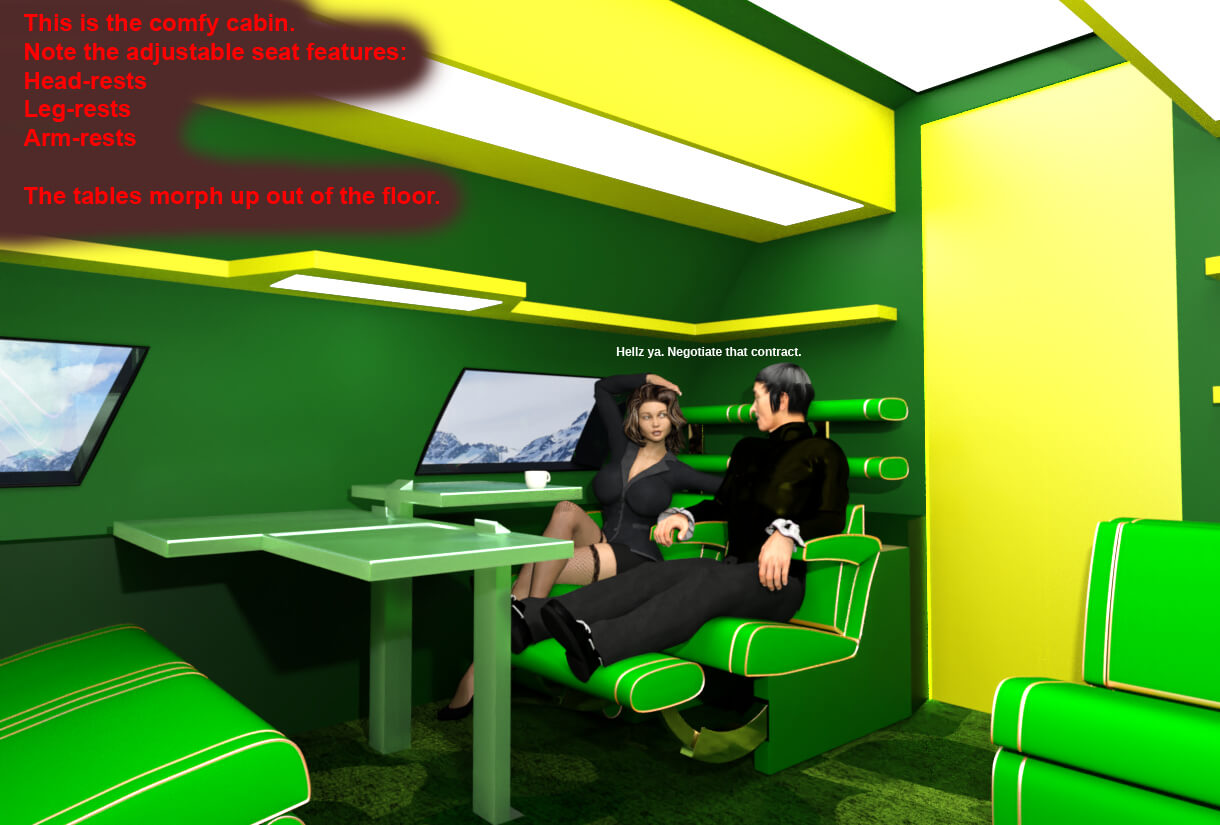
About 45 years ago a drew a sketch of this space ship. Eventually, I got inspired to make a 3D model of it.
SHORTCOMINGS
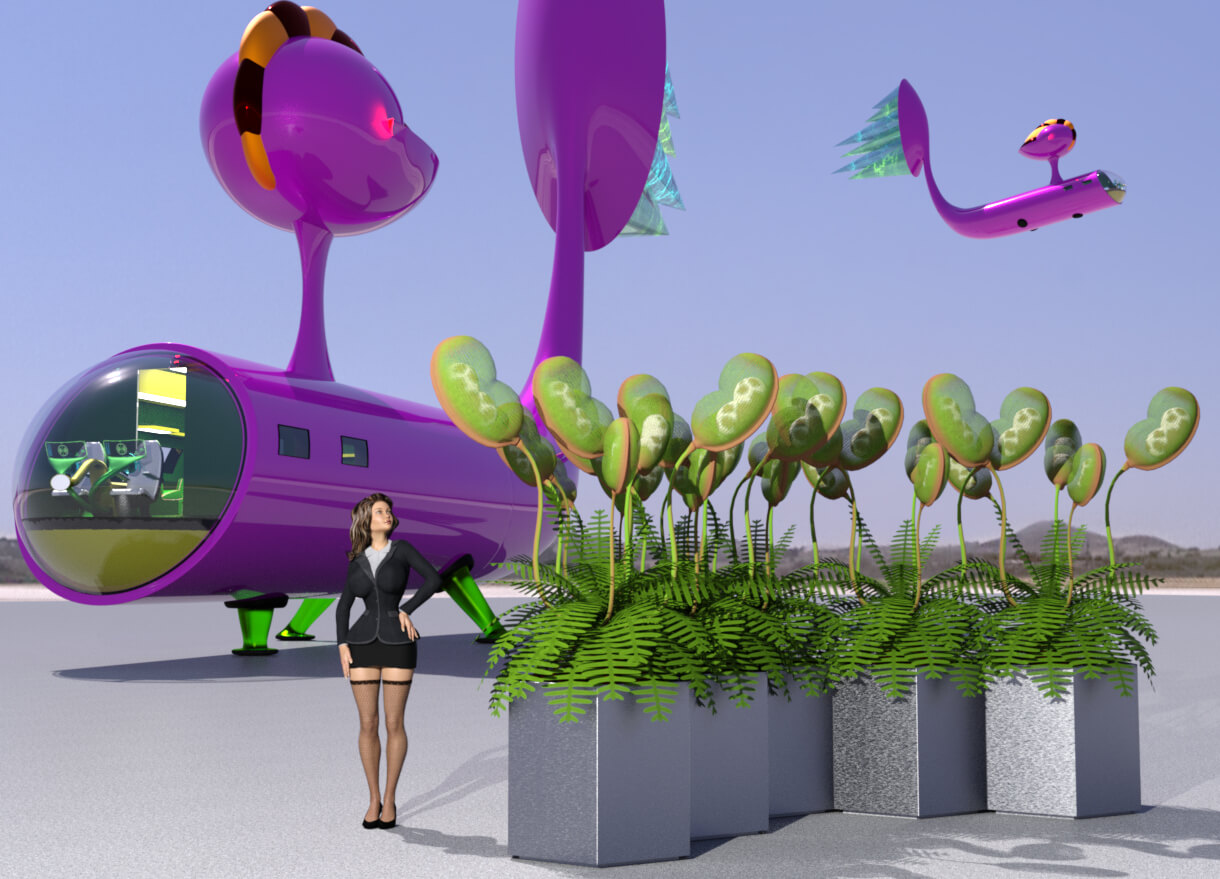
This 3D model ain't perfect. Its construction reflects my current beginner's skill level with Blender and Daz. But it looks ok from a typical distance, I think.
VERSIONS AND FEATURES
This V1 release download includes the model in DAZ Studio format and .obj format.
Both versions are UV mapped where I think they need to be.
The Daz Studio versions of model pieces have sub-d applied by default. Often, you can set them to Base for most shots where the camera is at a typical distance away.
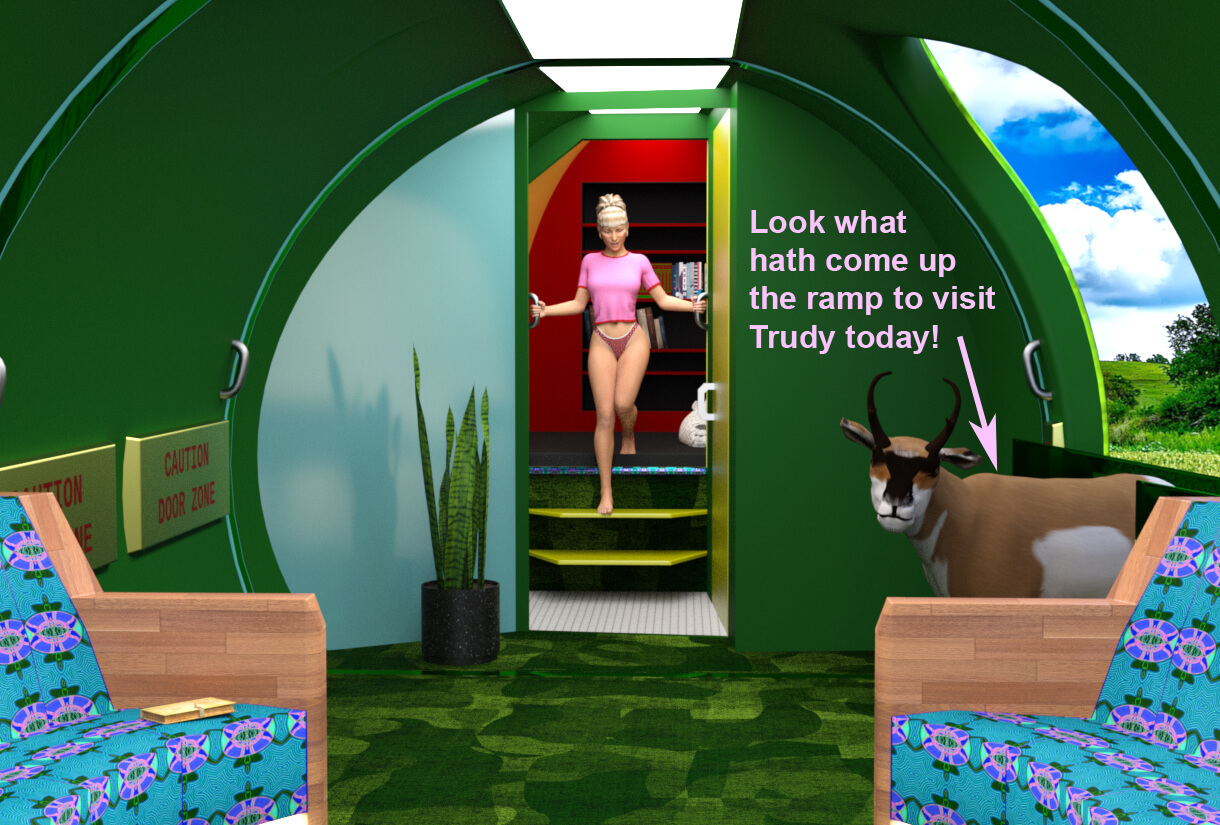
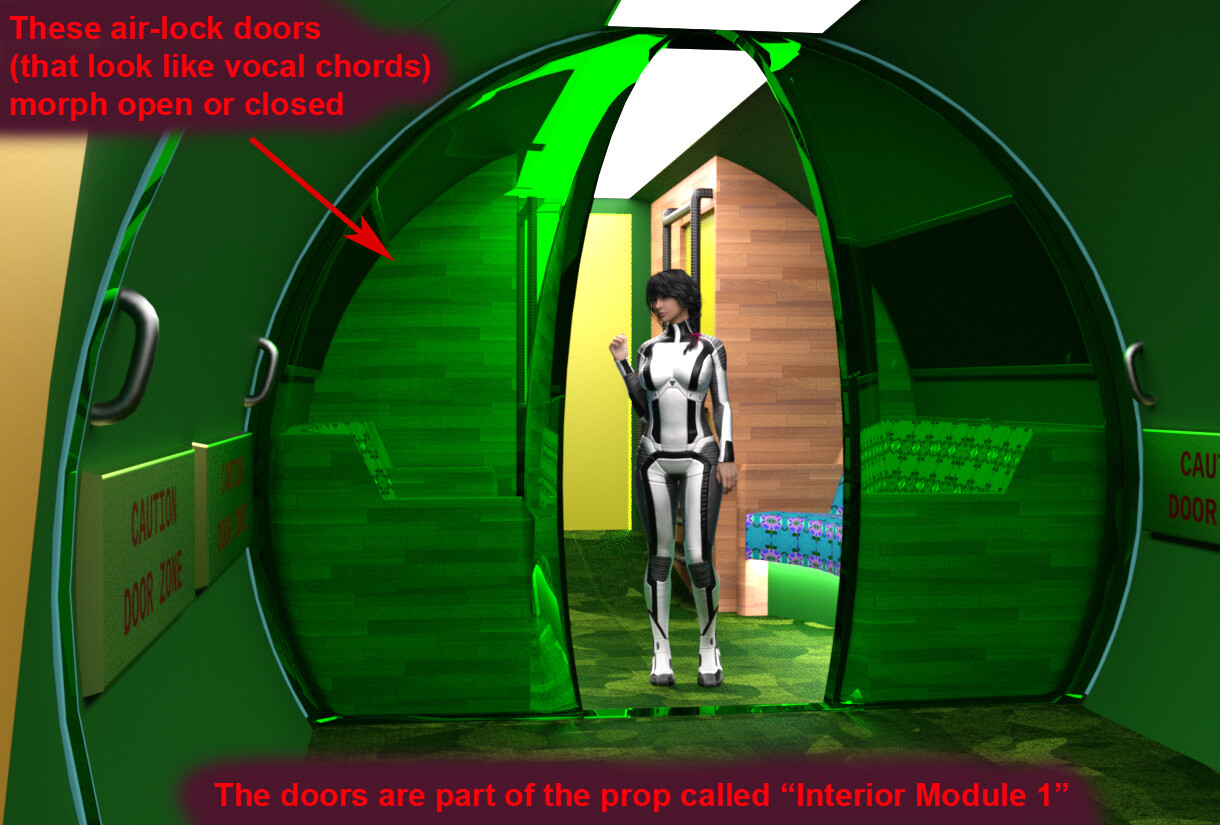
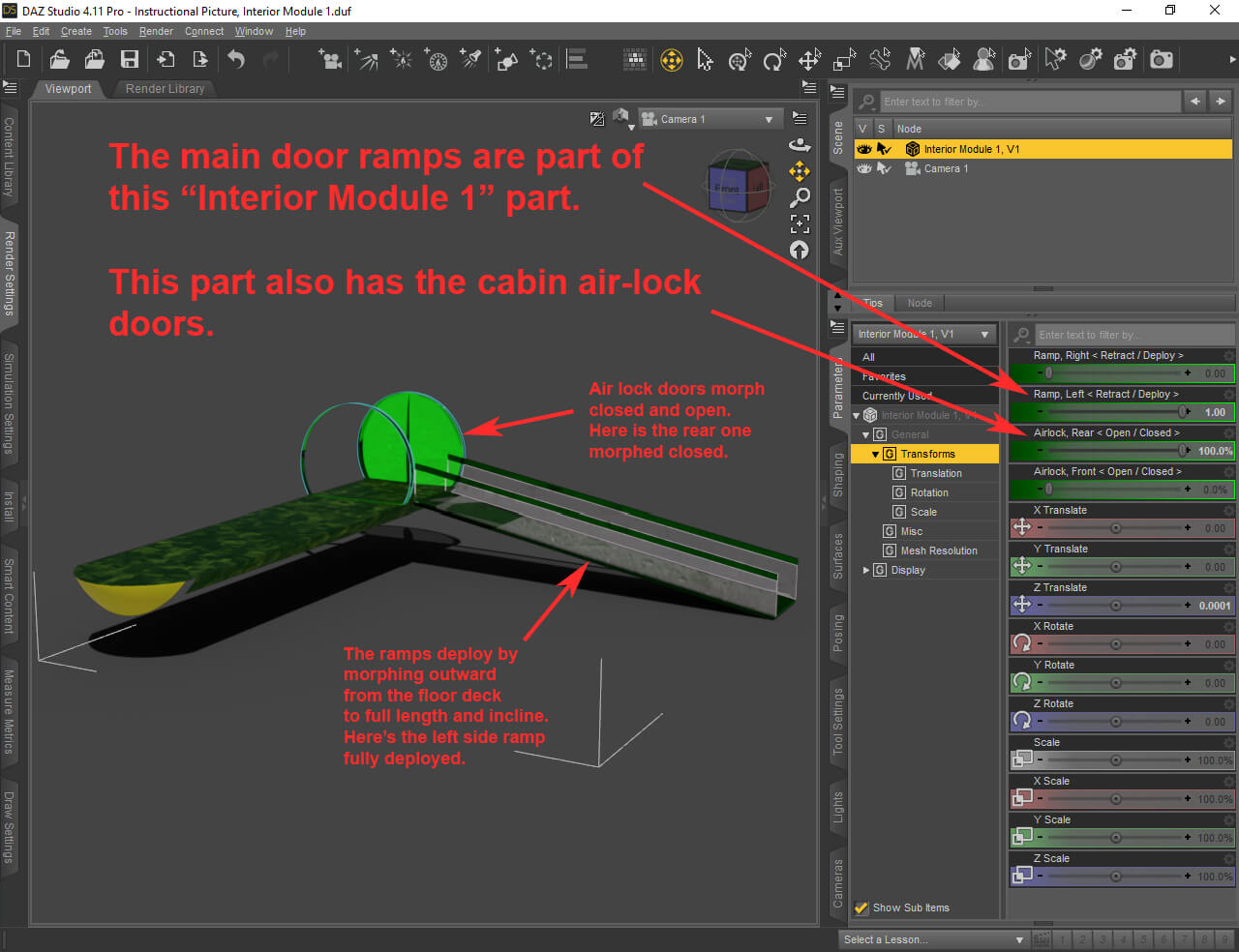
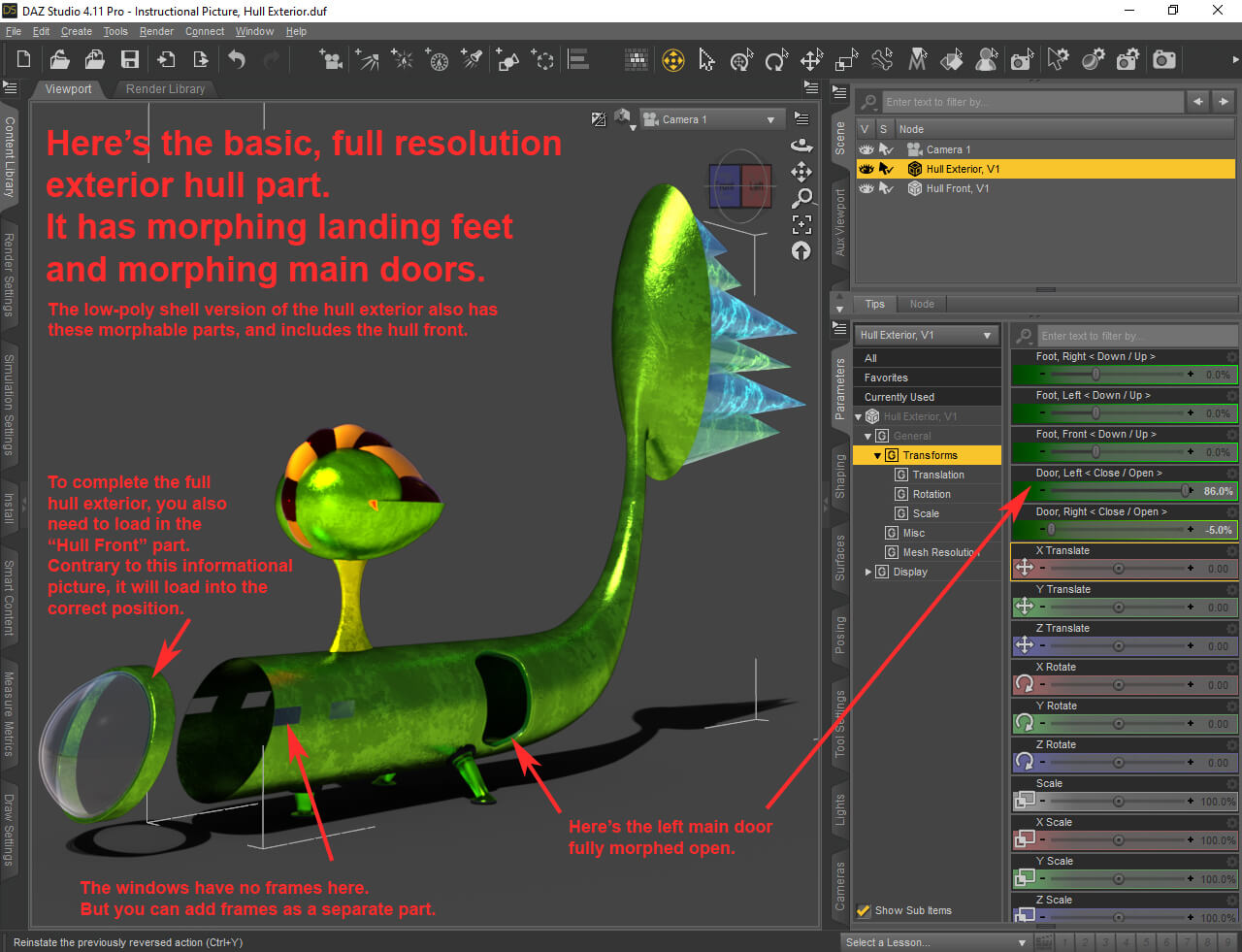
Daz Studio controls for most moving parts are in the "Parameters" tab, and colored green. Look for green slider controls - in the "Parameters" tab.
The .obj version does not have controls for moving parts, of course. But I include the morph target files so you can at least set up the morphs in other programs.
INSTALLING THE DAZ STUDIO FORMATTED VERSION on a WINDOWS computer
The usual procedure. If you don't yet know the usual procedure, here's my version of it that should work fine:
1. Unzip the download to some temporary folder, or some folder you have for just this sort of thing.
2. In the resulting unzipped folder structure, open the "Content" folder.
3. MERGE, rather than just copy, the four folders "data", "Props", "Runtime" and "Templates" to your DAZ 3D Library.
Merging is an option you can pick when trying to copy. So start by simply trying to copy.
BUT… when the "Confirm Folder Replace" window pops up,
click on the "More…" word in the lower left corner to bring up the window that gives you the option to merge.
4. Click the "Yes" button.
The location of your DAZ 3D Library is likely to be: C:\Users\Public\Documents\My DAZ 3D Library
…given a standard DAZ Studio installation.
INSTALLING THE DAZ STUDIO FORMATTED VERSION on a MACINTOSH computer
The usual procedure. If you don't yet know the usual procedure, here's my version of it that should work fine:
1. Unzip the download to some temporary folder, or some folder you have for just this sort of thing.
2. In the resulting unzipped folder structure, open the "Content" folder.
3. MERGE, rather than just copy, the four folders "data", "Props", "Runtime" and "Templates" to your DAZ 3D Library.
Merging is an option you can pick when trying to copy. So start by simply trying to copy.
BUT… when the "A folder named XXXX already exists in this location. …" window pops up, click on the "Merge" button.
The location of your DAZ 3D Library is likely to be: Users\Shared\My DAZ 3D Library
…given a standard DAZ Studio installation.
FINDING THE MODEL IN DAZ STUDIO AFTER INSTALL
The DAZ Studio format version can be found in the Content Library under:
DAZ Studio Formats
>My DAZ 3D Library
>>Props
>>>Luqu Trnr
>>>>Ship, Outer Space, Qyixor, V1
This is the basic root directory. Many other assets are in sub-directories. Lots and lots of sub-directories. Explore them.
To copy all the sub-directory assets into your user-created CMS catergories, do a web search on this topic.
Copy this string into your web search navigation bar: "daz studio, how to copy hierarchical asset structures to user-created CMS categories"
"Enter" and try to figure out what the hell the internet says.
LICENSING / PERMISSIONS
Please feed my ego by crediting me when you publish pictures featuring my models.
If you use an asset that I credit to another person, then you must also credit that person when using that asset for commercial renders, and subsumed redistribution of that asset is prohibited. Otherwise, I am the only person to credit for commercial renders or subsumed redistribution, both of which I permit.
Here are the other people I credit:
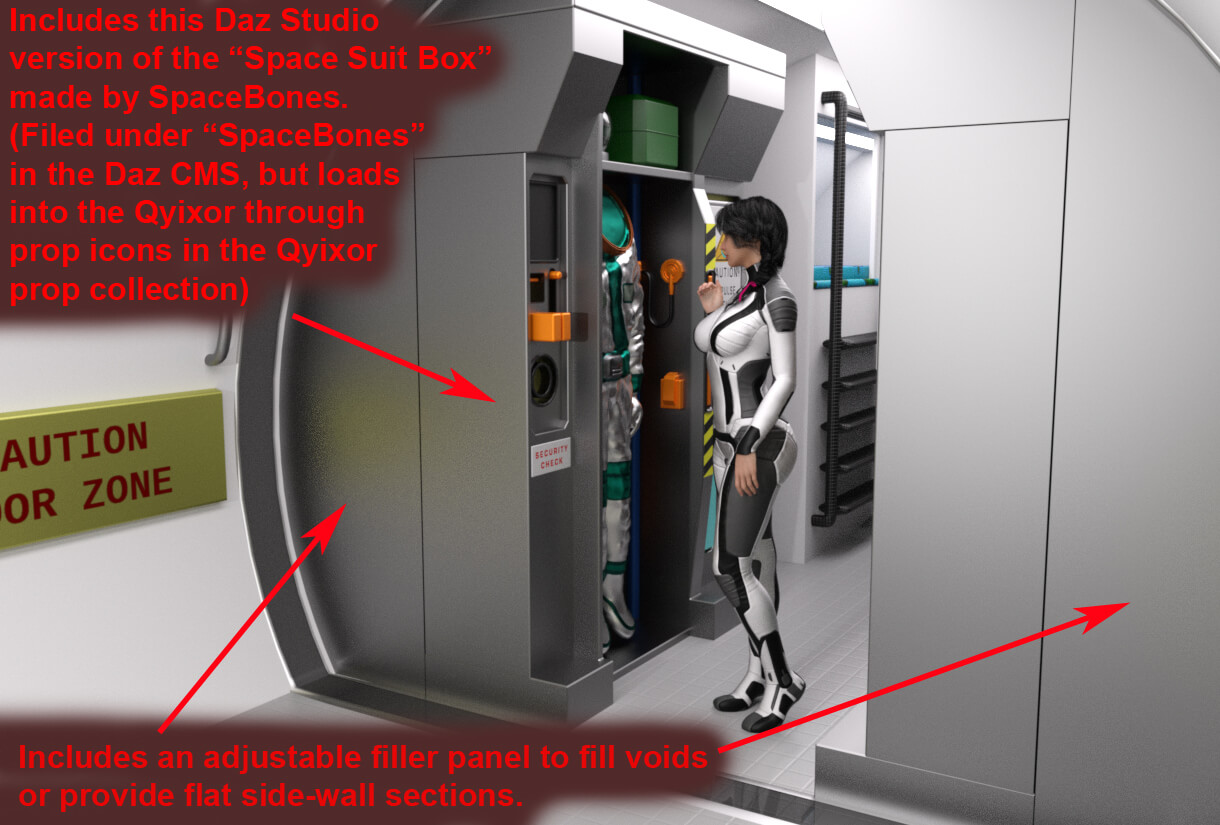
SpaceBones, for permitting me to subsume their "Space Suit Box" into this package.
(URL in the readme)
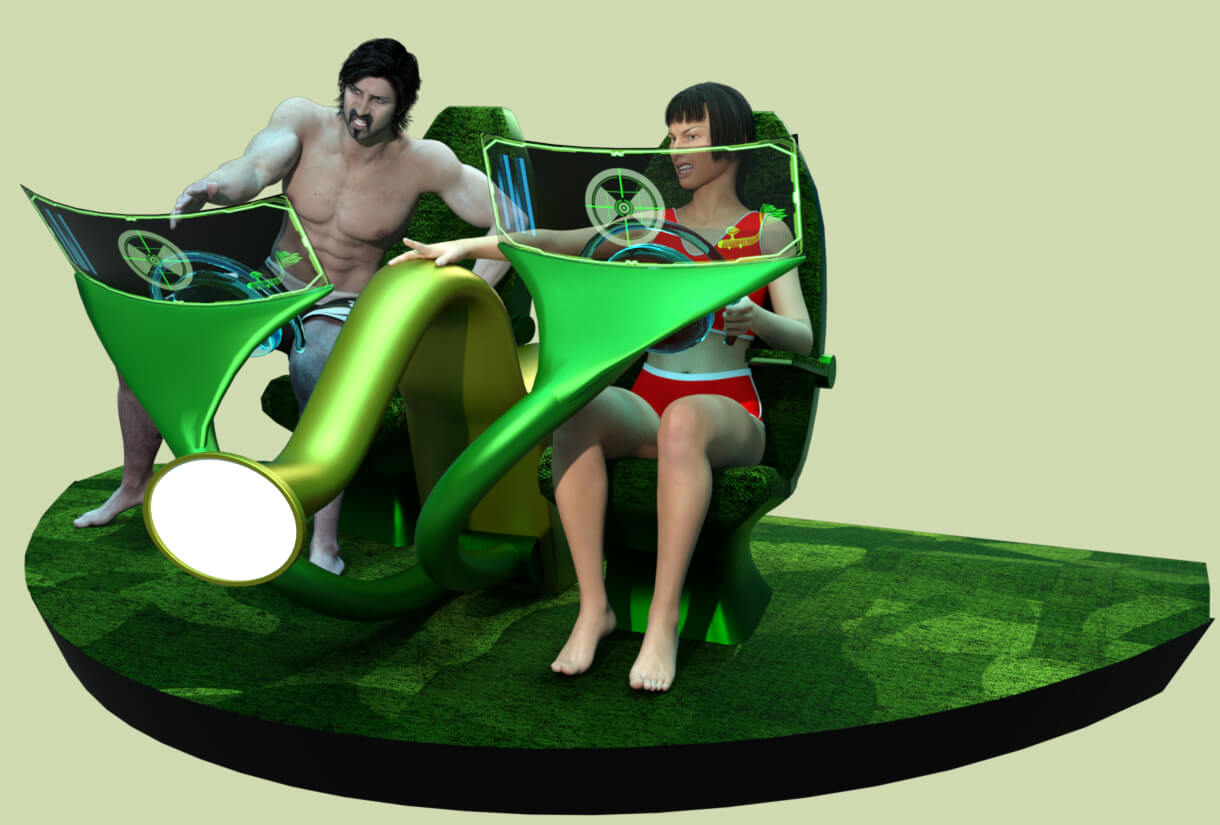
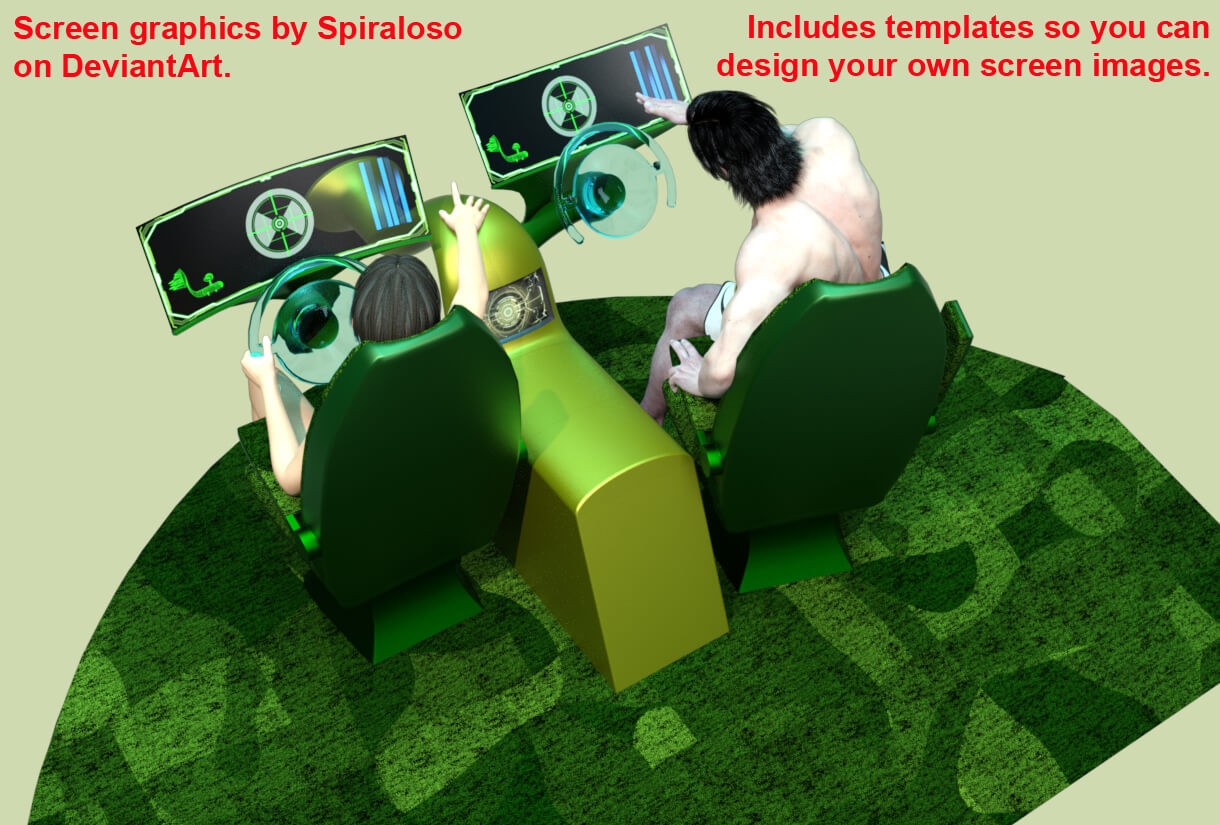
Spiraloso, for permitting me to subsume their several screen graphic designs and propulsion cone energy spark pictures into this package.
(URLs in the readme)
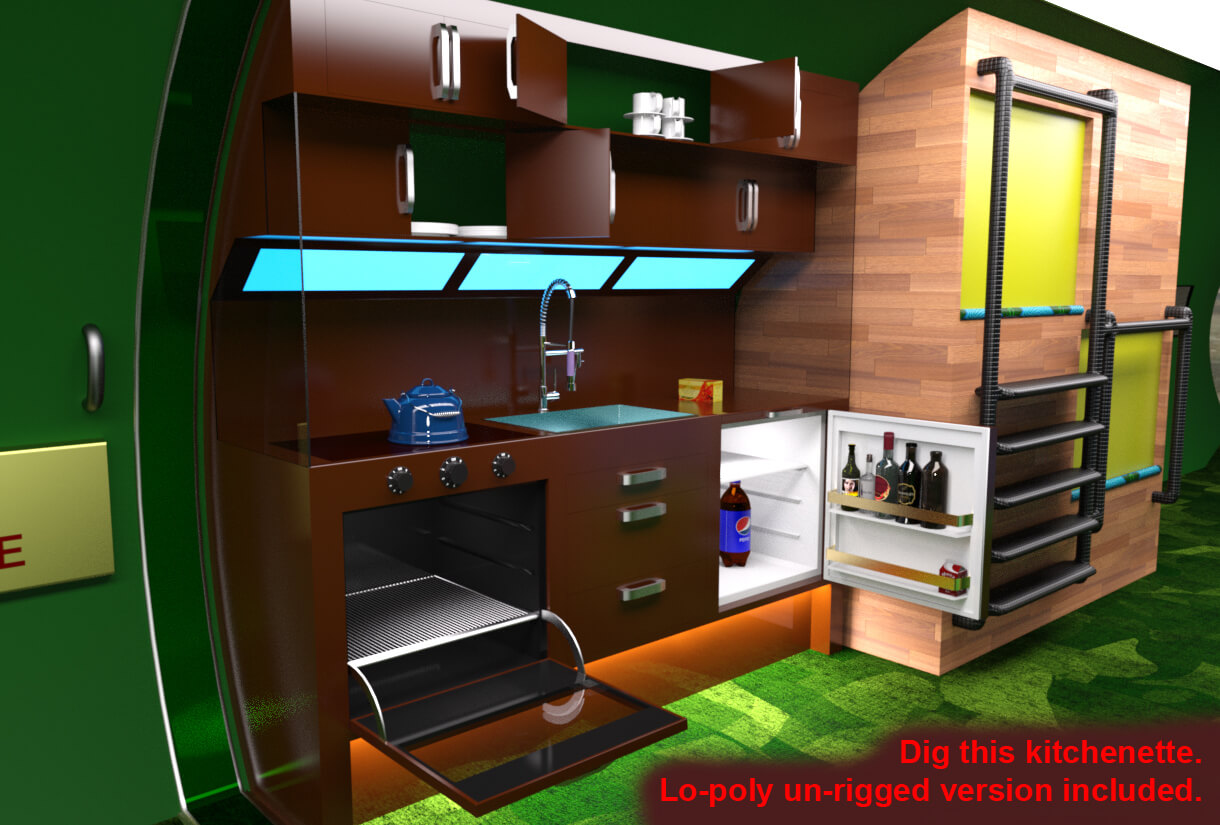
Josepetri, for their CC0 kitchen faucet.
(URL in the readme)
I also use image maps from the Daz Studio default resources collection, as that collection was for release 4.11.
Feel free to improve this model's geometry, but still credit me as the originator.
NO WARRANTY ON PRODUCT
Luqu Trnr is not liable for any damage or incident involving the use of this model.
SELECT CHILDREN WHEN APPLYING A MATERIAL PRESET TO ASSEMBLIES AND SOME OTHER ITEMS.
I show you how to do that in an instructional picture.
Look in the Instructional Pictures folder, and within the promo pictures right here.
Don't say I never told you.
A free 3D model by Luke Turner
(AKA Luqu, Luqu Trnr, Lukon100, Volcanoface, Doubt45, Illuwuz).
The "Assembly, Basic, V1.duf" weighs in at 75,641 Verts and 74,196 Poly.
"QUICKLY NOW, I JUST INSTALLED IT BUT CAN'T FIND IT. WHERE IS IT?"
In the content manager it is here:
DAZ Studio Formats
>My DAZ3D Library
>>Props
>>>Luqu Trnr
>>>>Ship, Outer Space, Qyixor, V1
>>>>>Assembly, Basic, V1
Note: If I revise this model and re-issue it, I will increment the affected assets from "V1" to "V2" and so on.
This V1 release is meant to be a "beta" release. Help me improve future releases by sending me critiques and requests for features.
BACKGROUND
About 45 years ago a drew a sketch of this space ship. Eventually, I got inspired to make a 3D model of it.
SHORTCOMINGS
This 3D model ain't perfect. Its construction reflects my current beginner's skill level with Blender and Daz. But it looks ok from a typical distance, I think.
VERSIONS AND FEATURES
This V1 release download includes the model in DAZ Studio format and .obj format.
Both versions are UV mapped where I think they need to be.
The Daz Studio versions of model pieces have sub-d applied by default. Often, you can set them to Base for most shots where the camera is at a typical distance away.
Daz Studio controls for most moving parts are in the "Parameters" tab, and colored green. Look for green slider controls - in the "Parameters" tab.
The .obj version does not have controls for moving parts, of course. But I include the morph target files so you can at least set up the morphs in other programs.
INSTALLING THE DAZ STUDIO FORMATTED VERSION on a WINDOWS computer
The usual procedure. If you don't yet know the usual procedure, here's my version of it that should work fine:
1. Unzip the download to some temporary folder, or some folder you have for just this sort of thing.
2. In the resulting unzipped folder structure, open the "Content" folder.
3. MERGE, rather than just copy, the four folders "data", "Props", "Runtime" and "Templates" to your DAZ 3D Library.
Merging is an option you can pick when trying to copy. So start by simply trying to copy.
BUT… when the "Confirm Folder Replace" window pops up,
click on the "More…" word in the lower left corner to bring up the window that gives you the option to merge.
4. Click the "Yes" button.
The location of your DAZ 3D Library is likely to be: C:\Users\Public\Documents\My DAZ 3D Library
…given a standard DAZ Studio installation.
INSTALLING THE DAZ STUDIO FORMATTED VERSION on a MACINTOSH computer
The usual procedure. If you don't yet know the usual procedure, here's my version of it that should work fine:
1. Unzip the download to some temporary folder, or some folder you have for just this sort of thing.
2. In the resulting unzipped folder structure, open the "Content" folder.
3. MERGE, rather than just copy, the four folders "data", "Props", "Runtime" and "Templates" to your DAZ 3D Library.
Merging is an option you can pick when trying to copy. So start by simply trying to copy.
BUT… when the "A folder named XXXX already exists in this location. …" window pops up, click on the "Merge" button.
The location of your DAZ 3D Library is likely to be: Users\Shared\My DAZ 3D Library
…given a standard DAZ Studio installation.
FINDING THE MODEL IN DAZ STUDIO AFTER INSTALL
The DAZ Studio format version can be found in the Content Library under:
DAZ Studio Formats
>My DAZ 3D Library
>>Props
>>>Luqu Trnr
>>>>Ship, Outer Space, Qyixor, V1
This is the basic root directory. Many other assets are in sub-directories. Lots and lots of sub-directories. Explore them.
To copy all the sub-directory assets into your user-created CMS catergories, do a web search on this topic.
Copy this string into your web search navigation bar: "daz studio, how to copy hierarchical asset structures to user-created CMS categories"
"Enter" and try to figure out what the hell the internet says.
LICENSING / PERMISSIONS
Please feed my ego by crediting me when you publish pictures featuring my models.
If you use an asset that I credit to another person, then you must also credit that person when using that asset for commercial renders, and subsumed redistribution of that asset is prohibited. Otherwise, I am the only person to credit for commercial renders or subsumed redistribution, both of which I permit.
Here are the other people I credit:
SpaceBones, for permitting me to subsume their "Space Suit Box" into this package.
(URL in the readme)
Spiraloso, for permitting me to subsume their several screen graphic designs and propulsion cone energy spark pictures into this package.
(URLs in the readme)
Josepetri, for their CC0 kitchen faucet.
(URL in the readme)
I also use image maps from the Daz Studio default resources collection, as that collection was for release 4.11.
Feel free to improve this model's geometry, but still credit me as the originator.
NO WARRANTY ON PRODUCT
Luqu Trnr is not liable for any damage or incident involving the use of this model.
