


 Free 3D
 3D Print Models
 3D Scans
 Animation & MoCap
 Textures
 Materials
 Skin Reference
 2D Game Assets
 Sound Effects
 Brushes & Tools
 Reference Photos
 Stock Images
 HDR Images
 3ds Max
 Maya
 Blender
 Unreal Engine
 Unity
 ZBrush
 Cinema 4D
 LightWave
 Marmoset
 SketchUp
 FBX
 DAE
 DXF
 GLB
Fluid Brush – Paint Liquids in DAZ Studio

5.0 Stars |1 Rating



! REPORT
NOTE: DIGITAL DOWNLOAD, NOT A PHYSICAL ITEM

Add to Collection

5 Likes
Share This Daz Content


Offered By


License
Extended Use License
This item comes with our Extended Use Licensing. This means that you may use the model for both non-commercial and commercial purposes, in a variety of mediums and applications.
For full license terms, see our 3D Content Licensing Agreement
Item Details
| Vendor: | Magtheridon3D |
| Published: | Nov 25, 2026 |
| Download Size: | 330.5 KB |
| Software: | Daz Studio |
| Compatible Figures: | Original Daz Figure Genesis 9 Genesis 8 Female Genesis 3 Female |
| dForce: | – |
Included Formats

Statistics
| Favorites: | 0 |
| Likes: | 5 |
| Views: | 284 |
Item Ratings
1 Rating5 Stars|Nov 25, 2026
This is an absolute must-have! It is super easy to use, and cleaning up your scene afterward takes almost no effort. The included presets are amazing, and being able to make your own custom liquids is a huge bonus. I will definitely be using this tool all the time.
Fluid Brush – Paint Liquids in DAZ Studio
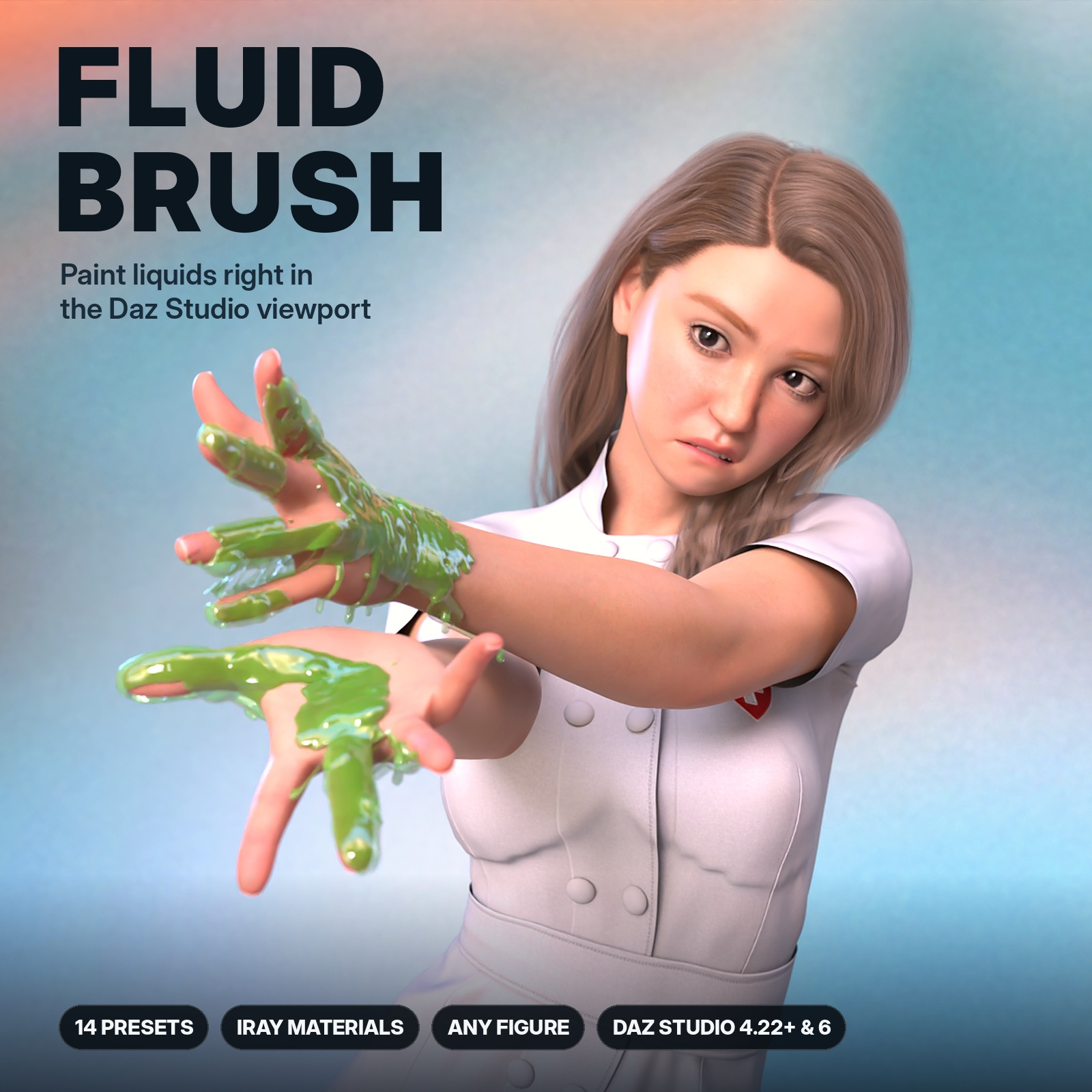
Fluid Brush is a brush tool for the Daz Studio viewport that paints real liquid geometry onto your figures. Pick the tool, paint a stroke on a posed character and release the mouse: the plugin builds the liquid exactly where you painted, fits it to the figure so it follows the pose like clothing, and gives it a ready-to-render Iray material.
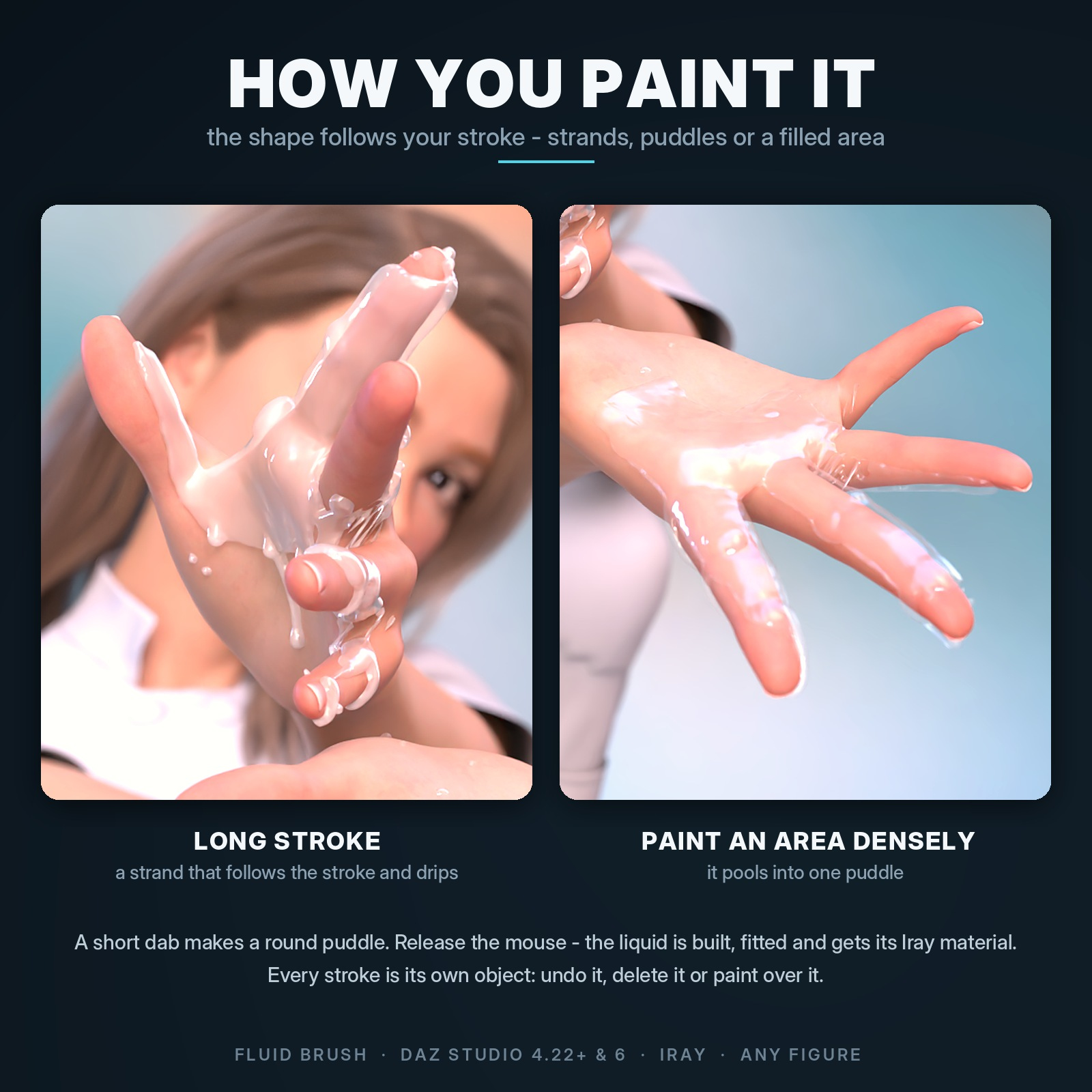
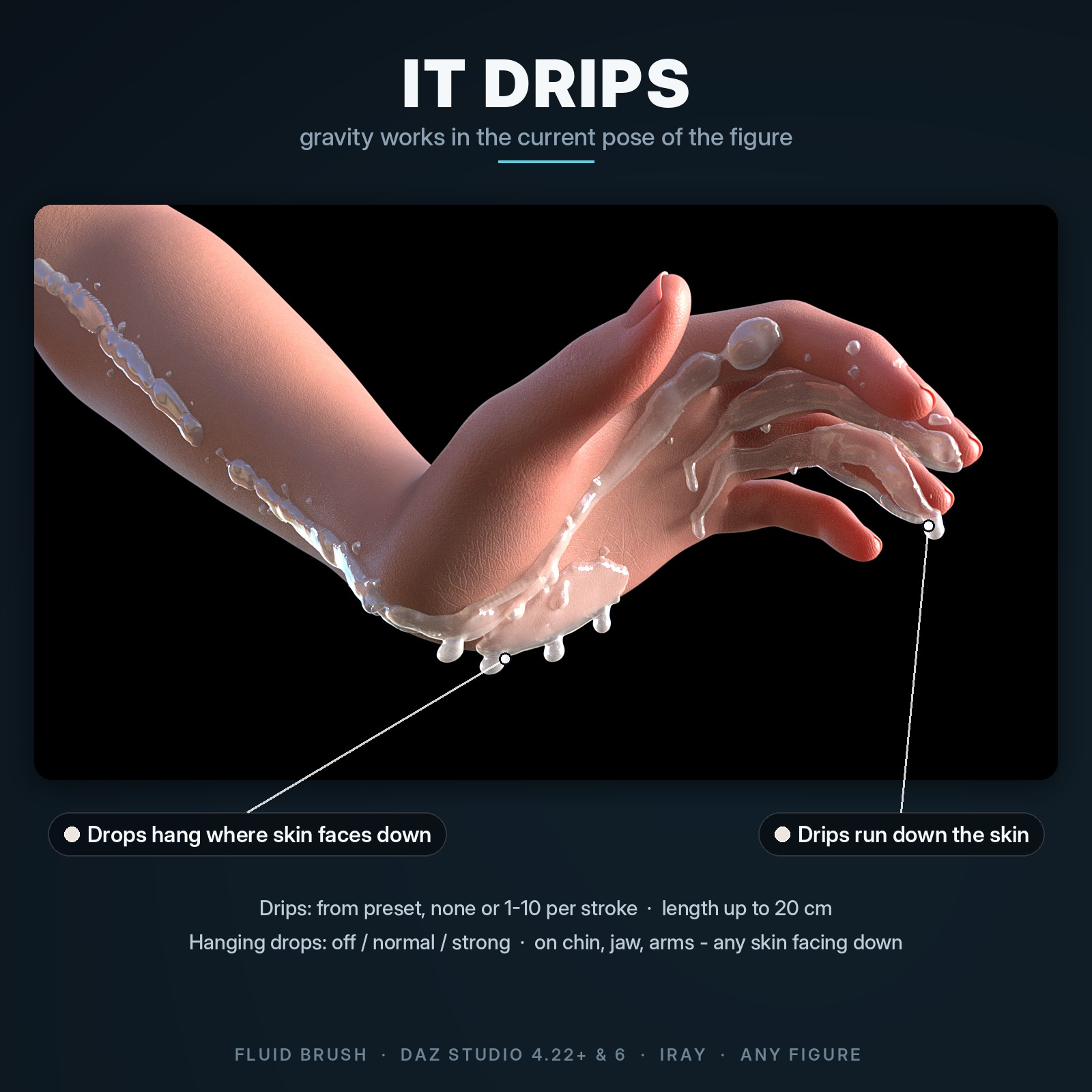
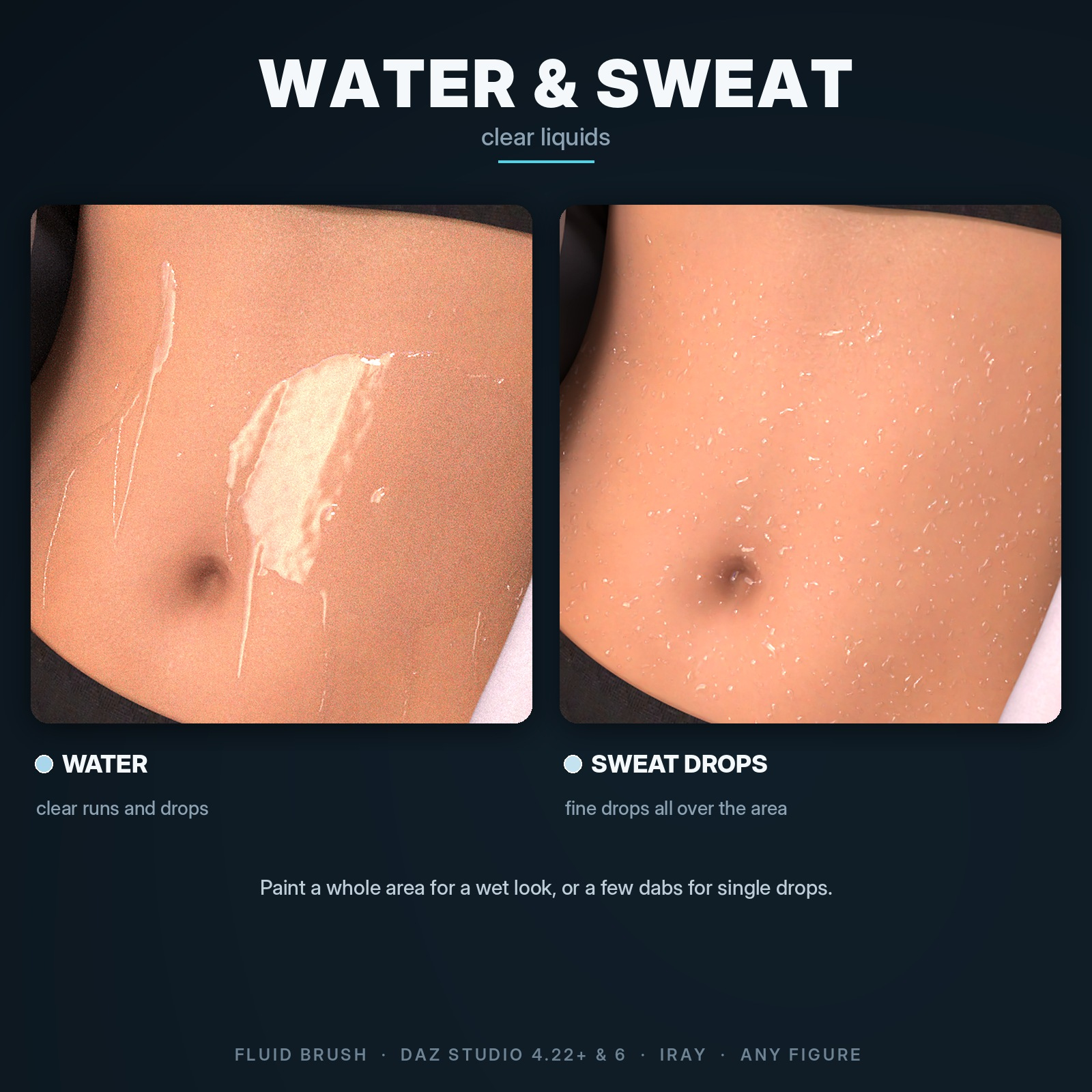
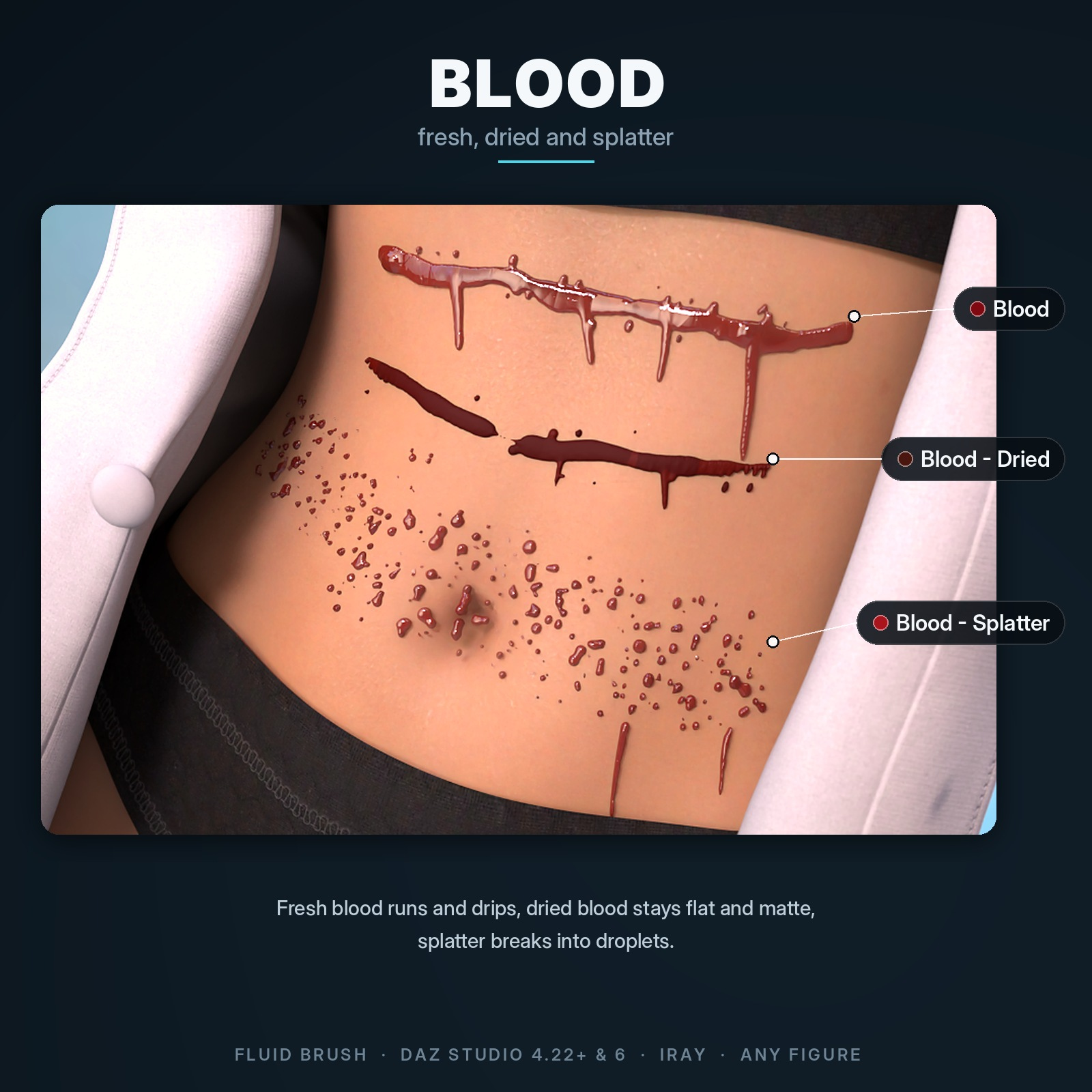
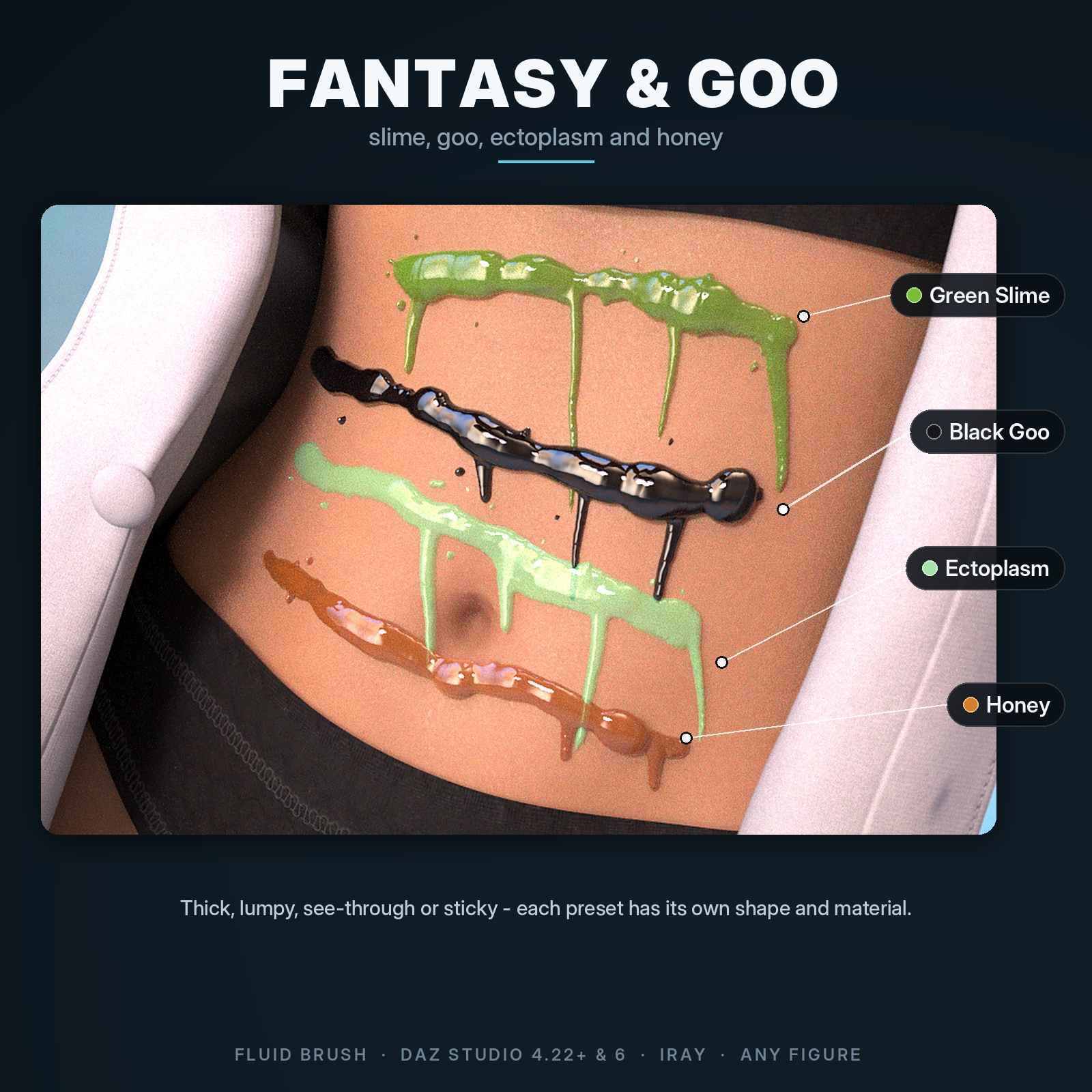
The way you paint decides the shape. A long stroke becomes strands that follow your hand, a short dab becomes a round puddle, and painting an area densely makes the liquid pool into one filled patch. Drips run down the skin with gravity in the current pose, and drops hang from skin that faces down, such as the chin, the jaw or the underside of the arms.
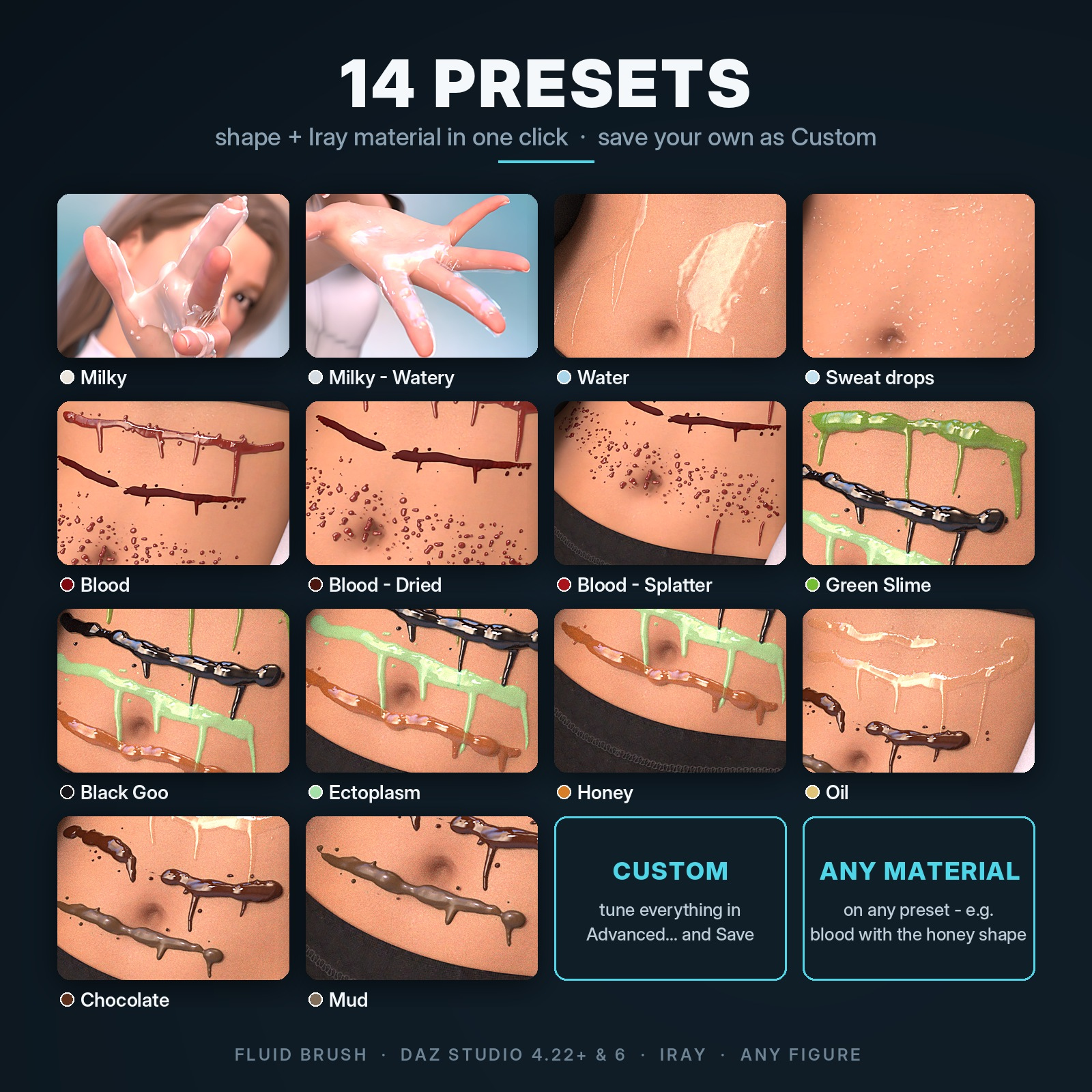
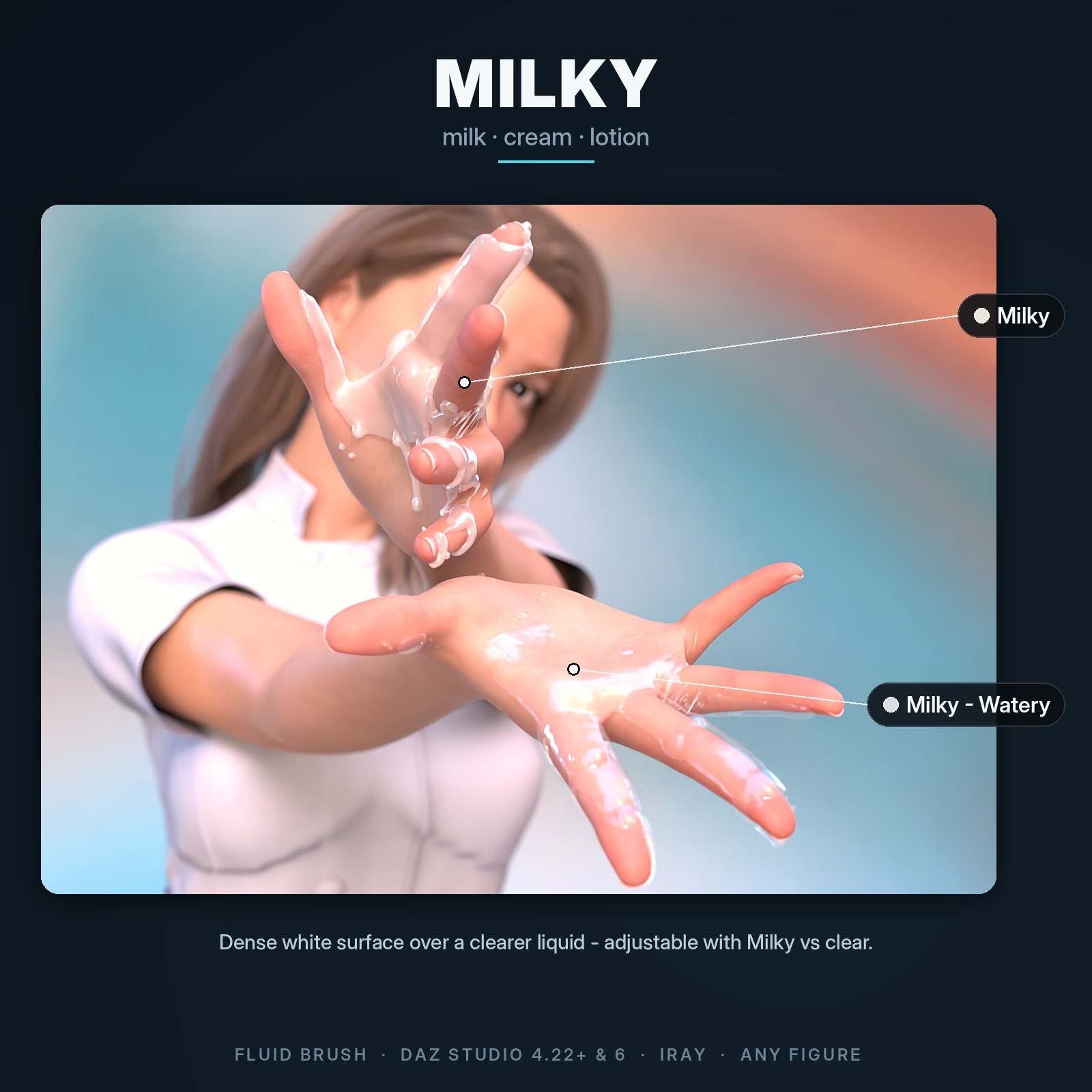
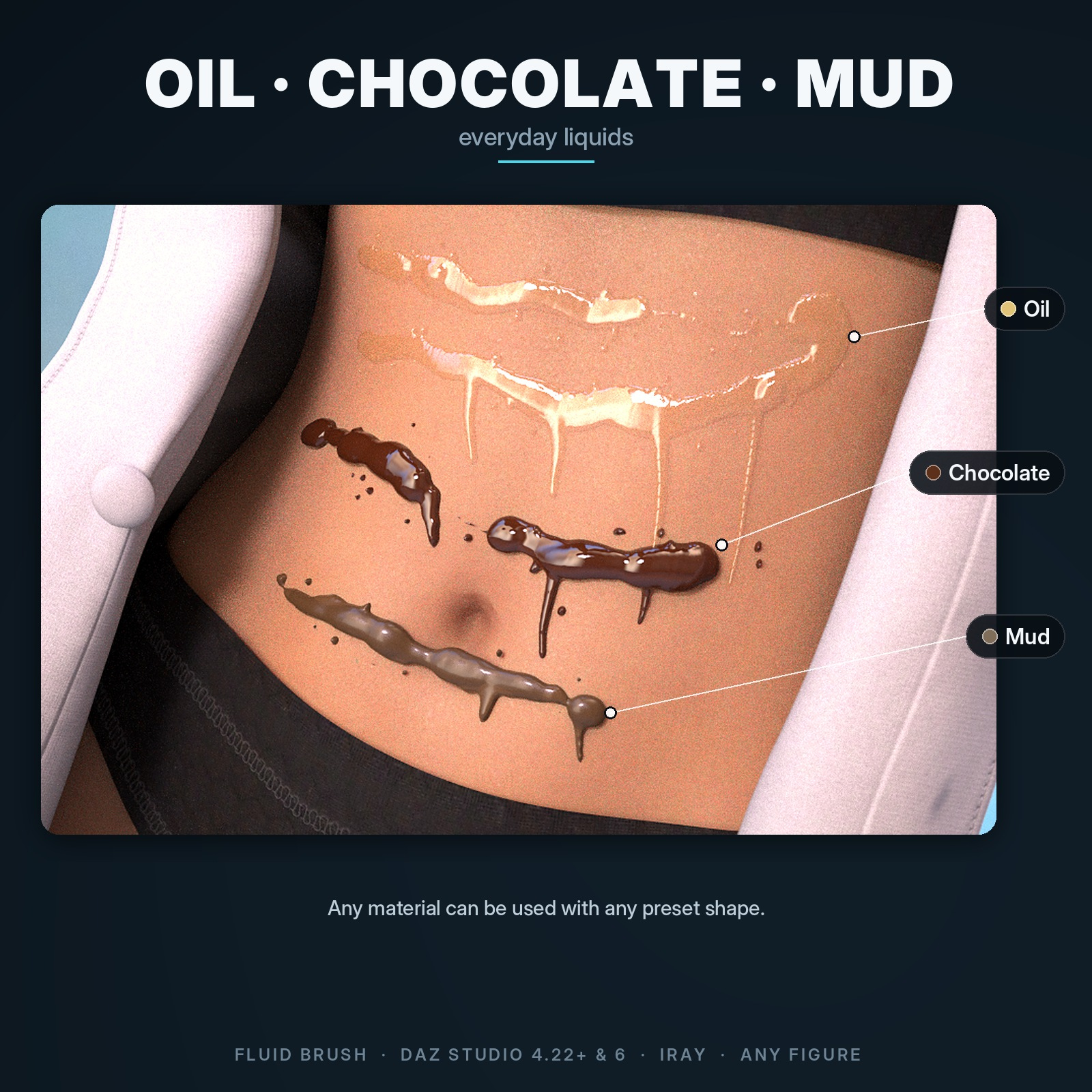
Fluid Brush comes with 14 presets: Milky, Milky - Watery, Water, Sweat drops, Blood, Blood - Dried, Blood - Splatter, Green Slime, Black Goo, Ectoplasm, Honey, Oil, Chocolate and Mud. Every preset combines a shape with its own Iray material, and any material can be used with any preset shape, so you can make blood with the shape of honey or a slime that drips like water.
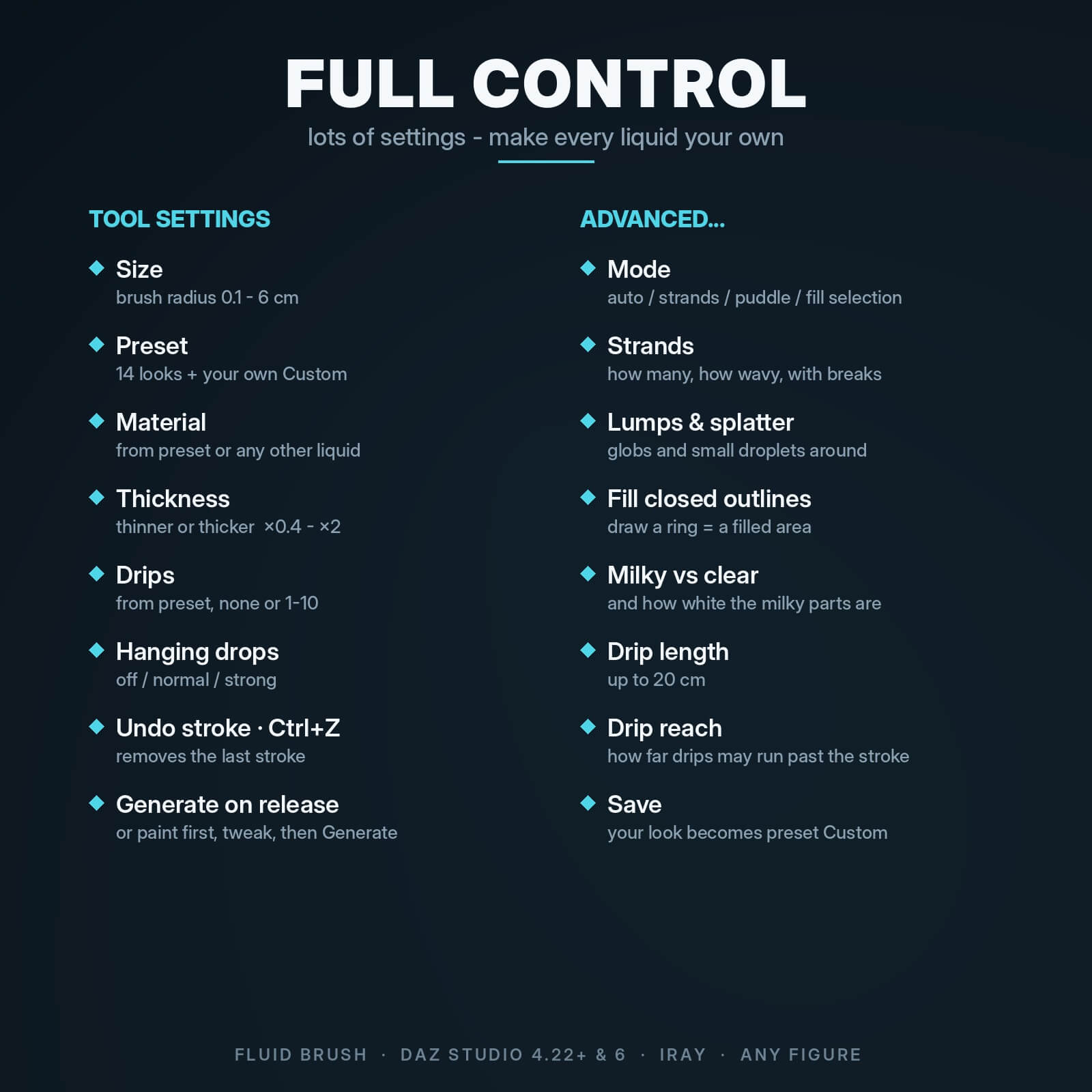
The Tool Settings pane gives quick control over the brush size (0.1 to 6 cm), the preset and material, the thickness of the liquid, the number of drips and the strength of hanging drops. The Advanced window opens every setting of the liquid: the shape mode, the number and waviness of strands, lumps, splatter droplets, breaks, filling of closed outlines, the balance between milky and clear liquid and the drip length of up to 20 cm. Your own values are saved as the preset Custom. Undo stroke and Ctrl+Z remove the last stroke, and Default resets the brush.
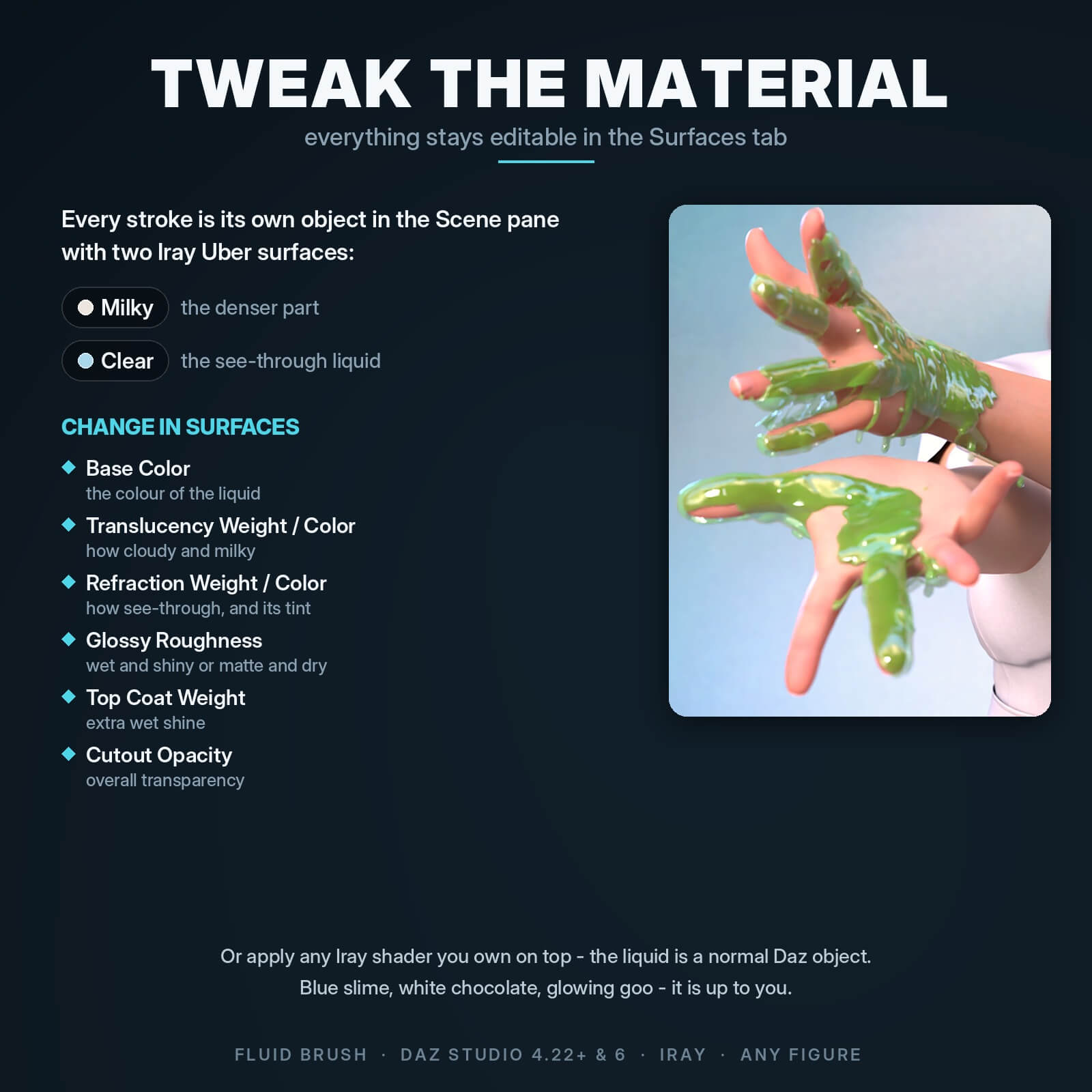
Every stroke becomes its own object in the Scene pane with two Iray Uber surfaces, Milky for the denser part and Clear for the see-through liquid. You can change the colour, transparency or gloss in the Surfaces pane at any time, or apply any Iray shader you own.
The brush works on any figure, including all Genesis generations, other characters and fitted clothing or hair. Static props are not supported in this version. It is made for still renders and is useful for horror, action, fantasy, sports and food scenes.
Included in the package:
- Fluid Brush plugin for Daz Studio 6.26 and newer
- Fluid Brush plugin for Daz Studio 4.22 and newer
- PDF manual with every setting explained, and a ReadMe with installation steps
Daz Studio 4 and Daz Studio 6: the liquid, presets, materials and settings are the same in both versions. In Daz Studio 4 the brush shows a thin ring and a white line along your stroke; in Daz Studio 6 it uses the Daz Studio brush ring and highlights the painted area. Daz Studio 6 builds the liquid faster.
Requirements: Windows 64-bit, Daz Studio 4.22+ or Daz Studio 6.26+, Iray for the materials. Installation: copy the plugin file for your Daz Studio version into its plugins folder and restart Daz Studio - the manual shows every step.
