


 Free 3D
 3D Print Models
 3D Scans
 Animation & MoCap
 Textures
 Materials
 Skin Reference
 2D Game Assets
 Sound Effects
 Brushes & Tools
 Reference Photos
 Stock Images
 HDR Images
 3ds Max
 Maya
Maya Blender
 Unreal Engine
 Unity
Unity ZBrush
 Cinema 4D
 LightWave
 Marmoset
 SketchUp
 FBX
FBX DAE
DAE DXF
DXF GLB
GLBMimmo3D StrandBridge - DAZ Studio 6 to Blender 5.2

Not Rated Yet


! REPORT
NOTE: DIGITAL DOWNLOAD, NOT A PHYSICAL ITEM

Add to Collection

0 Likes
Share This


Offered By


License
Extended Use License
This item comes with our Extended Use Licensing. This means that you may use the model for both non-commercial and commercial purposes, in a variety of mediums and applications.
For full license terms, see our 3D Content Licensing Agreement
Item Details
| Offered By: | MastroX |
| Published: | Oct 03, 2026 |
| Download Size: | 7.1 MB |
| Compatible With: | Blender |
Included Formats
Statistics
| Favorites: | 0 |
| Likes: | 0 |
| Views: | 80 |
Item Ratings
Not Rated Yet
Mimmo3D StrandBridge - DAZ Studio 6 to Blender 5.2
FINALLY: YOUR dFORCE HAIR IN BLENDER, AS REAL STRANDS.
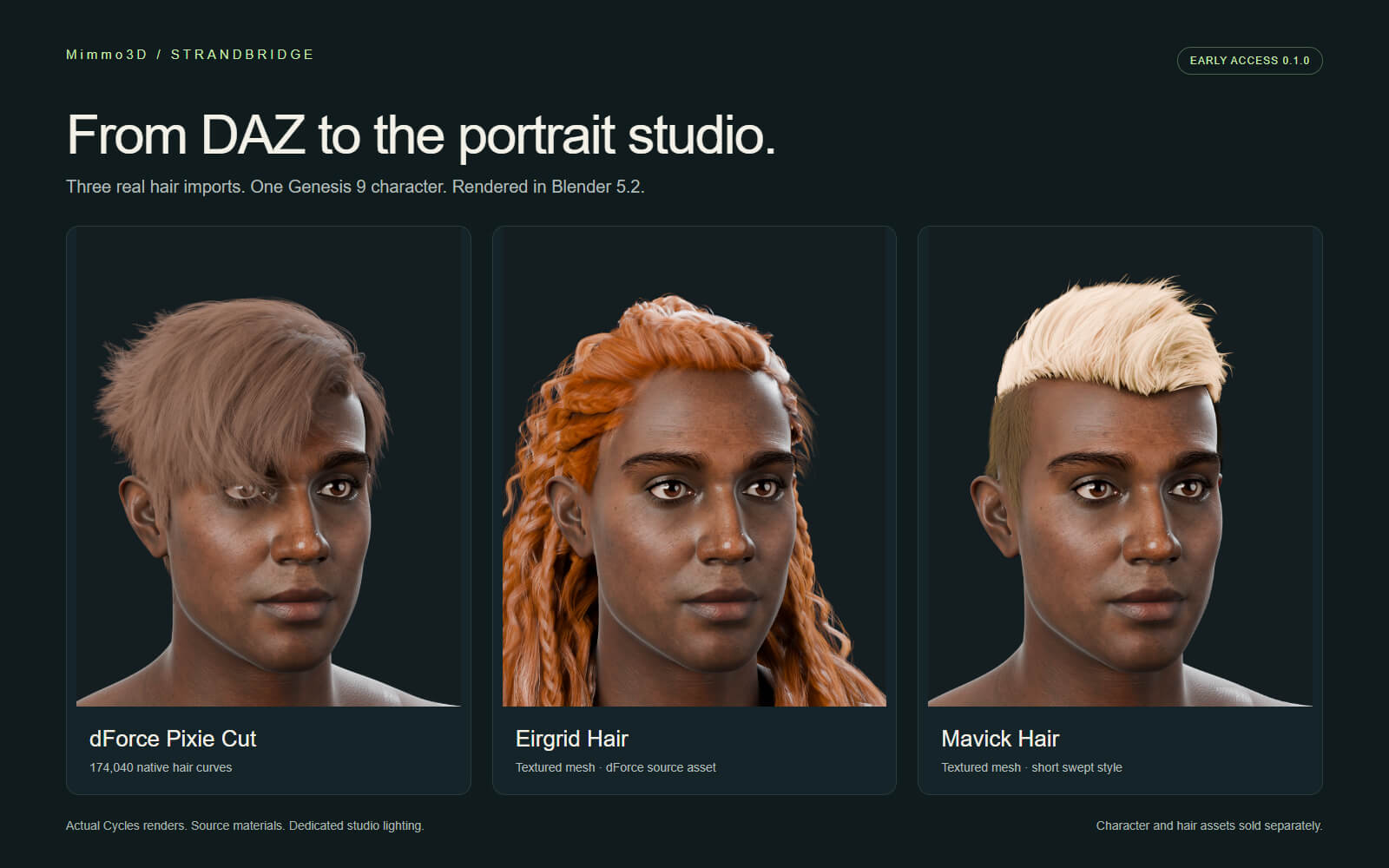
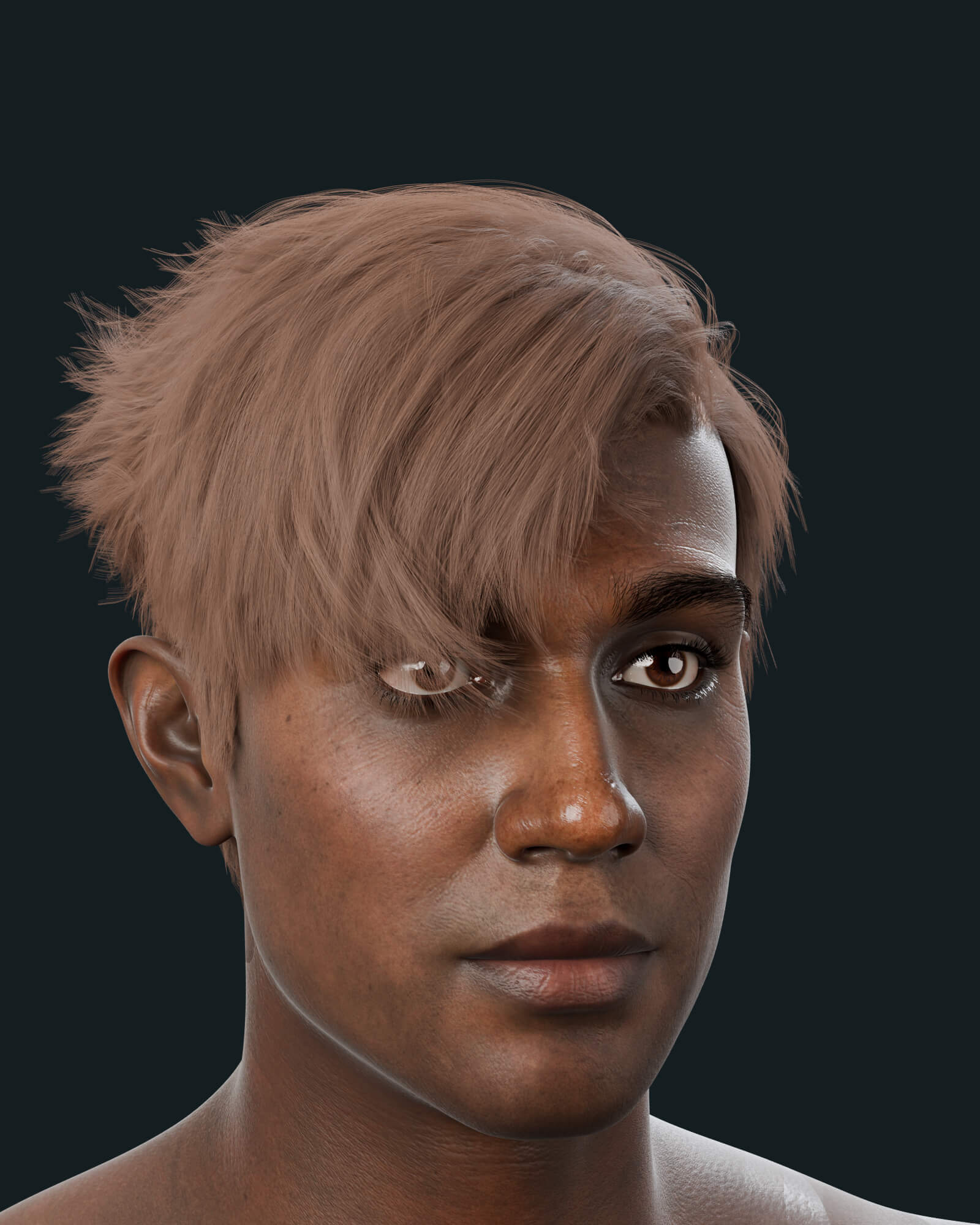
dForce strand hair is usually the hardest part of taking a DAZ character to Blender. StrandBridge solves it: it exports the final pre-render (PR) strands that DAZ Studio generates for rendering and rebuilds them in Blender as native Hair Curves, strand by strand. In the reference test, 174,040 dForce strands arrived with zero point-coordinate difference.
Your character comes along too: choose an animation rig or the preserved DAZ pose, keep the converted hair materials, match the recorded DAZ HDRI and, if you want movement, add new Blender hair dynamics.
EARLY ACCESS 0.1.0 | Windows reference workflow | DAZ Studio 6 to Blender 5.2
The current dForce hair shape is transferred; animated dForce simulation caches are not (see notes below).
HOW IT WORKS
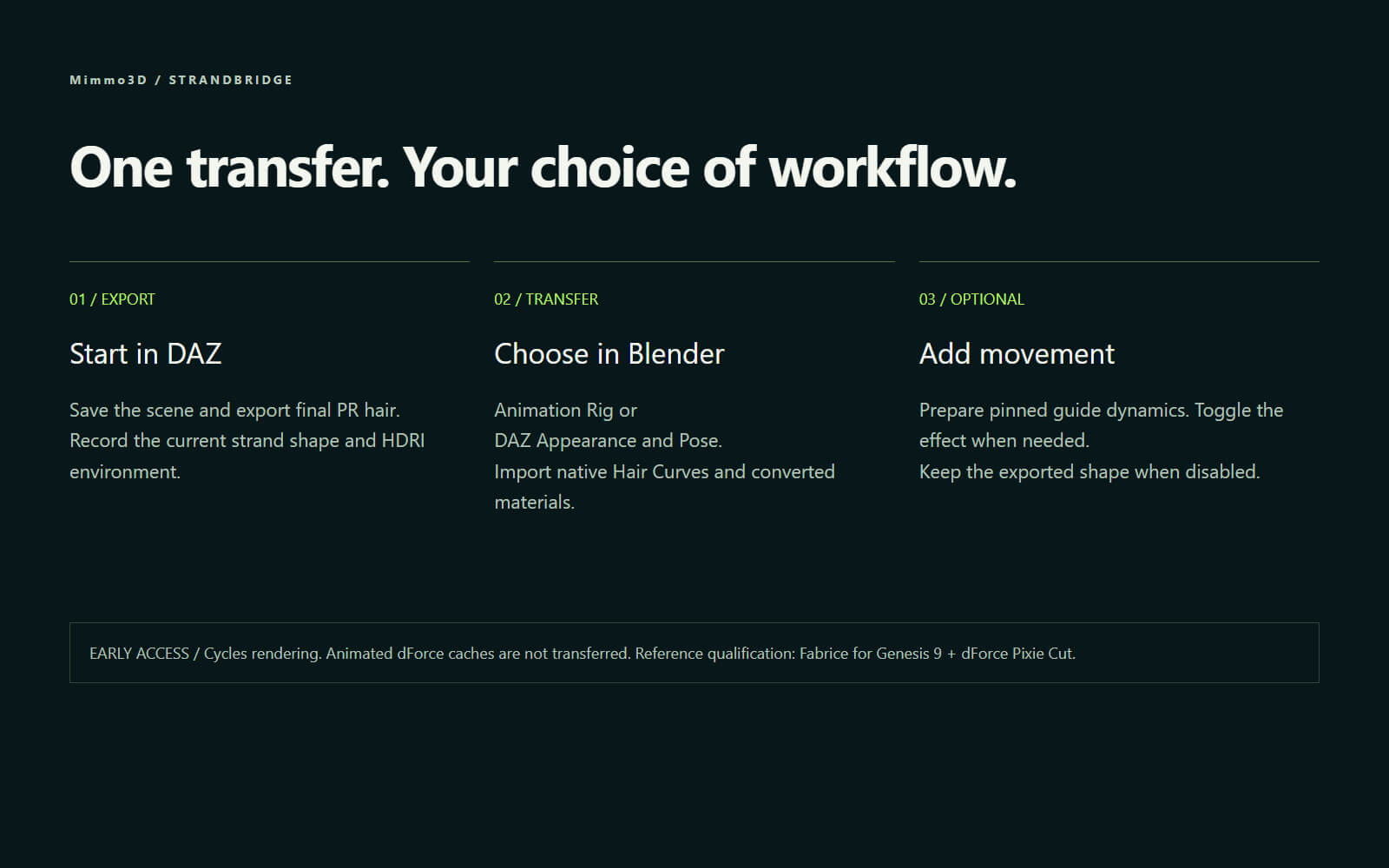
1. DAZ Studio: save your scene and run the included export script. It writes the final PR hair strands and an HDRI record next to your .duf.
2. Blender: install the extension, choose the .duf and pick Animation Rig or DAZ Appearance and Pose.
3. Optional: prepare pinned Cloth guides and toggle Blender hair dynamics on or off.
FEATURES
- Native Hair Curves from exported DAZ strand geometry
- Animation Rig and DAZ Appearance and Pose transfer modes
- DAZ-derived strand widths, with an optional manual root-radius override
- Source-material conversion for Iray Uber hair (rendered in Cycles)
- Recorded HDRI map and dome orientation import for color comparison
- Unified skin maps/volumes or a simplified Blender material profile
- Optional pinned guide dynamics with an on/off control
- Texture-file checks, including UDIM tiles, and an import report
- English interface, DAZ export script, PDF user guide, complete source
REFERENCE TEST
Tested on Windows with DAZ Studio 6.25 Premier and Blender 5.2.2 LTS:
- 174,040 hair curves / 3,238,640 points / 412 bones across imported rigs
- Zero point-coordinate difference against the backend-evaluated strand source
- All four hair materials retained, no missing texture files
- Guide dynamics tested with 1,741 guides and pinned roots
WHAT YOU RECEIVE
Installable Blender extension ZIP, DAZ Studio export script, English PDF and text guide, full source code, license and third-party notices, reference qualification summary.
No characters, hair products, textures, HDRIs or asset-containing .blend files are included. The rendered promotional images show separately licensed demonstration assets.
EARLY ACCESS NOTES
- Rendered with Cycles; Iray is not included. Color, reflections and exposure can differ from DAZ.
- Animated dForce caches are not transferred. Blender guide dynamics are a different solver, with self-collision disabled.
- Other hair shaders, HD, geografts, full morph/JCM workflows and extreme poses need further testing.
- macOS/Linux and broad performance requirements have not been tested.
Please read the included User Guide before using this version in production.
REQUIREMENTS
Windows, DAZ Studio 6 (tested 6.25), Blender 5.2.x (tested 5.2.2 LTS), your own licensed DAZ content.
dForce strand hair is usually the hardest part of taking a DAZ character to Blender. StrandBridge solves it: it exports the final pre-render (PR) strands that DAZ Studio generates for rendering and rebuilds them in Blender as native Hair Curves, strand by strand. In the reference test, 174,040 dForce strands arrived with zero point-coordinate difference.
Your character comes along too: choose an animation rig or the preserved DAZ pose, keep the converted hair materials, match the recorded DAZ HDRI and, if you want movement, add new Blender hair dynamics.
EARLY ACCESS 0.1.0 | Windows reference workflow | DAZ Studio 6 to Blender 5.2
The current dForce hair shape is transferred; animated dForce simulation caches are not (see notes below).
HOW IT WORKS
1. DAZ Studio: save your scene and run the included export script. It writes the final PR hair strands and an HDRI record next to your .duf.
2. Blender: install the extension, choose the .duf and pick Animation Rig or DAZ Appearance and Pose.
3. Optional: prepare pinned Cloth guides and toggle Blender hair dynamics on or off.
FEATURES
- Native Hair Curves from exported DAZ strand geometry
- Animation Rig and DAZ Appearance and Pose transfer modes
- DAZ-derived strand widths, with an optional manual root-radius override
- Source-material conversion for Iray Uber hair (rendered in Cycles)
- Recorded HDRI map and dome orientation import for color comparison
- Unified skin maps/volumes or a simplified Blender material profile
- Optional pinned guide dynamics with an on/off control
- Texture-file checks, including UDIM tiles, and an import report
- English interface, DAZ export script, PDF user guide, complete source
REFERENCE TEST
Tested on Windows with DAZ Studio 6.25 Premier and Blender 5.2.2 LTS:
- 174,040 hair curves / 3,238,640 points / 412 bones across imported rigs
- Zero point-coordinate difference against the backend-evaluated strand source
- All four hair materials retained, no missing texture files
- Guide dynamics tested with 1,741 guides and pinned roots
WHAT YOU RECEIVE
Installable Blender extension ZIP, DAZ Studio export script, English PDF and text guide, full source code, license and third-party notices, reference qualification summary.
No characters, hair products, textures, HDRIs or asset-containing .blend files are included. The rendered promotional images show separately licensed demonstration assets.
EARLY ACCESS NOTES
- Rendered with Cycles; Iray is not included. Color, reflections and exposure can differ from DAZ.
- Animated dForce caches are not transferred. Blender guide dynamics are a different solver, with self-collision disabled.
- Other hair shaders, HD, geografts, full morph/JCM workflows and extreme poses need further testing.
- macOS/Linux and broad performance requirements have not been tested.
Please read the included User Guide before using this version in production.
REQUIREMENTS
Windows, DAZ Studio 6 (tested 6.25), Blender 5.2.x (tested 5.2.2 LTS), your own licensed DAZ content.
Categories
