


 Free 3D
 3D Print Models
 3D Scans
 Animation & MoCap
 Textures
 Materials
 Skin Reference
 2D Game Assets
 Sound Effects
 Brushes & Tools
 Reference Photos
 Stock Images
 HDR Images
 3ds Max
 Maya
 Blender
 Unreal Engine
 Unity
 ZBrush
 Cinema 4D
 LightWave
 Marmoset
 SketchUp
 FBX
 DAE
 DXF
 GLB
Game Controller Remote Control (DAZ Studio 6)

Not Rated Yet


! REPORT
NOTE: DIGITAL DOWNLOAD, NOT A PHYSICAL ITEM

Add to Collection

2 Likes
Share This Daz Content


Offered By


- Long time Daz Studio user since V1.8
- Indiegame development enthusiast
- \m/ Guitar player and metalfan from Germany \m/
- Indiegame development enthusiast
- \m/ Guitar player and metalfan from Germany \m/

License
Extended Use License
This item comes with our Extended Use Licensing. This means that you may use the model for both non-commercial and commercial purposes, in a variety of mediums and applications.
For full license terms, see our 3D Content Licensing Agreement
Item Details
| Vendor: | MIMK_MIKE_GER |
| Published: | Nov 15, 2026 |
| Download Size: | 355.3 KB |
| Software: | Daz Studio |
| dForce: | – |
Included Formats

Statistics
| Favorites: | 0 |
| Likes: | 2 |
| Views: | 135 |
Item Ratings
Not Rated Yet
Game Controller Remote Control (DAZ Studio 6)
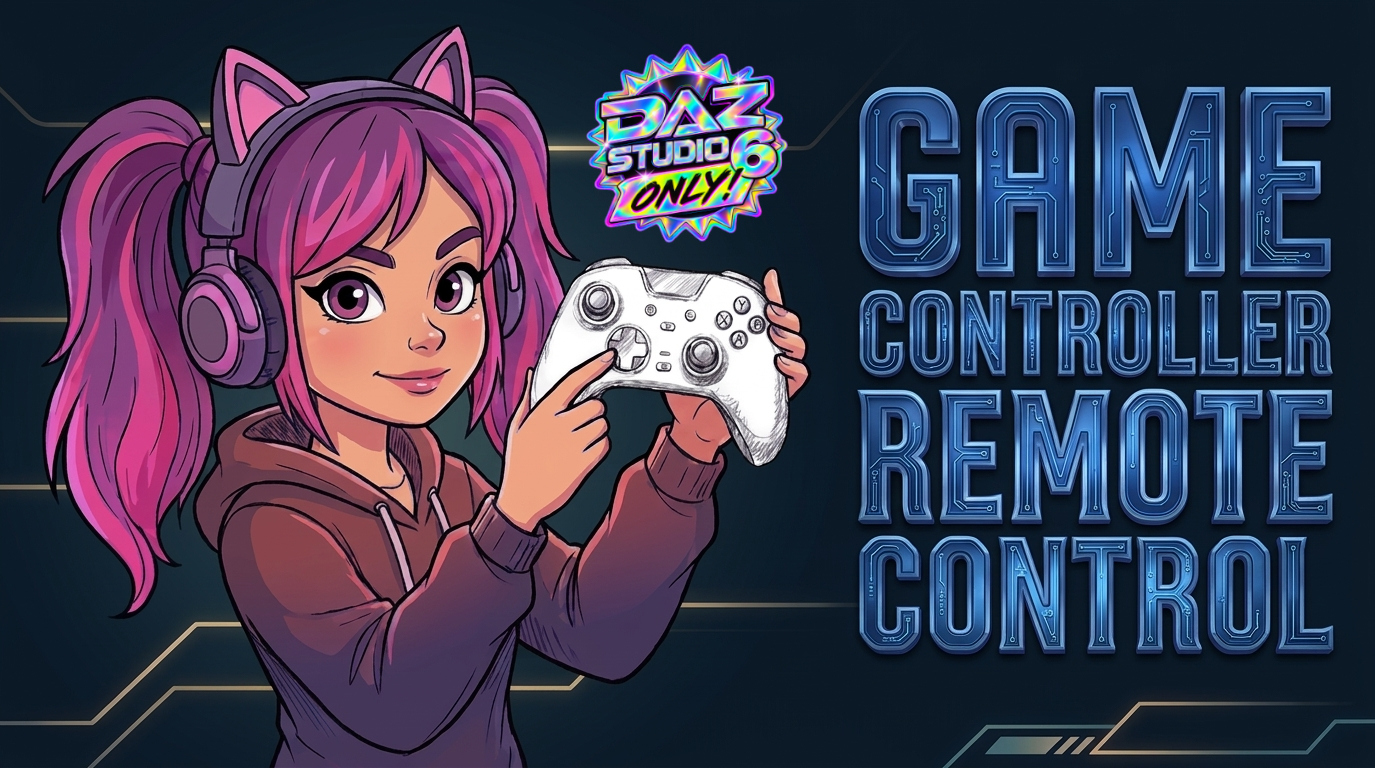
Ever wanted to control poses and the cam in Daz Studio 6 with a hardware controller, but you don't want to pay big money to buy one?
I thought the same, so I came up with this: Game Controller Remote Control (Daz Studio 6)
NOTE: DAZ Studio 6 ONLY!
It allows to do the same with any generic X-box layout game controller.
Playstation controllers should work too, but I can't confirm it yet.
I'll give away 3x free copies if somebody wants to test it! Just let me know! ;)
You can still pose the old way with the mouse too and just use it for specific tasks like fine pose tweaks, hand grasp and eye blink control or the cam….
The controller overlay is only in the video to show the inputs!
Here's a overview of the controls layout!
--------------------------------------------------------------------------------------------------------
Mode Toggles & Special Features
A Button: Toggle between CAMERA Mode and POSE Mode
B Button: Reset
X Button: Activate / Cycle Smart Hand Grasp (LEFT RIGHT BOTH)
Y Button: Toggle Eye Mode ON / OFF
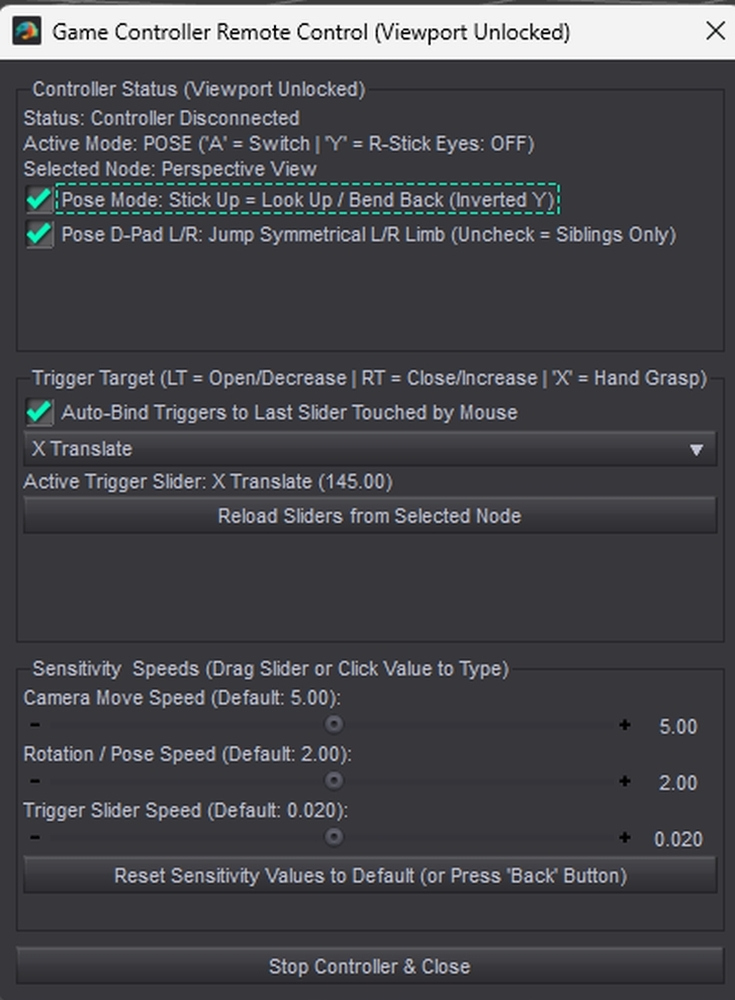
Back button: Reset all sensitivity & speed sliders back to their default values
--------------------------------------------------------------------------------------------------------
Camera Mode Controls
Left Stick (X / Y axis): Move camera position locally (Left, Right, Forward, Back,
Right Stick (X / Y axis:Rotate / Pan & Tilt the active viewport camera
D-Pad Up / Down: Camera Up / Down
D-Pad Left / Right: Roll Camera Left / Right
B Button: Reset Camera rotation (level horizon)
--------------------------------------------------------------------------------------------------------
Pose Mode Controls (Selected Bone / Figure Node)
Left Stick (X / Y axis): Bend (X Rotate) and Side-to-Side (Z Rotate).
Right Stick (X / Y axis): Twist (Y Rotate) and Vertical Lift (Y Translate)
D-Pad Up / Down: Navigate bone hierarchy (Select Parent / First Child)
D-Pad Left / Right: Jump to symmetrical Left/Right mirror bone (or cycle sibling bones)
B Button: Zero selected bone rotation back to 0
--------------------------------------------------------------------------------------------------------
Hand Grasp Mode (Toggled ON via X Button)
X Button: Toggle between LEFT, RIGHT or BOTH hands
L2 / R2 Shoulder triggers: Open / close the hand
--------------------------------------------------------------------------------------------------------
Eye Mode (Toggled ON via Y Button)
Right Stick (X / Y axis): Move both eyes in parallel
Left Stick (Y axis) Up / Down: Eye blink
B Button: Center / Zero both eyes straight
--------------------------------------------------------------------------------------------------------
Triggers & Sliders
L1 / R1 Shoudler triggers: Cycle backward / forward through available property
sliders on the node
L2 / R2 Shoudler triggers: Decrease/Increase active slider value
(or open/close hand in Hand Grasp Mode)
--------------------------------------------------------------------------------------------------------
Mouse Click
Auto-binds L1/R1 triggers to any slider touched in the Daz Parameters pane last
--------------------------------------------------------------------------------------------------------
What's included?
The zipfile comes with the script and this quick start guide.
Just place the script folder inside of your Daz Studio 6 library folder.
Run the script. It'll be active as long as it's opened.
I recommend to add a "Custom Action" to have quick access to the script from the top bar!
I thought the same, so I came up with this: Game Controller Remote Control (Daz Studio 6)
NOTE: DAZ Studio 6 ONLY!
It allows to do the same with any generic X-box layout game controller.
Playstation controllers should work too, but I can't confirm it yet.
I'll give away 3x free copies if somebody wants to test it! Just let me know! ;)
You can still pose the old way with the mouse too and just use it for specific tasks like fine pose tweaks, hand grasp and eye blink control or the cam….
The controller overlay is only in the video to show the inputs!
Here's a overview of the controls layout!
--------------------------------------------------------------------------------------------------------
Mode Toggles & Special Features
A Button: Toggle between CAMERA Mode and POSE Mode
B Button: Reset
X Button: Activate / Cycle Smart Hand Grasp (LEFT RIGHT BOTH)
Y Button: Toggle Eye Mode ON / OFF
Back button: Reset all sensitivity & speed sliders back to their default values
--------------------------------------------------------------------------------------------------------
Camera Mode Controls
Left Stick (X / Y axis): Move camera position locally (Left, Right, Forward, Back,
Right Stick (X / Y axis:Rotate / Pan & Tilt the active viewport camera
D-Pad Up / Down: Camera Up / Down
D-Pad Left / Right: Roll Camera Left / Right
B Button: Reset Camera rotation (level horizon)
--------------------------------------------------------------------------------------------------------
Pose Mode Controls (Selected Bone / Figure Node)
Left Stick (X / Y axis): Bend (X Rotate) and Side-to-Side (Z Rotate).
Right Stick (X / Y axis): Twist (Y Rotate) and Vertical Lift (Y Translate)
D-Pad Up / Down: Navigate bone hierarchy (Select Parent / First Child)
D-Pad Left / Right: Jump to symmetrical Left/Right mirror bone (or cycle sibling bones)
B Button: Zero selected bone rotation back to 0
--------------------------------------------------------------------------------------------------------
Hand Grasp Mode (Toggled ON via X Button)
X Button: Toggle between LEFT, RIGHT or BOTH hands
L2 / R2 Shoulder triggers: Open / close the hand
--------------------------------------------------------------------------------------------------------
Eye Mode (Toggled ON via Y Button)
Right Stick (X / Y axis): Move both eyes in parallel
Left Stick (Y axis) Up / Down: Eye blink
B Button: Center / Zero both eyes straight
--------------------------------------------------------------------------------------------------------
Triggers & Sliders
L1 / R1 Shoudler triggers: Cycle backward / forward through available property
sliders on the node
L2 / R2 Shoudler triggers: Decrease/Increase active slider value
(or open/close hand in Hand Grasp Mode)
--------------------------------------------------------------------------------------------------------
Mouse Click
Auto-binds L1/R1 triggers to any slider touched in the Daz Parameters pane last
--------------------------------------------------------------------------------------------------------
What's included?
The zipfile comes with the script and this quick start guide.
Just place the script folder inside of your Daz Studio 6 library folder.
Run the script. It'll be active as long as it's opened.
I recommend to add a "Custom Action" to have quick access to the script from the top bar!
Categories
