


 Free 3D
 3D Print Models
 3D Scans
 Animation & MoCap
 Textures
 Materials
 Skin Reference
 2D Game Assets
 Sound Effects
 Brushes & Tools
 Reference Photos
 Stock Images
 HDR Images
 3ds Max
 Maya
 Blender
 Unreal Engine
 Unity
 ZBrush
 Cinema 4D
 LightWave
 Marmoset
 SketchUp
 FBX
 DAE
 DXF
 GLB
Incline Training Bench with Red Pads and Transport Wheels 3D Model

5.0 Stars |1 Rating


! REPORT
FREE
NOTE: DIGITAL DOWNLOAD, NOT A PHYSICAL ITEM

Add to Collection

0 Likes
Share This 3D Model


Offered By


License
Extended Use License
This item comes with our Extended Use Licensing. This means that you may use the model for both non-commercial and commercial purposes, in a variety of mediums and applications.
For full license terms, see our 3D Content Licensing Agreement
3D Model Details
| Vendor: | MostafaSh_3D |
| Published: | Nov 18, 2026 |
| Download Size: | 9.3 MB |
| Game Ready: | – |
| Polygons: | 11,760 |
| Vertices: | 5,984 |
| Print Ready: | – |
| 3D Scan: | – |
| Textures: | Yes |
| Materials: | Yes |
| UV Mapped: | Yes |
| PBR: | – |
| Rigged: | – |
| Animated: | – |

Statistics
| Favorites: | 1 |
| Likes: | 0 |
| Views: | 8 |
Item Ratings
1 Rating5 Stars|Nov 18, 2026
thank you
Incline Training Bench with Red Pads and Transport Wheels 3D Model
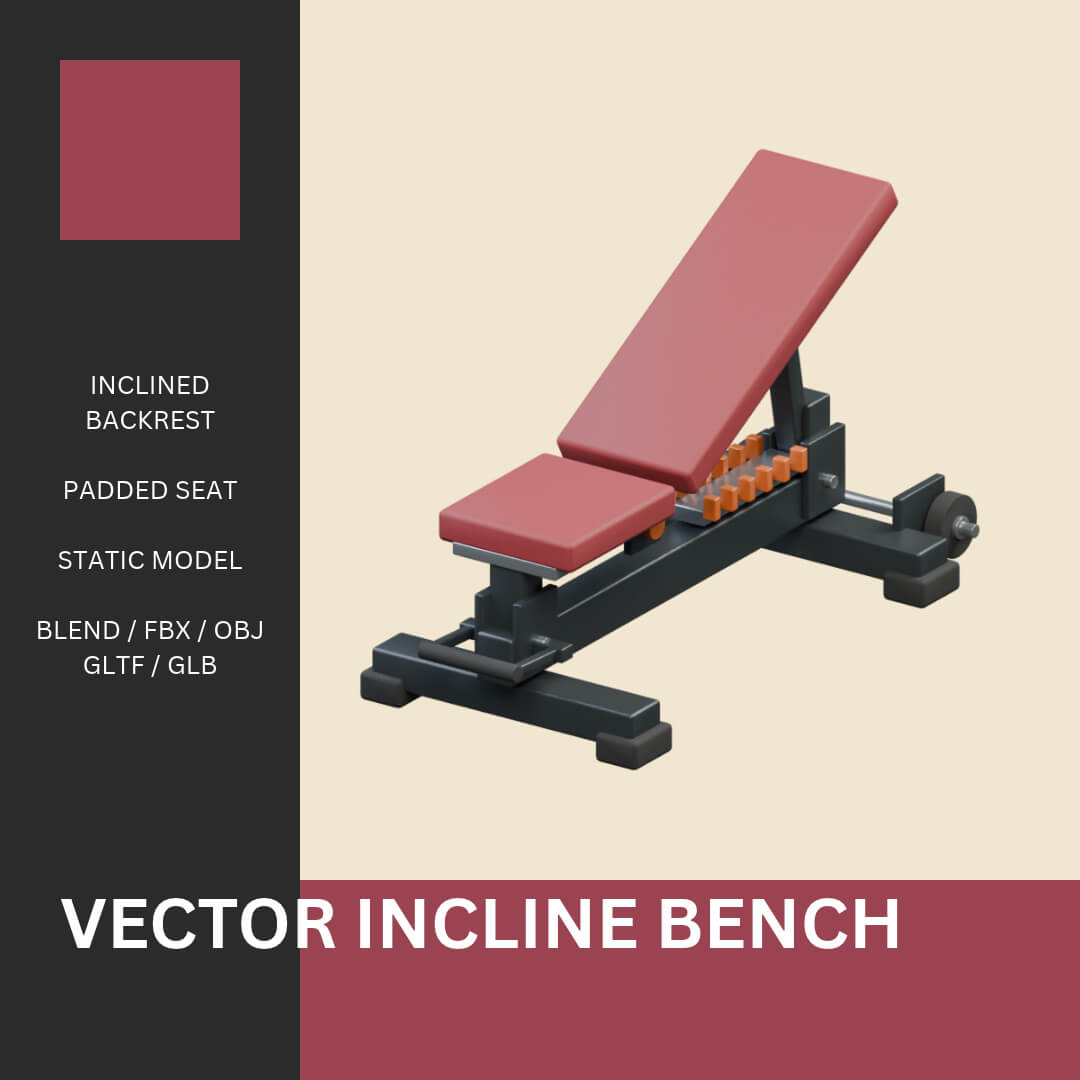
A static incline training bench with burgundy-red seat and backrest pads, a graphite frame, rubber feet, visible rack markers, rear transport wheels and a front carry grip. A visual gym prop, distinct from an adjustable exercise product.
MODEL
Metric dimensions: 0.765 x 1.631 x 0.9531305 m. Base at Z=0.
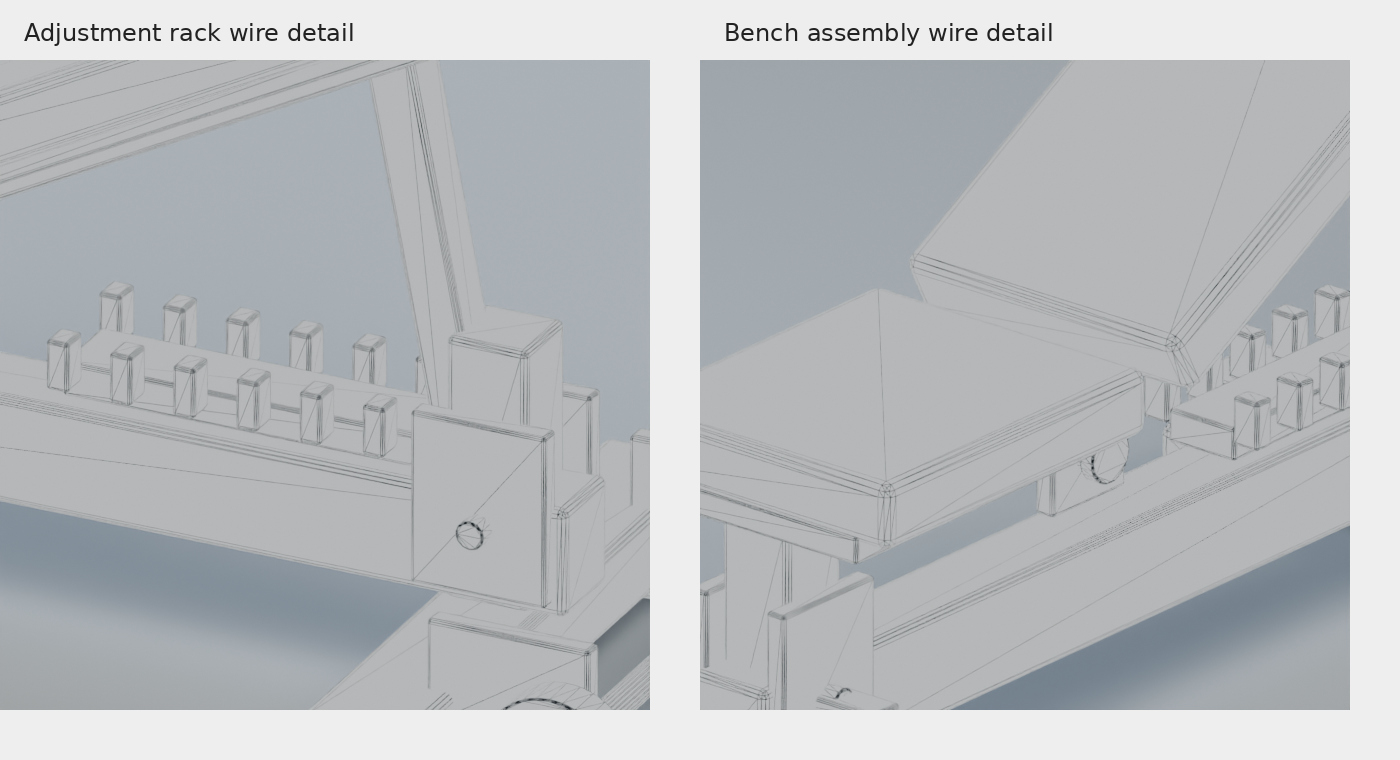
52 separate evaluated meshes; 11,760 triangles. 5,984 evaluated native vertices. Intentional assembly contacts are not welded.
FILES
Three Blender files: editable construction source, evaluated model-only assembly and a separate studio presentation scene. FBX, OBJ with MTL, glTF with BIN and external textures, self-contained GLB, textures, README and 15 actual model previews are included.
MATERIALS AND UVS
Native packed Blender files and glTF/GLB use neutral uniform 4096px BaseColor, OpenGL Normal, Roughness and Metallic maps multiplied by solid finish factors. These maps do not contain photographic surface detail or high-poly bakes. FBX, OBJ and editable source use scalar finish materials. Shared UV union: 80.0051%. Tiny bevels and atlas borders need fresh sampling and padding review before unique texture painting or baking.
OPENING
Open the Blender files directly. Keep OBJ with MTL and glTF with BIN and the textures folder. No scripts, add-ons or linked libraries are needed to open the files. The editable construction file is pre-atlas; repeat UV and export checks after geometry changes.
LIMITS
No functioning adjustment mechanism, rig, animation, exercise or load simulation, or safety certification. No LOD, collision, game-ready or print-ready claim. Material appearance depends on the importing application. No compatibility claim for untested applications.
MODEL
Metric dimensions: 0.765 x 1.631 x 0.9531305 m. Base at Z=0.
52 separate evaluated meshes; 11,760 triangles. 5,984 evaluated native vertices. Intentional assembly contacts are not welded.
FILES
Three Blender files: editable construction source, evaluated model-only assembly and a separate studio presentation scene. FBX, OBJ with MTL, glTF with BIN and external textures, self-contained GLB, textures, README and 15 actual model previews are included.
MATERIALS AND UVS
Native packed Blender files and glTF/GLB use neutral uniform 4096px BaseColor, OpenGL Normal, Roughness and Metallic maps multiplied by solid finish factors. These maps do not contain photographic surface detail or high-poly bakes. FBX, OBJ and editable source use scalar finish materials. Shared UV union: 80.0051%. Tiny bevels and atlas borders need fresh sampling and padding review before unique texture painting or baking.
OPENING
Open the Blender files directly. Keep OBJ with MTL and glTF with BIN and the textures folder. No scripts, add-ons or linked libraries are needed to open the files. The editable construction file is pre-atlas; repeat UV and export checks after geometry changes.
LIMITS
No functioning adjustment mechanism, rig, animation, exercise or load simulation, or safety certification. No LOD, collision, game-ready or print-ready claim. Material appearance depends on the importing application. No compatibility claim for untested applications.
