


 Free 3D
 3D Print Models
 3D Scans
 Animation & MoCap
 Textures
 Materials
 Skin Reference
 2D Game Assets
 Sound Effects
 Brushes & Tools
 Reference Photos
 Stock Images
 HDR Images
 3ds Max
 Maya
 Blender
 Unreal Engine
 Unity
 ZBrush
 Cinema 4D
 LightWave
 Marmoset
 SketchUp
 FBX
 DAE
 DXF
 GLB

ELO - Easy LOD Optimizer

Not Rated Yet



This Item Was Made Using
! REPORT
NOTE: DIGITAL DOWNLOAD, NOT A PHYSICAL ITEM

Add to Collection

6 Likes
Included in Bundle
Easy Render Care Bundle

Share This Daz Content


Offered By



License
Extended Use License
This item comes with our Extended Use Licensing. This means that you may use the model for both non-commercial and commercial purposes, in a variety of mediums and applications.
For full license terms, see our 3D Content Licensing Agreement
Item Details
| Vendor: | PlasmaZ |
| Published: | Sep 21, 2026 |
| Download Size: | 2 MB |
| Software: | Daz Studio |
| dForce: | – |
Included Formats

Statistics
| Favorites: | 2 |
| Likes: | 6 |
| Views: | 1,272 |
Item Ratings
Not Rated Yet
ELO - Easy LOD Optimizer
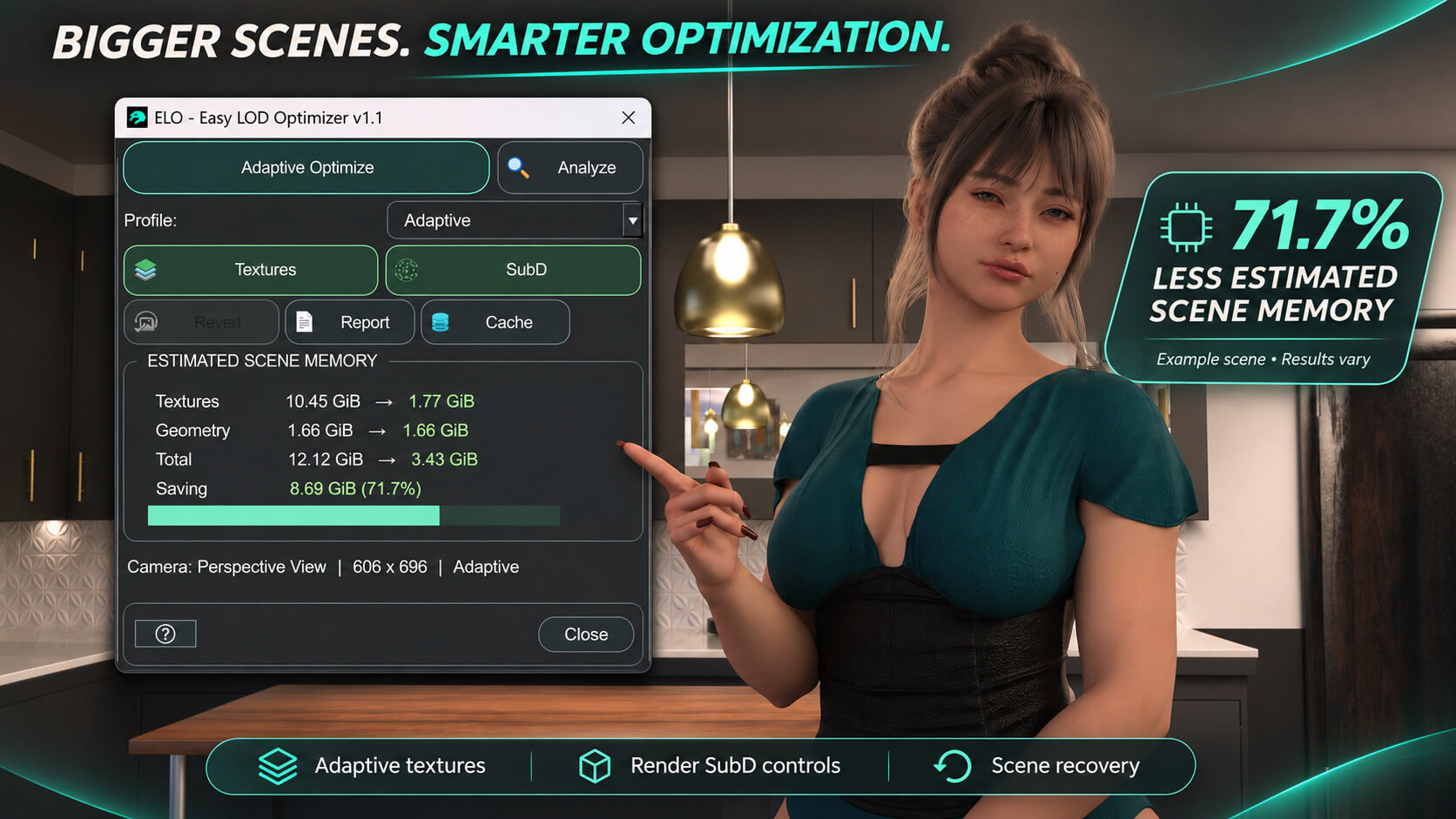
This is like any other optimizer with a few extra QoL features, but the main idea with this plugin is you don't need to think 3 clicks and you are done, Analyze, pick the profile, optimize, done.
Right now there are two presets available.
Adaptive: is the default and gives you what I consider the recommended quality-to-VRAM ratio. It tries to save as much memory as possible without making the final render look obviously worse.
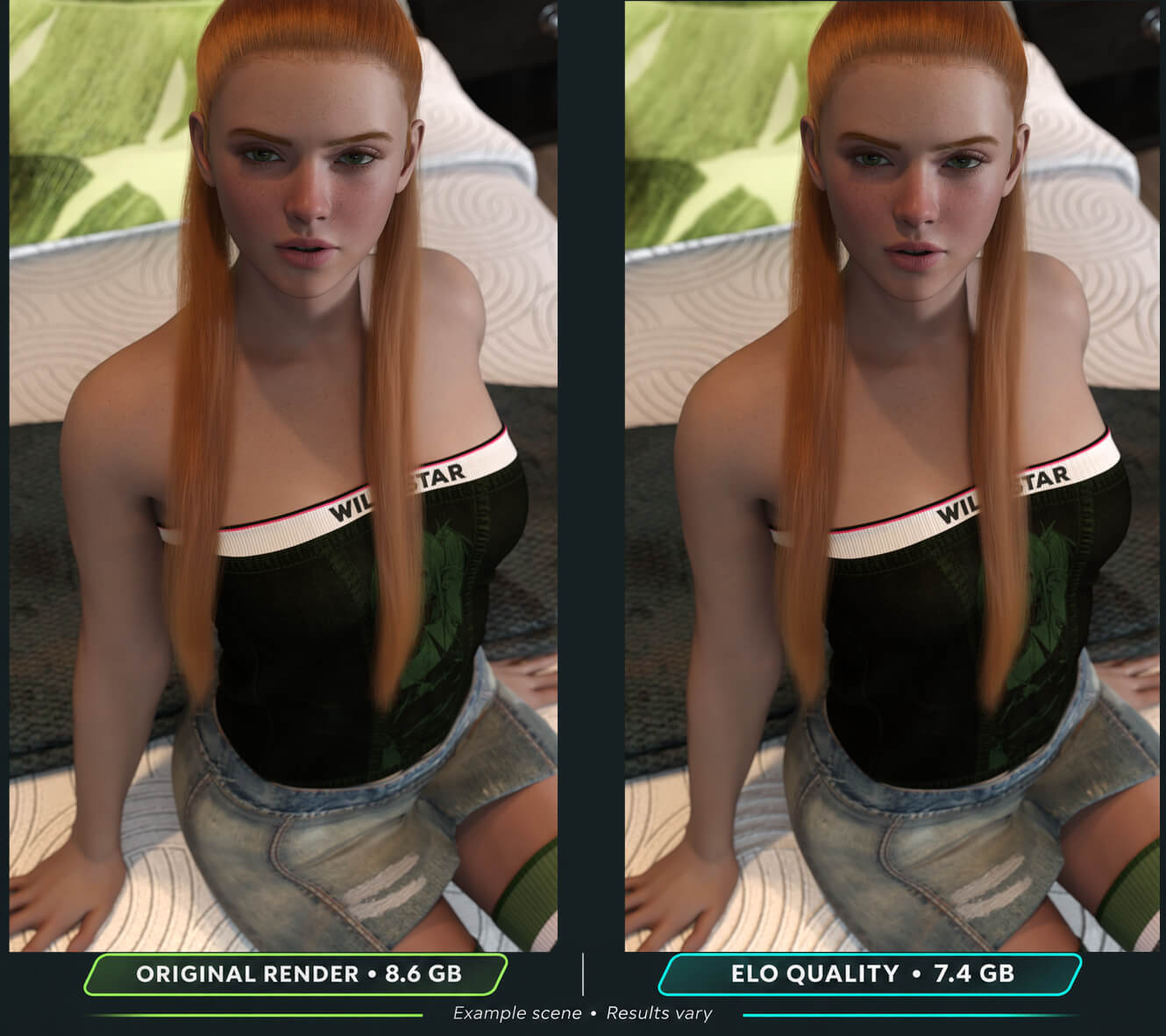
Quality: is more conservative. It still optimizes the scene, but it tries to keep more of the original detail, especially on important characters. Things like skin pores, roughness, small imperfections, normals, bump detail and other material details get more protection, which makes it better for closeups or renders where character quality matters more than squeezing out every last bit of VRAM.
The feature I like the most:
ELO keeps the optimized texture versions it creates in a reusable cache.
If the same texture and settings are needed again, ELO can reuse the existing file instead of generating it from scratch.
This makes repeated optimization much faster, especially on larger scenes.
Reverting a scene does not delete the cache, so those optimized textures remain available for future use.
The cache is managed separately from the scene, with options to clear unused files or wipe it completely when needed.
In short: ELO remembers the work it has already done, so it does not have to do it twice. The user chooses when they want to delete the cache.(unused or all files)
ELO also gives you an estimated scene memory usage before and after optimization. This is a rough estimate based on the texture and geometry data ELO can see, so it should not be treated as the exact amount of VRAM Iray will use during the final render. Iray still has its own memory usage for geometry, frame buffers, compiled materials, render workspace and other things.
ELO is built to run from the same codebase on both DAZ Studio 4.24 and DAZ Studio 6, so the workflow stays familiar across both versions.
Changelogs:
v1.1
Small rework
Right now there are two presets available.
Adaptive: is the default and gives you what I consider the recommended quality-to-VRAM ratio. It tries to save as much memory as possible without making the final render look obviously worse.
Quality: is more conservative. It still optimizes the scene, but it tries to keep more of the original detail, especially on important characters. Things like skin pores, roughness, small imperfections, normals, bump detail and other material details get more protection, which makes it better for closeups or renders where character quality matters more than squeezing out every last bit of VRAM.
The feature I like the most:
ELO keeps the optimized texture versions it creates in a reusable cache.
If the same texture and settings are needed again, ELO can reuse the existing file instead of generating it from scratch.
This makes repeated optimization much faster, especially on larger scenes.
Reverting a scene does not delete the cache, so those optimized textures remain available for future use.
The cache is managed separately from the scene, with options to clear unused files or wipe it completely when needed.
In short: ELO remembers the work it has already done, so it does not have to do it twice. The user chooses when they want to delete the cache.(unused or all files)
ELO also gives you an estimated scene memory usage before and after optimization. This is a rough estimate based on the texture and geometry data ELO can see, so it should not be treated as the exact amount of VRAM Iray will use during the final render. Iray still has its own memory usage for geometry, frame buffers, compiled materials, render workspace and other things.
ELO is built to run from the same codebase on both DAZ Studio 4.24 and DAZ Studio 6, so the workflow stays familiar across both versions.
Changelogs:
v1.1
Small rework
Categories
