


 Free 3D
 3D Print Models
 3D Scans
 Animation & MoCap
 Textures
 Materials
 Skin Reference
 2D Game Assets
 Sound Effects
 Brushes & Tools
 Reference Photos
 Stock Images
 HDR Images
 3ds Max
 Maya
 Blender
 Unreal Engine
 Unity
 ZBrush
 Cinema 4D
 LightWave
 Marmoset
 SketchUp
 FBX
 DAE
 DXF
 GLB

One Click Deforcer Daz 3D

Not Rated Yet


This Item Was Made Using
! REPORT
NOTE: DIGITAL DOWNLOAD, NOT A PHYSICAL ITEM

Add to Collection

4 Likes
Share This Daz Content


Offered By


Retired back-end dev , I'm here to help feel free to message me for anything custom you may need regarding daz or blender , cheers.

License
Extended Use License
This item comes with our Extended Use Licensing. This means that you may use the model for both non-commercial and commercial purposes, in a variety of mediums and applications.
For full license terms, see our 3D Content Licensing Agreement
Item Details
| Vendor: | PulseHavenStudios |
| Published: | Nov 08, 2026 |
| Download Size: | 2 MB |
| Software: | Daz Studio |
| dForce: | Yes |
Included Formats

Statistics
| Favorites: | 2 |
| Likes: | 4 |
| Views: | 316 |
Item Ratings
Not Rated Yet
One Click Deforcer Daz 3D
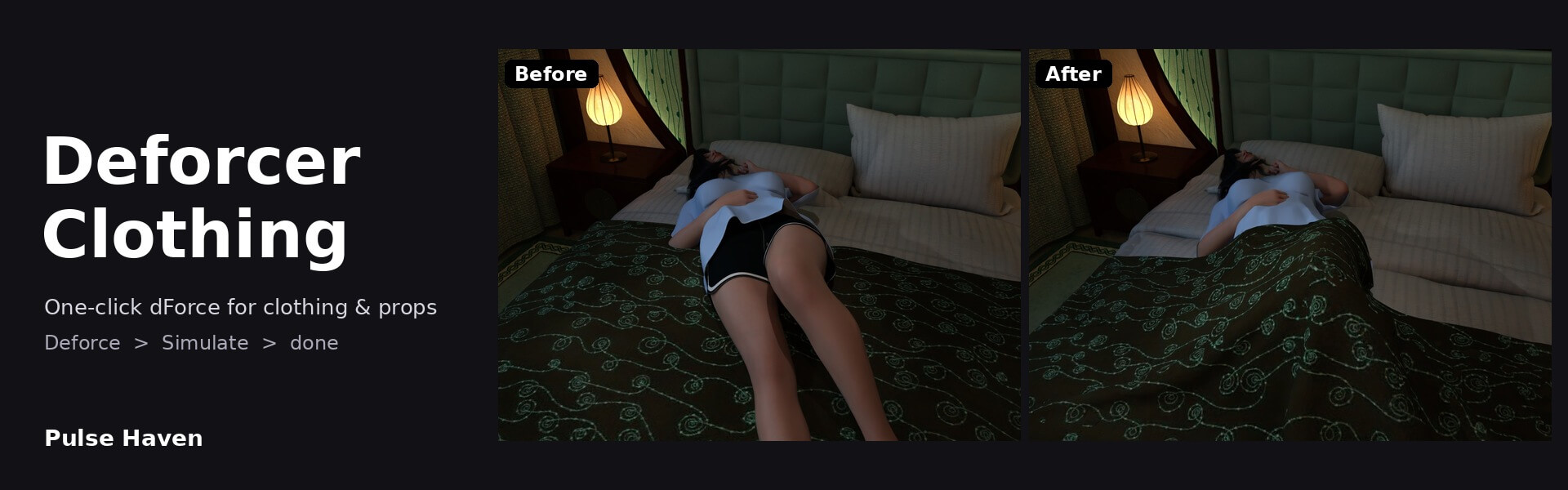
One-click dForce for clothing and props!
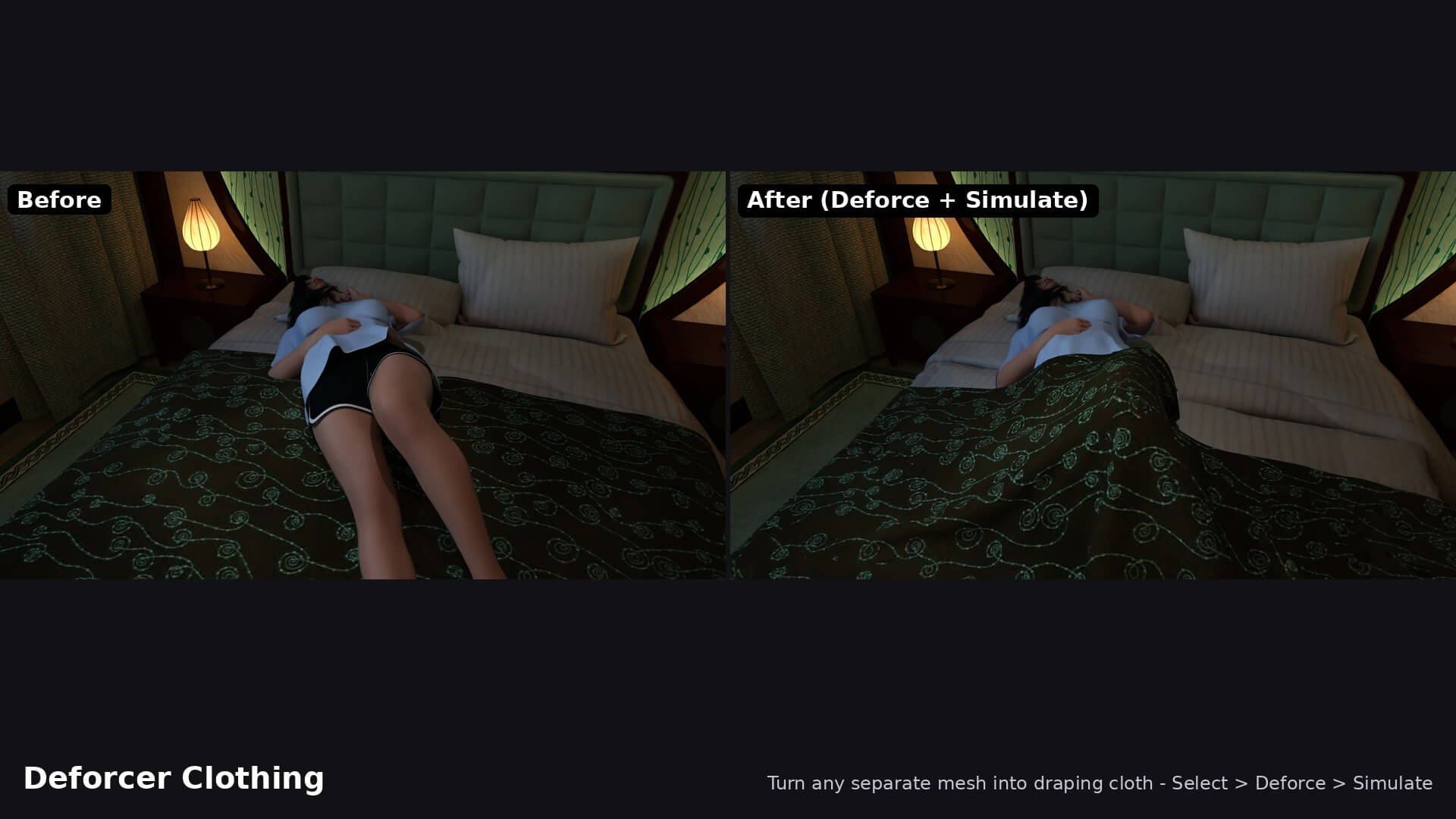
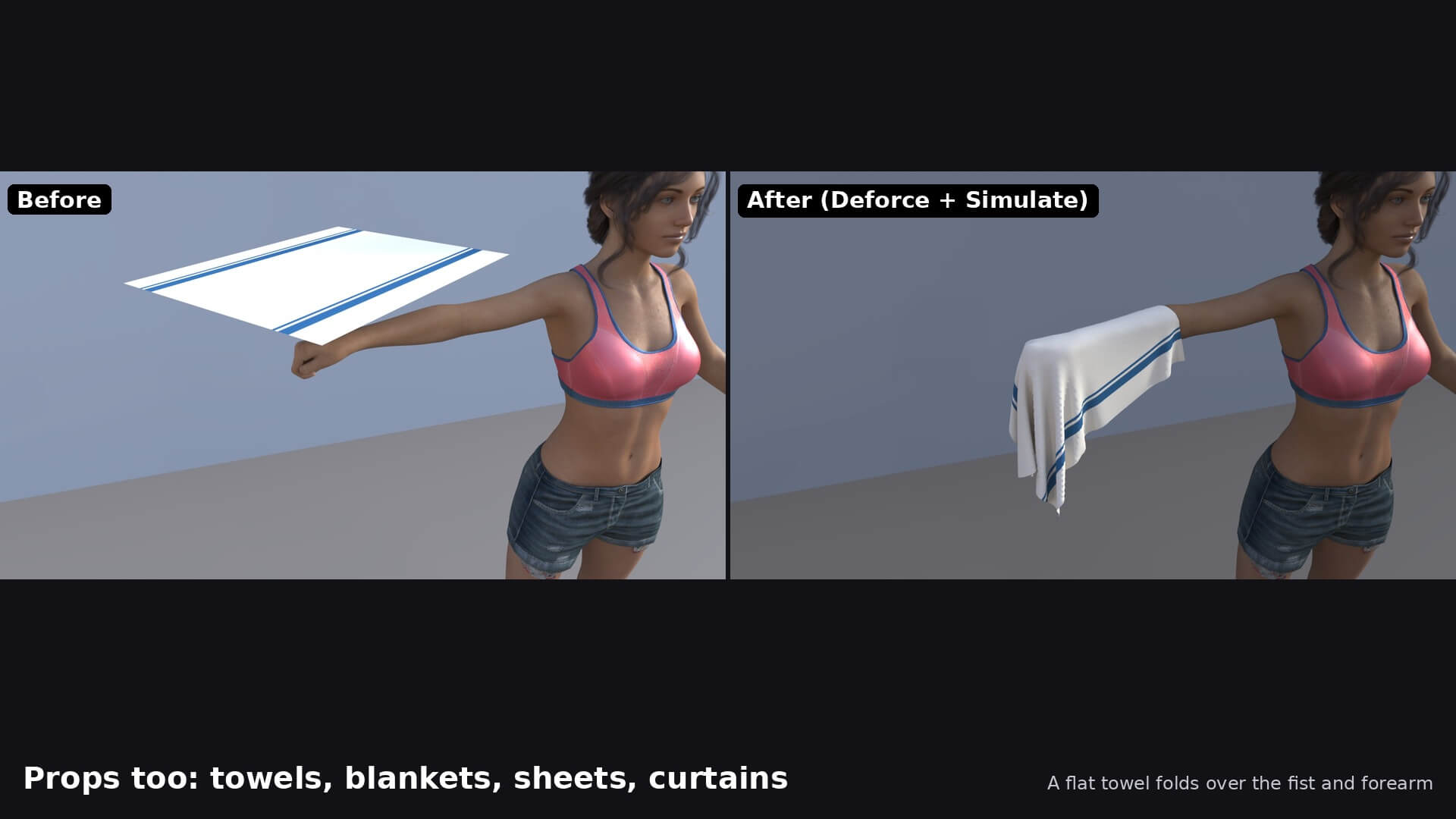
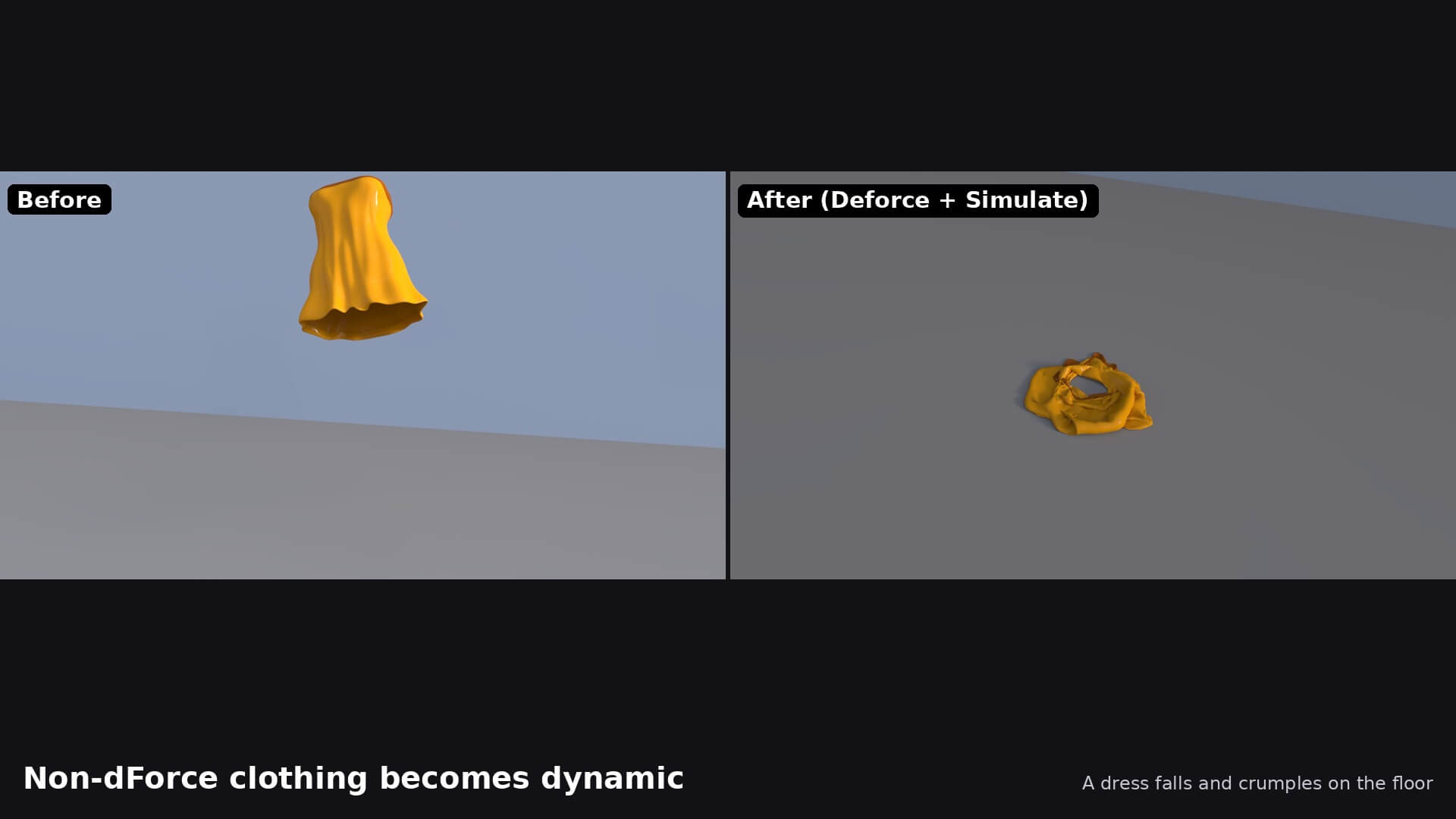
Select a clothing item or a separate mesh prop, click Deforce, then click Simulate - non-dForce outfits, blankets, bedspreads, sheets, towels and curtains drape naturally over figures and furniture. Remove puts the item back the way it was.
Yes you heard it rightt even items that do not have dforce in them you can add it in those objects.
Features -
- Keep figures posed: one checkbox turns off Start Bones From Memorized Pose so posed figures don't stand up while cloth simulates
- Deforce: adds a dForce Dynamic Surface with drape-friendly defaults in one click
- Simulate: runs DAZ Studio's own dForce simulation from the same window, with live status
- Remove: takes Deforcer's dForce off again and restores the item (leaves items that already had dForce untouched)
- Works on non-dForce clothing (fitted to a figure) and on props: blankets, bedspreads, sheets, towels, tablecloths, curtains
- Holds buttons, straps, belts, cuffs and similar parts in place automatically
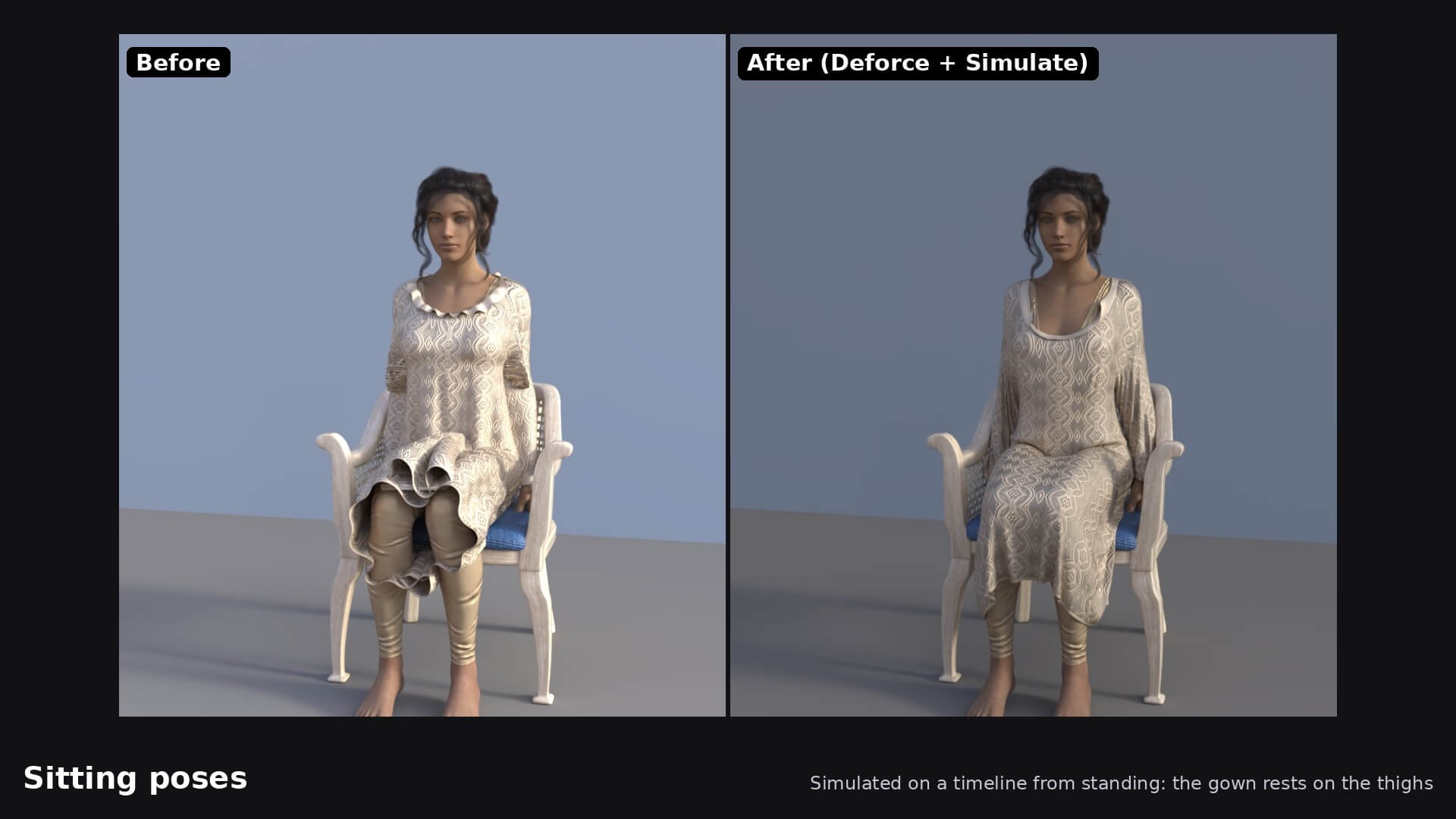
- Great for sitting and lying poses when simulated on the timeline from a standing pose
NOTE : Texture resolution does not matter - only the mesh does
Good to know
- The item must be its own separate, selectable mesh with enough polygons; subdivide low-poly items for a smooth drape
- Props already modelled in a draped shape only settle a little
- Clothing must be fitted to a figure (clothing loaded on its own is refused)
- Ctrl+Z does not undo a simulation - use Clear Simulation in the Simulation Settings pane
Includes
- Deforcer Clothing script with icon
- ReadMe
Select a clothing item or a separate mesh prop, click Deforce, then click Simulate - non-dForce outfits, blankets, bedspreads, sheets, towels and curtains drape naturally over figures and furniture. Remove puts the item back the way it was.
Yes you heard it rightt even items that do not have dforce in them you can add it in those objects.
Features -
- Keep figures posed: one checkbox turns off Start Bones From Memorized Pose so posed figures don't stand up while cloth simulates
- Deforce: adds a dForce Dynamic Surface with drape-friendly defaults in one click
- Simulate: runs DAZ Studio's own dForce simulation from the same window, with live status
- Remove: takes Deforcer's dForce off again and restores the item (leaves items that already had dForce untouched)
- Works on non-dForce clothing (fitted to a figure) and on props: blankets, bedspreads, sheets, towels, tablecloths, curtains
- Holds buttons, straps, belts, cuffs and similar parts in place automatically
- Great for sitting and lying poses when simulated on the timeline from a standing pose
NOTE : Texture resolution does not matter - only the mesh does
Good to know
- The item must be its own separate, selectable mesh with enough polygons; subdivide low-poly items for a smooth drape
- Props already modelled in a draped shape only settle a little
- Clothing must be fitted to a figure (clothing loaded on its own is refused)
- Ctrl+Z does not undo a simulation - use Clear Simulation in the Simulation Settings pane
Includes
- Deforcer Clothing script with icon
- ReadMe
