


 Free 3D
 3D Print Models
 3D Scans
 Animation & MoCap
 Textures
 Materials
 Skin Reference
 2D Game Assets
 Sound Effects
 Brushes & Tools
 Reference Photos
 Stock Images
 HDR Images
 3ds Max
 Maya
Maya Blender
 Unreal Engine
 Unity
Unity ZBrush
 Cinema 4D
 LightWave
 Marmoset
 SketchUp
 FBX
FBX DAE
DAE DXF
DXF GLB
GLBLights Mixer & Editor for Daz 3D

Not Rated Yet


! REPORT
NOTE: DIGITAL DOWNLOAD, NOT A PHYSICAL ITEM

Add to Collection

0 Likes
Share This Daz Content


Offered By

Retired back-end dev , I'm here to help feel free to message me for anything custom you may need regarding daz or blender , cheers.

License
Extended Use License (IP Restricted)
This item comes with our Extended Use Licensing. This means that you may use the model in a variety of mediums and applications. But, because certain intellectual property depicted in this model may not be affiliated with or endorsed by the original rights holder, this model is subject to an Editorial Use Only Restriction which limits the ways in which you may use this model.
For full license terms, see our 3D Content Licensing Agreement
Item Details
| Vendor: | PulseHavenStudios |
| Published: | Oct 19, 2026 |
| Download Size: | 1.2 MB |
| Software: | Daz Studio |
| dForce: | – |
Included Formats

Statistics
| Favorites: | 0 |
| Likes: | 0 |
| Views: | 50 |
Item Ratings
Not Rated Yet
Lights Mixer & Editor for Daz 3D
While most if not all enviroments do come with presets , some sadly do not and some's presets just aren't good enough compared to the rest of your workflow , this is where our light editor will help you out
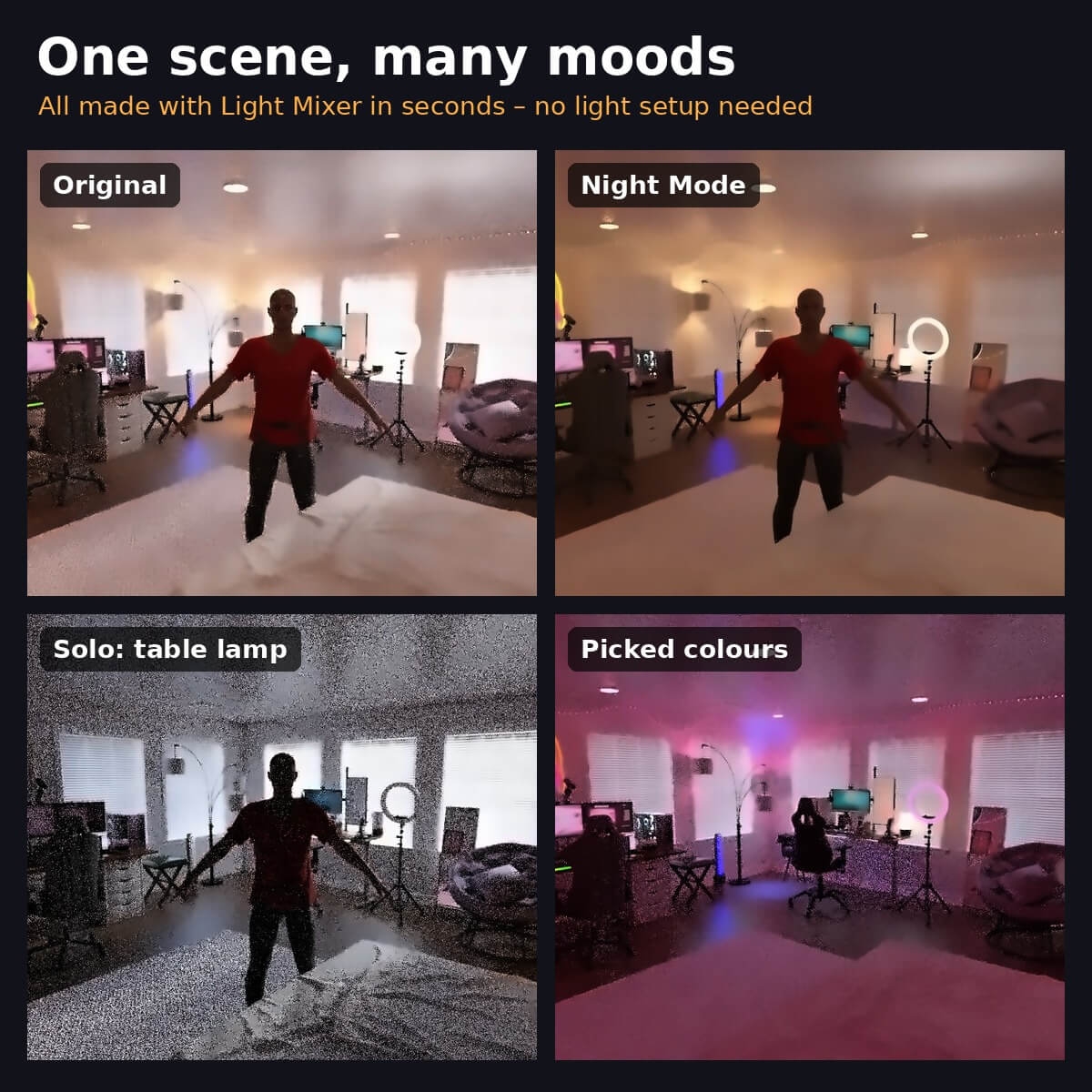
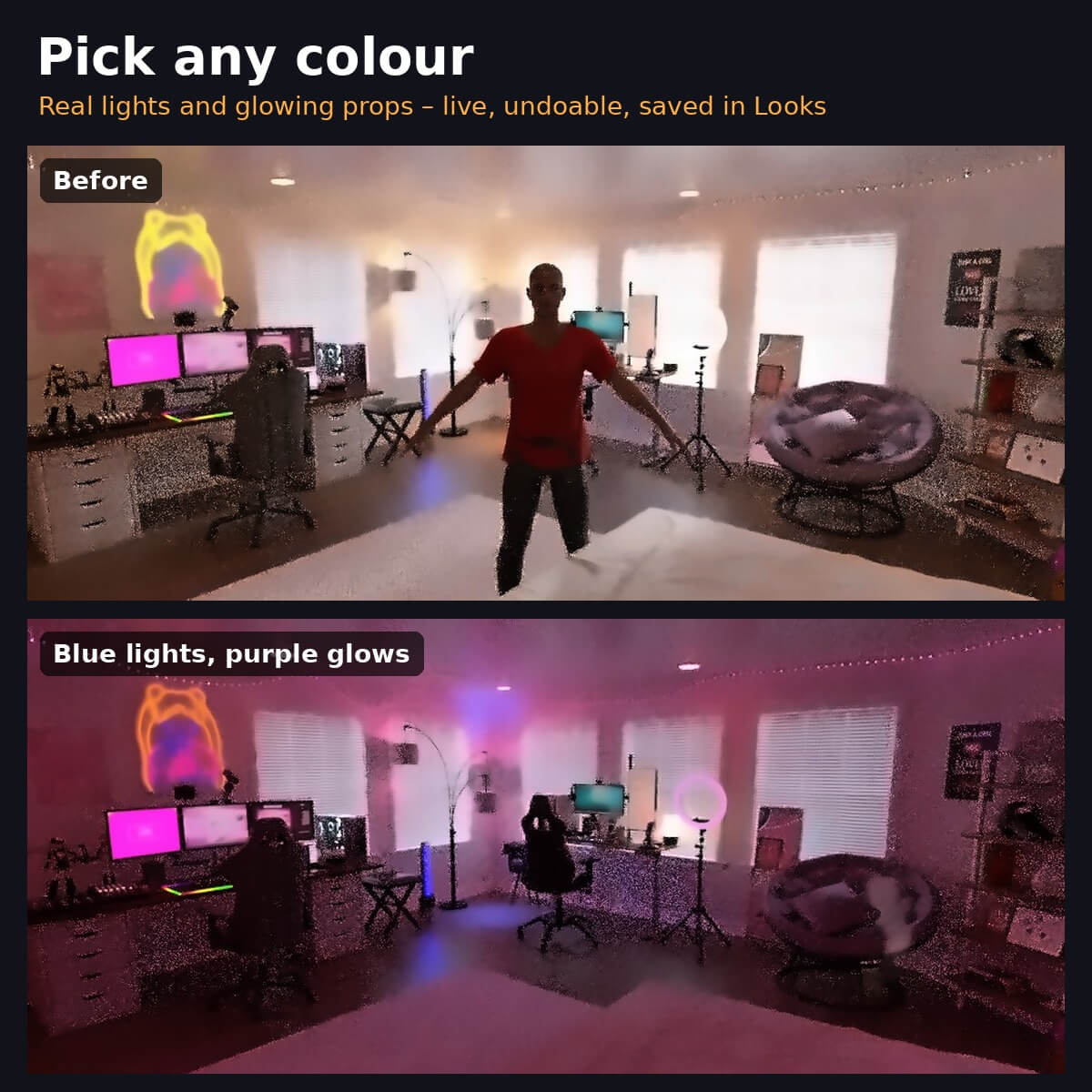
Basically it allows you to mix every light in your scene from one small panel. It works on real lights and on glowing props like lamps, neon, screens and string lights. Switch them, solo them, brighten them, warm or cool them, or give them any color.
All in one solo panel instead of browsing through each light in the parameters option , has strength and other toggles for your preference as well with ability to save presets.
Features:
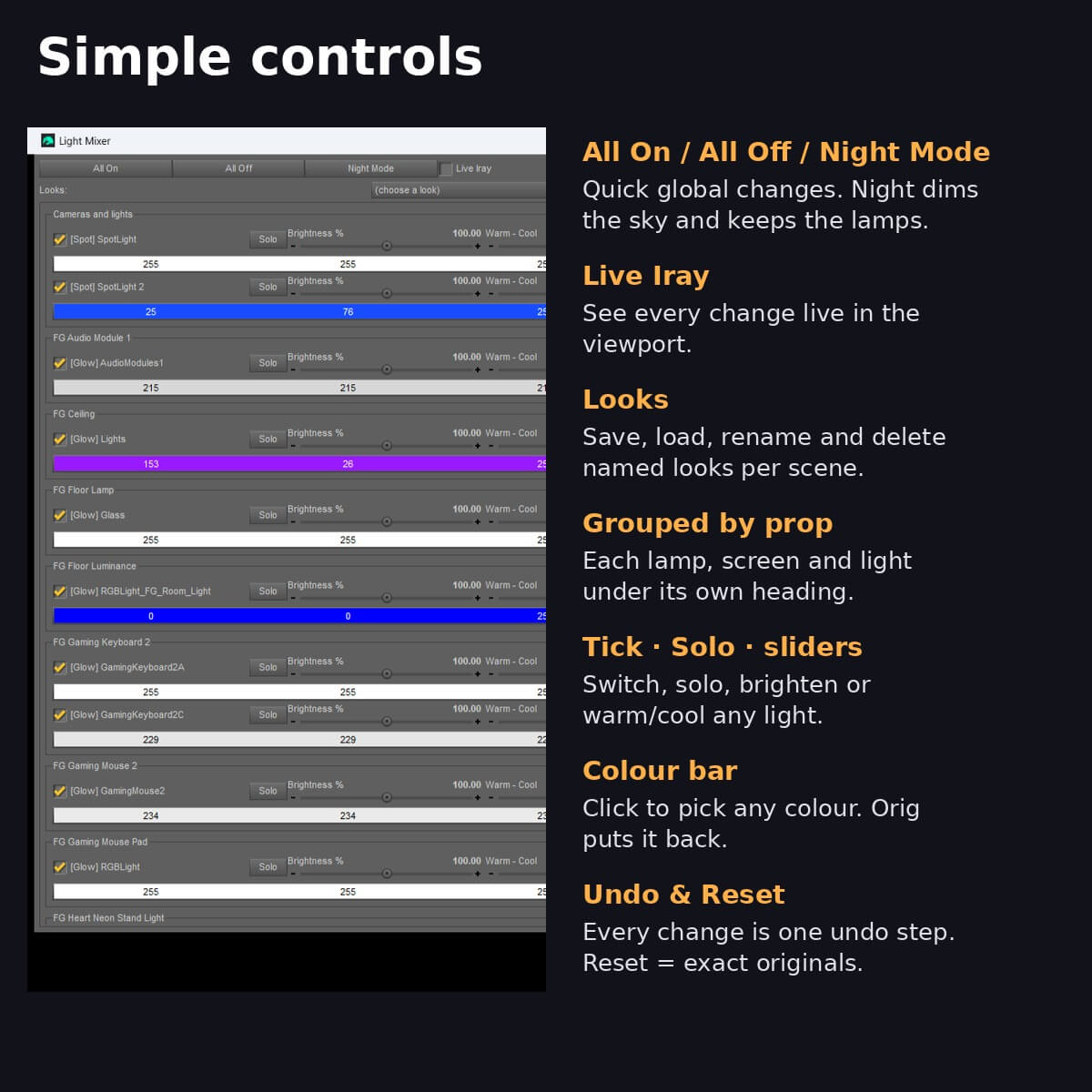
- Finds every real light and glowing surface automatically, grouped by prop
- On/Off, Solo, Brightness (0-300%) and Warm-Cool for each light
- Colour bar on every light: pick any colour (blue, purple, anything) with DAZ's colour picker, plus "Orig" to put it back
- All On / All Off, Night Mode (dims the sky, keeps lamps on), Live Iray preview
- Save and load your mixes as named Looks
- Reset puts everything back exactly; every change is undoable
- Originals are stored in the scene, so nothing is ever lost
How to use:
1. Open your scene.
2. Double-click Light Mixer (Content Library > Scripts > Pulse Haven > Light Mixer).
3. Tick Live Iray to watch changes live.
4. Use the ticks, sliders and colour bars on any light.
5. Save your mix as a Look, or click Reset to go back.
Basically it allows you to mix every light in your scene from one small panel. It works on real lights and on glowing props like lamps, neon, screens and string lights. Switch them, solo them, brighten them, warm or cool them, or give them any color.
All in one solo panel instead of browsing through each light in the parameters option , has strength and other toggles for your preference as well with ability to save presets.
Features:
- Finds every real light and glowing surface automatically, grouped by prop
- On/Off, Solo, Brightness (0-300%) and Warm-Cool for each light
- Colour bar on every light: pick any colour (blue, purple, anything) with DAZ's colour picker, plus "Orig" to put it back
- All On / All Off, Night Mode (dims the sky, keeps lamps on), Live Iray preview
- Save and load your mixes as named Looks
- Reset puts everything back exactly; every change is undoable
- Originals are stored in the scene, so nothing is ever lost
How to use:
1. Open your scene.
2. Double-click Light Mixer (Content Library > Scripts > Pulse Haven > Light Mixer).
3. Tick Live Iray to watch changes live.
4. Use the ticks, sliders and colour bars on any light.
5. Save your mix as a Look, or click Reset to go back.
Categories
