


 Free 3D
 3D Print Models
 3D Scans
 Animation & MoCap
 Textures
 Materials
 Skin Reference
 2D Game Assets
 Sound Effects
 Brushes & Tools
 Reference Photos
 Stock Images
 HDR Images
 3ds Max
 Maya
 Blender
 Unreal Engine
 Unity
 ZBrush
 Cinema 4D
 LightWave
 Marmoset
 SketchUp
 FBX
 DAE
 DXF
 GLB

Asset Remover for DAZ 3D

Not Rated Yet


This Item Was Made Using
! REPORT
NOTE: DIGITAL DOWNLOAD, NOT A PHYSICAL ITEM

Add to Collection

0 Likes
Share This


Offered By


Retired back-end dev , I'm here to help feel free to message me for anything custom you may need regarding daz or blender , cheers.

License
Extended Use License
This item comes with our Extended Use Licensing. This means that you may use the model for both non-commercial and commercial purposes, in a variety of mediums and applications.
For full license terms, see our 3D Content Licensing Agreement
Item Details
| Offered By: | PulseHavenStudios |
| Published: | Nov 10, 2026 |
| Download Size: | 31.9 MB |
| Compatible With: | Daz Studio |
Included Formats

Statistics
| Favorites: | 0 |
| Likes: | 0 |
| Views: | 34 |
Item Ratings
Not Rated Yet
Asset Remover for DAZ 3D
Asset Remover PH is a Windows app that finds and removes DAZ Studio content you no longer need from a library you choose, we all know how it feels to build up a huge library but then once a project is finished that crap stays in there and it's so hard to filter out manually or even with scripts , this app handles that for you.
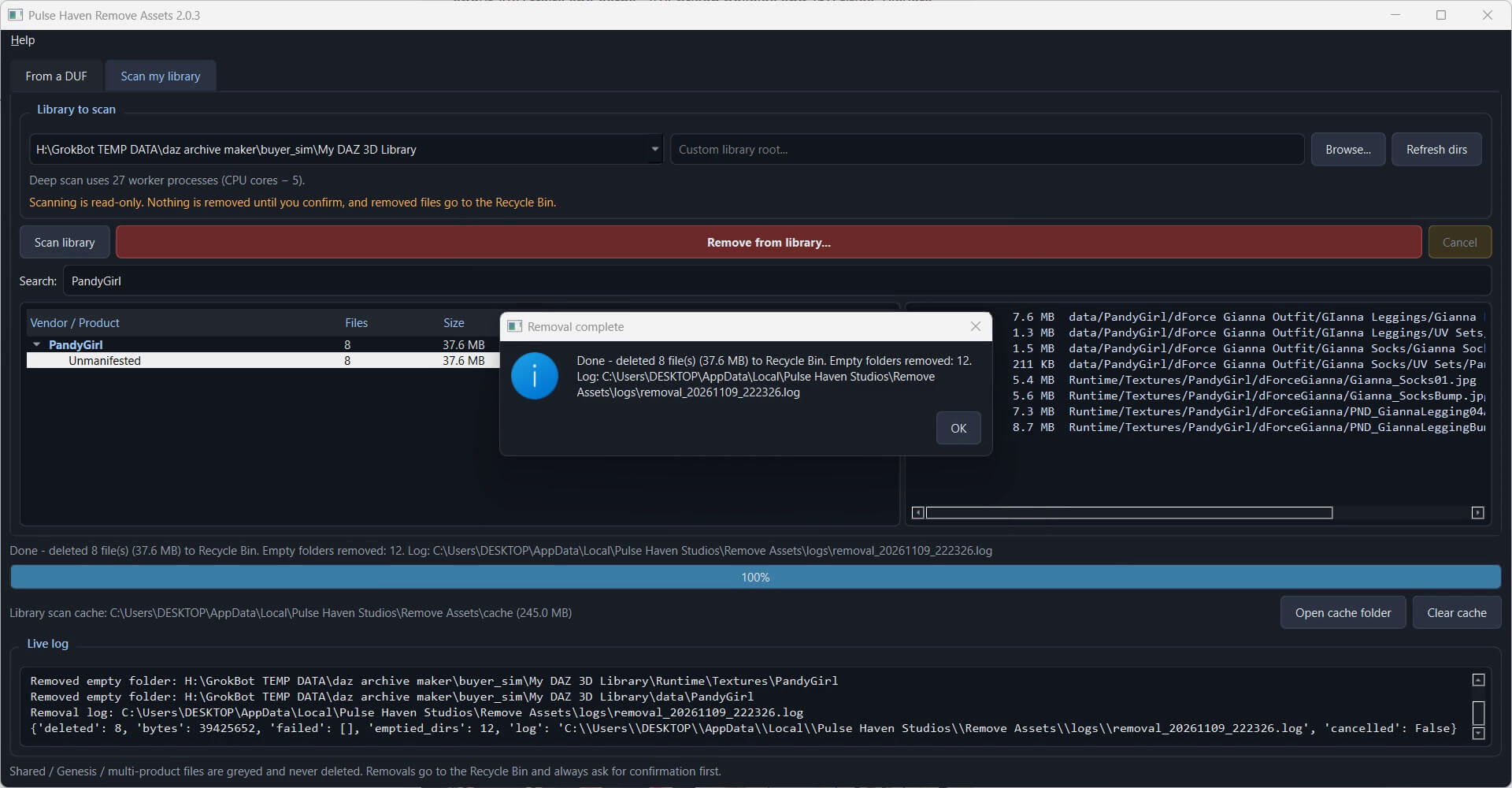
First and foremost , Everything removed goes to the Recycle Bin in case you prefer to do manual check and restore too
Instructions :-.
Two modes:
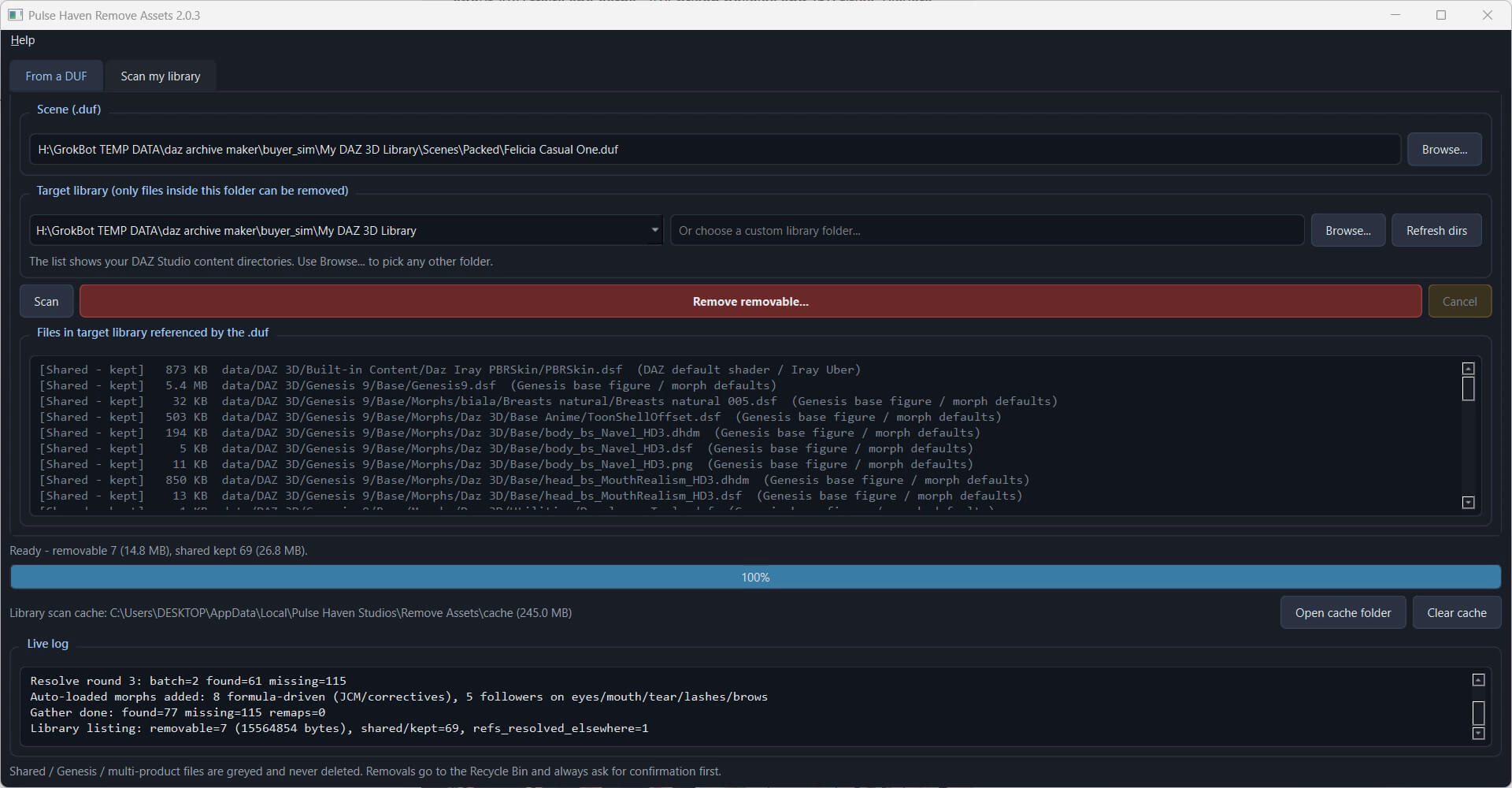
- From a DUF: scan a .duf scene and remove the assets it uses from a target library
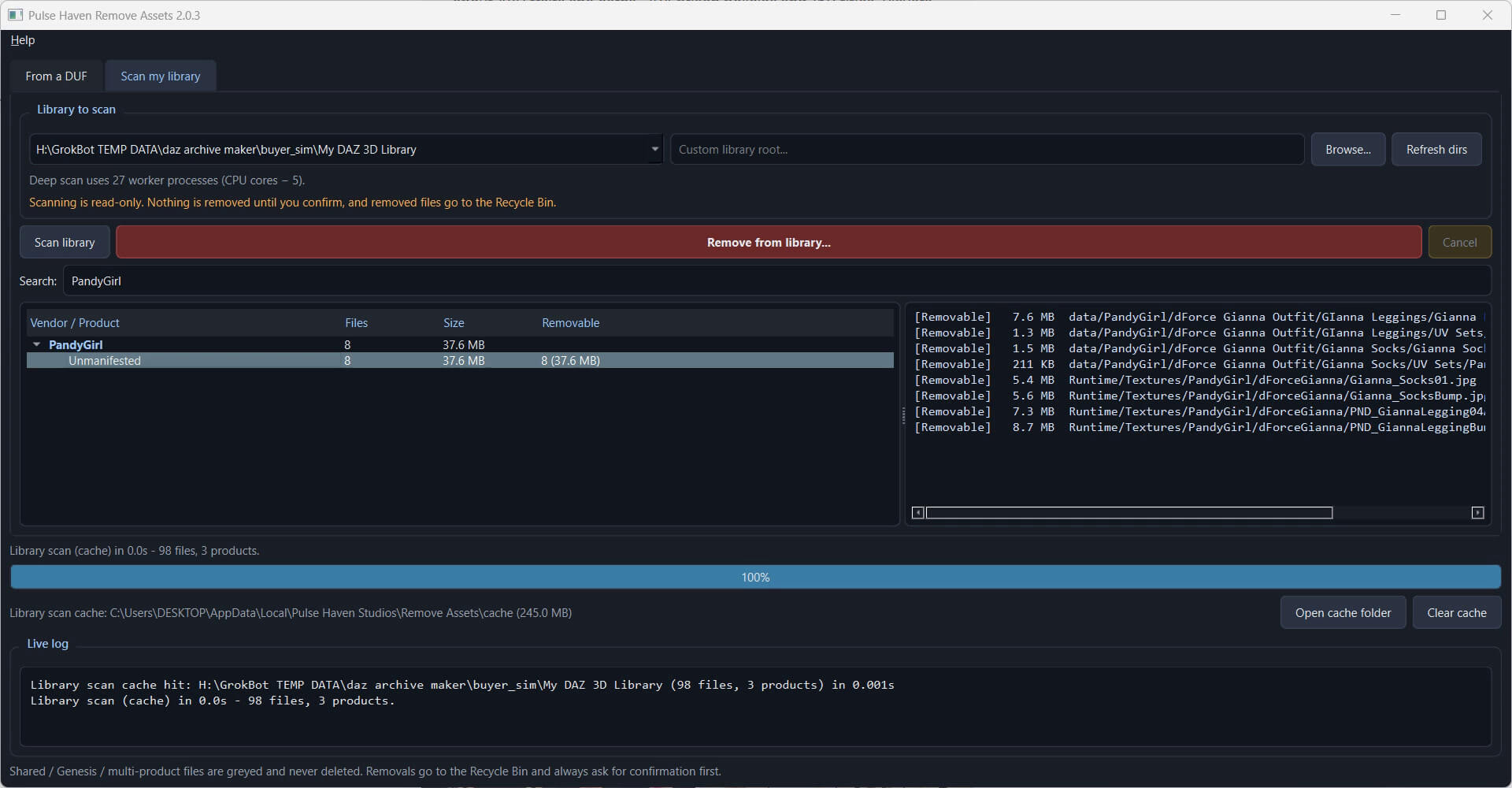
- Option called Scan my library: multi-core deep scan that groups content by vendor and product (DAZ Support manifests first, folder names as fallback), with search so you can pick what to remove , tldr is it searches your entire library and daz file format being similar allows it to locate and group them properly once search is done
All you do after that is remove and volla thing is gone no more hogging your storage for nothing.
Safety:
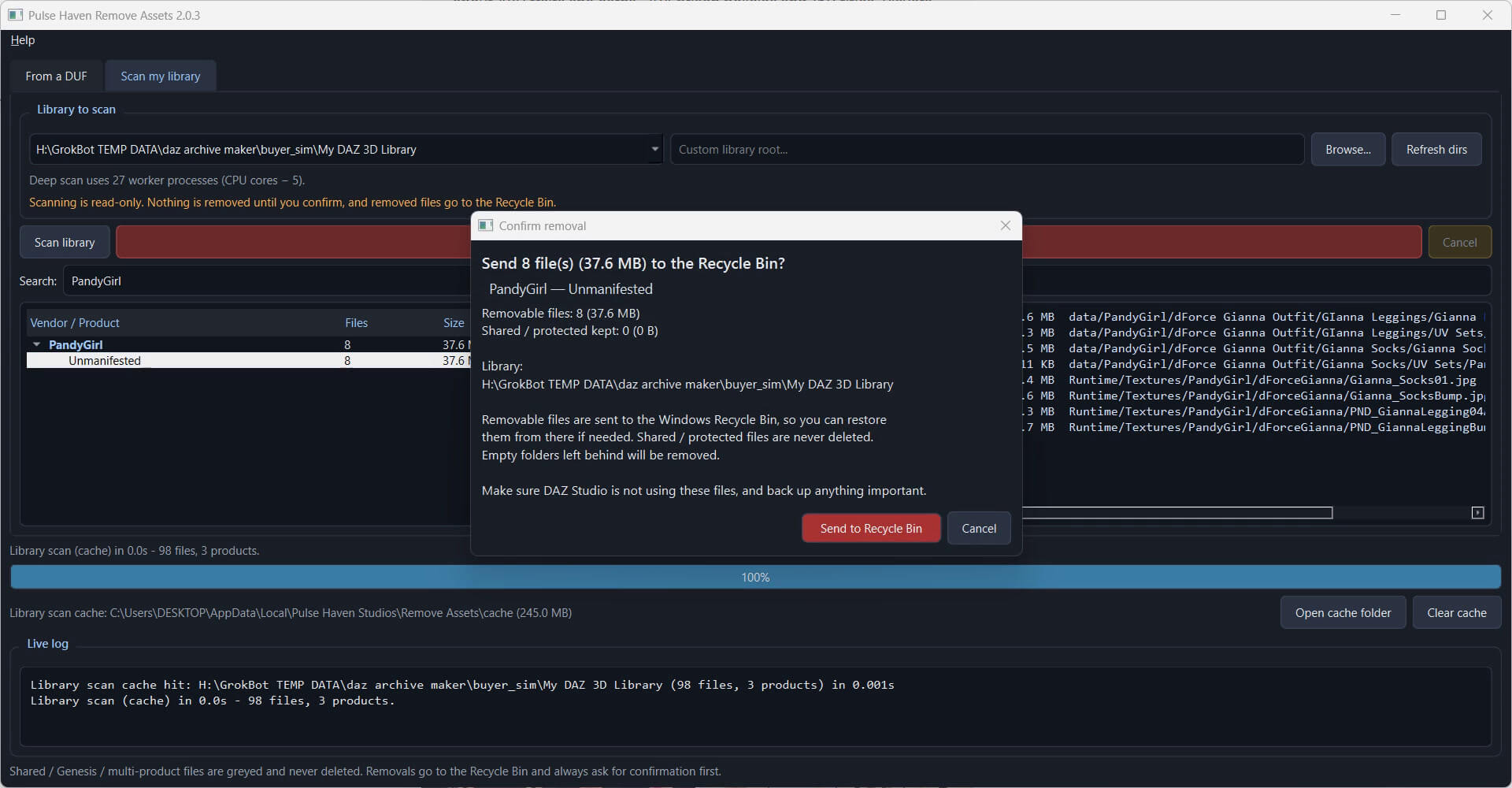
- Scanning is read-only; nothing is touched until you confirm
- A confirm dialog shows file count, total size and library folder; Cancel is the default button
- Shared files, Genesis base figures and DAZ built-in content are kept and greyed out
- Only files inside the library you chose can be removed
- Removed files can be restored from the Recycle Bin
While this will most definitely work on almost everything as the Example was measured on a ~1 TB Asset library: about 2.17 million files scanned in about 96 s cold, under 1 s on a repeat scan.
If for some reason it does not work you can simply DM me for a fixture or updated script.
Enjoy rooting out this problem that bothered me for years as a dev ~
First and foremost , Everything removed goes to the Recycle Bin in case you prefer to do manual check and restore too
Instructions :-.
Two modes:
- From a DUF: scan a .duf scene and remove the assets it uses from a target library
- Option called Scan my library: multi-core deep scan that groups content by vendor and product (DAZ Support manifests first, folder names as fallback), with search so you can pick what to remove , tldr is it searches your entire library and daz file format being similar allows it to locate and group them properly once search is done
All you do after that is remove and volla thing is gone no more hogging your storage for nothing.
Safety:
- Scanning is read-only; nothing is touched until you confirm
- A confirm dialog shows file count, total size and library folder; Cancel is the default button
- Shared files, Genesis base figures and DAZ built-in content are kept and greyed out
- Only files inside the library you chose can be removed
- Removed files can be restored from the Recycle Bin
While this will most definitely work on almost everything as the Example was measured on a ~1 TB Asset library: about 2.17 million files scanned in about 96 s cold, under 1 s on a repeat scan.
If for some reason it does not work you can simply DM me for a fixture or updated script.
Enjoy rooting out this problem that bothered me for years as a dev ~
