


 Free 3D
 3D Print Models
 3D Scans
 Animation & MoCap
 Textures
 Materials
 Skin Reference
 2D Game Assets
 Sound Effects
 Brushes & Tools
 Reference Photos
 Stock Images
 HDR Images
 3ds Max
 Maya
 Blender
 Unreal Engine
 Unity
 ZBrush
 Cinema 4D
 LightWave
 Marmoset
 SketchUp
 FBX
 DAE
 DXF
 GLB

ARC Pose Converter - V4 and Genesis 1-9 Pose Retargeting

Not Rated Yet


This Item Was Made Using
! REPORT
NOTE: DIGITAL DOWNLOAD, NOT A PHYSICAL ITEM

Add to Collection

7 Likes
Share This Daz Content


Offered By


License
Extended Use License
This item comes with our Extended Use Licensing. This means that you may use the model for both non-commercial and commercial purposes, in a variety of mediums and applications.
For full license terms, see our 3D Content Licensing Agreement
Item Details
| Vendor: | RonnyDee |
| Published: | Nov 19, 2026 |
| Download Size: | 564.1 KB |
| Software: | Daz Studio |
| Compatible Figures: | Original Daz Figure Genesis 8 Female Genesis 3 Female Genesis 9 |
| dForce: | – |
Included Formats

Statistics
| Favorites: | 2 |
| Likes: | 7 |
| Views: | 116 |
Item Ratings
Not Rated Yet
ARC Pose Converter - V4 and Genesis 1-9 Pose Retargeting
**Use the pose you want – right now.**
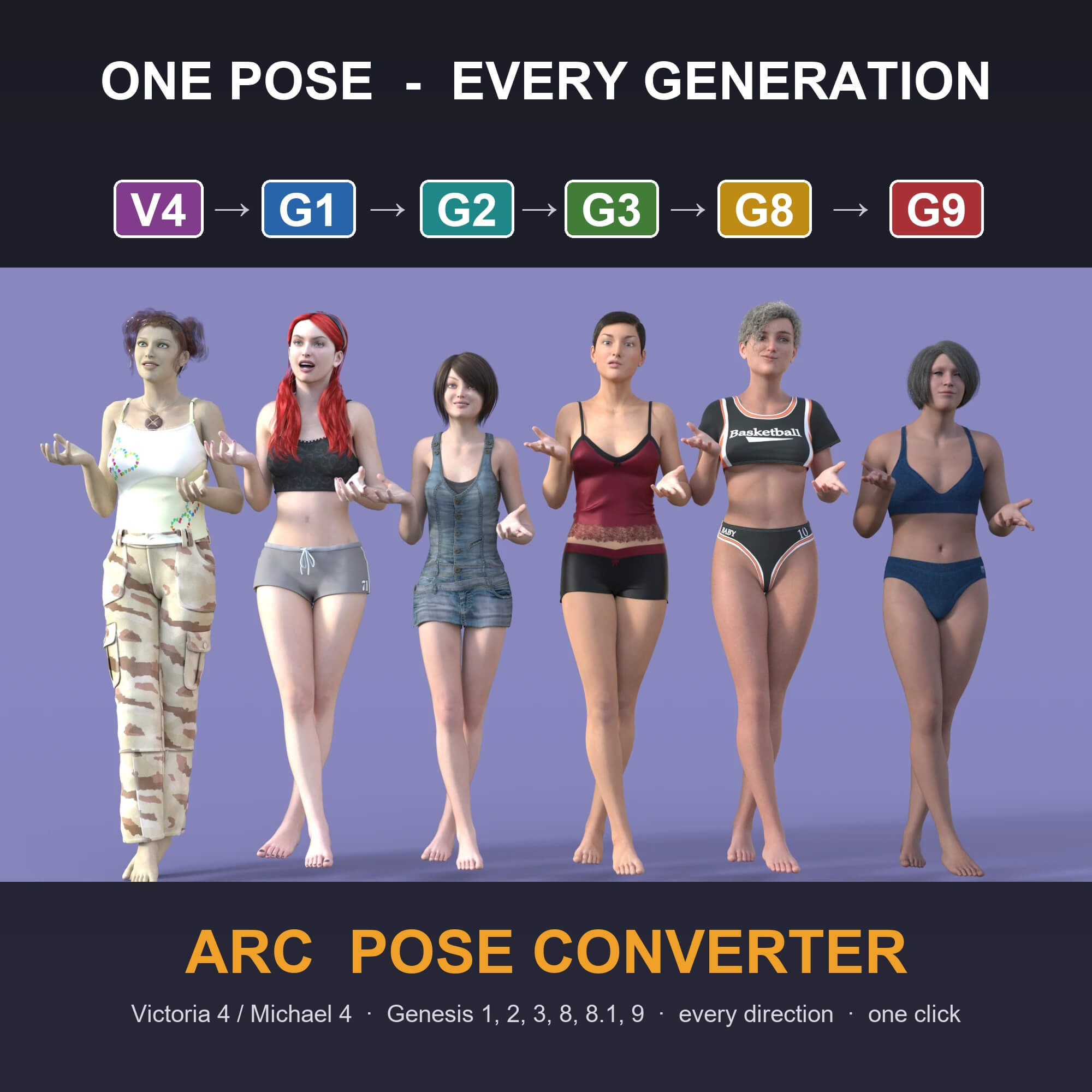
You bought hundreds of poses for Victoria 4, Genesis 2 or Genesis 3 – and now you render with Genesis 8 or 9?
With ARC Pose Converter there is nothing to prepare: no batch conversion, no second pose library, no waiting. Browse your Content Library as always,
apply the pose you like, click once – it fits.
**And it fits properly.**
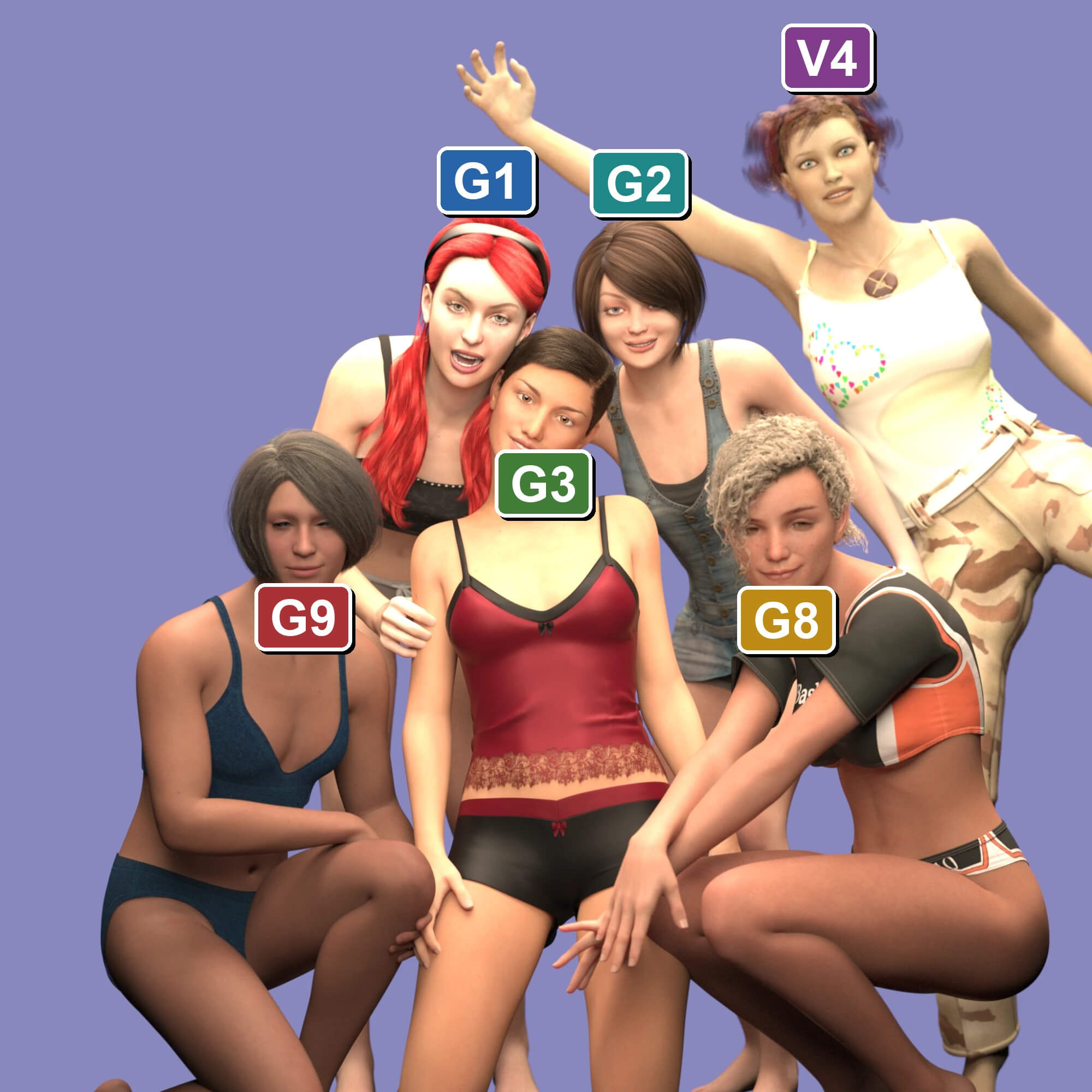
ARC Pose Converter does real retargeting instead of copying dial values: it compensates the different rest postures of each generation and keeps the feet on the floor. Legs stand where they should, feet don't float or sink, hands land where the pose wants them.
Works on the fly – two clicks
1. Apply any pose to your figure from the Content Library (it will look wrong – that is fine).
2. Run **Convert Last Pose**.
The script finds the pose you just applied, detects which figure it was made for and converts it to the selected figure. One undo step.
Highlights
- **Works on the fly:** nothing to convert in advance – every pose in your library is ready the moment you apply it, your pose files stay untouched
- **Every direction:** Victoria 4 / Michael 4, Genesis, Genesis 2, 3, 8, 8.1, 9 – old to new, new to old, female and male
- **Real retargeting, not name mapping:** handles the different rest postures (A-pose / T-pose), bone axes and twist bones of each generation
- **Feet stay on the floor:** floor contact is kept automatically, the hip height is adjusted to the new leg proportions – no floating, no sinking
- **Poser poses too:** reads V4/M4 .pz2 / .p2z as well as DAZ .duf
- **Auto-detect:** knows which figure the pose was made for – or tell it with one click (color-coded scripts per generation)
- **Options dialog:** precise mode, floor contact, hip scaling, joint limits, any other pose file
- **Save as .duf (optional):** keep a converted copy of a favorite pose for your target figure – only if you want one
- **Safe:** one undo step per conversion
Good to know
- Body poses are converted (hip, spine, head, arms, hands, fingers, legs, feet, toes, eyes, jaw).
Facial expressions are not – every generation has different face controls.
- Different body shapes can still touch slightly (hands on thighs, crossed arms) – a small tweak by hand fixes it.
- Animations: the first frame is converted.
Compatibility
- DAZ Studio 4.2x **and DAZ Studio 6** Windows
- Victoria 4 / Michael 4, Genesis, Genesis 2, Genesis 3, Genesis 8, Genesis 8.1, Genesis 9 (female and male) and characters based on them
- Pure DAZ Script – no plugin, no installer
What's included
- 11 scripts, each with its own color-coded icon
- One-click menu "ARC > Pose Converter" in the top menu bar (optional, removable; shares the ARC menu with ARC CCLD)
- Shows up in Smart Content as its own product with thumbnail
- ReadMe with quickstart and full reference
Install
Unzip into your content library (e.g. My Library):
`Scripts/RonnyDee/ARC/Pose Converter`. Open it in the Content Library tab and double-click a script.
Install the helpful menu in `Scripts/RonnyDee/ARC/Pose Converter/0 Setup/` for instant action.
Changelog
- 1.0 – initial release
You bought hundreds of poses for Victoria 4, Genesis 2 or Genesis 3 – and now you render with Genesis 8 or 9?
With ARC Pose Converter there is nothing to prepare: no batch conversion, no second pose library, no waiting. Browse your Content Library as always,
apply the pose you like, click once – it fits.
**And it fits properly.**
ARC Pose Converter does real retargeting instead of copying dial values: it compensates the different rest postures of each generation and keeps the feet on the floor. Legs stand where they should, feet don't float or sink, hands land where the pose wants them.
Works on the fly – two clicks
1. Apply any pose to your figure from the Content Library (it will look wrong – that is fine).
2. Run **Convert Last Pose**.
The script finds the pose you just applied, detects which figure it was made for and converts it to the selected figure. One undo step.
Highlights
- **Works on the fly:** nothing to convert in advance – every pose in your library is ready the moment you apply it, your pose files stay untouched
- **Every direction:** Victoria 4 / Michael 4, Genesis, Genesis 2, 3, 8, 8.1, 9 – old to new, new to old, female and male
- **Real retargeting, not name mapping:** handles the different rest postures (A-pose / T-pose), bone axes and twist bones of each generation
- **Feet stay on the floor:** floor contact is kept automatically, the hip height is adjusted to the new leg proportions – no floating, no sinking
- **Poser poses too:** reads V4/M4 .pz2 / .p2z as well as DAZ .duf
- **Auto-detect:** knows which figure the pose was made for – or tell it with one click (color-coded scripts per generation)
- **Options dialog:** precise mode, floor contact, hip scaling, joint limits, any other pose file
- **Save as .duf (optional):** keep a converted copy of a favorite pose for your target figure – only if you want one
- **Safe:** one undo step per conversion
Good to know
- Body poses are converted (hip, spine, head, arms, hands, fingers, legs, feet, toes, eyes, jaw).
Facial expressions are not – every generation has different face controls.
- Different body shapes can still touch slightly (hands on thighs, crossed arms) – a small tweak by hand fixes it.
- Animations: the first frame is converted.
Compatibility
- DAZ Studio 4.2x **and DAZ Studio 6** Windows
- Victoria 4 / Michael 4, Genesis, Genesis 2, Genesis 3, Genesis 8, Genesis 8.1, Genesis 9 (female and male) and characters based on them
- Pure DAZ Script – no plugin, no installer
What's included
- 11 scripts, each with its own color-coded icon
- One-click menu "ARC > Pose Converter" in the top menu bar (optional, removable; shares the ARC menu with ARC CCLD)
- Shows up in Smart Content as its own product with thumbnail
- ReadMe with quickstart and full reference
Install
Unzip into your content library (e.g. My Library):
`Scripts/RonnyDee/ARC/Pose Converter`. Open it in the Content Library tab and double-click a script.
Install the helpful menu in `Scripts/RonnyDee/ARC/Pose Converter/0 Setup/` for instant action.
Changelog
- 1.0 – initial release
