


 Free 3D
 3D Print Models
 3D Scans
 Animation & MoCap
 Textures
 Materials
 Skin Reference
 2D Game Assets
 Sound Effects
 Brushes & Tools
 Reference Photos
 Stock Images
 HDR Images
 3ds Max
 Maya
Maya Blender
 Unreal Engine
 Unity
Unity ZBrush
 Cinema 4D
 LightWave
 Marmoset
 SketchUp
 FBX
FBX DAE
DAE DXF
DXF GLB
GLBDaz Edit Mode Plugin by Rozu

Not Rated Yet


! REPORT
NOTE: DIGITAL DOWNLOAD, NOT A PHYSICAL ITEM

Add to Collection

2 Likes
Share This


Offered By


License
Extended Use License (IP Restricted)
This item comes with our Extended Use Licensing. This means that you may use the model in a variety of mediums and applications. But, because certain intellectual property depicted in this model may not be affiliated with or endorsed by the original rights holder, this model is subject to an Editorial Use Only Restriction which limits the ways in which you may use this model.
For full license terms, see our 3D Content Licensing Agreement
Item Details
| Offered By: | Rozuro Nuro |
| Published: | Oct 22, 2026 |
| Download Size: | 3.7 MB |
| Compatible With: | Daz Studio |
Included Formats

Statistics
| Favorites: | 0 |
| Likes: | 2 |
| Views: | 111 |
Item Ratings
Not Rated Yet
Daz Edit Mode Plugin by Rozu
Daz Edit Mode plugin is a full upgrade for Daz Studio (both Daz Studio 6 and Daz Studio 4).
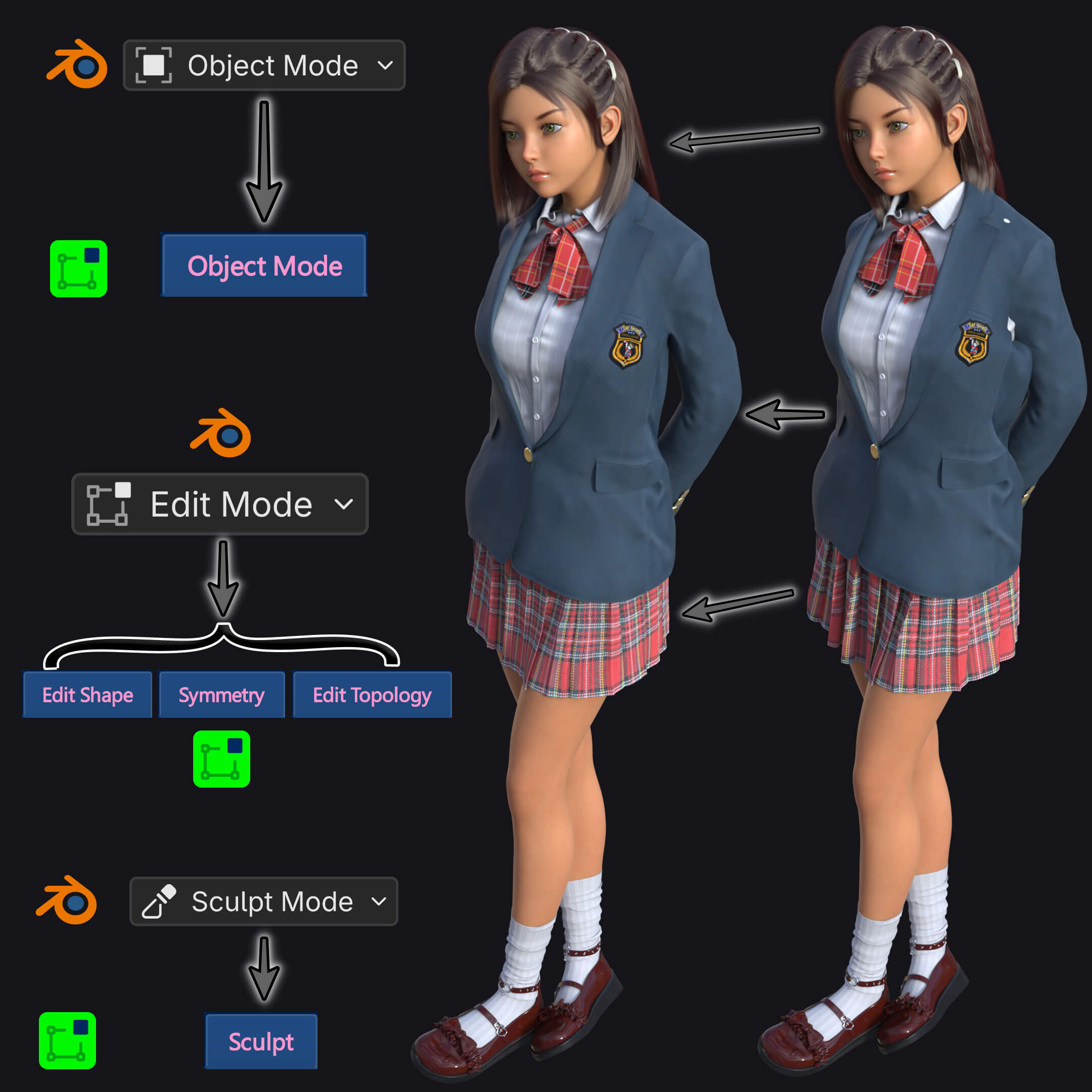
The plugin provides equivalents of Blender's "Object Mode", "Edit Mode", and "Sculpt Mode" tailored for Daz's workflow.
Bringing a massive lineup of Blender features over to Daz studio, with extremely user-friendly GUI that allows complete beginners to use it effectively, in addition to extensive and meticulous shortcuts that allow advanced users to use all features efficiently.
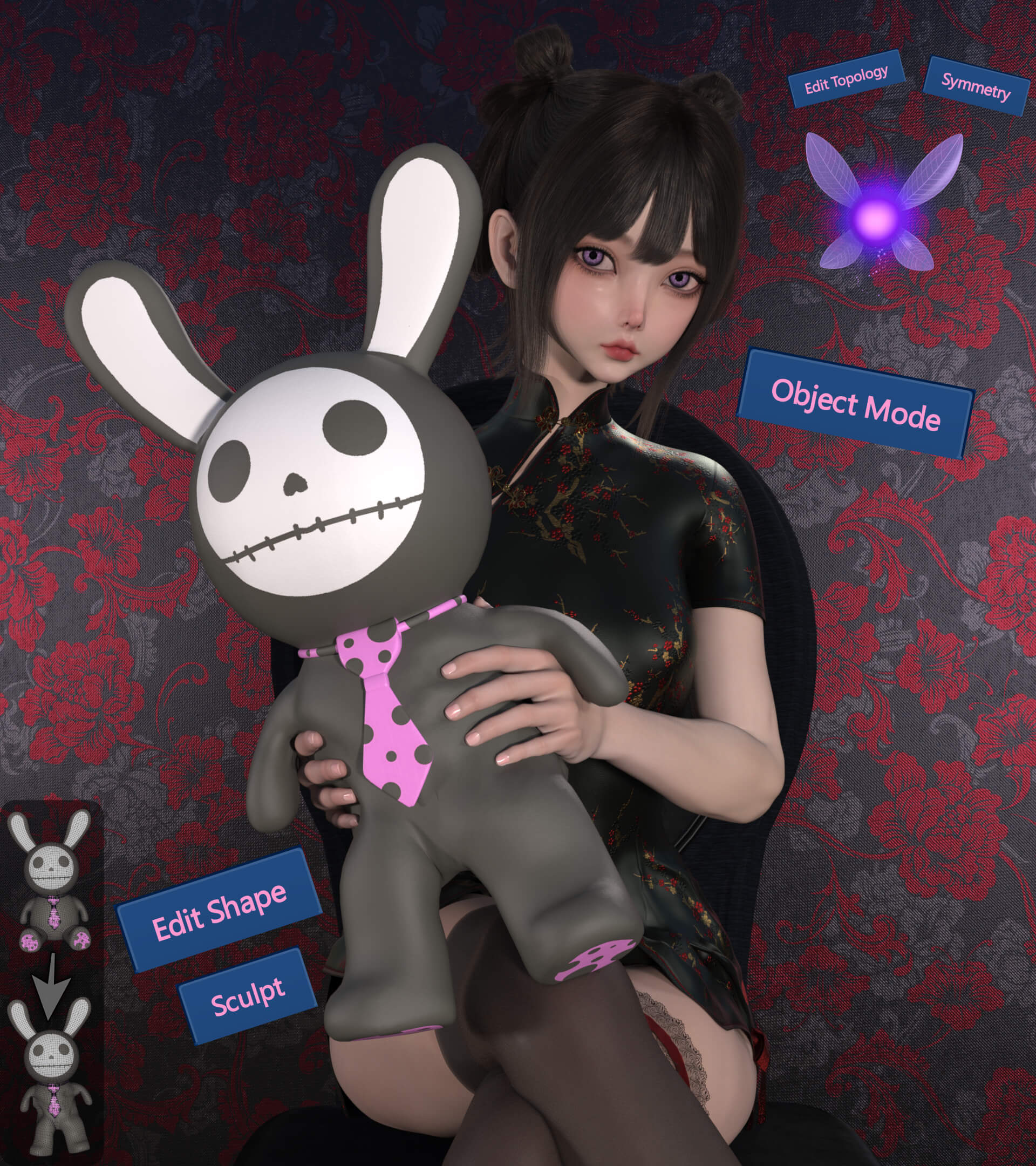
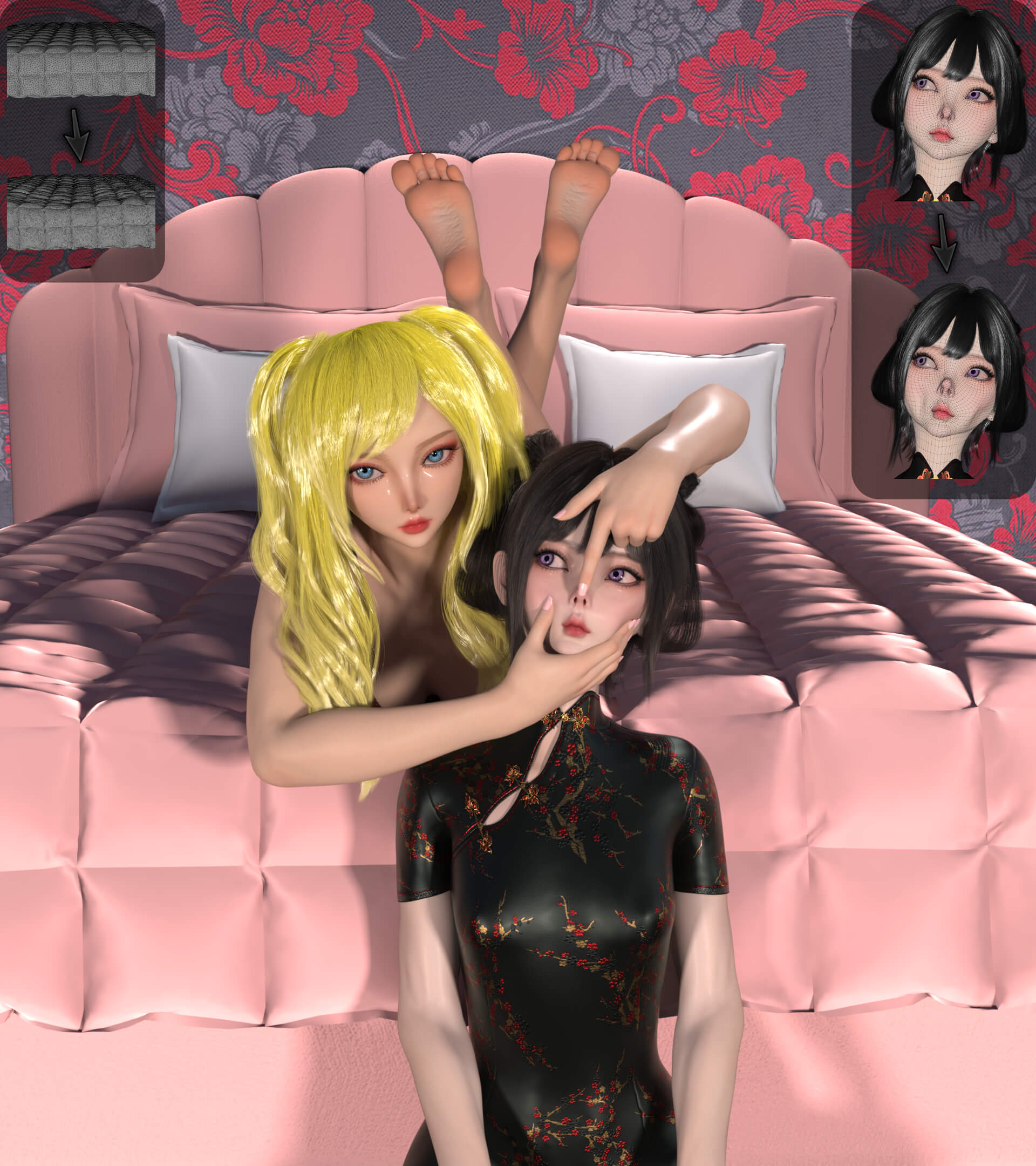
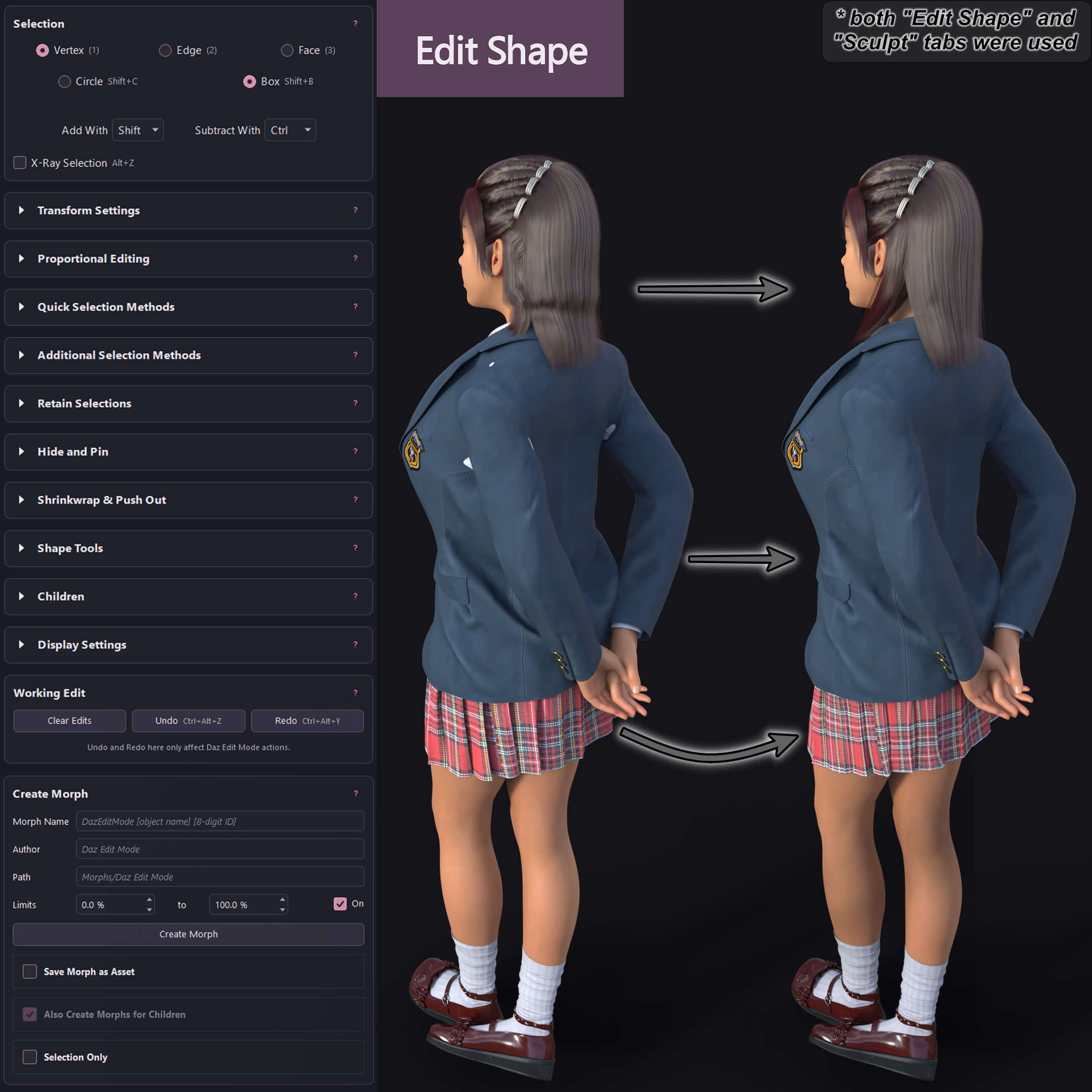
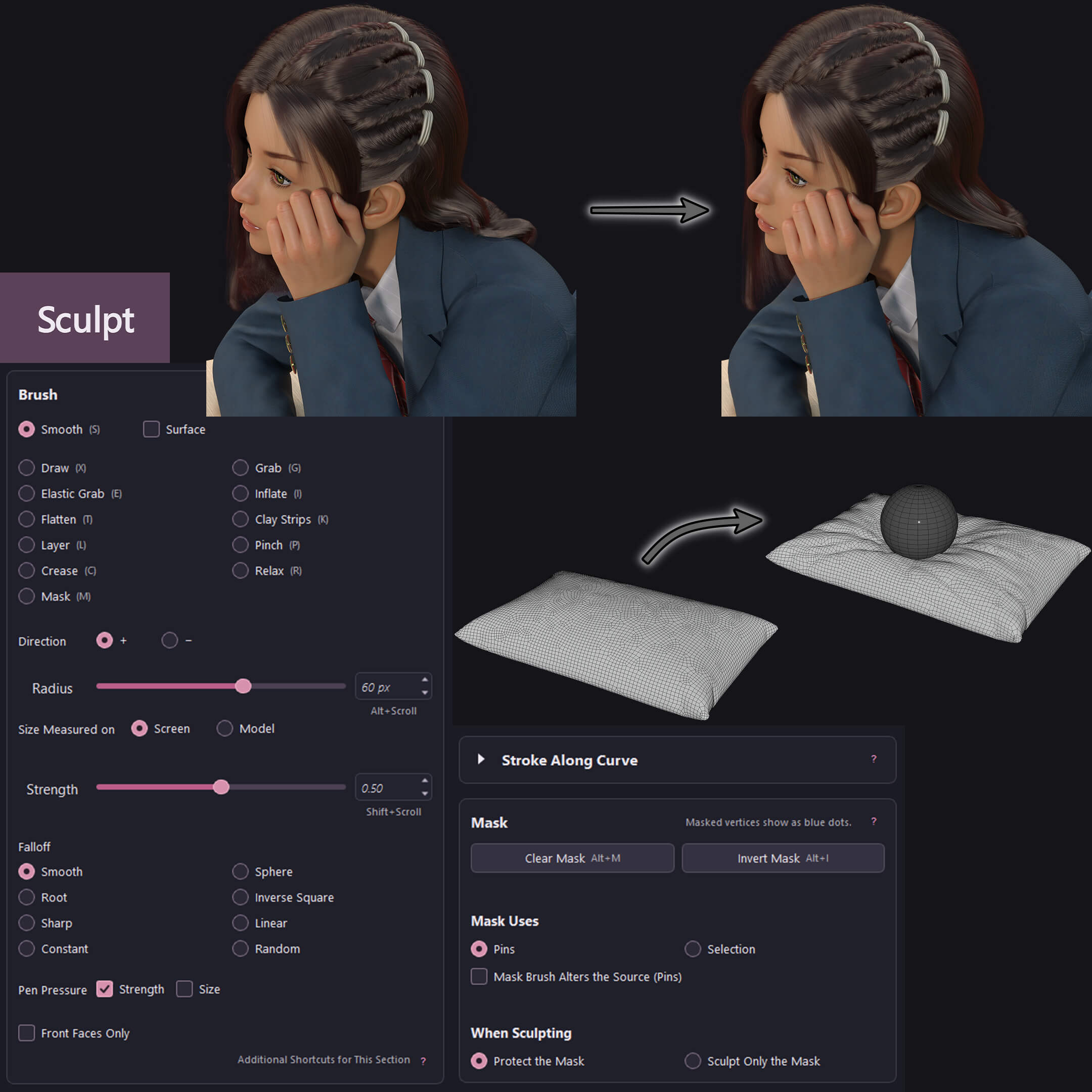
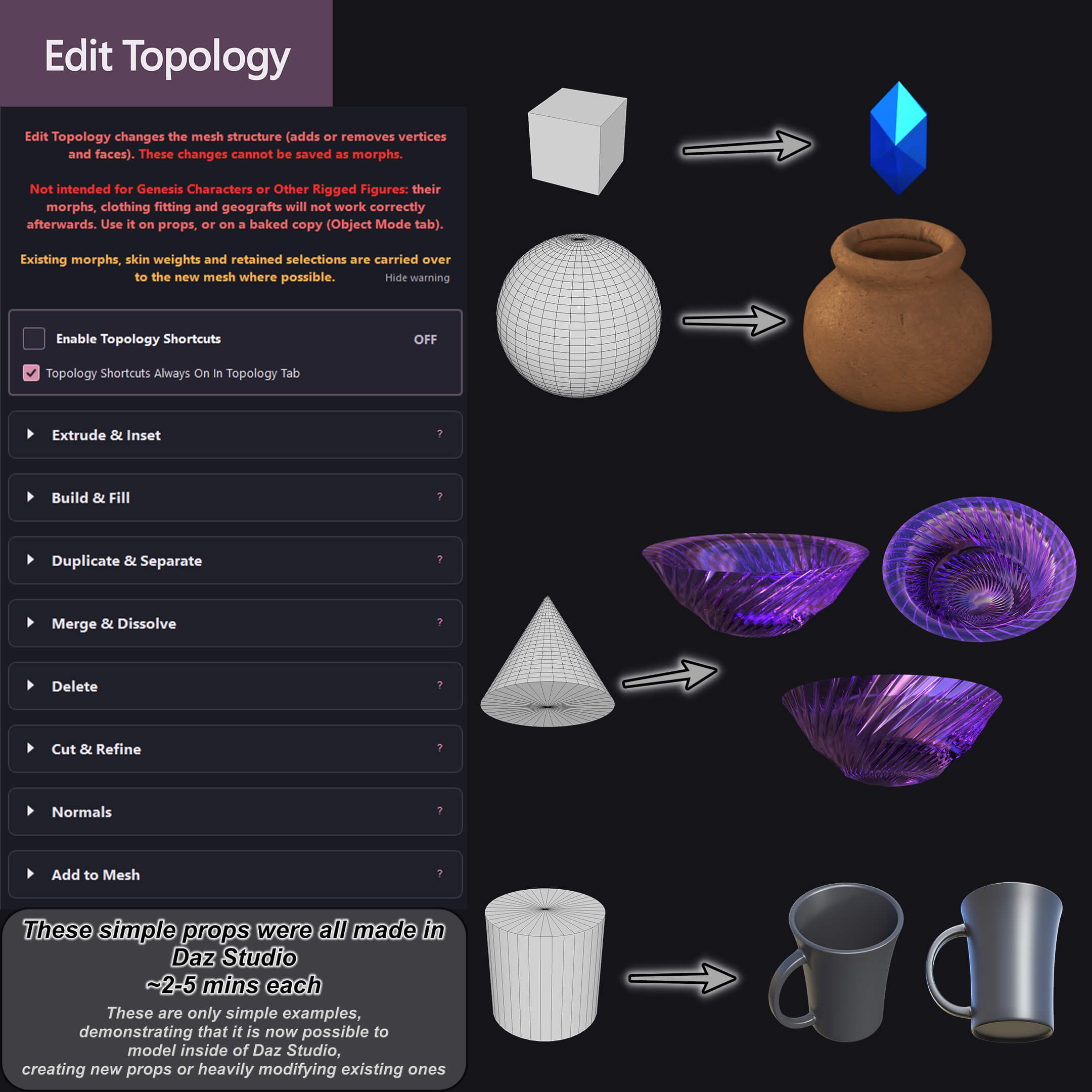
The plugin provides a large array of features for editing mesh shapes - including sculpting tools - that let you create morphs for figures or objects, customizing their shapes on the spot. And, for objects, you can also use the topology tab to completely alter the objects' base mesh.
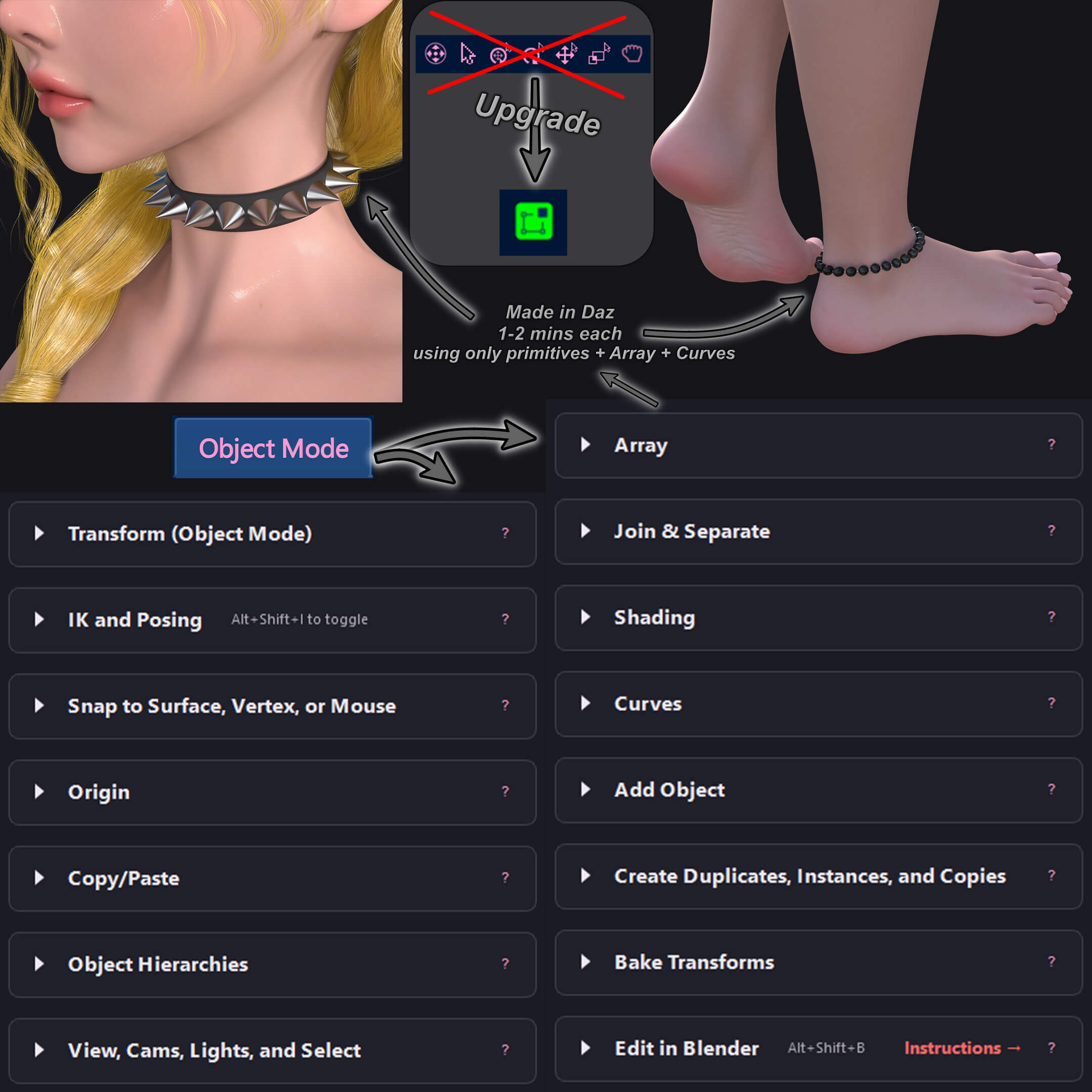
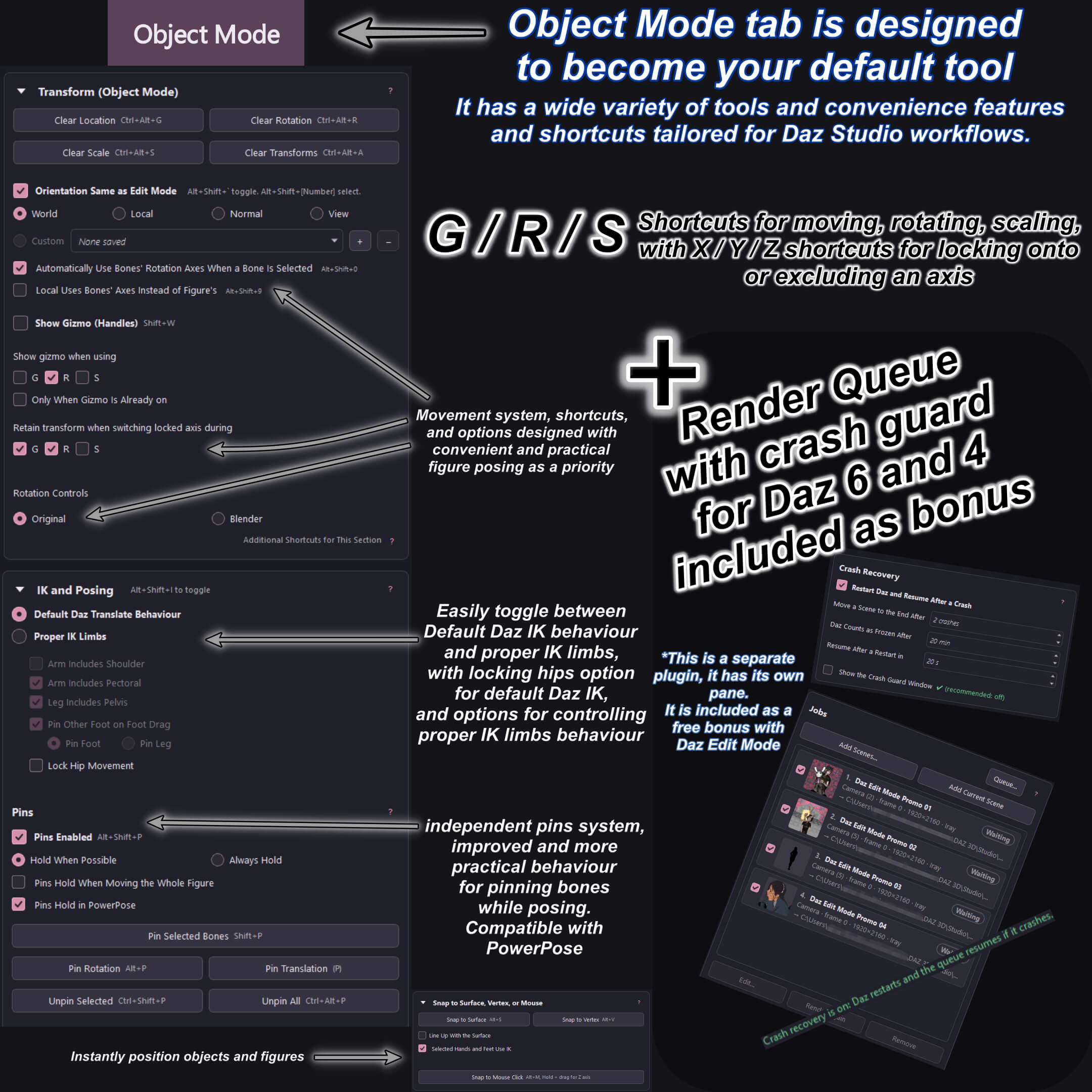
The "Object Mode" tab of the plugin is a general utility mode tailored to Daz Studio workflows, I very highly recommend making it your default tool.
You'll quickly realize its convenience and capabilities make Daz Studio feel like a whole different program. More convenient and functional transforms, changing orientations with shortcuts - and even making custom orientations, better selection, better camera controls [in all tabs], alternate between proper IK movement for limbs or default Daz behaviour, Arrays for making complex arrangements and patterns from objects, and even an "Edit in Blender" convenience feature that instantly gets your selected objects to blender and responsively brings back shape changes with every "Ctrl + S".
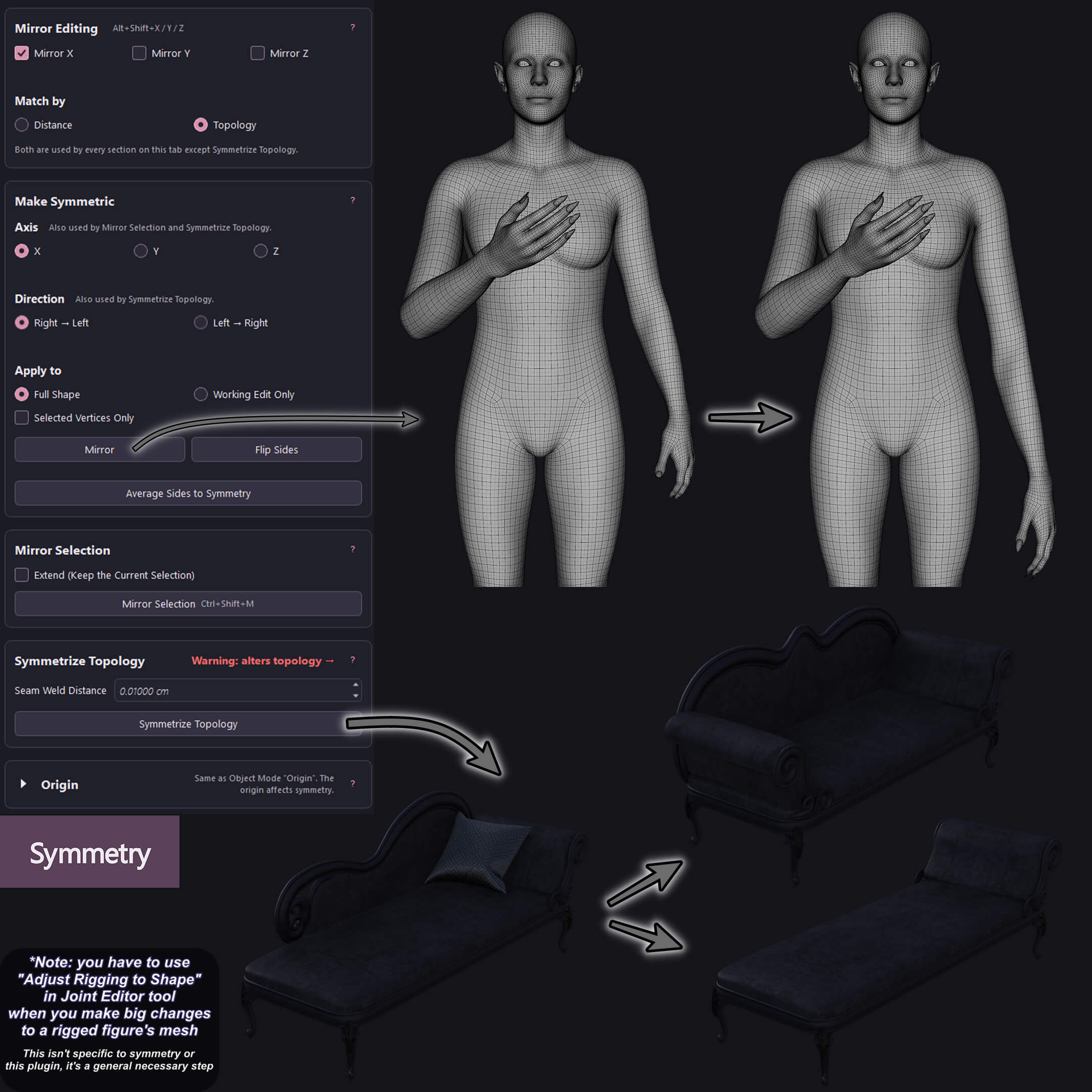
Right inside of Daz studio, you can instantaneously and conveniently create morphs, customize - or even create - props and objects, fix clothing poke-throughs, smoothen hair or clothing when their rigging causes sharp/awkward bending, alter object origins, perform symmetry operations, use proper IK limbs for posing figures, instantly spawn cameras - with mesh or ghost lights if you want - without having to manually fix its name/label, and so much more.
It's the ultimate Swiss army knife of Daz plugins.
For advanced users, the convenience this plugin provides is invaluable.
And, for Daz users who don't use Blender (whether you haven't tried it, or you opened it once and found it overwhelming and never opened it again), this plugin is a wonderful intermediatory step, it brings you much of Blender's functionality right into Daz, with a friendly GUI and a hover-help-box available for each section of features that explains exactly what each feature/operation does clearly.
All operations and features are highly optimized, squeezing the best performance possible out of Daz Studio.
I'd like to note that while it's easy to pick up and start getting utility out of, this plugin has a high skill ceiling and there will be a bit of a learning curve to be able to properly utilize all the tools provided. I recommend starting by skimming all tabs to see what sections each contains, and beginning to learn the shortcuts of the sections you feel you would use frequently as you use them.
*The plugin also includes a free copy of Rozu Render Queue [Daz Studio 6 and Daz Studio 4] which has a crash recovery feature
*Feedback, Bug Reports, Questions, and Suggestions:
Please feel free to DM me or use the forum thread [ daz-edit-mode-plugin-by-rozu-daz-6-and-4 ] with bug reports - which take high priority, as well as feedback and suggestions which I would consider for future updates.
*The plugin has three themes, two are based on your Daz Studio theme, and there's the Black & Pink one that is independent of your Daz Studio theme.
*Windows Only
The plugin provides equivalents of Blender's "Object Mode", "Edit Mode", and "Sculpt Mode" tailored for Daz's workflow.
Bringing a massive lineup of Blender features over to Daz studio, with extremely user-friendly GUI that allows complete beginners to use it effectively, in addition to extensive and meticulous shortcuts that allow advanced users to use all features efficiently.
The plugin provides a large array of features for editing mesh shapes - including sculpting tools - that let you create morphs for figures or objects, customizing their shapes on the spot. And, for objects, you can also use the topology tab to completely alter the objects' base mesh.
The "Object Mode" tab of the plugin is a general utility mode tailored to Daz Studio workflows, I very highly recommend making it your default tool.
You'll quickly realize its convenience and capabilities make Daz Studio feel like a whole different program. More convenient and functional transforms, changing orientations with shortcuts - and even making custom orientations, better selection, better camera controls [in all tabs], alternate between proper IK movement for limbs or default Daz behaviour, Arrays for making complex arrangements and patterns from objects, and even an "Edit in Blender" convenience feature that instantly gets your selected objects to blender and responsively brings back shape changes with every "Ctrl + S".
Right inside of Daz studio, you can instantaneously and conveniently create morphs, customize - or even create - props and objects, fix clothing poke-throughs, smoothen hair or clothing when their rigging causes sharp/awkward bending, alter object origins, perform symmetry operations, use proper IK limbs for posing figures, instantly spawn cameras - with mesh or ghost lights if you want - without having to manually fix its name/label, and so much more.
It's the ultimate Swiss army knife of Daz plugins.
For advanced users, the convenience this plugin provides is invaluable.
And, for Daz users who don't use Blender (whether you haven't tried it, or you opened it once and found it overwhelming and never opened it again), this plugin is a wonderful intermediatory step, it brings you much of Blender's functionality right into Daz, with a friendly GUI and a hover-help-box available for each section of features that explains exactly what each feature/operation does clearly.
All operations and features are highly optimized, squeezing the best performance possible out of Daz Studio.
I'd like to note that while it's easy to pick up and start getting utility out of, this plugin has a high skill ceiling and there will be a bit of a learning curve to be able to properly utilize all the tools provided. I recommend starting by skimming all tabs to see what sections each contains, and beginning to learn the shortcuts of the sections you feel you would use frequently as you use them.
*The plugin also includes a free copy of Rozu Render Queue [Daz Studio 6 and Daz Studio 4] which has a crash recovery feature
*Feedback, Bug Reports, Questions, and Suggestions:
Please feel free to DM me or use the forum thread [ daz-edit-mode-plugin-by-rozu-daz-6-and-4 ] with bug reports - which take high priority, as well as feedback and suggestions which I would consider for future updates.
*The plugin has three themes, two are based on your Daz Studio theme, and there's the Black & Pink one that is independent of your Daz Studio theme.
*Windows Only
Categories
