


 Free 3D
 3D Print Models
 3D Scans
 Animation & MoCap
 Textures
 Materials
 Skin Reference
 2D Game Assets
 Sound Effects
 Brushes & Tools
 Reference Photos
 Stock Images
 HDR Images
 3ds Max
 Maya
 Blender
 Unreal Engine
 Unity
 ZBrush
 Cinema 4D
 LightWave
 Marmoset
 SketchUp
 FBX
 DAE
 DXF
 GLB

IriSynth - Eye Material Creator

Not Rated Yet


This Item Was Made Using
! REPORT
NOTE: DIGITAL DOWNLOAD, NOT A PHYSICAL ITEM

Add to Collection

0 Likes
Share This Daz Content


Offered By


Website: xanathon.com --- Visit my gallery at: gallery.xanathon.com --- I am also on the Fediverse: social.phantanews.de/@xanathon
Vendor's Pages


License
Extended Use License
This item comes with our Extended Use Licensing. This means that you may use the model for both non-commercial and commercial purposes, in a variety of mediums and applications.
For full license terms, see our 3D Content Licensing Agreement
Item Details
| Vendor: | xanathon |
| Published: | Nov 19, 2026 |
| Download Size: | 585 MB |
| Software: | Daz Studio |
| Compatible Figures: | Genesis 9 Genesis 8.1 Female Genesis 8 Female Genesis 8 Male |
| dForce: | – |
Included Formats

Statistics
| Favorites: | 0 |
| Likes: | 0 |
| Views: | 27 |
Item Ratings
Not Rated Yet
IriSynth - Eye Material Creator
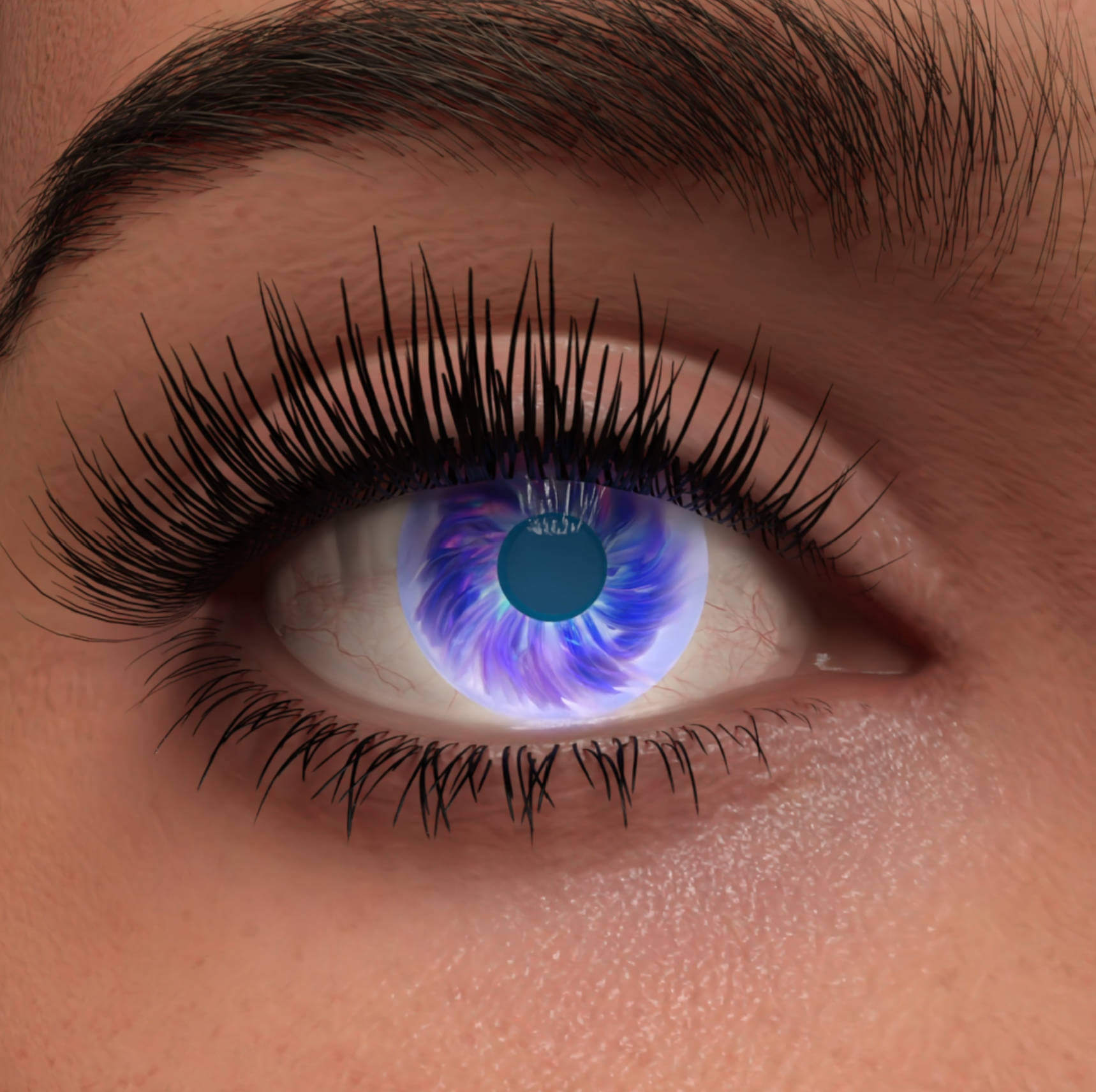
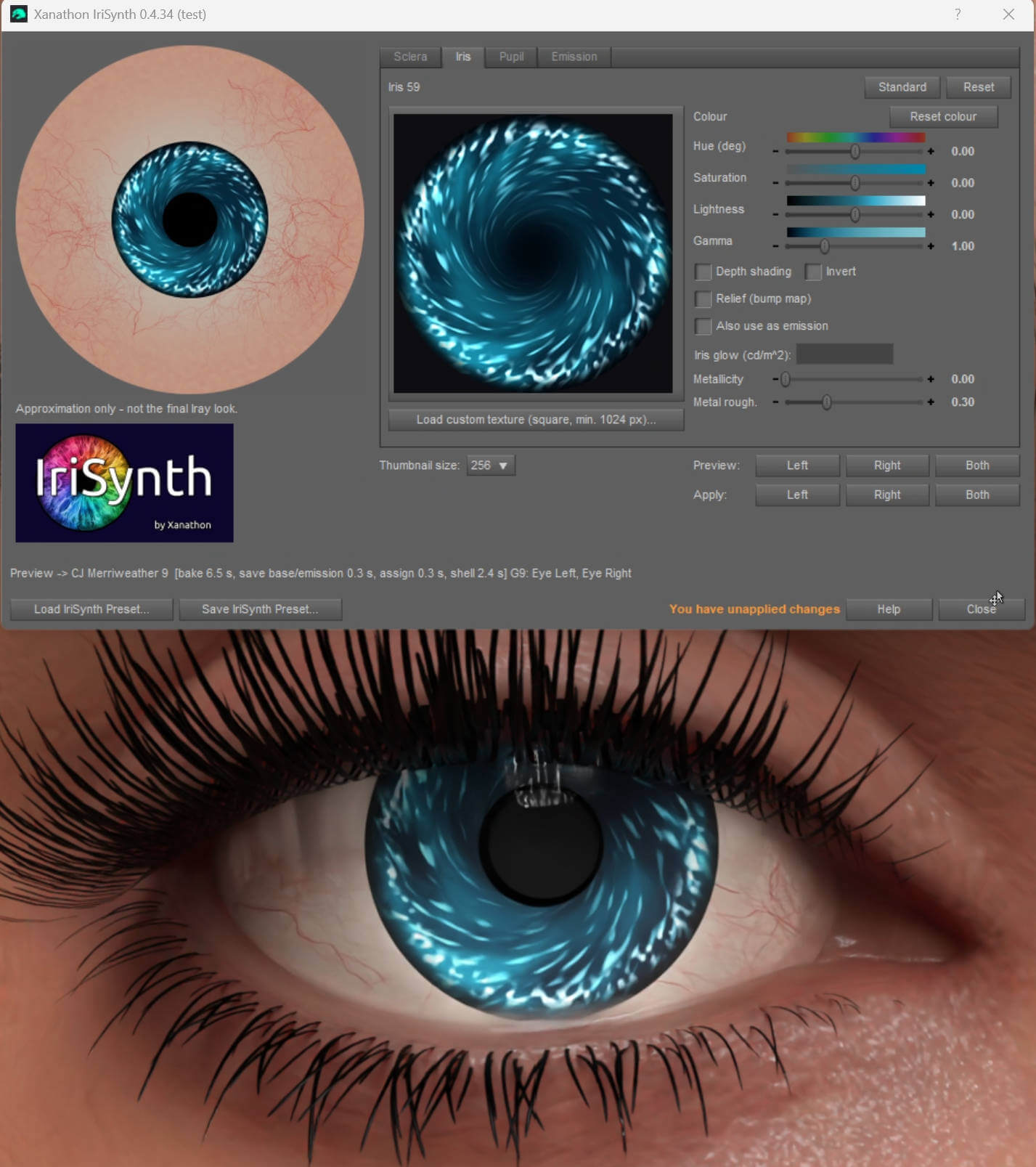
Build your own eyes inside Daz Studio - from realistic to cyberpunk to magic. IriSynth combines four kinds of parts into one eye and puts it on your figure with a click: no image editor, no UV knowledge needed.
Mix and match
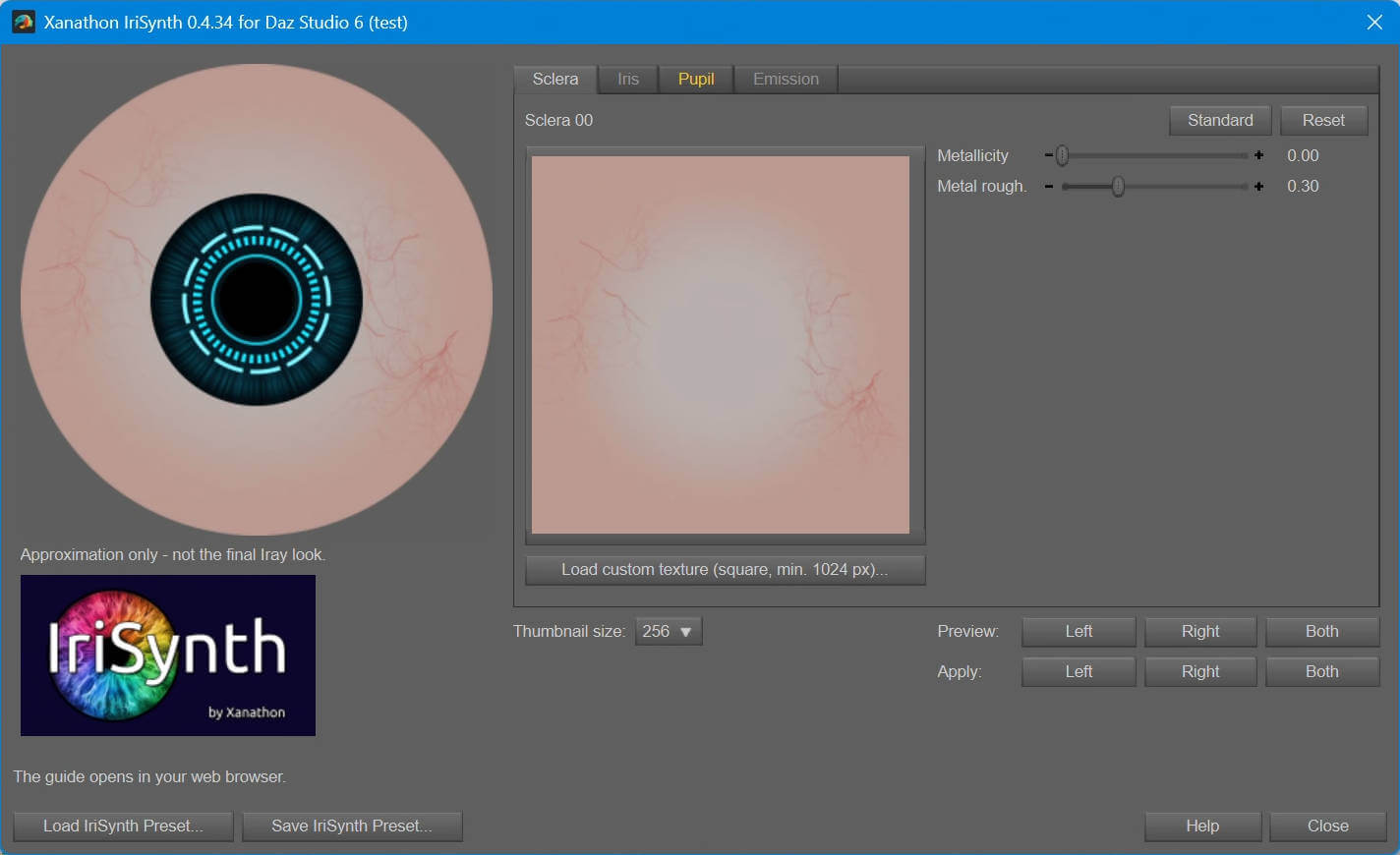
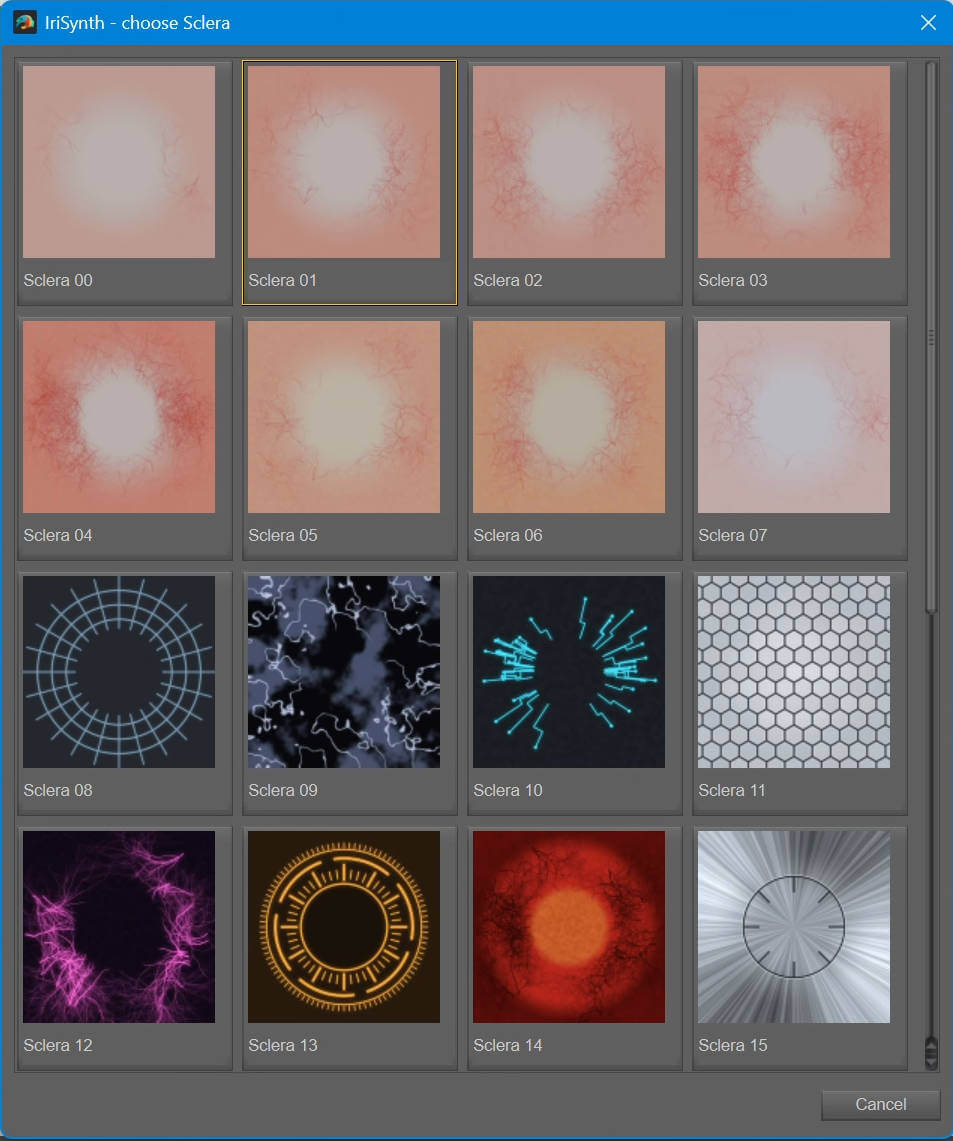
- 27 scleras - from natural to fantasy, plus a plain sclera in any colour
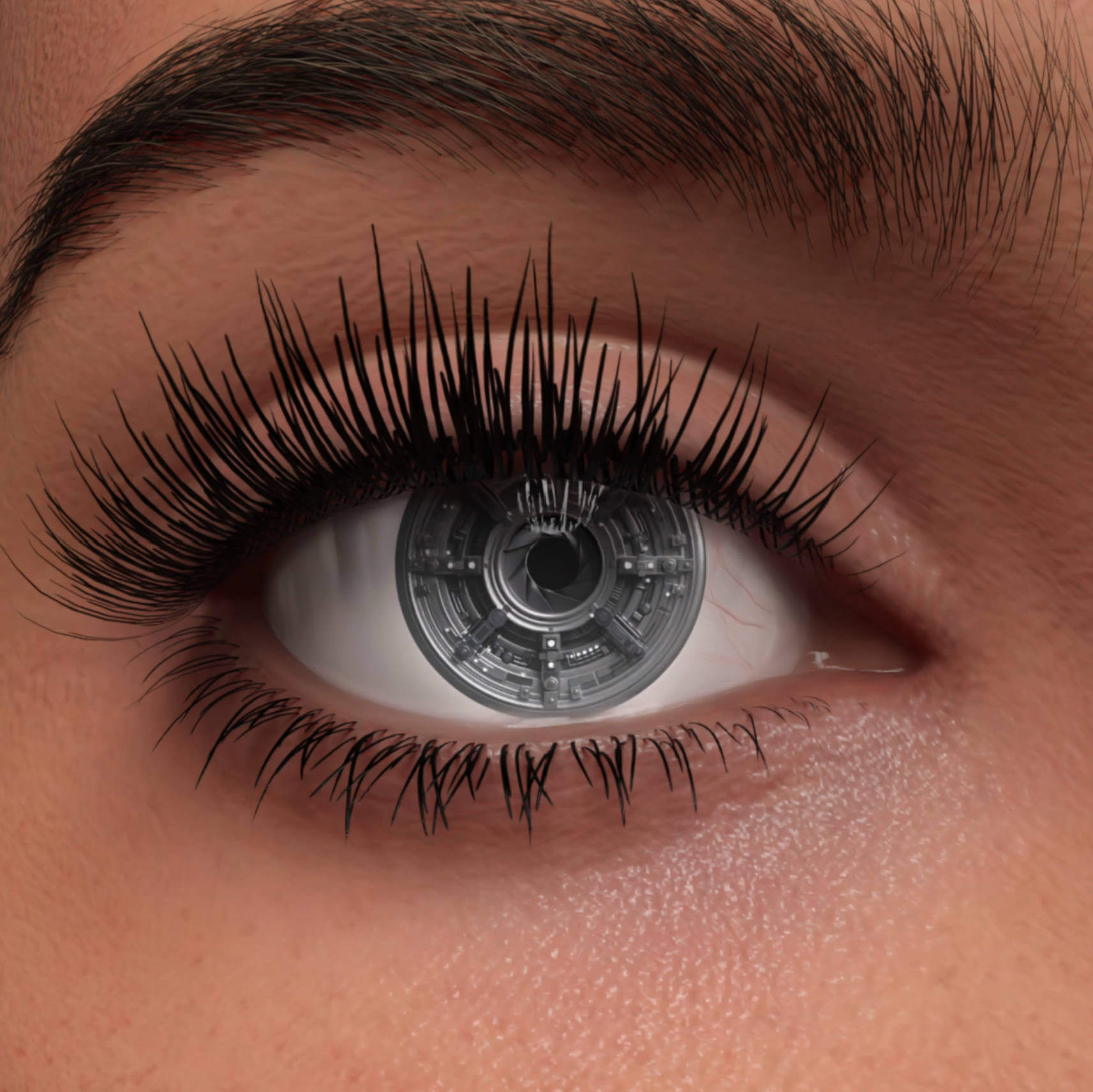
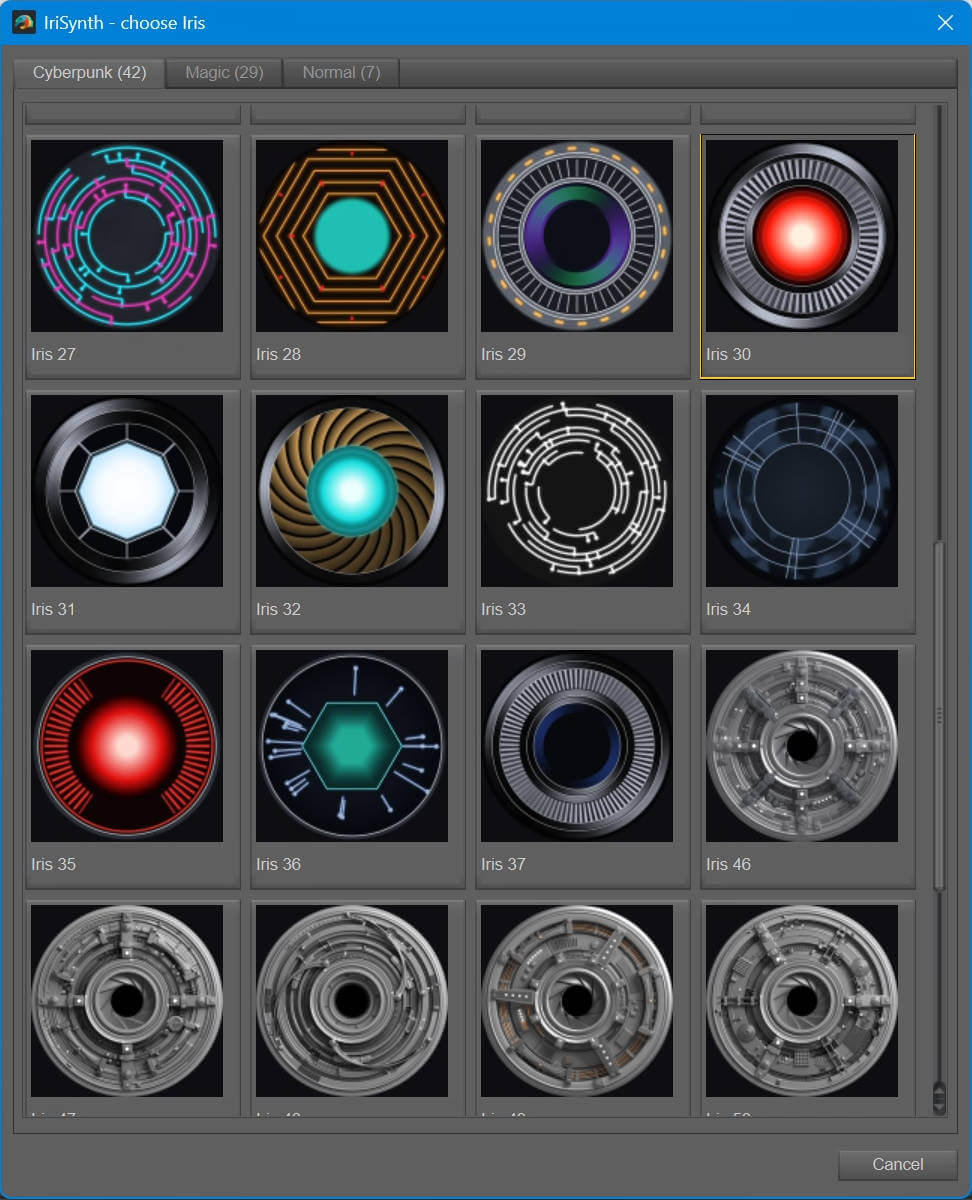
- 78 irises in the categories Normal, Cyberpunk and Magic, with hue, saturation, lightness and gamma controls, depth shading, relief (bump map) and optional glow - including 11 high-tech irises modelled and rendered in Blender (mechanical apertures, cables, armatures)
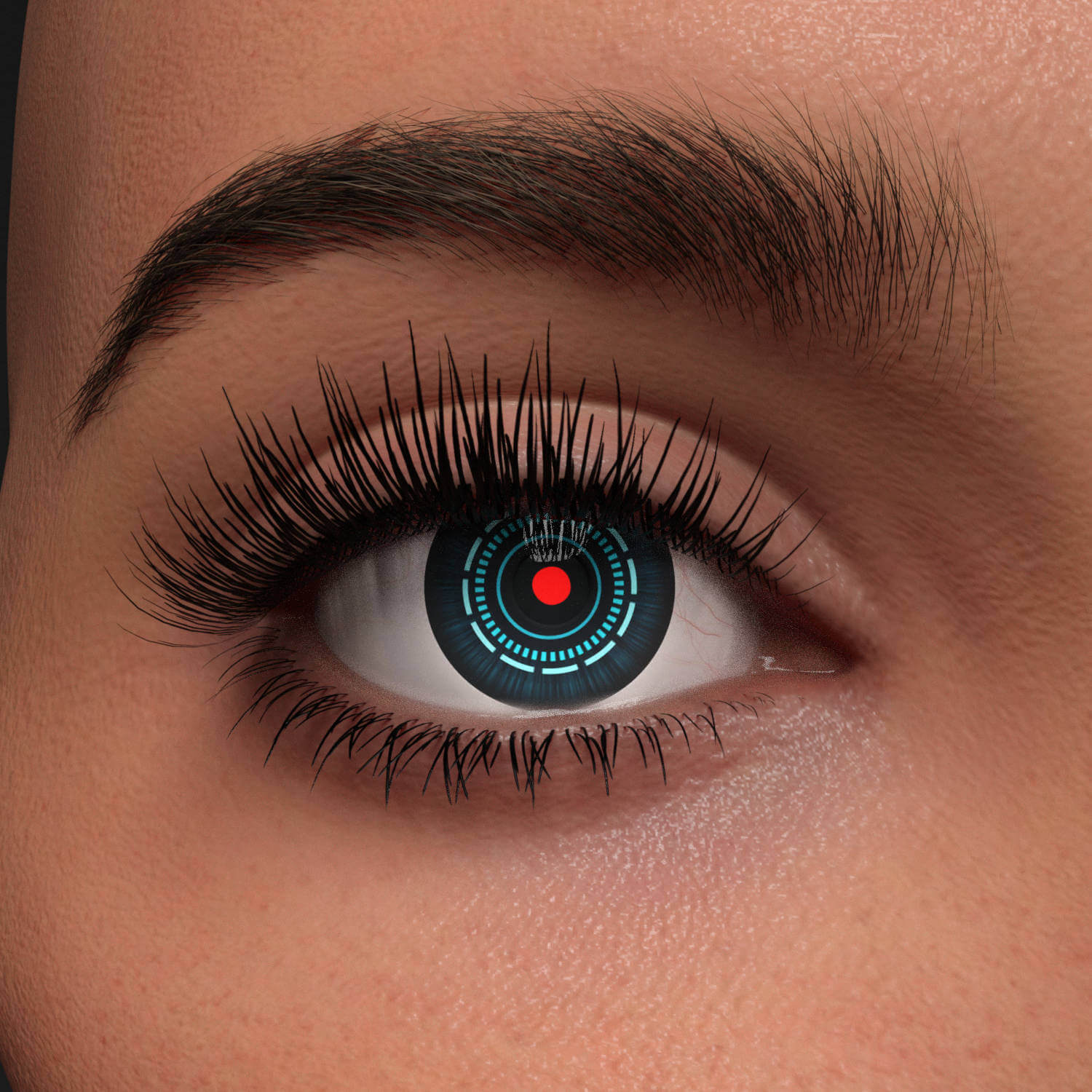
- 19 pupil shapes - round in several sizes, slit, crosshair, aperture, ring, hexagon, star and more - in any colour, optionally glowing
- 25 glowing emission patterns - rings, lines and zones in up to three colours
Metal eyes
- Metallicity and metal roughness for sclera, iris and pupil - from polished chrome to brushed steel
Works the Daz way
- Live 2D preview while you choose, fast Preview on the figure, full-quality Apply
- Left eye, right eye or both
- Uses the Daz Iray Uber shader; glow goes into its own Emission Color map
- Applied textures are kept permanently, so saved scenes keep their eyes
- IriSynth presets - save and reload your settings
- Load your own textures for every part
- Standard button - back to the Daz base eyes of the figure
- Detailed guide that opens in your web browser (Help button)
Made for each figure
- Genesis 9: a small geometry shell shows the iris core inside the Genesis 9 iris opening
- Genesis 8 / 8.1: pupil and iris are matched to the eye surfaces; the iris size is measured on your character, so character shapes that change the eyes are taken into account
Compatibility
- Genesis 9 (Female and Male) and Genesis 8 / 8.1 (Female and Male)
- Genesis 3: IriSynth can work on Genesis 3 as well - it was tested on the Genesis 3 base figures and on other Genesis 3 Male characters. Because Genesis 3 characters differ a lot in eye shape and eye material, a correct result cannot be guaranteed for every Genesis 3 figure and setting.
- Daz Studio 4.24 and Daz Studio 6 (6.26) on Windows - a separate script for each version is included (older versions not tested), Iray
Notes
- A scene saved while the eyes show only a Preview loses them after a restart of Daz Studio - click Apply before saving.
- Character eyes that differ strongly from the base figure may not fit perfectly.
- Why the download is about 650 MB: almost all of it is textures in 2048 x 2048 pixels. Each of the 78 irises comes in 15 ready-made versions - colour, colour with depth shading, height map for the relief, and inverted versions of depth and height, each fitted to Genesis 9, Genesis 8 / 8.1 and Genesis 3. That is about 1,170 iris textures (about 530 MB), already stored as JPEG to keep the download small. Because these maps are ready-made, IriSynth only puts them together when you click Preview or Apply.
Disclaimer: The script code was created with Claude Code assistance.
Mix and match
- 27 scleras - from natural to fantasy, plus a plain sclera in any colour
- 78 irises in the categories Normal, Cyberpunk and Magic, with hue, saturation, lightness and gamma controls, depth shading, relief (bump map) and optional glow - including 11 high-tech irises modelled and rendered in Blender (mechanical apertures, cables, armatures)
- 19 pupil shapes - round in several sizes, slit, crosshair, aperture, ring, hexagon, star and more - in any colour, optionally glowing
- 25 glowing emission patterns - rings, lines and zones in up to three colours
Metal eyes
- Metallicity and metal roughness for sclera, iris and pupil - from polished chrome to brushed steel
Works the Daz way
- Live 2D preview while you choose, fast Preview on the figure, full-quality Apply
- Left eye, right eye or both
- Uses the Daz Iray Uber shader; glow goes into its own Emission Color map
- Applied textures are kept permanently, so saved scenes keep their eyes
- IriSynth presets - save and reload your settings
- Load your own textures for every part
- Standard button - back to the Daz base eyes of the figure
- Detailed guide that opens in your web browser (Help button)
Made for each figure
- Genesis 9: a small geometry shell shows the iris core inside the Genesis 9 iris opening
- Genesis 8 / 8.1: pupil and iris are matched to the eye surfaces; the iris size is measured on your character, so character shapes that change the eyes are taken into account
Compatibility
- Genesis 9 (Female and Male) and Genesis 8 / 8.1 (Female and Male)
- Genesis 3: IriSynth can work on Genesis 3 as well - it was tested on the Genesis 3 base figures and on other Genesis 3 Male characters. Because Genesis 3 characters differ a lot in eye shape and eye material, a correct result cannot be guaranteed for every Genesis 3 figure and setting.
- Daz Studio 4.24 and Daz Studio 6 (6.26) on Windows - a separate script for each version is included (older versions not tested), Iray
Notes
- A scene saved while the eyes show only a Preview loses them after a restart of Daz Studio - click Apply before saving.
- Character eyes that differ strongly from the base figure may not fit perfectly.
- Why the download is about 650 MB: almost all of it is textures in 2048 x 2048 pixels. Each of the 78 irises comes in 15 ready-made versions - colour, colour with depth shading, height map for the relief, and inverted versions of depth and height, each fitted to Genesis 9, Genesis 8 / 8.1 and Genesis 3. That is about 1,170 iris textures (about 530 MB), already stored as JPEG to keep the download small. Because these maps are ready-made, IriSynth only puts them together when you click Preview or Apply.
Disclaimer: The script code was created with Claude Code assistance.
