


 Free 3D
 3D Print Models
 3D Scans
 Animation & MoCap
 Textures
 Materials
 Skin Reference
 2D Game Assets
 Sound Effects
 Brushes & Tools
 Reference Photos
 Stock Images
 HDR Images
 3ds Max
 Maya
Maya Blender
 Unreal Engine
 Unity
Unity ZBrush
 Cinema 4D
 LightWave
 Marmoset
 SketchUp
 FBX
FBX DAE
DAE DXF
DXF GLB
GLB
Xneon AnimOffset for Genesis 9

Not Rated Yet


This Item Was Made Using
! REPORT
NOTE: DIGITAL DOWNLOAD, NOT A PHYSICAL ITEM

Add to Collection

0 Likes
Share This Daz Content


Offered By

Junior developer, I develop Daz 3D tools and Unity tools, oriented to help with game development.

License
Extended Use License (IP Restricted)
This item comes with our Extended Use Licensing. This means that you may use the model in a variety of mediums and applications. But, because certain intellectual property depicted in this model may not be affiliated with or endorsed by the original rights holder, this model is subject to an Editorial Use Only Restriction which limits the ways in which you may use this model.
For full license terms, see our 3D Content Licensing Agreement
Item Details
| Vendor: | XneonGamesDev |
| Published: | Oct 25, 2026 |
| Download Size: | 963.7 KB |
| Software: | Daz Studio |
| Compatible Figures: | Genesis 8 Male Genesis 8 Female Genesis 9 |
| dForce: | – |
Included Formats

Statistics
| Favorites: | 1 |
| Likes: | 0 |
| Views: | 22 |
Item Ratings
Not Rated Yet
Xneon AnimOffset for Genesis 9
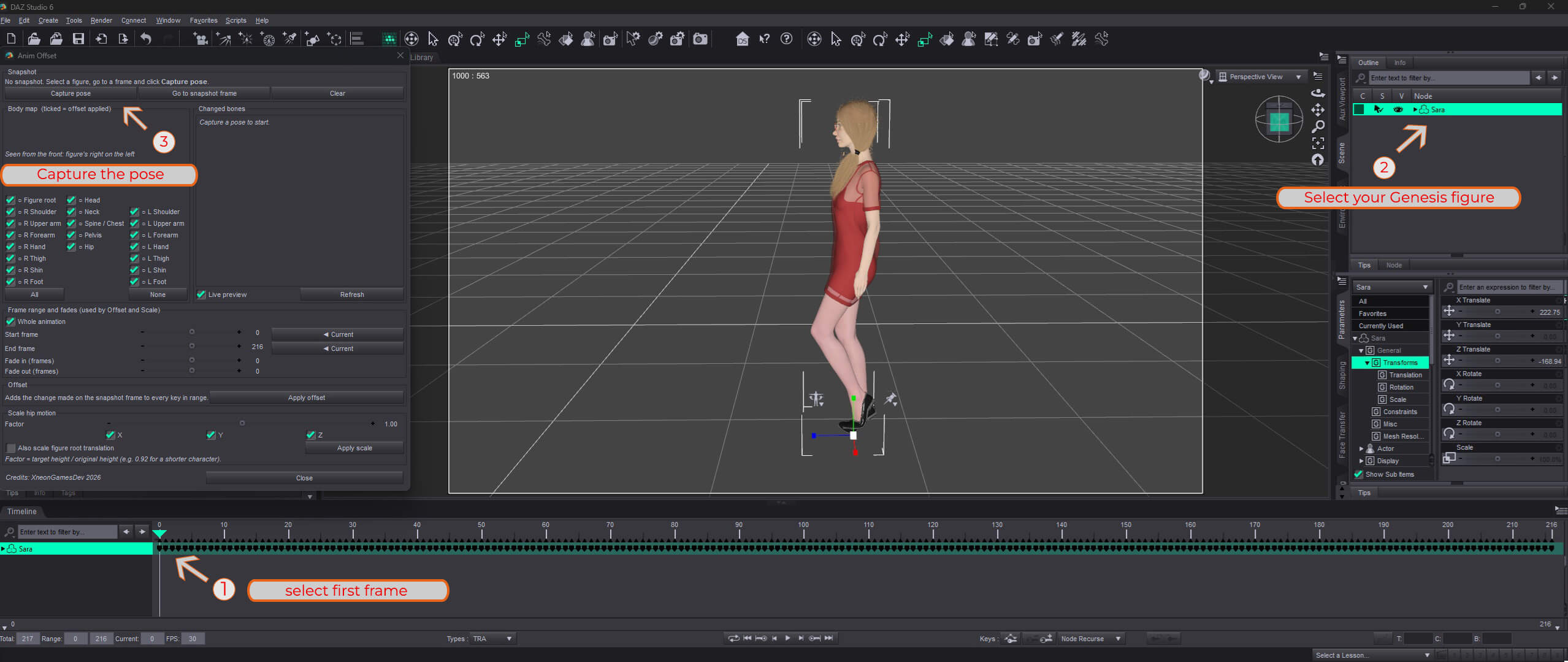
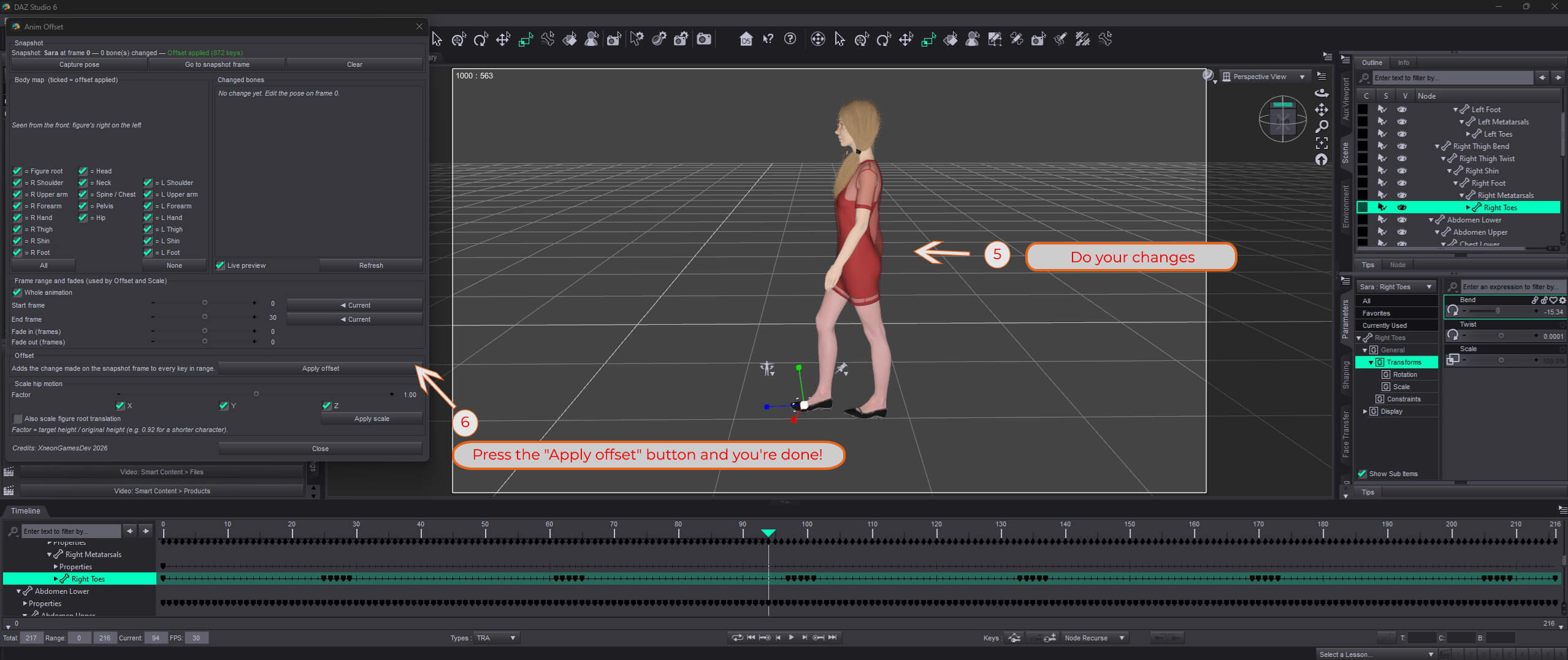
Anim Offset is a Daz Studio script for quickly fixing keyframed animations after you load them on a character. Pose your figure once on a single frame (raise the hip, move an arm away from the body, adjust a hand) and Anim Offset spreads that correction across the whole animation or a chosen frame range, with smooth fade in and fade out.
- Live body map: see at a glance which bones you changed, and exclude any body region with one click.
- Range and fades: apply the fix to the whole animation or to specific frames, blended smoothly at the edges.
- Hip motion scaling: adapt an animation to a taller or shorter character and reduce foot sliding.
- One-step undo: every change can be reverted with Ctrl+Z.
Works with Daz Studio 4.24 and Daz Studio 6, on Genesis figures and most rigged characters.
A tutorial is included in the add-on folder.
IA usage: IA was used to help in tool development.
- Live body map: see at a glance which bones you changed, and exclude any body region with one click.
- Range and fades: apply the fix to the whole animation or to specific frames, blended smoothly at the edges.
- Hip motion scaling: adapt an animation to a taller or shorter character and reduce foot sliding.
- One-step undo: every change can be reverted with Ctrl+Z.
Works with Daz Studio 4.24 and Daz Studio 6, on Genesis figures and most rigged characters.
A tutorial is included in the add-on folder.
IA usage: IA was used to help in tool development.
