


 Free 3D
 3D Print Models
 3D Scans
 Animation & MoCap
 Textures
 Materials
 Skin Reference
 2D Game Assets
 Sound Effects
 Brushes & Tools
 Reference Photos
 Stock Images
 HDR Images
 3ds Max
 Maya
Maya Blender
 Unreal Engine
 Unity
Unity ZBrush
 Cinema 4D
 LightWave
 Marmoset
 SketchUp
 FBX
FBX DAE
DAE DXF
DXF GLB
GLBBikdingle Elf Ears Morph for Genesis 8 Female Updated

4.8 Stars |9 Ratings


User Artwork (29)



! REPORT
FREE
NOTE: DIGITAL DOWNLOAD, NOT A PHYSICAL ITEM

Add to Collection

22 Likes
Share This Daz Content


Top Rated Vendor


I've been rendering since 2014 and using Daz Studio and Iray since 2019.
Vendor's Pages


License
Extended Use License
This item comes with our Extended Use Licensing. This means that you may use the model for both non-commercial and commercial purposes, in a variety of mediums and applications.
For full license terms, see our 3D Content Licensing Agreement
Item Details
| Vendor: | bikdingle |
| Published: | Oct 28, 2024 |
| Download Size: | 445.5 KB |
| Software: | Daz Studio |
| Compatible Figures: | Genesis 8 Female Genesis 8.1 Female |
| dForce: | – |
Included Formats

Statistics
| Favorites: | 29 |
| Likes: | 22 |
| Views: | 1,525 |
Item Ratings
9 Ratings
5 Stars|Sep 01, 2026
5 stars cute
5 Stars|Mar 22, 2026
Very nice!!! Thanks!!!!
5 Stars|Jun 15, 2025
Gets those ears out and away from the head so you can really see the elongated pointy shape.
5 Stars|Feb 17, 2025
Nice morph to extend the Daz shapes.
5 Stars|Dec 13, 2024
Thumbs Up
5 Stars|Nov 23, 2024
Thank you for sharing your hard work!! I am very grateful.
‥also, big fan of your comic work! Thanks for sharing those!!!
‥also, big fan of your comic work! Thanks for sharing those!!!
Page 1 of 2
Bikdingle Elf Ears Morph for Genesis 8 Female Updated
Bikdingle Elf Ears morph for Genesis 8 Female UPDATED
*Copyright 2024, 2026 by bikdingle
************************************************************
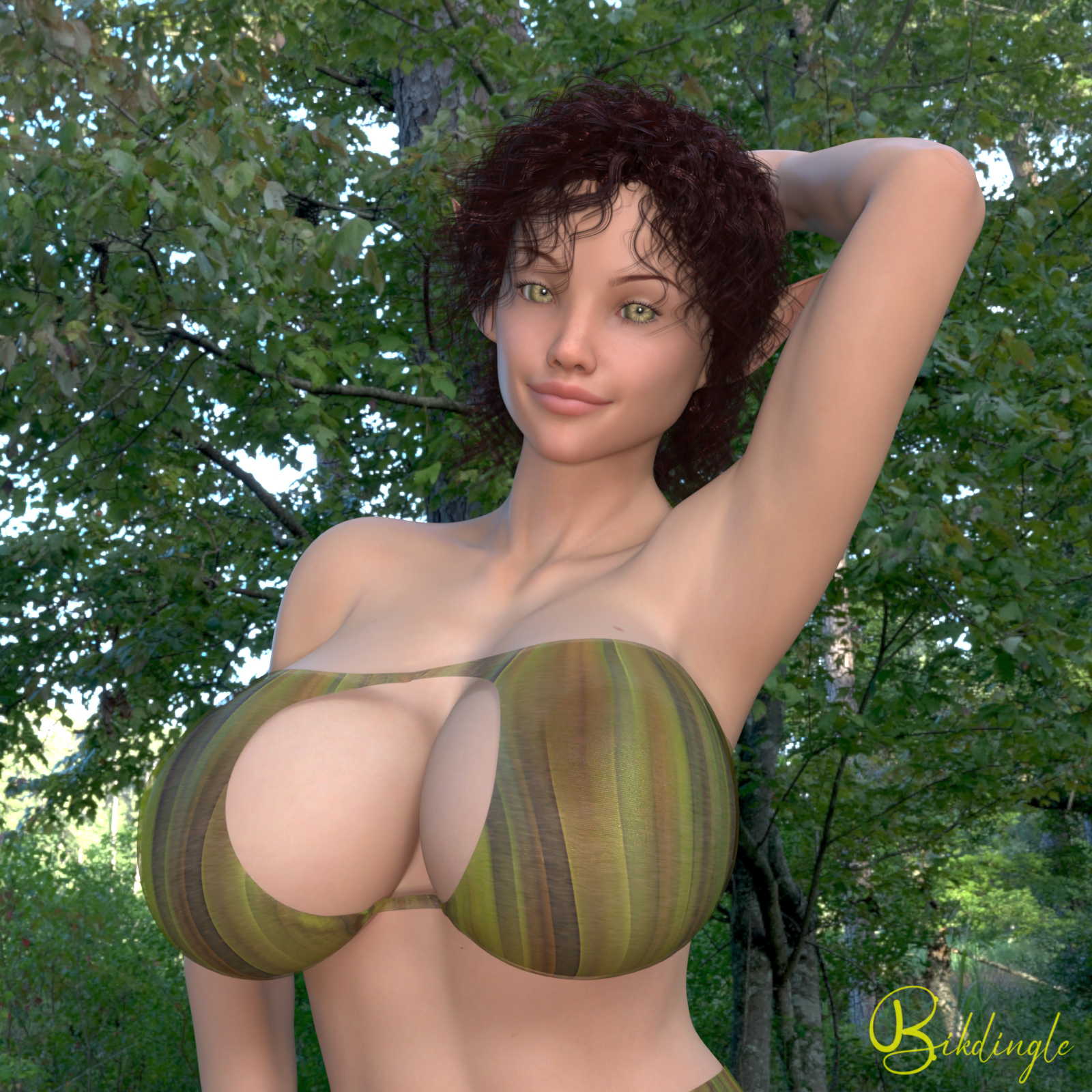
Over the years I've developed my own elf ear morph for the overly large and pointed elf ears I prefer for my elf characters
This is now a separate morph from the characters and can be applied if you wish
UPDATE: July, 2026
I disovered that on some characters the Elf Ear Morph increased the size of the character’s eyes. This has been remedied with a new Elf Ear Morph. The old morph remains intact in the data file, the new morph is named Bikdingle Elf Ears 2. The only changed file is the ReadMe file.
System Requirements:
PC/MAC, Daz Studio
Product requirements:
Daz Studio 4.10
Nvidia Iray
Genesis 8 female or Genesis 8.1 female
To install:
Unzip into your Daz3D directory, either the program folder or your "My Library" folder.
To Use:
The
Using the morphs
You will find an apply icon (and a remove icon) for bikdingle Elf Ears to your G8F/G8.1F
People >> characters >> bikdingle >> !bikdingle Elf Ears
People >> characters >> bikdingle >> !bikdingle Elf Ears 2
If you want to work the sliders and not apply her at 100% you will find the sliders in the Parameters Tab under
Morphs >> Bikdingle >>> Bikdingle Elf Ears
Morphs >> Bikdingle >>> Bikdingle Elf Ears 2
Hair and Elf Ears
One of the issues with most elf ears is their interaction with G8 hair.
AshenPortfolio provides a Tutorial on dealing with this issue at no cost
elven-ears-vs-hair-fix
I use Zev0's Projection Morph Manager (available at Daz) to deal with this issue and remove the 'draping' of the hair over the ears.
Ownership Statement:
Created and owned by bikdingle
*Copyright 2024, 2026 by bikdingle
************************************************************
Over the years I've developed my own elf ear morph for the overly large and pointed elf ears I prefer for my elf characters
This is now a separate morph from the characters and can be applied if you wish
UPDATE: July, 2026
I disovered that on some characters the Elf Ear Morph increased the size of the character’s eyes. This has been remedied with a new Elf Ear Morph. The old morph remains intact in the data file, the new morph is named Bikdingle Elf Ears 2. The only changed file is the ReadMe file.
System Requirements:
PC/MAC, Daz Studio
Product requirements:
Daz Studio 4.10
Nvidia Iray
Genesis 8 female or Genesis 8.1 female
To install:
Unzip into your Daz3D directory, either the program folder or your "My Library" folder.
To Use:
The
Using the morphs
You will find an apply icon (and a remove icon) for bikdingle Elf Ears to your G8F/G8.1F
People >> characters >> bikdingle >> !bikdingle Elf Ears
People >> characters >> bikdingle >> !bikdingle Elf Ears 2
If you want to work the sliders and not apply her at 100% you will find the sliders in the Parameters Tab under
Morphs >> Bikdingle >>> Bikdingle Elf Ears
Morphs >> Bikdingle >>> Bikdingle Elf Ears 2
Hair and Elf Ears
One of the issues with most elf ears is their interaction with G8 hair.
AshenPortfolio provides a Tutorial on dealing with this issue at no cost
elven-ears-vs-hair-fix
I use Zev0's Projection Morph Manager (available at Daz) to deal with this issue and remove the 'draping' of the hair over the ears.
Ownership Statement:
Created and owned by bikdingle
