


 Free 3D
 3D Print Models
 3D Scans
 Animation & MoCap
 Textures
 Materials
 Skin Reference
 2D Game Assets
 Sound Effects
 Brushes & Tools
 Reference Photos
 Stock Images
 HDR Images
 3ds Max
 Maya
 Blender
 Unreal Engine
 Unity
 ZBrush
 Cinema 4D
 LightWave
 Marmoset
 SketchUp
 FBX
 DAE
 DXF
 GLB

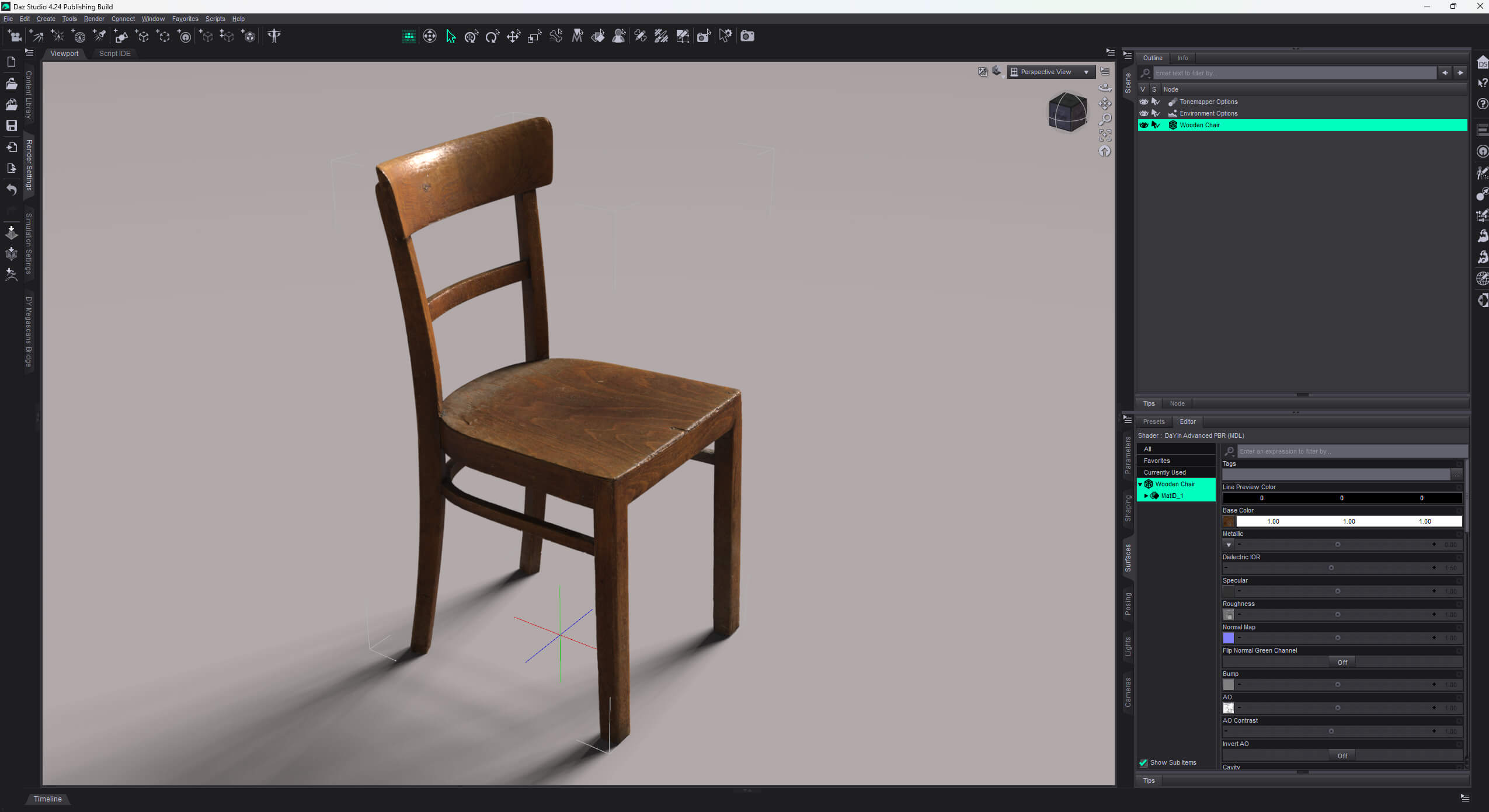
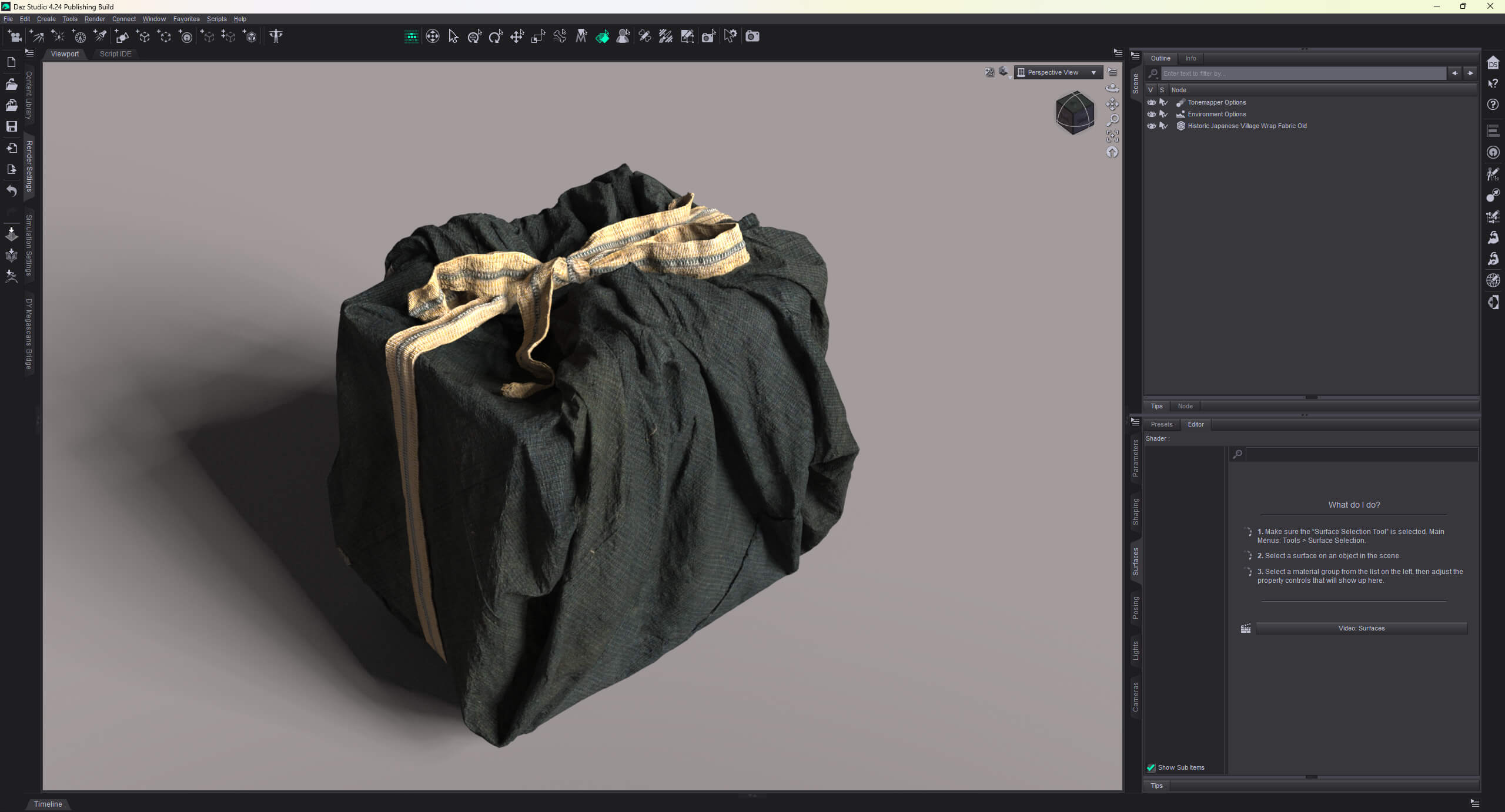
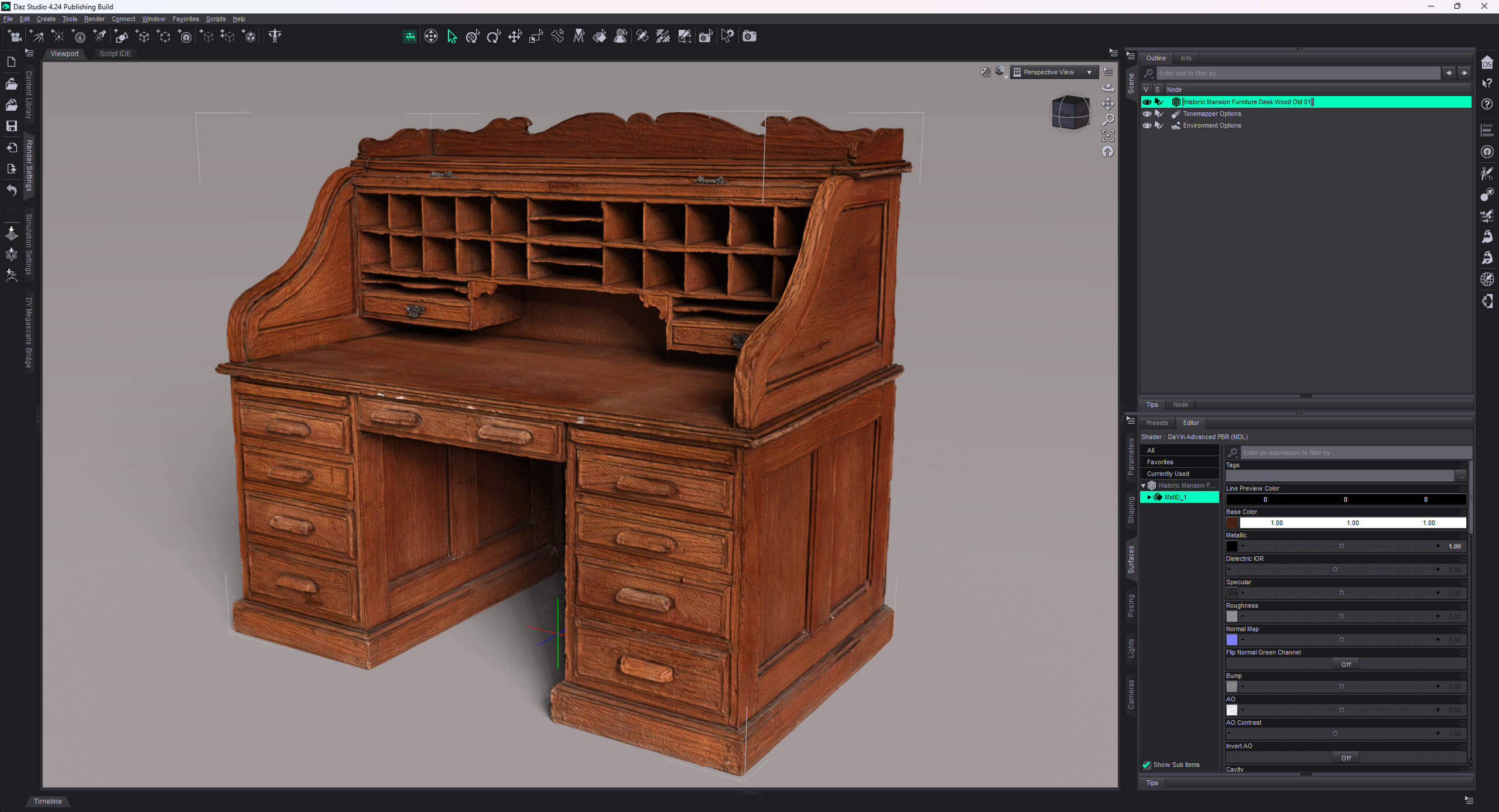
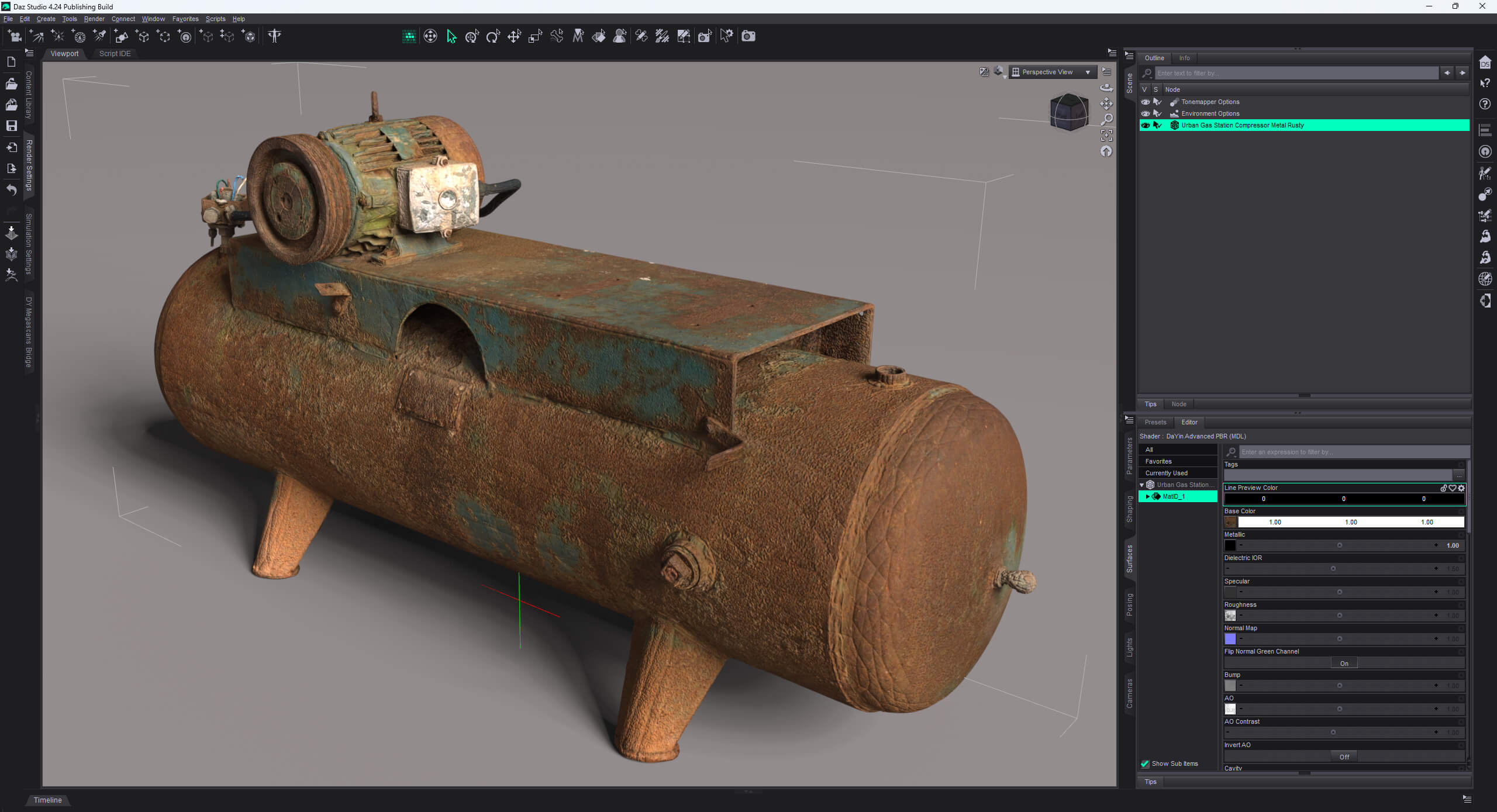
DaYin Advanced PBR Shader for Daz Studio 4 and 6

Not Rated Yet


This Item Was Made Using
! REPORT
NOTE: DIGITAL DOWNLOAD, NOT A PHYSICAL ITEM

Add to Collection

4 Likes
Available Add Ons
Share This Daz Content


Top Rated Vendor

I am a DAZ Studio Content Creator.

License
Extended Use License
This item comes with our Extended Use Licensing. This means that you may use the model for both non-commercial and commercial purposes, in a variety of mediums and applications.
For full license terms, see our 3D Content Licensing Agreement
Item Details
| Vendor: | DaYin |
| Published: | Nov 13, 2026 |
| Download Size: | 295.2 KB |
| Software: | Daz Studio |
| dForce: | – |
Included Formats

Statistics
| Favorites: | 0 |
| Likes: | 4 |
| Views: | 239 |
Item Ratings
Not Rated Yet
DaYin Advanced PBR Shader for Daz Studio 4 and 6
DaYin Advanced PBR v1.13
=======================
A physically-based MDL material for DAZ Studio (NVIDIA Iray).
Full product guide: Documentation/ReadMe.md
REQUIREMENTS
- DAZ Studio 4.24 or later (validated on 4.24 and 6.25).
- NVIDIA Iray renderer (bundled with DAZ Studio).
- Any UV-mapped surface (props, figures, environment).
PACKAGE CONTENTS
Content/ copy into your DAZ content library
Shader Presets/DaYin/ the base preset (.duf)
data/DaYin/ material definitions (.dsf) + the MDL module
Documentation/ ReadMe.md (product guide + install)
INSTALLATION
1. Copy everything inside Content/ into your DAZ Studio content library
(e.g. D:/DAZ3D Library), preserving the folder structure:
Shader Presets/DaYin/…
data/DaYin/…
2. REQUIRED - register the MDL module. Content folders are NOT MDL search
paths by default, so copying Content/ alone is NOT enough. IF YOU SKIP
THIS STEP THE MATERIAL WILL NOT LOAD (DAZ reports "Unable to open file
::dayin_advanced_pbr"). Do ONE of the following:
a) Copy Content/data/DaYin/DaYin Advanced PBR/dayin_advanced_pbr.mdl into
%APPDATA%/DAZ 3D//shaders/iray/
e.g. C:/Users//AppData/Roaming/DAZ 3D/Studio4/shaders/iray/
Repeat for each DAZ instance you use (e.g. Studio4 and Studio6).
b) Or in DAZ Studio: Shader Mixer pane menu > MDL Directory Manager,
then add /data/DaYin/DaYin Advanced PBR/
3. Restart DAZ Studio.
FIRST USE
1. Select a material in the Surfaces pane.
2. Content Library > Shader Presets > DaYin > double-click
"DaYin Advanced PBR".
3. Assign texture maps to the matching slots; assigning a map enables it.
Base Color = sRGB; all data maps = linear (the preset sets this for you).
4. The value beside the Displacement map is its amplitude. Set it to 0
to disable displacement. Adjust SubD Displacement Level for detail;
level 0 is not a displacement off switch.
5. Render with Iray.
FEATURE HIGHLIGHTS
- Specular: mappable row (Specular Map x Specular Strength, 0-1, default 1) in the
Metallic group; drives the dielectric fresnel highlight per texel. Lower the
strength to suppress the specular veil on dark albedos under bright light.
- Base Color tints its map (map x color); white = neutral.
- Translucency transmits the surface's own base color (Translucency Color is a
multiplier, default white) for backlit leaves, paper, fabric.
- Soft Opacity (Alpha Blend) gives smooth grayscale cutout edges; Glass From
Opacity Mask reads black opacity areas as refractive glass per texel.
- Displacement: amplitude beside the map, Midlevel = zero-height texel value,
Displacement Clamp band-limits outlier texels; SubD Displacement Level sets
render-time tessellation.
- Scalar data maps read as the max color component, so grayscale and
single-channel-packed maps both read correctly.
- Clamp UV (Decals) clamps sampling to [0,1] so moving a decal cannot
wrap-repeat the pattern; leave off for tiling surfaces.
See Documentation/ReadMe.md for the full parameter reference.
VERIFY
- The material loads with no MDL compile error (check the DAZ log if unsure).
- Base Color / Metallic / Roughness respond; assigned maps take effect.
TROUBLESHOOTING
- "Unable to open file ::dayin_advanced_pbr" or the material stays default:
the MDL is not on a search path -> redo step 2 and restart.
- Displacement looks flat: check the map, amplitude and mesh subdivision.
- AO / Cavity look weak: raise AO Contrast / Cavity Contrast (2-5).
CREDITS
Material by DaYin. Built with the NVIDIA MDL language.
=======================
A physically-based MDL material for DAZ Studio (NVIDIA Iray).
Full product guide: Documentation/ReadMe.md
REQUIREMENTS
- DAZ Studio 4.24 or later (validated on 4.24 and 6.25).
- NVIDIA Iray renderer (bundled with DAZ Studio).
- Any UV-mapped surface (props, figures, environment).
PACKAGE CONTENTS
Content/ copy into your DAZ content library
Shader Presets/DaYin/ the base preset (.duf)
data/DaYin/ material definitions (.dsf) + the MDL module
Documentation/ ReadMe.md (product guide + install)
INSTALLATION
1. Copy everything inside Content/ into your DAZ Studio content library
(e.g. D:/DAZ3D Library), preserving the folder structure:
Shader Presets/DaYin/…
data/DaYin/…
2. REQUIRED - register the MDL module. Content folders are NOT MDL search
paths by default, so copying Content/ alone is NOT enough. IF YOU SKIP
THIS STEP THE MATERIAL WILL NOT LOAD (DAZ reports "Unable to open file
::dayin_advanced_pbr"). Do ONE of the following:
a) Copy Content/data/DaYin/DaYin Advanced PBR/dayin_advanced_pbr.mdl into
%APPDATA%/DAZ 3D//shaders/iray/
e.g. C:/Users//AppData/Roaming/DAZ 3D/Studio4/shaders/iray/
Repeat for each DAZ instance you use (e.g. Studio4 and Studio6).
b) Or in DAZ Studio: Shader Mixer pane menu > MDL Directory Manager,
then add /data/DaYin/DaYin Advanced PBR/
3. Restart DAZ Studio.
FIRST USE
1. Select a material in the Surfaces pane.
2. Content Library > Shader Presets > DaYin > double-click
"DaYin Advanced PBR".
3. Assign texture maps to the matching slots; assigning a map enables it.
Base Color = sRGB; all data maps = linear (the preset sets this for you).
4. The value beside the Displacement map is its amplitude. Set it to 0
to disable displacement. Adjust SubD Displacement Level for detail;
level 0 is not a displacement off switch.
5. Render with Iray.
FEATURE HIGHLIGHTS
- Specular: mappable row (Specular Map x Specular Strength, 0-1, default 1) in the
Metallic group; drives the dielectric fresnel highlight per texel. Lower the
strength to suppress the specular veil on dark albedos under bright light.
- Base Color tints its map (map x color); white = neutral.
- Translucency transmits the surface's own base color (Translucency Color is a
multiplier, default white) for backlit leaves, paper, fabric.
- Soft Opacity (Alpha Blend) gives smooth grayscale cutout edges; Glass From
Opacity Mask reads black opacity areas as refractive glass per texel.
- Displacement: amplitude beside the map, Midlevel = zero-height texel value,
Displacement Clamp band-limits outlier texels; SubD Displacement Level sets
render-time tessellation.
- Scalar data maps read as the max color component, so grayscale and
single-channel-packed maps both read correctly.
- Clamp UV (Decals) clamps sampling to [0,1] so moving a decal cannot
wrap-repeat the pattern; leave off for tiling surfaces.
See Documentation/ReadMe.md for the full parameter reference.
VERIFY
- The material loads with no MDL compile error (check the DAZ log if unsure).
- Base Color / Metallic / Roughness respond; assigned maps take effect.
TROUBLESHOOTING
- "Unable to open file ::dayin_advanced_pbr" or the material stays default:
the MDL is not on a search path -> redo step 2 and restart.
- Displacement looks flat: check the map, amplitude and mesh subdivision.
- AO / Cavity look weak: raise AO Contrast / Cavity Contrast (2-5).
CREDITS
Material by DaYin. Built with the NVIDIA MDL language.
Categories
