


 Free 3D
 3D Print Models
 3D Scans
 Animation & MoCap
 Textures
 Materials
 Skin Reference
 2D Game Assets
 Sound Effects
 Brushes & Tools
 Reference Photos
 Stock Images
 HDR Images
 3ds Max
 Maya
Maya Blender
 Unreal Engine
 Unity
Unity ZBrush
 Cinema 4D
 LightWave
 Marmoset
 SketchUp
 FBX
FBX DAE
DAE DXF
DXF GLB
GLB
AIRE Backdrops - AI Backgrounds and HDR Lighting for DAZ

5.0 Stars |1 Rating


Some images hidden by SafeSite :

This Item Was Made Using
! REPORT
NOTE: DIGITAL DOWNLOAD, NOT A PHYSICAL ITEM

Add to Collection

2 Likes
Share This Daz Content


Top Rated Vendor


Helping AI, DAZ Studio & Digital Artists artists love their art and bestselling DAZ published artist since 2005. Former professional camera man and video editor in the adult movie industry in Hollywood and Europe for 2 decades.
Vendor's Pages


License
Extended Use License (IP Restricted)
This item comes with our Extended Use Licensing. This means that you may use the model in a variety of mediums and applications. But, because certain intellectual property depicted in this model may not be affiliated with or endorsed by the original rights holder, this model is subject to an Editorial Use Only Restriction which limits the ways in which you may use this model.
For full license terms, see our 3D Content Licensing Agreement
Item Details
| Vendor: | Dreamlight |
| Published: | Oct 29, 2026 |
| Download Size: | 1.2 GB |
| Software: | Daz Studio |
| dForce: | – |
Included Formats

Statistics
| Favorites: | 0 |
| Likes: | 2 |
| Views: | 141 |
Item Ratings
1 Rating5 Stars|Oct 29, 2026
Wow!. The hits just keep coming. Another great package to bring DAZ Studio creation to another level.
AIRE Backdrops - AI Backgrounds and HDR Lighting for DAZ
AIRE BACKDROPS - AI BACKGROUNDS & HDR LIGHTING FOR DAZ STUDIO
Create. Import. Light. Compose.
Any Background. Your Lighting. Your Vision.
-----------------------------------------
20% OFF - AIRE BACKDROPS
-----------------------------------------
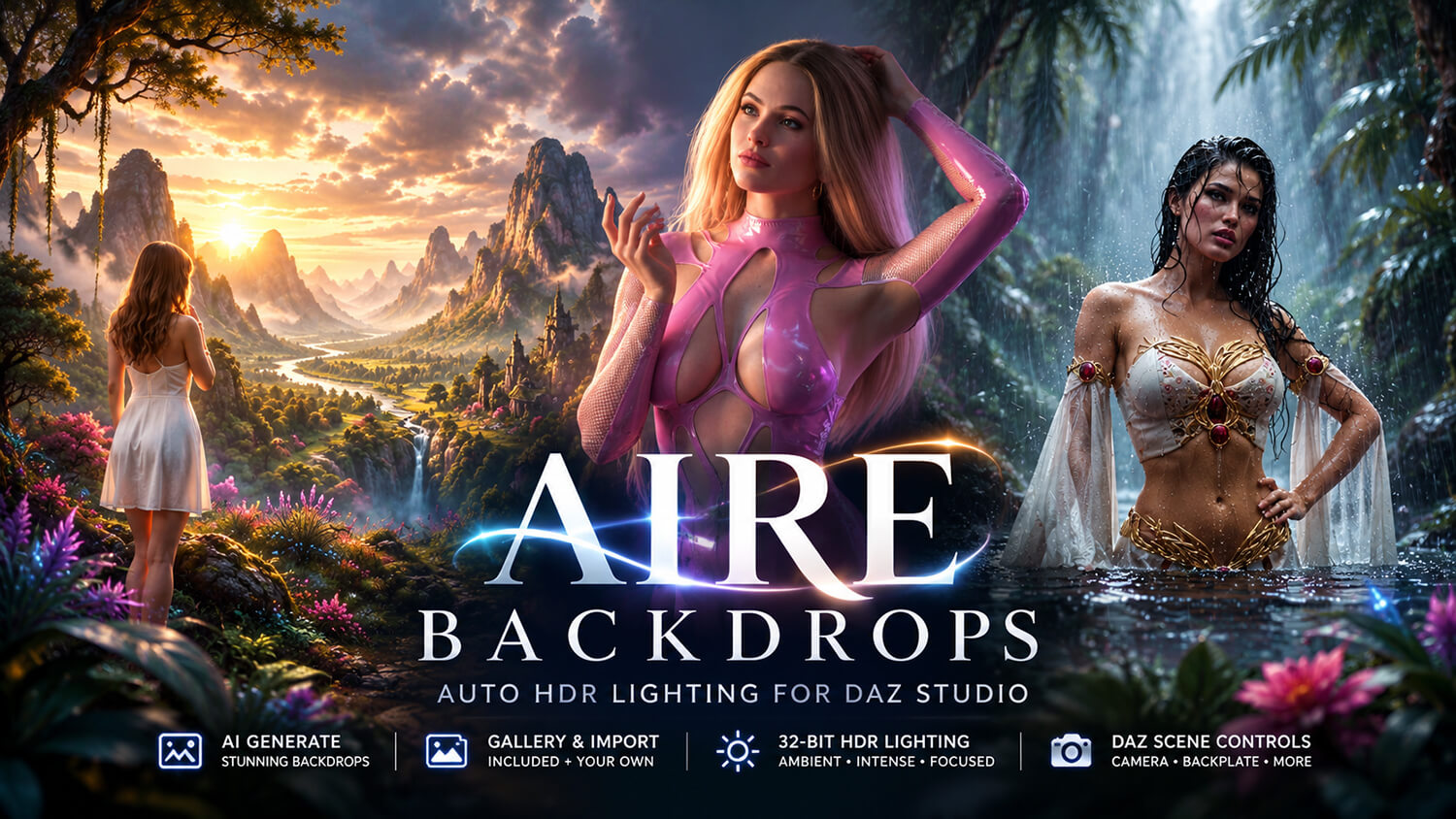
Introducing AIRE Backdrops, a new way to create beautiful photographic environments, generate matching HDR lighting and bring your DAZ Studio characters into almost any scene.
Special introductory price: $28 - 20% off the regular $35 price for a limited time.
AIRE Backdrops is a complete standalone product designed for DAZ Studio and Iray. You do NOT need to own the original AIRE AI Render Engine to use it.
Already own AIRE? Great! AIRE Backdrops works beautifully alongside AIRE, allowing you to build and light scenes in DAZ Studio, then take your artwork even further with AI enhancement.
Discover AIRE here:
aire-ai-render-engine-daz-studio
AIRE is optional and sold separately.
-----------------------------------------------
ANY BACKGROUND. YOUR VISION
-----------------------------------------------
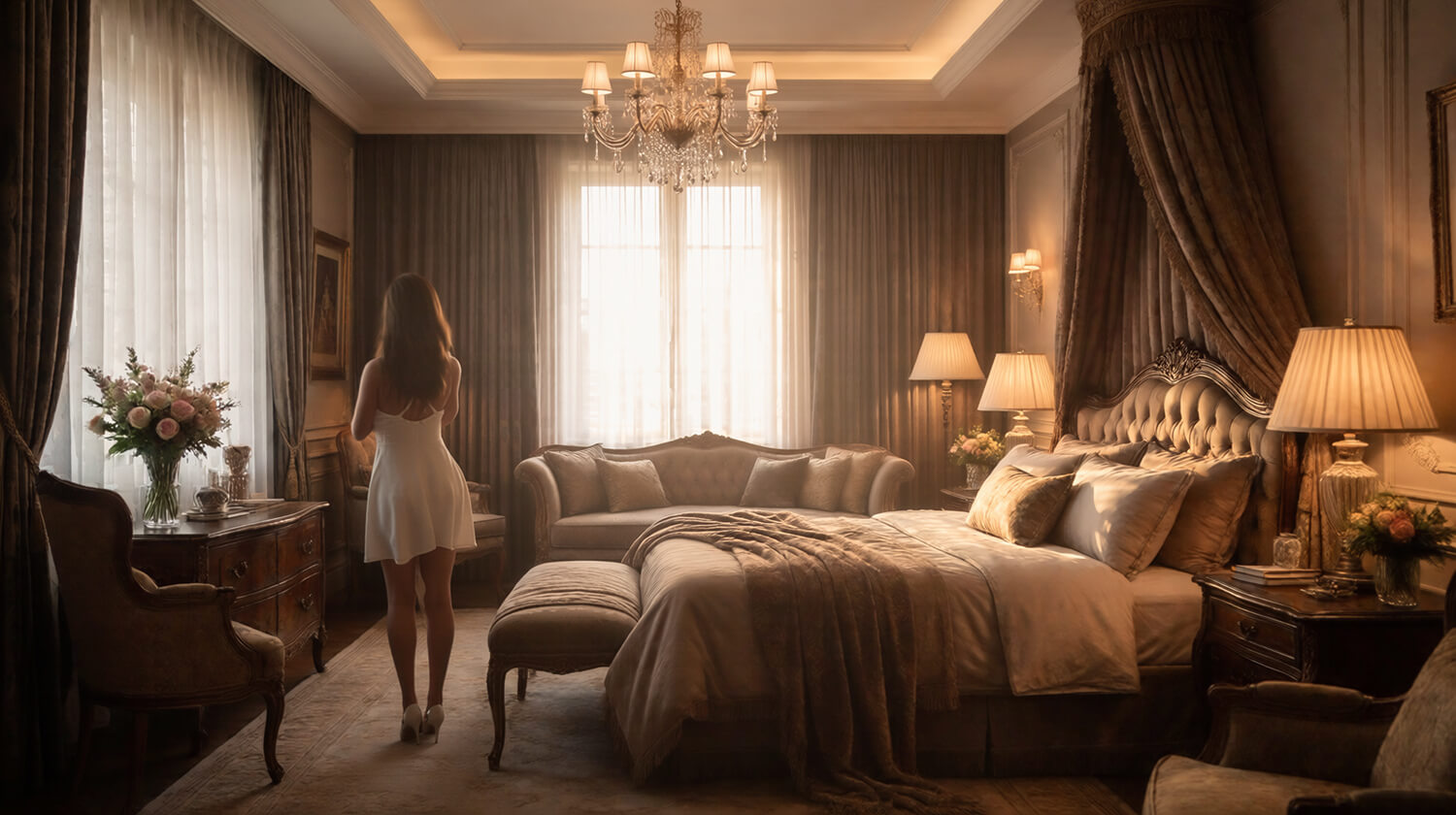
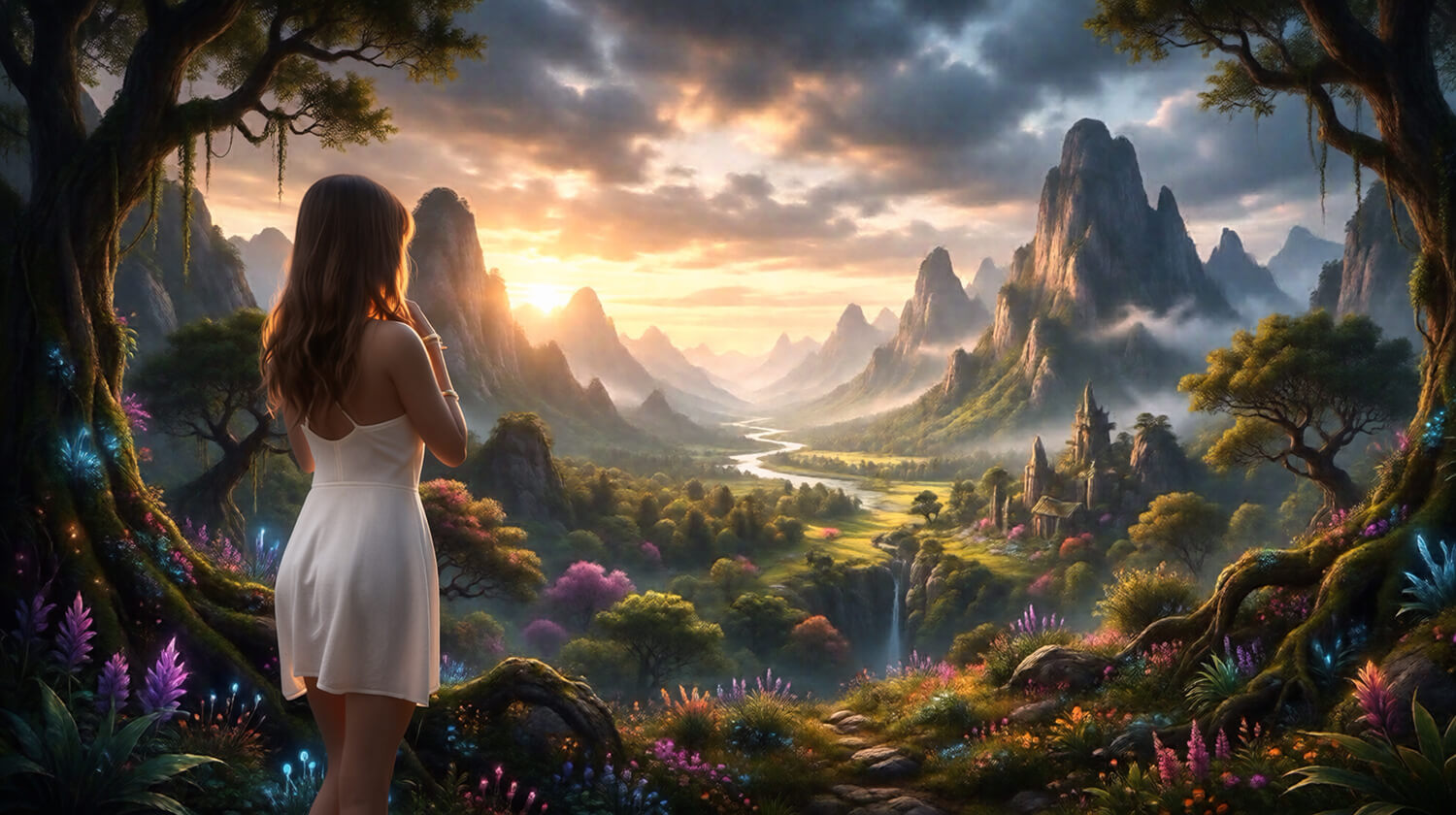
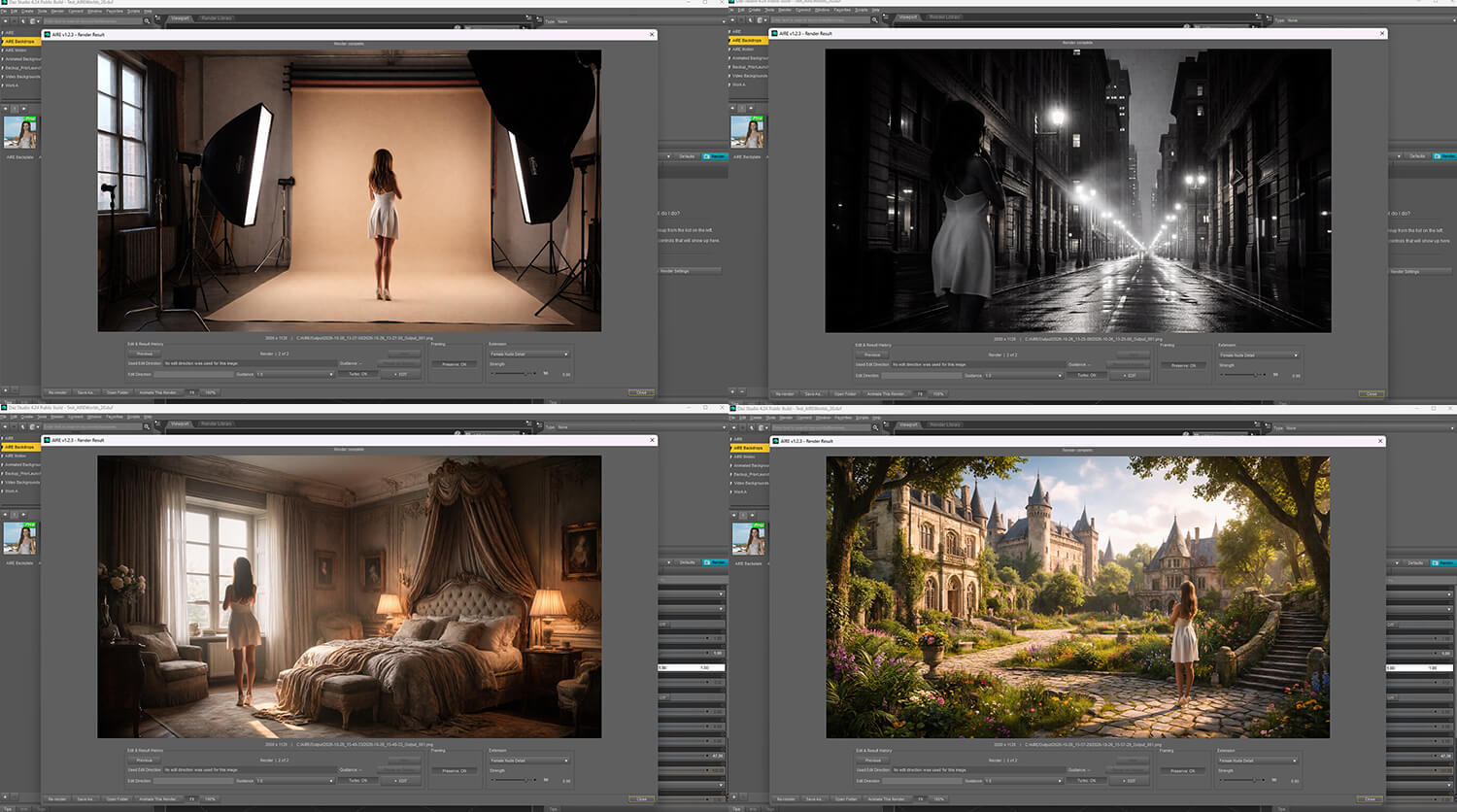
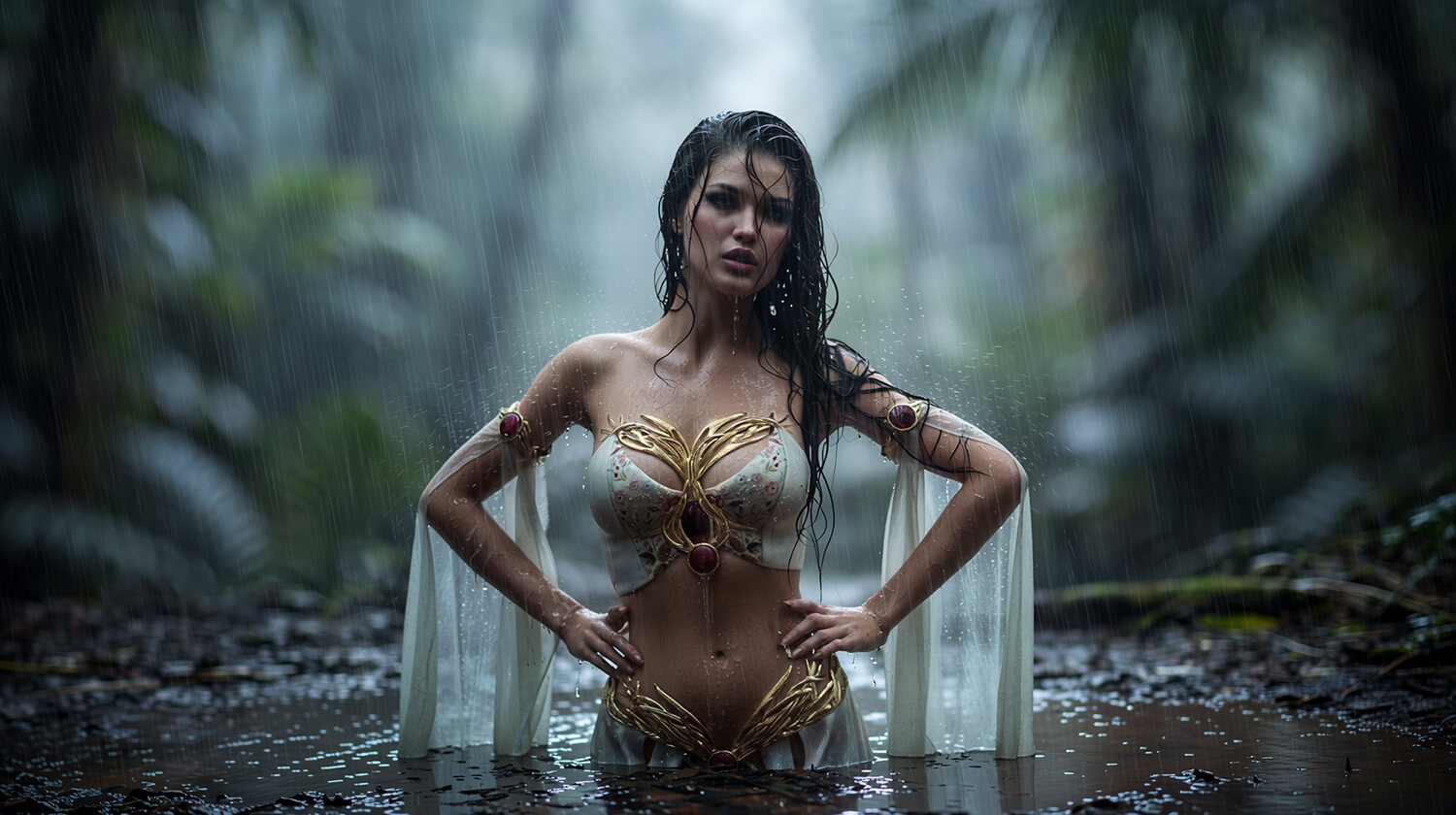
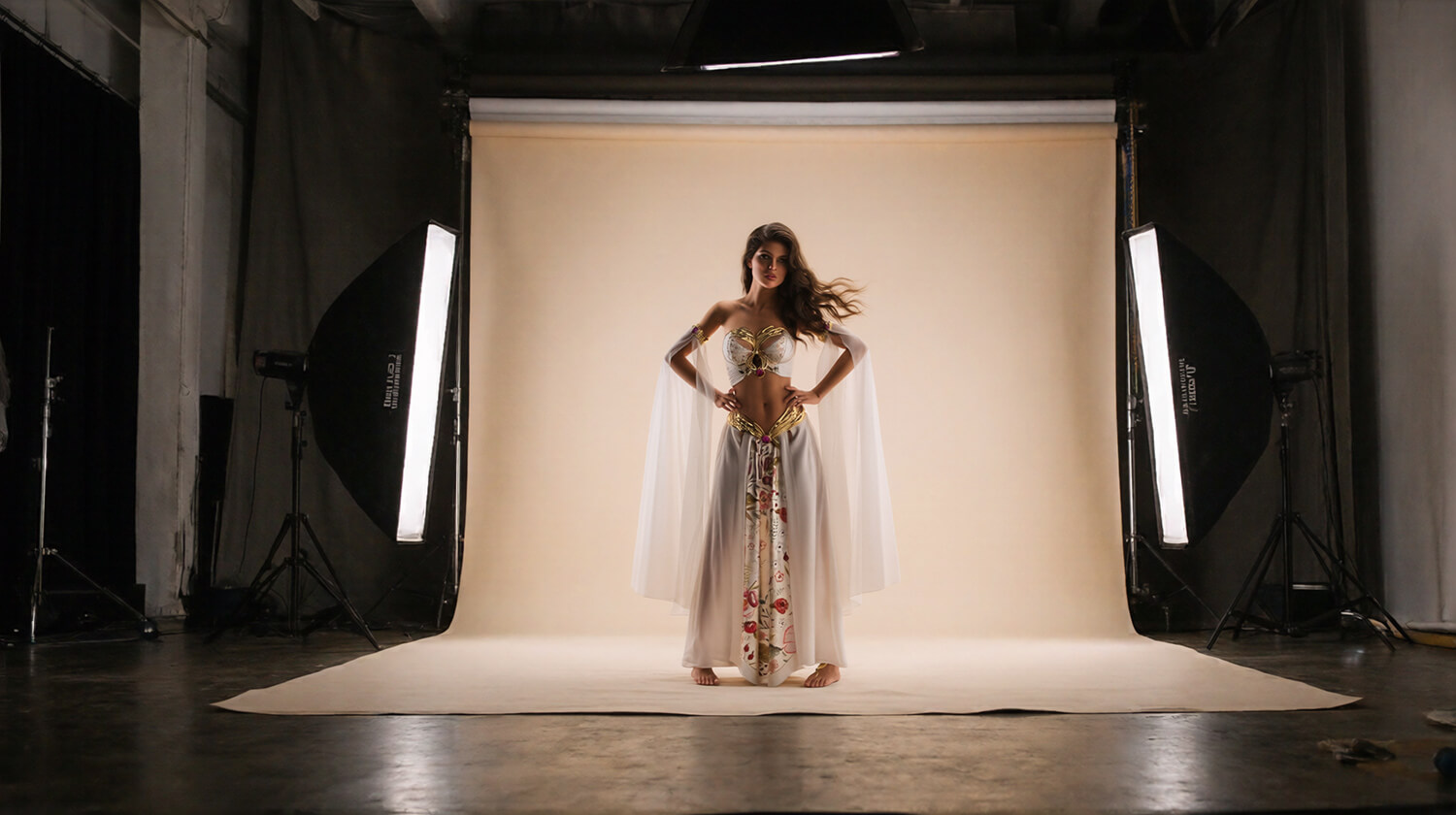
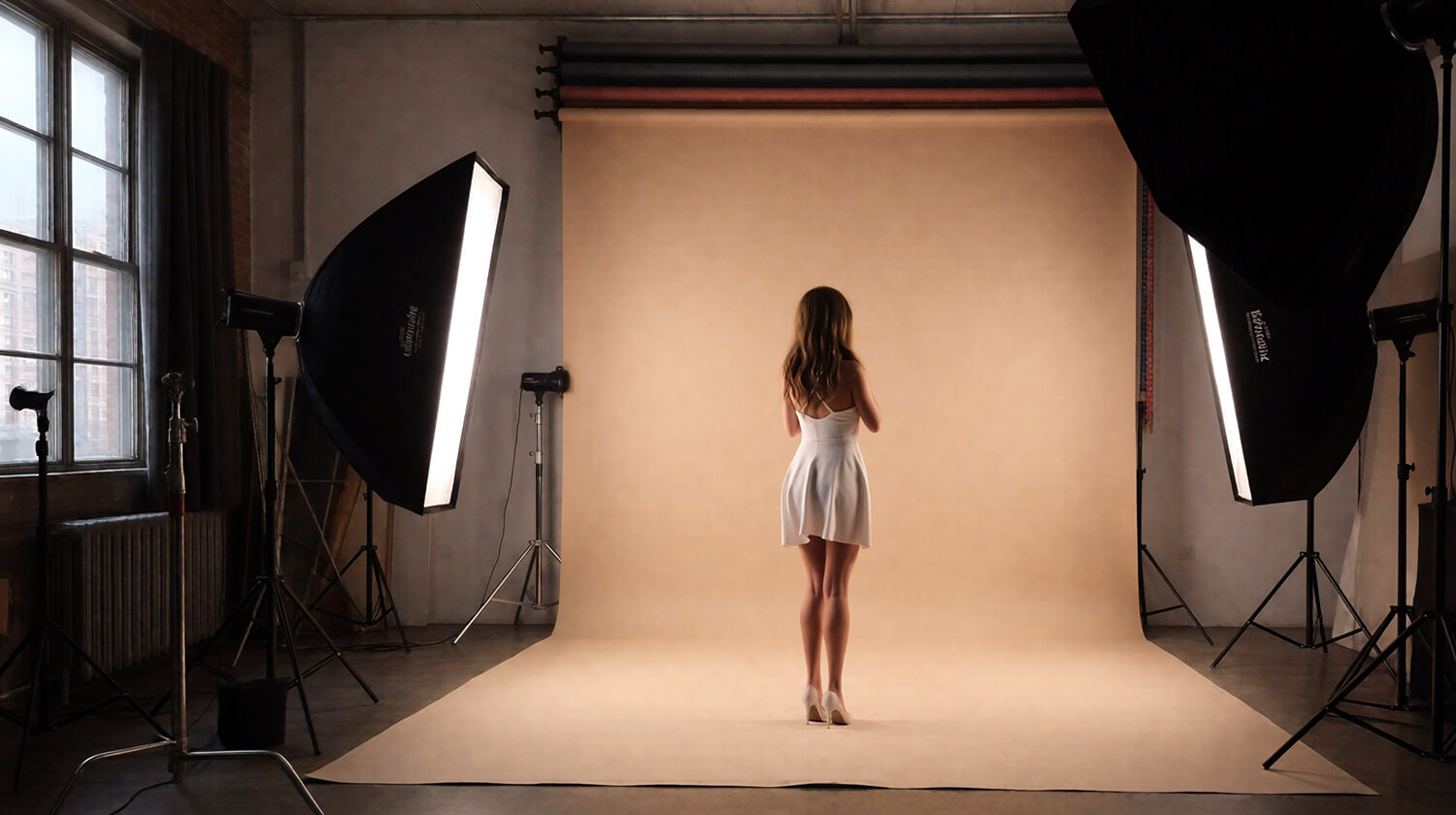
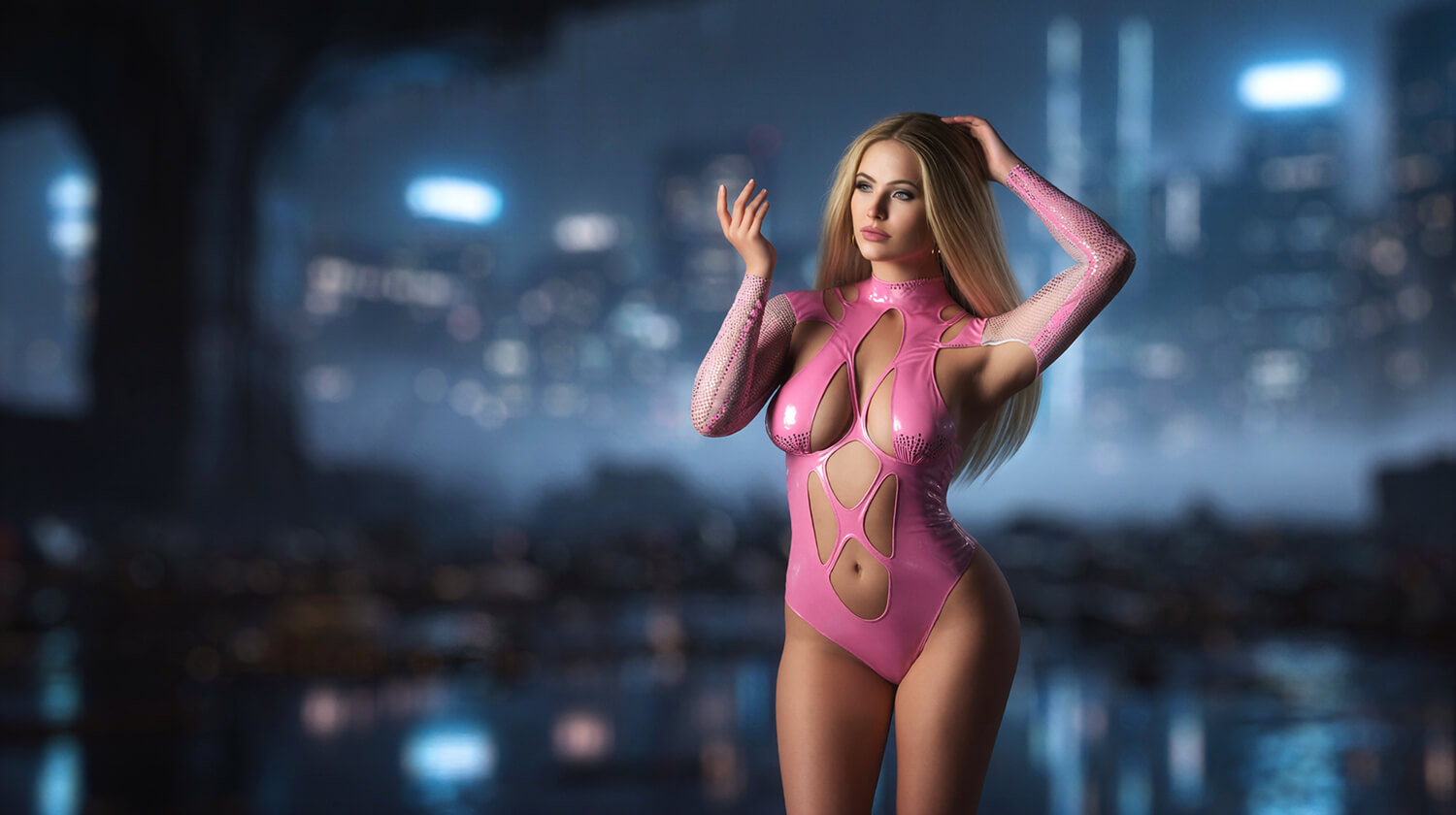
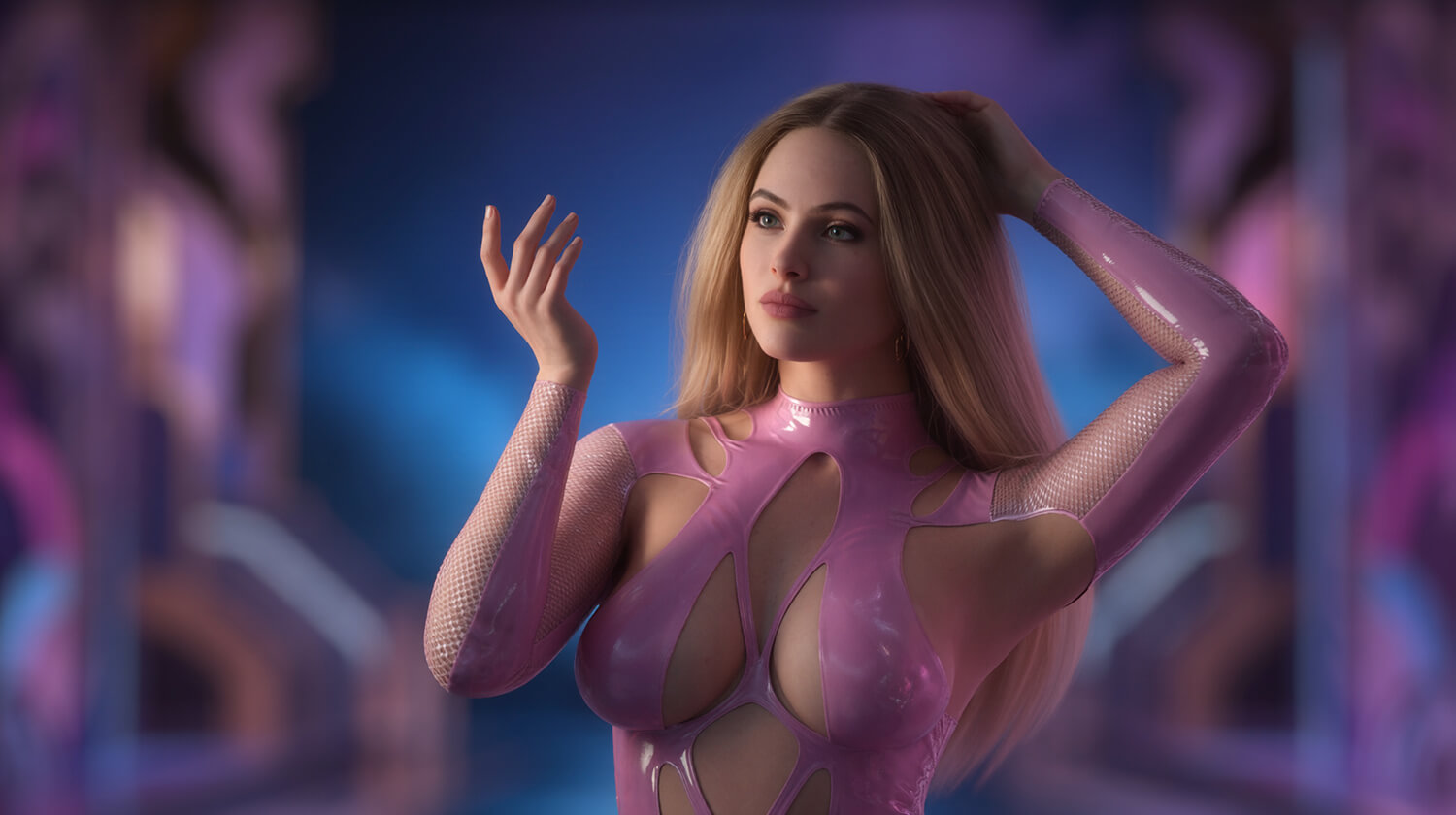
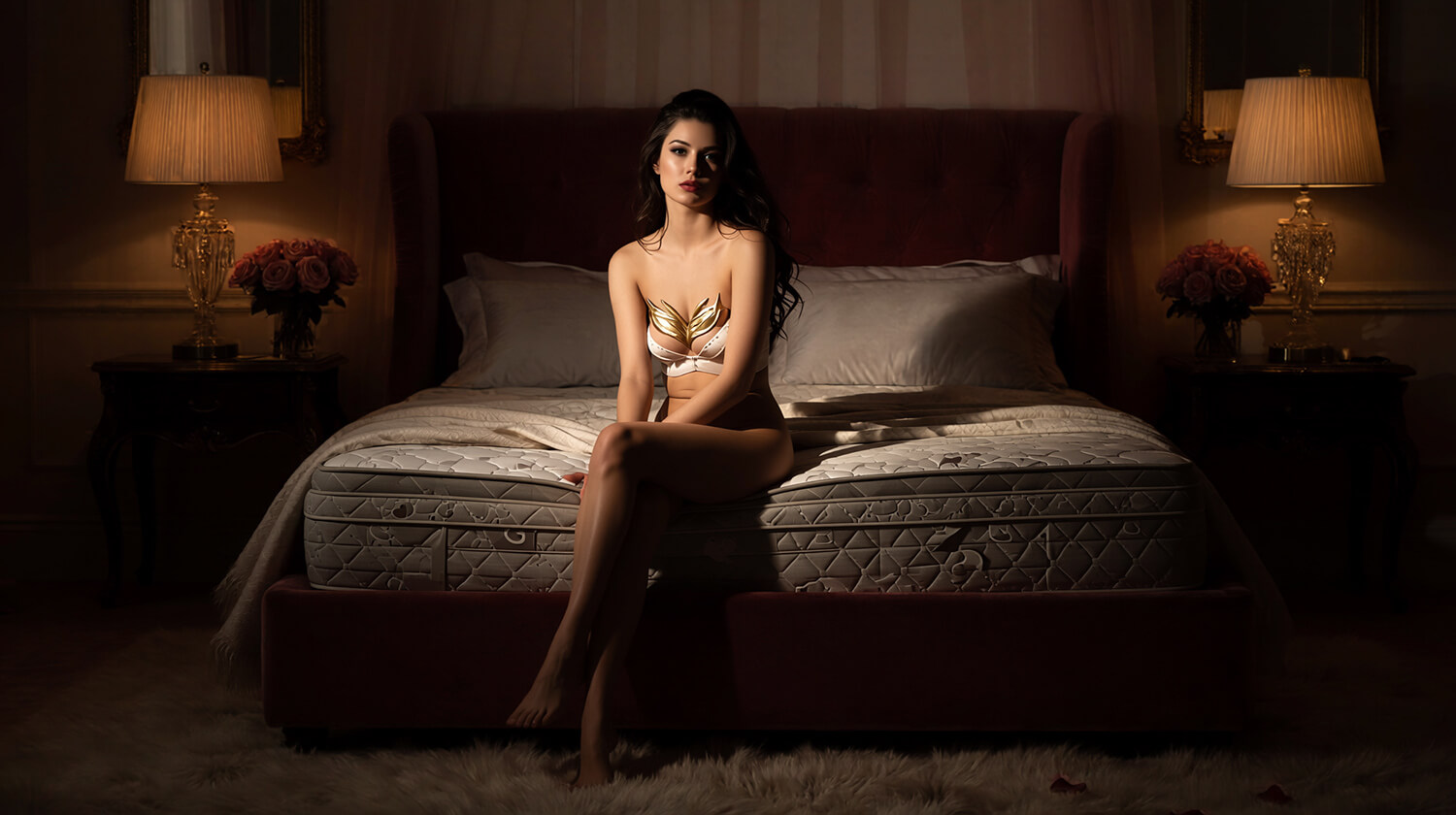
Imagine placing your favorite DAZ character in an exotic swimming pool, a luxurious bedroom, a beautiful garden, a futuristic city or a breathtaking fantasy landscape.
Now imagine controlling the lighting, camera, background position and composition, without having to build the entire environment in 3D.
Welcome to AIRE Backdrops!
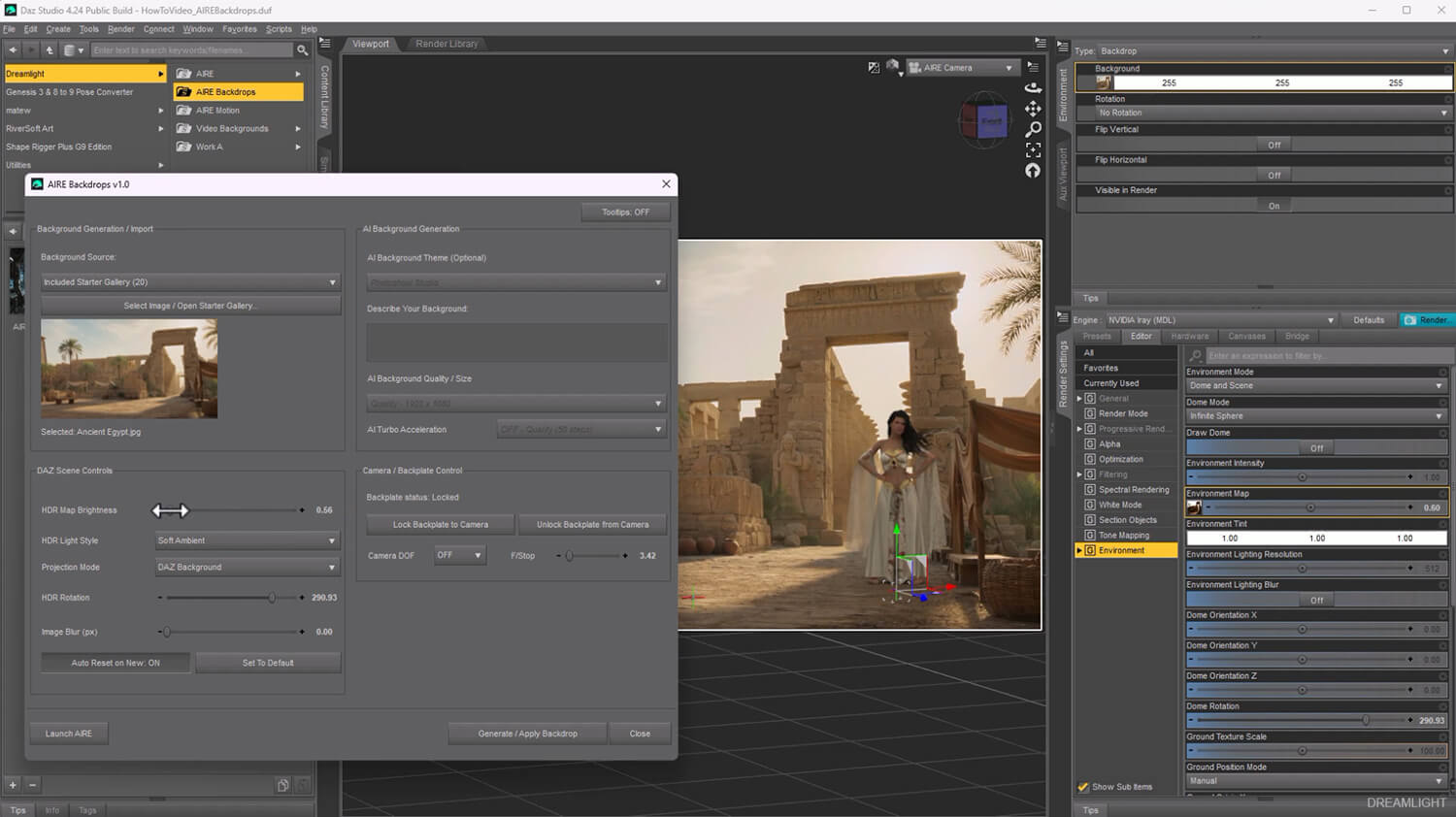
Generate your own backgrounds using local AI, choose from 20 beautiful included images, or import photographs and artwork from your own collection.
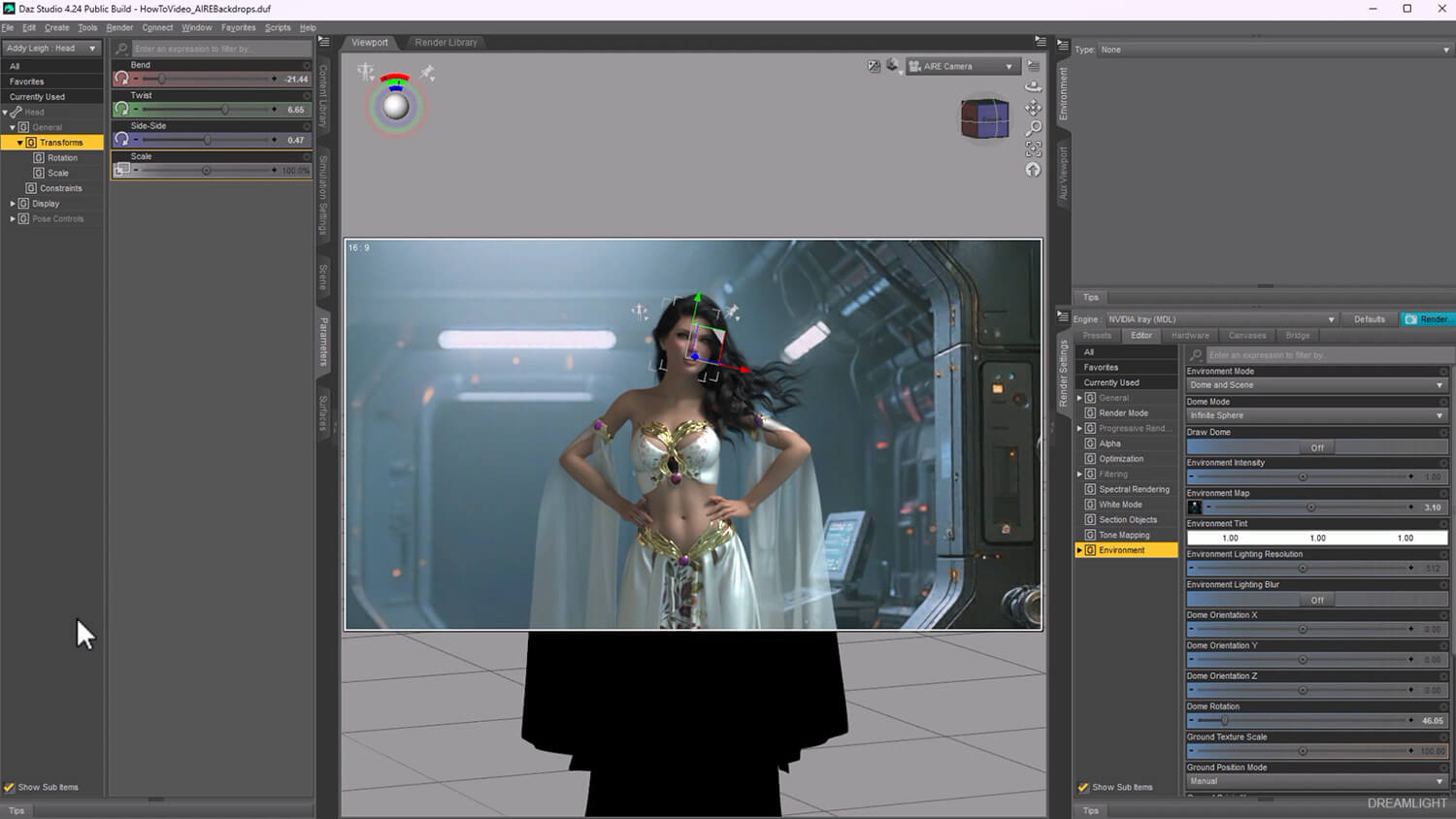
AIRE Backdrops creates matching 32-bit HDR-style lighting environments from your selected image, giving you the freedom to illuminate your characters, vehicles and scenes using colors and light inspired by the background itself.
Experiment with soft, beautiful ambient light, more dramatic directional lighting, or focused highlights and shadows.
Then adjust the composition, background blur, HDR rotation and lighting intensity until everything feels just right.
Your scene. Your imagination. Your light.
-------------------------------------
CREATE. CHOOSE. IMPORT
-------------------------------------
AIRE Backdrops gives you three ways to build your next environment.
1. AI BACKGROUND GENERATION
Generate beautiful new backgrounds directly from the AIRE Backdrops interface, using local AI powered by Qwen and ComfyUI.
Choose one of 21 creative AI themes, enter your own description, and generate something entirely new.
Explore environments such as:
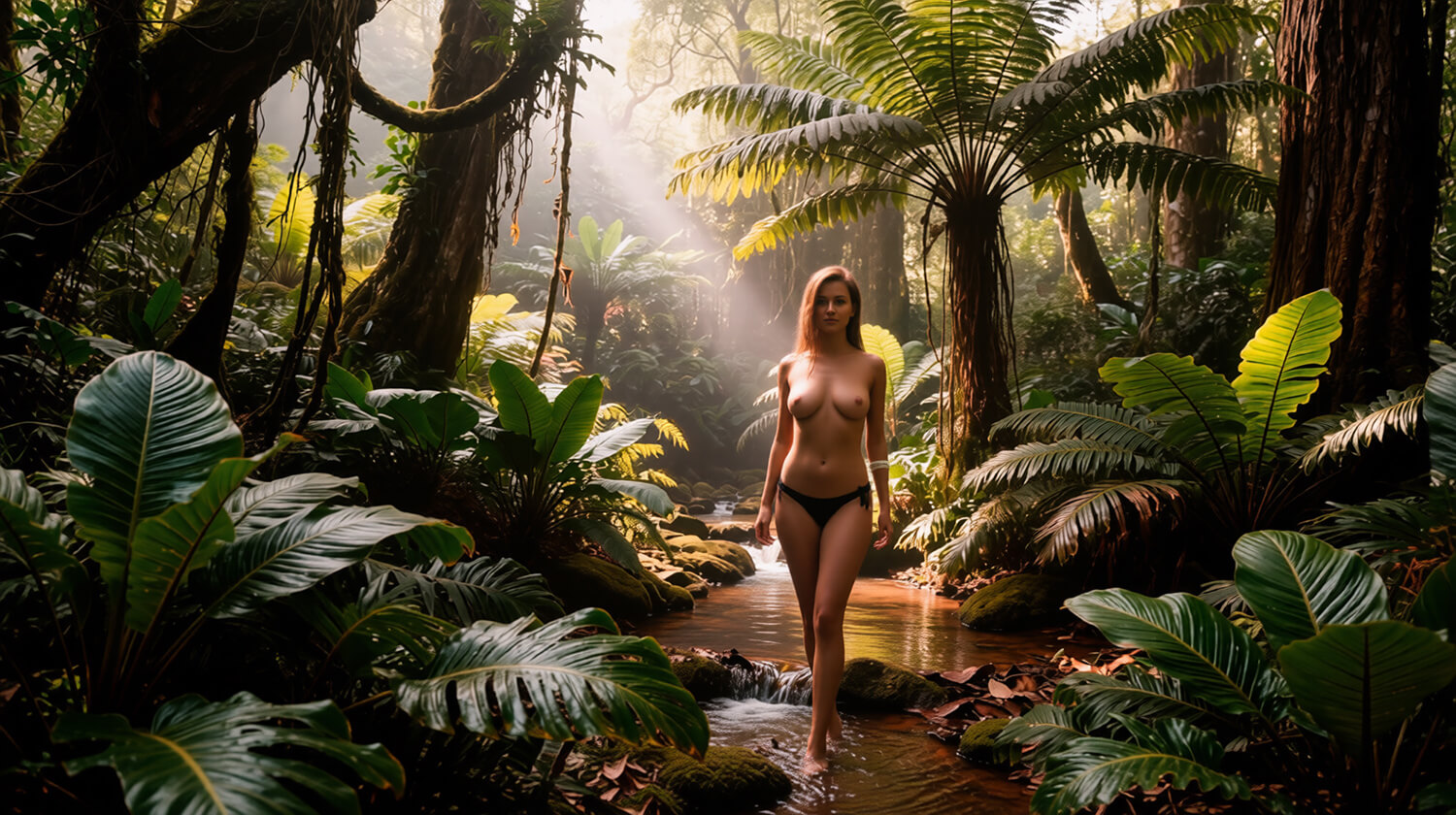
- Beautiful forests and jungles
- Luxury bedrooms, bathrooms and interiors
- Exotic beaches and swimming pools
- Castles and fantasy landscapes
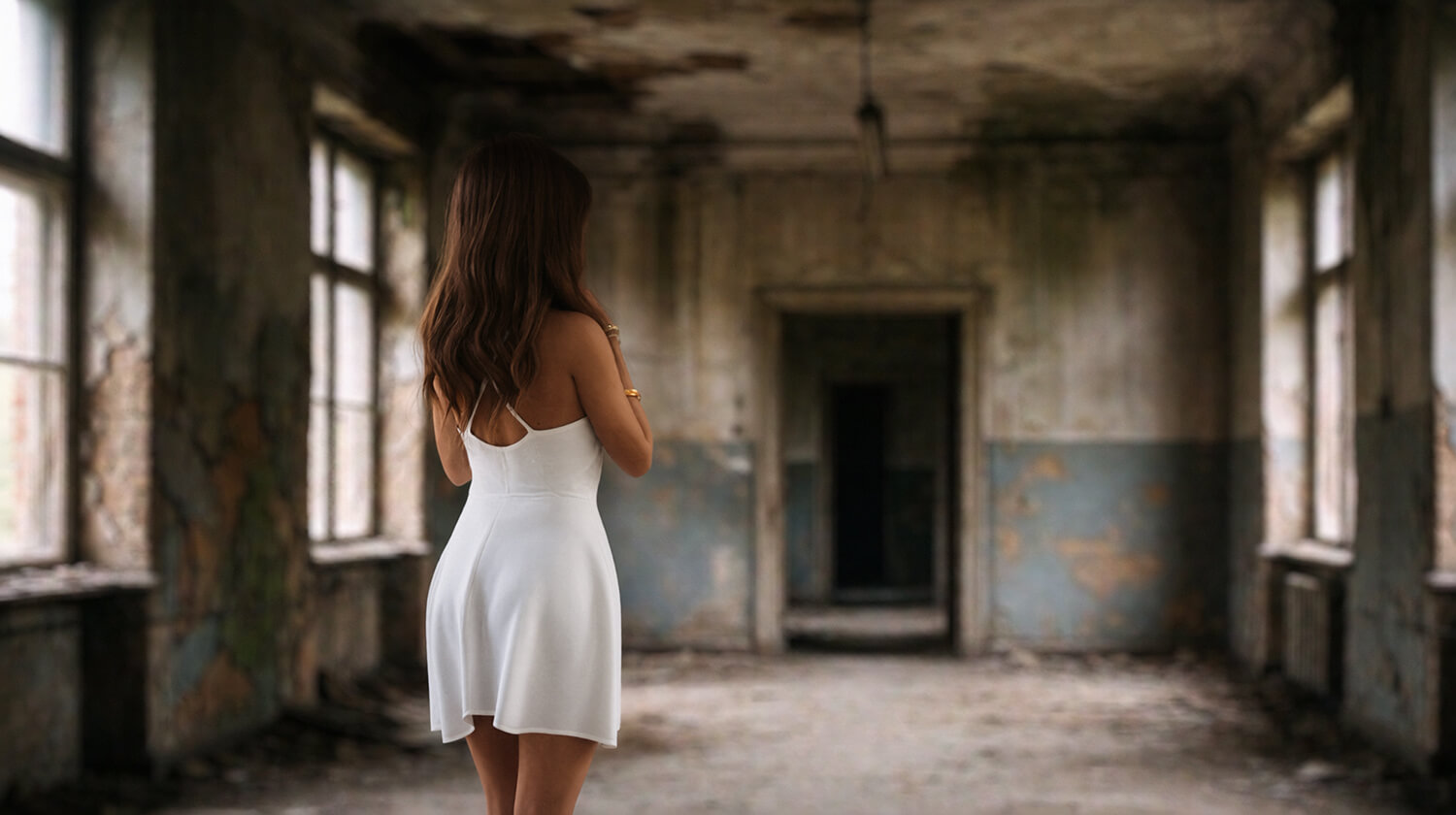
- Abandoned buildings and atmospheric locations
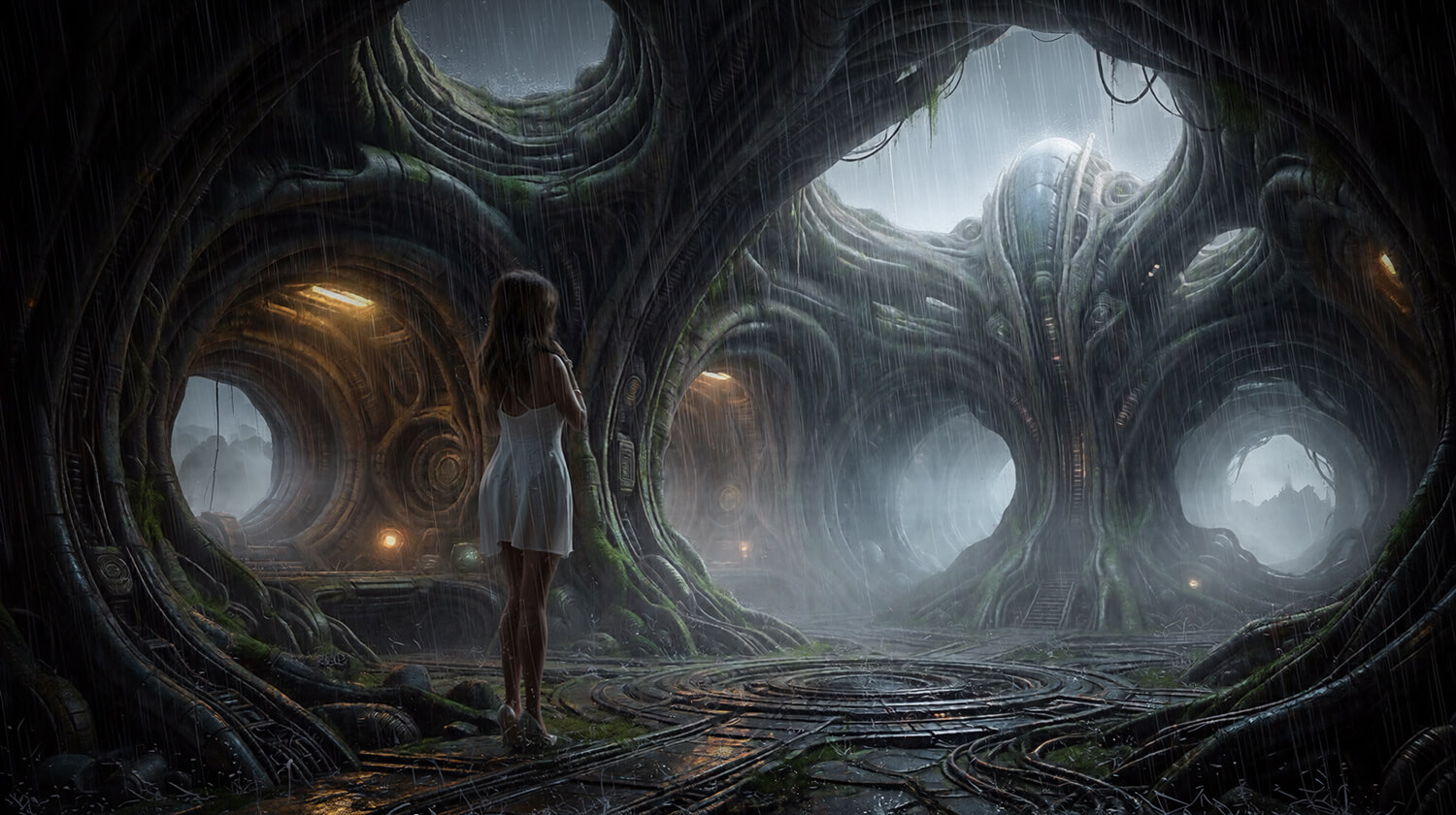
- Science fiction corridors and alien environments
- Film noir streets
- Fashion runways and photoshoot studios
- And many more!
You can also write your own creative instructions to design the environment you have in mind.
2. INCLUDED BACKDROP GALLERY
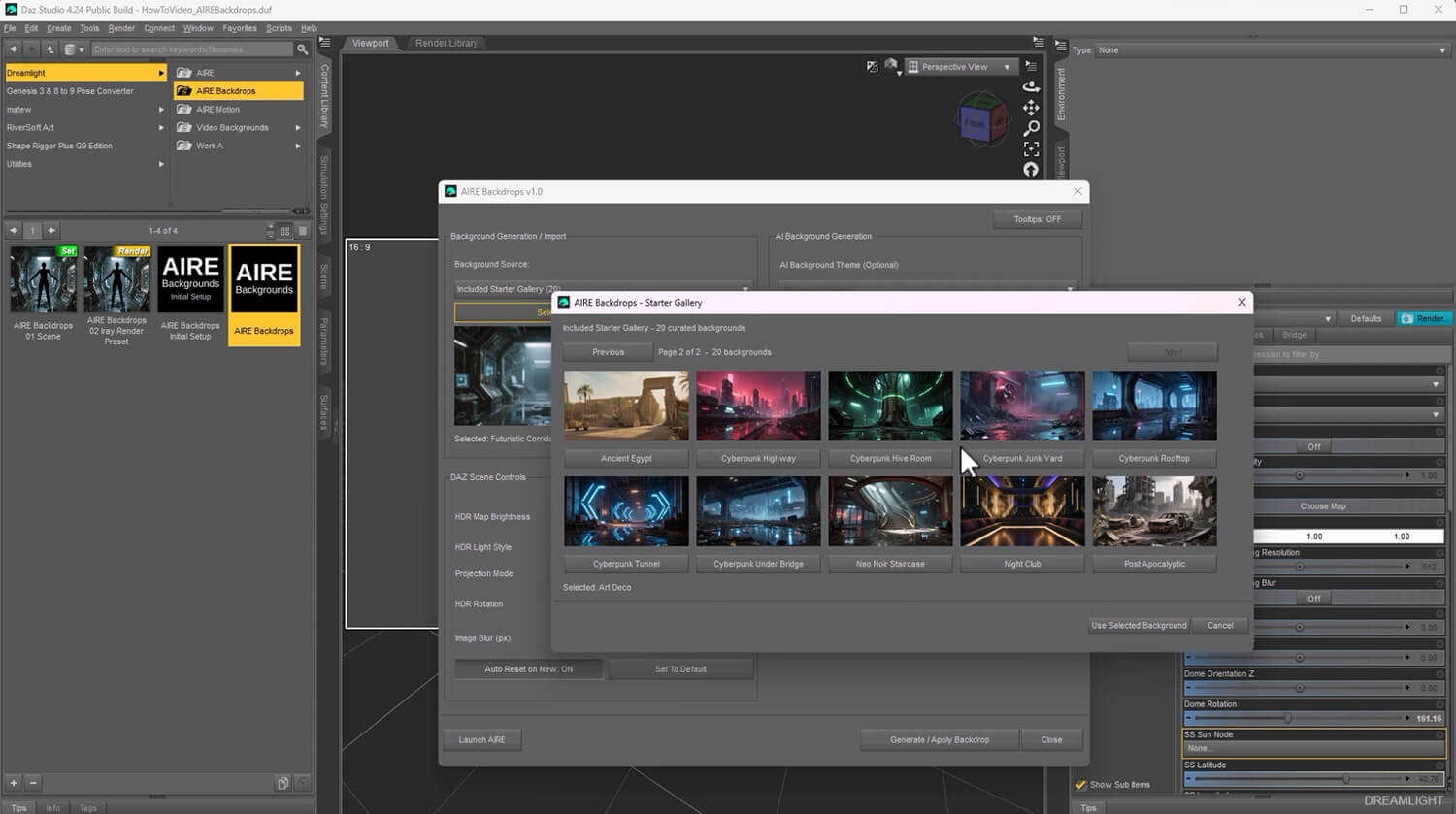
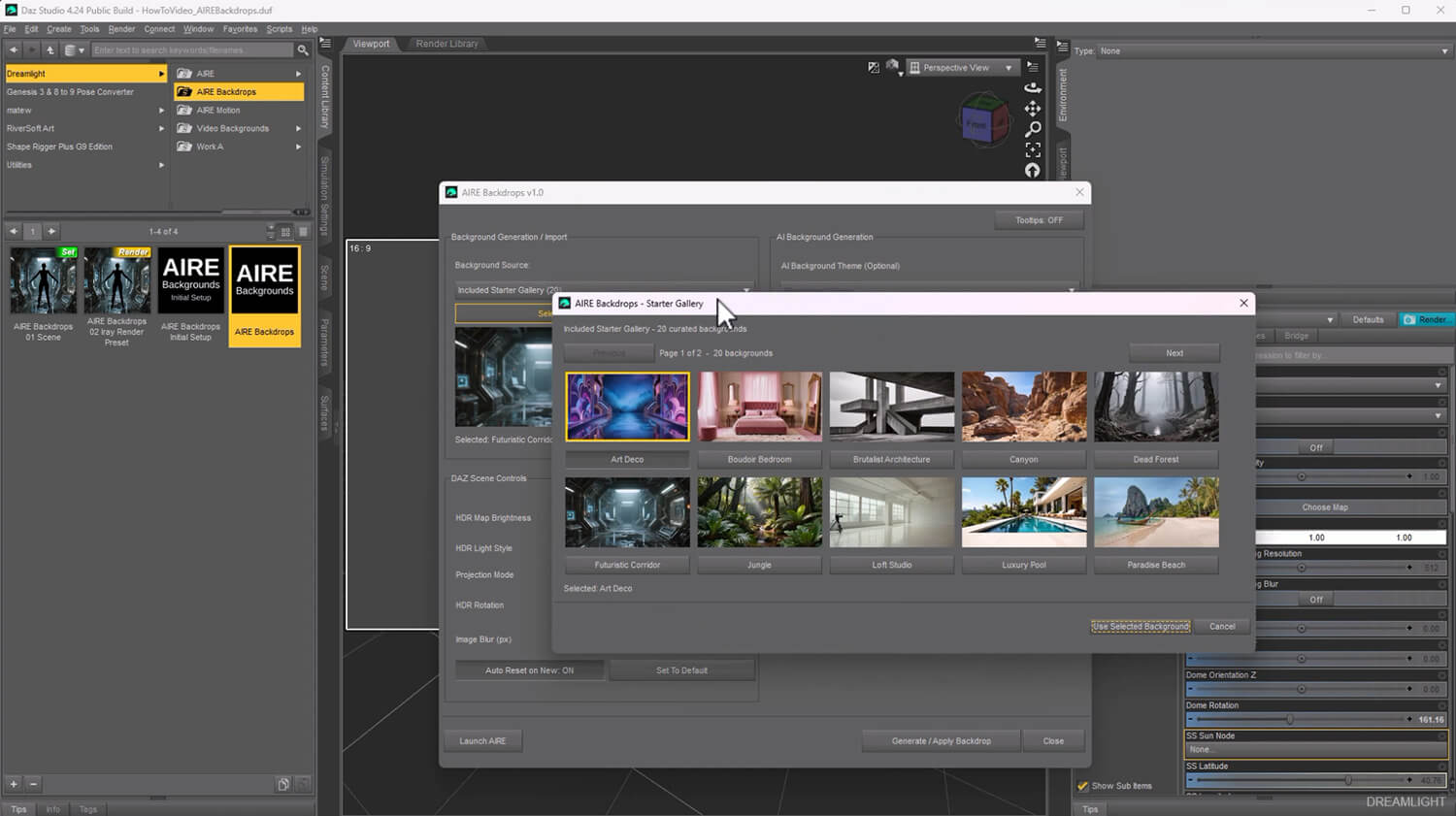
Get started immediately with 20 beautiful included backgrounds.
Choose your favorite, apply it to your DAZ scene, and begin creating.
3. IMPORT YOUR OWN IMAGES
Already have the perfect photograph or background?
Use it!
Import a compatible JPG or PNG image and let AIRE Backdrops turn it into a controllable DAZ environment with matching HDR-style lighting.
Whether you're using AI, the included gallery or your own images, you remain in creative control.
------------------------------------------------
TURN BACKGROUNDS INTO LIGHT
------------------------------------------------
This is where AIRE Backdrops becomes more than a background generator.
Normally, using a photographic background in DAZ Studio means you still need to figure out how to illuminate your characters convincingly.
AIRE Backdrops helps bridge that gap.
Whenever you apply a background, the software generates a matching 32-bit floating-point HDR-style lighting environment based on the image.
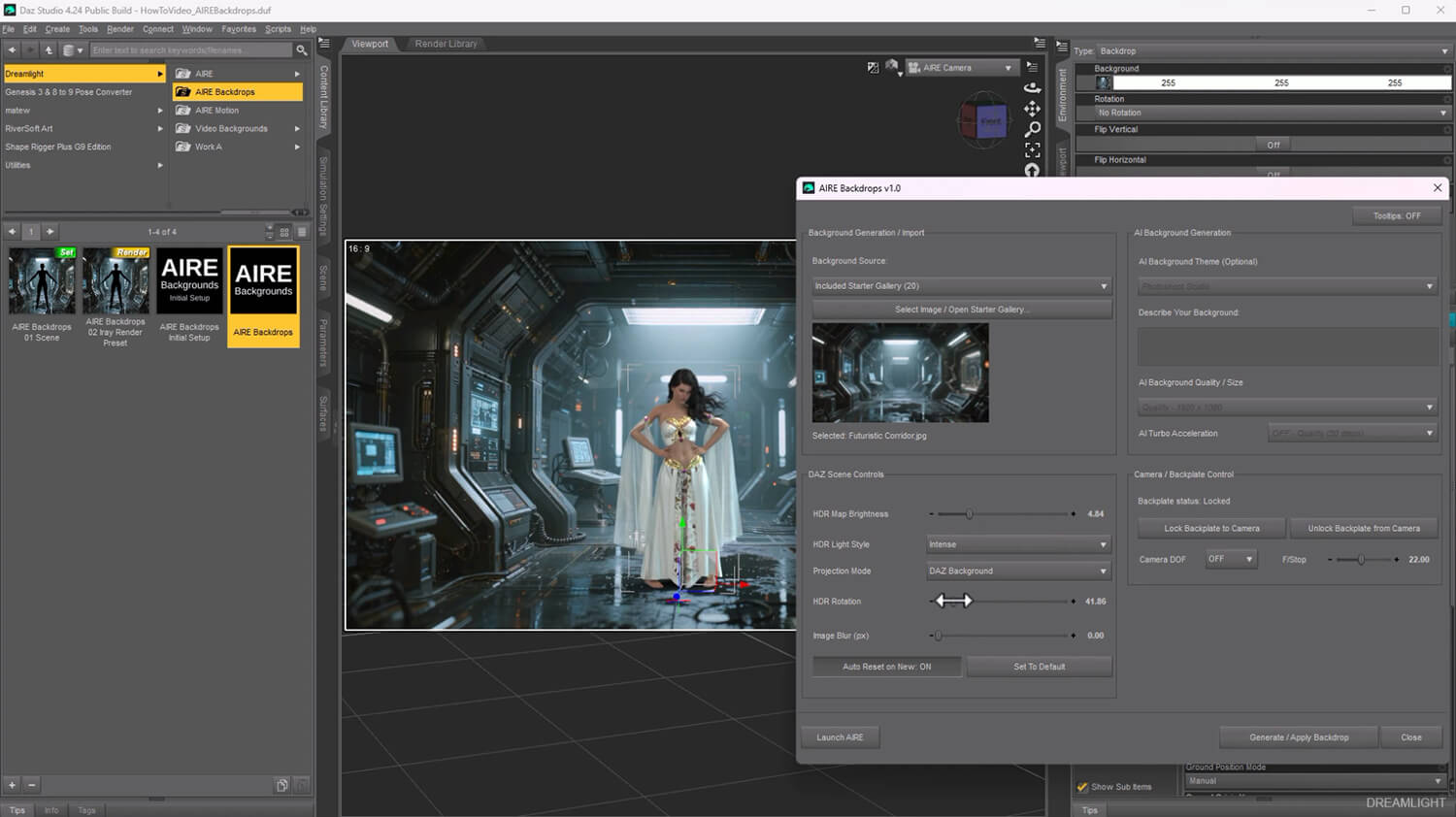
Choose between three creative lighting styles:
- HDR AMBIENT - Soft, balanced illumination for natural, gentle lighting and beautiful environmental color.
- HDR INTENSE - Stronger lighting contrast and directional highlights for more dramatic results.
- HDR FOCUSED - Concentrated lighting designed for pronounced highlights and shadows.
Adjust the HDR brightness and dome rotation to find the mood and direction you want.
Create soft studio-style illumination, sunlight-inspired highlights, atmospheric shadows or dramatic cinematic lighting.
You can even combine the HDR environment with the optional lights included in the AIRE Backdrops scene for additional artistic control.
NOTE: AIRE Backdrops creates synthetic HDR-style lighting maps from standard images. These are creative lighting environments, not physically measured HDRI photographs. Results depend on the source image and your chosen settings.
-------------------------------------
FULL CREATIVE CONTROL
-------------------------------------
AIRE Backdrops is designed to keep you creating inside DAZ Studio.
Control your environment without constantly switching between different applications.
- Move and reposition your background
- Zoom and adjust the composition
- Rotate and frame your scene
- Add background blur for depth and atmosphere
- Adjust HDR lighting brightness
- Rotate the HDR lighting independently
- Switch between Ambient, Intense and Focused HDR styles
- Control camera Depth of Field and F/Stop
- Use the included optional studio lights
- Choose the background projection that best suits your scene
Most of the creative controls update directly in DAZ Studio, letting you experiment with the look while you work.
And because the background and lighting are separate creative elements, you can adjust your composition and illumination to suit your artwork.
--------------------------------------------------------
PLACE YOUR CHARACTERS NATURALLY
--------------------------------------------------------
Create the illusion of complex environments without needing to build every object in 3D.
Place a character in a photographic swimming pool, position someone on a bed or chair, or integrate your figures into beautiful interiors and outdoor locations.
Use careful posing, perspective, camera framing and lighting to make the character feel like part of the environment.
Experiment with:
- Characters standing in water
- Models sitting on photographic furniture
- Beautiful bedroom and bathroom scenes
- Characters in shade or direct sunlight
- Vehicles in realistic streets and landscapes
- Fashion shoots in luxurious locations
- Fantasy, science fiction and cinematic artwork
The possibilities depend on your imagination, the chosen image and how you compose the scene.
These are photographic integration techniques. AIRE Backdrops does not automatically create physical 3D furniture, simulated water or collision geometry.
----------------------------------------------------------
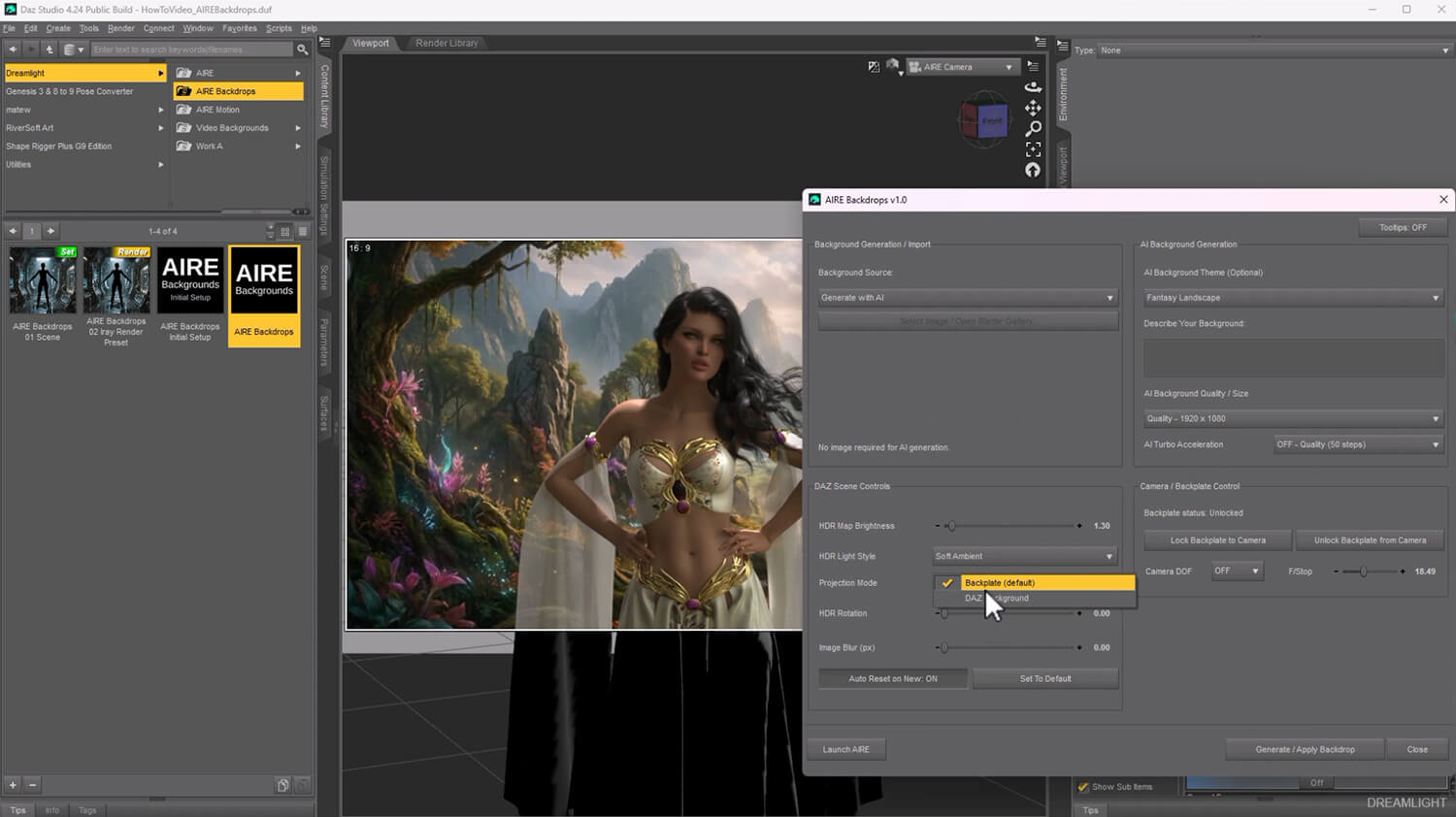
TWO BACKGROUND PROJECTION MODES
----------------------------------------------------------
Choose the projection method that best suits your artwork.
BACKPLATE
Use the dedicated background backplate for flexible scene composition, positioning and camera control.
DAZ BACKGROUND
Use DAZ Studio's native background system, including workflows where you want to work with ground shadows and shadow-catching.
Switch between projection styles depending on the look and integration you're trying to achieve.
--------------------------------------------------
CAMERA AND LIGHTING CONTROLS
--------------------------------------------------
AIRE Backdrops includes convenient camera controls and a prepared DAZ Studio scene.
Fine-tune your Depth of Field to keep characters sharp while softening the environment.
Adjust F/Stop to control the photographic appearance of your render.
The included scene also provides optional studio lighting, giving you additional freedom to complement the generated HDR illumination.
Use the HDR environment alone for beautiful natural-looking light, or add your own artistic lighting for a more dramatic result.
-----------------------------------------------------
STANDALONE. SEAMLESS WITH AIRE.
-----------------------------------------------------
AIRE Backdrops works independently with DAZ Studio's native Iray rendering engine.
You do NOT need to purchase the original AIRE AI Render Engine.
Create and light your scene, render directly with Iray, and enjoy the results.
But if you already own AIRE, you can take your finished artwork further!
Use AIRE to enhance realism, explore alternative visual treatments, or transform your scene into more cinematic artwork.
AIRE Backdrops handles the environment, composition and lighting inside DAZ Studio.
AIRE provides additional creative possibilities for your finished render.
Both are separate products, and AIRE remains entirely optional.
-----------------------------------------
YOUR GPU. YOUR CREATIONS.
NO RENDER CREDITS.
-----------------------------------------
AIRE Backdrops uses local AI generation through ComfyUI and Qwen.
Once the required AI components are installed, you can generate backgrounds locally on compatible hardware without purchasing cloud rendering credits or paying a monthly AI generation subscription.
No per-image rendering credits.
No mandatory cloud account for local generation.
Your creativity, your computer, your backgrounds.
The included gallery and imported-image workflows also let you work with existing images without generating new AI backgrounds.
------------------------------------
SYSTEM REQUIREMENTS
------------------------------------
- Windows PC
- DAZ Studio with Iray support
- Developed and tested with DAZ Studio 4.23 and DAZ Studio 6
- Local ComfyUI installation for AI background generation
- Compatible NVIDIA RTX GPU recommended for local Qwen AI generation
- Sufficient RAM, VRAM and free disk space for the downloaded AI models and generated images
- Internet connection for initial setup and downloading missing AI components
AIRE Backdrops was developed and tested on Windows 11. Other configurations may work differently.
For AI generation, performance and memory requirements depend on your GPU, the selected generation settings and the installed ComfyUI configuration.
Higher-performance NVIDIA RTX GPUs are recommended for a smoother AI generation experience.
The background and HDR lighting features are designed for DAZ Studio and its Iray rendering engine.
------------------------------------------------------
INSTALLATION AND FIRST BACKDROP
------------------------------------------------------
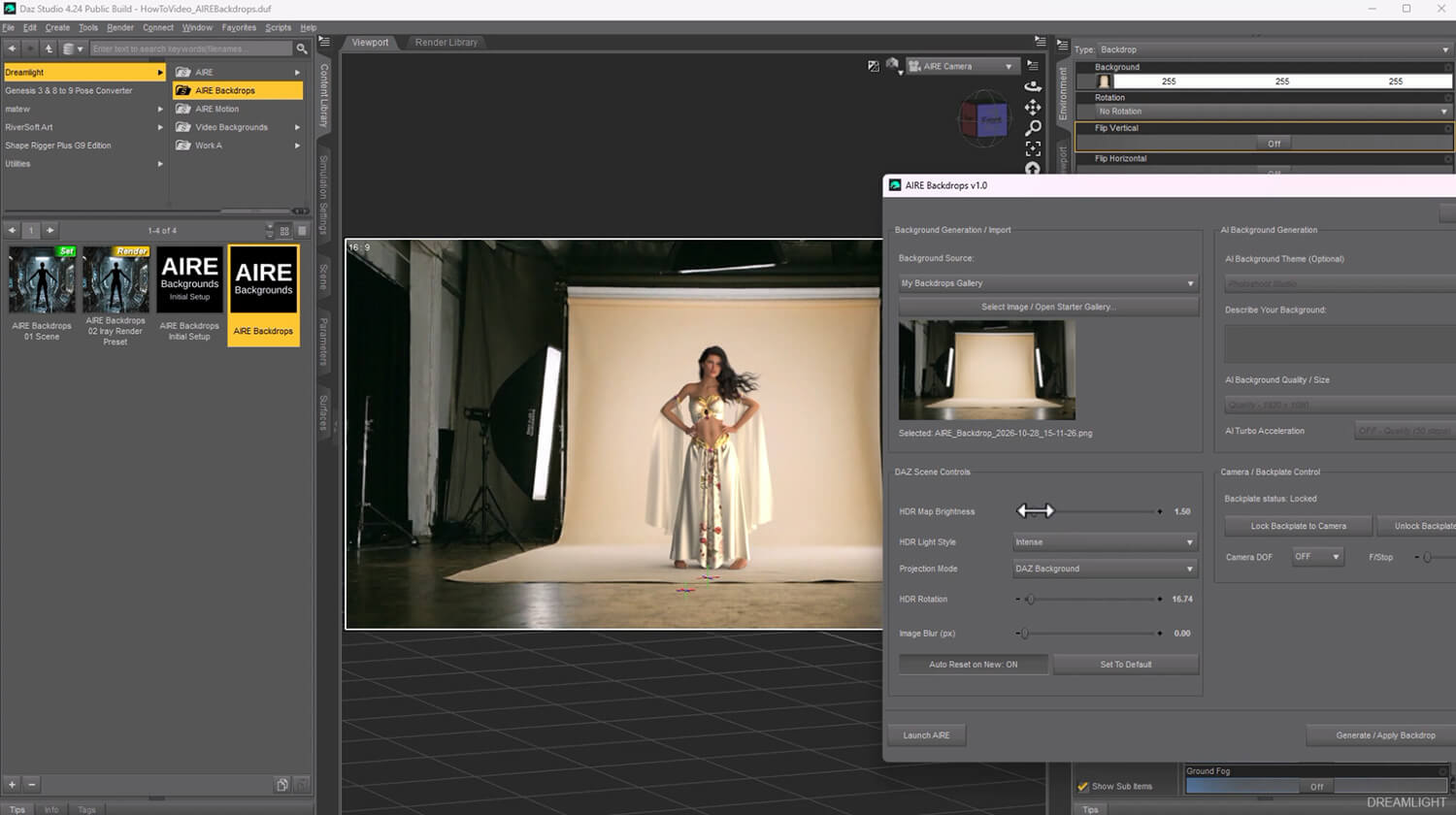
AIRE Backdrops includes its own Initial Setup utility to prepare the required AI components.
Start with the included Read Me First and Installation Guide.
The basic workflow is straightforward:
1. Install and start ComfyUI.
2. Run AIRE Backdrops Initial Setup to install or verify the required AI components.
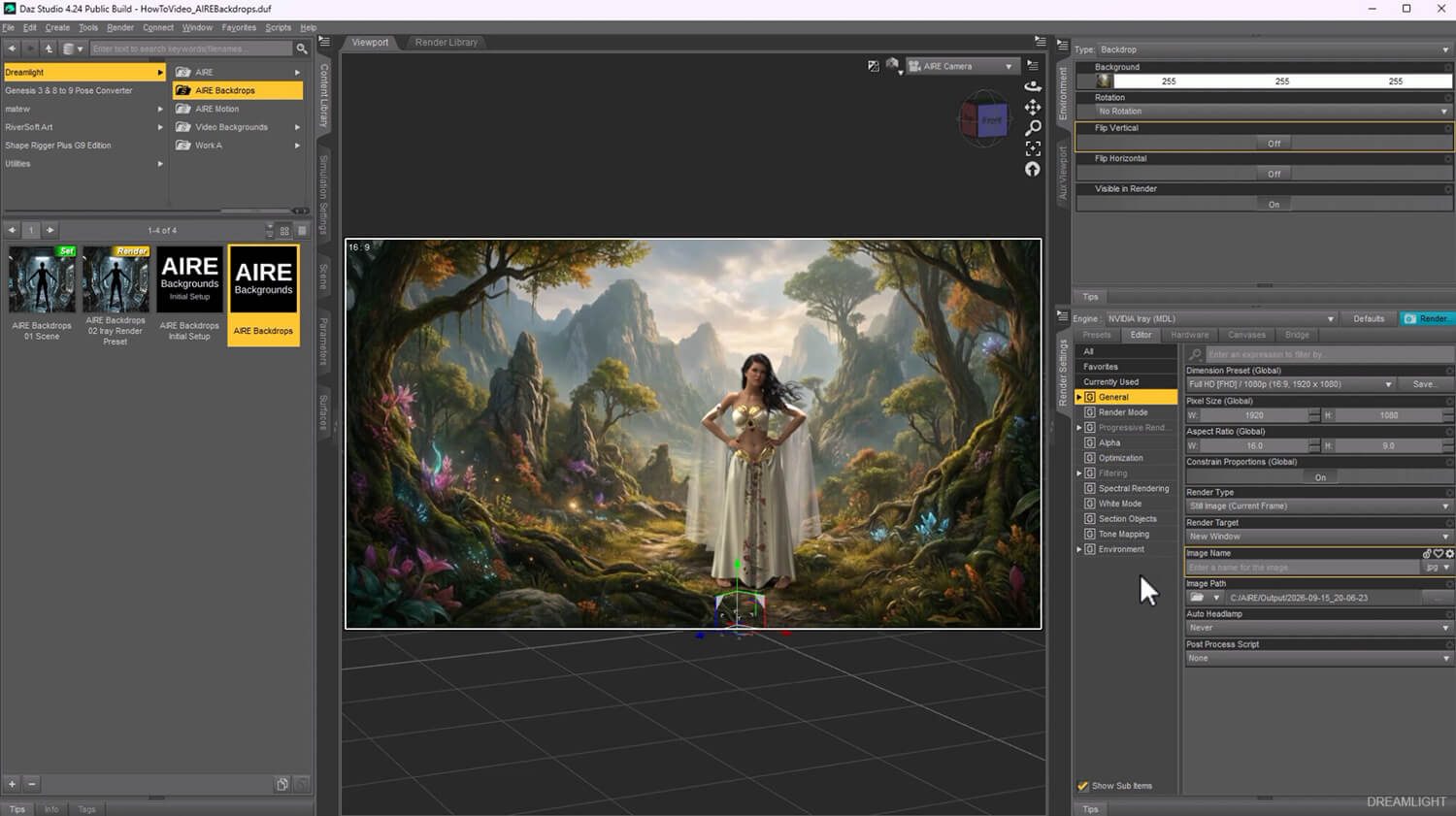
3. Open DAZ Studio and load the included AIRE Backdrops Scene.
4. Apply the included AIRE Backdrops Iray Render Preset.
5. Launch the AIRE Backdrops interface.
6. Generate an AI background, choose a gallery image or import your own.
7. Apply the backdrop and experiment with lighting, framing and camera settings.
8. Render your scene using Iray.
The included Windows bridge and Initial Setup helpers are already compiled applications. You do not need to install a separate Python runtime simply to run the AIRE Backdrops helpers.
-------------------------------------------------
INCLUDED WITH AIRE BACKDROPS
-------------------------------------------------
- AIRE Backdrops 1.0 DAZ Studio interface
- Local Qwen and ComfyUI AI background generation
- 21 creative AI background themes
- Custom text-based background generation
- 20 included gallery backgrounds
- Import your own JPG and PNG backgrounds
- Personal gallery for generated and imported backgrounds
- Automatic 32-bit HDR-style lighting creation
- Three HDR lighting styles: Ambient, Intense and Focused
- HDR brightness and rotation controls
- Background positioning, framing and blur controls
- Camera Depth of Field and F/Stop controls
- Backplate and DAZ Background projection modes
- Prepared DAZ scene with camera, backplate and optional lights
- Iray Render Preset
- Backplate reset preset
- Standalone Initial Setup helper
- Compiled Windows processing bridge
- Written Installation and Usage Guides
- Comprehensive 72-minute How-To video tutorial
- Release Notes, License Agreement and Third-Party Notices
The large AI model files are downloaded or verified during Initial Setup and are not included inside the product ZIP.
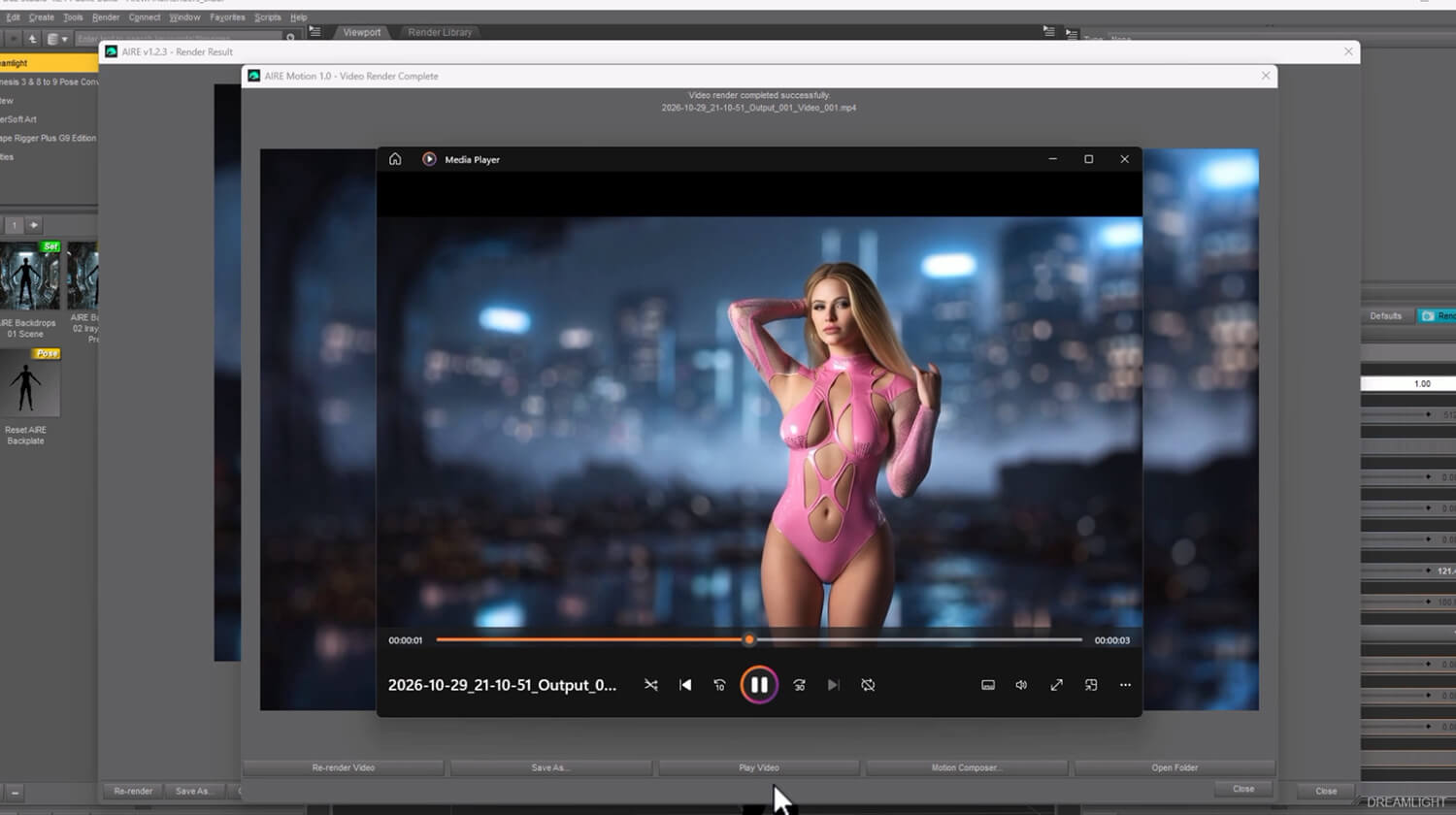
The original AIRE image renderer and AIRE Motion are separate products and are not included.
------------------------------
CREATIVE FREEDOM
------------------------------
Imagine being able to place your DAZ characters almost anywhere.
A luxury apartment. A quiet beach. A futuristic corridor. An abandoned mansion. A sunlit swimming pool. A beautiful garden.
Create new environments with AI, select something from the included gallery, or bring your own photography.
Then direct the composition, shape the lighting and make the scene your own.
AIRE Backdrops doesn't replace your artistic vision.
It gives you new ways to bring that vision into DAZ Studio.
--------------------------------------------------------------
A NOTE FROM VAL CAMERON, DREAMLIGHT
--------------------------------------------------------------
"I've always loved lighting in DAZ Studio. It's one of the most powerful tools we have as digital artists, and something I've explored for more than two decades.
With AIRE Backdrops, I wanted to make it easier to create beautiful environments without spending hours building an entire scene from scratch or needing to purchase expensive complete scenes all the time.
But I also wanted something more than another AI background generator.
I wanted artists to be able to use their own backgrounds, control the camera, experiment with the lighting and make photographic environments feel like a natural part of their DAZ artwork.
Whether you're creating portraits, fantasy art, cinematic scenes or something entirely different, I hope AIRE Backdrops gives you new creative possibilities and, most importantly, makes creating art more enjoyable."
-----------------------------------------------
FREQUENTLY ASKED QUESTIONS
-----------------------------------------------
Q. IS AIRE BACKDROPS A STANDALONE PRODUCT?
A. Yes. AIRE Backdrops works independently with DAZ Studio and Iray. You do not need to own the original AIRE AI Render Engine.
Q. DO I NEED AIRE TO ENHANCE MY BACKDROPS?
A. No. You can create complete scenes and render them directly with Iray. AIRE is an optional additional product if you want to enhance or further transform your artwork.
Q. CAN I USE MY OWN PHOTOGRAPHS OR BACKGROUND IMAGES?
A. Yes! Import compatible JPG or PNG images and use them as your environment. AIRE Backdrops can also create matching HDR-style lighting from those images.
Q. DO I HAVE TO USE AI?
A. No. You can choose from the 20 included backgrounds or import your own images without generating new AI backgrounds.
Q. HOW DOES THE HDR LIGHTING WORK?
A. AIRE Backdrops analyzes the selected background image and generates synthetic 32-bit HDR-style lighting maps. Choose Ambient, Intense or Focused, then adjust brightness and rotation to create the look you want.
Q. IS THIS THE SAME AS A REAL PHOTOGRAPHIC HDRI?
A. No. AIRE Backdrops creates artistic HDR-style lighting from standard images. The result is designed for creative lighting control, not physically accurate reconstruction of a photographed environment's original light levels.
Q. CAN I POSITION CHARACTERS INSIDE THE BACKGROUND?
A. Yes. With the right camera framing, posing and lighting, you can create convincing photographic integration, such as characters appearing in water, sitting on furniture or standing within an environment. The background remains an image and does not automatically become physical 3D geometry.
Q. CAN I CONTROL DEPTH OF FIELD?
A. Yes. AIRE Backdrops includes camera Depth of Field and F/Stop controls, along with background blur options.
Q. DOES IT SUPPORT DAZ STUDIO 6?
A. Yes. AIRE Backdrops has been developed and tested with DAZ Studio 4.23 and DAZ Studio 6.
Q. DO I NEED COMFYUI?
A. Local AI background generation uses ComfyUI. The product also supports included and imported background images, so you don't need to generate AI images for every scene.
Q. DO I NEED TO PAY FOR AI RENDERING CREDITS?
A. No. AI background generation runs locally on compatible hardware after the required components have been installed. No paid cloud rendering credits are required for the local workflow.
Q. WILL IT WORK ON MY GPU?
A. Local AI performance depends on your GPU, available VRAM and system configuration. A compatible NVIDIA RTX GPU is recommended. Check your hardware resources before installing the local Qwen AI models.
Q. DO I NEED TO INSTALL PYTHON?
A. No separate Python installation is required simply to run the included compiled AIRE Backdrops helpers. ComfyUI must still be installed and configured for AI generation.
Q. WHERE CAN I FIND THE BACKGROUNDS I'VE CREATED?
A. Generated backgrounds are saved locally and can be accessed through the personal backdrop gallery.
Q. DOES AIRE BACKDROPS INCLUDE A TUTORIAL?
A. Yes! A comprehensive 72-minute How-To video is included, along with written installation and usage guides.
Q. WHERE CAN I GET HELP?
A. Please follow the supplied installation and usage documentation and contact Dreamlight through RenderHub Messages if you need assistance. Include any error message and relevant system details when asking for support.
--------------------------------------------------------
AIRE BACKDROPS 1.0 - INITIAL RELEASE
OCTOBER 29 2026
--------------------------------------------------------
AI BACKGROUNDS
- 21 AI themes and custom prompt-based generation
- Local Qwen AI generation through ComfyUI
- 20 included gallery images
- Import your own JPG and PNG backgrounds
- Automatic personal backdrop gallery
HDR LIGHTING
- Automatic synthetic 32-bit HDR-style lighting environments
- Ambient, Intense and Focused lighting styles
- HDR brightness and rotation controls
SCENE AND CAMERA
- Backplate and DAZ Background projection modes
- Background framing, positioning and blur
- Camera Depth of Field and F/Stop controls
- Included DAZ scene and optional lights and lighting rig
- Reset presets for camera and backplate
- Iray Render Preset
WORKFLOW
- Dedicated DAZ Studio interface
- Initial Setup and compiled Windows helpers
- Standalone operation without the original AIRE
- Optional creative workflow with AIRE
- Comprehensive video tutorial and written guides
------------------------------------------------------
AIRE BACKDROPS
YOUR BACKGROUNDS. YOUR LIGHTING.
YOUR VISION.
------------------------------------------------------
Create. Import. Light. Compose.
Any Background. Your Lighting. Your Vision.
-----------------------------------------
20% OFF - AIRE BACKDROPS
-----------------------------------------
Introducing AIRE Backdrops, a new way to create beautiful photographic environments, generate matching HDR lighting and bring your DAZ Studio characters into almost any scene.
Special introductory price: $28 - 20% off the regular $35 price for a limited time.
AIRE Backdrops is a complete standalone product designed for DAZ Studio and Iray. You do NOT need to own the original AIRE AI Render Engine to use it.
Already own AIRE? Great! AIRE Backdrops works beautifully alongside AIRE, allowing you to build and light scenes in DAZ Studio, then take your artwork even further with AI enhancement.
Discover AIRE here:
aire-ai-render-engine-daz-studio
AIRE is optional and sold separately.
-----------------------------------------------
ANY BACKGROUND. YOUR VISION
-----------------------------------------------
Imagine placing your favorite DAZ character in an exotic swimming pool, a luxurious bedroom, a beautiful garden, a futuristic city or a breathtaking fantasy landscape.
Now imagine controlling the lighting, camera, background position and composition, without having to build the entire environment in 3D.
Welcome to AIRE Backdrops!
Generate your own backgrounds using local AI, choose from 20 beautiful included images, or import photographs and artwork from your own collection.
AIRE Backdrops creates matching 32-bit HDR-style lighting environments from your selected image, giving you the freedom to illuminate your characters, vehicles and scenes using colors and light inspired by the background itself.
Experiment with soft, beautiful ambient light, more dramatic directional lighting, or focused highlights and shadows.
Then adjust the composition, background blur, HDR rotation and lighting intensity until everything feels just right.
Your scene. Your imagination. Your light.
-------------------------------------
CREATE. CHOOSE. IMPORT
-------------------------------------
AIRE Backdrops gives you three ways to build your next environment.
1. AI BACKGROUND GENERATION
Generate beautiful new backgrounds directly from the AIRE Backdrops interface, using local AI powered by Qwen and ComfyUI.
Choose one of 21 creative AI themes, enter your own description, and generate something entirely new.
Explore environments such as:
- Beautiful forests and jungles
- Luxury bedrooms, bathrooms and interiors
- Exotic beaches and swimming pools
- Castles and fantasy landscapes
- Abandoned buildings and atmospheric locations
- Science fiction corridors and alien environments
- Film noir streets
- Fashion runways and photoshoot studios
- And many more!
You can also write your own creative instructions to design the environment you have in mind.
2. INCLUDED BACKDROP GALLERY
Get started immediately with 20 beautiful included backgrounds.
Choose your favorite, apply it to your DAZ scene, and begin creating.
3. IMPORT YOUR OWN IMAGES
Already have the perfect photograph or background?
Use it!
Import a compatible JPG or PNG image and let AIRE Backdrops turn it into a controllable DAZ environment with matching HDR-style lighting.
Whether you're using AI, the included gallery or your own images, you remain in creative control.
------------------------------------------------
TURN BACKGROUNDS INTO LIGHT
------------------------------------------------
This is where AIRE Backdrops becomes more than a background generator.
Normally, using a photographic background in DAZ Studio means you still need to figure out how to illuminate your characters convincingly.
AIRE Backdrops helps bridge that gap.
Whenever you apply a background, the software generates a matching 32-bit floating-point HDR-style lighting environment based on the image.
Choose between three creative lighting styles:
- HDR AMBIENT - Soft, balanced illumination for natural, gentle lighting and beautiful environmental color.
- HDR INTENSE - Stronger lighting contrast and directional highlights for more dramatic results.
- HDR FOCUSED - Concentrated lighting designed for pronounced highlights and shadows.
Adjust the HDR brightness and dome rotation to find the mood and direction you want.
Create soft studio-style illumination, sunlight-inspired highlights, atmospheric shadows or dramatic cinematic lighting.
You can even combine the HDR environment with the optional lights included in the AIRE Backdrops scene for additional artistic control.
NOTE: AIRE Backdrops creates synthetic HDR-style lighting maps from standard images. These are creative lighting environments, not physically measured HDRI photographs. Results depend on the source image and your chosen settings.
-------------------------------------
FULL CREATIVE CONTROL
-------------------------------------
AIRE Backdrops is designed to keep you creating inside DAZ Studio.
Control your environment without constantly switching between different applications.
- Move and reposition your background
- Zoom and adjust the composition
- Rotate and frame your scene
- Add background blur for depth and atmosphere
- Adjust HDR lighting brightness
- Rotate the HDR lighting independently
- Switch between Ambient, Intense and Focused HDR styles
- Control camera Depth of Field and F/Stop
- Use the included optional studio lights
- Choose the background projection that best suits your scene
Most of the creative controls update directly in DAZ Studio, letting you experiment with the look while you work.
And because the background and lighting are separate creative elements, you can adjust your composition and illumination to suit your artwork.
--------------------------------------------------------
PLACE YOUR CHARACTERS NATURALLY
--------------------------------------------------------
Create the illusion of complex environments without needing to build every object in 3D.
Place a character in a photographic swimming pool, position someone on a bed or chair, or integrate your figures into beautiful interiors and outdoor locations.
Use careful posing, perspective, camera framing and lighting to make the character feel like part of the environment.
Experiment with:
- Characters standing in water
- Models sitting on photographic furniture
- Beautiful bedroom and bathroom scenes
- Characters in shade or direct sunlight
- Vehicles in realistic streets and landscapes
- Fashion shoots in luxurious locations
- Fantasy, science fiction and cinematic artwork
The possibilities depend on your imagination, the chosen image and how you compose the scene.
These are photographic integration techniques. AIRE Backdrops does not automatically create physical 3D furniture, simulated water or collision geometry.
----------------------------------------------------------
TWO BACKGROUND PROJECTION MODES
----------------------------------------------------------
Choose the projection method that best suits your artwork.
BACKPLATE
Use the dedicated background backplate for flexible scene composition, positioning and camera control.
DAZ BACKGROUND
Use DAZ Studio's native background system, including workflows where you want to work with ground shadows and shadow-catching.
Switch between projection styles depending on the look and integration you're trying to achieve.
--------------------------------------------------
CAMERA AND LIGHTING CONTROLS
--------------------------------------------------
AIRE Backdrops includes convenient camera controls and a prepared DAZ Studio scene.
Fine-tune your Depth of Field to keep characters sharp while softening the environment.
Adjust F/Stop to control the photographic appearance of your render.
The included scene also provides optional studio lighting, giving you additional freedom to complement the generated HDR illumination.
Use the HDR environment alone for beautiful natural-looking light, or add your own artistic lighting for a more dramatic result.
-----------------------------------------------------
STANDALONE. SEAMLESS WITH AIRE.
-----------------------------------------------------
AIRE Backdrops works independently with DAZ Studio's native Iray rendering engine.
You do NOT need to purchase the original AIRE AI Render Engine.
Create and light your scene, render directly with Iray, and enjoy the results.
But if you already own AIRE, you can take your finished artwork further!
Use AIRE to enhance realism, explore alternative visual treatments, or transform your scene into more cinematic artwork.
AIRE Backdrops handles the environment, composition and lighting inside DAZ Studio.
AIRE provides additional creative possibilities for your finished render.
Both are separate products, and AIRE remains entirely optional.
-----------------------------------------
YOUR GPU. YOUR CREATIONS.
NO RENDER CREDITS.
-----------------------------------------
AIRE Backdrops uses local AI generation through ComfyUI and Qwen.
Once the required AI components are installed, you can generate backgrounds locally on compatible hardware without purchasing cloud rendering credits or paying a monthly AI generation subscription.
No per-image rendering credits.
No mandatory cloud account for local generation.
Your creativity, your computer, your backgrounds.
The included gallery and imported-image workflows also let you work with existing images without generating new AI backgrounds.
------------------------------------
SYSTEM REQUIREMENTS
------------------------------------
- Windows PC
- DAZ Studio with Iray support
- Developed and tested with DAZ Studio 4.23 and DAZ Studio 6
- Local ComfyUI installation for AI background generation
- Compatible NVIDIA RTX GPU recommended for local Qwen AI generation
- Sufficient RAM, VRAM and free disk space for the downloaded AI models and generated images
- Internet connection for initial setup and downloading missing AI components
AIRE Backdrops was developed and tested on Windows 11. Other configurations may work differently.
For AI generation, performance and memory requirements depend on your GPU, the selected generation settings and the installed ComfyUI configuration.
Higher-performance NVIDIA RTX GPUs are recommended for a smoother AI generation experience.
The background and HDR lighting features are designed for DAZ Studio and its Iray rendering engine.
------------------------------------------------------
INSTALLATION AND FIRST BACKDROP
------------------------------------------------------
AIRE Backdrops includes its own Initial Setup utility to prepare the required AI components.
Start with the included Read Me First and Installation Guide.
The basic workflow is straightforward:
1. Install and start ComfyUI.
2. Run AIRE Backdrops Initial Setup to install or verify the required AI components.
3. Open DAZ Studio and load the included AIRE Backdrops Scene.
4. Apply the included AIRE Backdrops Iray Render Preset.
5. Launch the AIRE Backdrops interface.
6. Generate an AI background, choose a gallery image or import your own.
7. Apply the backdrop and experiment with lighting, framing and camera settings.
8. Render your scene using Iray.
The included Windows bridge and Initial Setup helpers are already compiled applications. You do not need to install a separate Python runtime simply to run the AIRE Backdrops helpers.
-------------------------------------------------
INCLUDED WITH AIRE BACKDROPS
-------------------------------------------------
- AIRE Backdrops 1.0 DAZ Studio interface
- Local Qwen and ComfyUI AI background generation
- 21 creative AI background themes
- Custom text-based background generation
- 20 included gallery backgrounds
- Import your own JPG and PNG backgrounds
- Personal gallery for generated and imported backgrounds
- Automatic 32-bit HDR-style lighting creation
- Three HDR lighting styles: Ambient, Intense and Focused
- HDR brightness and rotation controls
- Background positioning, framing and blur controls
- Camera Depth of Field and F/Stop controls
- Backplate and DAZ Background projection modes
- Prepared DAZ scene with camera, backplate and optional lights
- Iray Render Preset
- Backplate reset preset
- Standalone Initial Setup helper
- Compiled Windows processing bridge
- Written Installation and Usage Guides
- Comprehensive 72-minute How-To video tutorial
- Release Notes, License Agreement and Third-Party Notices
The large AI model files are downloaded or verified during Initial Setup and are not included inside the product ZIP.
The original AIRE image renderer and AIRE Motion are separate products and are not included.
------------------------------
CREATIVE FREEDOM
------------------------------
Imagine being able to place your DAZ characters almost anywhere.
A luxury apartment. A quiet beach. A futuristic corridor. An abandoned mansion. A sunlit swimming pool. A beautiful garden.
Create new environments with AI, select something from the included gallery, or bring your own photography.
Then direct the composition, shape the lighting and make the scene your own.
AIRE Backdrops doesn't replace your artistic vision.
It gives you new ways to bring that vision into DAZ Studio.
--------------------------------------------------------------
A NOTE FROM VAL CAMERON, DREAMLIGHT
--------------------------------------------------------------
"I've always loved lighting in DAZ Studio. It's one of the most powerful tools we have as digital artists, and something I've explored for more than two decades.
With AIRE Backdrops, I wanted to make it easier to create beautiful environments without spending hours building an entire scene from scratch or needing to purchase expensive complete scenes all the time.
But I also wanted something more than another AI background generator.
I wanted artists to be able to use their own backgrounds, control the camera, experiment with the lighting and make photographic environments feel like a natural part of their DAZ artwork.
Whether you're creating portraits, fantasy art, cinematic scenes or something entirely different, I hope AIRE Backdrops gives you new creative possibilities and, most importantly, makes creating art more enjoyable."
-----------------------------------------------
FREQUENTLY ASKED QUESTIONS
-----------------------------------------------
Q. IS AIRE BACKDROPS A STANDALONE PRODUCT?
A. Yes. AIRE Backdrops works independently with DAZ Studio and Iray. You do not need to own the original AIRE AI Render Engine.
Q. DO I NEED AIRE TO ENHANCE MY BACKDROPS?
A. No. You can create complete scenes and render them directly with Iray. AIRE is an optional additional product if you want to enhance or further transform your artwork.
Q. CAN I USE MY OWN PHOTOGRAPHS OR BACKGROUND IMAGES?
A. Yes! Import compatible JPG or PNG images and use them as your environment. AIRE Backdrops can also create matching HDR-style lighting from those images.
Q. DO I HAVE TO USE AI?
A. No. You can choose from the 20 included backgrounds or import your own images without generating new AI backgrounds.
Q. HOW DOES THE HDR LIGHTING WORK?
A. AIRE Backdrops analyzes the selected background image and generates synthetic 32-bit HDR-style lighting maps. Choose Ambient, Intense or Focused, then adjust brightness and rotation to create the look you want.
Q. IS THIS THE SAME AS A REAL PHOTOGRAPHIC HDRI?
A. No. AIRE Backdrops creates artistic HDR-style lighting from standard images. The result is designed for creative lighting control, not physically accurate reconstruction of a photographed environment's original light levels.
Q. CAN I POSITION CHARACTERS INSIDE THE BACKGROUND?
A. Yes. With the right camera framing, posing and lighting, you can create convincing photographic integration, such as characters appearing in water, sitting on furniture or standing within an environment. The background remains an image and does not automatically become physical 3D geometry.
Q. CAN I CONTROL DEPTH OF FIELD?
A. Yes. AIRE Backdrops includes camera Depth of Field and F/Stop controls, along with background blur options.
Q. DOES IT SUPPORT DAZ STUDIO 6?
A. Yes. AIRE Backdrops has been developed and tested with DAZ Studio 4.23 and DAZ Studio 6.
Q. DO I NEED COMFYUI?
A. Local AI background generation uses ComfyUI. The product also supports included and imported background images, so you don't need to generate AI images for every scene.
Q. DO I NEED TO PAY FOR AI RENDERING CREDITS?
A. No. AI background generation runs locally on compatible hardware after the required components have been installed. No paid cloud rendering credits are required for the local workflow.
Q. WILL IT WORK ON MY GPU?
A. Local AI performance depends on your GPU, available VRAM and system configuration. A compatible NVIDIA RTX GPU is recommended. Check your hardware resources before installing the local Qwen AI models.
Q. DO I NEED TO INSTALL PYTHON?
A. No separate Python installation is required simply to run the included compiled AIRE Backdrops helpers. ComfyUI must still be installed and configured for AI generation.
Q. WHERE CAN I FIND THE BACKGROUNDS I'VE CREATED?
A. Generated backgrounds are saved locally and can be accessed through the personal backdrop gallery.
Q. DOES AIRE BACKDROPS INCLUDE A TUTORIAL?
A. Yes! A comprehensive 72-minute How-To video is included, along with written installation and usage guides.
Q. WHERE CAN I GET HELP?
A. Please follow the supplied installation and usage documentation and contact Dreamlight through RenderHub Messages if you need assistance. Include any error message and relevant system details when asking for support.
--------------------------------------------------------
AIRE BACKDROPS 1.0 - INITIAL RELEASE
OCTOBER 29 2026
--------------------------------------------------------
AI BACKGROUNDS
- 21 AI themes and custom prompt-based generation
- Local Qwen AI generation through ComfyUI
- 20 included gallery images
- Import your own JPG and PNG backgrounds
- Automatic personal backdrop gallery
HDR LIGHTING
- Automatic synthetic 32-bit HDR-style lighting environments
- Ambient, Intense and Focused lighting styles
- HDR brightness and rotation controls
SCENE AND CAMERA
- Backplate and DAZ Background projection modes
- Background framing, positioning and blur
- Camera Depth of Field and F/Stop controls
- Included DAZ scene and optional lights and lighting rig
- Reset presets for camera and backplate
- Iray Render Preset
WORKFLOW
- Dedicated DAZ Studio interface
- Initial Setup and compiled Windows helpers
- Standalone operation without the original AIRE
- Optional creative workflow with AIRE
- Comprehensive video tutorial and written guides
------------------------------------------------------
AIRE BACKDROPS
YOUR BACKGROUNDS. YOUR LIGHTING.
YOUR VISION.
------------------------------------------------------
Categories
