Free 3D
 3D Print Models
 3D Scans
 Animation & MoCap
 Textures
 Materials
 Skin Reference
 2D Game Assets
 Sound Effects
 Brushes & Tools
 Reference Photos
 Stock Images
 HDR Images
 3ds Max
 Maya
Maya Blender
 Unreal Engine
 Unity
Unity ZBrush
 Cinema 4D
 LightWave
 Marmoset
 SketchUp
 FBX
FBX DAE
DAE DXF
DXF GLB
GLB


! REPORT

AI ing Iray rendered hair with Aire Multiple images
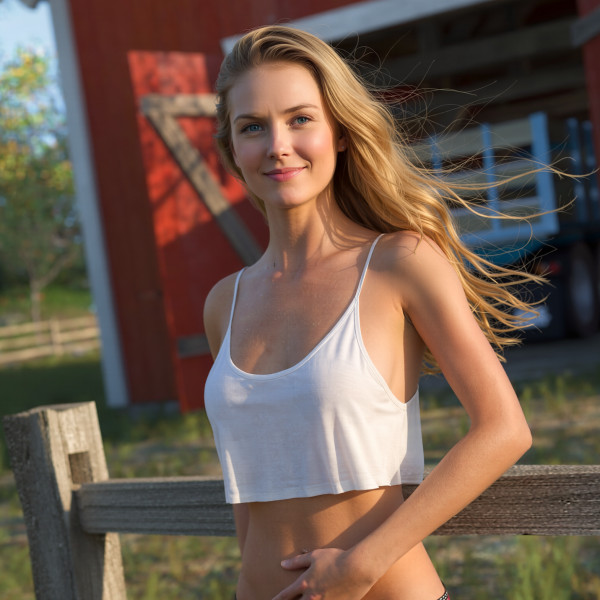
AI-Enhanced 3D Render by dirtrider00Preface: I tend to use the same characters for my shorts I like making so I need my characters to be fairly consistent.
Tested on a morphed version of Windfields Janey Hair with my normal setup lighting and a studio backdrop.
To start, I changed the hair color from blonde to black. Added the prompt: keep original hair style but change color to blonde,
Max Iray settings in Aire, gallery images in order from main: Default, gentle, balanced, stonger, and max, and original.
Took several renders with each because results were depending on the random seed I was getting.
Now I just need to fine a prompt to keep the original makeup when I change the hair color.
Tested on a morphed version of Windfields Janey Hair with my normal setup lighting and a studio backdrop.
To start, I changed the hair color from blonde to black. Added the prompt: keep original hair style but change color to blonde,
Max Iray settings in Aire, gallery images in order from main: Default, gentle, balanced, stonger, and max, and original.
Took several renders with each because results were depending on the random seed I was getting.
Now I just need to fine a prompt to keep the original makeup when I change the hair color.

Try "Don't change the makeup" in the negative guidance.
REPLY
! REPORT
Mr_Cranky
Karma: 1,429
Fri, Aug 21I just realized the Negative guidance has a lot more potential than I appreciated (Yes Val, I watched the video.)
dirtrider00
Karma: 25,827
Fri, Aug 21Yeah, I was experimenting after I posted this but was trying to control it with the regular prompting and gave up. Started another outdoor image with 2 characters and remembered about the negative prompts and that seemed to keep the secondary character in line. Did seem to help with the AI trying to add foreground shadows from non existent objects.
AI ing Iray rendered hair with Aire Multiple images
AI-Enhanced
 x2 [+]
Fri, Aug 21 128
128
 4
4
1289
4
Add to Collection

9 Likes
Share This Render


Software Used
 Daz Studio
Marketplace Items Used