


 Free 3D
 3D Print Models
 3D Scans
 Animation & MoCap
 Textures
 Materials
 Skin Reference
 2D Game Assets
 Sound Effects
 Brushes & Tools
 Reference Photos
 Stock Images
 HDR Images
 3ds Max
 Maya
Maya Blender
 Unreal Engine
 Unity
Unity ZBrush
 Cinema 4D
 LightWave
 Marmoset
 SketchUp
 FBX
FBX DAE
DAE DXF
DXF GLB
GLB


! REPORT

AIRE - Long Rest Iray Rendition
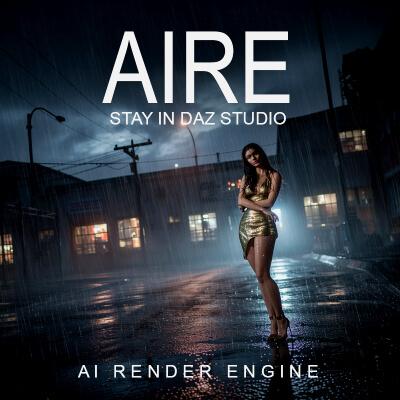
AI-Enhanced 3D Render by EvasocoldSo this is an update to Dreamlight's AIRE product. It's damn near flawless now with the Iray addition to it. I'll be getting a lot of use out it. It will more than likely rival me using the standard Iray engine now going forward, as I can start to add more things due to the prompt editor.
I tip my cap to a very well job done sir, making the impossible possible.
I tip my cap to a very well job done sir, making the impossible possible.

Holy moly, those renders look amazing! Thanks for sharing the comparisons, and also, so glad you like it, and thank you for the kind words! 
REPLY
! REPORT

Wow! This is amazing and thanks for the tutorial!
I really need to give myself a photography refresher course, at least the basics. My brain is still in Daz tone mapping mode.
I really need to give myself a photography refresher course, at least the basics. My brain is still in Daz tone mapping mode.
REPLY
! REPORT
Evasocold
Karma: 9,632
Mon, Aug 24here is a good cheat sheet that I use a part of my camera settings.
https://share.google/DjEPH2hjJsxKKMh6e
https://share.google/DjEPH2hjJsxKKMh6e
dirtrider00
Karma: 25,827
Mon, Aug 24Thank you! Hope you don't mind but I've started using some of your prompting wording for the camera setup so I can actually experiment with the settings and see the difference when I change some of the actual camera lens settings and such.
Evasocold
Karma: 9,632
Mon, Aug 24no problem. good luck with it all. I'm still learning prompt too. The camera prompt seems to work pretty well with the renders I get. Even the ones I didn't upload here. The rest is just shooting into the dark and seeing what happens.
dirtrider00
Karma: 25,827
Mon, Aug 24Thanks! Just using the setup and reference pertaining to the AI using the camera settings. Seems to be working from what I can tell in terms of lighting and back ground blurring depending on my setting prompts.

ErosInteractive
Karma: 391
Fri, Aug 28Belatedly, this conversation is fantastic. Appreciate the cheat sheet and tips!
AIRE - Long Rest Iray Rendition
AI-Enhanced
[+] Give Award


Sun, Aug 23 110
110
 7
7
1105
7
Add to Collection

5 Likes
Share This Render


Software Used
 Adobe Photoshop
 Daz Studio
 Nvidia Iray Render
Marketplace Items Used
Artist Stats
Member Since:
Karma:
Followers:
Likes Received:
Karma:
Followers:
Likes Received:
Jan, 2020
9,632
66
1,403
9,632
66
1,403
Gallery Images:
Wallpaper Images:
Forum Topics:
Marketplace Items:
Wallpaper Images:
Forum Topics:
Marketplace Items:
128
0
3
0
0
3
0

235

46

7

1


