Free 3D
 3D Print Models
 3D Scans
 Animation & MoCap
 Textures
 Materials
 Skin Reference
 2D Game Assets
 Sound Effects
 Brushes & Tools
 Reference Photos
 Stock Images
 HDR Images
 3ds Max
 Maya
Maya Blender
 Unreal Engine
 Unity
Unity ZBrush
 Cinema 4D
 LightWave
 Marmoset
 SketchUp
 FBX
FBX DAE
DAE DXF
DXF GLB
GLB


! REPORT

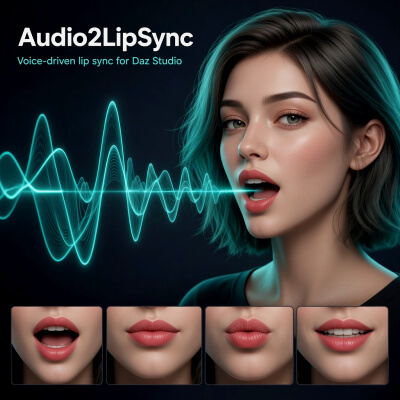
Audio2LipSync Lip Sync from Audio for DAZ Studio
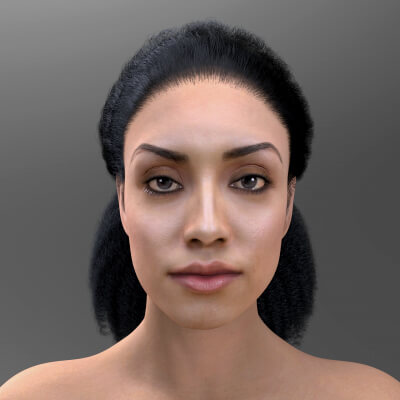
3D Render by intenzoTurn WAV, MP3 or OGG into viseme-driven lip sync for Daz Studio. Preview the mouth, tune timing, export JSON, key Genesis 8 / 8.1 / 9.
Audio2LipSync takes a voice recording and turns it into keyframed lip sync on Genesis 8, Genesis 8.1 and Genesis 9 in Daz Studio.
Open an audio file, run speech analysis, and you get a waveform with viseme blocks, a live 2D mouth preview, and Play along the clip. Tune intensity and timing, export JSON, then run the included Daz script — official mouth controls on the selected figure are keyed in one Undo.
What it does
• Source: WAV, OGG, MP3, FLAC, M4A
• Speech analysis: English (PocketSphinx) or Other language (Phonetic)
• Waveform + colored Preston Blair visemes (A–H + rest)
• 2D mouth preview (same weights that go to Daz)
• Play / Pause and click-to-seek
• Tuning without re-analysis: Intensity, Attack, Release, Lead, Key FPS
• JSON export + Daz import script
What you get in Daz
• Mouth keys only (jaw, lips, pucker, tongue — not brows or gaze)
• Auto-detect Genesis 8 / 8.1 / 9
• FACS Units on G9 / G8.1, Pose Controls > Head (eCTRL) on G8
• Match log Audio2LipSync_daz_match.txt
• Import is a single Undo
How to use
Open Audio → pick recognizer → Analyze
Play, then tune if needed
Export JSON
In Daz: select the figure → Execute Audio2LipSync_Import.dsa → pick the JSON
Audio2LipSync takes a voice recording and turns it into keyframed lip sync on Genesis 8, Genesis 8.1 and Genesis 9 in Daz Studio.
Open an audio file, run speech analysis, and you get a waveform with viseme blocks, a live 2D mouth preview, and Play along the clip. Tune intensity and timing, export JSON, then run the included Daz script — official mouth controls on the selected figure are keyed in one Undo.
What it does
• Source: WAV, OGG, MP3, FLAC, M4A
• Speech analysis: English (PocketSphinx) or Other language (Phonetic)
• Waveform + colored Preston Blair visemes (A–H + rest)
• 2D mouth preview (same weights that go to Daz)
• Play / Pause and click-to-seek
• Tuning without re-analysis: Intensity, Attack, Release, Lead, Key FPS
• JSON export + Daz import script
What you get in Daz
• Mouth keys only (jaw, lips, pucker, tongue — not brows or gaze)
• Auto-detect Genesis 8 / 8.1 / 9
• FACS Units on G9 / G8.1, Pose Controls > Head (eCTRL) on G8
• Match log Audio2LipSync_daz_match.txt
• Import is a single Undo
How to use
Open Audio → pick recognizer → Analyze
Play, then tune if needed
Export JSON
In Daz: select the figure → Execute Audio2LipSync_Import.dsa → pick the JSON
Audio2LipSync Lip Sync from Audio for DAZ Studio
[+] Give Award


Fri, Sep 11 56
56
 0
0
565
0
Add to Collection

5 Likes
Share This Render


Software Used
 Daz Studio
Marketplace Items Used