Free 3D
 3D Print Models
 3D Scans
 Animation & MoCap
 Textures
 Materials
 Skin Reference
 2D Game Assets
 Sound Effects
 Brushes & Tools
 Reference Photos
 Stock Images
 HDR Images
 3ds Max
 Maya
Maya Blender
 Unreal Engine
 Unity
Unity ZBrush
 Cinema 4D
 LightWave
 Marmoset
 SketchUp
 FBX
FBX DAE
DAE DXF
DXF GLB
GLB

! REPORT

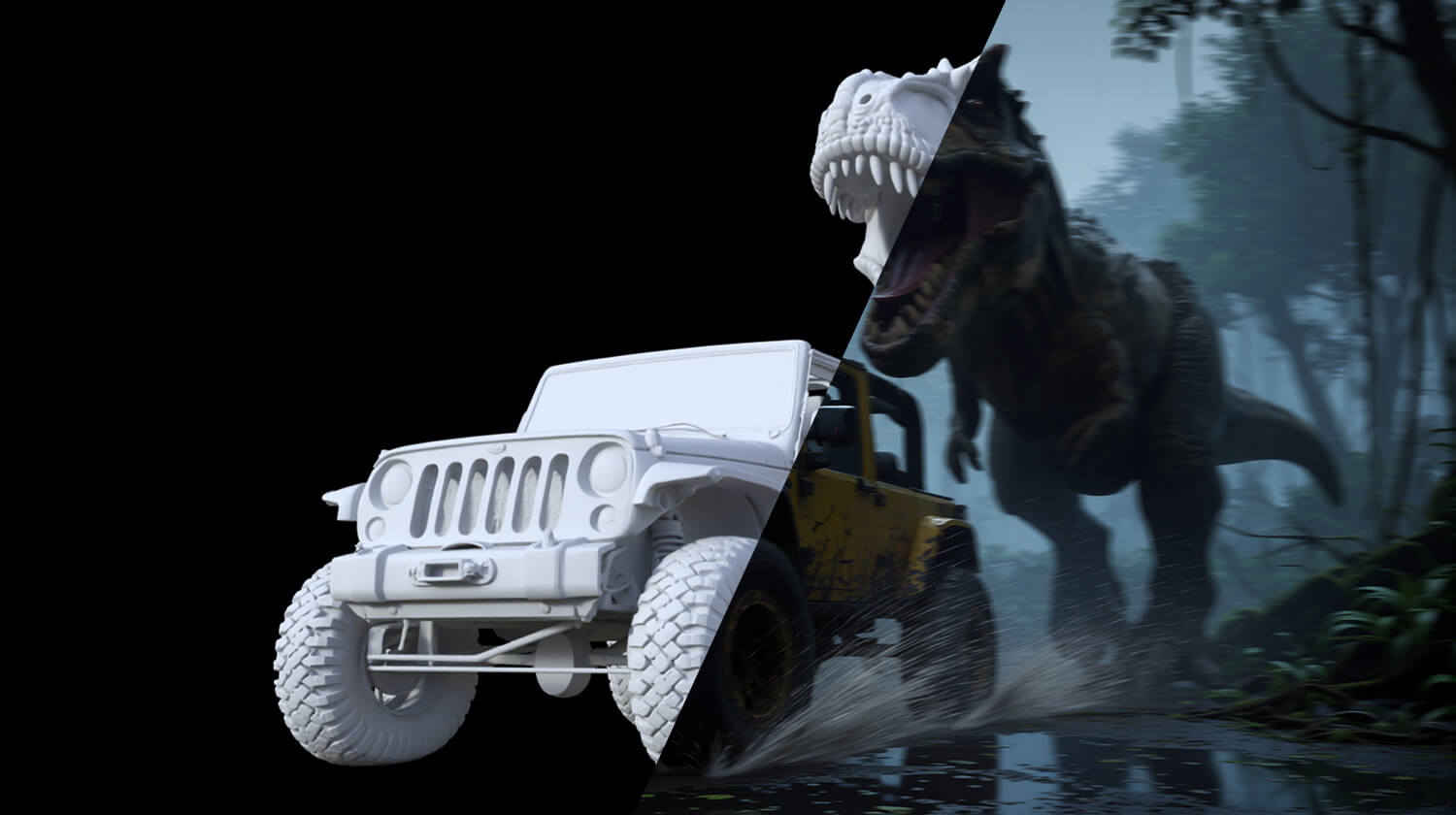
Floor It!
AI-Enhanced 3D Render by DreamlightA DAZ Studio render using AIRE 1.2 enhanced camera framing matching, featuring a jeep and t-rex from the AIRE Elements packs, designed for ultra quick camera framing and object placement control with AIRE. Motion blur and mud-splash applied using AIRE 1.2 new post-render quick Edit mode. Thanks for watching!
See more here:
https://www.renderhub.com/dreamlight/aire-ai-render-engine-daz-studio
https://www.renderhub.com/dreamlight/aire-elements-cars-vol-1-daz-studio
https://www.renderhub.com/dreamlight/aire-elements-cinematic-creatures-vol-1-daz-studio
See more here:
https://www.renderhub.com/dreamlight/aire-ai-render-engine-daz-studio
https://www.renderhub.com/dreamlight/aire-elements-cars-vol-1-daz-studio
https://www.renderhub.com/dreamlight/aire-elements-cinematic-creatures-vol-1-daz-studio

I like the look of this, but do i need to download and run Comfy UI on my pc? do you show how to do this in a tutorial with the software? if not are there links to where to do this? i did notice that it said something about Comfy UI and AMD being an issue, Don't really want to fork out for this just to find out this is only a program that links to another program that doesnt work.
REPLY
! REPORT

dirtrider00
Karma: 25,827
Mon, Sep 28Not really sure about the AMD side of things, but Comfy UI is a separate free download, no registration required. Just need to download and set it up. Think I just did a search for it and found it that way. Pretty sure you could find more info on it at the Comfy UI website as to whether it runs with an AMD card.
Dreamlight
Karma: 24,201
Mon, Sep 28Hi there, yes, ComfyUI needs to be installed locally. It's pretty straight forward, and their installation is automatic. Currently, RTX graphics cards are required to run AIRE. You could try downloading ComfyUI (it's free), and just test it on your system before getting AIRE...

Floor It!
AI-Enhanced
[+] Give Award


Sun, Sep 27 113
113
 5
5
11328
5
Add to Collection

28 Likes
Share This Render


Software Used
 Daz Studio
Marketplace Items Used