


 Free 3D
 3D Print Models
 3D Scans
 Animation & MoCap
 Textures
 Materials
 Skin Reference
 2D Game Assets
 Sound Effects
 Brushes & Tools
 Reference Photos
 Stock Images
 HDR Images
 3ds Max
 Maya
Maya Blender
 Unreal Engine
 Unity
Unity ZBrush
 Cinema 4D
 LightWave
 Marmoset
 SketchUp
 FBX
FBX DAE
DAE DXF
DXF GLB
GLBLuxe's DAZ Content Manager

5.0 Stars |1 Rating


! REPORT
NOTE: DIGITAL DOWNLOAD, NOT A PHYSICAL ITEM

Add to Collection

8 Likes
Share This Daz Content


Offered By


License
Extended Use License
This item comes with our Extended Use Licensing. This means that you may use the model for both non-commercial and commercial purposes, in a variety of mediums and applications.
For full license terms, see our 3D Content Licensing Agreement
Item Details
| Vendor: | Luxe Muse |
| Published: | Sep 06, 2026 |
| Download Size: | 71.9 MB |
| Software: | Daz Studio |
| dForce: | – |
Included Formats

Statistics
| Favorites: | 3 |
| Likes: | 8 |
| Views: | 637 |
Item Ratings
1 Rating5 Stars|Oct 14, 2026
I am finding this an invaluable tool for managing and collating my content which is currently spread over a number of drives. The Creator of this product has implemented many improvements since the original release so would recommend for people with a large catalogue of items that havent necessarily already been installed into Daz
Luxe's DAZ Content Manager
A desktop app for organizing and deploying a DAZ 3D content library that has outgrown its folders.
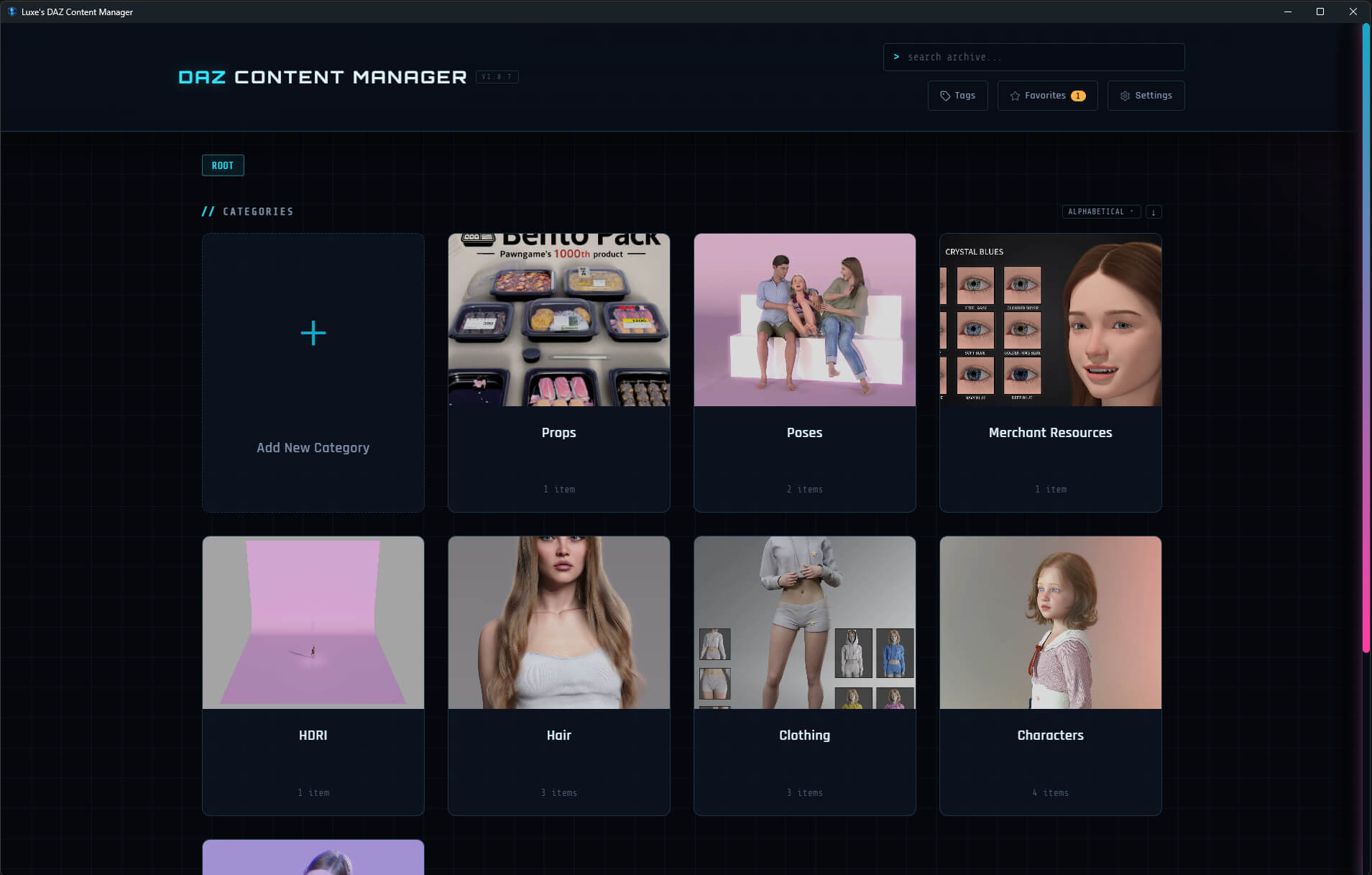
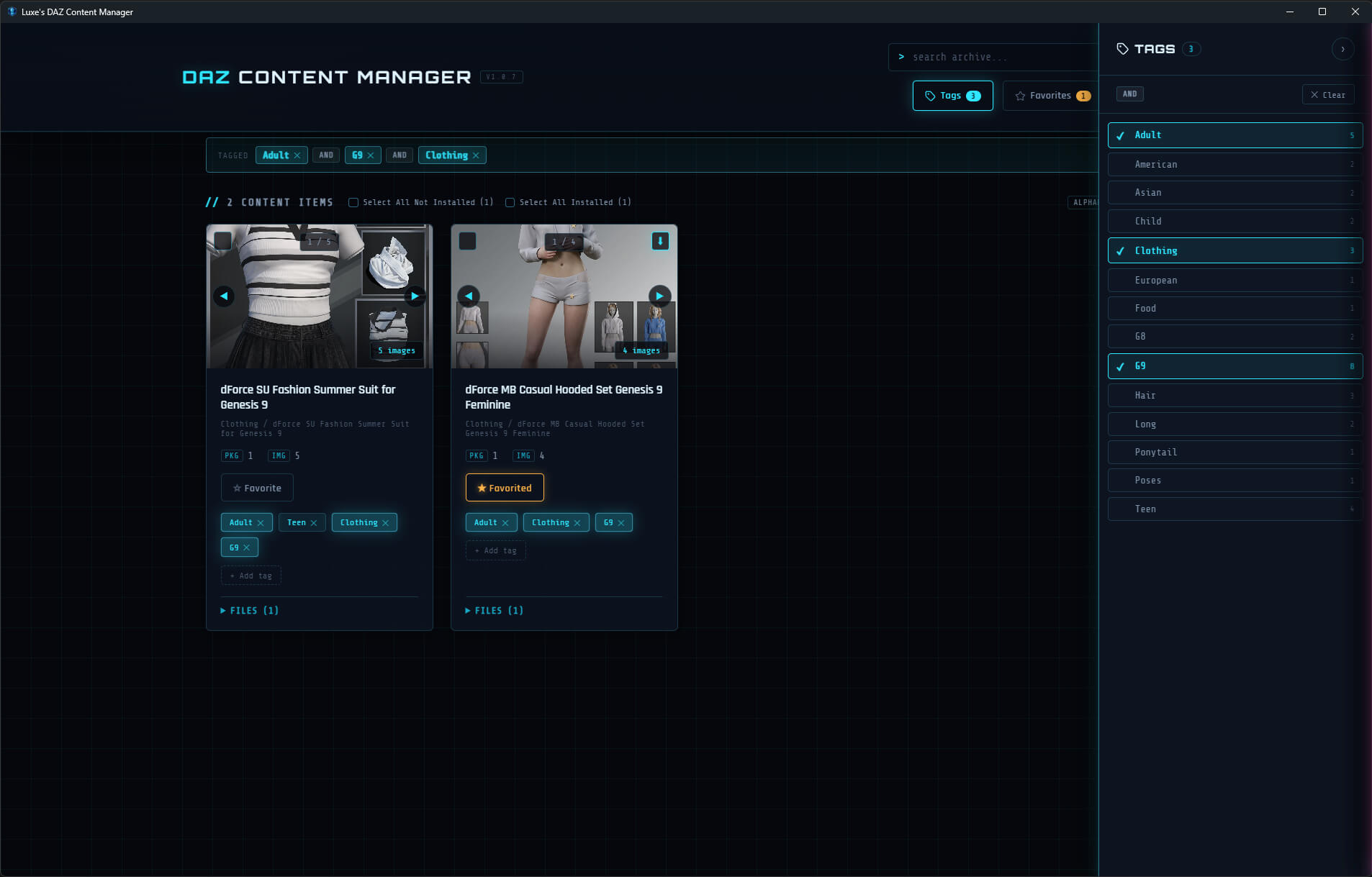
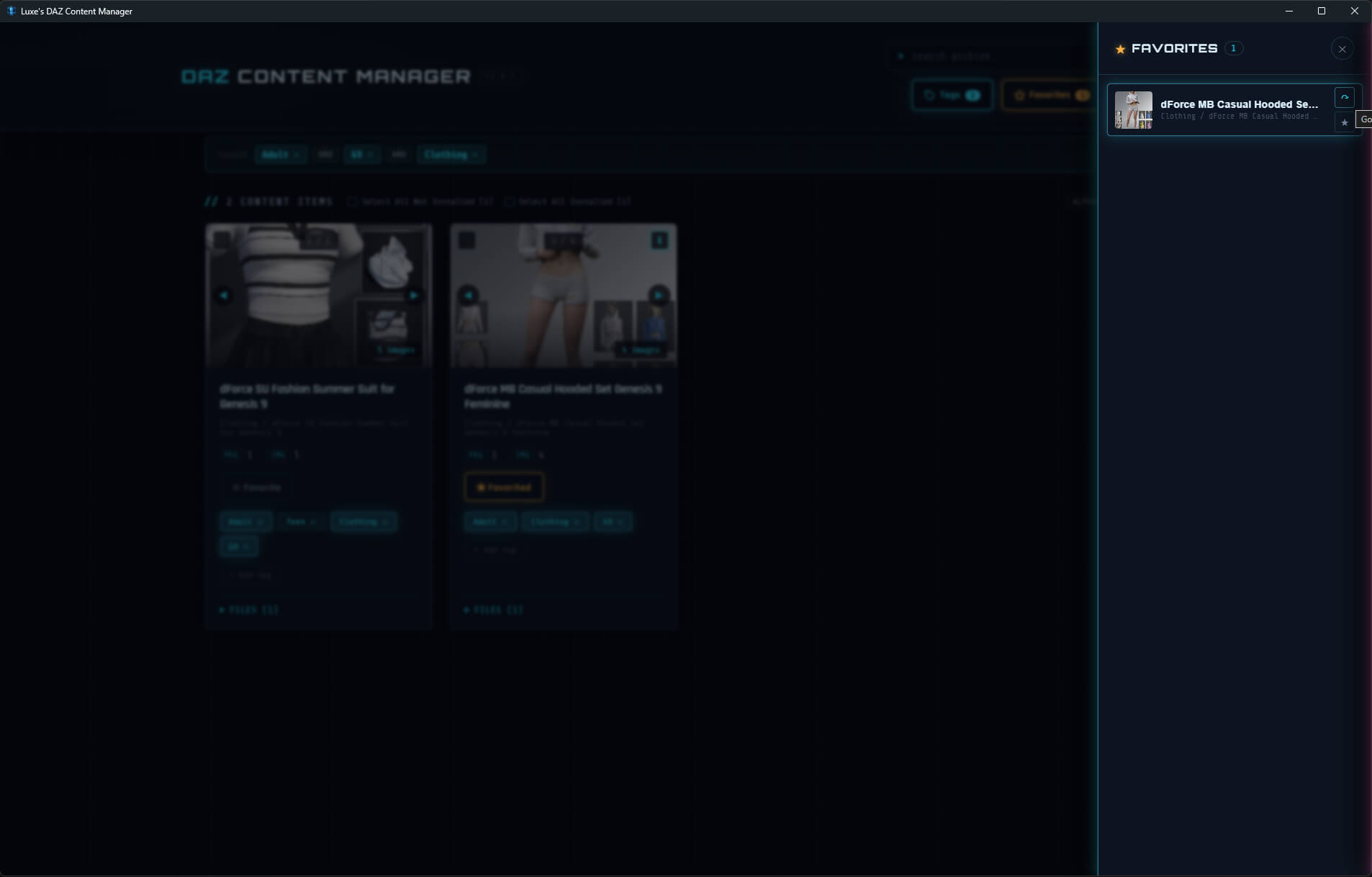
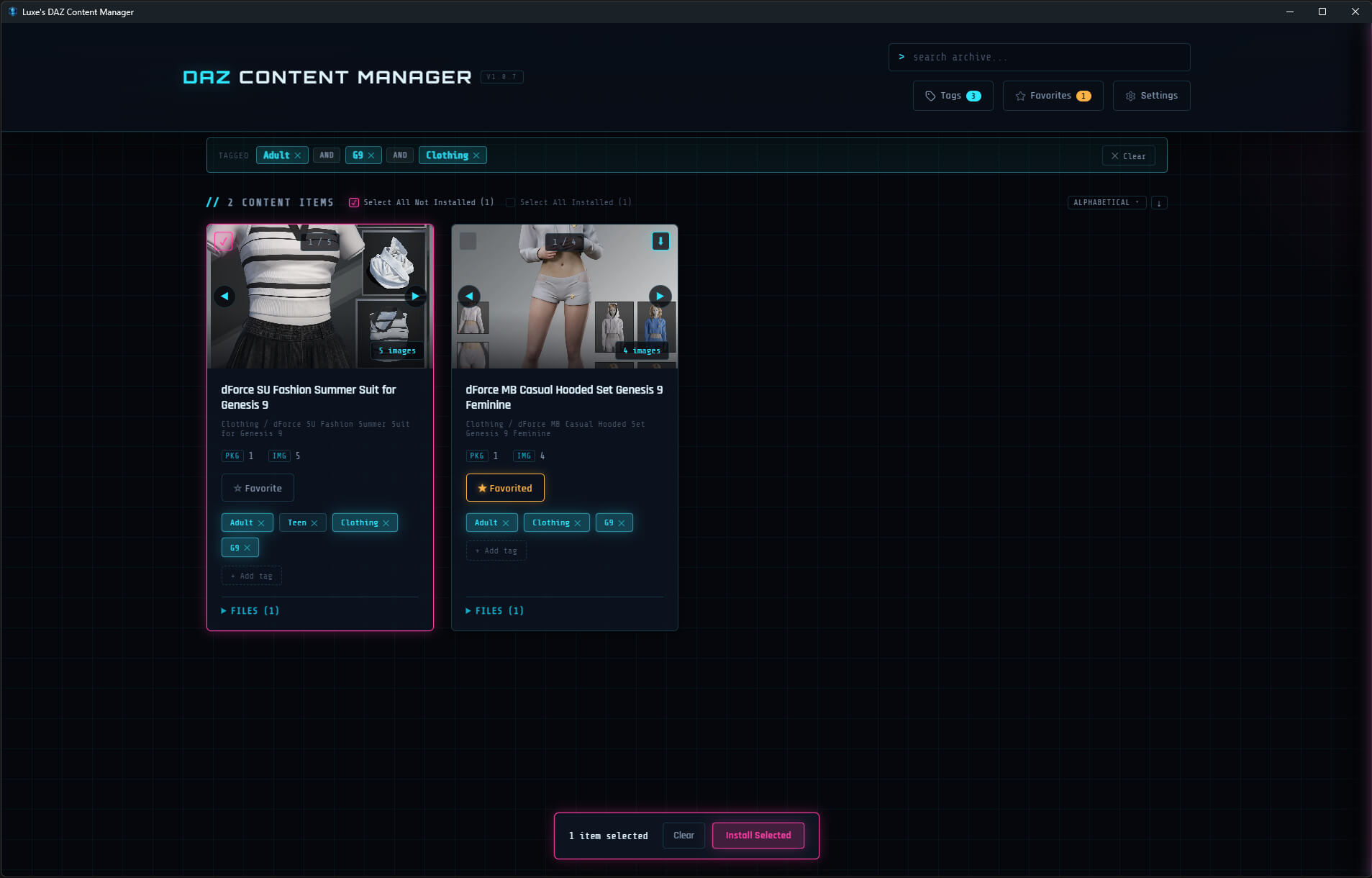
Point it at your content directories and it builds a visual catalog on its own. Every product appears as a card with its preview images and packaged archives, arranged by the category structure you already have on disk. You do not have to tag anything to get started. When you want to, you can add your own tags and star favorites so the shortcuts you actually use sit on top of the library you already own.
I use it every day. I never liked living with bloated DAZ folders, and Luxe is obsessed with keeping her libraries in order. That is why my better half made this for me. It grew from a house tool into something we feel ready to share with the community.
What you can do with it:
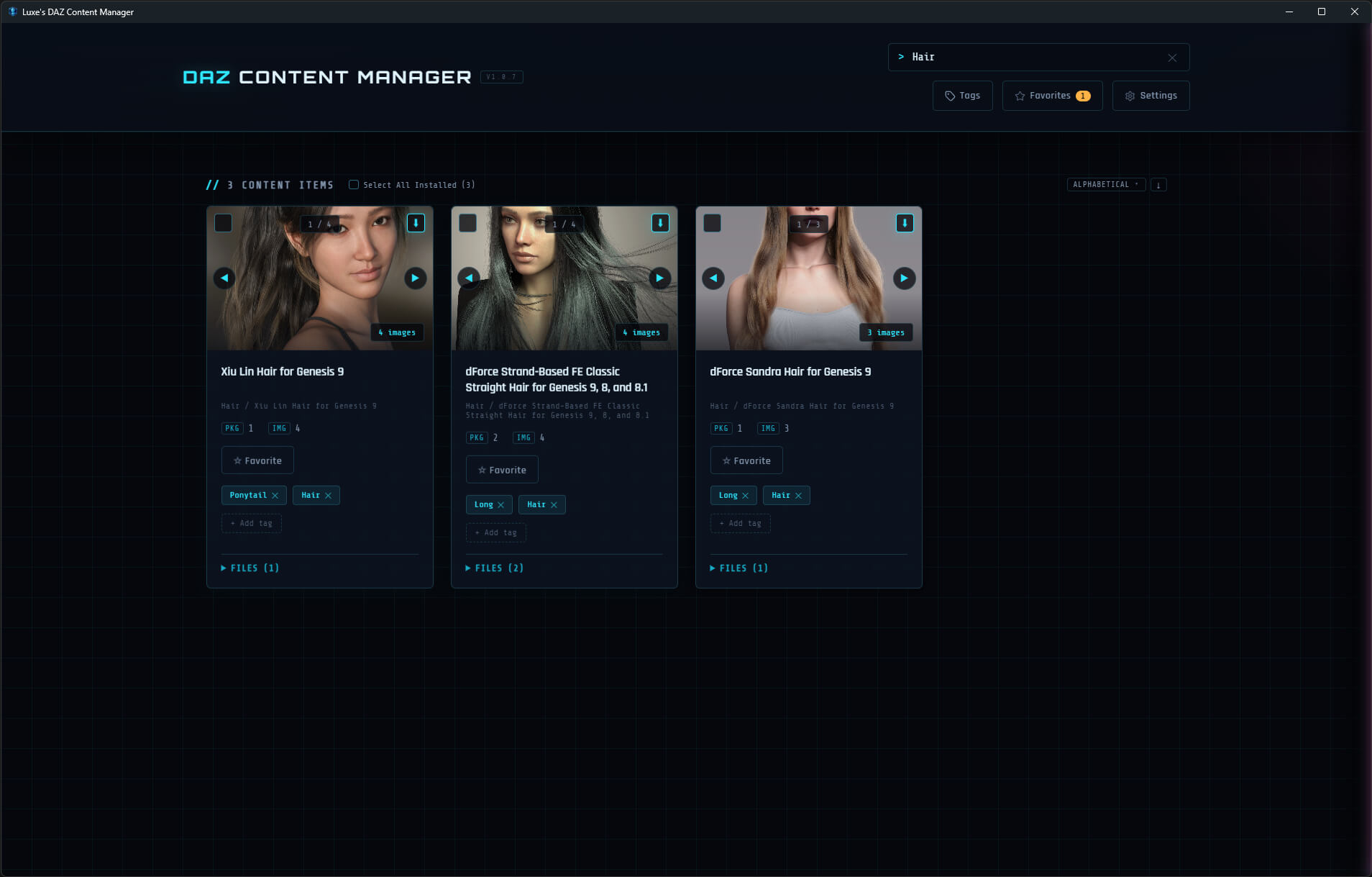
1. Browse and search the whole library. Drill into categories, or filter by name, until the thing you remember is actually in front of you.
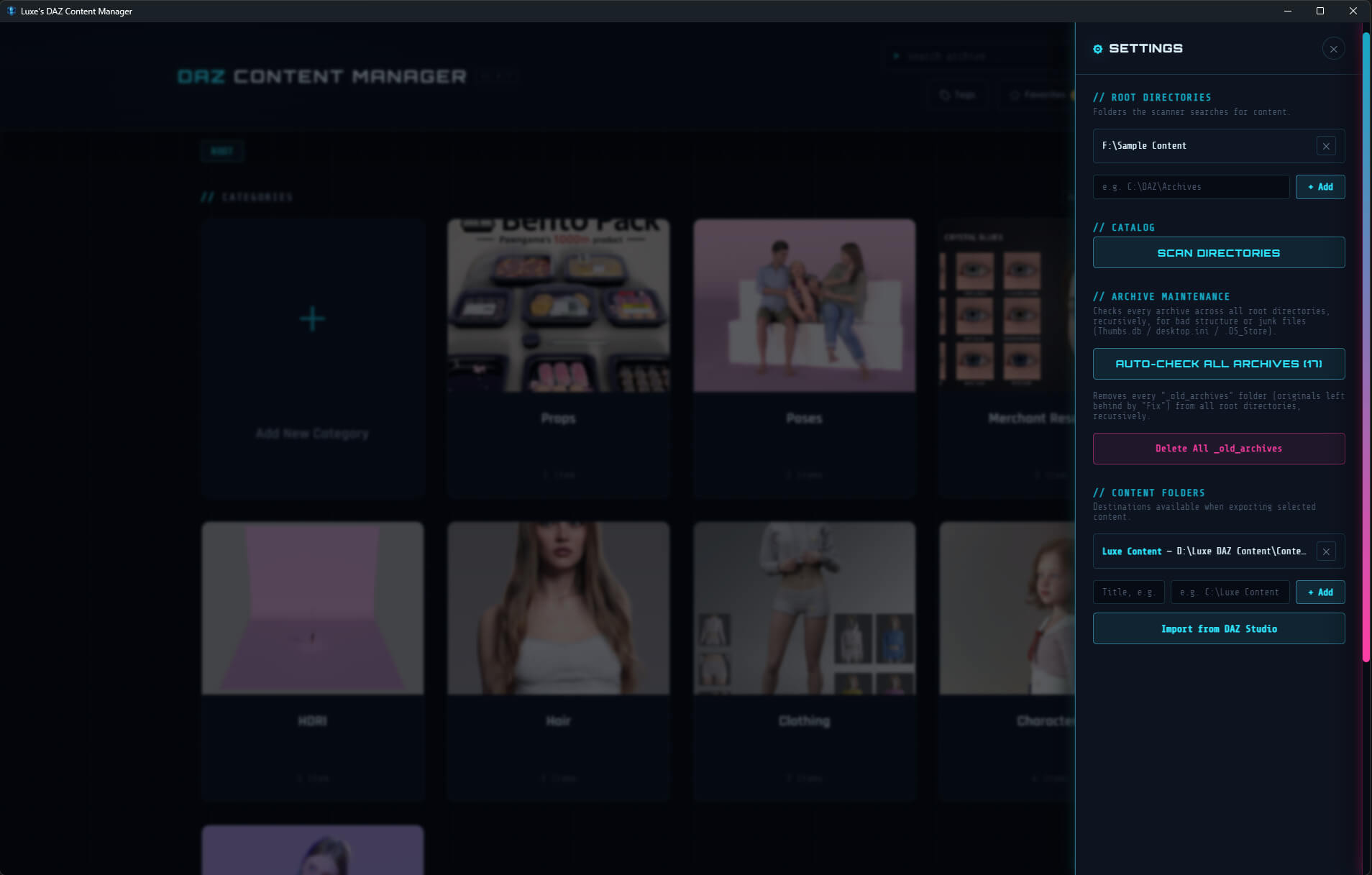
2. Export selected content straight into a Studio library folder. Tick the items on their cards, choose a destination, and the app copies them there.
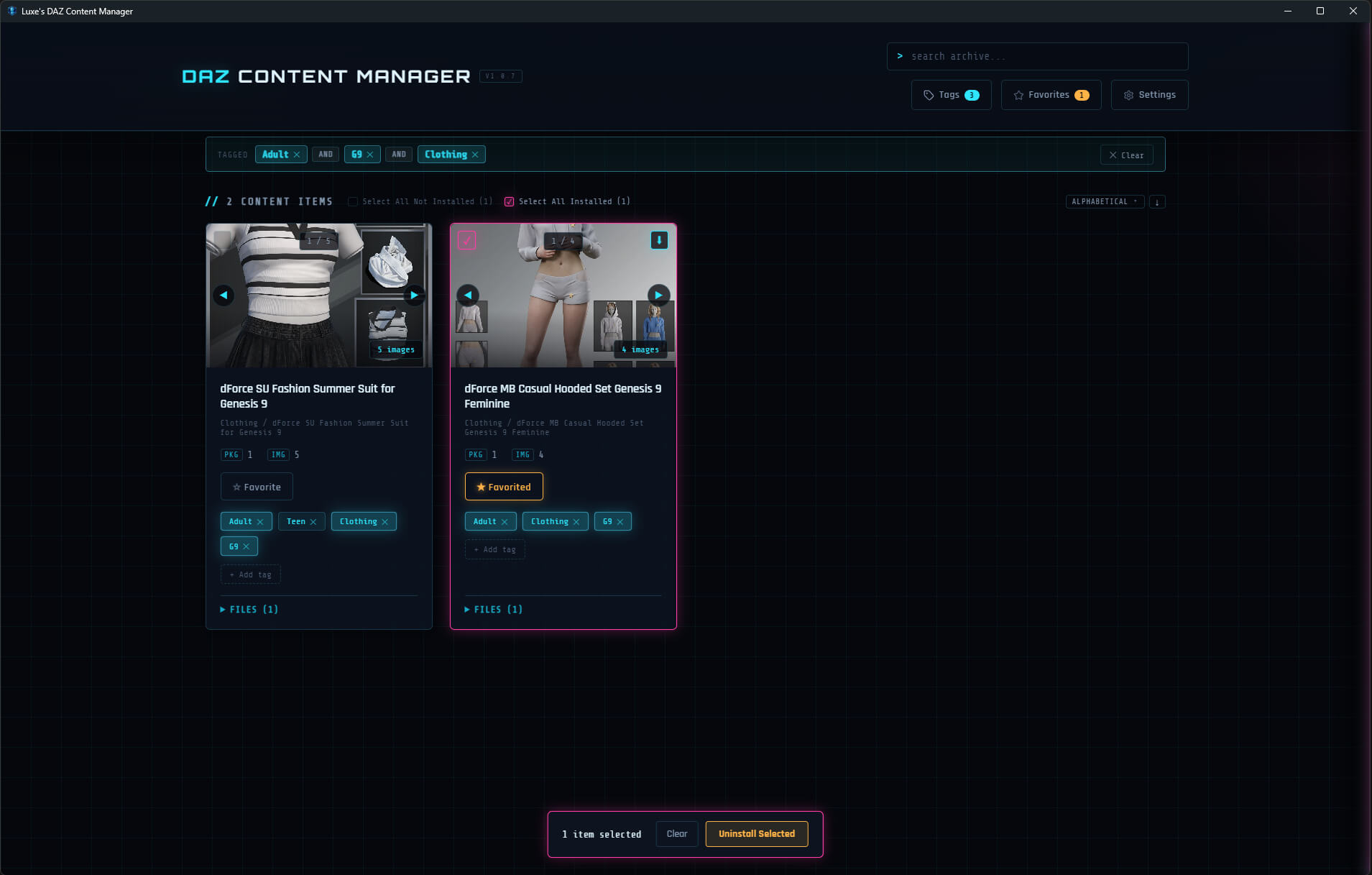
3. Keep track of installs. The app remembers what is already installed, and where, so taking it back out is just as easy as putting it in.
4. Catch packages that do not follow DAZ Studio’s expected layout. It flags zip, rar, and 7z files that unpack into a mess, then repacks them into a clean structure in one click, with the original set safely aside.
5. Stay on your machine. No cloud account, no upload. Just a friendly face on the folders you already own.
It is for the person with thousands of DAZ purchases scattered across drives who wants to find things again, and move them where they need to go, without digging through nested zip files by hand.
As it stands, only Windows is supported, but support for Mac will be added if interest builds.
For updates and tutorials, please visit: luxes-daz-content-manager
For support, please visit: luxe-muse-support-and-updates
Point it at your content directories and it builds a visual catalog on its own. Every product appears as a card with its preview images and packaged archives, arranged by the category structure you already have on disk. You do not have to tag anything to get started. When you want to, you can add your own tags and star favorites so the shortcuts you actually use sit on top of the library you already own.
I use it every day. I never liked living with bloated DAZ folders, and Luxe is obsessed with keeping her libraries in order. That is why my better half made this for me. It grew from a house tool into something we feel ready to share with the community.
What you can do with it:
1. Browse and search the whole library. Drill into categories, or filter by name, until the thing you remember is actually in front of you.
2. Export selected content straight into a Studio library folder. Tick the items on their cards, choose a destination, and the app copies them there.
3. Keep track of installs. The app remembers what is already installed, and where, so taking it back out is just as easy as putting it in.
4. Catch packages that do not follow DAZ Studio’s expected layout. It flags zip, rar, and 7z files that unpack into a mess, then repacks them into a clean structure in one click, with the original set safely aside.
5. Stay on your machine. No cloud account, no upload. Just a friendly face on the folders you already own.
It is for the person with thousands of DAZ purchases scattered across drives who wants to find things again, and move them where they need to go, without digging through nested zip files by hand.
As it stands, only Windows is supported, but support for Mac will be added if interest builds.
For updates and tutorials, please visit: luxes-daz-content-manager
For support, please visit: luxe-muse-support-and-updates
Categories
