


 Free 3D
 3D Print Models
 3D Scans
 Animation & MoCap
 Textures
 Materials
 Skin Reference
 2D Game Assets
 Sound Effects
 Brushes & Tools
 Reference Photos
 Stock Images
 HDR Images
 3ds Max
 Maya
Maya Blender
 Unreal Engine
 Unity
Unity ZBrush
 Cinema 4D
 LightWave
 Marmoset
 SketchUp
 FBX
FBX DAE
DAE DXF
DXF GLB
GLBDOF One Click for DAZ 3D

Not Rated Yet


! REPORT
NOTE: DIGITAL DOWNLOAD, NOT A PHYSICAL ITEM

Add to Collection

3 Likes
Share This Daz Content


Offered By

Retired back-end dev , I'm here to help feel free to message me for anything custom you may need regarding daz or blender , cheers.

License
Extended Use License (IP Restricted)
This item comes with our Extended Use Licensing. This means that you may use the model in a variety of mediums and applications. But, because certain intellectual property depicted in this model may not be affiliated with or endorsed by the original rights holder, this model is subject to an Editorial Use Only Restriction which limits the ways in which you may use this model.
For full license terms, see our 3D Content Licensing Agreement
Item Details
| Vendor: | PulseHavenStudios |
| Published: | Oct 15, 2026 |
| Download Size: | 104.6 KB |
| Software: | Daz Studio |
| Compatible Figures: | Genesis 8 Female Genesis 8.1 Female Genesis 9 Genesis 3 Female |
| dForce: | – |
Included Formats

Statistics
| Favorites: | 3 |
| Likes: | 3 |
| Views: | 268 |
Item Ratings
Not Rated Yet
DOF One Click for DAZ 3D
DOF One Click: Instant Depth of Field Daz 3D
Enable DOF, guess the focal distance, render a test, find the face soft, tweak the f-stop, render again: ten minutes gone on something that should have taken ten seconds. DOF One Click deletes that routine. Run the script, choose what the camera should focus on, and get a polished, photographic falloff on the first try.
Perfect for: Portraits and close-ups; half-body and full-character cinematic shots; prop and product hero renders; and any story frame where the background should support the subject instead of competing with it.
WHAT IT DOES
One-Click DOF Setup: Turns on depth of field and aims focus at the subject you choose; no manual focal distance, no f-stop roulette.
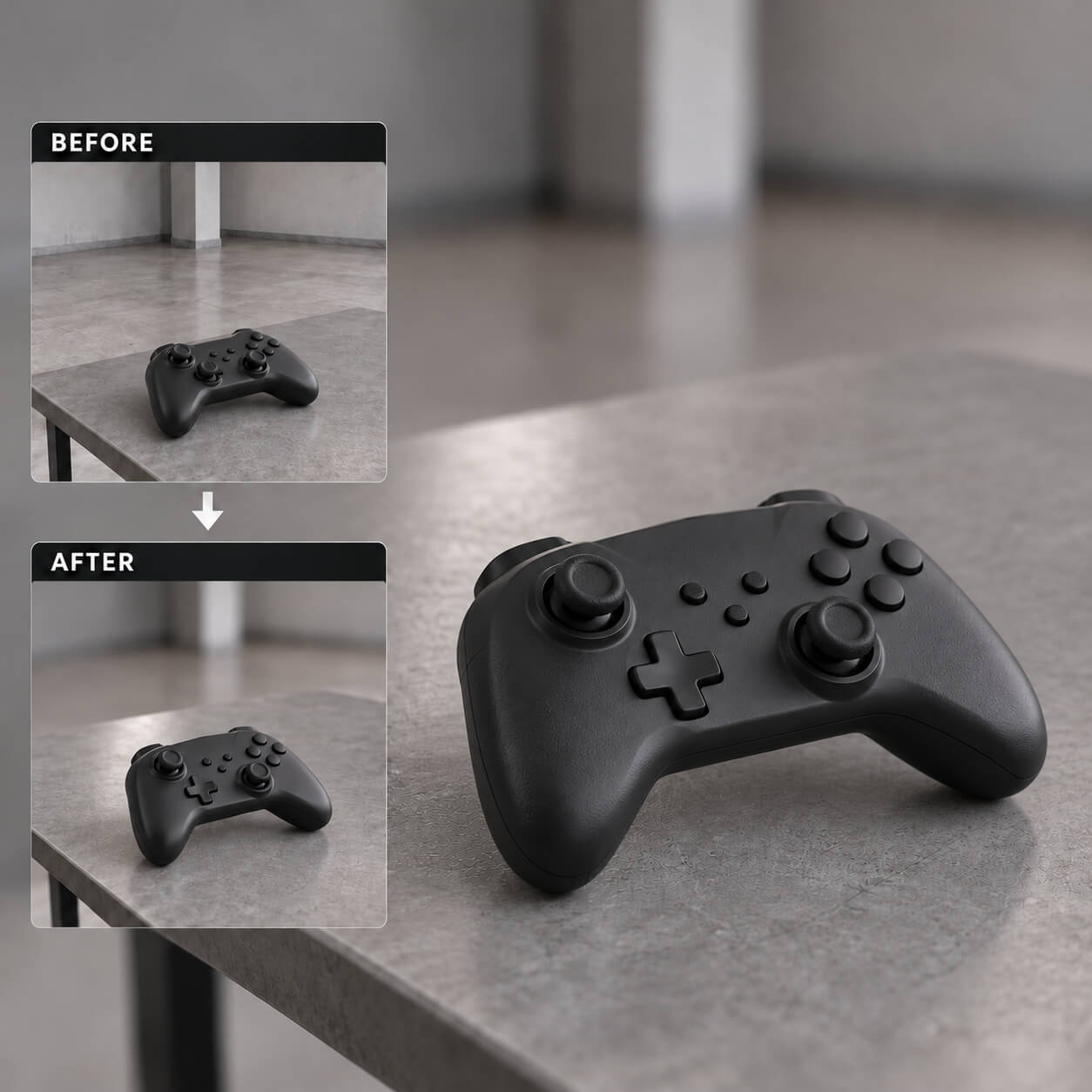
Subject-Aware Focus: Point it at a face, a torso, a full figure, or a prop on a desk; the script locks focus where your story is.
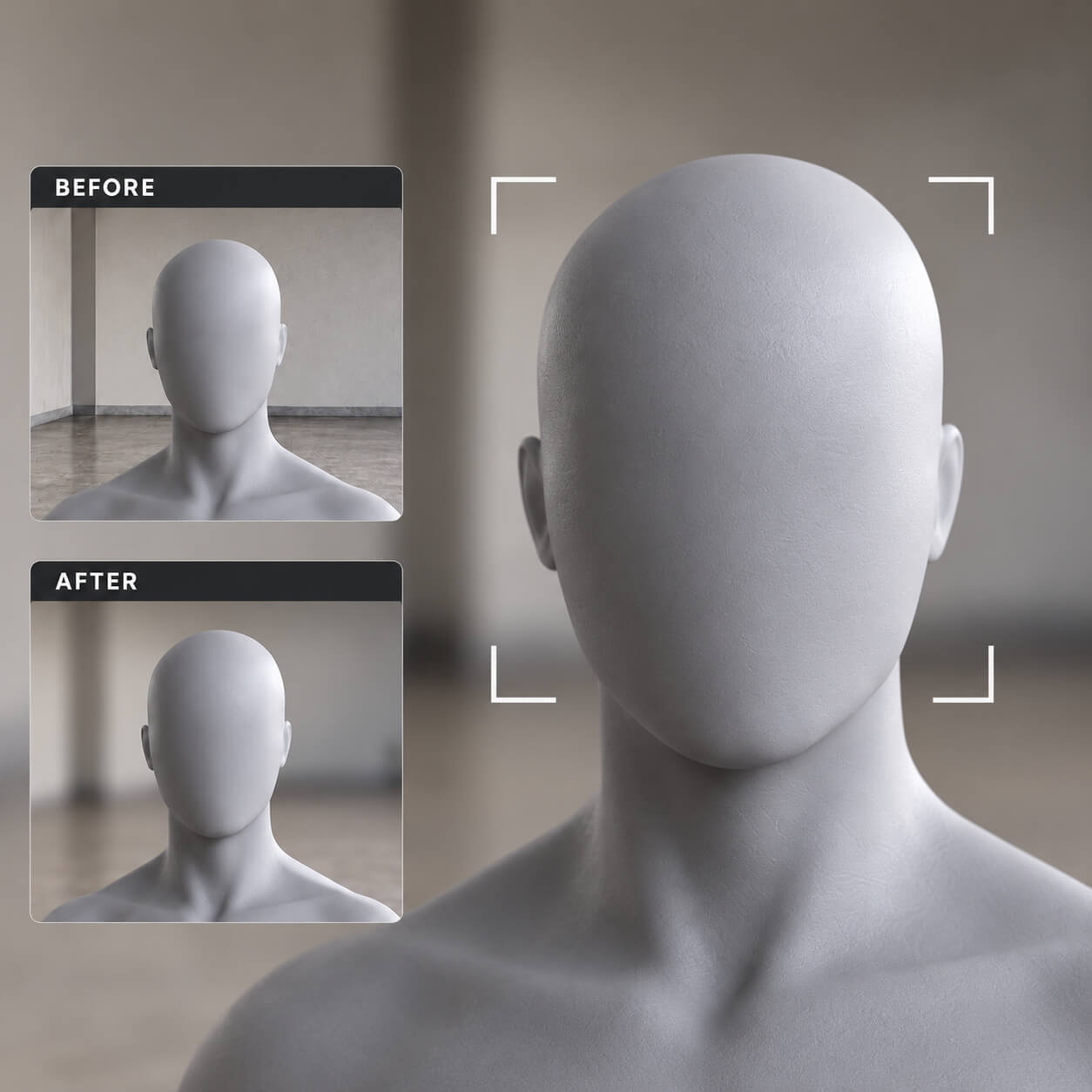
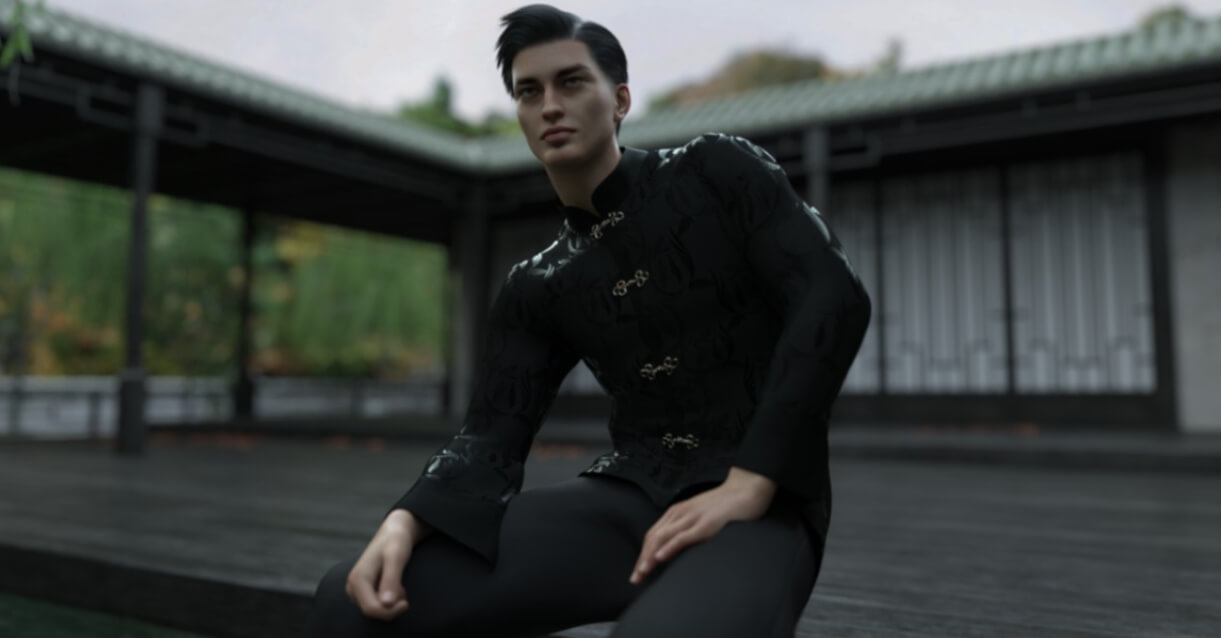
Shot-Tuned Blur: Close-ups get a shallow, cinematic falloff while wider character shots keep the subject crisp and let the background melt away. Compare the before/after images above: same camera, same scene, one click.
Repeatable Results: The same clean falloff every time you run it, in any scene, so a ten-shot sequence stays visually consistent.
HOW IT WORKS
Select your subject, run the script, render. Focus and depth of field are set for you; keep moving to the next shot.
USE CASES
Portraits and close-ups with creamy background falloff
Half-body and full-character cinematic angles
Prop and product renders that need hero focus
Story renders where the environment should glow softly behind your subject
LICENSE
Extended Use License: usable for both non-commercial and commercial renders, illustrations, and publications. See full 3D Content Licensing Agreement for terms.
EXPAND YOUR WORLD (Related Assets)
Japanese Neighbourhood Block: Put your sharply focused character into cherry-blossom streets: japanese-neighbourhood-block-daz-3d
POV One Click: Turn any character into a first-person camera instantly: pov-one-click-script-daz-3d
DOF One Click: The script on this page, and your shortcut to cinematic focus: dof-one-click-for-daz-3d
One Click Clothing Color Changer: Recolor outfits on the fly to match the mood: one-click-clothing-color-changer-for-daz-3d
Enable DOF, guess the focal distance, render a test, find the face soft, tweak the f-stop, render again: ten minutes gone on something that should have taken ten seconds. DOF One Click deletes that routine. Run the script, choose what the camera should focus on, and get a polished, photographic falloff on the first try.
Perfect for: Portraits and close-ups; half-body and full-character cinematic shots; prop and product hero renders; and any story frame where the background should support the subject instead of competing with it.
WHAT IT DOES
One-Click DOF Setup: Turns on depth of field and aims focus at the subject you choose; no manual focal distance, no f-stop roulette.
Subject-Aware Focus: Point it at a face, a torso, a full figure, or a prop on a desk; the script locks focus where your story is.
Shot-Tuned Blur: Close-ups get a shallow, cinematic falloff while wider character shots keep the subject crisp and let the background melt away. Compare the before/after images above: same camera, same scene, one click.
Repeatable Results: The same clean falloff every time you run it, in any scene, so a ten-shot sequence stays visually consistent.
HOW IT WORKS
Select your subject, run the script, render. Focus and depth of field are set for you; keep moving to the next shot.
USE CASES
Portraits and close-ups with creamy background falloff
Half-body and full-character cinematic angles
Prop and product renders that need hero focus
Story renders where the environment should glow softly behind your subject
LICENSE
Extended Use License: usable for both non-commercial and commercial renders, illustrations, and publications. See full 3D Content Licensing Agreement for terms.
EXPAND YOUR WORLD (Related Assets)
Japanese Neighbourhood Block: Put your sharply focused character into cherry-blossom streets: japanese-neighbourhood-block-daz-3d
POV One Click: Turn any character into a first-person camera instantly: pov-one-click-script-daz-3d
DOF One Click: The script on this page, and your shortcut to cinematic focus: dof-one-click-for-daz-3d
One Click Clothing Color Changer: Recolor outfits on the fly to match the mood: one-click-clothing-color-changer-for-daz-3d
