Free 3D
 3D Print Models
 3D Scans
 Animation & MoCap
 Textures
 Materials
 Skin Reference
 2D Game Assets
 Sound Effects
 Brushes & Tools
 Reference Photos
 Stock Images
 HDR Images
 3ds Max
 Maya
Maya Blender
 Unreal Engine
 Unity
Unity ZBrush
 Cinema 4D
 LightWave
 Marmoset
 SketchUp
 FBX
FBX DAE
DAE DXF
DXF GLB
GLB


! REPORT

Freeze the Seed!
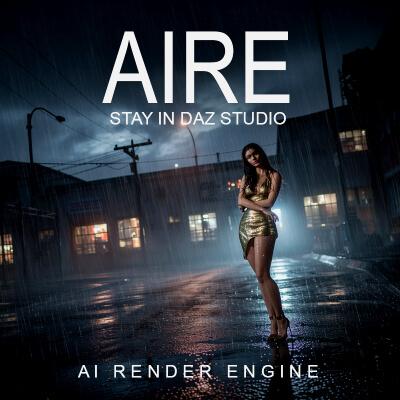
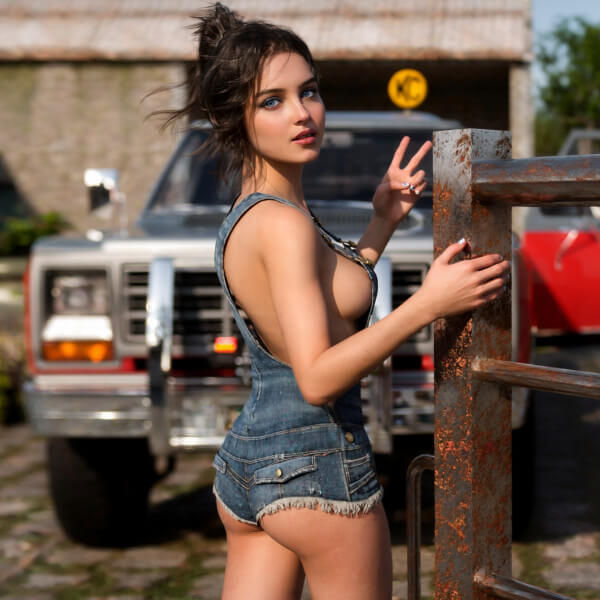
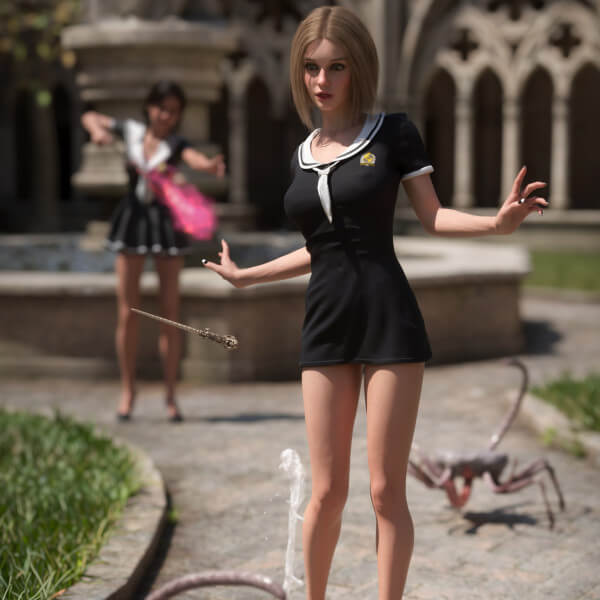
AI-Enhanced 3D Render by dirtrider00Spent most of last night and this morning testing camera settings with a prompt to basically use the Daz Studio camera, ( 65mm f/16 lens, etc) with no luck.
On the positive side:
Set your scene up, set your camera up, set Aire to Iray max (if using iray) and default, default, randomized. Do some test renders till the lighting, framing, and character look acceptable, then go into the Aire settings and switch randomized to fixed.
I found the lighting, character and framing stayed mostly consistent, (good if your doing a scene that needs multiple renders while keeping the character and lighting consistent). Even worked when switching to balanced as long as you continued to use balanced setting.
Tone mapping prompts were the quickest way to change the feel of the scene. I used warm, natural, cool, and filmic (who knew) with really good consistent results!
Prompt was literally , tone mapping warm,
Most of my testing stemmed from this: https://www.renderhub.com/gallery/101164/aire-long-rest-iray-rendition
Big thanks to Evasocold even though the results weren't all positive, I learned alot through testing!
On the positive side:
Set your scene up, set your camera up, set Aire to Iray max (if using iray) and default, default, randomized. Do some test renders till the lighting, framing, and character look acceptable, then go into the Aire settings and switch randomized to fixed.
I found the lighting, character and framing stayed mostly consistent, (good if your doing a scene that needs multiple renders while keeping the character and lighting consistent). Even worked when switching to balanced as long as you continued to use balanced setting.
Tone mapping prompts were the quickest way to change the feel of the scene. I used warm, natural, cool, and filmic (who knew) with really good consistent results!
Prompt was literally , tone mapping warm,
Most of my testing stemmed from this: https://www.renderhub.com/gallery/101164/aire-long-rest-iray-rendition
Big thanks to Evasocold even though the results weren't all positive, I learned alot through testing!


dirtrider00
Karma: 25,827
Wed, Aug 26Haha, gotta learn one way or another and hands on has always worked best for me. 
Been playing around some more and it seems adding: capture via daz studio 3d camera with a 55mm f/16 lens, prompt seems to really help keeping the framing even more consistent. You could probably insert lens after camera in the prompt because the lens and fstop setting don't seem to matter. Think the problem is Daz's camera doesn't have the lens and f/stop values because they're set up via tonemapping. Will say my renders do seem to match my camera adjustments and such, dof( even when off) and even the different type of effects under lens settings if so inclined.
Still a work in process though so I may be full hot air and just got lucky with the law of averages.....
Been playing around some more and it seems adding: capture via daz studio 3d camera with a 55mm f/16 lens, prompt seems to really help keeping the framing even more consistent. You could probably insert lens after camera in the prompt because the lens and fstop setting don't seem to matter. Think the problem is Daz's camera doesn't have the lens and f/stop values because they're set up via tonemapping. Will say my renders do seem to match my camera adjustments and such, dof( even when off) and even the different type of effects under lens settings if so inclined.
Still a work in process though so I may be full hot air and just got lucky with the law of averages.....


 Daz Studio