Free 3D
 3D Print Models
 3D Scans
 Animation & MoCap
 Textures
 Materials
 Skin Reference
 2D Game Assets
 Sound Effects
 Brushes & Tools
 Reference Photos
 Stock Images
 HDR Images
 3ds Max
 Maya
Maya Blender
 Unreal Engine
 Unity
Unity ZBrush
 Cinema 4D
 LightWave
 Marmoset
 SketchUp
 FBX
FBX DAE
DAE DXF
DXF GLB
GLB


! REPORT

Dixie Test
3D Render by MjrkThis week I found Dixie for V8 at DAZ. Although I have enough figures for G8, the prize was nice and I thought, I’ll give it a try (with a lot of morphs). The texture is from Nulpi by iSourceTextures, the eyes from chevvybabe. Elegant Updo Hair by Fesoul, Hoop Earrings by Esha, European Style Dress by Ergou (for this dress and some others I use a kind of a brest cloth (or rather a board) because some dresses fold in between the breasts during the simulation. That looks kind of weird, especially with these bows on the front of the dress). Mia Shoes by Immersive Dreamworld - they come with a set of separate deco shoes 
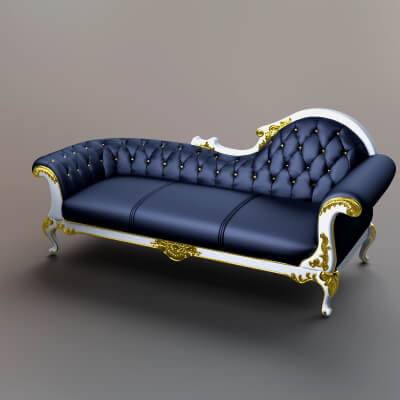
HDRI and background screen by Fabiana as well as the texture of the upholstery on the Sofa by AQ3D.
Thanks for looking!
HDRI and background screen by Fabiana as well as the texture of the upholstery on the Sofa by AQ3D.
Thanks for looking!

If you hadn't mentioned it, I wouldn't have noticed anything with the hairline. But does it really take 12 hours to render? Wow... I see now that the high quality of your works come from that kind of dedication. It's a truly beautiful portrait, as always.
REPLY
! REPORT
Mjrk
Karma: 36,251
Sat, Mar 21Thanks. Indeed it took 12 hours and it came up to 96% (after 2 1/2 hour it was at 71% and the rest took so long !?!)

Lovely work, always. Is it because of the size of the render that it takes so long to complete? I often wonder if there are render settings you utilize that I haven't learned about yet because your images are always much sharper and clearer than anything I've yet to produce (and I've tried to emulate that polish; I really have!).
REPLY
! REPORT
Mjrk
Karma: 36,251
Sat, Mar 21Thank you! The original size was 2200 x 2200 pixel. The new portrait is exact that size. I must admit that I don't really know the meaning of all of the different settings in that program. But there is one perimeter I always change: >Render Settings >Progressive Rendering > Max Time(secs). It stands usually at 7200 and that will be only two hours. I set a 8 in front of that number, that will be good for a little more than 24 hours. If you set >Render Target : Direct To File, you won't have to look once in a while if the rendering is ready. The program will save the file when it "thinks" it's finished.
Well, you won't be able to do anything else with DAZ Studio for a whole day. But there are always other things to do
B.t.w. your renderings look very sharp, and I see, you are using rim lights some times. That also helps to set off a figure to the background.
Perhaps it's the textures. For the ladies these are often painted to flat and without blemishes. The guy of course have stubbles on their chin and painted folds on the forehead, dirt or tattoos - they look somewhat more realistic from the start.
There is script that could be useful - examples here:
https://www.renderhub.com/gallery/57975/what-a-difference-a-script-makes
(warning: from the moment you have used that script, the figure will look blueish or greenish in the texture view)
With most of the textures that com with the figures, I'm not satisfied. I then use the (RR) Exnem Textures 2 or 6.
These are made with multiple layered colour and subsurface maps. Or, like in this picture up here, I use textures from iSourceTextures/DAZ. some have little imperfections that makes the skin more realistic.
Here I add another link to a picture that shows a light settings that I often use:
https://www.renderhub.com/gallery/37421/maisy-test
I saved these Ghost Lights arrangement as a Scene Subset (without Environment option!) so I can merge it into the scene
at once and then make alterations for the specific scene.
Anyway, when I look at your pictures, I'm not sure is anything I wrote can be helpful. I guess you know it already.
It is more the lack of realistic textures the come with the figures.
Well, you won't be able to do anything else with DAZ Studio for a whole day. But there are always other things to do
B.t.w. your renderings look very sharp, and I see, you are using rim lights some times. That also helps to set off a figure to the background.
Perhaps it's the textures. For the ladies these are often painted to flat and without blemishes. The guy of course have stubbles on their chin and painted folds on the forehead, dirt or tattoos - they look somewhat more realistic from the start.
There is script that could be useful - examples here:
https://www.renderhub.com/gallery/57975/what-a-difference-a-script-makes
(warning: from the moment you have used that script, the figure will look blueish or greenish in the texture view)
With most of the textures that com with the figures, I'm not satisfied. I then use the (RR) Exnem Textures 2 or 6.
These are made with multiple layered colour and subsurface maps. Or, like in this picture up here, I use textures from iSourceTextures/DAZ. some have little imperfections that makes the skin more realistic.
Here I add another link to a picture that shows a light settings that I often use:
https://www.renderhub.com/gallery/37421/maisy-test
I saved these Ghost Lights arrangement as a Scene Subset (without Environment option!) so I can merge it into the scene
at once and then make alterations for the specific scene.
Anyway, when I look at your pictures, I'm not sure is anything I wrote can be helpful. I guess you know it already.
It is more the lack of realistic textures the come with the figures.
beautiful creation, excellent render. Waiting for 12 hrs ! I couldn't ! But the result is worth of it
REPLY
! REPORT
Mjrk
Karma: 36,251
Sun, Mar 22Thanks! 12 hours is quite the average, I fear. I have had renderings that took 27 hours. 


 Daz Studio
 Nvidia Iray Render