Free 3D
 3D Print Models
 3D Scans
 Animation & MoCap
 Textures
 Materials
 Skin Reference
 2D Game Assets
 Sound Effects
 Brushes & Tools
 Reference Photos
 Stock Images
 HDR Images
 3ds Max
 Maya
 Blender
 Unreal Engine
 Unity
 ZBrush
 Cinema 4D
 LightWave
 Marmoset
 SketchUp
 FBX
 DAE
 DXF
 GLB

! REPORT

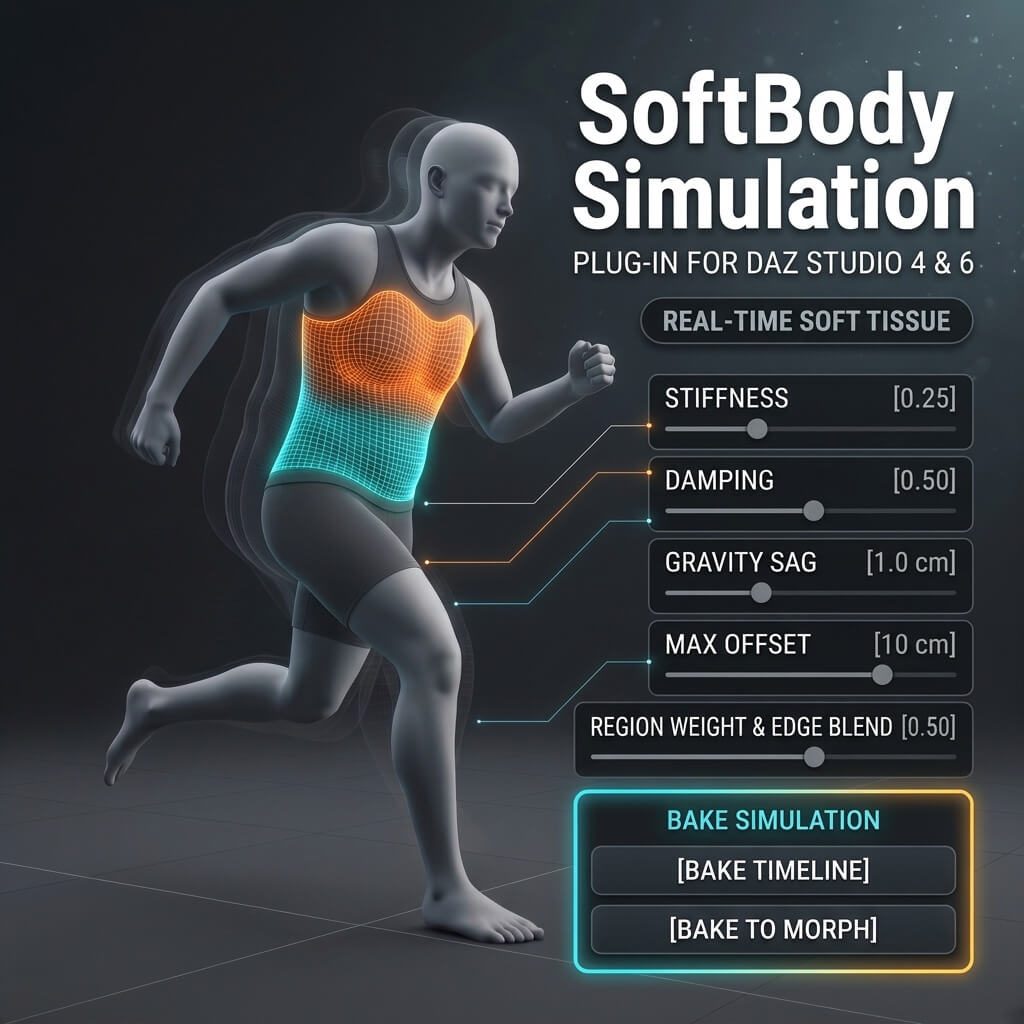
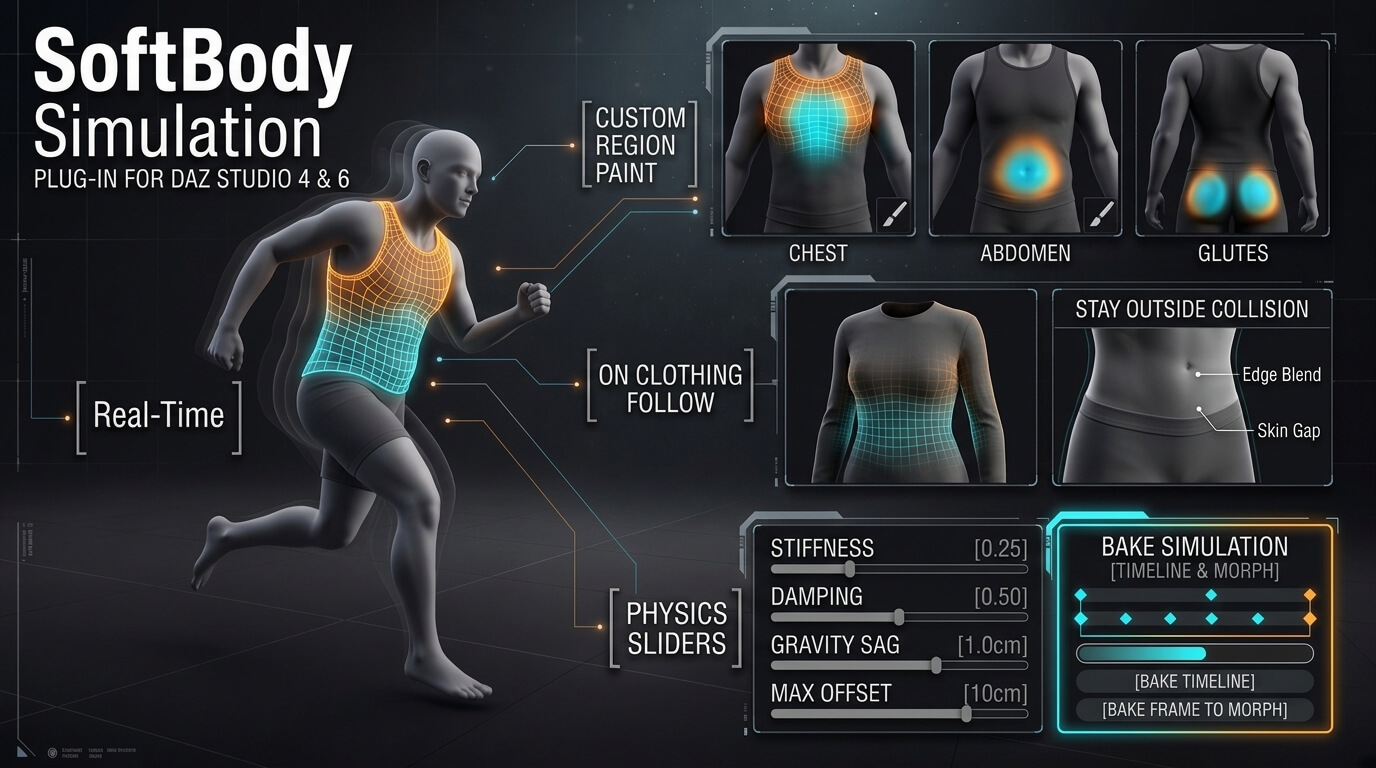
Softbody Simulation Plugin for DAZ (Add Bake Simulation)
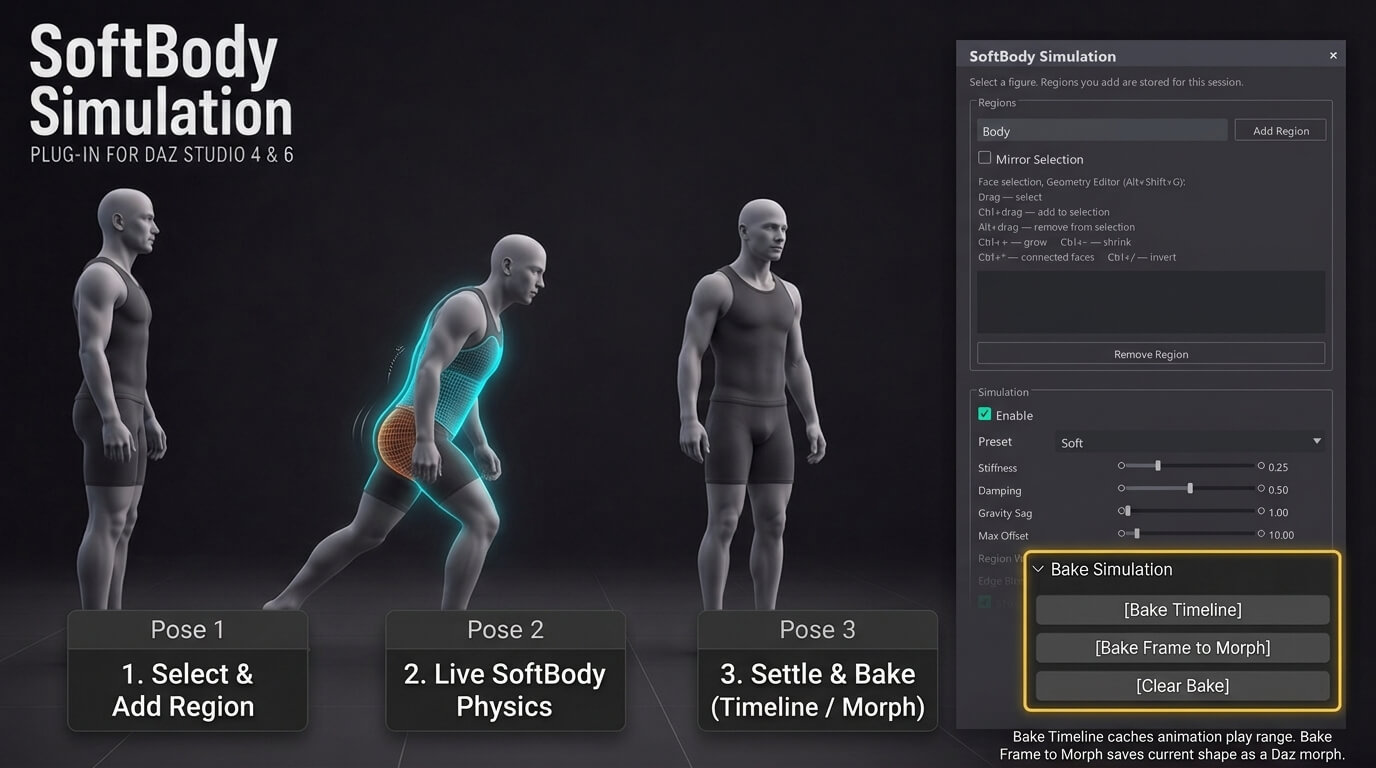
AI-Enhanced 3D Render by intenzoBake Simulation (Timeline Cache & Morph Export). The Bake Simulation section provides three workflow tools:
- Bake Timeline: Steps through the active timeline play range with a progress bar, caches the simulated vertex offsets for every frame, and places keyframes on the Daz Studio Timeline ("Baked Simulation Frame"). Once baked, timeline scrubbing in either direction, viewport playback, and animation rendering play back immediately and deterministically (including fitted clothing follow).
- Bake Frame to Morph: Converts the current simulated soft-tissue shape into a native Daz Studio morph slider ("Baked SoftBody Simulation" under Parameters -> Soft Tissue) and pauses live physics so you can dial the morph (0‥100%) and save the shape directly inside .duf scene files.
- Clear Bake: Clears the baked timeline cache, resets the baked morph slider to 0, and restores live interactive soft-body physics.
- Bake Timeline: Steps through the active timeline play range with a progress bar, caches the simulated vertex offsets for every frame, and places keyframes on the Daz Studio Timeline ("Baked Simulation Frame"). Once baked, timeline scrubbing in either direction, viewport playback, and animation rendering play back immediately and deterministically (including fitted clothing follow).
- Bake Frame to Morph: Converts the current simulated soft-tissue shape into a native Daz Studio morph slider ("Baked SoftBody Simulation" under Parameters -> Soft Tissue) and pauses live physics so you can dial the morph (0‥100%) and save the shape directly inside .duf scene files.
- Clear Bake: Clears the baked timeline cache, resets the baked morph slider to 0, and restores live interactive soft-body physics.
Softbody Simulation Plugin for DAZ (Add Bake Simulation)
AI-Enhanced
[+] Give Award


Sun, Nov 01 29

 0
297
0
Add to Collection

7 Likes
Share This Render


Software Used
 Daz Studio
Marketplace Items Used