


 Free 3D
 3D Print Models
 3D Scans
 Animation & MoCap
 Textures
 Materials
 Skin Reference
 2D Game Assets
 Sound Effects
 Brushes & Tools
 Reference Photos
 Stock Images
 HDR Images
 3ds Max
 Maya
Maya Blender
 Unreal Engine
 Unity
Unity ZBrush
 Cinema 4D
 LightWave
 Marmoset
 SketchUp
 FBX
FBX DAE
DAE DXF
DXF GLB
GLB


! REPORT

The Ember Gate - AIRE 1.2.1
AI-Enhanced 3D Render by DustRiderStory:
Zuna stood before the ancient stones as if she had been carved from the same dusk‑lit granite. The sunset behind her burned in layered reds and purples, casting long shadows that stretched like reaching spirits across the grass. Her armor, etched with curling motifs older than any written language. It caught the fading light and glowed with a quiet, almost molten intensity. Travelers who passed through this place spoke of guardians who appeared when the sky turned to fire. Tonight, Zuna was that guardian.
She had come to the Ember Gate not for ceremony, but for confirmation. The forest behind her whispered with the voices of those who had walked this path before, warriors and wanderers whose stories had been swallowed by time. Zuna tightened her grip on her weapon, feeling the weight of her lineage settle into her bones. The Ember Gate was stirring—its magic waking like a slow breath, and she alone had been chosen to stand watch. As the last sliver of sun dipped below the horizon, she lifted her chin, ready to face whatever stepped through the veil.
Image Info:
This is the result of my first attempt at using the AIRE renderer for DAZ Studio. The second image above is the Iray image that was generated to produce the final image. After installing AIRE I needed something to test it, so I opened up this character I had been working on. I was so impressed with the results that I decided to just begin the process of making a final image with her. The character is my edited version of Zune for G9 by Mechasar (at DAZ).
After getting Zuna posed the way I wanted, I had to use the Sculpt Tool for DAZ 3D (from here ..... outstanding product) to fix the outfit. The smooth tool combined with in the grab tool in the Sculpttool is fantastic for fixing the crinkled distortions under the breasts (the outfit she is wearing is designed for male figures). I also had to fix poke through on the legs, the Sculpt tool made it easy to fix and make it look natural. (Note that I needed to fix these issues manually because AIRE does did not fix them).
After posing and fixing everything so it looked good in the render, it was time to start giving "creative direction" to give AIRE the information needed to get the image (background) I wanted. This process took several hours because I was learning AIRE, figuring out what the general response is to different settings, and how the AI would interpret my "creative direction" (Dreamlight uses the term creative direction rather than prompt, which really describes the process much better than "prompting"). After i finally got to the image you see above, I did do some slight post processing on it. Basically the same process I use on my normal Iray renders.
I really like how AIRE preserves the figure. there are subtle changes, and It sometimes looses things it doesn't "understand" (like the body/face paint), but I'm really impressed that it keep the figure virtually that same as I designed/posed it, yet create the requested background around it (and the "proper" lighting). I've tried doing the same thing with the AI plugin with Krita, and it's a more involved process with Krita. The settings I used are in the third image. I really like the surrealistic lighting effects the the Cyberpunk preset provided for this image.
Zuna stood before the ancient stones as if she had been carved from the same dusk‑lit granite. The sunset behind her burned in layered reds and purples, casting long shadows that stretched like reaching spirits across the grass. Her armor, etched with curling motifs older than any written language. It caught the fading light and glowed with a quiet, almost molten intensity. Travelers who passed through this place spoke of guardians who appeared when the sky turned to fire. Tonight, Zuna was that guardian.
She had come to the Ember Gate not for ceremony, but for confirmation. The forest behind her whispered with the voices of those who had walked this path before, warriors and wanderers whose stories had been swallowed by time. Zuna tightened her grip on her weapon, feeling the weight of her lineage settle into her bones. The Ember Gate was stirring—its magic waking like a slow breath, and she alone had been chosen to stand watch. As the last sliver of sun dipped below the horizon, she lifted her chin, ready to face whatever stepped through the veil.
Image Info:
This is the result of my first attempt at using the AIRE renderer for DAZ Studio. The second image above is the Iray image that was generated to produce the final image. After installing AIRE I needed something to test it, so I opened up this character I had been working on. I was so impressed with the results that I decided to just begin the process of making a final image with her. The character is my edited version of Zune for G9 by Mechasar (at DAZ).
After getting Zuna posed the way I wanted, I had to use the Sculpt Tool for DAZ 3D (from here ..... outstanding product) to fix the outfit. The smooth tool combined with in the grab tool in the Sculpttool is fantastic for fixing the crinkled distortions under the breasts (the outfit she is wearing is designed for male figures). I also had to fix poke through on the legs, the Sculpt tool made it easy to fix and make it look natural. (Note that I needed to fix these issues manually because AIRE does did not fix them).
After posing and fixing everything so it looked good in the render, it was time to start giving "creative direction" to give AIRE the information needed to get the image (background) I wanted. This process took several hours because I was learning AIRE, figuring out what the general response is to different settings, and how the AI would interpret my "creative direction" (Dreamlight uses the term creative direction rather than prompt, which really describes the process much better than "prompting"). After i finally got to the image you see above, I did do some slight post processing on it. Basically the same process I use on my normal Iray renders.
I really like how AIRE preserves the figure. there are subtle changes, and It sometimes looses things it doesn't "understand" (like the body/face paint), but I'm really impressed that it keep the figure virtually that same as I designed/posed it, yet create the requested background around it (and the "proper" lighting). I've tried doing the same thing with the AI plugin with Krita, and it's a more involved process with Krita. The settings I used are in the third image. I really like the surrealistic lighting effects the the Cyberpunk preset provided for this image.


Excellent work on the before and after, and thanks for the explanation on your workflow as it was very useful, just shows you still need to put in the work and supply a good starting point image to control what AI gives you back. Will have to look into this 'Sculpt Tool' from Daz also, sound amazing what it can do. Top marks 
REPLY
! REPORT
signshop
Karma: 6,487
Sun, Oct 11...err, do you have the exact name for the sculpt tool?...there seems to be a lot of products in the store...lol.
DustRider
Karma: 2,118
16 Hours agoThanks for your kind words. Yes, so many people think for any image using AI you just type in a prompt and get a image. They don't realize to get what you want takes time and patience (and in some instances some interactive editing of the image).
The SculptTool can be found here: https://www.renderhub.com/heiwa-interactive-arts/sculpttool-for-daz3d. It provides the tools that you have to get a Premier membership from DAZ to get Geometry Sculptor, and possibly a few more (I'm not sure, even though I was a Premier member, I never used Geometry Sculptor because I didn't want to become dependent on a subscription based tool). The smooth tool in the SculptTool is awesome. It can easily help fix/smooth distorted geometry caused by autofit.
The SculptTool can be found here: https://www.renderhub.com/heiwa-interactive-arts/sculpttool-for-daz3d. It provides the tools that you have to get a Premier membership from DAZ to get Geometry Sculptor, and possibly a few more (I'm not sure, even though I was a Premier member, I never used Geometry Sculptor because I didn't want to become dependent on a subscription based tool). The smooth tool in the SculptTool is awesome. It can easily help fix/smooth distorted geometry caused by autofit.

DustRider
Karma: 2,118
16 Hours agoThanks for the kind comment, and thanks for AIRE!!!! This is what DAZ should have done, instead of their lame AI Studio. It promotes the use (sale) of DAZ assets while enabling the creator/artist to create images that would be extremely difficult to do with just DS (and difficult to do even with heavy post work).
The Ember Gate - AIRE 1.2.1
AI-Enhanced
[+] Give Award


Sun, Oct 11 58
58
 8
8
5811
8
Add to Collection

11 Likes
Share This Render


Software Used
 Daz Studio
 GIMP
GIMP Nvidia Iray Render
Marketplace Items Used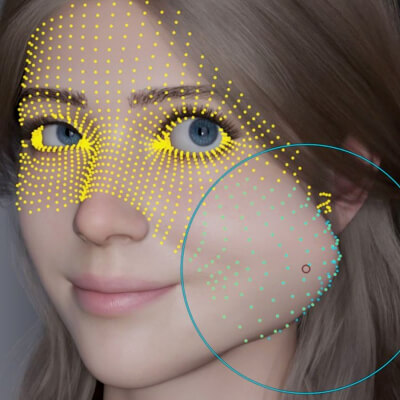

Artist Stats
Member Since:
Karma:
Followers:
Likes Received:
Karma:
Followers:
Likes Received:
Jun, 2025
2,118
34
582
2,118
34
582
Gallery Images:
Wallpaper Images:
Forum Topics:
Marketplace Items:
Wallpaper Images:
Forum Topics:
Marketplace Items:
27
0
0
0
0
0
0

60

8

1


